AI Markdown Formatter: OneText
Herunterladen auf App Store

Diese Seite ist keine offizielle Seite der App oder ihres Entwicklers, sondern eine unabhängige redaktionelle Veröffentlichung, die zu Informations- und Kommentarzwecken erstellt wurde. Sofern nicht ausdrücklich anders angegeben, sind weder die App noch ihr Entwickler mit MWM, Apple, Google Play, dem App-Herausgeber oder dem Entwickler der App verbunden, von ihnen unterstützt, gesponsert, autorisiert oder anderweitig offiziell verbunden, und nichts auf dieser Seite impliziert, dass die App unter Verwendung der Dienste von MWM entwickelt wurde. Alle Marken, Logos, Screenshots und andere Inhalte bleiben Eigentum ihrer jeweiligen Inhaber.

Logo von AI Markdown Formatter: OneText
Herunterladen auf App Store

AI Markdown Formatter: OneText

Das unverzichtbare Toolkit für Kreative und Profis, um Markdown sofort in schöne lange Bilder, professionelle PDFs und Word-Dokumente zu konvertieren – 100 % offline und datenschutzorientiert.

Kennzahlen

Downloads

1K+

Bewertung

4.6/5

Bewertungen gesamt

0

Herausgeber

逸文 周

Kategorie

Productivity

Sprachen

11

Neueste Version

1.0.18

Größe

6.7 MB

Erstveröffentlichung

11. März 2025
Funktionen

Werten Sie Ihren digitalen Arbeitsplatz auf

Schließen Sie die Lücke zwischen technischem Markdown und professioneller Präsentation mit einem leistungsstarken, datenschutzorientierten Dienstprogramm.

Teilbare visuelle Inhalte

Konvertieren Sie KI-Antworten und Blog-Entwürfe in hochauflösende lange Bilder mit benutzerdefinierten Themen – perfekt, um Ihre Reichweite auf LinkedIn, X und Threads zu vergrößern.

Vielseitiger Dokumentenexport

Verwandeln Sie Notizen nahtlos in PDF, Word oder Excel. Vollständige Unterstützung für LaTeX und Tabellen stellt sicher, dass Ihre technischen Daten und Forschungsergebnisse jedes Mal makellos aussehen.

Die folgenden Screenshots und die Beschreibung stammen direkt aus dem offiziellen Store-Eintrag der App und sind Eigentum des Entwicklers.

App Store

Screenshots
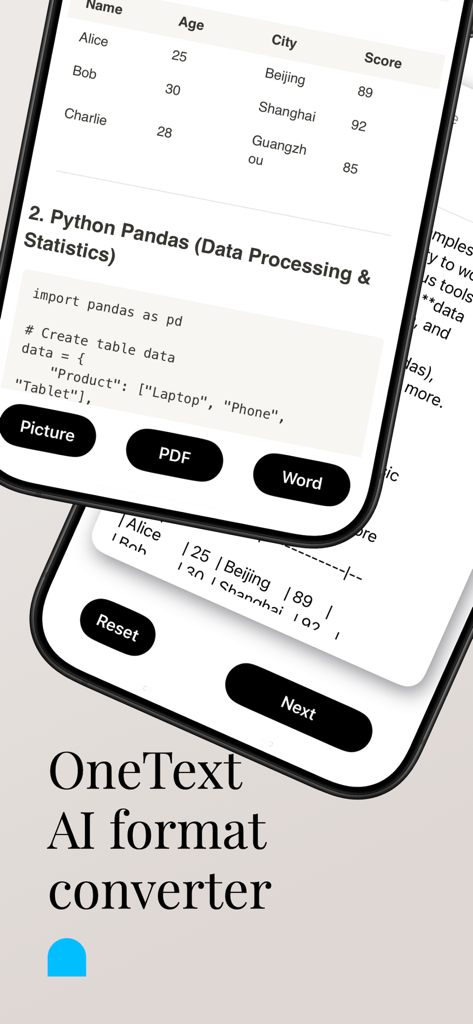
AI Markdown Formatter: OneText - OneText App-Oberfläche mit Optionen zur Konvertierung von Markdown-Inhalten für Bilder, PDF und Word.
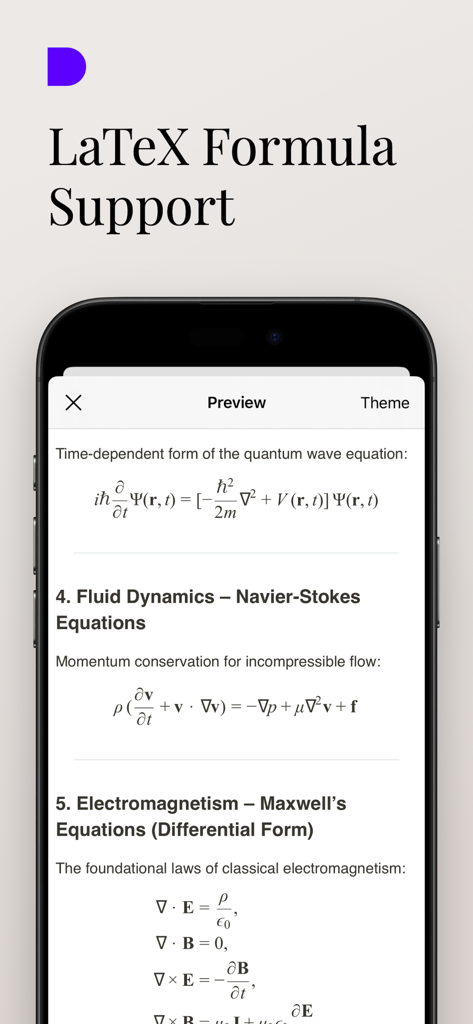
OneText App-Oberfläche mit Optionen zur Konvertierung von Markdown-Inhalten für Bilder, PDF und Word.

AI Markdown Formatter: OneText - OneText App-Oberfläche mit gerenderten wissenschaftlichen LaTeX-Formeln und Gleichungen für Physik und Mathematik.
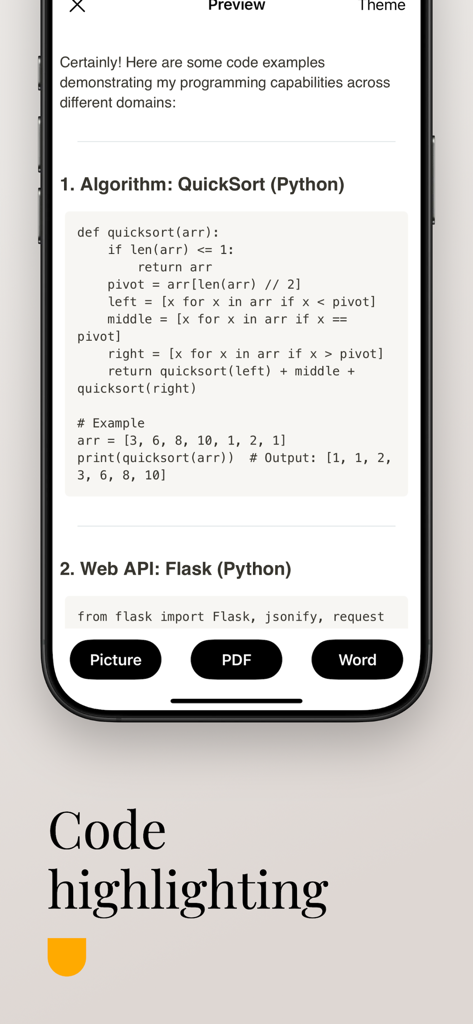
OneText App-Oberfläche mit gerenderten wissenschaftlichen LaTeX-Formeln und Gleichungen für Physik und Mathematik.

AI Markdown Formatter: OneText - Bildschirmansicht der OneText-App mit Hervorhebung von Markdown-Code für ein Python-Skript.
Bildschirmansicht der OneText-App mit Hervorhebung von Markdown-Code für ein Python-Skript.

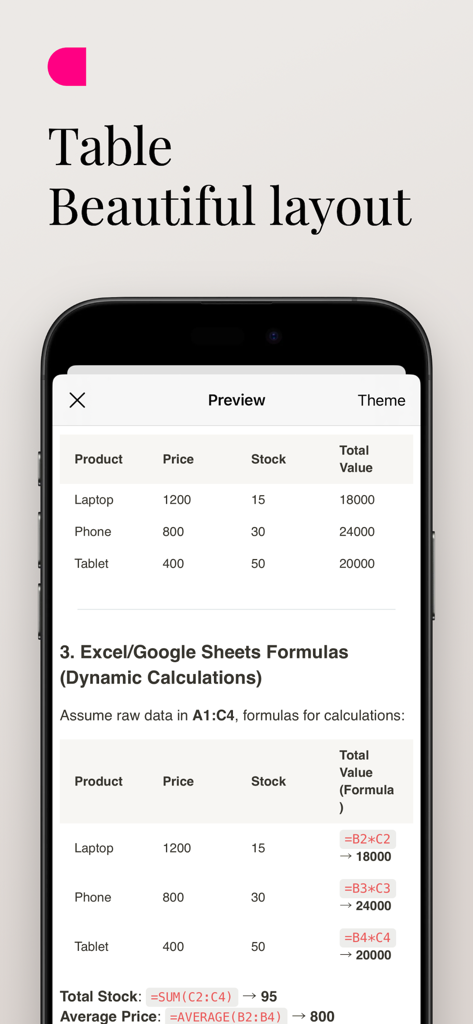
AI Markdown Formatter: OneText - Vorschau einer schön formatierten Markdown-Tabelle mit dynamischen Formeln in der OneText-App.

Vorschau einer schön formatierten Markdown-Tabelle mit dynamischen Formeln in der OneText-App.

Beschreibung

Introduction OneText is a powerful and easy-to-use content conversion tool designed for Markdown text users. It quickly converts text into beautiful long images, PDFs, or Word documents, making content sharing more convenient. Whether it’s the insightful answers generated by AI models, or your notes, blog posts, and tutorials, OneText presents them in the best format to help you efficiently share information on social platforms or professional settings. Main Functions Markdown to Long Images Convert Markdown text into high-definition long images with a single click, perfect for sharing on social platforms. Multiple theme styles are available to enhance the visual appeal of your content. Markdown to PDF Easily export your Markdown content to a standard PDF format, ideal for archiving, printing, or professional sharing, ensuring a clear and elegant layout. Markdown to Word Documents Need more flexible document editing? OneText can convert Markdown to Word format for subsequent modifications and layout adjustments. Scientific Formula Display OneText supports the display of scientific and mathematical formulas, enabling seamless rendering of LaTeX-style expressions. Markdown Table to Excel Extract tables from Markdown files and convert them to Excel format for easy data manipulation and further editing. Multiple Export Formats Supports exporting in three formats: PNG (image), PDF, and DOCX (Word). Convert and share your content effortlessly anytime, anywhere. Offline Functionality OneText works fully offline, ensuring that all conversions and edits happen locally to maintain your privacy and data security. Efficient and Fast, One-Click Sharing Quickly save your generated content or directly share it on social media platforms like WeChat Moments, Twitter, and Facebook, improving communication efficiency. Who Can Use OneText? Individuals who frequently use AI models to generate content and wish to convert it into a more visually appealing format. We-media authors, knowledge bloggers, and social media experts looking to improve content dissemination through a combination of text and images. Users who need to organize notes, write tutorials, and create documents. Workplace professionals or students who require conversion of Markdown content into PDF or Word formats. Why Choose OneText? Optimized for Markdown: Supports all key Markdown syntax, such as titles, code blocks, and lists, ensuring that the converted content is neat and beautiful. Simple and Efficient: With a user-friendly interface, you can convert and share content with just one click, eliminating unnecessary steps. Privacy and Security: All conversions happen locally on your device, meaning your data is never uploaded to the cloud, ensuring your privacy is protected. Personalized and Flexible: Tailored for those who need a fast and reliable tool for Markdown content conversion without compromising on privacy or functionality. Download OneText now and make your content more impactful!

Download

Herunterladen auf App Store

Diese Seite ist keine offizielle Seite der App oder ihres Entwicklers, sondern eine unabhängige redaktionelle Veröffentlichung, die zu Informations- und Kommentarzwecken erstellt wurde. Sofern nicht ausdrücklich anders angegeben, sind weder die App noch ihr Entwickler mit MWM, Apple, Google Play, dem App-Herausgeber oder dem Entwickler der App verbunden, von ihnen unterstützt, gesponsert, autorisiert oder anderweitig offiziell verbunden, und nichts auf dieser Seite impliziert, dass die App unter Verwendung der Dienste von MWM entwickelt wurde. Alle Marken, Logos, Screenshots und andere Inhalte bleiben Eigentum ihrer jeweiligen Inhaber.








