Air Navigation Pro
Air Navigation Pro
Herunterladen auf App Store

Diese Seite ist keine offizielle Seite der App oder ihres Entwicklers, sondern eine unabhängige redaktionelle Veröffentlichung, die zu Informations- und Kommentarzwecken erstellt wurde. Sofern nicht ausdrücklich anders angegeben, sind weder die App noch ihr Entwickler mit MWM, Apple, Google Play, dem App-Herausgeber oder dem Entwickler der App verbunden, von ihnen unterstützt, gesponsert, autorisiert oder anderweitig offiziell verbunden, und nichts auf dieser Seite impliziert, dass die App unter Verwendung der Dienste von MWM entwickelt wurde. Alle Marken, Logos, Screenshots und andere Inhalte bleiben Eigentum ihrer jeweiligen Inhaber.


Logo von Air Navigation Pro
Herunterladen auf App Store

Air Navigation Pro

Beherrschen Sie den Himmel mit professionellen aeronautischen Karten, Echtzeit-Verkehrswarnungen und fortschrittlichen Wetterebenen. Entwickelt für sicherheitsbewusste Piloten, die vom Start bis zur Landung vollständige Situationsübersicht verlangen.

Kennzahlen

Downloads

523K+

Bewertung

4.7/5

Bewertungen gesamt

200

Herausgeber

Air Navigation SA

Kategorie

Navigation

Sprachen

10

Neueste Version

8.4.150

Größe

213.4 MB

Erstveröffentlichung

6. Jan. 2009
Funktionen

Präzisionsflugwerkzeuge für den modernen Piloten

Verwandeln Sie Ihr iPad in ein professionelles Electronic Flight Bag mit Echtzeit-Situationsübersicht und weltweiten aeronautischen Daten.

3D-Synthetikvision & TAWS

Fliegen Sie mit Vertrauen in jedem Gelände mit hochauflösenden 3D-Ansichten und Terrain Awareness Warning Systems für ultimative Sicherheit.

Integrierter Live-Verkehr

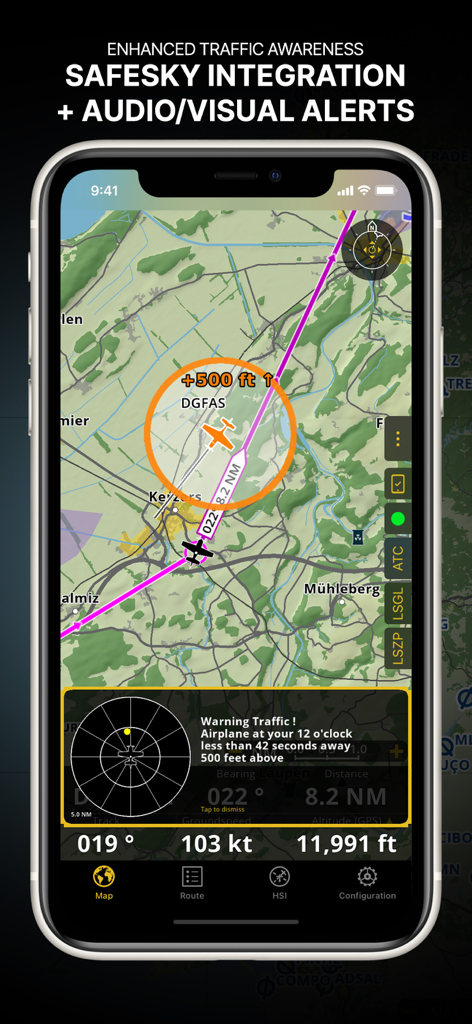
Erhalten Sie Echtzeit-visuelle und akustische Warnungen durch native SafeSky-Integration, um jederzeit über nahegelegene Flugzeuge informiert zu sein.

Die folgenden Screenshots und die Beschreibung stammen direkt aus dem offiziellen Store-Eintrag der App und sind Eigentum des Entwicklers.

App Store

Screenshots
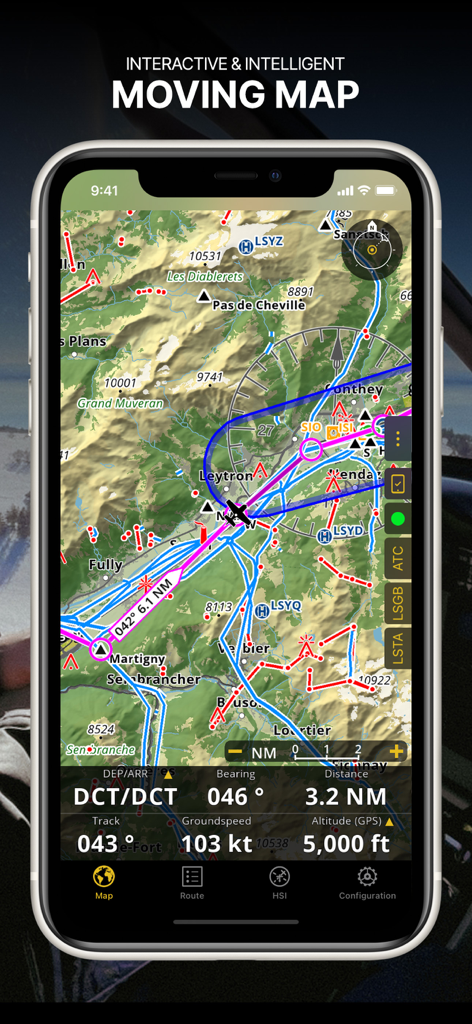
Air Navigation Pro - Screenshot der Air Navigation Pro App, der eine interaktive Bewegungskarte mit aeronautischen Karten und Echtzeit-Flugdaten zeigt
Screenshot der Air Navigation Pro App, der eine interaktive Bewegungskarte mit aeronautischen Karten und Echtzeit-Flugdaten zeigt

Air Navigation Pro - Air Navigation Pro-Oberfläche, die verbesserte Verkehrsüberwachung mit SafeSky-Integration und visuellen Warnungen zeigt
Air Navigation Pro-Oberfläche, die verbesserte Verkehrsüberwachung mit SafeSky-Integration und visuellen Warnungen zeigt

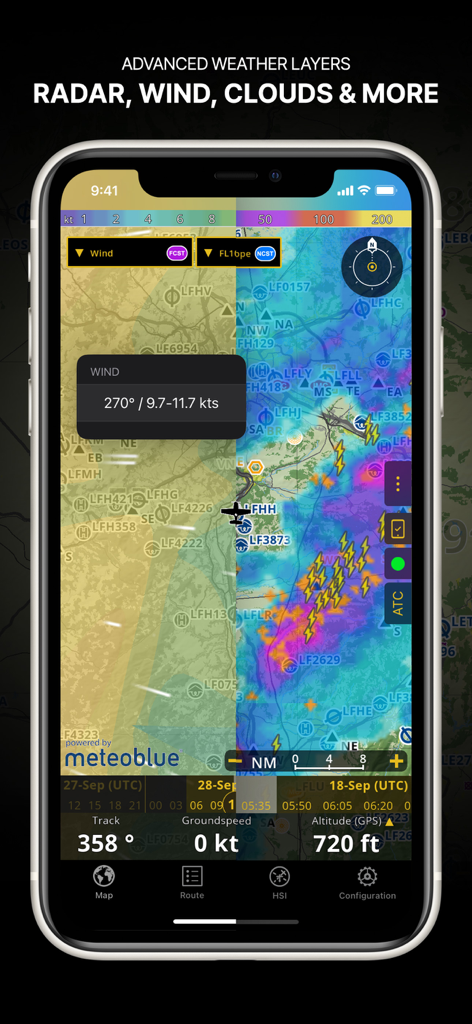
Air Navigation Pro - Screenshot der Air Navigation Pro App, der fortschrittliche Wetterebenen wie Radar, Wind und Wolkendecke auf einer Navigationskarte zeigt
Screenshot der Air Navigation Pro App, der fortschrittliche Wetterebenen wie Radar, Wind und Wolkendecke auf einer Navigationskarte zeigt

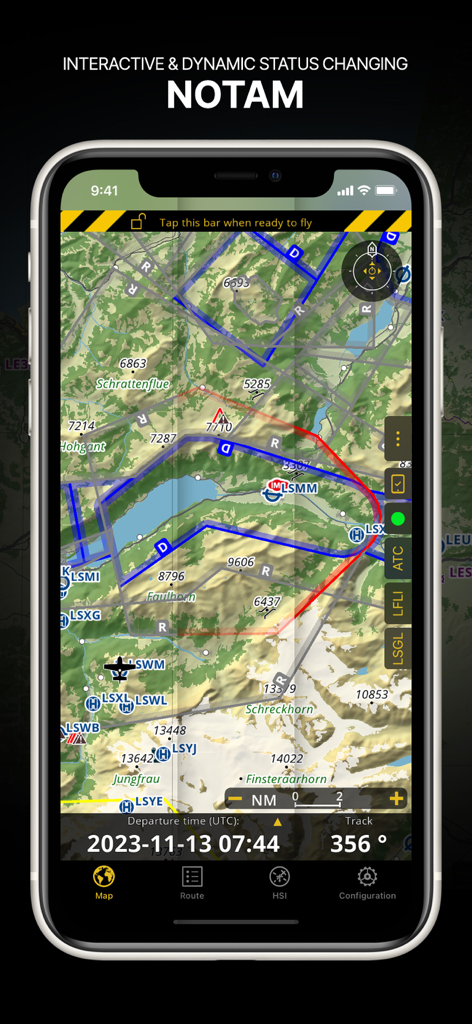
Air Navigation Pro - Air Navigation Pro-Oberfläche, die dynamische NOTAM-Informationen auf einer topografischen aeronautischen Karte anzeigt
Air Navigation Pro-Oberfläche, die dynamische NOTAM-Informationen auf einer topografischen aeronautischen Karte anzeigt

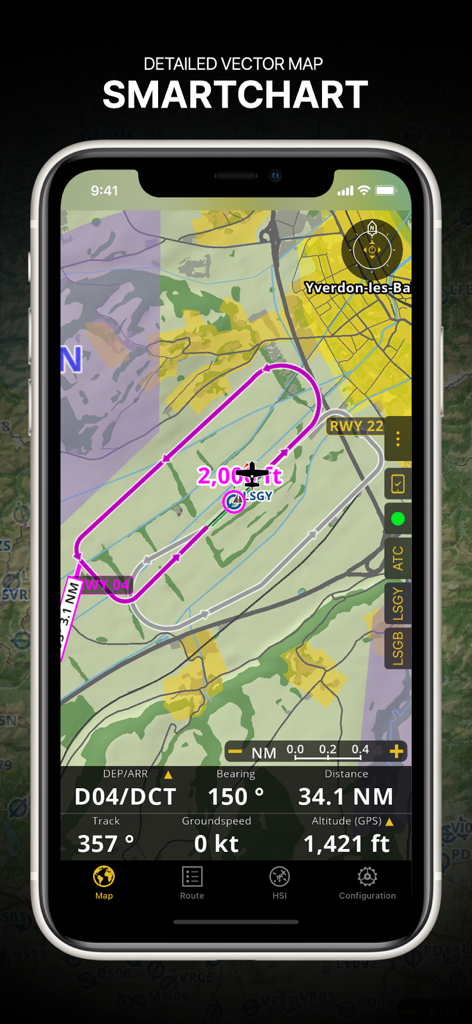
Air Navigation Pro - Air Navigation Pro-Oberfläche, die eine detaillierte Vektor-SmartChart mit einer Flugroute und Echtzeit-Navigationsdaten zeigt.
Air Navigation Pro-Oberfläche, die eine detaillierte Vektor-SmartChart mit einer Flugroute und Echtzeit-Navigationsdaten zeigt.

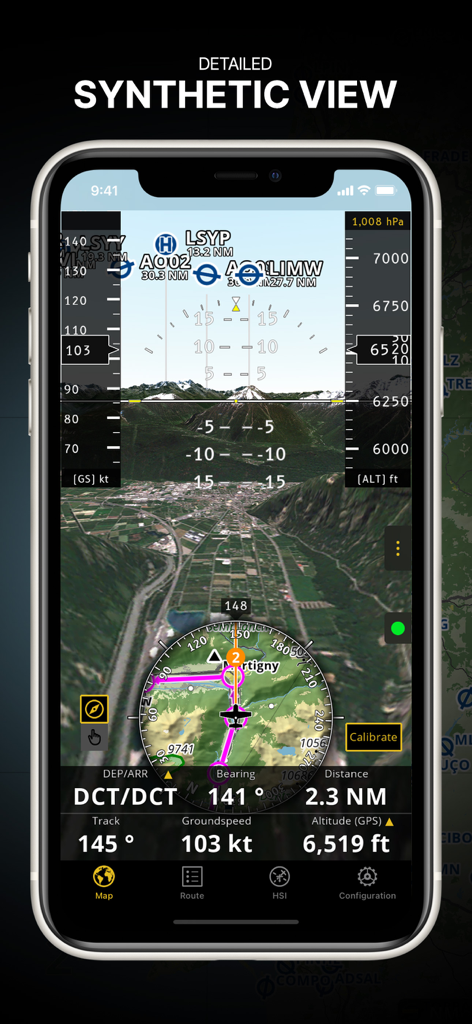
Air Navigation Pro - Air Navigation Pro App, die die detaillierte Synthetikansicht mit 3D-Gelände und integrierten Fluginstrumenten anzeigt
Air Navigation Pro App, die die detaillierte Synthetikansicht mit 3D-Gelände und integrierten Fluginstrumenten anzeigt

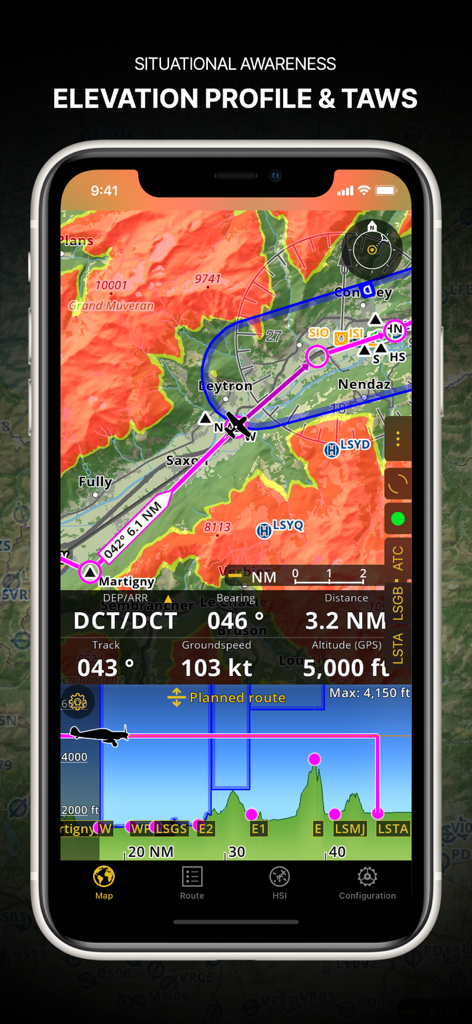
Air Navigation Pro - Air Navigation Pro-Screenshot, der das Höhenprofil und das Terrain Awareness Warning System zeigt.

Air Navigation Pro-Screenshot, der das Höhenprofil und das Terrain Awareness Warning System zeigt.
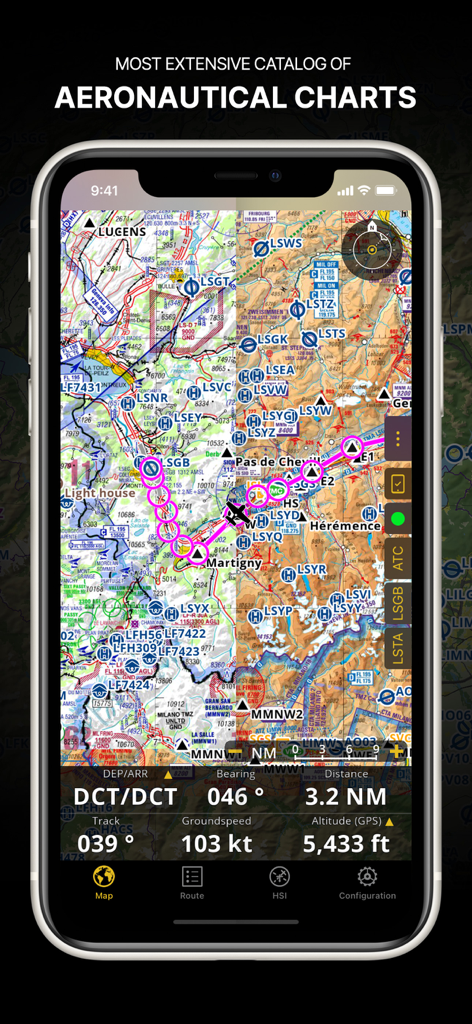
Air Navigation Pro - Air Navigation Pro App, die eine detaillierte aeronautische Karte mit Flugroute und Navigationsdaten auf dem Bildschirm eines Smartphones anzeigt
Air Navigation Pro App, die eine detaillierte aeronautische Karte mit Flugroute und Navigationsdaten auf dem Bildschirm eines Smartphones anzeigt

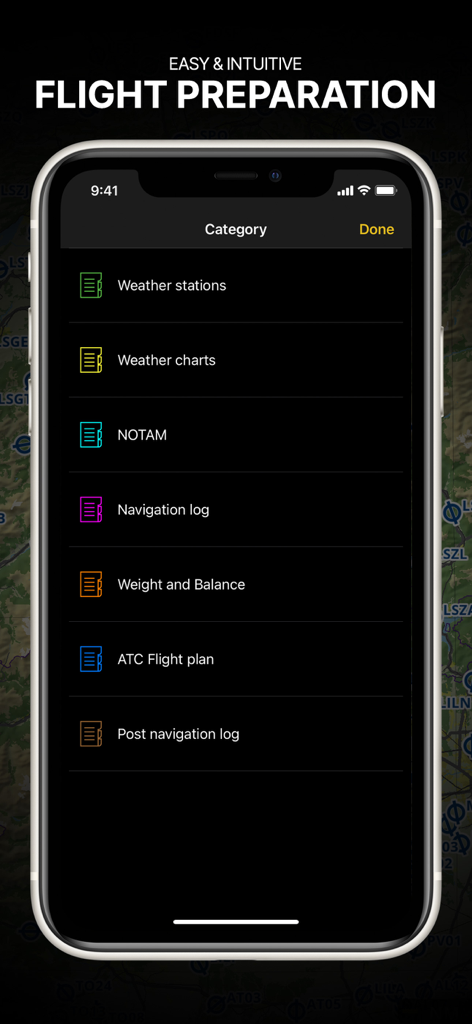
Air Navigation Pro - Air Navigation Pro App, die das Flugvorbereitungsmenü mit Briefing-Kategorien für Piloten anzeigt

Air Navigation Pro App, die das Flugvorbereitungsmenü mit Briefing-Kategorien für Piloten anzeigt
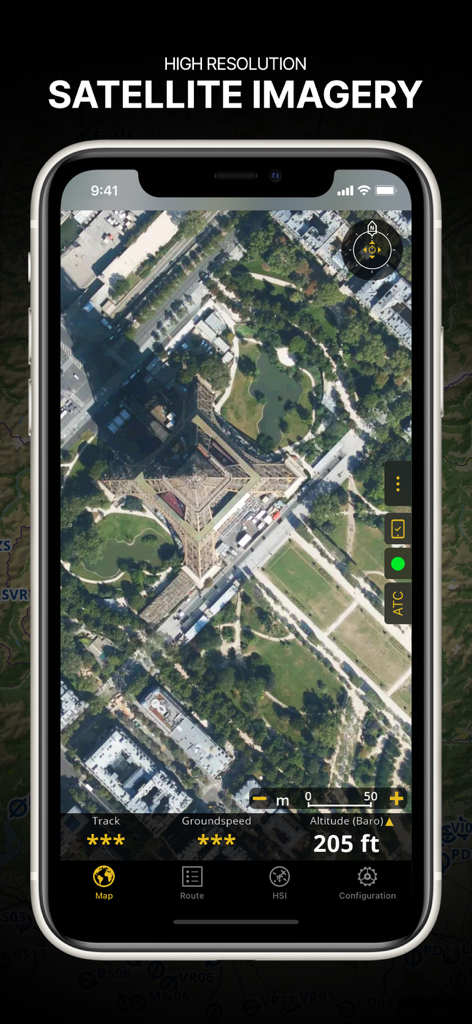
Air Navigation Pro - Screenshot der Air Navigation Pro App, die hochauflösende Satellitenbilder des Eiffelturms mit überlagerten Flugdaten zeigt

Screenshot der Air Navigation Pro App, die hochauflösende Satellitenbilder des Eiffelturms mit überlagerten Flugdaten zeigt

Beschreibung

Discover our flight planning & real-time navigation app for free for 28 days! - Everything you need to fly around the world - Plan your flight in a few minutes - Fly relaxed with up-to-date information Air Navigation Pro is a high-quality flight assistant app for pilots worldwide. Benefit from the following main features: MOVING MAP Plan and navigate using our interactive moving map. Choose between aeronautical charts, satellite or our vector map as a background. On top of that, the moving map displays waypoints, NOTAM, obstacles and airspaces from our comprehensive, always up-to-date worldwide aeronautical database. Tap on any waypoint directly on the map to easily create a route. Personalize the values shown on the navbar to have exactly the information you need: altitude, vertical speed, bearing, distance to the next waypoint, ETA calculations, etc. Choose the airport departure and arrival procedures for your route to have them also displayed on top of the moving map. ENHANCED TRAFFIC AWARENESS Get visual and audio alerts in all languages for nearby conflicting traffic. Choose your preferred traffic icon between generic, aircraft or TCAS symbols. Your safety is important to us, which is why we partnered with SafeSky to ensure our users have live traffic data during their flight. Benefit from the native integration with SafeSky included in our new Smart Lite, Smart Classic and Smart Advanced subscriptions—a two-in-one package! ADVANCED WEATHER LAYERS In addition to the basic weather reports & forecast of winds, TAF and METAR for your flight, subscribers of the Smart Advanced plan can activate see-through weather layers on top of the moving map. Available layers include rain radar, wind, pressure, clouds and rain, visibility, gust and for Germany, Switzerland, Austria and the Balkans, we also have GAFOR. Tap on any point on the map to see the weather information for that area. Review the weather forecast for up to three days ahead. NOTAM After creating your route, set the departure time in the future to have the moving map display the NOTAM active for that specific time. NOTAM on the map change color dynamically based on their status. SMARTCHART Our cutting-edge SmartChart is a highly detailed and intelligent vector-based map that adapts to your needs, providing you with adequate information at any zoom level. The SmartChart optimizes the display of shadows to easily distinguish between valleys and mountains, and the text remains perfectly aligned, guaranteeing optimal readability. Including the latest significant improvements with forests and detailed airport information. ELEVATION PROFILE & SYNTHETIC VIEW Enable the profile view below the navbar for enhanced situational awareness of the elevation ahead of you or along your route. Choose the corridor width between 0 to 5 NM and overlay options: airspaces, NOTAM, obstacles, wind components, populated places, etc. Switch to the synthetic view for additional terrain information, plus an artificial horizon with altitude and vertical speed indicators. This function can also be used to pan around while preparing for your flight. Activate TAWS on the moving map as well as on the synthetic view. AERONAUTICAL CHARTS & APPROACH CHARTS We offer the most extensive worldwide catalog of aeronautical charts, including the ICAO charts. Have the georeferenced approach charts displayed on top of the moving map or the 3D view. BRIEFING Prepare your flight with our briefing section by creating documents with NOTAM and weather charts & stations relevant to your planned route. Optimize time by creating an aircraft profile which will be used in the Briefing section to pre-fill for you the ATC Flight Plan and calculate the W&B. AND SO MUCH MORE! Please note that WiFi-only devices do not include an internal GPS receptor, an external sensor is required. Refer to our user manual on our website: www.airnavigation.aero Terms of use: https://www.airnavigation.aero/en/terms-of-use.html

Download

Herunterladen auf App Store

Diese Seite ist keine offizielle Seite der App oder ihres Entwicklers, sondern eine unabhängige redaktionelle Veröffentlichung, die zu Informations- und Kommentarzwecken erstellt wurde. Sofern nicht ausdrücklich anders angegeben, sind weder die App noch ihr Entwickler mit MWM, Apple, Google Play, dem App-Herausgeber oder dem Entwickler der App verbunden, von ihnen unterstützt, gesponsert, autorisiert oder anderweitig offiziell verbunden, und nichts auf dieser Seite impliziert, dass die App unter Verwendung der Dienste von MWM entwickelt wurde. Alle Marken, Logos, Screenshots und andere Inhalte bleiben Eigentum ihrer jeweiligen Inhaber.