
Diese Seite ist keine offizielle Seite der App oder ihres Entwicklers, sondern eine unabhängige redaktionelle Veröffentlichung, die zu Informations- und Kommentarzwecken erstellt wurde. Sofern nicht ausdrücklich anders angegeben, sind weder die App noch ihr Entwickler mit MWM, Apple, Google Play, dem App-Herausgeber oder dem Entwickler der App verbunden, von ihnen unterstützt, gesponsert, autorisiert oder anderweitig offiziell verbunden, und nichts auf dieser Seite impliziert, dass die App unter Verwendung der Dienste von MWM entwickelt wurde. Alle Marken, Logos, Screenshots und andere Inhalte bleiben Eigentum ihrer jeweiligen Inhaber.

Air Printer: Scan & Print PDF
Scannen Sie mühelos Dokumente und drucken Sie Dateien, Fotos oder professionelle Vorlagen für über 10.000 Druckermodelle. Keine Werbung, keine Mühe – einfach nahtlose Produktivität für Ihr Zuhause und Büro.
Downloads
14K+Bewertung
Bewertungen gesamt
100Herausgeber
Kategorie
BusinessSprachen
1Neueste Version
1.2Größe
12.5 MBErstveröffentlichung
18. März 2022Komplette Büro-Power in Ihrer Tasche
Maximieren Sie Ihre Produktivität mit nahtlosem kabellosem Drucken, professionellem Scannen und einer exklusiven Bibliothek organisatorischer Vorlagen, die auf Ihren geschäftigen Lebensstil zugeschnitten sind.
Sofortige drahtlose Konnektivität
Drucken Sie Dokumente und Fotos ohne Kabel oder komplexe Einrichtung. Unsere App unterstützt über 10.000 AirPrint-Modelle, um sicherzustellen, dass Ihr Drucker jedes Mal 'einfach funktioniert'.
Unterwegs scannen & drucken
Digitalisieren Sie Verträge, Belege und Visitenkarten sofort. Verwandeln Sie Ihr iPhone in einen hochauflösenden Scanner, der physische Papiere in professionelle PDFs umwandelt.
Häufig gestellte Fragen
Alles, was Sie über wissen müssen Air Printer: Scan & Print PDF
Was ist die Air Printer App?
Air Printer ist ein All-in-One-Bürotool, das für iPhone-Benutzer entwickelt wurde, um Dokumente und Fotos drahtlos zu scannen und zu drucken.
Welche Druckermodelle unterstützt Air Printer?
Ja, Air Printer unterstützt über 10.000 AirPrint-kompatible Druckermodelle verschiedener Marken und gewährleistet so eine breite Kompatibilität.
Ermöglicht Air Printer das Scannen von Dokumenten?
Ja, Air Printer enthält eine Scanfunktion, die die Kamera Ihres iPhones zum Scannen von Dokumenten, Visitenkarten und anderen Objekten verwendet, mit der Option, diese auszudrucken.
Kann ich mit Air Printer Fotos drucken?
Ja, Air Printer ermöglicht es Benutzern, Fotos direkt von ihrem iPhone zu drucken. Die App unterstützt das drahtlose Drucken von Dokumenten und Fotos.
Was sind die "Printables" in Air Printer?
Air Printer verfügt über eine Printables-Galerie mit über 300 einzigartigen, druckfertigen Elementen in 14 Kategorien wie Kalender und Feiertage, die regelmäßig aktualisiert werden.
Enthält die Air Printer App Werbung?
Nein, die Air Printer App enthält keine Werbung.
Wie viel kostet das Air Printer Premium-Abonnement?
Air Printer Premium kostet 2,99 US$ pro Woche und beinhaltet eine 3-tägige kostenlose Testphase. Die Preise können je nach Standort variieren.
Welche Funktionen sind in Air Printer Premium enthalten?
Air Printer Premium beinhaltet Unterstützung für über 10.000 AirPrint-Drucker, unbegrenztes Drucken von Scans, Fotos und Dokumenten sowie vollen Zugriff auf alle Printables mit regelmäßigen Updates.
Gibt es eine kostenlose Version von Air Printer?
Ja, eine kostenlose Version von Air Printer ist verfügbar, hat aber Einschränkungen, darunter 14 Printables, ein Scan-Druck, ein Dokumenten-Druck und ein Foto-Druck.
Wie schalte ich die automatische Verlängerung für Air Printer Premium aus?
Um die automatische Verlängerung für Air Printer Premium auszuschalten, müssen Benutzer zu ihren iTunes-Kontoeinstellungen gehen und dort ihre Abonnements verwalten.
Benötigt Air Printer AirPrint-Technologie, um zu funktionieren?
Ja, stellen Sie vor dem Drucken mit Air Printer sicher, dass Ihr Drucker die AirPrint-Technologie unterstützt und mit demselben Wi-Fi-Netzwerk wie Ihr iPhone verbunden ist.
Welche Berechtigungen fordert Air Printer auf meinem iPhone an?
Air Printer fordert Zugriff auf die Kamera an, um das Scannen von Dokumenten, Visitenkarten, Fotos und anderen Objekten direkt über die App zu ermöglichen.
Kann ich Scans und Fotos in Air Printer bearbeiten?
Ja, Air Printer ermöglicht es Benutzern, gescannte Dokumente und Fotos zu bearbeiten, indem sie vor dem Drucken Zeichnungen und Markierungen hinzufügen.
Welche Papierformate unterstützt Air Printer zum Drucken?
Air Printer unterstützt verschiedene Papierformate, darunter 3,5 x 5 Zoll, 4 x 6 Zoll, 5 x 7 Zoll, 8 x 10 Zoll, A6, Foto Groß, Foto Klein, Postkarte und PRC 32K.
Die folgenden Screenshots und die Beschreibung stammen direkt aus dem offiziellen Store-Eintrag der App und sind Eigentum des Entwicklers.
App Store
Screenshots
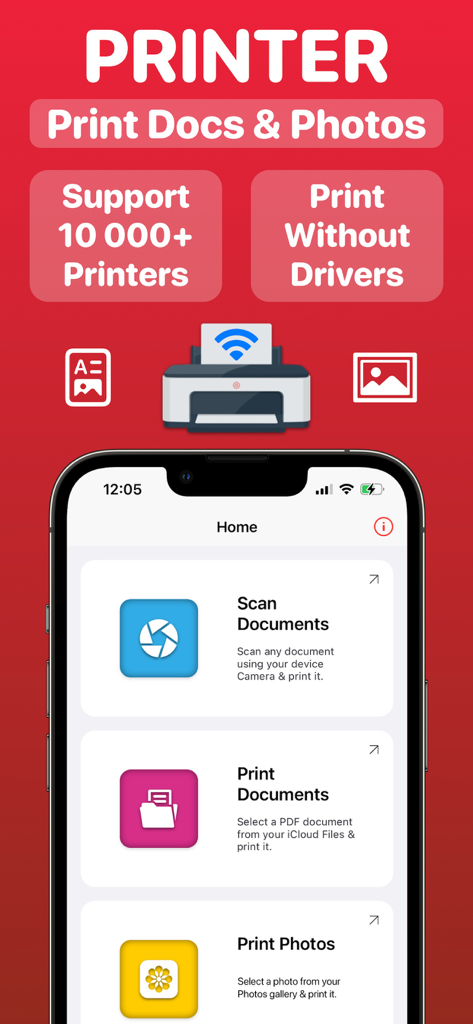
Oberfläche der mobilen Air Printer App, die Optionen zum Scannen und Drucken von Dokumenten und Fotos anzeigt
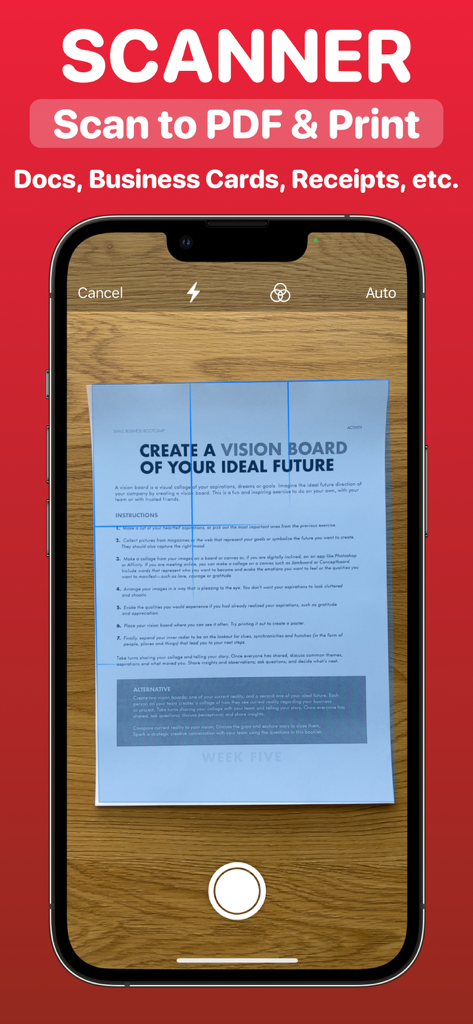
iPhone-Bildschirm, der ein Papierdokument für die PDF-Konvertierung scannt
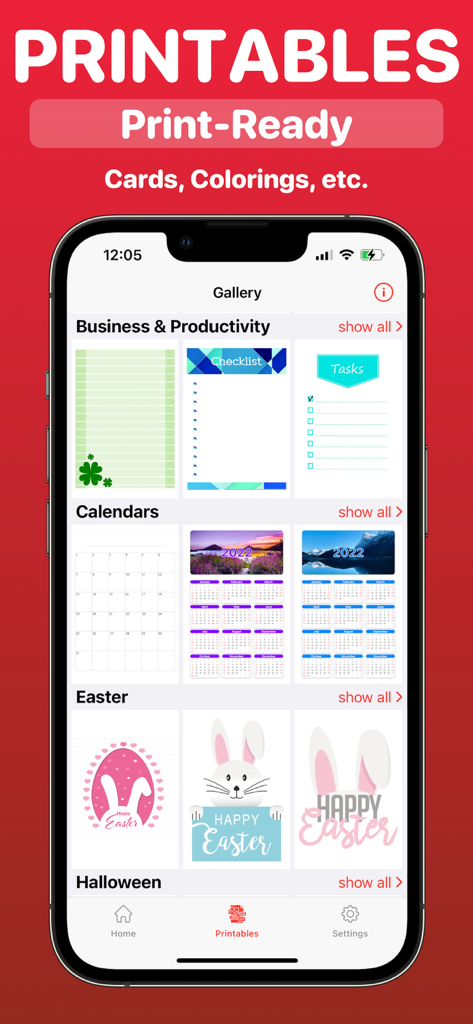
Galerie druckfertiger Vorlagen für Geschäftskalender und Feiertage in der Air Printer App
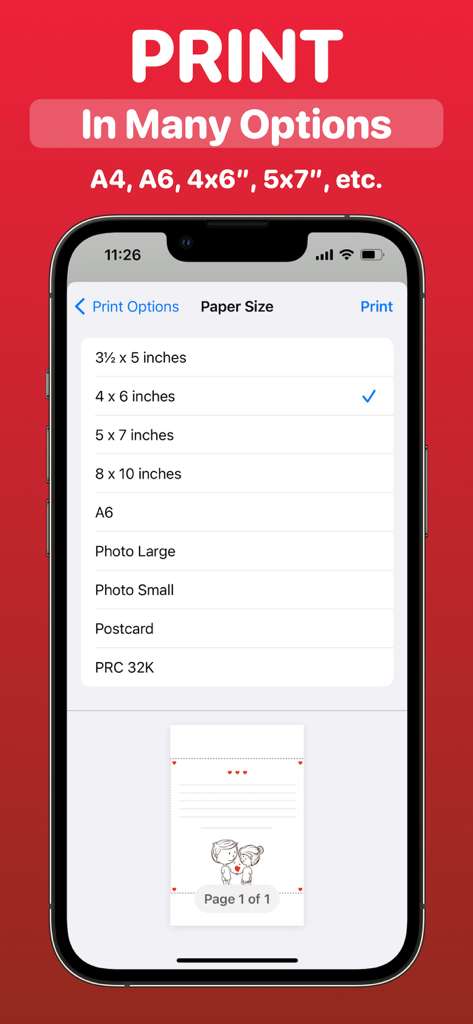
Oberfläche der Air Printer App, die ein Menü mit verschiedenen Papiergrößenoptionen zum Drucken von einem iPhone aus anzeigt
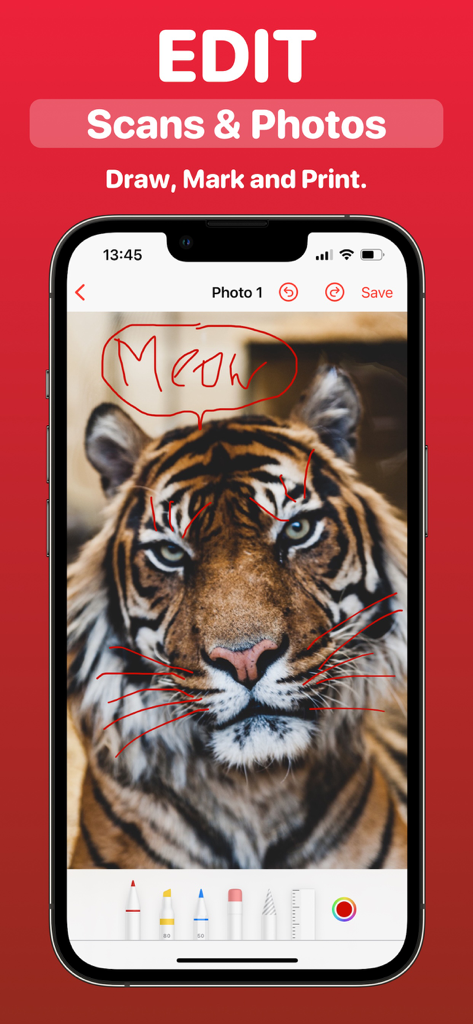
iPhone-Oberfläche, die zeigt, wie Fotos und Scans vor dem Drucken in der Air Printer App gezeichnet und markiert werden
Beschreibung
Download
Ähnliche Apps
Top-gerankte Apps in derselben Kategorie

Microsoft Teams
Microsoft Corporation

Zoom Workplace
Zoom Communications, Inc.

WhatsApp Business
WhatsApp Inc.

Indeed Job Search
Indeed Inc.

LinkedIn: Network & Job Finder
LinkedIn Corporation

Adobe Acrobat Reader: Sign PDF
Adobe Inc.

DingDing - Redefine Work in AI
DingTalk Technology Co., Ltd.

WeCom-Work Communication&Tools
Tencent Technology (Shenzhen) Company Limited

BOSS直聘-招聘求职找工作神器
Beijing China Product Bo Farce Network Technology Co., Ltd.
Diese Seite ist keine offizielle Seite der App oder ihres Entwicklers, sondern eine unabhängige redaktionelle Veröffentlichung, die zu Informations- und Kommentarzwecken erstellt wurde. Sofern nicht ausdrücklich anders angegeben, sind weder die App noch ihr Entwickler mit MWM, Apple, Google Play, dem App-Herausgeber oder dem Entwickler der App verbunden, von ihnen unterstützt, gesponsert, autorisiert oder anderweitig offiziell verbunden, und nichts auf dieser Seite impliziert, dass die App unter Verwendung der Dienste von MWM entwickelt wurde. Alle Marken, Logos, Screenshots und andere Inhalte bleiben Eigentum ihrer jeweiligen Inhaber.