Alarm Clock ◎
Alarm Clock ◎
Herunterladen auf App Store

Diese Seite ist keine offizielle Seite der App oder ihres Entwicklers, sondern eine unabhängige redaktionelle Veröffentlichung, die zu Informations- und Kommentarzwecken erstellt wurde. Sofern nicht ausdrücklich anders angegeben, sind weder die App noch ihr Entwickler mit MWM, Apple, Google Play, dem App-Herausgeber oder dem Entwickler der App verbunden, von ihnen unterstützt, gesponsert, autorisiert oder anderweitig offiziell verbunden, und nichts auf dieser Seite impliziert, dass die App unter Verwendung der Dienste von MWM entwickelt wurde. Alle Marken, Logos, Screenshots und andere Inhalte bleiben Eigentum ihrer jeweiligen Inhaber.

Logo von Alarm Clock ◎
Herunterladen auf App Store

Alarm Clock ◎

Brechen Sie die Snooze-Gewohnheit mit interaktiven Aufgaben wie Mathe-Rätseln und Geh-Aufgaben. Holen Sie sich die Disziplin, die Sie brauchen, um energiegeladen, informiert und pünktlich in den Tag zu starten.

Kennzahlen

Downloads

51K+

Bewertung

4.3/5

Bewertungen gesamt

6K+

Herausgeber

RV AppStudios LLC

Kategorie

Utilities

Sprachen

18

Neueste Version

8.5

Größe

171.9 MB

Erstveröffentlichung

26. Juli 2011
Funktionen

Erobern Sie Ihre Morgenroutine

Unsere intelligenten Aufgaben und Morgen-Tools wurden für Tiefschläfer entwickelt und sorgen dafür, dass Sie wach, informiert und bereit sind, den Tag zu gewinnen.

Gehirnfördernde Aufgaben

Besiegen Sie die Schlafträgheit mit Mathe-Rätseln oder Textentwirrung, die Ihr Gehirn zwingen, aufzuwachen, bevor Sie snoozen können.

Aktive Aufwach-Aufgaben

Stehen Sie mit der 'Geh'-Aufgabe oder der 'Schütteln zum Aufwachen'-Funktion physisch auf und machen Sie es unmöglich, wieder einzuschlafen.

Die folgenden Screenshots und die Beschreibung stammen direkt aus dem offiziellen Store-Eintrag der App und sind Eigentum des Entwicklers.

App Store

Screenshots
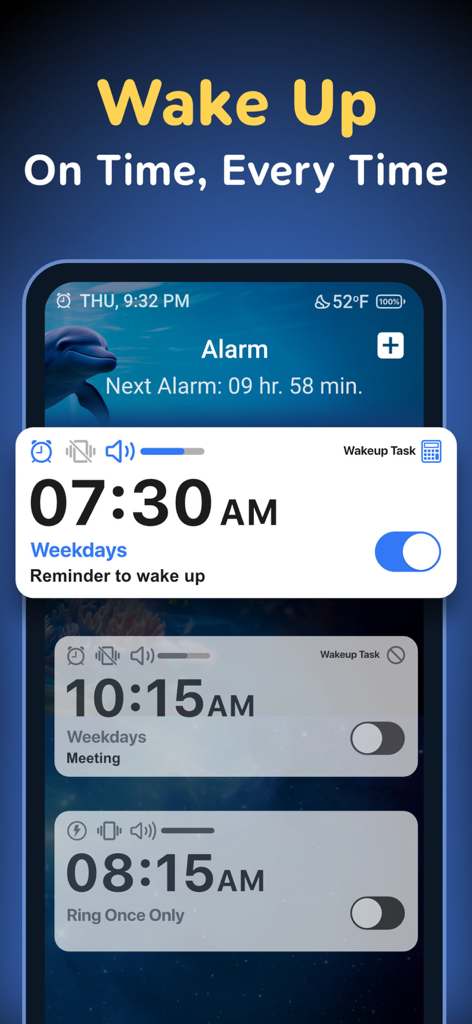
Alarm Clock ◎ - Oberfläche der Wecker-App, die mehrere geplante Wecker und Aufwach-Aufgaben anzeigt.
Oberfläche der Wecker-App, die mehrere geplante Wecker und Aufwach-Aufgaben anzeigt.

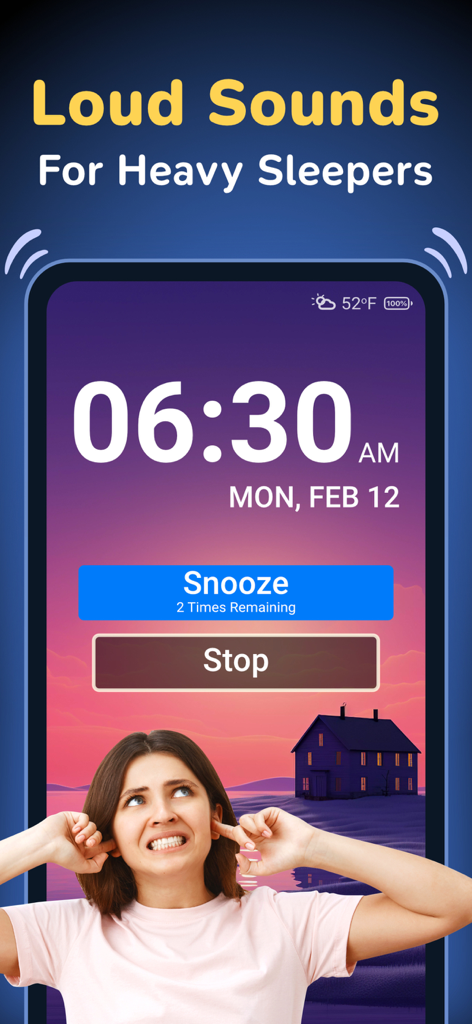
Alarm Clock ◎ - Oberfläche der Wecker-App, die 6:30 Uhr mit Snooze- und Stopp-Buttons für Tiefschläfer zeigt.

Oberfläche der Wecker-App, die 6:30 Uhr mit Snooze- und Stopp-Buttons für Tiefschläfer zeigt.
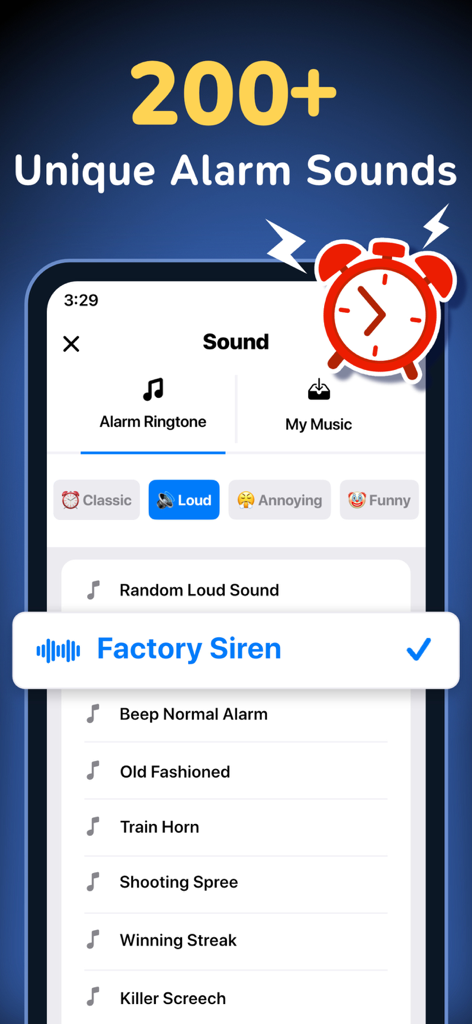
Alarm Clock ◎ - Oberfläche der Wecker-App, die über 200 einzigartige Wecktöne zeigt, darunter laute und lustige wie Fabriksirene
Oberfläche der Wecker-App, die über 200 einzigartige Wecktöne zeigt, darunter laute und lustige wie Fabriksirene

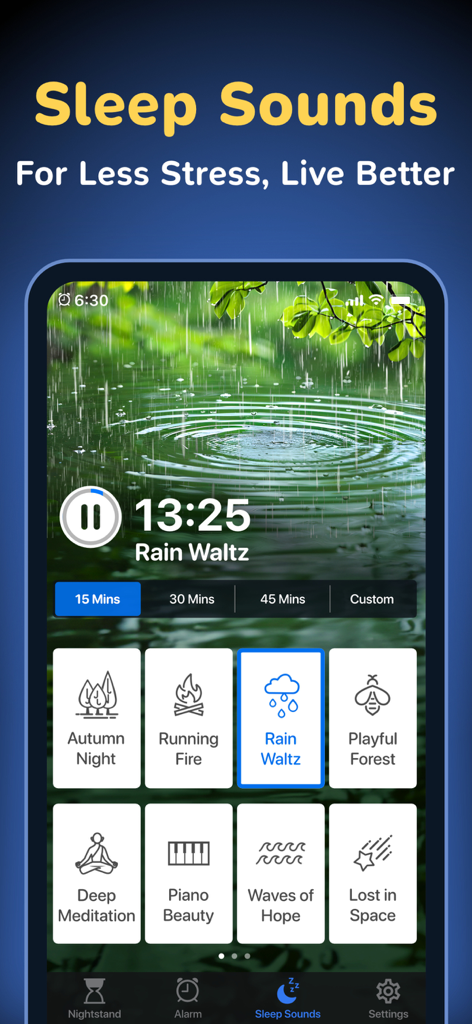
Alarm Clock ◎ - Die Schlaf-Töne-Oberfläche der Wecker-App zeigt verschiedene entspannende Audiooptionen wie Regen und Meditationsmusik.
Die Schlaf-Töne-Oberfläche der Wecker-App zeigt verschiedene entspannende Audiooptionen wie Regen und Meditationsmusik.

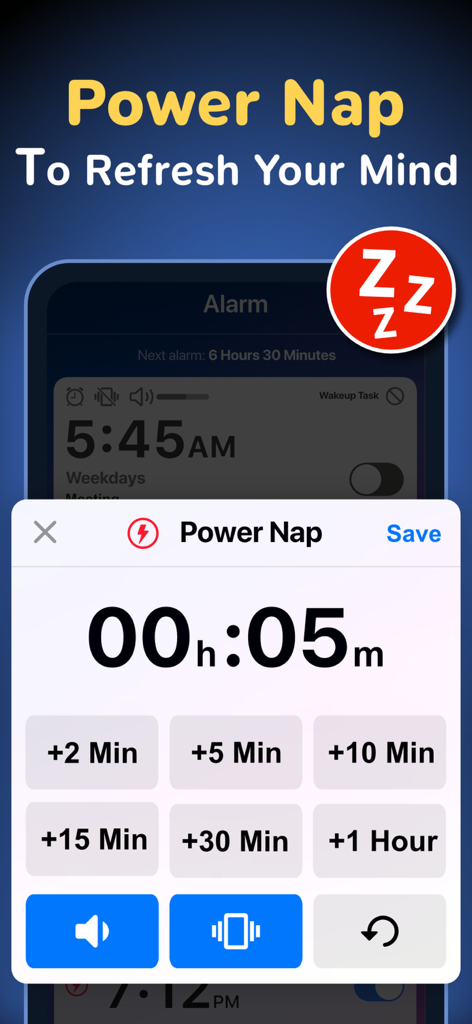
Alarm Clock ◎ - Mobile App-Oberfläche mit Einstellungen für den Powernap-Timer mit Schnellwahltasten für die Zeit

Mobile App-Oberfläche mit Einstellungen für den Powernap-Timer mit Schnellwahltasten für die Zeit
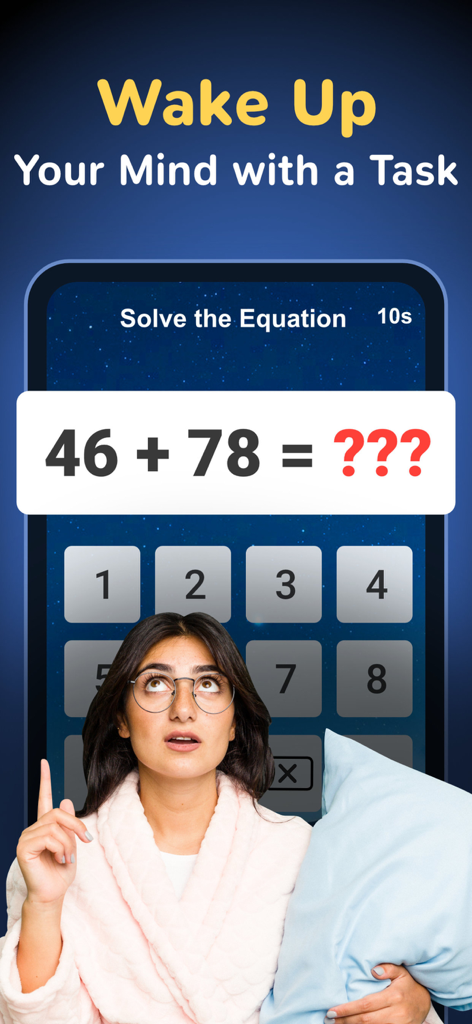
Alarm Clock ◎ - Eine junge Frau in einem Morgenmantel hält ein Kissen und blickt auf ein Mathe-Rätsel auf dem Bildschirm der Wecker-App.
Eine junge Frau in einem Morgenmantel hält ein Kissen und blickt auf ein Mathe-Rätsel auf dem Bildschirm der Wecker-App.

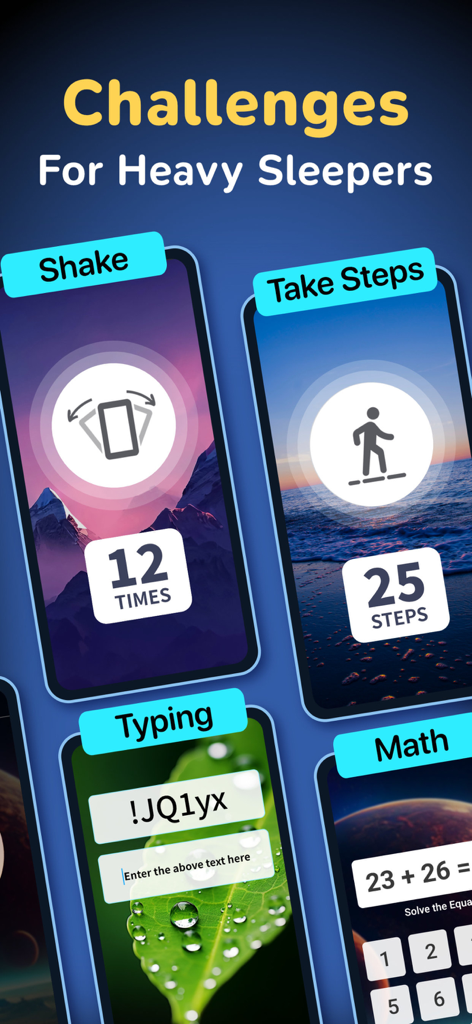
Alarm Clock ◎ - Eine Auswahl an interaktiven Aufwach-Herausforderungen in der Wecker-App, darunter Schütteln, Gehen, Tippen und Mathe-Aufgaben für Tiefschläfer
Eine Auswahl an interaktiven Aufwach-Herausforderungen in der Wecker-App, darunter Schütteln, Gehen, Tippen und Mathe-Aufgaben für Tiefschläfer

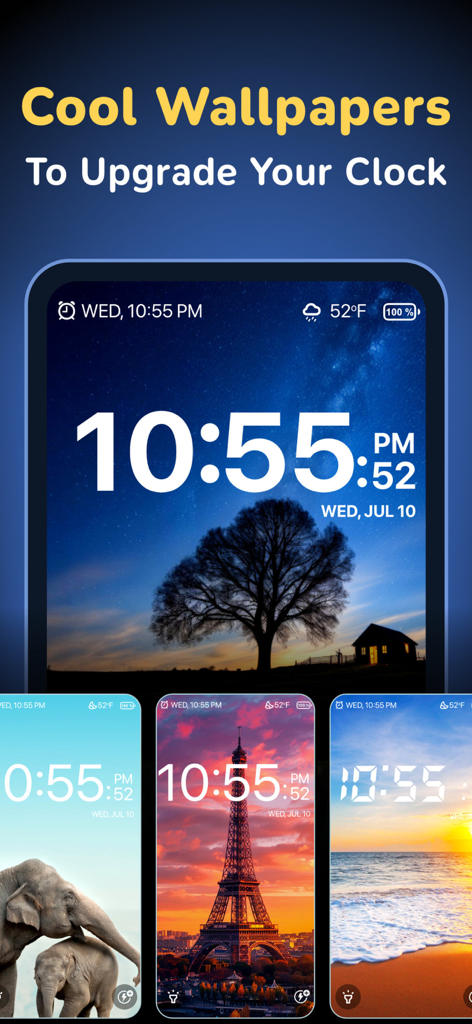
Alarm Clock ◎ - Präsentation von anpassbaren Hintergrundbildern für die Wecker-App, darunter Nachthimmel und Sehenswürdigkeiten
Präsentation von anpassbaren Hintergrundbildern für die Wecker-App, darunter Nachthimmel und Sehenswürdigkeiten

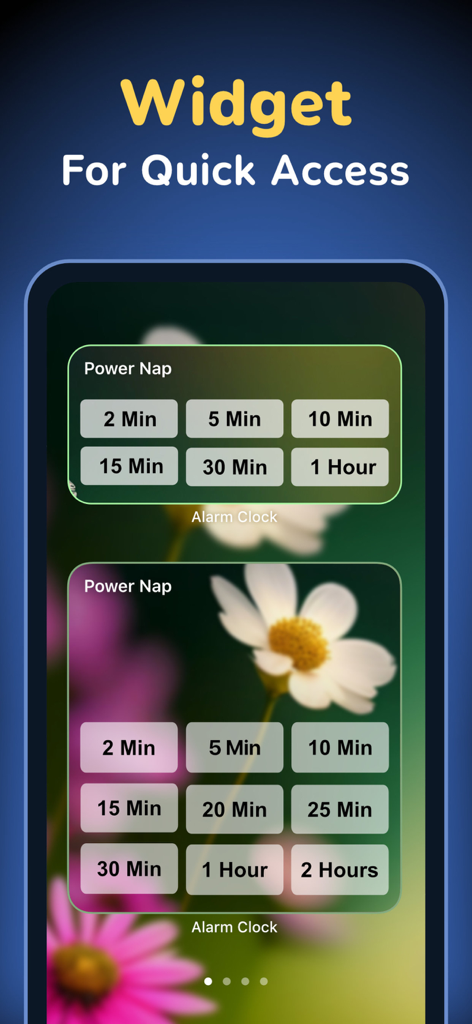
Alarm Clock ◎ - Wecker-App-Widget mit Optionen für den Powernap-Timer für schnellen Zugriff

Wecker-App-Widget mit Optionen für den Powernap-Timer für schnellen Zugriff

Beschreibung

Get a loud wake up sound with smart alarm settings, weather settings, morning missions, math alarms and more, all from this single full-featured alarm clock app! Alarm Clock is a smart and powerful tool that can help even the heaviest sleepers get up in the morning. Create multiple alarms, each with loud ring tone sounds and alerts, then customize each one with features that help you wake up on time. Need a talking alarm clock with sleep timer? How about a shake-to-wake alarm? A wake-up app with puzzles and math problems that make it harder to hit the snooze button? Alarm Clock has all of these, and much more! If you find it difficult getting up in the morning and need a good puzzle alarm to get you out of bed, Alarm Clock is the app for you. There are six unique wake-up motivational challenges that keep you from turning the alarm off without being fully awake. It's perfect for heavy sleepers! Wake-up missions and alarm types: • Simple - Easy one-tap to dismiss the alarm. • Shake - Shake your device to stop the alarm. • Math - Solve a math problem to turn off the alarm sound. • Text - Unscramble the randomly generated text. • Walk - Get up and take a few steps to switch off the alarm. • Hold - Press & hold the button to terminate the alarm. Alarm Clock has all the features you need from a loud smart alarm app. It includes the wake-up missions and alerts described above, plus the ability to create multiple repeating alarms, quick-set non-recurring alarms, customize tons of settings, and more. The best features in Alarm Clock: • Create multiple alarms for a variety of uses. • Customize the number of times you can hit the snooze button. • Set the snooze time longer or shorter. • Display weather and temperature next to your alarm clock. • Smoothly increase or decrease the volume for a gentle wake-up. • Quick alarm to set a time limit for power naps and other short tasks. • Set a custom theme or photo as your clock background. • Add notes or a to-do list as wakeup reminders. • Lots of free music and loud sounds for an alarm ringtone. • Never oversleep when you use these smart alarm features! A simple but attractive interface makes Alarm Clock pleasing to use, even when you're staring at it through sleepy eyes! Use it to help you or people in your family get up in the morning, even if they're heavy sleepers. Alarm Clock is definitely not your ordinary alarm app. It's better! Alarm Clock offers premium subscription which is available on a yearly tier, auto-renewable. The yearly subscription is priced at 14.99 USD (or local equivalent) per year. Subscribe to the premium program to get access to alarm sounds, wake-up tasks, wallpapers and more... Payment will be charged to iTunes Account at confirmation of purchase. Subscription automatically renews for the same price and duration period as the original package unless auto-renew is turned off at least 24-hours before the end of the current period. An account will be charged for renewal within 24-hours prior to the end of the current period at the cost of the chosen package. Subscriptions may be managed by the user and auto-renewal may be turned off by going to the user's iTunes Account Settings after purchase. No cancellation of the current subscription is allowed during the active subscription period. You may cancel a subscription during its free trial period via the subscription setting through your iTunes account. This must be done 24 hours before the end of the subscription period to avoid being charged. You may turn off the auto-renewal of your subscription via your iTunes Account Settings. However, you are not able to cancel the current subscription during its active period. Unused portions of free trials, if offered, will be forfeited upon purchase of a subscription. Links to our Privacy Policy and Terms of Service: Privacy Policy: http://www.rvappstudios.com/app-privacy-policy.html#privacy/ Terms of Use: http://www.rvappstudios.com/app-privacy-policy.html#terms/

Download

Herunterladen auf App Store

Diese Seite ist keine offizielle Seite der App oder ihres Entwicklers, sondern eine unabhängige redaktionelle Veröffentlichung, die zu Informations- und Kommentarzwecken erstellt wurde. Sofern nicht ausdrücklich anders angegeben, sind weder die App noch ihr Entwickler mit MWM, Apple, Google Play, dem App-Herausgeber oder dem Entwickler der App verbunden, von ihnen unterstützt, gesponsert, autorisiert oder anderweitig offiziell verbunden, und nichts auf dieser Seite impliziert, dass die App unter Verwendung der Dienste von MWM entwickelt wurde. Alle Marken, Logos, Screenshots und andere Inhalte bleiben Eigentum ihrer jeweiligen Inhaber.








