
Diese Seite ist keine offizielle Seite der App oder ihres Entwicklers, sondern eine unabhängige redaktionelle Veröffentlichung, die zu Informations- und Kommentarzwecken erstellt wurde. Sofern nicht ausdrücklich anders angegeben, sind weder die App noch ihr Entwickler mit MWM, Apple, Google Play, dem App-Herausgeber oder dem Entwickler der App verbunden, von ihnen unterstützt, gesponsert, autorisiert oder anderweitig offiziell verbunden, und nichts auf dieser Seite impliziert, dass die App unter Verwendung der Dienste von MWM entwickelt wurde. Alle Marken, Logos, Screenshots und andere Inhalte bleiben Eigentum ihrer jeweiligen Inhaber.

Alzex Finance Pro
Verwalten Sie Ihr Vermögen mit der Präzision eines CFO. Verfolgen Sie Budgets, Projekte und Kryptowährungen auf all Ihren Geräten mit erweiterter Multi-User-Synchronisierung und vollständiger Privatsphäre.
Downloads
77K+Bewertung
Bewertungen gesamt
1K+Herausgeber
Kategorie
FinanceSprachen
40Neueste Version
5.2.0Größe
46.2 MBErstveröffentlichung
30. Nov. 2012Übernehmen Sie die Kontrolle über Ihre finanzielle Zukunft
Verwandeln Sie die Art und Weise, wie Sie Geld verwalten, mit professionellen Buchhaltungswerkzeugen, die für anspruchsvolle Familien und Kleinunternehmer entwickelt wurden.
Professionelle Einblicke & Berichte
Gehen Sie über die einfache Ausgabenverfolgung hinaus mit detaillierten Gewinn- und Verlustrechnungen und granularer Projektverfolgung, um Ihre tatsächliche finanzielle Gesundheit zu messen.
Sichere Multi-User-Zusammenarbeit
Verwalten Sie Ihr Budget mit Familie oder Partnern mithilfe verschlüsselter Synchronisierung, benutzerdefinierter Benutzerzugriffsebenen und eines vollständigen Aktivitätsprotokolls für vollständige Transparenz.
Die folgenden Screenshots und die Beschreibung stammen direkt aus dem offiziellen Store-Eintrag der App und sind Eigentum des Entwicklers.
App Store
Screenshots
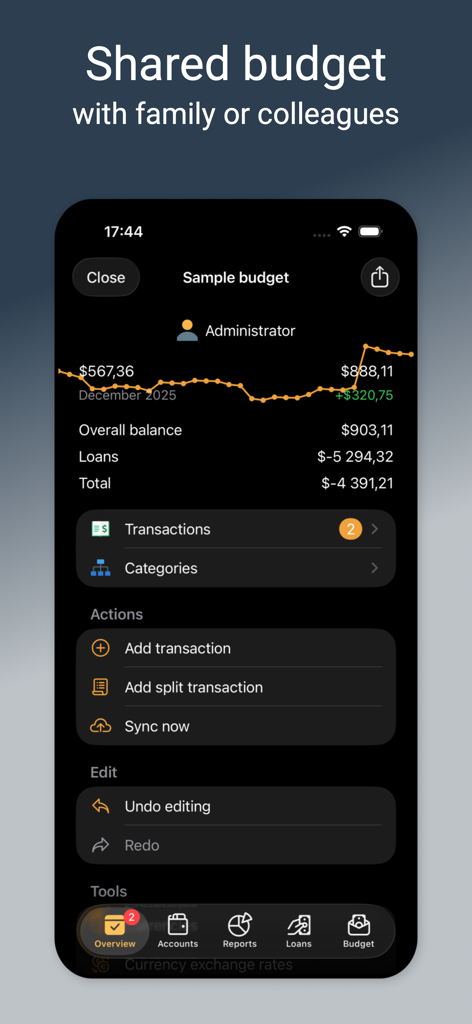
iPhone-Screenshot von Alzex Finance Pro, der eine gemeinsame Budgetübersicht mit einem Bilanzdiagramm, finanziellen Summen und einem Aktionsmenü zeigt.
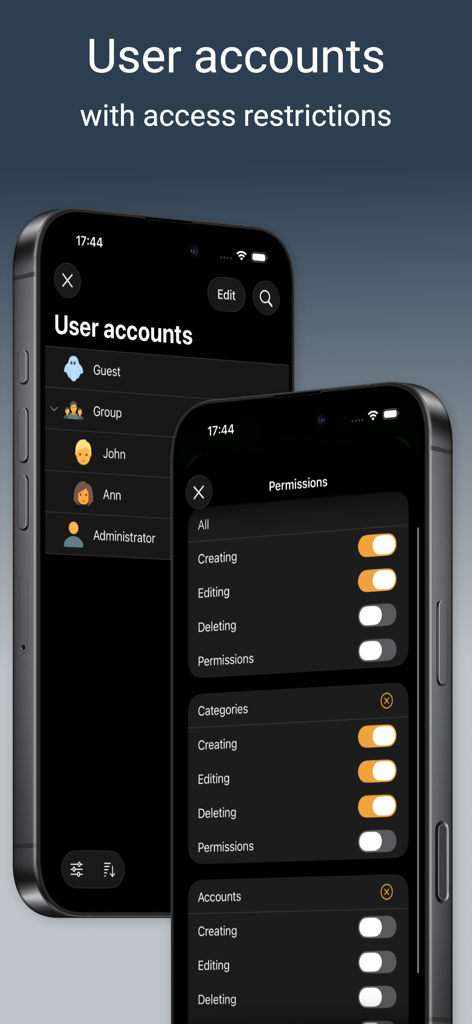
Zwei Telefonbildschirme, die die Verwaltung von Benutzerkonten und granulare Zugriffsbeschränkungseinstellungen in der Alzex Finance Pro App anzeigen.
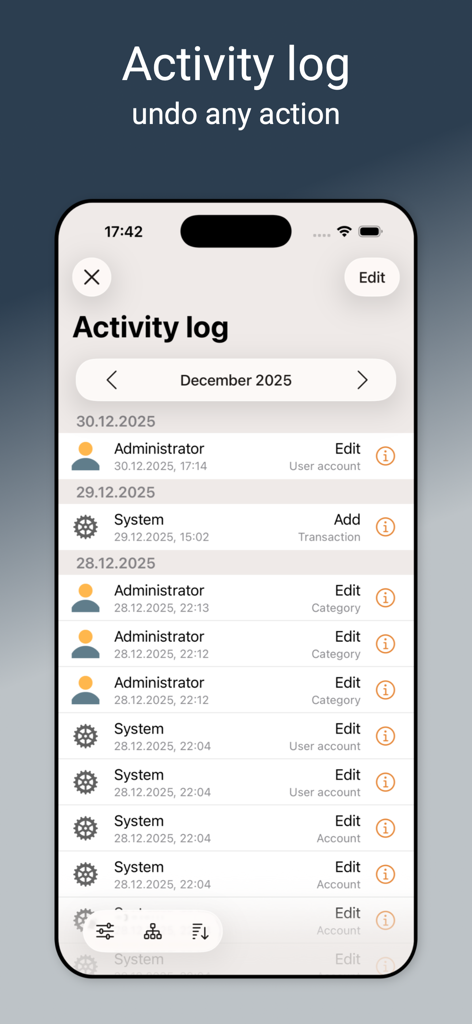
Aktivitätsprotokoll-Bildschirm in Alzex Finance Pro mit einer Liste von Transaktionen und Bearbeitungen durch Benutzer
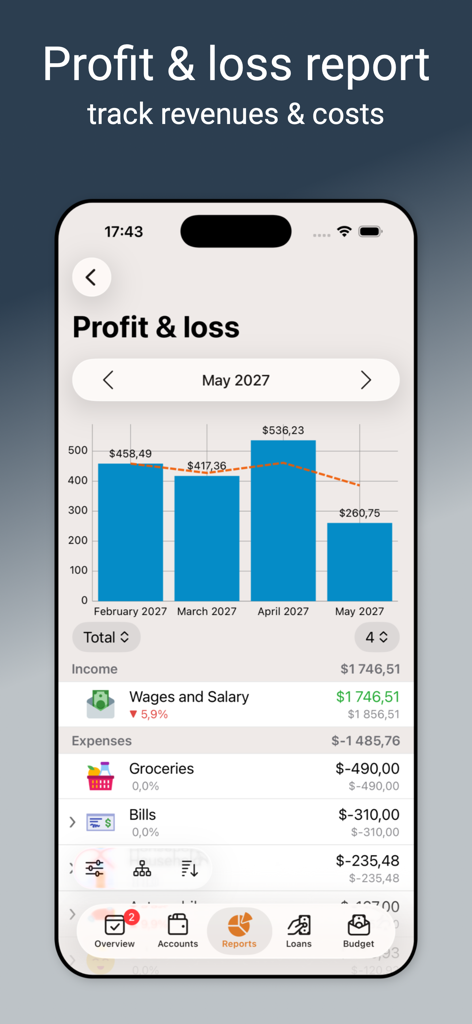
Alzex Finance Pro Gewinn- und Verlustrechnung-Bildschirm mit einem monatlichen Balkendiagramm und detaillierten Einkommens- und Ausgabenkategorien
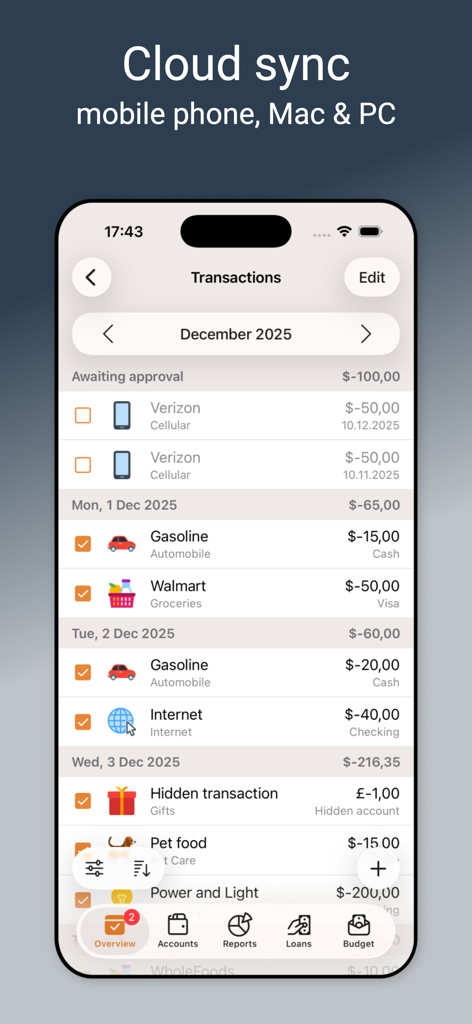
Ein detaillierter Transaktionsverlauf-Bildschirm in der Alzex Finance Pro App, der kategorisierte Ausgaben und Cloud-Synchronisierungsoptionen anzeigt.
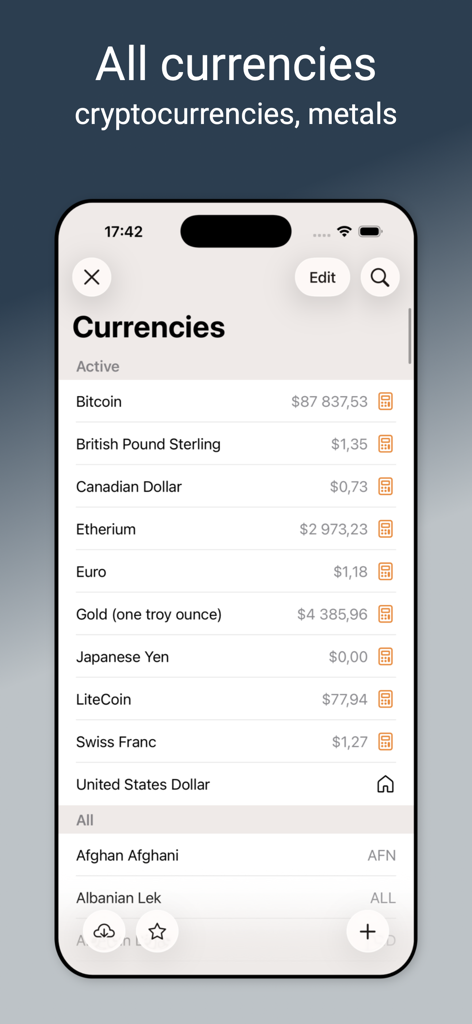
Alzex Finance Pro App-Oberfläche mit Verfolgung von Währungen, Kryptowährungen und Edelmetallen
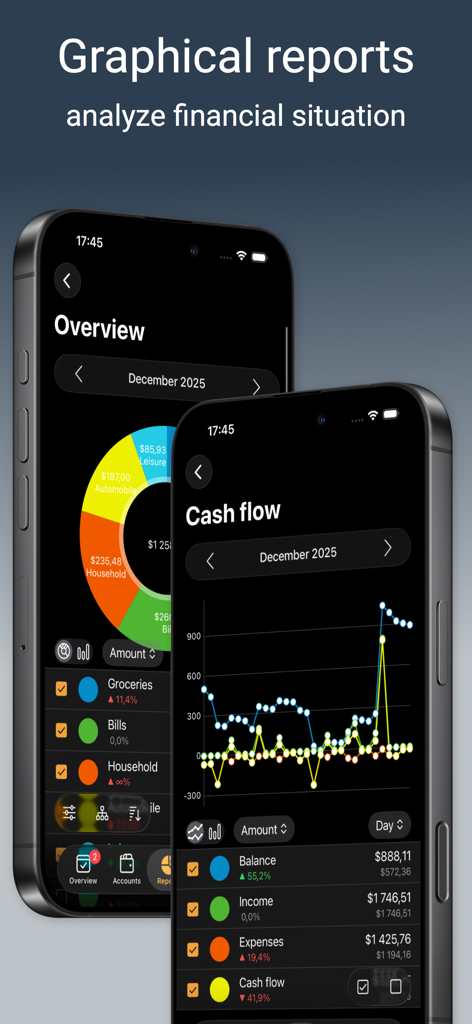
Grafische Finanzberichte und Cashflow-Diagramme in Alzex Finance Pro
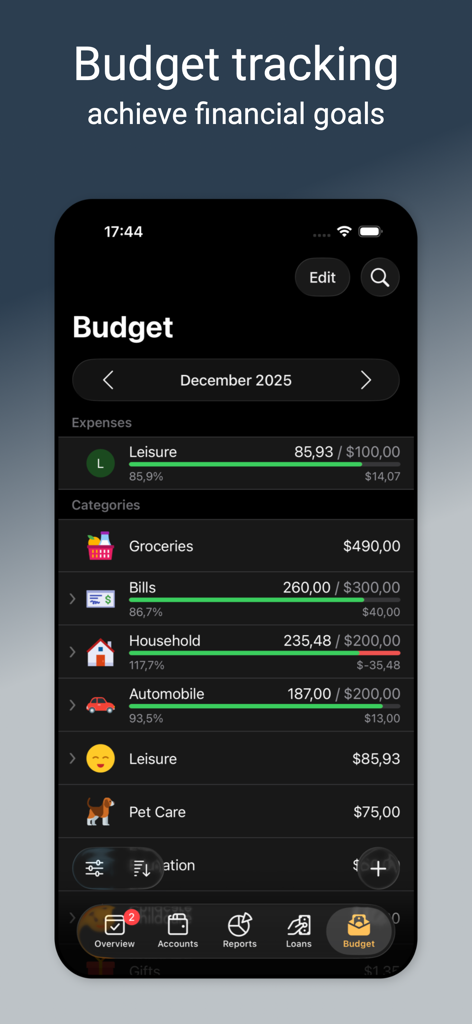
Alzex Finance Pro App Budget-Tracking-Bildschirm mit monatlichen Ausgabenkategorien und Fortschrittsbalken für finanzielle Ziele
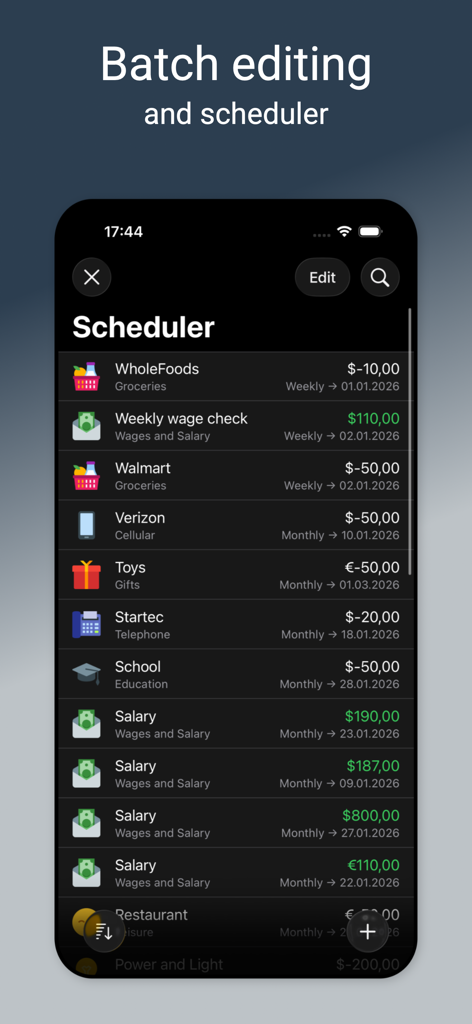
Alzex Finance Pro Planungs-Bildschirm mit einer Liste wiederkehrender Einnahmen- und Ausgaben-Transaktionen
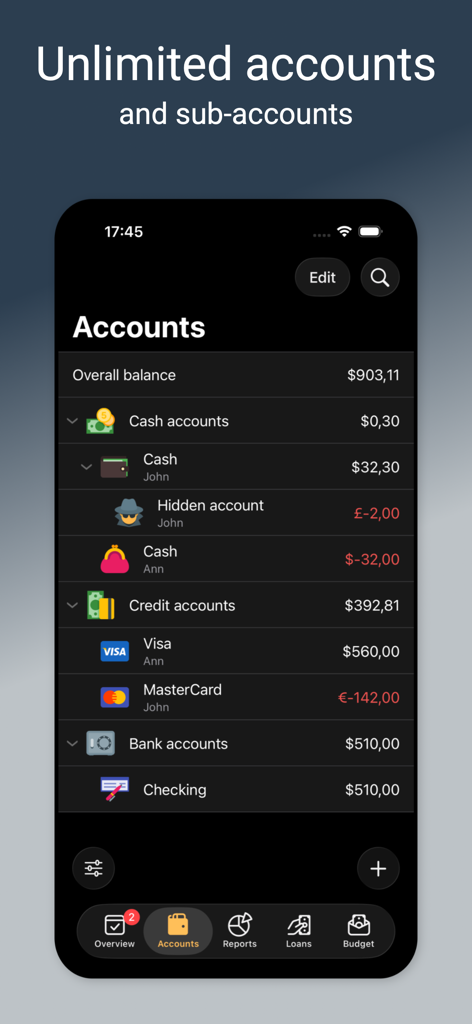
Alzex Finance Pro App zeigt eine Liste von Finanzkonten an, einschließlich Bargeld-, Kredit- und Bankguthaben
Beschreibung
Download
Ähnliche Apps
Apps mit ähnlichen Funktionen und Nutzererfahrung

Monarch: Budget & Track Money
Monarch Money, Inc.
Budget app - spending tracker
Inner Grow Limited

Budget & Expense Tracker Monee
Stephan Lerner

Daak - Budget & Money Tracker
Lovely Duck, LLC

CoinKeeper: money manager
Dizrapp OOO

Budget Flow | Expense Tracker
Fabian Hasse
Expenses: Spending Tracker
BLUE COMET LABS LLC

Expense: Budget Tracker
Sviatoslav Belmeha

挖财记账-AI自动记账
Hangzhou Yuancai Technology Co.,Ltd.
Diese Seite ist keine offizielle Seite der App oder ihres Entwicklers, sondern eine unabhängige redaktionelle Veröffentlichung, die zu Informations- und Kommentarzwecken erstellt wurde. Sofern nicht ausdrücklich anders angegeben, sind weder die App noch ihr Entwickler mit MWM, Apple, Google Play, dem App-Herausgeber oder dem Entwickler der App verbunden, von ihnen unterstützt, gesponsert, autorisiert oder anderweitig offiziell verbunden, und nichts auf dieser Seite impliziert, dass die App unter Verwendung der Dienste von MWM entwickelt wurde. Alle Marken, Logos, Screenshots und andere Inhalte bleiben Eigentum ihrer jeweiligen Inhaber.