
Diese Seite ist keine offizielle Seite der App oder ihres Entwicklers, sondern eine unabhängige redaktionelle Veröffentlichung, die zu Informations- und Kommentarzwecken erstellt wurde. Sofern nicht ausdrücklich anders angegeben, sind weder die App noch ihr Entwickler mit MWM, Apple, Google Play, dem App-Herausgeber oder dem Entwickler der App verbunden, von ihnen unterstützt, gesponsert, autorisiert oder anderweitig offiziell verbunden, und nichts auf dieser Seite impliziert, dass die App unter Verwendung der Dienste von MWM entwickelt wurde. Alle Marken, Logos, Screenshots und andere Inhalte bleiben Eigentum ihrer jeweiligen Inhaber.


AppToCloud - Copy My Data
Schluss mit den "Speicher voll"-Warnungen. Übertragen Sie mühelos Fotos, Videos und Dokumente von WhatsApp in Dropbox, Google Fotos oder OneDrive, um Ihre Erinnerungen sicher aufzubewahren und Ihr iPhone schlank zu halten.
Downloads
1M+Bewertung
Bewertungen gesamt
2K+Herausgeber
Kategorie
ProductivitySprachen
8Neueste Version
1.5.4Größe
163.9 MBErstveröffentlichung
17. Juni 2015Schaffen Sie Speicherplatz auf Ihrem iPhone zurück
Die ultimative Brücke für Ihre WhatsApp-Medien. Verschieben Sie Fotos, Videos und Dokumente in Sekundenschnelle in die Cloud, damit Ihr Gerät schlank bleibt und Ihre Erinnerungen sicher sind.
WhatsApp-Bloat auslagern
Lassen Sie nicht zu, dass Chat-Medien Ihr Gerät verstopfen. Senden Sie Dateien direkt in Ihren Cloud-Speicher, ohne auch nur ein Megabyte lokalen Speicherplatz für die Übertragung zu verbrauchen.
Sichere private Medien
Verschieben Sie sensible Dokumente und persönliche Videos aus Messaging-Apps in die verschlüsselte Sicherheit von OneDrive, pCloud oder Dropbox.
Die folgenden Screenshots und die Beschreibung stammen direkt aus dem offiziellen Store-Eintrag der App und sind Eigentum des Entwicklers.
App Store
Screenshots
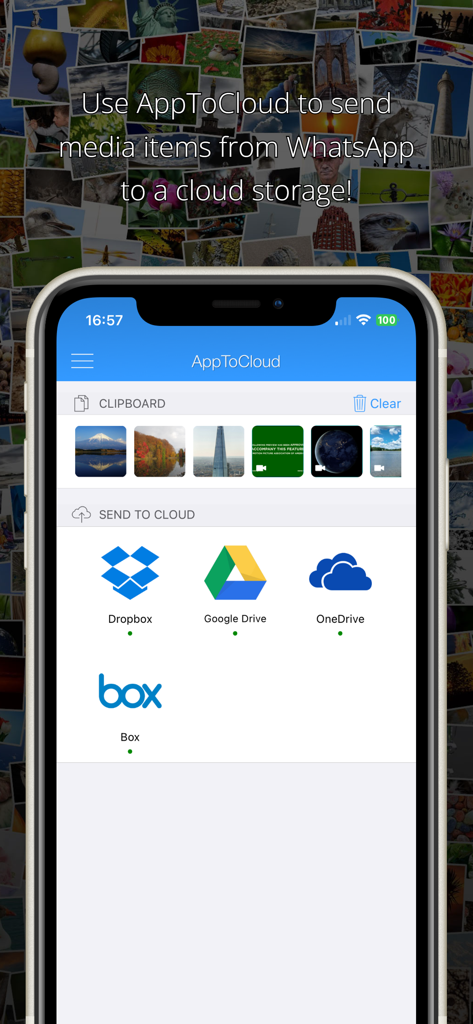
Oberfläche von AppToCloud, die Medien-Elemente und Optionen zur Übertragung an Cloud-Speicher wie Dropbox und Google Drive zeigt
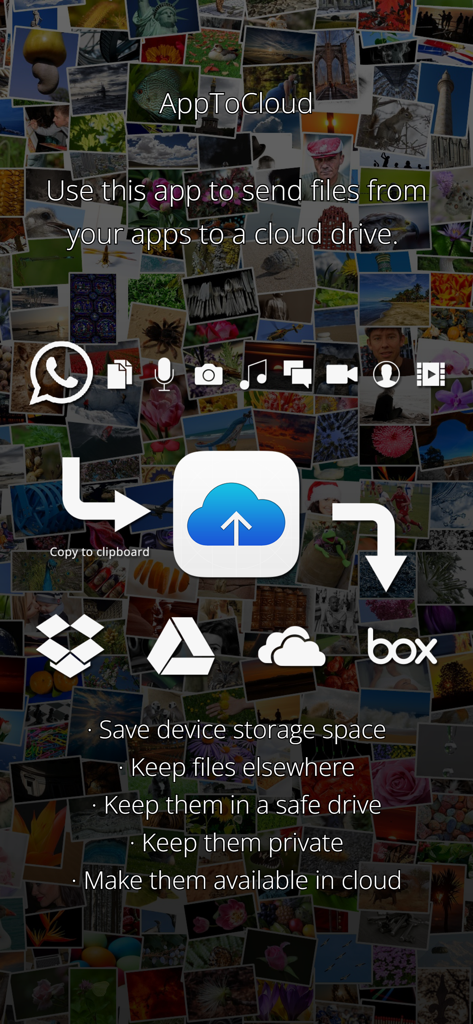
Visuelle Anleitung für die App AppToCloud, die die Datenübertragung von Apps in Cloud-Speicher zeigt
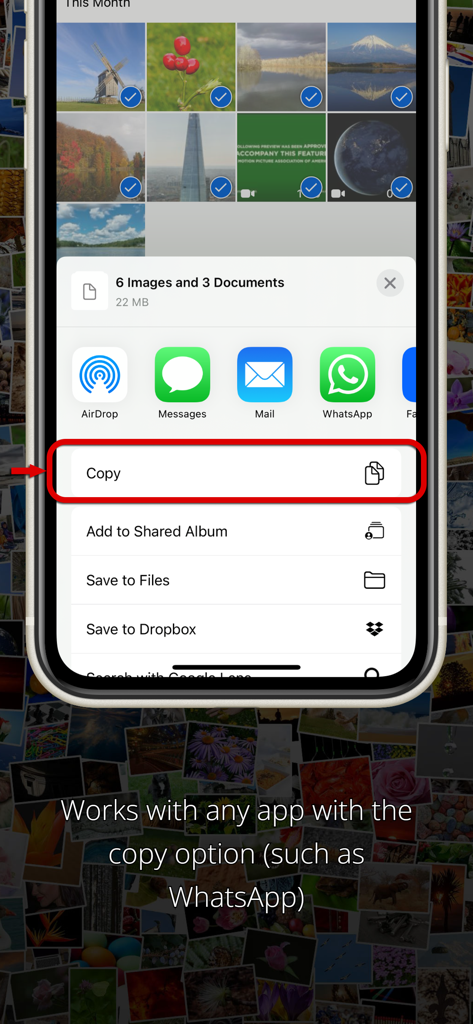
Ein iPhone-Bildschirm, der den Kopiervorgang im Freigabe-Menü zur Übertragung von Medien in die Cloud anzeigt.
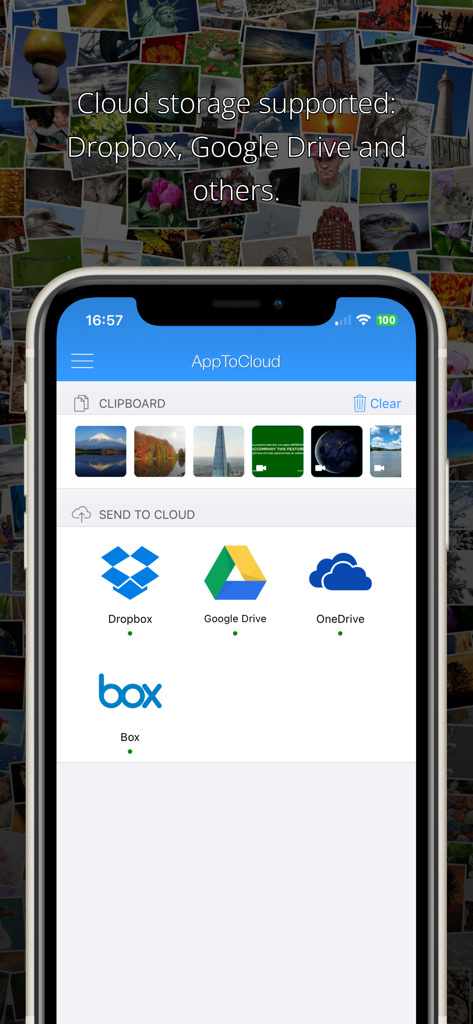
AppToCloud-Oberfläche mit Optionen zur Übertragung von Zwischenablage-Medien an Dropbox, Google Drive und OneDrive
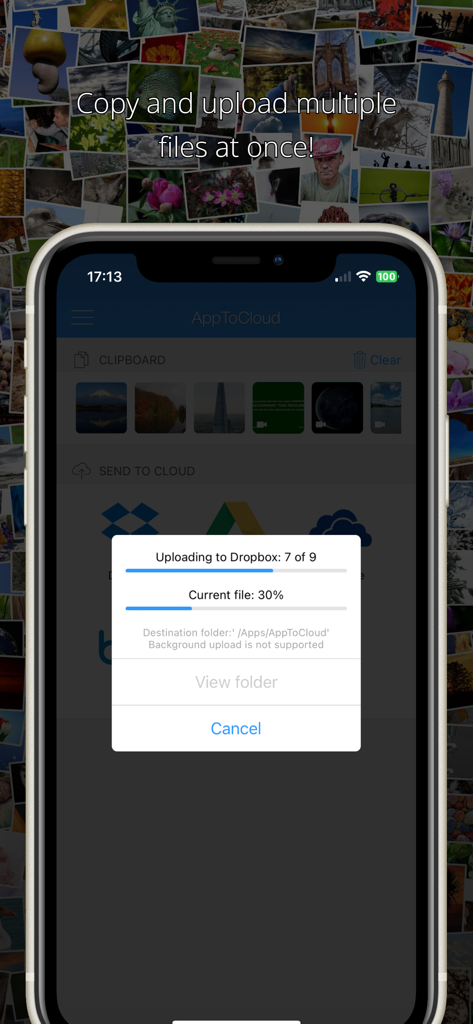
Screenshot der App AppToCloud, der den Fortschritt des Hochladens mehrerer Dateien in Dropbox zeigt
Beschreibung
Download
Ähnliche Apps
Apps mit ähnlichen Funktionen und Nutzererfahrung

Chat Backup Assistant: Textify
muge deniz

Recover Deleted Messages: WARB
SERPINTY DIJITAL HIZMETLER LIMITED SIRKETI
REWA: Backup Messages Pro
Emre Boyabat
WT Chat Backup Restore Delete
Liger Infotech

WT Backup & Restore - StoryBox
Jayshri Pipaliya
Dual Messenger & Duo Web
菲 张

TextPort: Text Message Export
TSUBASA TECHNOLOGIES LIMITED LIABILITY COMPANY

Delox Recover Deleted Messages
Gizem Yildirim
Backup my Chats & Photos
Arpana Singh
Diese Seite ist keine offizielle Seite der App oder ihres Entwicklers, sondern eine unabhängige redaktionelle Veröffentlichung, die zu Informations- und Kommentarzwecken erstellt wurde. Sofern nicht ausdrücklich anders angegeben, sind weder die App noch ihr Entwickler mit MWM, Apple, Google Play, dem App-Herausgeber oder dem Entwickler der App verbunden, von ihnen unterstützt, gesponsert, autorisiert oder anderweitig offiziell verbunden, und nichts auf dieser Seite impliziert, dass die App unter Verwendung der Dienste von MWM entwickelt wurde. Alle Marken, Logos, Screenshots und andere Inhalte bleiben Eigentum ihrer jeweiligen Inhaber.