aSPICE Pro - oVirt Proxmox
Herunterladen auf App Store

Diese Seite ist keine offizielle Seite der App oder ihres Entwicklers, sondern eine unabhängige redaktionelle Veröffentlichung, die zu Informations- und Kommentarzwecken erstellt wurde. Sofern nicht ausdrücklich anders angegeben, sind weder die App noch ihr Entwickler mit MWM, Apple, Google Play, dem App-Herausgeber oder dem Entwickler der App verbunden, von ihnen unterstützt, gesponsert, autorisiert oder anderweitig offiziell verbunden, und nichts auf dieser Seite impliziert, dass die App unter Verwendung der Dienste von MWM entwickelt wurde. Alle Marken, Logos, Screenshots und andere Inhalte bleiben Eigentum ihrer jeweiligen Inhaber.

Logo von aSPICE Pro - oVirt Proxmox
Herunterladen auf App Store

aSPICE Pro - oVirt Proxmox

Der sichere SPICE-Client mit SSH-Fähigkeit, entwickelt für SysAdmins und HomeLab-Enthusiasten. Erleben Sie Hochleistungs-VM-Management mit Desktop-Präzision, externer Hardwareunterstützung und integrierter Sicherheit.

Kennzahlen

Downloads

4K+

Bewertung

3.9/5

Bewertungen gesamt

0

Herausgeber

iordan iordanov

Kategorie

Productivity

Sprachen

5

Neueste Version

55

Größe

14.1 MB

Erstveröffentlichung

18. Apr. 2022
Funktionen

Enterprise-Management von überall

aSPICE Pro bietet sicheren, Hochleistungszugriff auf Ihre Proxmox- und oVirt-Umgebungen, optimiert für IT-Profis, die Desktop-Kontrolle auf Mobilgeräten benötigen.

Native Hypervisor-Integration

Verbinden Sie sich direkt mit Proxmox-, oVirt- und RHEV-Clustern mit automatischer Profilerstellung und Unterstützung für .vv-Dateien für nahtloses VM-Management.

Sicheres SSH-Tunneling

Schützen Sie Ihre Infrastruktur mit integriertem SSH-Tunneling und Public/Private-Key-Authentifizierung für verschlüsselten, Firewall-freundlichen Fernzugriff.

Die folgenden Screenshots und die Beschreibung stammen direkt aus dem offiziellen Store-Eintrag der App und sind Eigentum des Entwicklers.

App Store

Screenshots
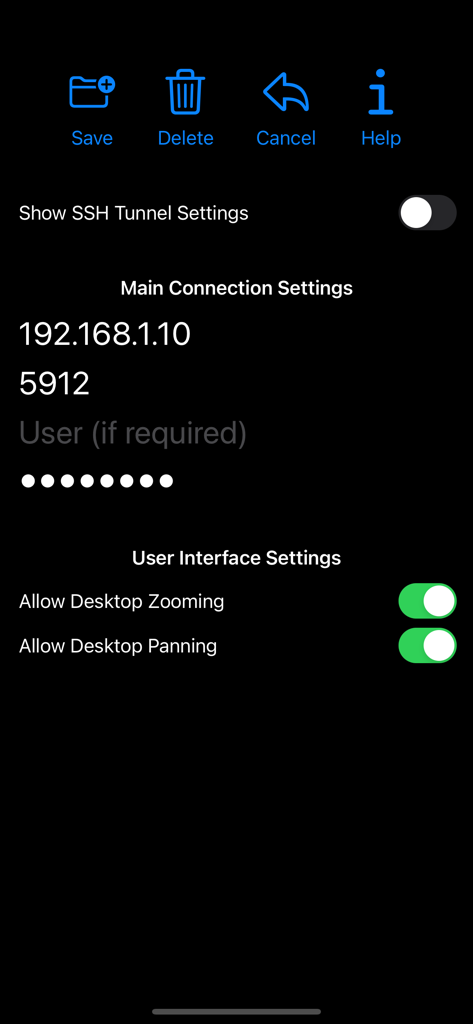
aSPICE Pro - oVirt Proxmox - aspice pro Hauptansicht der Verbindungseinstellungen für die Remote-Desktop-Konfiguration
aspice pro Hauptansicht der Verbindungseinstellungen für die Remote-Desktop-Konfiguration

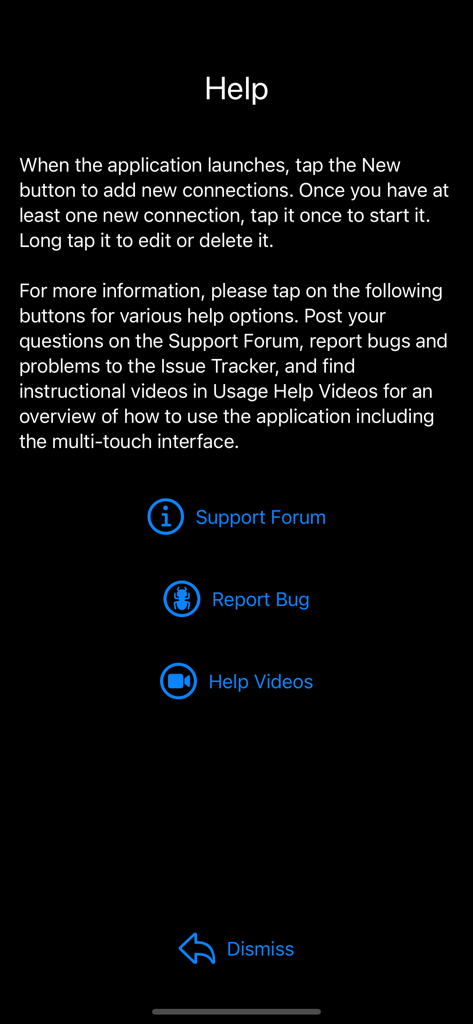
aSPICE Pro - oVirt Proxmox - Hilfebildschirm der aSPICE Pro App mit Anweisungen für Verbindungen und Links zum Supportforum, Bugtracker und Hilfsvideos.

Hilfebildschirm der aSPICE Pro App mit Anweisungen für Verbindungen und Links zum Supportforum, Bugtracker und Hilfsvideos.

aSPICE Pro - oVirt Proxmox - Startbildschirm der aSPICE Pro App mit Optionen für neue Verbindung, Hilfe und Protokolle
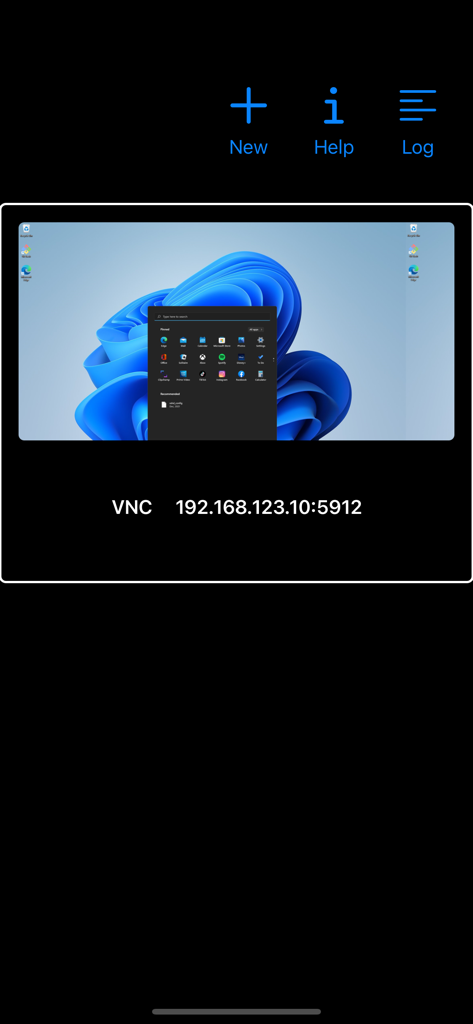
Startbildschirm der aSPICE Pro App mit Optionen für neue Verbindung, Hilfe und Protokolle

aSPICE Pro - oVirt Proxmox - aSPICE Pro mobile App-Oberfläche, die ein gespeichertes VNC-Remote-Desktop-Verbindungsprofil für eine Windows-virtuelle Maschine anzeigt
aSPICE Pro mobile App-Oberfläche, die ein gespeichertes VNC-Remote-Desktop-Verbindungsprofil für eine Windows-virtuelle Maschine anzeigt

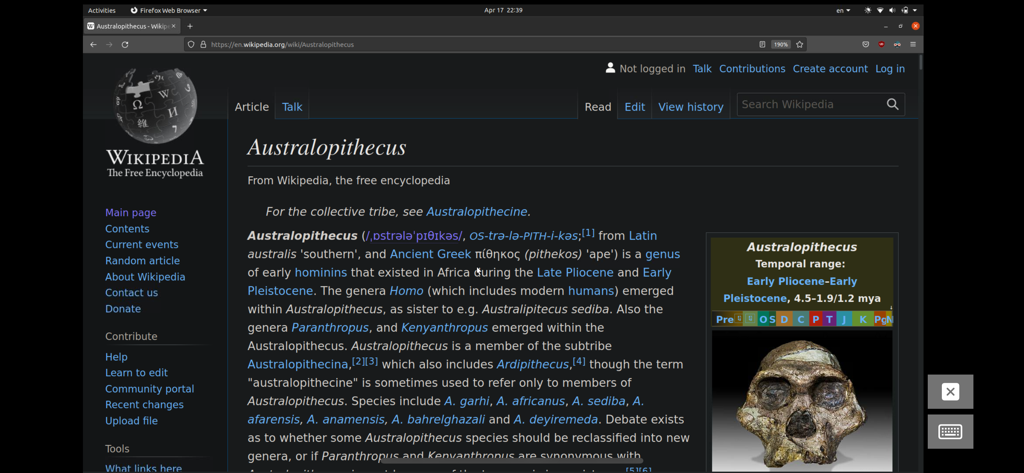
aSPICE Pro - oVirt Proxmox - Eine Remote-Linux-Desktop-Sitzung, aufgerufen über aSPICE Pro, die einen Webbrowser mit einer Wikipedia-Seite anzeigt

Eine Remote-Linux-Desktop-Sitzung, aufgerufen über aSPICE Pro, die einen Webbrowser mit einer Wikipedia-Seite anzeigt

Beschreibung

Thank you for supporting my work and GPL open-source software by buying aSPICE Pro! If you are unhappy, please don't give us a bad review, instead, request a refund and get in touch by email support _at_ morpheusly _dot_ com: https://support.apple.com/en-ca/118223 Need a VNC app for controlling your Mac remotely? https://apps.apple.com/app/bvnc-pro/id1506461202 Need an RDP app to control Windows, Ubuntu 22.04 or XRDP remotely? https://apps.apple.com/app/ardp-pro/id1620745523 If aSPICE doesn't work for you or you're unhappy, please do not ask for help in a review but do post your question in the forum by emailing bvnc-ardp-aspice-opaque-remote-desktop-clients@googlegroups.com. Alternatively, email us drectly at support _at_ morpheusly _dot_ com for help! Forum URL: https://groups.google.com/forum/#!forum/bvnc-ardp-aspice-opaque-remote-desktop-clients Report bugs: https://github.com/iiordanov/remote-desktop-clients/issues Instructions: Proxmox, oVirt, RHEV - Be sure to read the in-app Help for in-depth instructions - Direct integration with Proxmox, oVirt and RHEV allows you to create connection profiles for all your VMs right inside the app - If you prefer, you can also use console.vv files - video showing aSPICE connecting with console.vv file: https://youtu.be/scvzTMG-Jlw - Email our forum at bvnc-ardp-aspice-opaque-remote-desktop-clients@googlegroups.com for help - Email us directly at support _at_ morpheusly _dot_ com for help! Libvirt/Qemu KVM - If your mouse pointer is not in sync with where you tap, you may need to add an "EvTouch USB Graphics Tablet" to your virtual machine (when it's powered off) and then power it on. To add the Tablet: - If configuring through virt-manager, Go to the View->Details section, and select Add Hardware->Input->EvTouch USB Graphics Tablet. - If running your virtual machine on the command-line, you need an option similar to: "-device usb-tablet,id=input0" aSPICE is a secure, SSH capable, open source SPICE protocol client that makes use of the LGPL licensed native libspice library. Its features include: - Simulated Touchpad and two Direct input touch modes to choose from - External keyboard support - External mouse support - Magic Trackpad support - Multi-language support - Multi-keyboard layout support - choose your keyboard layout while setting up the connection - Console .vv file support allowing connections to Proxmox, oVirt, and Red Hat Enterprise Virtualization/RHEV frameworks - Control any SPICE-enabled qemu virtrual machine with ANY guest OS. - Audio support - Multi-touch control over the remote mouse. One finger tap left-clicks, two-finger tap right-clicks, and three-finger tap middle-clicks - Right and middle-dragging if you don't lift the first finger that tapped - Scrolling with a two-finger drag - Pinch-zooming - Dynamic resolution changes, allowing you to reconfigure your desktop while connected, and control over virtual machines from BIOS to OS - Full rotation support. Use the central lock rotation on your device to disable rotation - Multi-language support - Full desktop visibility even with soft keyboard extended - SSH tunneling for added security or to reach machines behind a firewall. - UI Optimizations for different screen sizes (for tablets and smartphones) - SSH public/private (pubkey) support - Automatic connection session saving - On-screen Ctrl, Alt, Tab, Super, Shift, Del, PageUp, PageDown, Function and Arrow keys - Available on-device help on creating a new connection in the Menu when setting up connections - Clipboard integration for copy/pasting from your device Code: https://github.com/iiordanov/remote-desktop-clients

Download

Herunterladen auf App Store

Diese Seite ist keine offizielle Seite der App oder ihres Entwicklers, sondern eine unabhängige redaktionelle Veröffentlichung, die zu Informations- und Kommentarzwecken erstellt wurde. Sofern nicht ausdrücklich anders angegeben, sind weder die App noch ihr Entwickler mit MWM, Apple, Google Play, dem App-Herausgeber oder dem Entwickler der App verbunden, von ihnen unterstützt, gesponsert, autorisiert oder anderweitig offiziell verbunden, und nichts auf dieser Seite impliziert, dass die App unter Verwendung der Dienste von MWM entwickelt wurde. Alle Marken, Logos, Screenshots und andere Inhalte bleiben Eigentum ihrer jeweiligen Inhaber.








