
Diese Seite ist keine offizielle Seite der App oder ihres Entwicklers, sondern eine unabhängige redaktionelle Veröffentlichung, die zu Informations- und Kommentarzwecken erstellt wurde. Sofern nicht ausdrücklich anders angegeben, sind weder die App noch ihr Entwickler mit MWM, Apple, Google Play, dem App-Herausgeber oder dem Entwickler der App verbunden, von ihnen unterstützt, gesponsert, autorisiert oder anderweitig offiziell verbunden, und nichts auf dieser Seite impliziert, dass die App unter Verwendung der Dienste von MWM entwickelt wurde. Alle Marken, Logos, Screenshots und andere Inhalte bleiben Eigentum ihrer jeweiligen Inhaber.

AstroVizor
Die ultimative mobile Workstation für fortgeschrittene Praktiker. Greifen Sie auf 16 Häusersysteme, komplexe Progressionen und NASA-bezogene astronomische Daten für kompromisslose professionelle Genauigkeit zu.
Downloads
36K+Bewertung
Bewertungen gesamt
100Herausgeber
Kategorie
LifestyleSprachen
2Neueste Version
4.3Größe
10.3 MBErstveröffentlichung
9. Feb. 2017Fortgeschrittene Werkzeuge für die professionelle Astrologie
Erleben Sie die Präzision einer Desktop-Workstation auf Ihrem Mobilgerät. AstroVizor liefert die Rohdaten und die technische Tiefe, die für professionelle Deutungen und tiefgehende Forschung erforderlich sind.
NASA-bezogene Präzision
Berechnen Sie Horoskope mit absoluter Genauigkeit unter Verwendung von 16 Häusersystemen und einer riesigen Datenbank von Asteroiden, Zentauren und Fixsternen.
Fortgeschrittene Analysewerkzeuge
Schalten Sie Doppelrad-Charts für Synastrien, Progressionen und Solare frei, komplett mit anpassbaren Orben und detaillierten technischen Tabellen.
Die folgenden Screenshots und die Beschreibung stammen direkt aus dem offiziellen Store-Eintrag der App und sind Eigentum des Entwicklers.
App Store
Screenshots
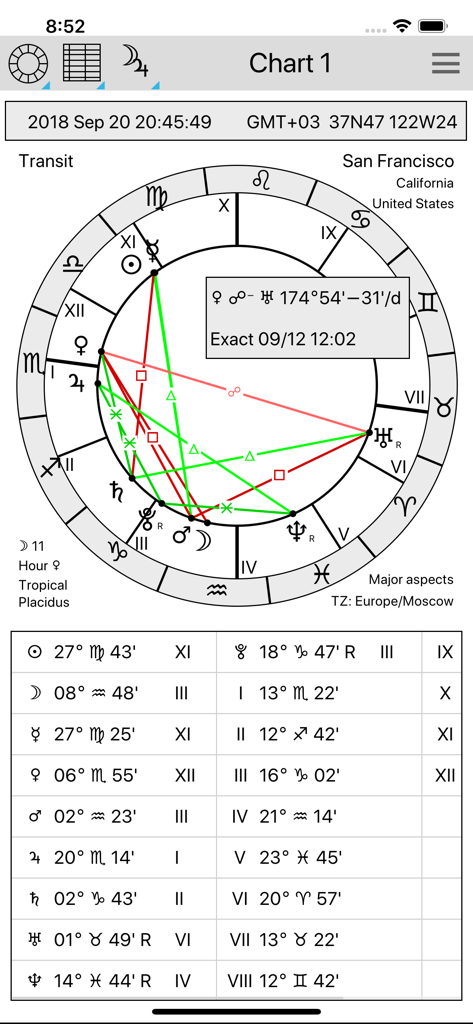
Technisches astrologisches Transit-Horoskoprad und Tabelle der Planetenpositionen in der AstroVizor-App
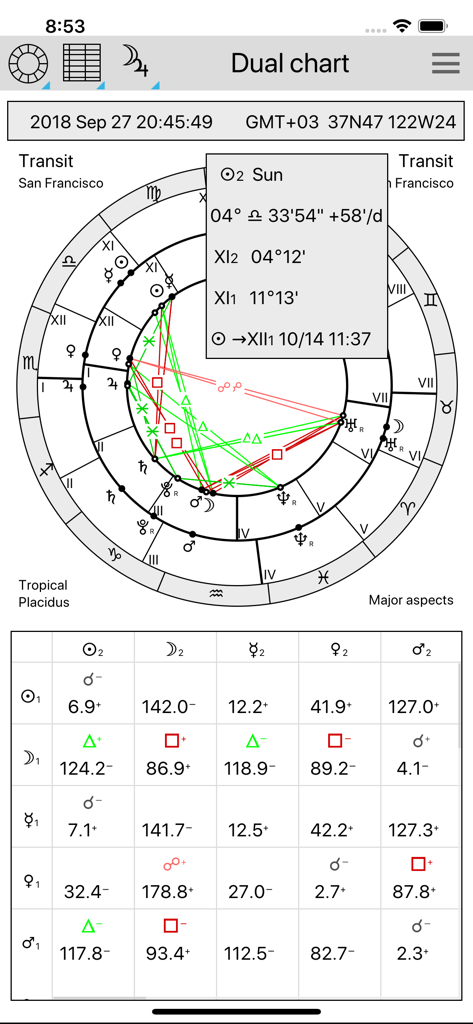
AstroVizor-App-Oberfläche mit einem professionellen astrologischen Doppelrad und technischem Aspektgitter.
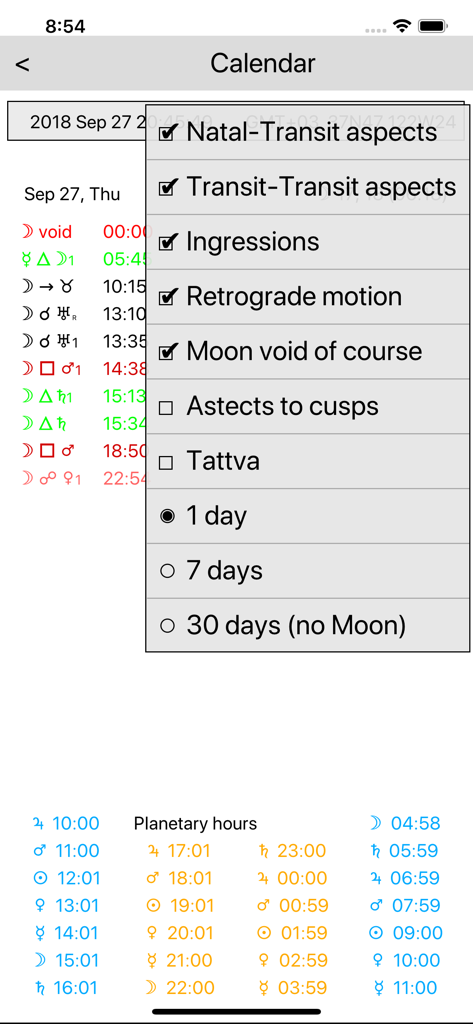
Astrologische Kalenderansicht in AstroVizor mit Planetenaspekten und Planetenstunden
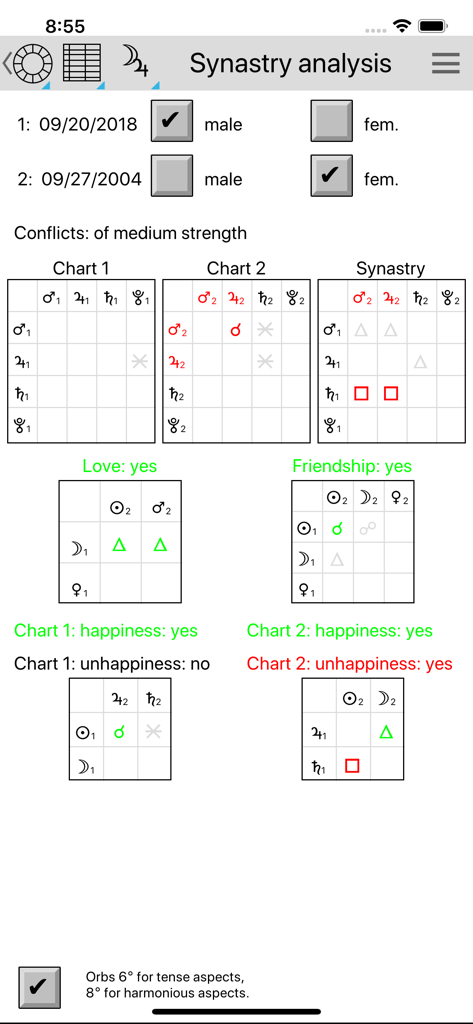
AstroVizor Synastrie-Analysebildschirm mit astrologischen Kompatibilitätstabellen und Aspektgittern zwischen zwei Personen.
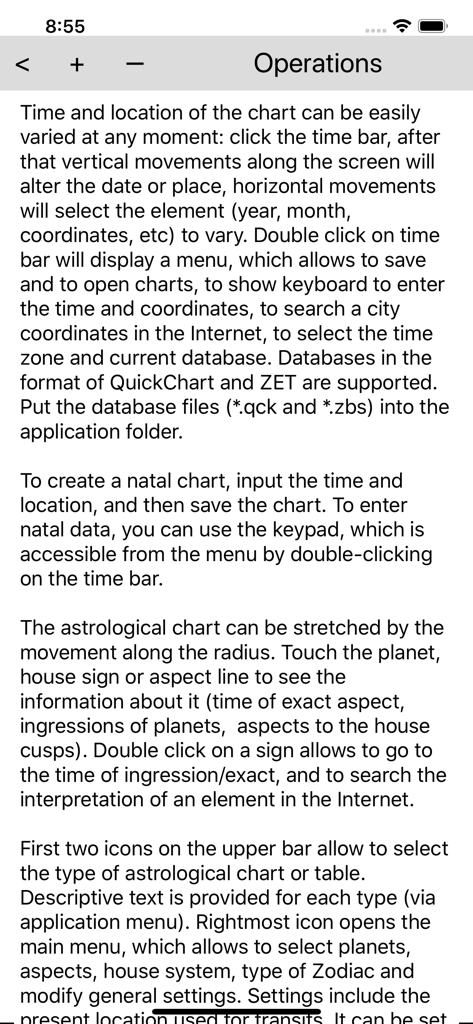
Technischer Hilfebildschirm in der AstroVizor-App mit Anleitungen zur Verwaltung von astrologischen Horoskopen und Einstellungen.
Beschreibung
Download
Ähnliche Apps
Top-gerankte Apps in derselben Kategorie

Pinterest, Inc.

Alipay - Simplify Your Life
Alipay (Hangzhou) Technology Co., Ltd.

Dianping: Discover Good Places
Hanhai Information Technology (Shanghai) Co.Ltd

美团-美好生活小帮手
Sankuai Technology Co., Ltd.

Lemon8 - Lifestyle Community
TIKTOK PTE. LTD.

Xiaomi Home
Beijing Xiaomi Co., Ltd

Tinder Dating App: Date & Chat
Tinder LLC

SmartThings
Samsung Electronics Co., Ltd.

VNeTraffic
GLOBAL TECHNOLOGY - TELECOMMUNICATIONS CORPORATION
Diese Seite ist keine offizielle Seite der App oder ihres Entwicklers, sondern eine unabhängige redaktionelle Veröffentlichung, die zu Informations- und Kommentarzwecken erstellt wurde. Sofern nicht ausdrücklich anders angegeben, sind weder die App noch ihr Entwickler mit MWM, Apple, Google Play, dem App-Herausgeber oder dem Entwickler der App verbunden, von ihnen unterstützt, gesponsert, autorisiert oder anderweitig offiziell verbunden, und nichts auf dieser Seite impliziert, dass die App unter Verwendung der Dienste von MWM entwickelt wurde. Alle Marken, Logos, Screenshots und andere Inhalte bleiben Eigentum ihrer jeweiligen Inhaber.