Audio Memos SE: Record Voice
Herunterladen auf App Store

Diese Seite ist keine offizielle Seite der App oder ihres Entwicklers, sondern eine unabhängige redaktionelle Veröffentlichung, die zu Informations- und Kommentarzwecken erstellt wurde. Sofern nicht ausdrücklich anders angegeben, sind weder die App noch ihr Entwickler mit MWM, Apple, Google Play, dem App-Herausgeber oder dem Entwickler der App verbunden, von ihnen unterstützt, gesponsert, autorisiert oder anderweitig offiziell verbunden, und nichts auf dieser Seite impliziert, dass die App unter Verwendung der Dienste von MWM entwickelt wurde. Alle Marken, Logos, Screenshots und andere Inhalte bleiben Eigentum ihrer jeweiligen Inhaber.

Logo von Audio Memos SE: Record Voice
Herunterladen auf App Store

Audio Memos SE: Record Voice

Erfassen Sie jedes Wort mit Studio-Qualität-Filtern, automatischer Transkription und nahtloser Cloud-Integration. Entwickelt für Profis, die Zuverlässigkeit und Präzision bei jeder Aufnahme erwarten.

Kennzahlen

Downloads

653K+

Bewertung

3.1/5

Bewertungen gesamt

23K+

Herausgeber

Imesart S.a.r.l.

Kategorie

Business

Sprachen

10

Neueste Version

6.0.0

Größe

47.7 MB

Erstveröffentlichung

6. Feb. 2009
Funktionen

Stärken Sie Ihren professionellen Workflow

Hochauflösende Sprachaufnahme trifft auf fortschrittliche Produktivitätstools. Audio Memos SE wurde für diejenigen entwickelt, die technische Präzision, Zuverlässigkeit und nahtlose Cloud-Integration benötigen.

Professionelle Wiedergabetreue

Hören Sie jedes Detail mit Normalisierungsfiltern und Lautstärkeverstärkungstechnologie, die dumpfe Geräusche eliminieren und eine konstante Durchschnittslautstärke für perfekte Klarheit gewährleisten.

Automatisierte Cloud-Integration

Synchronisieren Sie mühelos Ihre Aufnahmen mit Dropbox, Google Drive oder Evernote, damit Ihre Aussagen, Vorlesungen oder Interviews sicher und organisiert bleiben.

Die folgenden Screenshots und die Beschreibung stammen direkt aus dem offiziellen Store-Eintrag der App und sind Eigentum des Entwicklers.

App Store

Screenshots
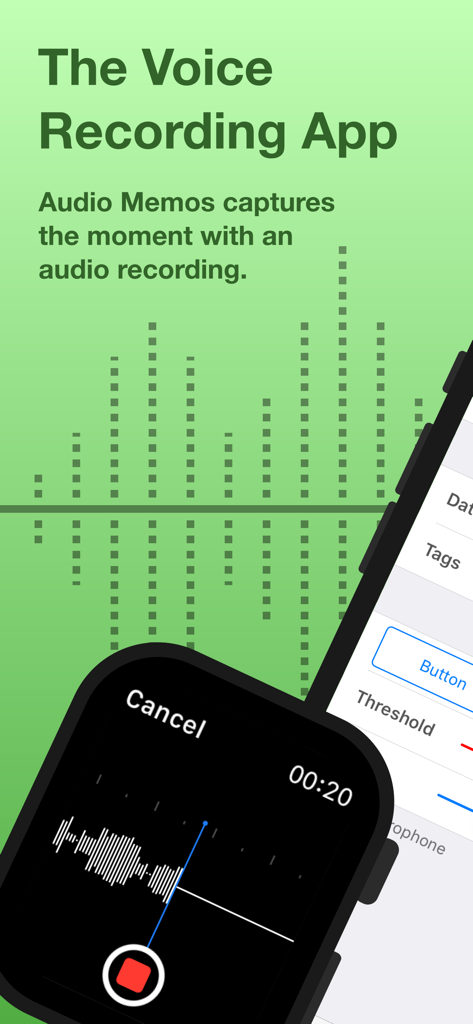
Audio Memos SE: Record Voice - Audio Memos SE Sprachaufnahme-App-Oberfläche auf Apple Watch und iPhone
Audio Memos SE Sprachaufnahme-App-Oberfläche auf Apple Watch und iPhone

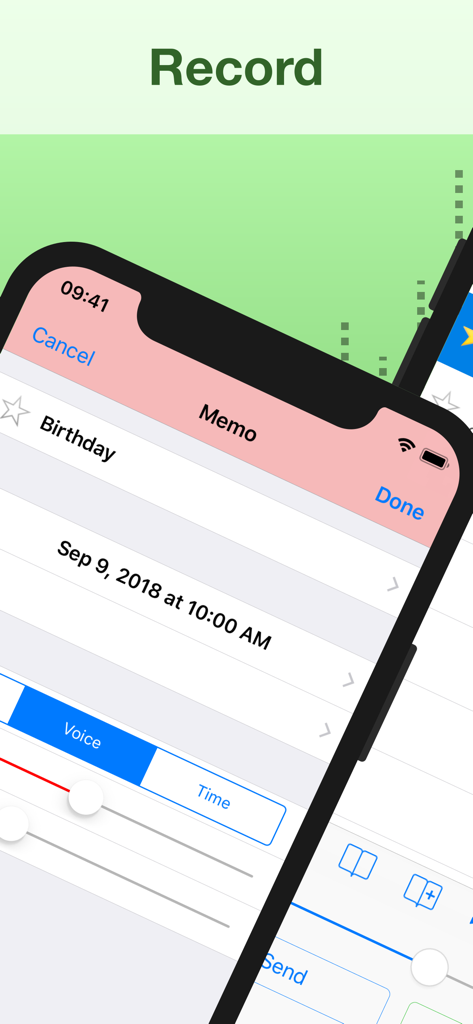
Audio Memos SE: Record Voice - Oberfläche von Audio Memos SE, die einen Sprachaufnahmebildschirm anzeigt
Oberfläche von Audio Memos SE, die einen Sprachaufnahmebildschirm anzeigt

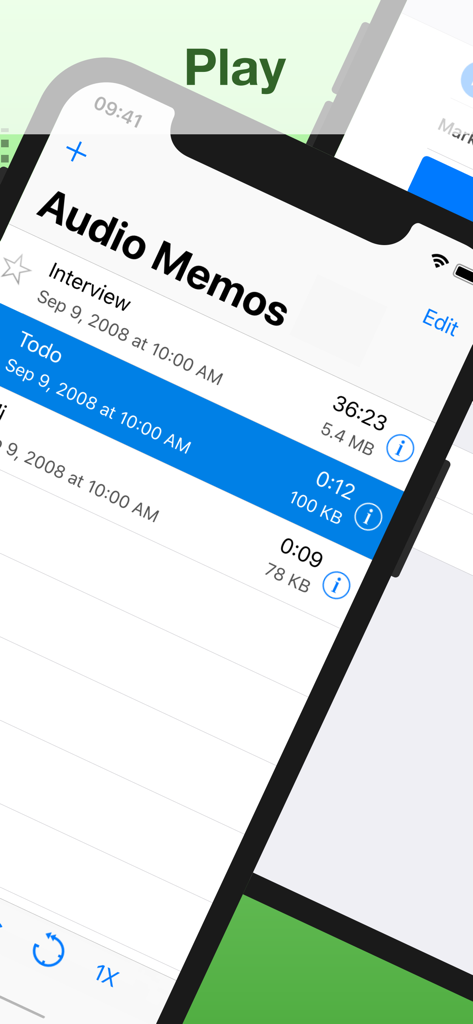
Audio Memos SE: Record Voice - Eine Liste von Sprachaufnahmen in der Audio Memos SE-App mit Details wie Dauer und Dateigröße
Eine Liste von Sprachaufnahmen in der Audio Memos SE-App mit Details wie Dauer und Dateigröße

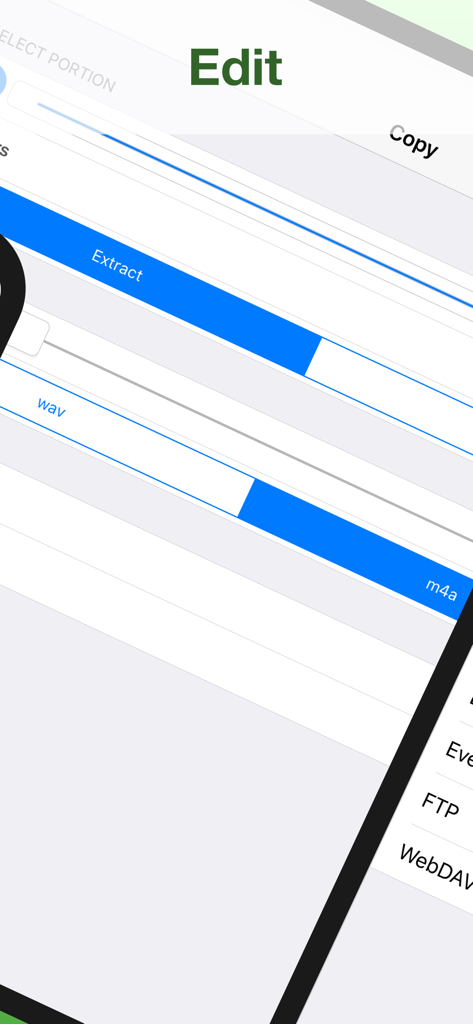
Audio Memos SE: Record Voice - Oberfläche der Audio Memos SE-App, die Audiobearbeitungs- und Extraktionstools mit den Formaten WAV und M4A anzeigt
Oberfläche der Audio Memos SE-App, die Audiobearbeitungs- und Extraktionstools mit den Formaten WAV und M4A anzeigt

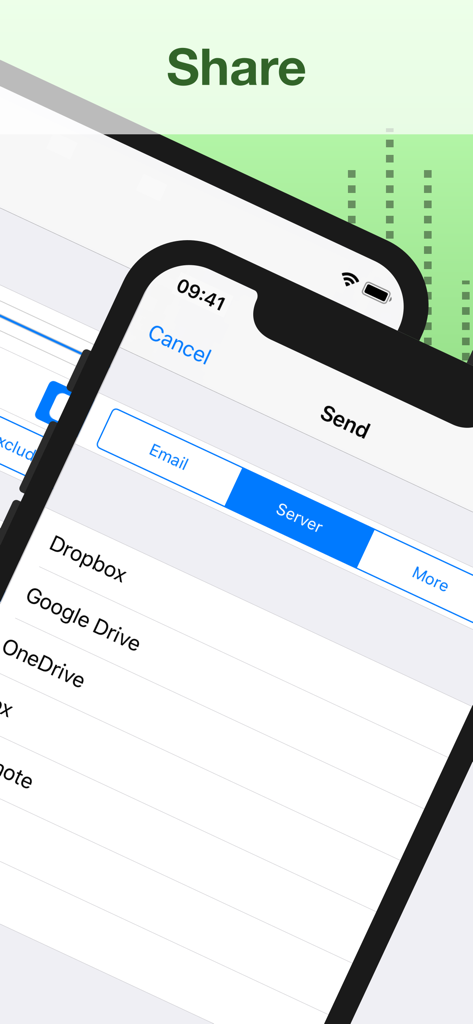
Audio Memos SE: Record Voice - Oberfläche, die Cloud-Speicher-Exportoptionen einschließlich Dropbox und Google Drive in der Audio Memos SE-App anzeigt
Oberfläche, die Cloud-Speicher-Exportoptionen einschließlich Dropbox und Google Drive in der Audio Memos SE-App anzeigt

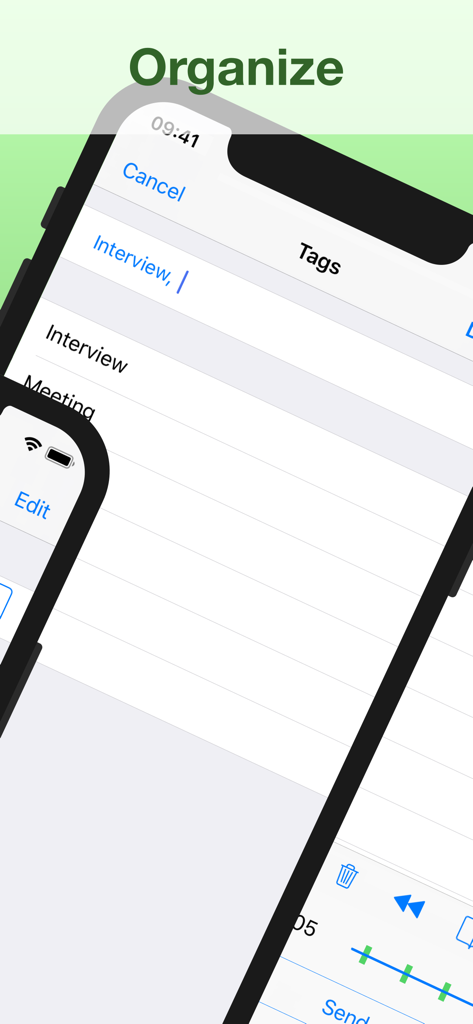
Audio Memos SE: Record Voice - Oberfläche der Audio Memos SE-App, die die Organisation von Aufnahmen mit Tags wie "Interview" und "Besprechung" anzeigt.
Oberfläche der Audio Memos SE-App, die die Organisation von Aufnahmen mit Tags wie "Interview" und "Besprechung" anzeigt.

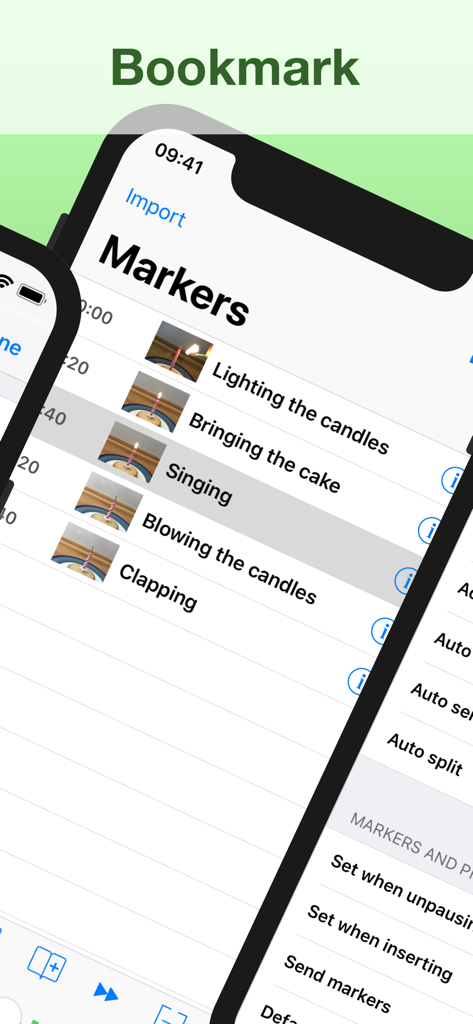
Audio Memos SE: Record Voice - Oberfläche der Audio Memos SE-App, die eine Liste von Zeitstempel-Markierungen und Lesezeichen mit Miniaturansichten für eine einfache Navigation in einer Aufnahme anzeigt.
Oberfläche der Audio Memos SE-App, die eine Liste von Zeitstempel-Markierungen und Lesezeichen mit Miniaturansichten für eine einfache Navigation in einer Aufnahme anzeigt.

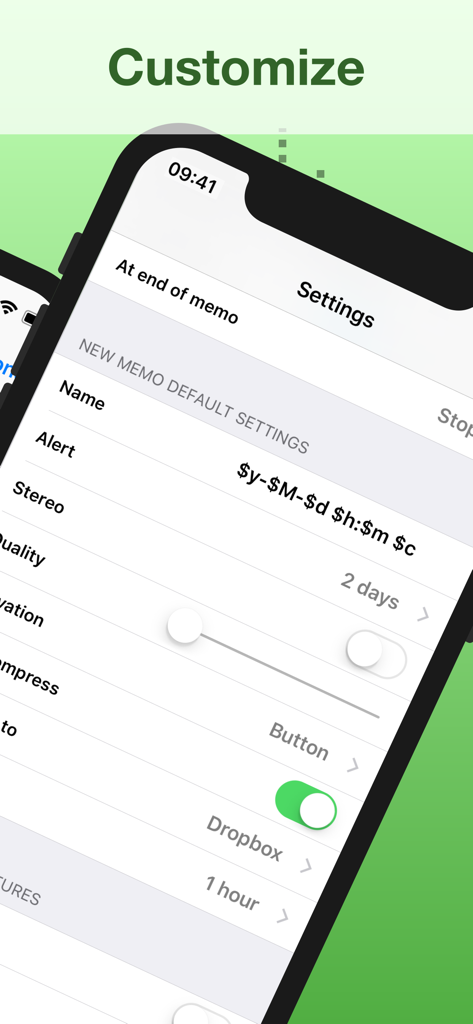
Audio Memos SE: Record Voice - Einstellungen-Menü von Audio Memos SE, das Anpassungsoptionen für die Sprachaufnahme und Cloud-Synchronisierung anzeigt

Einstellungen-Menü von Audio Memos SE, das Anpassungsoptionen für die Sprachaufnahme und Cloud-Synchronisierung anzeigt

Beschreibung

Audio Memos is a voice recorder for the iPhone and iPad. What you'll really like about Audio Memos, is that you can actually HEAR your recordings (try it and compare, you'll hear what we mean). It's also easy to use, with a simple and intuitive interface. Yet with many advanced features as volume boost, volume normalizing, editing of recordings and more. Most of these features are exclusive to this program, which makes it one of the most advanced recorder. This is a great recorder, don't just take our word for it: Audio Memos Free has been featured by Apple in the "What's hot" section. Your recordings are stored on your device but can be backed up to your computer using a simple web browser (or by email). See our website for more details. FEATURES • Send recordings by email. • High quality recordings up to 44100 Hz. Three levels of quality are available: 11025 Hz, 22050 Hz and 44100 Hz. • Professionally engineered audio normalizing filter, which enables you to have a constant average volume on all your recordings. This feature does not modify your recordings, so you can turn it on even if you intend to post process your audio files on a computer. • Wide range volume control using a volume boost. While listening to a recording, volume can be increased using your device's volume keys. If you find this insufficiently loud, you can adjust the volume boost in the application's settings. • Normalizing and boosting filters use dynamic compression with a non linear function to prevent clipping and minimize distortions. Note however that eventual clipping and distortion created by the microphone are not suppressed. If you care about quality, use the headset's microphone instead of the built in one. • Records even when your device is in sleep mode; and pauses automatically in the event of an incoming phone call. • Advanced listing of your recordings, which displays name, date, length and size information. A detailed view is also available for each recording. This view gives extra information such as quality and download status of a recording. • Must have controls as pause record, pause play, slider, quality control. • Uses widespread wav format to store recordings, so you can transfer and read them on any device. SUBSCRIPTION All features listed above can be used without an in app purchase. Some advanced features require an active subscription. These include: • Voice activated rec. - stop recording silence. • Upload to Dropbox, Google Drive, Box, Evernote, FTP or WebDAV. • Insert audio - insert comments easily. • Position markers - easy navigation. • Audio compression - email hours of recordings. • Memo alert dates / reminders. • Adjustable reading speed. • Add pictures to a memo. • Send or delete multiple recordings at a time. • Edit your recordings (trim, overwrite, merge). • Transcription - transform your memos into text. • Stereo recording using the builtin microphones (requires a compatible device and a «Pro +» subscription). Duration and price of each subscription are displayed in our storefront. All subscription costs will be charged to your Apple ID account, starting at the confirmation of purchase. Subscription automatically renews unless it is canceled at least 24 hours before the end of the subscription period. Your account will be charged for renewal within 24 hours prior to the end of the subscription period. It is not possible to cancel a subscription period once you have been charged for it. Any unused portion of a free trial period is forfeited as soon as a subscription is purchased. You can manage subscriptions and disable auto renewal by going to your account settings on the App Store after purchase. Terms of Service: https://imesart.com/legal/terms-of-service.php

Download

Herunterladen auf App Store

Diese Seite ist keine offizielle Seite der App oder ihres Entwicklers, sondern eine unabhängige redaktionelle Veröffentlichung, die zu Informations- und Kommentarzwecken erstellt wurde. Sofern nicht ausdrücklich anders angegeben, sind weder die App noch ihr Entwickler mit MWM, Apple, Google Play, dem App-Herausgeber oder dem Entwickler der App verbunden, von ihnen unterstützt, gesponsert, autorisiert oder anderweitig offiziell verbunden, und nichts auf dieser Seite impliziert, dass die App unter Verwendung der Dienste von MWM entwickelt wurde. Alle Marken, Logos, Screenshots und andere Inhalte bleiben Eigentum ihrer jeweiligen Inhaber.







