
Diese Seite ist keine offizielle Seite der App oder ihres Entwicklers, sondern eine unabhängige redaktionelle Veröffentlichung, die zu Informations- und Kommentarzwecken erstellt wurde. Sofern nicht ausdrücklich anders angegeben, sind weder die App noch ihr Entwickler mit MWM, Apple, Google Play, dem App-Herausgeber oder dem Entwickler der App verbunden, von ihnen unterstützt, gesponsert, autorisiert oder anderweitig offiziell verbunden, und nichts auf dieser Seite impliziert, dass die App unter Verwendung der Dienste von MWM entwickelt wurde. Alle Marken, Logos, Screenshots und andere Inhalte bleiben Eigentum ihrer jeweiligen Inhaber.

Authenticator App - Official ™
Die ultimative 2FA- & MFA-Lösung für iPhone-Benutzer. Schützen Sie Ihre Bank-, Arbeits- und Social-Media-Konten mit verschlüsseltem Cloud-Backup und nahtloser Ein-Tipp-Authentifizierung.
Downloads
100Bewertung
Bewertungen gesamt
0Herausgeber
Kategorie
UtilitiesSprachen
1Neueste Version
1.0Größe
13.4 MBErstveröffentlichung
24. Feb. 2025Eisenfeste Sicherheit für Ihre digitale Welt
Übernehmen Sie die volle Kontrolle über Ihre Online-Konten mit der zuverlässigsten Multi-Faktor-Authentifizierung, die exklusiv für iPhone-Profis entwickelt wurde.
Sicheres Cloud-Backup
Machen Sie sich nie wieder Sorgen, ausgesperrt zu werden. Verschlüsseln und speichern Sie Ihre Codes sicher in der Cloud zur mühelosen Wiederherstellung, wenn Sie Ihr Gerät wechseln oder verlieren.
Universelle Ein-Tipp-Einrichtung
Konsolidieren Sie alles von Google und Facebook bis Salesforce und LinkedIn. Scannen Sie einfach einen QR-Code, um alle Ihre sicheren Logins in einer einzigen App zu vereinen.
Häufig gestellte Fragen
Alles, was Sie über wissen müssen Authenticator App - Official ™
Was ist die Authenticator App?
Die Authenticator App ist eine 2FA-Lösung (Two-Factor Authentication), die eine zusätzliche Sicherheitsebene für sensible Daten bietet. Sie bietet die beste MFA-Erfahrung (Multi-Factor Authentication) für iPhone-Benutzer.
Unterstützt die Authenticator App die Offline-Nutzung?
Ja, die Authenticator App unterstützt die Offline-Authentifizierung. Sie funktioniert ohne Internetverbindung, sodass Benutzer Codes jederzeit und überall abrufen können.
Wie sichert die Authenticator App Benutzerkonten?
Die Authenticator App stärkt die Online-Sicherheit durch einen zusätzlichen Verifizierungsschritt für Anmeldungen. Sie generiert zeitbasierte Einmalpasswörter (TOTP) und verwendet branchenführende Geräteverschlüsselung für gespeicherte Codes.
Können Benutzer der Authenticator App ihre Authentifizierungscodes sichern?
Ja, Benutzer der Authenticator App können ihre Authentifizierungscodes sicher sichern. Die App bietet eine verschlüsselte Cloud-Sicherung, sodass Benutzer niemals den Zugriff auf ihre Konten verlieren.
Was sind die Premium-Funktionen der Authenticator App?
Zu den Premium-Funktionen der Authenticator App gehören der Zugriff auf alle unbegrenzten Funktionalitäten. Kostenlose App-Benutzer können eine begrenzte Anzahl von Authentifizierungscodes und Konten hinzufügen.
Wie können Benutzer neue Konten zur Authenticator App hinzufügen?
Benutzer können neue Konten zur Authenticator App hinzufügen, indem sie QR-Codes von unterstützten Websites und Apps scannen. Sie unterstützt auch die manuelle Codeeingabe.
Welche Dienste unterstützt die Authenticator App für die Zwei-Faktor-Authentifizierung?
Die Authenticator App unterstützt wichtige Dienste wie Google, Facebook, Instagram, Twitter und Microsoft. Sie bietet auch spezifische 2FA-Anleitungen für verschiedene Plattformen, darunter Amazon und Discord.
Können Benutzer ihre Konten mit der Authenticator App auf ein neues iPhone übertragen?
Ja, Benutzer können ihre Konten problemlos auf ein neues iPhone übertragen. Die Authenticator App erleichtert dies mit sicheren Cloud-Backups und einer Ein-Tipp-Wiederherstellungsfunktion.
Bietet die Authenticator App eine kostenlose Testversion für ihre Premium-Funktionen an?
Ja, die Authenticator App bietet Abonnements mit einer kostenlosen Testversion an. Diese Testversionen werden automatisch in ein kostenpflichtiges Abonnement umgewandelt, sofern sie nicht mindestens 24 Stunden vor Ablauf gekündigt werden.
Welche Verschlüsselungsmethoden verwendet die Authenticator App?
Die Authenticator App speichert Authentifizierungscodes sicher mit branchenführender Geräteverschlüsselung. Sie unterstützt auch mehrere Token-Formate, einschließlich TOTP-, HOTP- und SHA-1-, SHA-256- und SHA-512-Algorithmen.
Die folgenden Screenshots und die Beschreibung stammen direkt aus dem offiziellen Store-Eintrag der App und sind Eigentum des Entwicklers.
App Store
Screenshots
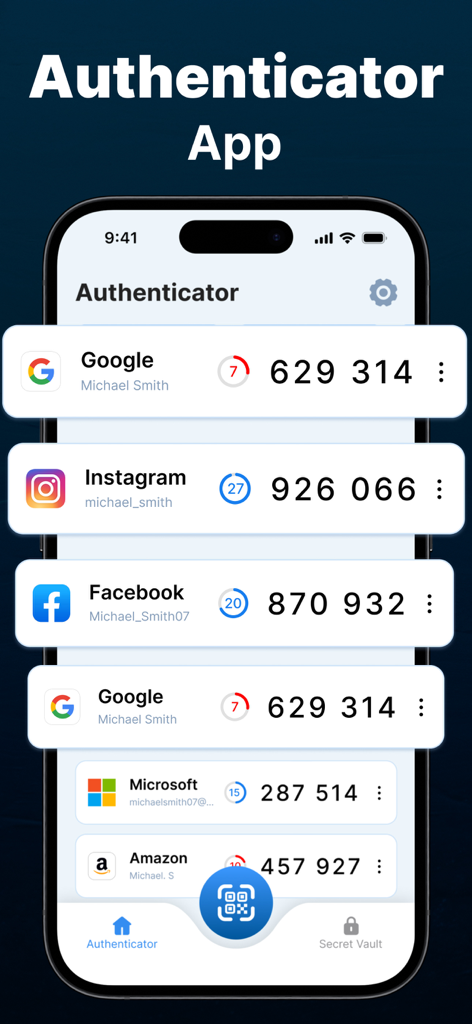
Oberfläche der Authenticator App, die Zwei-Faktor-Authentifizierungscodes für verschiedene Online-Konten auf einem iPhone anzeigt
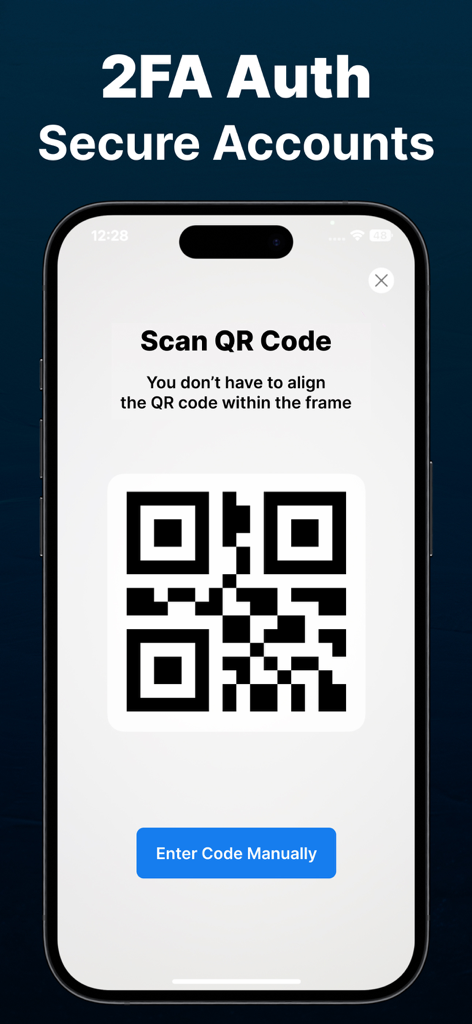
iPhone-Bildschirm, der die QR-Code-Scanner-Oberfläche für die sichere 2FA-Konto-Einrichtung anzeigt.
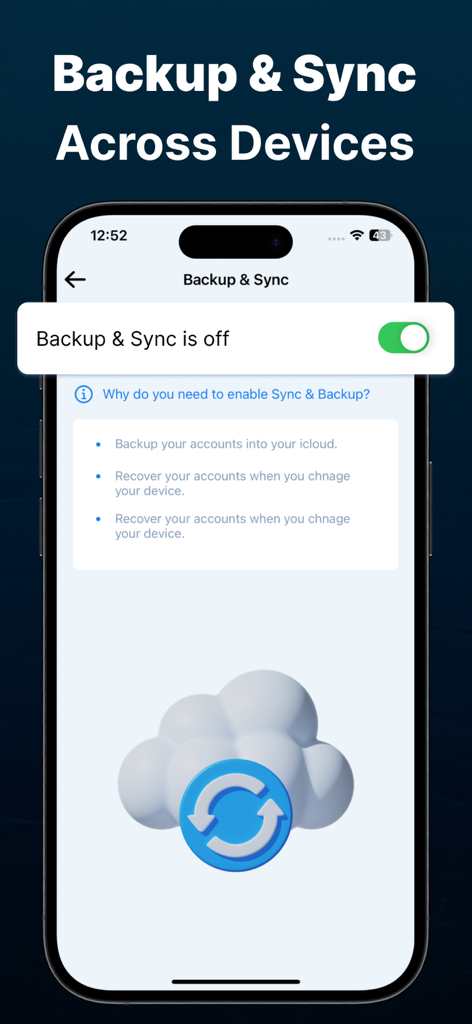
Bildschirm der Authenticator App, der Backup- und Sync-Einstellungen für die sichere Wiederherstellung von Cloud-Konten anzeigt.
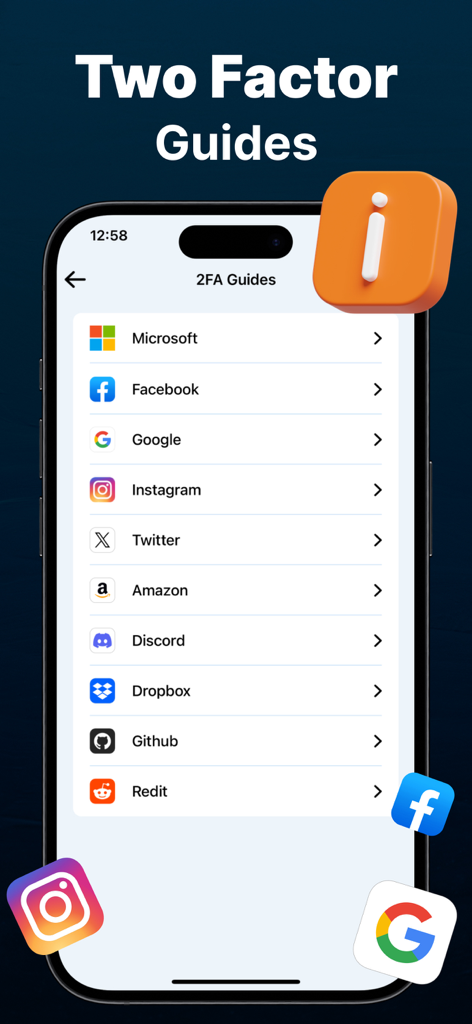
Ein iPhone-Bildschirm, der eine Liste von Anleitungen zur Einrichtung der Zwei-Faktor-Authentifizierung für beliebte Dienste wie Microsoft, Google und Facebook anzeigt
Beschreibung
Download
Ähnliche Apps
Top-gerankte Apps in derselben Kategorie

Google LLC

Google Chrome
Google LLC

中国移动(手机营业厅)
China Mobile Online Services Co., Ltd.

Google Authenticator
Google LLC

CNH do Brasil
Servicos e Informacoes do Brasil

Cleanup: Phone Storage Cleaner
DEEP FLOW SOFTWARE SERVICES - FZCO

gov.br
Servicos e Informacoes do Brasil

中国电信-全国统一官方服务平台
CHINA TELECOM Corporation Ltd.

Microsoft Edge: AI Browser
Microsoft Corporation
Diese Seite ist keine offizielle Seite der App oder ihres Entwicklers, sondern eine unabhängige redaktionelle Veröffentlichung, die zu Informations- und Kommentarzwecken erstellt wurde. Sofern nicht ausdrücklich anders angegeben, sind weder die App noch ihr Entwickler mit MWM, Apple, Google Play, dem App-Herausgeber oder dem Entwickler der App verbunden, von ihnen unterstützt, gesponsert, autorisiert oder anderweitig offiziell verbunden, und nichts auf dieser Seite impliziert, dass die App unter Verwendung der Dienste von MWM entwickelt wurde. Alle Marken, Logos, Screenshots und andere Inhalte bleiben Eigentum ihrer jeweiligen Inhaber.