
Diese Seite ist keine offizielle Seite der App oder ihres Entwicklers, sondern eine unabhängige redaktionelle Veröffentlichung, die zu Informations- und Kommentarzwecken erstellt wurde. Sofern nicht ausdrücklich anders angegeben, sind weder die App noch ihr Entwickler mit MWM, Apple, Google Play, dem App-Herausgeber oder dem Entwickler der App verbunden, von ihnen unterstützt, gesponsert, autorisiert oder anderweitig offiziell verbunden, und nichts auf dieser Seite impliziert, dass die App unter Verwendung der Dienste von MWM entwickelt wurde. Alle Marken, Logos, Screenshots und andere Inhalte bleiben Eigentum ihrer jeweiligen Inhaber.


Auto Clicker - Automatic Tap Q
Schluss mit dem Daumenkrampf. Diese App gibt Ihnen die Kontrolle über die Automatisierung zurück.
Downloads
250k+Bewertung
Bewertungen gesamt
14.2KHerausgeber
Kategorie
UtilitiesSprachen
3Neueste Version
1.4Größe
6.9 MBErstveröffentlichung
11. Aug. 2025Eine tiefgehende Bewertung der Automatisierungsfähigkeiten für mobile Anwender.
Analyse der Kernfunktionen von 'Auto Clicker - Automatic Tap Q'
Sequenzen für mehrere Punkte
Es ermöglicht Nutzern, komplexe Abfolgen von Klicks an verschiedenen Bildschirmpositionen zu erstellen, was ideal für Automatisierungsaufgaben in Spielen oder bei der Dateneingabe ist.
Anpassbare Klickintervalle
Die App bietet die Möglichkeit, Klickintervalle präzise von 1 Millisekunde bis zu 10 Sekunden einzustellen, was eine hohe Flexibilität für schnelle Aktionen oder verzögerte Abläufe bietet.
Häufig gestellte Fragen
Alles, was Sie über wissen müssen Auto Clicker - Automatic Tap Q
What is Auto Clicker - Automatic Tap Q?
Auto Clicker - Automatic Tap Q is a tapping automation tool designed for effortless repetitive tasks. It allows users to set custom click intervals and choose tap locations.
Can Auto Clicker - Automatic Tap Q customize click intervals?
Yes, Auto Clicker - Automatic Tap Q allows users to set custom click intervals. These intervals range from 1 millisecond to 10 seconds.
Does Auto Clicker - Automatic Tap Q support multi-point tapping?
Yes, Auto Clicker - Automatic Tap Q supports creating multi-point sequences. This feature is available as 'Multi-point Cycle' within the Basic Functions.
How can I choose tap locations with Auto Clicker - Automatic Tap Q?
Auto Clicker - Automatic Tap Q allows users to choose tap locations. Options include 'Screen Center' and 'Custom Position' within the Single Tap Mode settings.
What advanced functions does Auto Clicker - Automatic Tap Q offer?
Auto Clicker - Automatic Tap Q provides 'Smart Trigger' for color detection and scheduled tasks, and a 'Script Editor' for visual programming and script editing.
Can Auto Clicker - Automatic Tap Q set trigger conditions for taps?
Yes, Auto Clicker - Automatic Tap Q supports trigger conditions. Users can set a 'Click Count Limit' to control the total number of taps.
Where can I find the Privacy Policy for Auto Clicker - Automatic Tap Q?
The Privacy Policy for Auto Clicker - Automatic Tap Q is available via the link provided in the app description.
Does Auto Clicker - Automatic Tap Q have a Terms of Service?
Yes, Auto Clicker - Automatic Tap Q provides a Terms of Service document. The link is located within the app's description.
Can I adjust the tap frequency in Auto Clicker - Automatic Tap Q?
Yes, Auto Clicker - Automatic Tap Q allows users to adjust the tap frequency. The 'Tap Frequency (times/sec)' setting is available in 'Single Tap Mode'.
Does Auto Clicker - Automatic Tap Q include gesture simulation?
Yes, Auto Clicker - Automatic Tap Q offers a 'Gesture Simulation' feature. This is listed under the 'Basic Functions' of the application.
Die folgenden Screenshots und die Beschreibung stammen direkt aus dem offiziellen Store-Eintrag der App und sind Eigentum des Entwicklers.
App Store
Screenshots
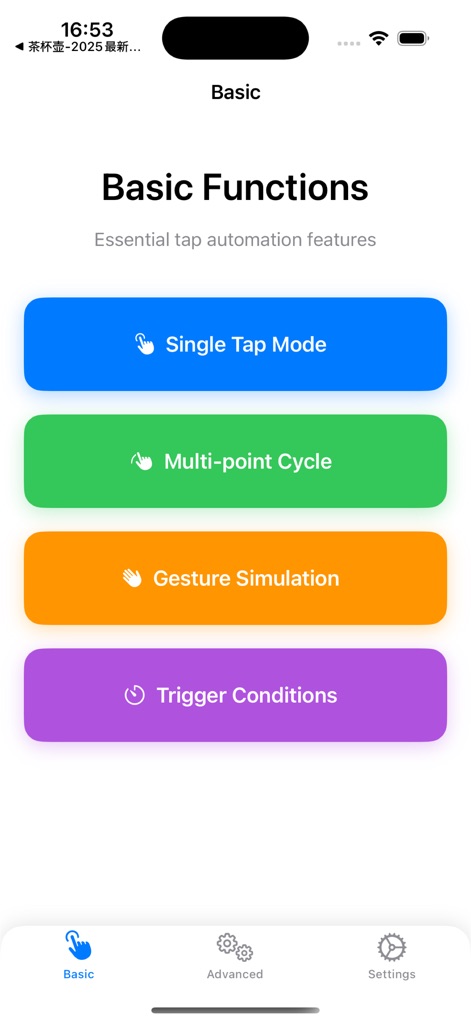
Diese Ansicht zeigt die grundlegenden Funktionen der App, übersichtlich gruppiert unter 'Basic Functions', mit intuitiven, farbcodierten Schaltflächen für Modi wie 'Single Tap Mode' und 'Multi-point Cycle'.
Grundlegende Automation

Nutzer können hier die 'Tap Frequency' und 'Duration' präzise über Schieberegler einstellen und die 'Tap Position' auf dem Bildschirm flexibel definieren.
Einzeltipp-Konfiguration
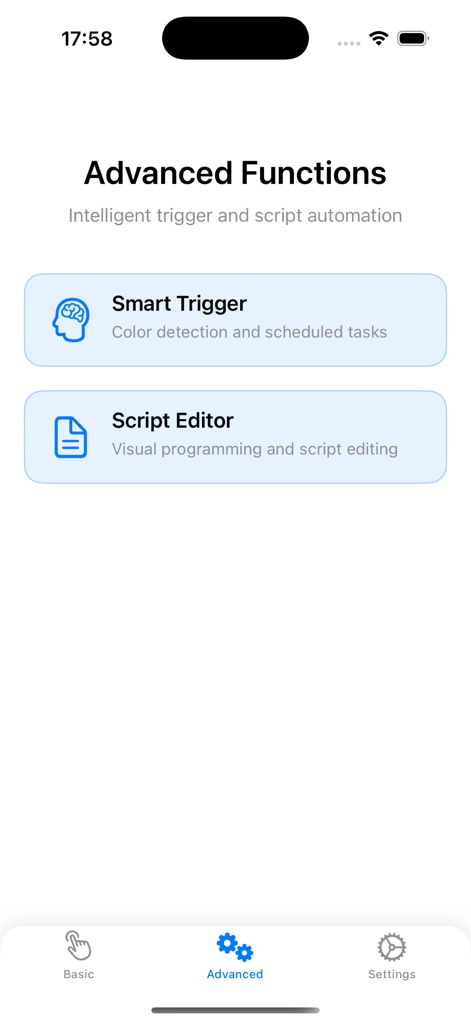
Die Sektion 'Advanced Functions' präsentiert leistungsstarke Optionen wie den 'Smart Trigger' für intelligente Auslösung und den 'Script Editor' zur visuellen Programmierung.
Erweiterte Möglichkeiten
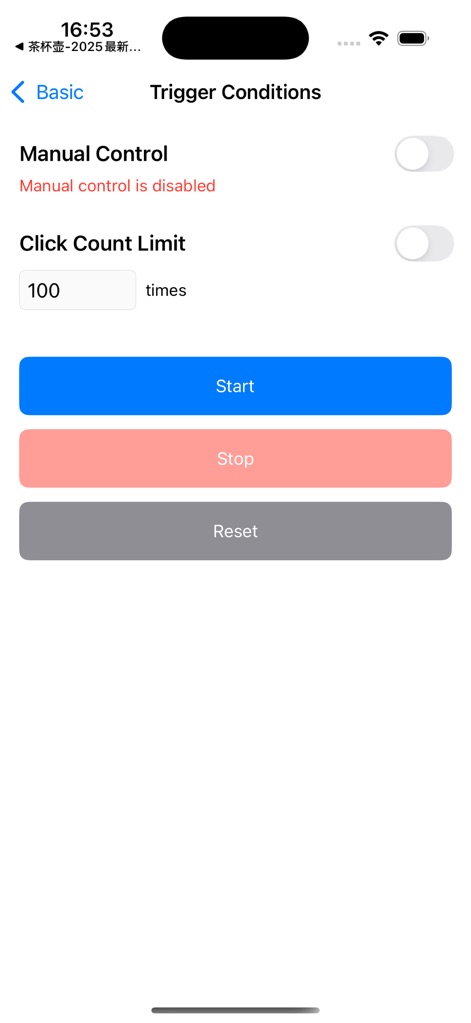
Hier können Nutzer Auslösebedingungen festlegen, beispielsweise die 'Manual Control' aktivieren oder ein 'Click Count Limit' für die automatisierten Aktionen definieren.
Auslöser festlegen
Beschreibung
Download
Ähnliche Apps
Apps mit ähnlichen Funktionen und Nutzererfahrung

自动ּ连点器 - 自动点击器
壮壮 彭

连点器-高效自动点击按键辅助工具
和圆 魏

连点器 - 自动点击持续滚动刷新&旋转指针工具
源 韦

自动点击器·连点器
磊 赵

Auto Clicker-Auto Tapper tool
佳豪 张

Auto Clicker: Click Automatic
RH LANDSCAPING LLC

连点器-自动连点神器&点赞抢购助手
倩格 刘

Auto Clicker - Tap Assistant
乐飞 张

Auto Tapper Assistant App
KUPERTINO BIL. YAZ. HALIL IBRAHIM KARAHAN SAFFET ARSLAN MUSTAFA AYTEN MUHAMMET YALCIN OZDEMIR K. S.
Diese Seite ist keine offizielle Seite der App oder ihres Entwicklers, sondern eine unabhängige redaktionelle Veröffentlichung, die zu Informations- und Kommentarzwecken erstellt wurde. Sofern nicht ausdrücklich anders angegeben, sind weder die App noch ihr Entwickler mit MWM, Apple, Google Play, dem App-Herausgeber oder dem Entwickler der App verbunden, von ihnen unterstützt, gesponsert, autorisiert oder anderweitig offiziell verbunden, und nichts auf dieser Seite impliziert, dass die App unter Verwendung der Dienste von MWM entwickelt wurde. Alle Marken, Logos, Screenshots und andere Inhalte bleiben Eigentum ihrer jeweiligen Inhaber.