
Diese Seite ist keine offizielle Seite der App oder ihres Entwicklers, sondern eine unabhängige redaktionelle Veröffentlichung, die zu Informations- und Kommentarzwecken erstellt wurde. Sofern nicht ausdrücklich anders angegeben, sind weder die App noch ihr Entwickler mit MWM, Apple, Google Play, dem App-Herausgeber oder dem Entwickler der App verbunden, von ihnen unterstützt, gesponsert, autorisiert oder anderweitig offiziell verbunden, und nichts auf dieser Seite impliziert, dass die App unter Verwendung der Dienste von MWM entwickelt wurde. Alle Marken, Logos, Screenshots und andere Inhalte bleiben Eigentum ihrer jeweiligen Inhaber.

Autodesk Construction Cloud
Bringen Sie Ihre 3D-Modelle, Pläne und kritischen Arbeitsabläufe auf die Baustelle. Vermeiden Sie Nacharbeiten und liefern Sie hochwertige Projekte pünktlich mit der vertrauenswürdigsten mobilen Plattform für das Baumanagement.
Downloads
1M+Bewertung
Bewertungen gesamt
24K+Herausgeber
Kategorie
BusinessSprachen
18Neueste Version
7.69.0Größe
638.9 MBErstveröffentlichung
15. Feb. 2012Beherrschen Sie Ihre Baustelle von überall
Rüsten Sie Ihre Baustellenteams mit der branchenführenden Plattform aus, um Dokumente zu verwalten, den Fortschritt zu verfolgen und hochwertige Projekte pünktlich und im Budget zu liefern.
Sofortiger Zugriff auf BIM- und 2D-Pläne
Zeigen Sie Revit- und AutoCAD-Modelle direkt auf Ihrem iPad an. Vergleichen Sie Versionen und kommentieren Sie Zeichnungen in Echtzeit, um Nacharbeiten zu vermeiden und Präzision zu gewährleisten.
Nahtlose RFI- und Issue-Verfolgung
Lösen Sie Hindernisse schneller, indem Sie Verantwortlichkeiten spontan zuweisen. Verknüpfen Sie Fotos und Dokumente mit Problemen, um eine klare Nachverfolgung der Verantwortlichkeiten zu gewährleisten.
Häufig gestellte Fragen
Alles, was Sie über wissen müssen Autodesk Construction Cloud
Was ist die Autodesk Construction Cloud App?
Die Autodesk Construction Cloud App ist ein Bauprojektmanagement-Tool für Teams bei über 2,5 Millionen Projekten. Sie integriert Autodesk Build, BIM Collaborate, Docs und PlanGrid für ein umfassendes Projektmanagement.
Welche Autodesk-Produkte werden mit der Autodesk Construction Cloud Mobile App integriert?
Die Autodesk Construction Cloud Mobile App integriert sich mit Autodesk Build, BIM Collaborate, Autodesk Docs, Revit, Navisworks, PlanGrid und AutoCAD und bringt deren Funktionalitäten auf die Baustelle.
Wie hilft Autodesk Construction Cloud bei der Verwaltung von Projektzeitplänen?
Die Autodesk Construction Cloud App bietet einen zentralisierten Zeitplan. Benutzer können ihn nach Zeiträumen anzeigen, kritische Elemente filtern, Abhängigkeiten überprüfen und Vorschläge zur Zeitplanung bewerten, um Projekte auf Kurs zu halten.
Können Benutzer Probleme mit der Autodesk Construction Cloud App verfolgen und lösen?
Ja, die Autodesk Construction Cloud App ermöglicht es Benutzern, Probleme vom Entwurf bis zur Übergabe zu verfolgen. Sie können Fälligkeitsdaten, verantwortliche Personen, Fotos, Dateien und RFI hinzufügen, um Probleme schneller zu lösen.
Wie erleichtert die Autodesk Construction Cloud App die Qualitätskontrolle mit Formularen?
Die Autodesk Construction Cloud App bietet anpassbare Formulare zum Sammeln wichtiger Informationen, wie z. B. Sicherheitsprogramme oder tägliche Checklisten. Dies hilft, qualitativ hochwertigere Projekte zu liefern.
Unterstützt Autodesk Construction Cloud das Management des Lebenszyklus von Anlagen?
Ja, die Autodesk Construction Cloud App verwaltet den Lebenszyklus von Anlagen während des gesamten Prozesses vom Entwurf über die Inbetriebnahme bis zur Übergabe. Anlagen werden verfolgt, gespeichert und mit anderen Arbeitsabläufen innerhalb der App verbunden.
Wie kann ich auf Zeichnungen in der Autodesk Construction Cloud Mobile App zugreifen?
Die Autodesk Construction Cloud Mobile App bietet schnellen Zugriff auf die neuesten Zeichnungen und freigegebenen Pläne. Benutzer können Pläne direkt von der Baustelle herunterladen, suchen, vergleichen, freigeben und mit Anmerkungen versehen.
Welche Arten von 3D-Modellen unterstützt die Autodesk Construction Cloud App?
Die Autodesk Construction Cloud App unterstützt 3D-Modelle von Revit, AutoCAD und andere Dateitypen wie RVT, DWG, NWC, IFC und NWD, wodurch schnellere und kritische Entscheidungen auf der Baustelle getroffen werden können.
Wie verwaltet die Autodesk Construction Cloud App RFIs?
Die Autodesk Construction Cloud App bietet ein nahtloses RFI-Management, das RFIs über den gesamten Projektlebenszyklus hinweg verbindet. Dies reduziert Doppelarbeit und sorgt für mehr Verantwortlichkeit.
Können Benutzer Einreichungsinformationen in der Autodesk Construction Cloud App anzeigen und durchsuchen?
Ja, die Autodesk Construction Cloud App ermöglicht es Benutzern, alle relevanten Einreichungsinformationen griffbereit zu haben. Benutzer können schnell nach Einreichungen suchen, um den Fortschritt und die nächsten Schritte anzuzeigen.
Welche Foto-Funktionen bietet die Autodesk Construction Cloud App?
Die Autodesk Construction Cloud App ermöglicht es Benutzern, Fotos aufzunehmen, zu kennzeichnen, zu referenzieren und zu geolokalisieren. Fotos verfolgen den Fortschritt und können mit Problemen, RFIs und Zeitplanaktivitäten verknüpft werden.
Die folgenden Screenshots und die Beschreibung stammen direkt aus dem offiziellen Store-Eintrag der App und sind Eigentum des Entwicklers.
App Store
Screenshots
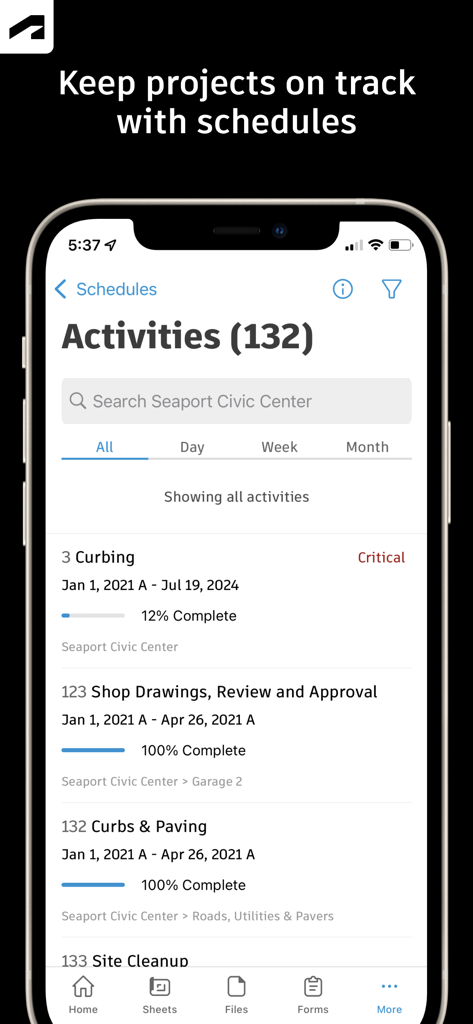
Autodesk Construction Cloud mobile App zeigt einen Projektaktivitätsplan mit Fortschrittsverfolgung und Abschlussquoten an
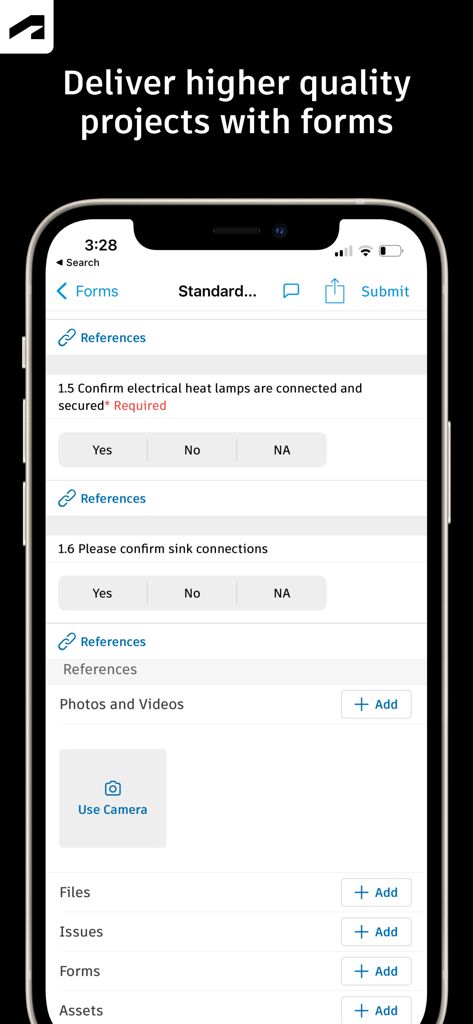
Eine mobile Oberfläche von Autodesk Construction Cloud, die ein Formular für Baustelleninspektionen mit Checklisten für die Projektqualitätskontrolle zeigt
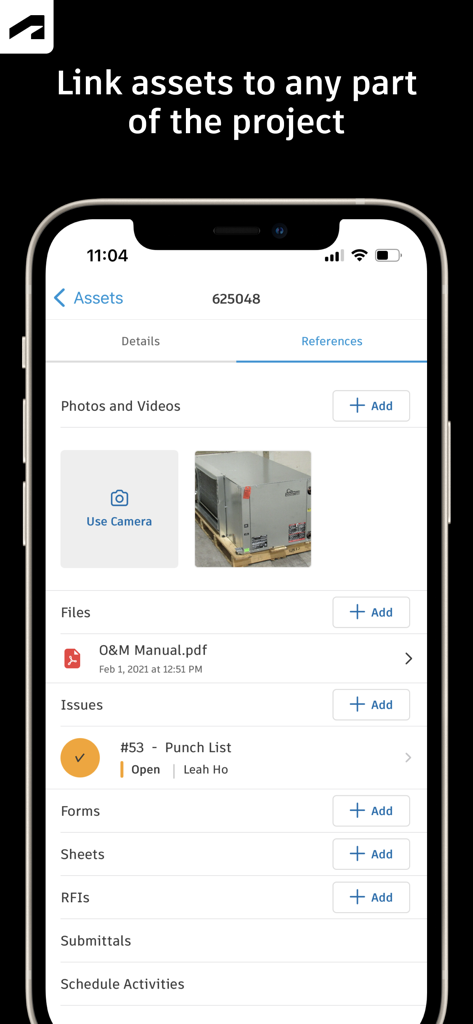
Autodesk Construction Cloud mobile App-Bildschirm zeigt Asset-Referenzen, einschließlich Fotos, Dateien und Mängelberichten
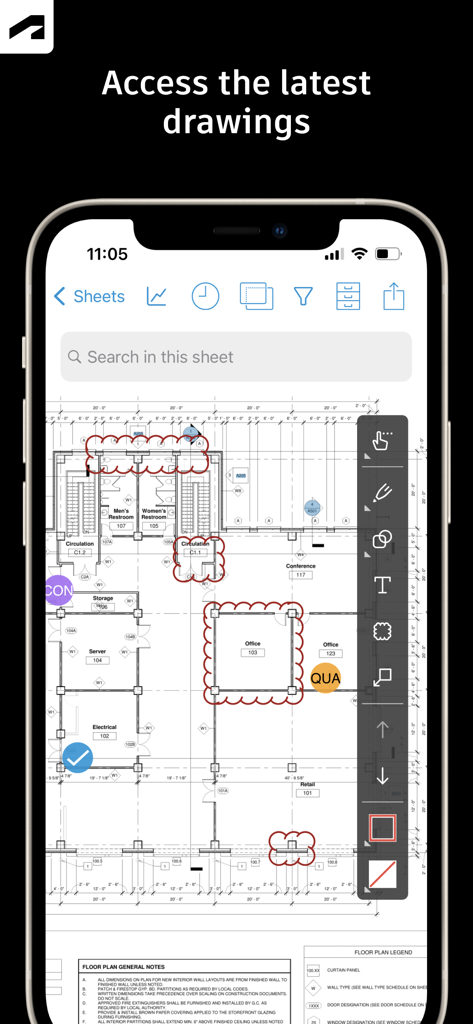
Autodesk Construction Cloud App zeigt Konstruktionszeichnungen und Markup-Tools auf einem Smartphone an
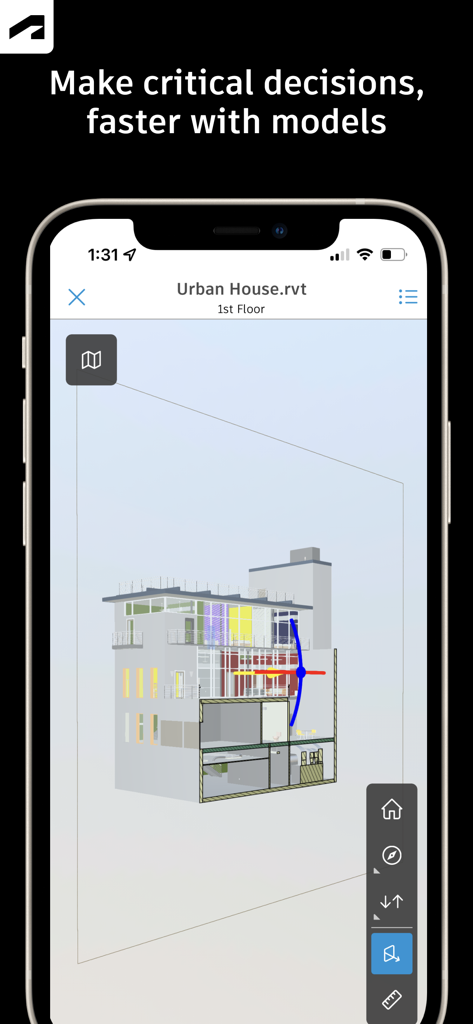
Ein 3D-Architekturmodell eines Gebäudes, angezeigt auf einem Smartphone mit der Autodesk Construction Cloud App

Autodesk Construction Cloud App zeigt einen RFI-Detailbildschirm für Design-Spaltenumhüllungen mit Status- und Prüferinformationen an
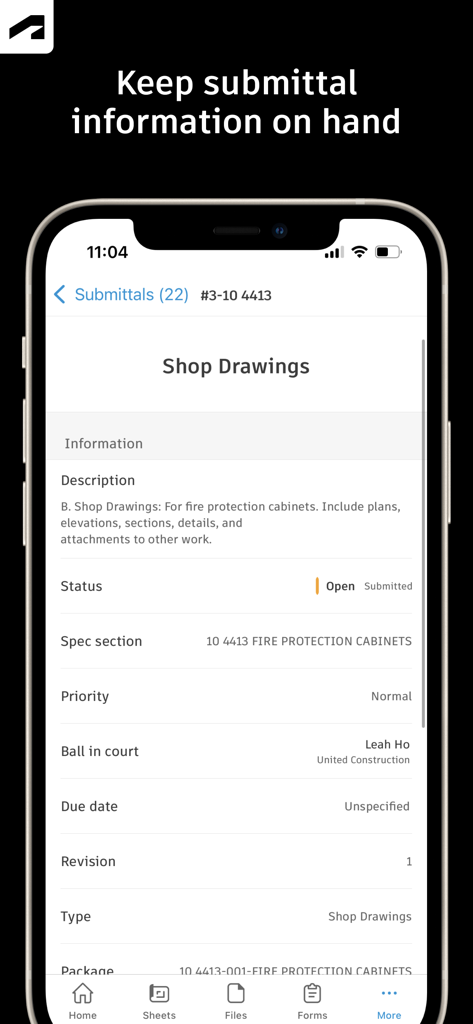
Autodesk Construction Cloud App zeigt Einreichungsdetails für Werkstattzeichnungen auf einem mobilen Gerät an
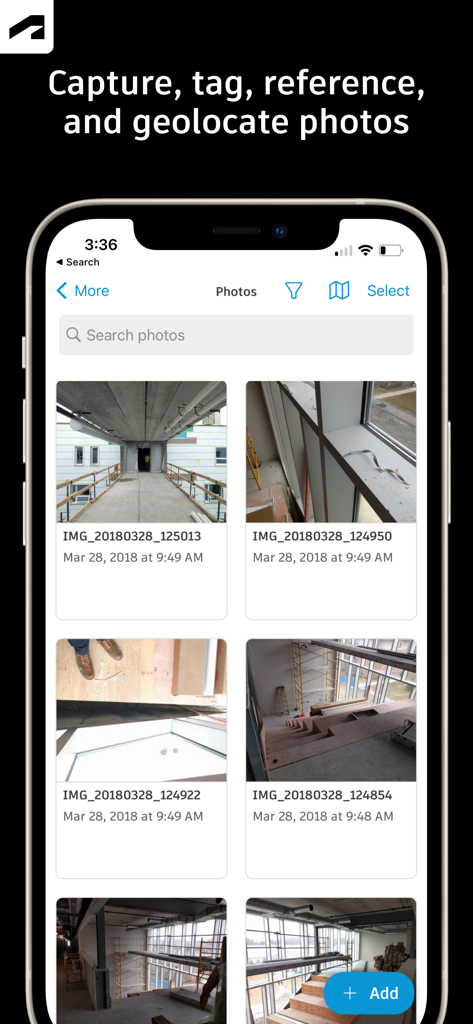
Oberfläche der Autodesk Construction Cloud mobilen App, die eine Galerie von Baustellenfortschrittsfotos zeigt.
Beschreibung
Download
Ähnliche Apps
Apps mit ähnlichen Funktionen und Nutzererfahrung

Doximity
Doximity

PrepWizard
CyberDynamite LLC

MaintainX Work Orders
MAINTAINX INC.

WAGO
WAGO Kontakttechnik GmbH & Co. KG

Flash.It
Structured Steel Pty Ltd

iCoder CPT RVU ICD10 HCPCS
StarInix Corporation

Summons Partner+
n.u. logistics

OneClick Code - Building Codes
One Click Reports

德馨ּּ维修
小东 何
Diese Seite ist keine offizielle Seite der App oder ihres Entwicklers, sondern eine unabhängige redaktionelle Veröffentlichung, die zu Informations- und Kommentarzwecken erstellt wurde. Sofern nicht ausdrücklich anders angegeben, sind weder die App noch ihr Entwickler mit MWM, Apple, Google Play, dem App-Herausgeber oder dem Entwickler der App verbunden, von ihnen unterstützt, gesponsert, autorisiert oder anderweitig offiziell verbunden, und nichts auf dieser Seite impliziert, dass die App unter Verwendung der Dienste von MWM entwickelt wurde. Alle Marken, Logos, Screenshots und andere Inhalte bleiben Eigentum ihrer jeweiligen Inhaber.