
Diese Seite ist keine offizielle Seite der App oder ihres Entwicklers, sondern eine unabhängige redaktionelle Veröffentlichung, die zu Informations- und Kommentarzwecken erstellt wurde. Sofern nicht ausdrücklich anders angegeben, sind weder die App noch ihr Entwickler mit MWM, Apple, Google Play, dem App-Herausgeber oder dem Entwickler der App verbunden, von ihnen unterstützt, gesponsert, autorisiert oder anderweitig offiziell verbunden, und nichts auf dieser Seite impliziert, dass die App unter Verwendung der Dienste von MWM entwickelt wurde. Alle Marken, Logos, Screenshots und andere Inhalte bleiben Eigentum ihrer jeweiligen Inhaber.


BankSA Mobile Banking
Eröffnen Sie in 3 Minuten ein Konto, teilen Sie Ausgaben mühelos mit Freunden und kaufen Sie sicherer mit dynamischer digitaler Karten-Sicherheit – alles in einer leistungsstarken App.
Downloads
236K+Bewertung
Bewertungen gesamt
1K+Herausgeber
Kategorie
FinanceSprachen
1Neueste Version
9.49Größe
82.1 MBErstveröffentlichung
5. Nov. 2008Banking für Ihren Lebensstil
Erleben Sie nahtloses Banking mit Tools, die auf Geschwindigkeit, Sicherheit und Ihr soziales Leben zugeschnitten sind.
Sicheres digitales Banking
Schützen Sie Ihre Einkäufe mit einer dynamischen CVV und sperren Sie Ihre Karte sofort temporär, wenn sie verloren geht.
Intelligente Ausgabenübersichten
Sehen Sie genau, wohin Ihr Geld fließt, mit automatischer Kategorisierung und sofortigen Benachrichtigungen für jede Transaktion.
Die folgenden Screenshots und die Beschreibung stammen direkt aus dem offiziellen Store-Eintrag der App und sind Eigentum des Entwicklers.
App Store
Screenshots
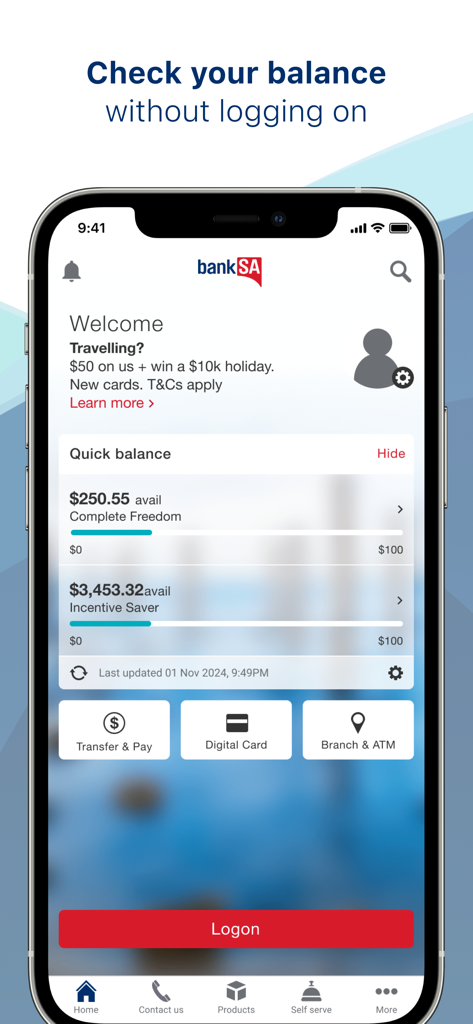
Ein Smartphone, das die BankSA Mobile Banking App mit der Quick Balance-Funktion auf dem Bildschirm anzeigt.
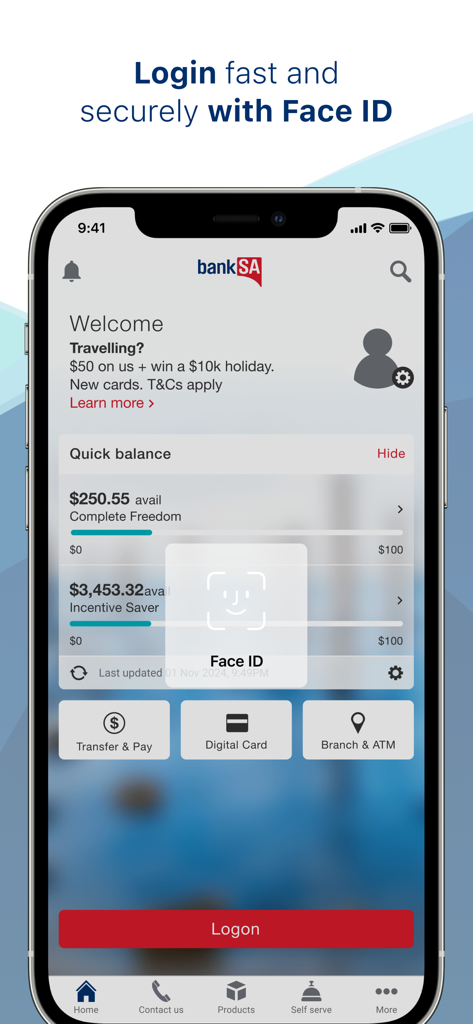
Benutzeroberfläche der BankSA Mobile Banking App mit Face ID biometrischem Login-Prompt und schneller Anzeige des Kontostands
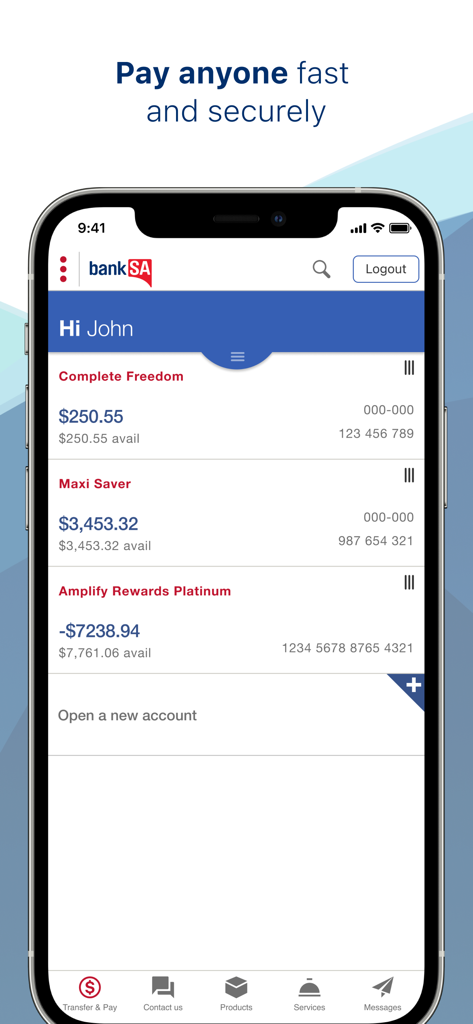
Dashboard der BankSA Mobile Banking App auf dem iPhone mit Kontoständen und alltäglichen Banking-Tools
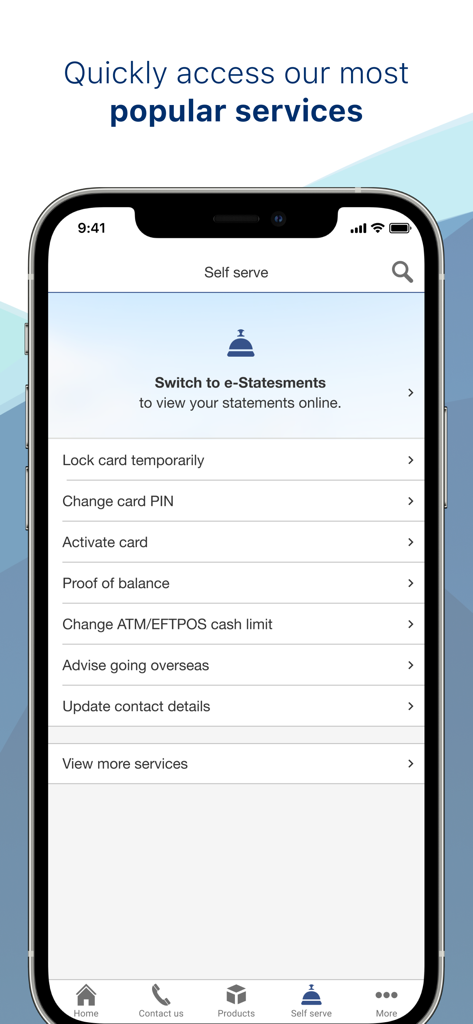
BankSA Mobile App Self-Service-Bildschirm mit Optionen zur Kartenverwaltung und Kontostandaktualisierung
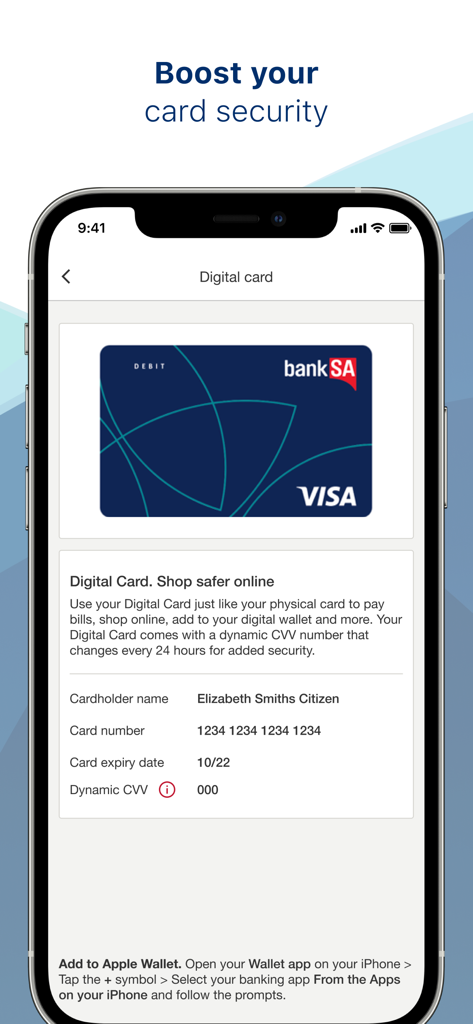
Oberfläche der BankSA Mobile Banking App mit einer digitalen Karte und dynamischer CVV für erhöhte Sicherheit
Beschreibung
Download
Ähnliche Apps
Top-gerankte Apps in derselben Kategorie

电子税务局
State Administration of Taxation

UnionPay APP
China Unionpay Co.,Ltd.

养基宝 - 年轻人的养基神器
Shenzhen Xiaoduotou Information Technology Co.,Ltd.

PayPal - Pay, Send, Save
PayPal, Inc.

中国农业银行
AGRICULTURAL BANK OF CHINA LIMITED

Mercado Pago: cuenta digital
MercadoLibre S.A.

Kalshi: Trade on the Big Game
KALSHI INC.

中国工商银行
Industrial and Commercial Bank of China

个人所得税
State Administration of Taxation
Diese Seite ist keine offizielle Seite der App oder ihres Entwicklers, sondern eine unabhängige redaktionelle Veröffentlichung, die zu Informations- und Kommentarzwecken erstellt wurde. Sofern nicht ausdrücklich anders angegeben, sind weder die App noch ihr Entwickler mit MWM, Apple, Google Play, dem App-Herausgeber oder dem Entwickler der App verbunden, von ihnen unterstützt, gesponsert, autorisiert oder anderweitig offiziell verbunden, und nichts auf dieser Seite impliziert, dass die App unter Verwendung der Dienste von MWM entwickelt wurde. Alle Marken, Logos, Screenshots und andere Inhalte bleiben Eigentum ihrer jeweiligen Inhaber.