
Diese Seite ist keine offizielle Seite der App oder ihres Entwicklers, sondern eine unabhängige redaktionelle Veröffentlichung, die zu Informations- und Kommentarzwecken erstellt wurde. Sofern nicht ausdrücklich anders angegeben, sind weder die App noch ihr Entwickler mit MWM, Apple, Google Play, dem App-Herausgeber oder dem Entwickler der App verbunden, von ihnen unterstützt, gesponsert, autorisiert oder anderweitig offiziell verbunden, und nichts auf dieser Seite impliziert, dass die App unter Verwendung der Dienste von MWM entwickelt wurde. Alle Marken, Logos, Screenshots und andere Inhalte bleiben Eigentum ihrer jeweiligen Inhaber.

Bear - Markdown Notes
Die preisgekrönte Markdown-App für Kreativprofis, die Wert auf Fokus legen. Halten Sie Ideen fest, erstellen Sie Ihr persönliches Wiki und schreiben Sie ablenkungsfrei auf all Ihren Apple-Geräten.
Downloads
4M+Bewertung
Bewertungen gesamt
31K+Herausgeber
Kategorie
ProductivitySprachen
11Neueste Version
2.6.4Größe
143.5 MBErstveröffentlichung
2. Nov. 2016Verfeinern Sie Ihr digitales Handwerk
Entwickelt für kreative Minimalisten, kombiniert Bear elegantes Design mit leistungsstarken Markdown-Tools, damit Sie sich ohne Ablenkung auf Ihre beste Arbeit konzentrieren können.
Ablenkungsfreies Schreiben
Eine wunderschöne, klare Leinwand, die technische Markdown-Syntax verbirgt und Sie mit herrlicher Typografie und Themes in einen Flow-Zustand versetzt.
Flüssige, Tag-basierte Organisation
Ersetzen Sie starre Ordnerstrukturen durch flexible, verschachtelte Tags und WikiLinks, um eine persönliche Wissensdatenbank aufzubauen, die mit Ihren Ideen wächst.
Häufig gestellte Fragen
Alles, was Sie über wissen müssen Bear - Markdown Notes
Was ist Bear - Markdown Notes?
Bear ist eine einfach zu bedienende und leistungsstarke Markdown-App zum Erfassen, Schreiben und Organisieren des Lebens. Sie ermöglicht es Benutzern, Notizen zu machen, zu planen, Tagebuch zu führen, Listen zu erstellen, Ideen zu skizzieren und Notizen zu verknüpfen.
Benötige ich ein Konto, um die Bear-App zu nutzen?
Nein, Bear erfordert keine Anmeldung oder ein Konto. Benutzer können die App öffnen und sofort mit dem Schreiben beginnen, ohne anfängliche Einrichtungsschritte.
Kann ich mit einem Apple Pencil in Bear Ideen skizzieren?
Ja, Bear unterstützt das Skizzieren von Ideen auf dem iPad mit einer erweiterbaren Leinwand und Apple Pencil sowie anderen Stiften.
Verwendet die Bear-App Markdown zur Formatierung?
Ja, Bear verwendet flexibles Markdown. Benutzer können in reinem Text arbeiten und Formatierungen wie Fett, Kursiv, Durchgestrichen, Links und Tabellen anwenden. Markdown wird für eine übersichtliche Leseerfahrung ausgeblendet.
Wie kann ich Notizen in der Bear-App organisieren?
Bear ermöglicht die Organisation mit #Tags, #mehrworttags# und #verschachtelten/Tags#. Benutzer können auch wichtige Tags anheften und Aufgaben direkt in Notizen einfügen, um die Verwaltung zu vereinfachen.
Ist die Bear - Markdown Notes-App privat?
Ja, Bear ist im Kern privat. Die Entwickler bestätigen, dass sie die Notizen, Tags oder andere Inhalte der Benutzer nicht sehen können, wodurch die Privatsphäre der Benutzer gewährleistet wird.
Welche Preisoptionen gibt es für Bear Pro?
Bear Pro kostet 2,99 $ pro Monat oder 29,99 $ pro Jahr. Die Preise können je nach Standort variieren und werden über Ihr App Store-Konto abgerechnet.
Bietet Bear Pro eine kostenlose Testversion an?
Ja, Bear Pro beinhaltet eine 14-tägige kostenlose Testversion. Jeder ungenutzte Teil der Testversion verfällt, wenn ein Benutzer ein Abonnement erwirbt.
Kann Bear Pro Notizen über mehrere Geräte hinweg synchronisieren?
Ja, Bear Pro ermöglicht die Synchronisierung von Notizen zwischen iPhone, iPad und Mac über iCloud, sodass Ihre Notizen auf allen Ihren Geräten zugänglich sind.
Wie kann ich einzelne Notizen in der Bear-App sperren?
Bear Pro ermöglicht es Benutzern, einzelne Notizen mit einem privaten Passwort zu verschlüsseln. Es ermöglicht auch das Sperren der gesamten Bear-App mit Face ID oder Touch ID für erhöhte Sicherheit.
Welche Exportformate sind in Bear Pro verfügbar?
Bear Pro unterstützt den Export von Notizen in die Formate HTML, DocX, PDF, JPG und ePub. Die kostenlose Version exportiert in reinen Text, Markdown, TextBundle, Bear-Notiz und Rich Text.
Kann die Bear-App Text in Bildern und PDFs durchsuchen?
Ja, Bear Pro ermöglicht die Suche nach Text in Fotos und PDFs innerhalb von Bear-Notizen. Diese erweiterte Suchfunktion erfordert ein Bear Pro-Abonnement.
Wie kann ich mein Bear Pro-Abonnement kündigen?
Benutzer verwalten Bear Pro-Abonnements in ihren App Store-Kontoeinstellungen nach dem Kauf. Die automatische Verlängerung muss mindestens 24 Stunden vor Ablauf des aktuellen Zeitraums gekündigt werden.
Unterstützt die Bear-App Sprachen von rechts nach links (RTL)?
Ja, Bear unterstützt alle Skripte, einschließlich Sprachen von rechts nach links (RTL) wie Arabisch, Hebräisch und Persisch, und gewährleistet so eine breite Sprachkompatibilität.
Kann ich Themen und App-Symbole in Bear anpassen?
Ja, Bear Pro bietet fast 30 Themen für Schreibbereiche im hellen und dunklen Modus und ermöglicht es Benutzern, App-Symbole zur Personalisierung ihrer Erfahrung auszuwählen.
Die folgenden Screenshots und die Beschreibung stammen direkt aus dem offiziellen Store-Eintrag der App und sind Eigentum des Entwicklers.
App Store
Screenshots
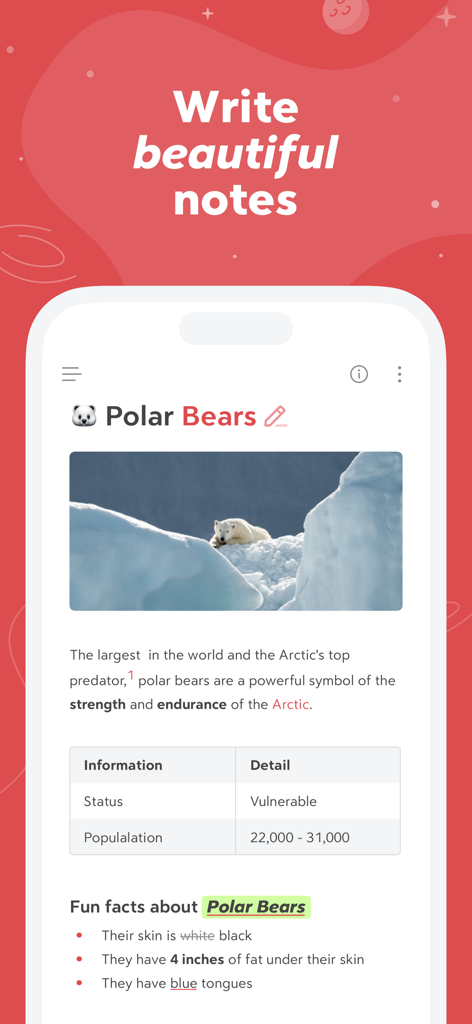
Smartphone-Bildschirm mit der Bear-App und einer formatierten Notiz über Eisbären inklusive Bild und Tabelle
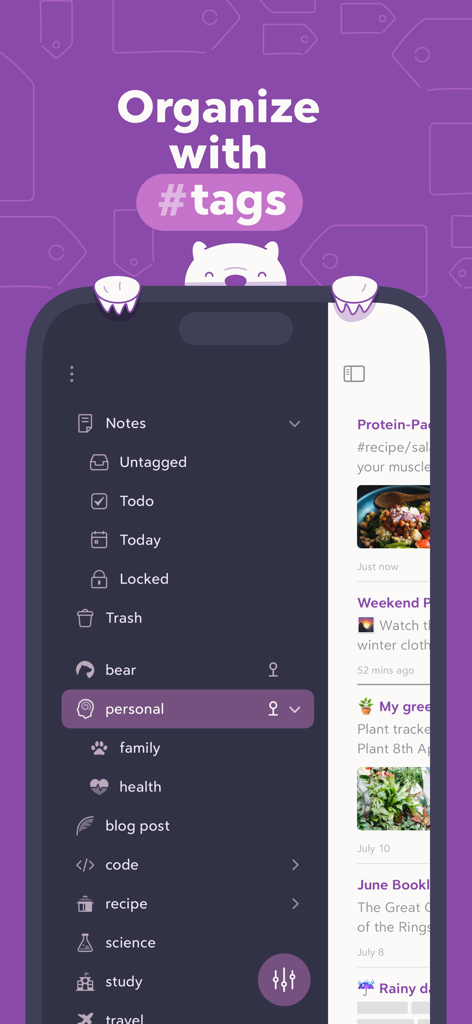
Oberfläche der Bear-App, die die Notizenorganisation mit verschachtelten Hashtags in einer Seitenleiste im Dunkelmodus zeigt
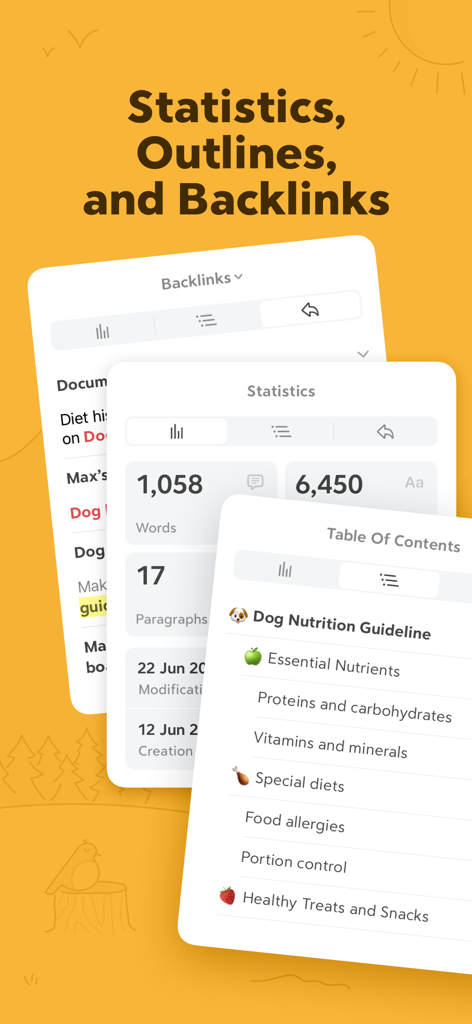
Oberfläche der Bear-App mit Statistiken zur Wortanzahl, Inhaltsverzeichnis und Backlink-Panels
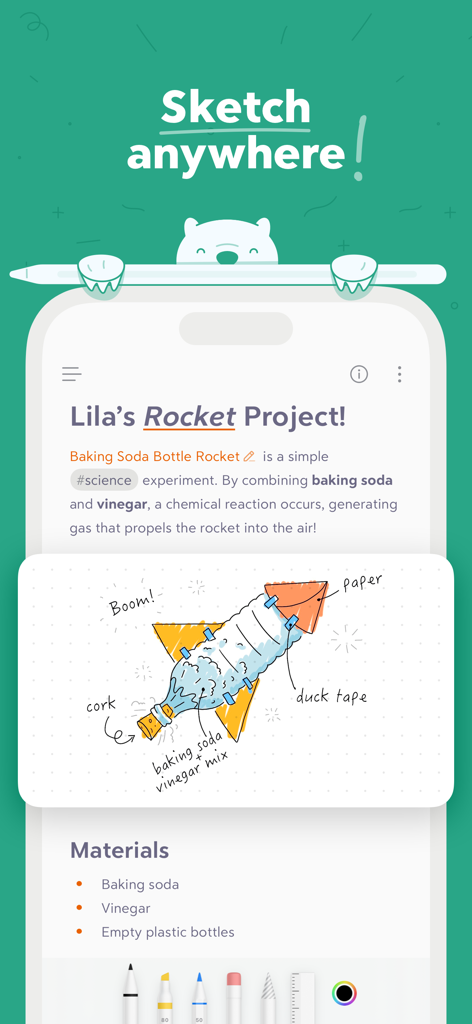
Oberfläche der Bear-App mit einer Notiz für ein wissenschaftliches Projekt und einer handgezeichneten Raketenillustration
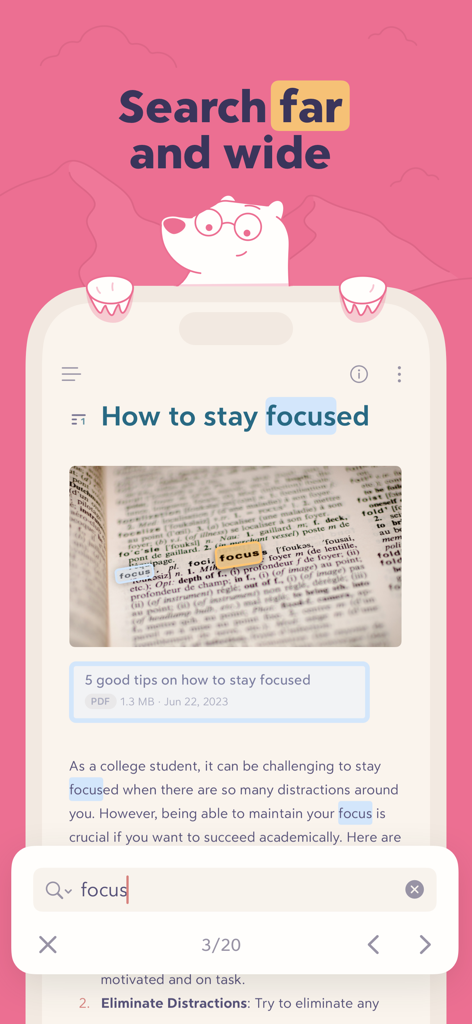
Oberfläche der Bear-App, die Suchergebnisse für das Wort Fokus zeigt, hervorgehoben in Text und Bildern
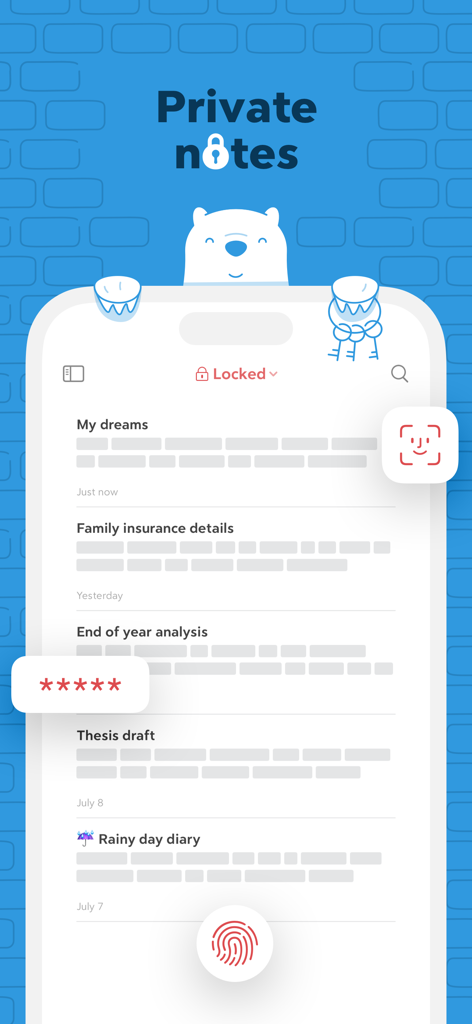
Oberfläche der Bear-App mit privaten Notizen, die durch Face ID, Touch ID und Passwortverschlüsselung geschützt sind
Beschreibung
Download
Ähnliche Apps
Apps mit ähnlichen Funktionen und Nutzererfahrung

Notion: Notes, Tasks, AI
Notion Labs, Incorporated

Freenotes®: AI Notes Taking
Hangzhou Free Notes Technology Co., Ltd

Structured - Daily Planner
unorderly GmbH

Google Tasks: Get Things Done
Google LLC

TickTick:To-Do List & Calendar
Appest Limited

Noteful: Notes & PDF Markup
Noteful Technologies Ltd

Todoist: To Do List & Calendar
Doist Inc.

To do list MinimaList & Widget
Inner Grow Limited

monday.com - Work Platform
monday.com Ltd.
Diese Seite ist keine offizielle Seite der App oder ihres Entwicklers, sondern eine unabhängige redaktionelle Veröffentlichung, die zu Informations- und Kommentarzwecken erstellt wurde. Sofern nicht ausdrücklich anders angegeben, sind weder die App noch ihr Entwickler mit MWM, Apple, Google Play, dem App-Herausgeber oder dem Entwickler der App verbunden, von ihnen unterstützt, gesponsert, autorisiert oder anderweitig offiziell verbunden, und nichts auf dieser Seite impliziert, dass die App unter Verwendung der Dienste von MWM entwickelt wurde. Alle Marken, Logos, Screenshots und andere Inhalte bleiben Eigentum ihrer jeweiligen Inhaber.