
Diese Seite ist keine offizielle Seite der App oder ihres Entwicklers, sondern eine unabhängige redaktionelle Veröffentlichung, die zu Informations- und Kommentarzwecken erstellt wurde. Sofern nicht ausdrücklich anders angegeben, sind weder die App noch ihr Entwickler mit MWM, Apple, Google Play, dem App-Herausgeber oder dem Entwickler der App verbunden, von ihnen unterstützt, gesponsert, autorisiert oder anderweitig offiziell verbunden, und nichts auf dieser Seite impliziert, dass die App unter Verwendung der Dienste von MWM entwickelt wurde. Alle Marken, Logos, Screenshots und andere Inhalte bleiben Eigentum ihrer jeweiligen Inhaber.

Downloads
16K+Bewertung
Bewertungen gesamt
0Herausgeber
Kategorie
SportsSprachen
1Neueste Version
2.0.0Größe
35.8 MBErstveröffentlichung
22. Sept. 2024Präzisionswerkzeuge für den ernsthaften Spieler
Verbessern Sie Ihr Ligaspiel mit einem physikgestützten Simulator, der entwickelt wurde, um Ballkontrolle, komplexe Strategien und Layout-Analysen zu meistern.
Fortschrittliche Physiksimulation
Visualisieren Sie Tangentenlinien und Ballablenkung in Echtzeit, um zu meistern, wie sich Spitzenposition und Geschwindigkeit auf jeden Schuss auf dem Tisch auswirken.
Vorhersagende Pfadfindung
Legen Sie ein Ziel für Ihre nächste Position fest und lassen Sie die Engine die genaue Ausrichtung und Kraft berechnen, die erforderlich ist, um den Spielball in der gewünschten Zone zu platzieren.
Die folgenden Screenshots und die Beschreibung stammen direkt aus dem offiziellen Store-Eintrag der App und sind Eigentum des Entwicklers.
App Store
Screenshots
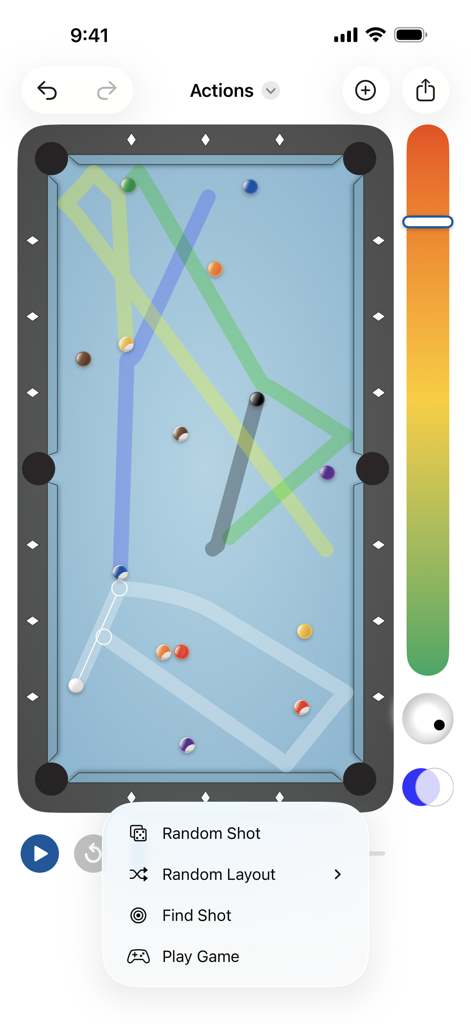
Billiard Shot Studio App-Oberfläche mit Pool-Tisch-Simulationsschusswegen und einem geöffneten Aktionsmenü
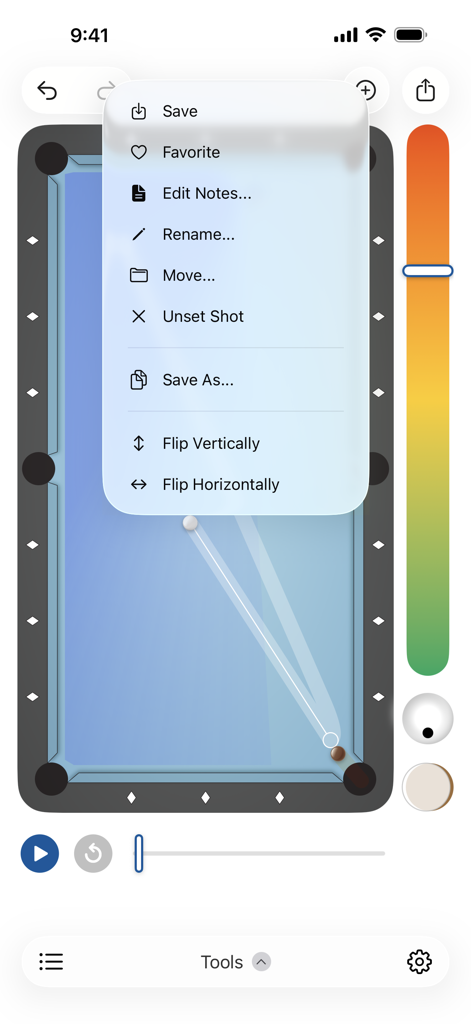
Billiard Shot Studio App-Menü mit Optionen zur Schussverwaltung wie Speichern und Umdrehen über einer Pool-Tisch-Simulation
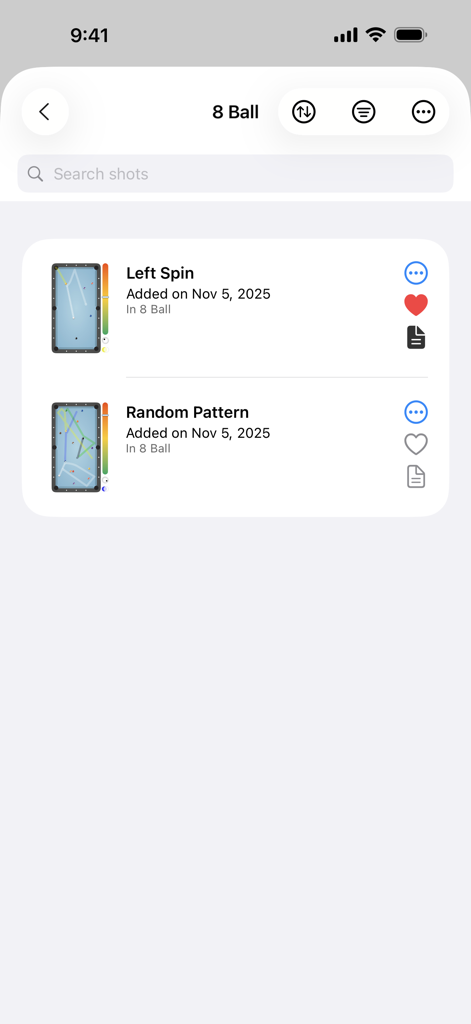
Billiard Shot Studio App zeigt eine Liste gespeicherter 8-Ball-Schüsse mit Vorschaubildern und technischen Notizen.
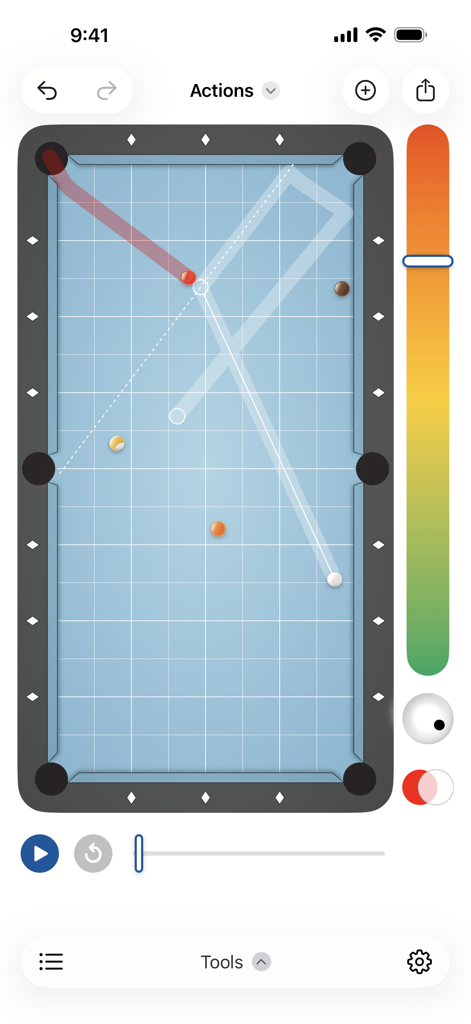
Billiard Shot Studio App-Oberfläche zeigt einen digitalen Pool-Tisch mit Ballbahnen und Schussweg-Visualisierung
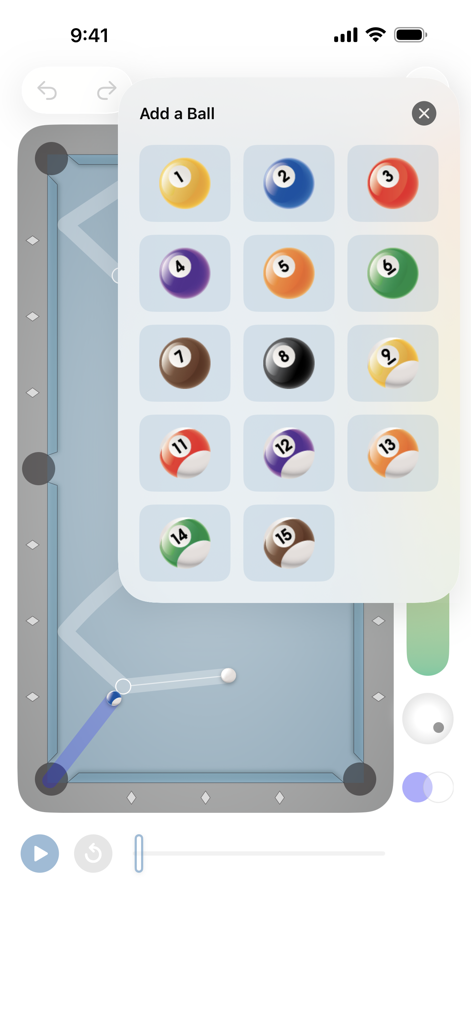
Hinzufügen von nummerierten Billardkugeln zu einem benutzerdefinierten Layout im Shot Designer
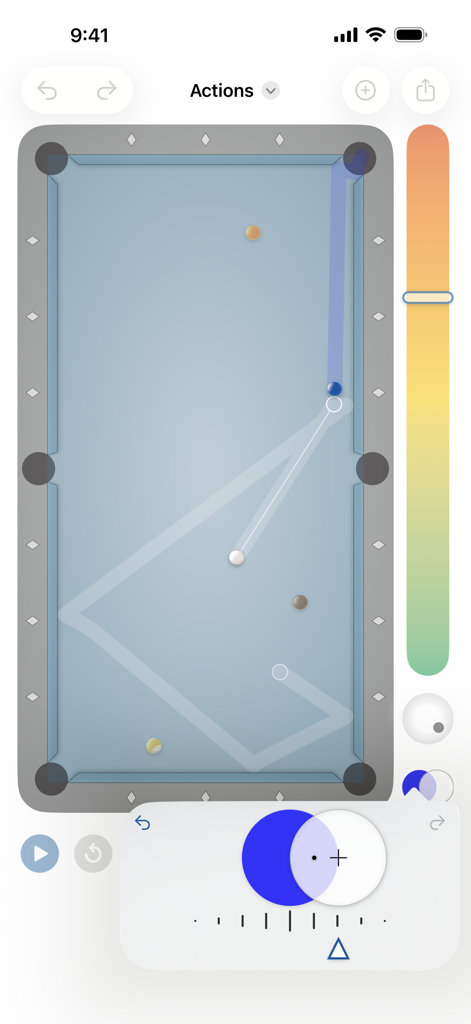
Draufsicht auf eine Billardtisch-Simulation mit vorhergesagten Ballbahnen und technischen Spin-Kontrollen
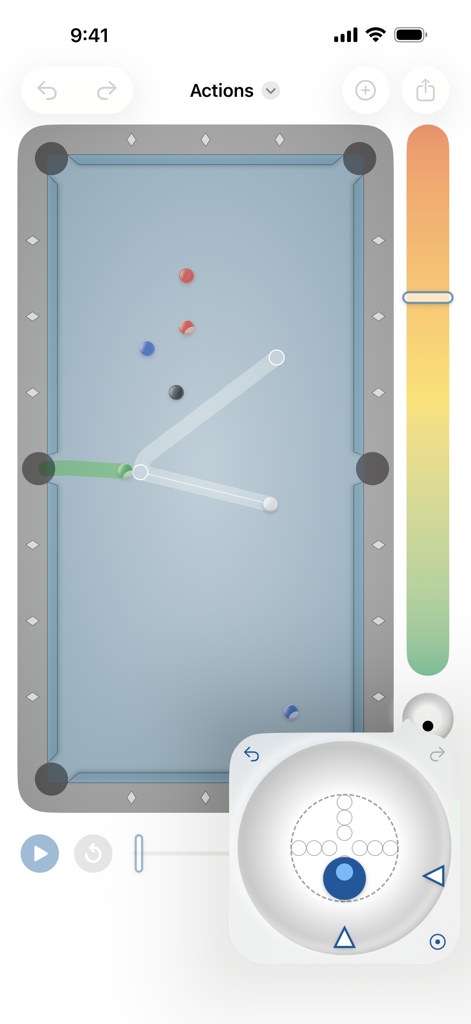
Billiard Shot Studio-Oberfläche mit Schusssimulation und Spielball-Spitzenpositionskontrollen
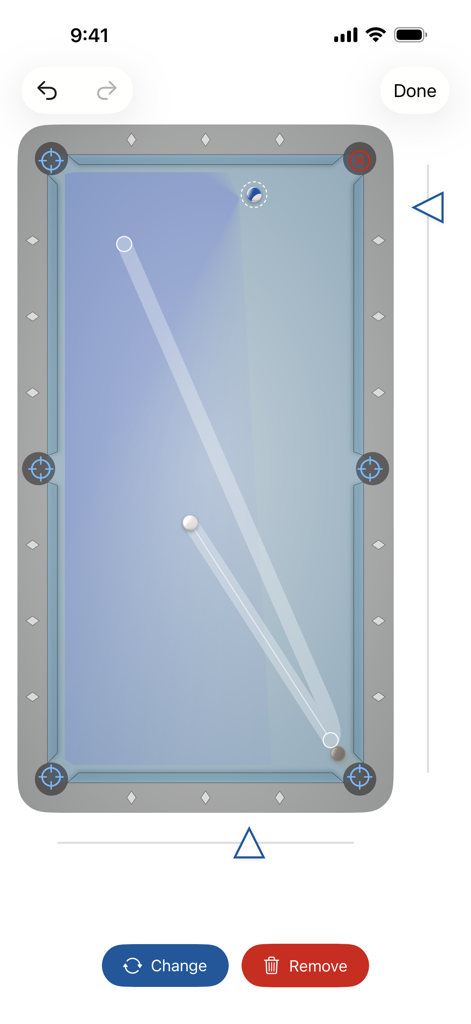
Digitale Pooltisch-Oberfläche, die Balltrajektorien und die Positionierung des Spielballs zeigt.
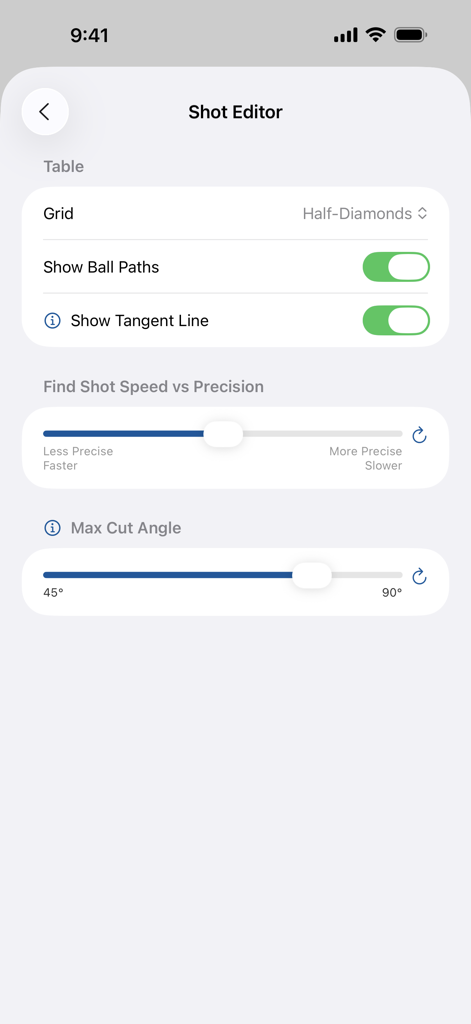
Einstellungsbildschirm des Shot Editors in Billiard Shot Studio mit Optionen für Raster, Ballbahnen, Tangentenlinien und Präzisionsschieberegler.
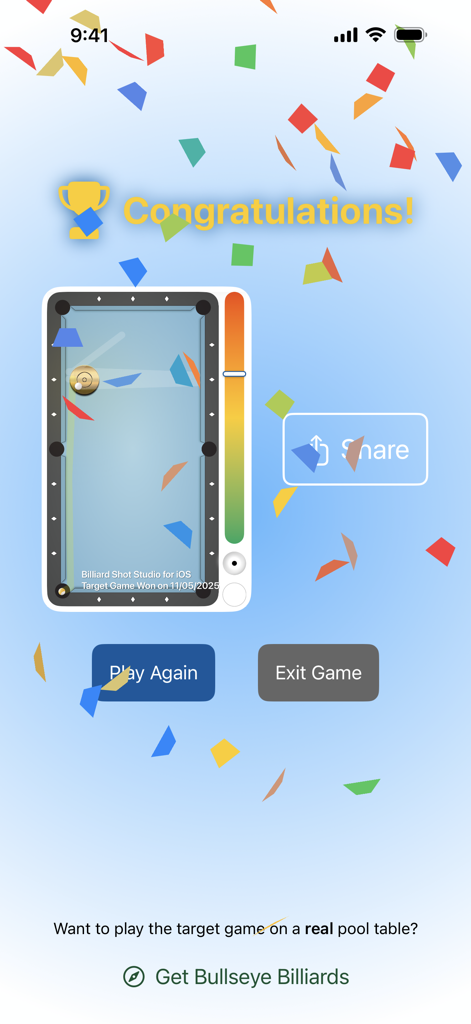
Erfolgsbildschirm in der Billiard Shot Studio App nach dem Gewinn der Zielspiel-Billard-Trainingsübung
Beschreibung
Download

Ähnliche Apps
Top-gerankte Apps in derselben Kategorie

得物 - 得到美好事物
Shanghai Dewu Information Group Co., Ltd.

懂球帝 - 足球篮球体坛数据
Hainan Football-Loving Girl Network Technology Co., Ltd.

Underdog Sports
Underdog Sports, Inc.

虎扑-评分篮球足球游戏影视
Shanghai Kuanghui Network Technology Co., LTD

ESPN: Live Sports & Scores
Disney Electronic Content, Inc.

Flashscore: Live Scores & News
Livesport s.r.o.

Polymarket
Blockratize Inc

DAZN: Stream Live Sports
DAZN Limited

DraftKings Sportsbook & Casino
DRAFTKINGS LLC.
Diese Seite ist keine offizielle Seite der App oder ihres Entwicklers, sondern eine unabhängige redaktionelle Veröffentlichung, die zu Informations- und Kommentarzwecken erstellt wurde. Sofern nicht ausdrücklich anders angegeben, sind weder die App noch ihr Entwickler mit MWM, Apple, Google Play, dem App-Herausgeber oder dem Entwickler der App verbunden, von ihnen unterstützt, gesponsert, autorisiert oder anderweitig offiziell verbunden, und nichts auf dieser Seite impliziert, dass die App unter Verwendung der Dienste von MWM entwickelt wurde. Alle Marken, Logos, Screenshots und andere Inhalte bleiben Eigentum ihrer jeweiligen Inhaber.