Brow Designer
Brow Designer
Herunterladen auf App Store

Diese Seite ist keine offizielle Seite der App oder ihres Entwicklers, sondern eine unabhängige redaktionelle Veröffentlichung, die zu Informations- und Kommentarzwecken erstellt wurde. Sofern nicht ausdrücklich anders angegeben, sind weder die App noch ihr Entwickler mit MWM, Apple, Google Play, dem App-Herausgeber oder dem Entwickler der App verbunden, von ihnen unterstützt, gesponsert, autorisiert oder anderweitig offiziell verbunden, und nichts auf dieser Seite impliziert, dass die App unter Verwendung der Dienste von MWM entwickelt wurde. Alle Marken, Logos, Screenshots und andere Inhalte bleiben Eigentum ihrer jeweiligen Inhaber.

Logo von Brow Designer
Herunterladen auf App Store

Brow Designer

Revolutionieren Sie Ihren PMU-Workflow mit präziser Vermessung. Erstellen Sie makellose, personalisierte Formen in Rekordzeit mit fortschrittlicher KI, die für die anspruchsvollsten Künstler der Welt entwickelt wurde.

Kennzahlen

Downloads

2K+

Bewertung

1.7/5

Bewertungen gesamt

0

Herausgeber

SADWARE INCORPORATED

Kategorie

Utilities

Sprachen

20

Neueste Version

1.2.1

Größe

194.9 MB

Erstveröffentlichung

13. Apr. 2023
Funktionen

Präzisionswerkzeuge für permanente Perfektion

Heben Sie Ihre Kunstfertigkeit mit einer KI-gestützten Suite auf ein neues Niveau, die makellose Symmetrie gewährleistet und Ihre Vermessungszeit halbiert.

Sofortige KI-gestützte Vermessung

Richten Sie Punkte automatisch anhand anatomischer Augenwinkel aus, um menschliche Fehler zu vermeiden und Linsenverzerrungen in jedem Foto zu berücksichtigen.

Experten-Sculpting & Anpassung

Übernehmen Sie die volle kreative Kontrolle, indem Sie die Anfänge und Enden der Augenbrauen feinabstimmen, um einen Look zu erzielen, der perfekt auf die einzigartige Gesichtsstruktur Ihres Kunden zugeschnitten ist.

Die folgenden Screenshots und die Beschreibung stammen direkt aus dem offiziellen Store-Eintrag der App und sind Eigentum des Entwicklers.

App Store

Screenshots
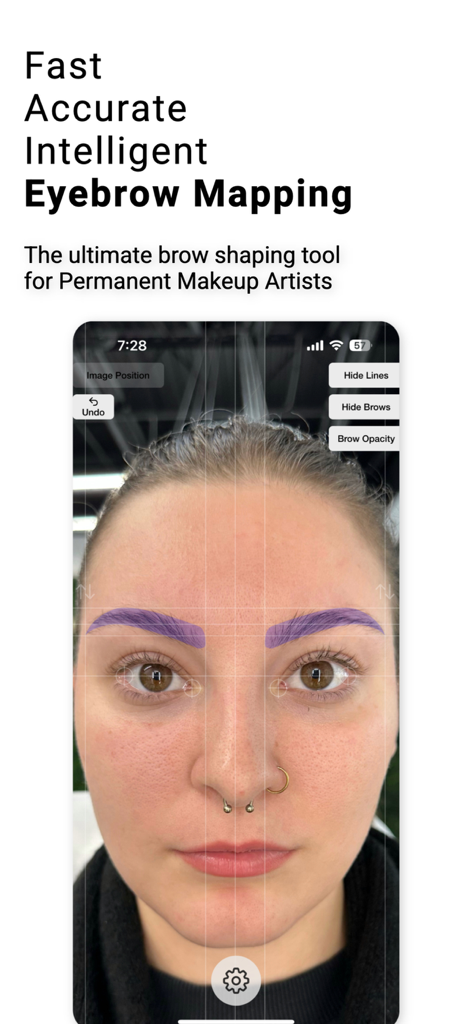
Brow Designer - Oberfläche der Brow Designer App, die KI-gestützte Augenbrauenvermessung mit Symmetrielinien auf dem Gesicht einer Frau zeigt
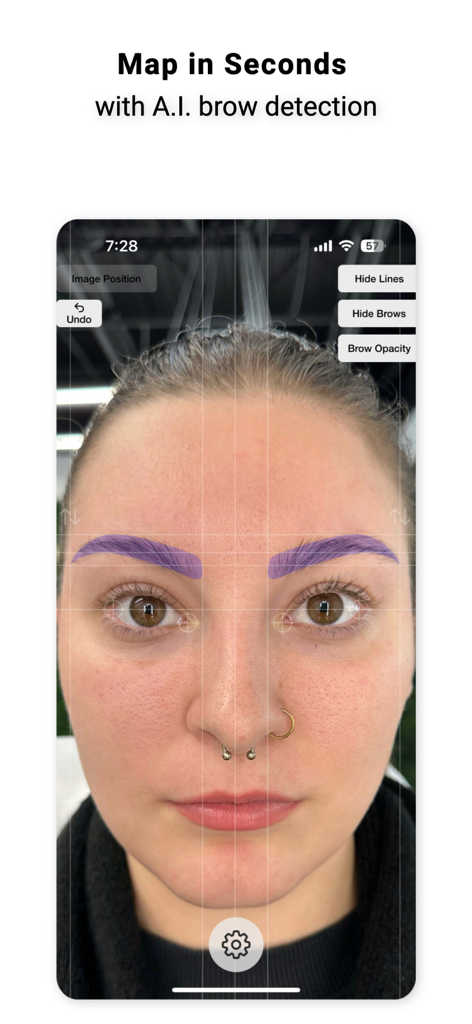
Oberfläche der Brow Designer App, die KI-gestützte Augenbrauenvermessung mit Symmetrielinien auf dem Gesicht einer Frau zeigt

Brow Designer - Oberfläche des professionellen KI-Augenbrauenvermessungstools auf einem Gesicht
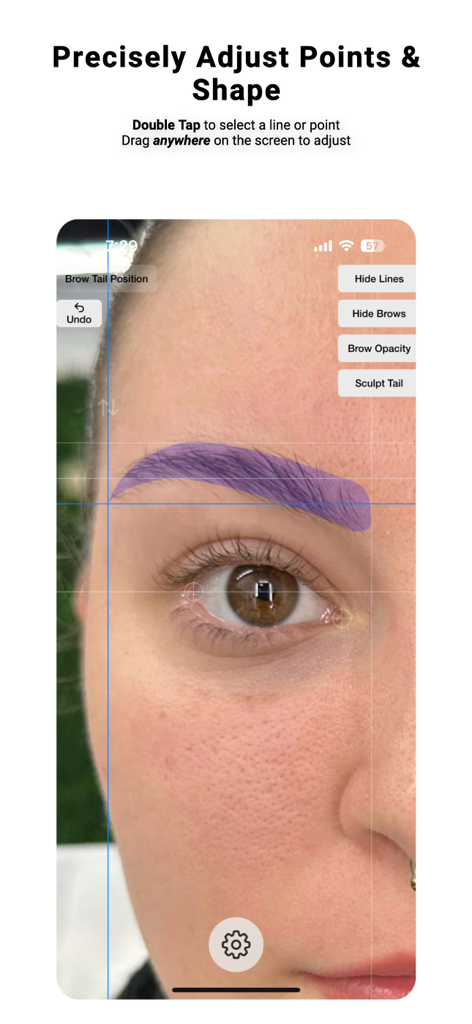
Oberfläche des professionellen KI-Augenbrauenvermessungstools auf einem Gesicht

Brow Designer - Oberfläche der Brow Designer App, die präzise Augenbrauenvermessung und Formanpassung auf dem Gesicht einer Person zeigt
Oberfläche der Brow Designer App, die präzise Augenbrauenvermessung und Formanpassung auf dem Gesicht einer Person zeigt

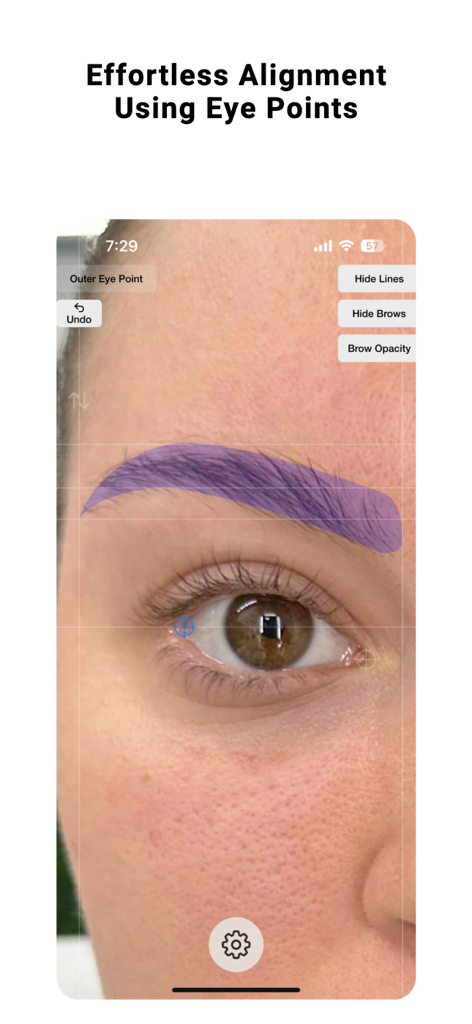
Brow Designer - Brow Designer App-Oberfläche zur Ausrichtung von Augenbrauen anhand von Augenpunkten
Brow Designer App-Oberfläche zur Ausrichtung von Augenbrauen anhand von Augenpunkten

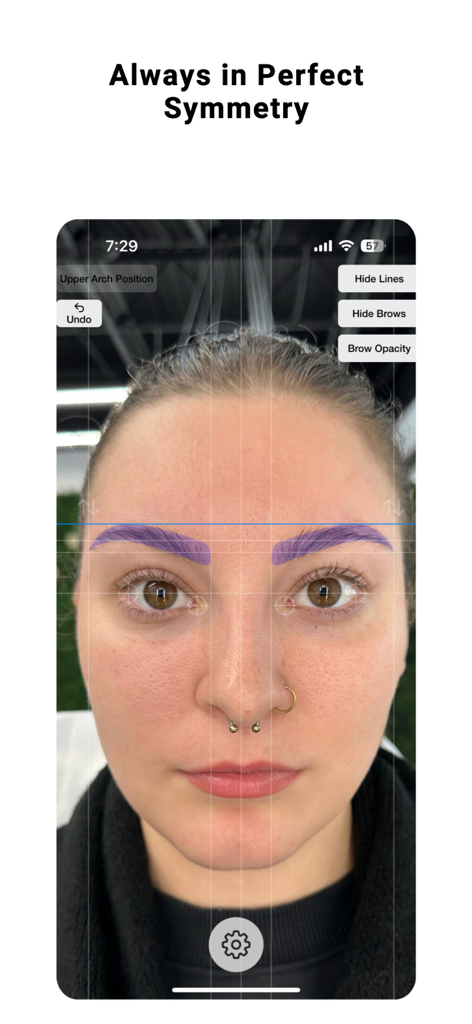
Brow Designer - Professionelle Augenbrauenvermessungs-App, die KI-gestützte symmetrische Augenbrauen-Designs auf dem Gesicht eines Kunden zeigt
Professionelle Augenbrauenvermessungs-App, die KI-gestützte symmetrische Augenbrauen-Designs auf dem Gesicht eines Kunden zeigt

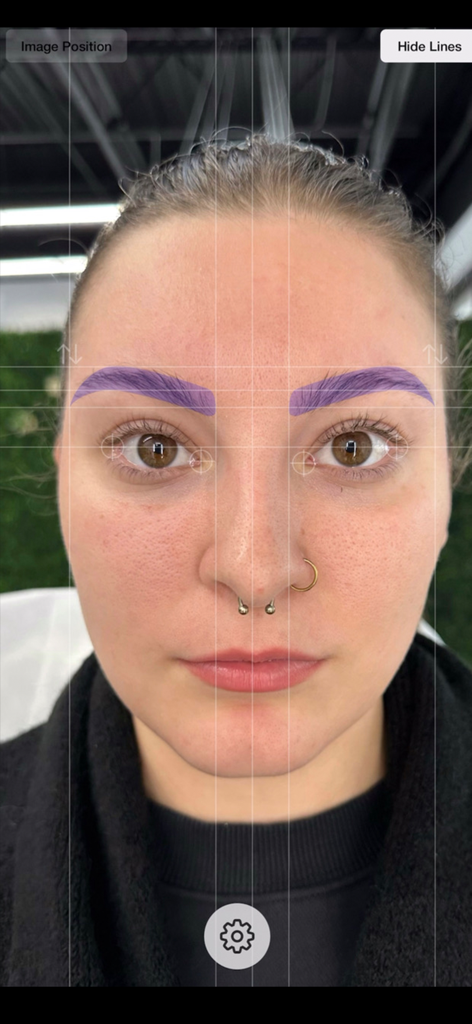
Brow Designer - Professionelle Augenbrauenvermessungs-App, die Symmetriegitterlinien und lila Augenbrauen-Overlays auf einem Gesicht zeigt

Professionelle Augenbrauenvermessungs-App, die Symmetriegitterlinien und lila Augenbrauen-Overlays auf einem Gesicht zeigt

Beschreibung

After years of meticulous research and development, we are excited to introduce Brow Designer, the ultimate brow shaping tool. Our app is designed based on workflows and experience of the world's greatest Permanent Makeup artists with the goal of helping you create the best possible brows in record time. Our AI-powered app quickly and automatically maps eyebrows onto a face, then allows you to customize the size, shape, and position to create your desired look. With Brow Designer, you'll enjoy expert-level brow shaping that's personalized, accurate, and effortless. Unlike previous attempts at brow map apps that were frustrating, tricky, and time-consuming to use, Brow Designer was built from the ground up to be a user-friendly and blazing-fast addition to your Permanent Makeup workflow. However, we value your feedback and want to hear from you about how we can make this app even better. We are committed to making continuous improvements and learning from you, the professional brow designer. Please feel free to reach out to us with any questions or feedback. We look forward to hearing from you. User Interface & Controls: - Press & hold the gear button to get started. Once you have held long enough, your phone will vibrate and you can release. Releasing will open the menu and allow you to select a photo or open your camera - Once an image is loaded, you can move it by dragging it and zoom by pinching - Quickly Double Tap on a line or point to select it - The selected line or point will show in blue - Drag anywhere on the screen to adjust the selected point or line. This allows you to drag the position without obstructing it's location with your finger. - Single tap to unselect or simply double tap on a different line to change the selection - In the top right, you can press the Hide Lines button to show only the brows created. Tap it again to show the lines again. - If you select either the head or tail of the brow, a bonus button will be displayed in the top right that will say "Sculpt Head" or "Sculpt Tail". Clicking this will change the controls to allow for reshaping or the heads and tails to get the shape just right. - The up and down arrows above each brow will allow you to individually adjust the vertical position of each brow individually and separately How Automatic Mapping Works: Brow Designer uses Artificial Intelligence-based image analysis to automatically align the image and map brow points. The rotation of the image is determined by aligning the outermost corners of each eye so that they are in line. This is because subjects will subconsciously use the outer eye corners as reference points when looking at themselves in a mirror or image. This method is the most reliable because no face is absolutely symmetrical, so using features such as ears, nose, or distance can be misleading. The center point of the brow map is then identified by finding the distance between the two inner points of the eyes for the same reason. If the App doesn't do this perfectly, the eye points can be adjusted manually. Simply double-tap on the crosshairs near the eyes and drag them to their appropriate positions to adjust rotation and the brow center point. Tips: For best results, the subject should be maskless, sitting or standing with their eyes open and a neutral facial expression. The entire face and head of the subject should be surrounded by empty space because lens distortion affects the outer section of the image the most. You can find the terms of use here: https://www.apple.com/legal/internet-services/itunes/dev/stdeula/ SADWARE INCORPORATED is a one-human software company located in the great state of Texas.

Download

Herunterladen auf App Store

Diese Seite ist keine offizielle Seite der App oder ihres Entwicklers, sondern eine unabhängige redaktionelle Veröffentlichung, die zu Informations- und Kommentarzwecken erstellt wurde. Sofern nicht ausdrücklich anders angegeben, sind weder die App noch ihr Entwickler mit MWM, Apple, Google Play, dem App-Herausgeber oder dem Entwickler der App verbunden, von ihnen unterstützt, gesponsert, autorisiert oder anderweitig offiziell verbunden, und nichts auf dieser Seite impliziert, dass die App unter Verwendung der Dienste von MWM entwickelt wurde. Alle Marken, Logos, Screenshots und andere Inhalte bleiben Eigentum ihrer jeweiligen Inhaber.








