Bruce Trail App
Bruce Trail App
Herunterladen auf App Store

Diese Seite ist keine offizielle Seite der App oder ihres Entwicklers, sondern eine unabhängige redaktionelle Veröffentlichung, die zu Informations- und Kommentarzwecken erstellt wurde. Sofern nicht ausdrücklich anders angegeben, sind weder die App noch ihr Entwickler mit MWM, Apple, Google Play, dem App-Herausgeber oder dem Entwickler der App verbunden, von ihnen unterstützt, gesponsert, autorisiert oder anderweitig offiziell verbunden, und nichts auf dieser Seite impliziert, dass die App unter Verwendung der Dienste von MWM entwickelt wurde. Alle Marken, Logos, Screenshots und andere Inhalte bleiben Eigentum ihrer jeweiligen Inhaber.


Logo von Bruce Trail App
Herunterladen auf App Store

Bruce Trail App

Navigieren Sie mit Zuversicht auf dem Niagara-Schichtkamm mit offiziellen Offline-Karten und Echtzeit-Updates. Planen Sie Ihre Route, verfolgen Sie Ihren Fortschritt und unterstützen Sie mit jedem Schritt den Schutz des Wanderwegs.

Kennzahlen

Downloads

13K+

Bewertung

4.0/5

Bewertungen gesamt

200

Herausgeber

Bruce Trail Conservancy, The

Kategorie

Lifestyle

Sprachen

1

Neueste Version

2.5

Größe

28.5 MB

Erstveröffentlichung

1. Nov. 2021
Funktionen

Navigieren Sie jede Meile mit Zuversicht

Der offizielle Leitfaden für Kanadas ikonischsten Wanderweg, mit Echtzeit-Updates und Expertenwerkzeugen, die für jeden Schritt Ihrer Reise entwickelt wurden.

Offizielle Offline-Karten

Greifen Sie ohne Mobilfunkverbindung auf 42 von Experten kuratierte Karten zu. Erhalten Sie Live-Routen-Updates direkt vom Conservancy für absolute Sicherheit.

Präzise Reiseplanung

Finden Sie mühelos Parkplätze, Campingplätze und Wanderwege. Nutzen Sie das Routenmesswerkzeug, um Ihre täglichen Kilometer und Logistik einfach zu planen.

Die folgenden Screenshots und die Beschreibung stammen direkt aus dem offiziellen Store-Eintrag der App und sind Eigentum des Entwicklers.

App Store

Screenshots
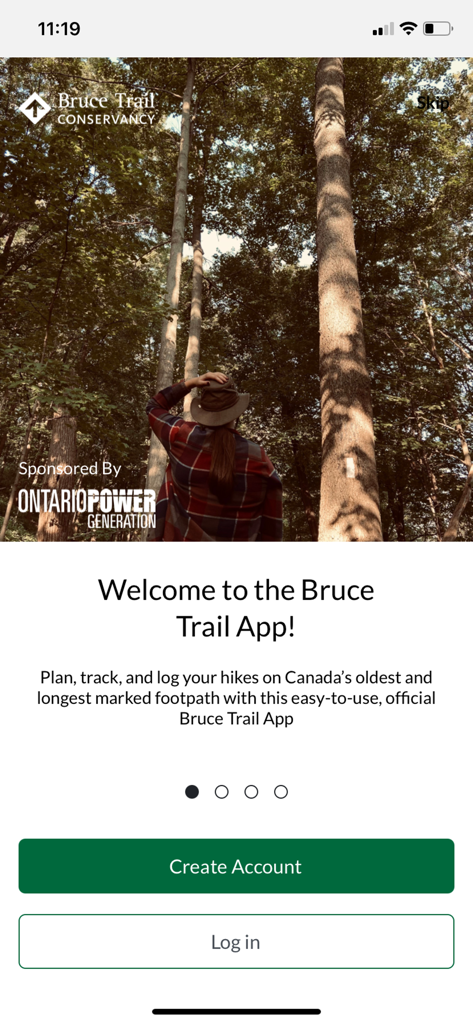
Bruce Trail App - Startbildschirm der Bruce Trail App, der einen Wanderer in einem Wald mit hohen Bäumen zeigt
Startbildschirm der Bruce Trail App, der einen Wanderer in einem Wald mit hohen Bäumen zeigt

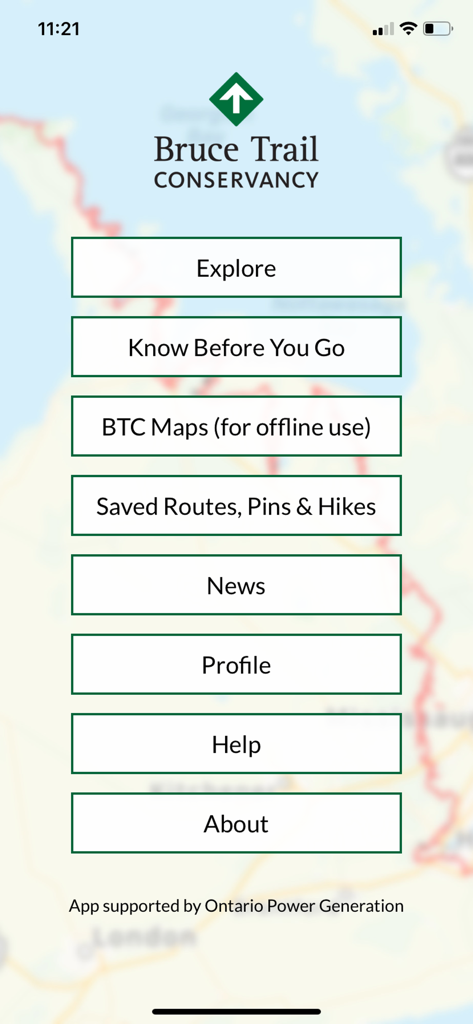
Bruce Trail App - Das Hauptmenü der Bruce Trail App mit Optionen für Erkunden, BTC-Karten, Gespeicherte Routen und Nachrichten über einer Wanderkartenansicht.
Das Hauptmenü der Bruce Trail App mit Optionen für Erkunden, BTC-Karten, Gespeicherte Routen und Nachrichten über einer Wanderkartenansicht.

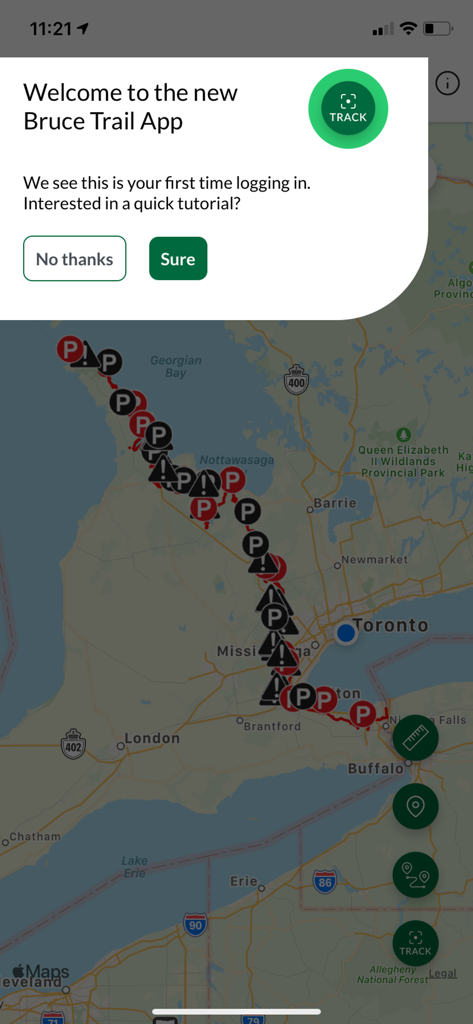
Bruce Trail App - Das Willkommens-Tutorial-Popup, das über einer Kartenansicht in der Bruce Trail App angezeigt wird.
Das Willkommens-Tutorial-Popup, das über einer Kartenansicht in der Bruce Trail App angezeigt wird.

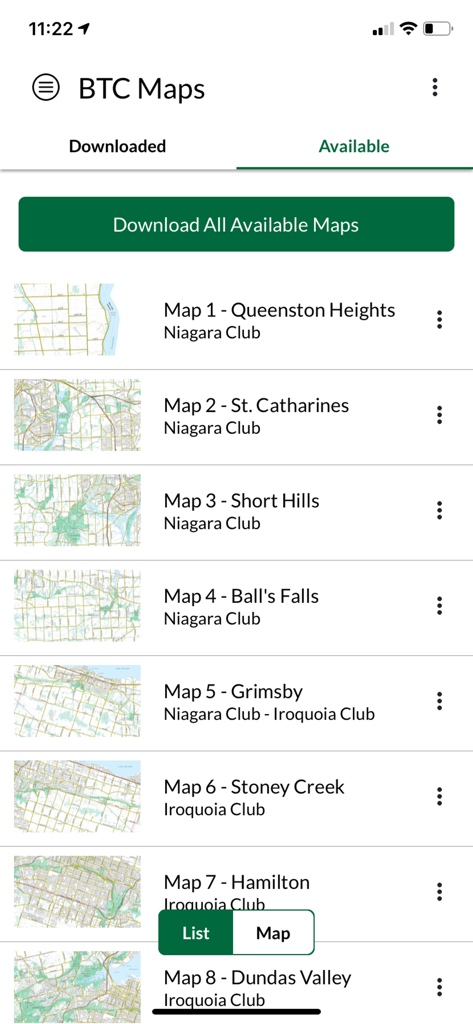
Bruce Trail App - Liste der verfügbaren Karten zum Herunterladen in der Bruce Trail App
Liste der verfügbaren Karten zum Herunterladen in der Bruce Trail App

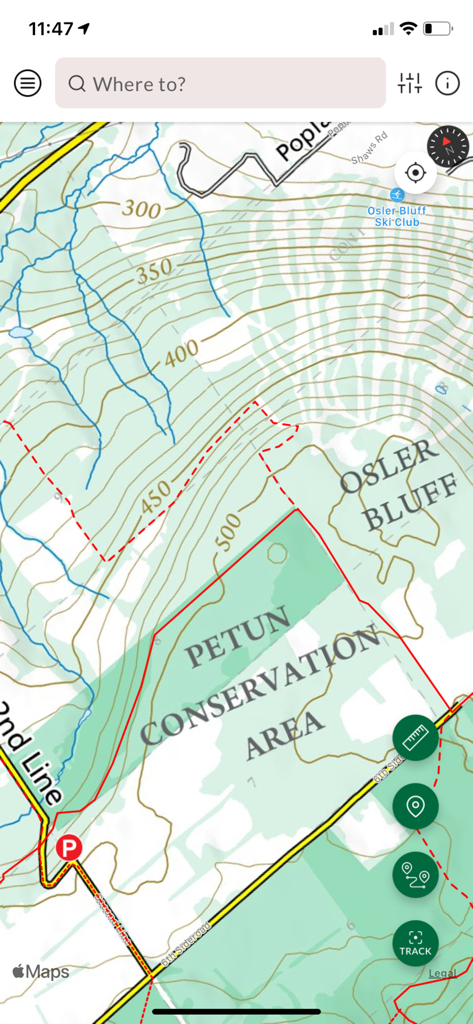
Bruce Trail App - Topografische Karte des Petun Conservation Area in der Benutzeroberfläche der Bruce Trail App

Topografische Karte des Petun Conservation Area in der Benutzeroberfläche der Bruce Trail App
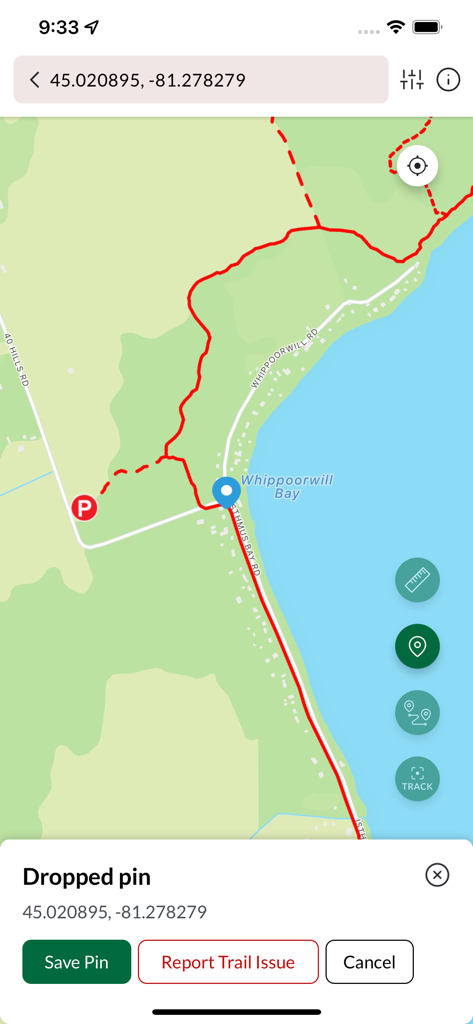
Bruce Trail App - Die Kartenoberfläche der Bruce Trail App zeigt einen gesetzten Pin auf einer Wanderroute in der Nähe von Whippoorwill Bay
Die Kartenoberfläche der Bruce Trail App zeigt einen gesetzten Pin auf einer Wanderroute in der Nähe von Whippoorwill Bay

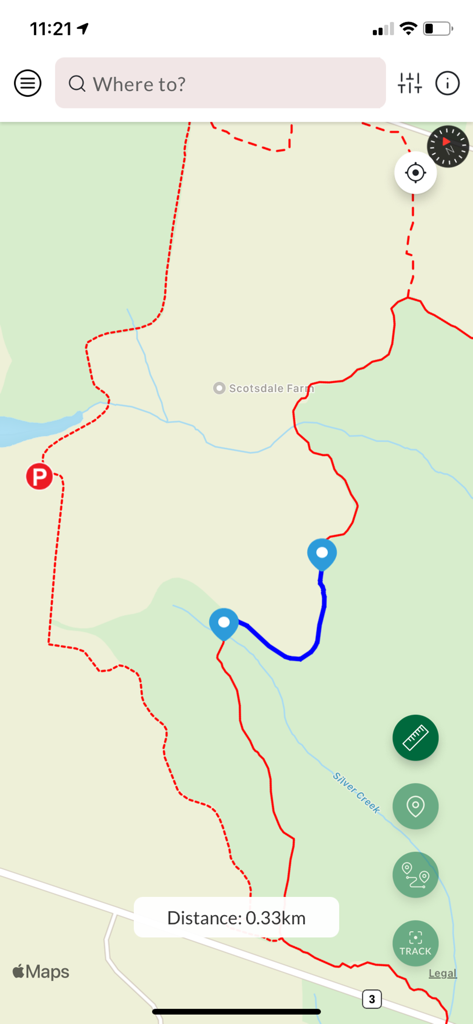
Bruce Trail App - Die Kartenoberfläche der Bruce Trail App zeigt eine geplante Wanderroute mit einer Entfernungsangabe von null Komma dreißig Kilometern an
Die Kartenoberfläche der Bruce Trail App zeigt eine geplante Wanderroute mit einer Entfernungsangabe von null Komma dreißig Kilometern an

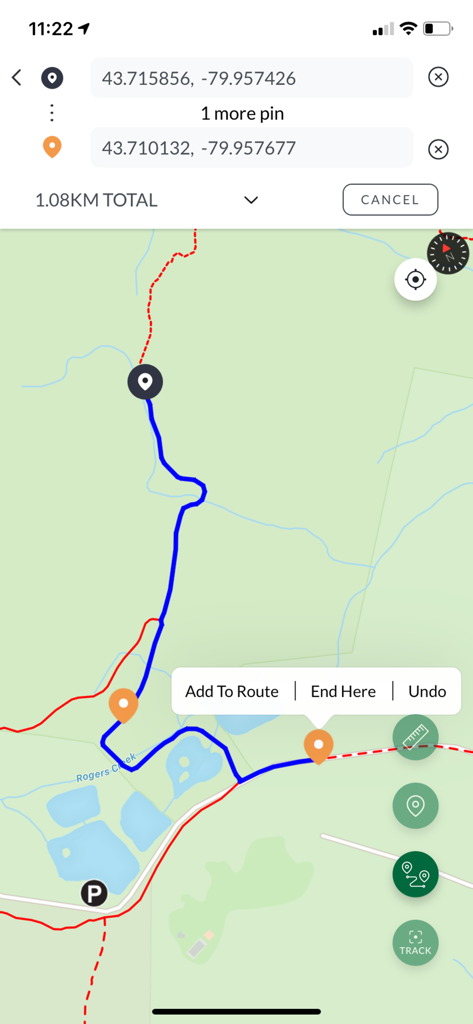
Bruce Trail App - Mobile Kartenansicht, die eine 1,08 km lange Wanderroute mit GPS-Koordinaten und benutzerdefinierten Pins anzeigt
Mobile Kartenansicht, die eine 1,08 km lange Wanderroute mit GPS-Koordinaten und benutzerdefinierten Pins anzeigt

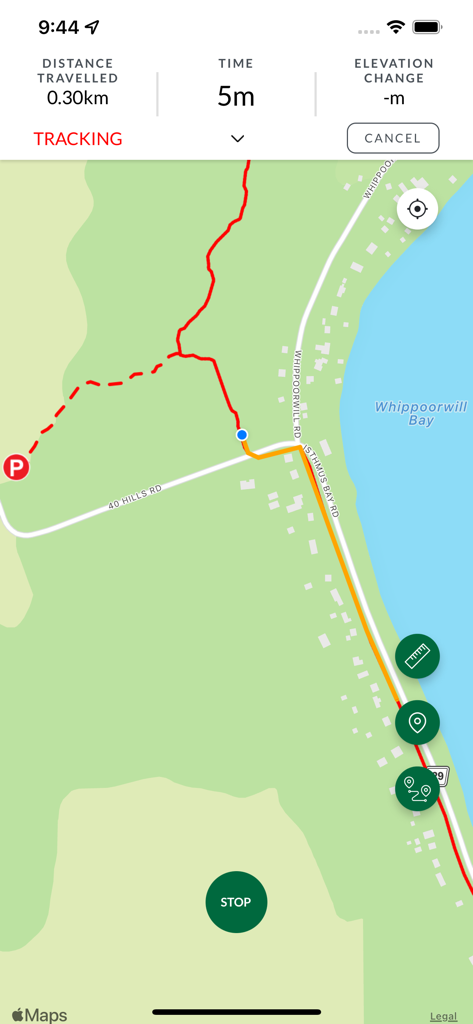
Bruce Trail App - Der Tracking-Bildschirm der Bruce Trail App zeigt eine Karte mit einer roten Wanderlinie und Entfernungsstatistiken an
Der Tracking-Bildschirm der Bruce Trail App zeigt eine Karte mit einer roten Wanderlinie und Entfernungsstatistiken an

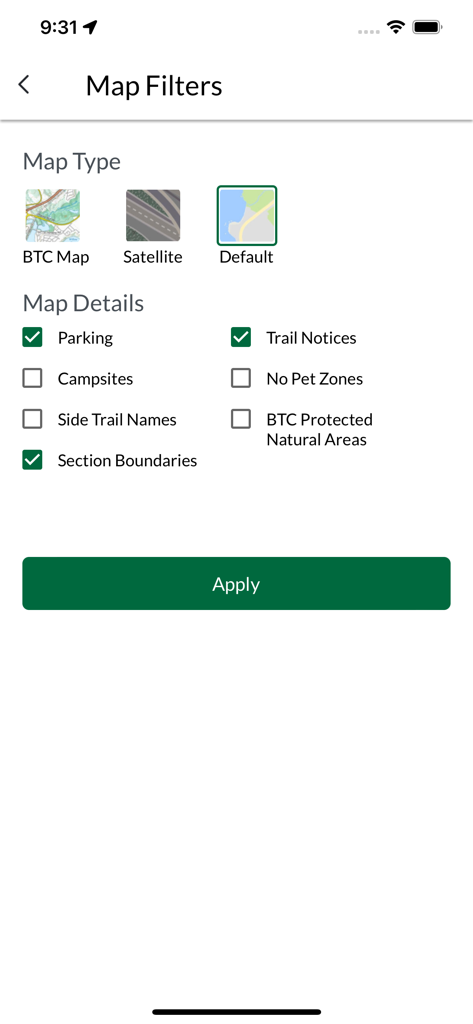
Bruce Trail App - Bildschirm mit Kartenfiltern in der Bruce Trail App, der Optionen für Kartentypen und Wanderwegdetails wie Parkplätze und Hinweise anzeigt

Bildschirm mit Kartenfiltern in der Bruce Trail App, der Optionen für Kartentypen und Wanderwegdetails wie Parkplätze und Hinweise anzeigt

Beschreibung

Plan, track, and log your hikes while exploring Canada's oldest and longest marked footpath with this easy-to-use, official Bruce Trail App. - Available for FREE 7-day trial followed by subscription for $2.99/month or $29.99/year. - Find your way with the most up-to-date Bruce Trail information and helpful navigational tools. Did you know the actual route of the Bruce Trail changes often? With the Bruce Trail App, you'll have automatically updated Trail information, direct from the Bruce Trail Conservancy, right in the palm of your hand for stress-free adventures. With over 1,300 km of trail along the Niagara Escarpment, there is so much to explore. The Bruce Trail App can help beginner hikers, seasoned explorers, and aspiring End-to-Enders alike! The Bruce Trail App features the 42 official Bruce Trail maps from Queenston to Tobermory. Carry your map wherever, whenever, even with no cell service on the Trail. Easily download individual maps, or the full set, to have a map layer that works when the app is offline. Plan custom routes and measure distances. Find details on parking and camping. Follow your location on the Bruce Trail in real time, track and save your hikes, and more. Proceeds from app subscriptions go to the Bruce Trail Conservancy to help maintain the app, care for the Trail, and support our conservation work. --- Sponsored by Ontario Power Generation __ FEATURES: - Explore over 1,300 km of trails on the Niagara Escarpment: View the full 900 km main Bruce Trail and over 400 km of associated side trails, from Queenston to Tobermory. - Find Parking and Camping Information: Clearly see locations of Trail access points, parking locations, and official camping sites. Get directions, and links to parking/camping reservations, with a simple tap. - Customize Your Map View: View the Bruce Trail on any of 3 different map layers: default, satellite, or the Bruce Trail Conservancy topographic maps. Use map filters to show only the data you want to see. - Measure Distances and Plan Routes: Tap along the Trail to plan your route and measure the distance you will be hiking. Use the Measurement tool for simple A-to-B distances, or the Route tool to measure and plan a hike involving loops or multiple trails. - Track and Record Hikes: See your location on the Trail. Record your day's hike and see how far you have travelled. Keep a log of all your tracked hikes and watch your progress grow. - Download Bruce Trail Maps for Offline Use: When you have cellular or Wi-Fi access, download some or all of the Bruce Trail maps with one tap. You can be certain all the data you need is on your device when you head out on the Trail. - Explore Our Protected Natural Areas: Discover the growing network of Bruce Trail Conservancy nature reserves and other protected areas cared for by the BTC. Witness the addition of newly protected land to the Bruce Trail's conservation corridor. - Search: Quickly locate important places by name, like Bruce Trail sections, side trails, local towns, map regions, Bruce Trail Conservancy protected natural areas, and campgrounds. - Other information: Find useful information about Trail safety, navigation, and Bruce Trail news in an easy reference menu - More features to come --- Subscription Details 7-day FREE trial period followed by subscription of $2.99/month or $29.99/annually. You can subscribe and pay through your Apple App Store account. Your subscription will automatically renew unless cancelled at least 24 hours before the end of the current period. Auto-renew can be turned off anytime by going to your Subscription Settings in the App Store after purchase.

Download

Herunterladen auf App Store

Diese Seite ist keine offizielle Seite der App oder ihres Entwicklers, sondern eine unabhängige redaktionelle Veröffentlichung, die zu Informations- und Kommentarzwecken erstellt wurde. Sofern nicht ausdrücklich anders angegeben, sind weder die App noch ihr Entwickler mit MWM, Apple, Google Play, dem App-Herausgeber oder dem Entwickler der App verbunden, von ihnen unterstützt, gesponsert, autorisiert oder anderweitig offiziell verbunden, und nichts auf dieser Seite impliziert, dass die App unter Verwendung der Dienste von MWM entwickelt wurde. Alle Marken, Logos, Screenshots und andere Inhalte bleiben Eigentum ihrer jeweiligen Inhaber.