BT Basketball Shotclock
Herunterladen auf App Store

Diese Seite ist keine offizielle Seite der App oder ihres Entwicklers, sondern eine unabhängige redaktionelle Veröffentlichung, die zu Informations- und Kommentarzwecken erstellt wurde. Sofern nicht ausdrücklich anders angegeben, sind weder die App noch ihr Entwickler mit MWM, Apple, Google Play, dem App-Herausgeber oder dem Entwickler der App verbunden, von ihnen unterstützt, gesponsert, autorisiert oder anderweitig offiziell verbunden, und nichts auf dieser Seite impliziert, dass die App unter Verwendung der Dienste von MWM entwickelt wurde. Alle Marken, Logos, Screenshots und andere Inhalte bleiben Eigentum ihrer jeweiligen Inhaber.

Logo von BT Basketball Shotclock
Herunterladen auf App Store

BT Basketball Shotclock

Sparen Sie Tausende von Euro für teure Hardware mit der saubersten, werbefreien Shotclock-App auf dem Markt. Entwickelt für Trainer und Liga-Direktoren, mit anpassbaren Voreinstellungen für High School, NCAA und Profi-Spiele.

Kennzahlen

Downloads

12K+

Bewertung

1.0/5

Bewertungen gesamt

0

Herausgeber

The Basketball Temple LLC

Kategorie

Sports

Sprachen

1

Neueste Version

1124

Größe

116.4 MB

Erstveröffentlichung

8. Aug. 2020
Funktionen

Profi-Spieltechnik ohne den Profi-Preis

Bringen Sie eine Elite-Arenastimmung in Ihre lokale Turnhalle. BT Shotclock bietet ein sauberes, werbefreies Erlebnis mit den exakten Funktionen, die von Top-Basketballakademien verwendet werden.

Kabellose Fernbedienung

Vergessen Sie den Tisch am Spielfeldrand. Nutzen Sie die kostenlose BT Controller-App, um die Shotclock über WLAN oder Bluetooth von überall in der Turnhalle aus zu steuern.

US-Liga-Voreinstellungen

Schalten Sie sofort zwischen den offiziellen Regeln von NFHS (High School), NCAA und NBA um oder passen Sie Ihre eigenen für 3x3 und Trainingsübungen an.

Die folgenden Screenshots und die Beschreibung stammen direkt aus dem offiziellen Store-Eintrag der App und sind Eigentum des Entwicklers.

App Store

Screenshots
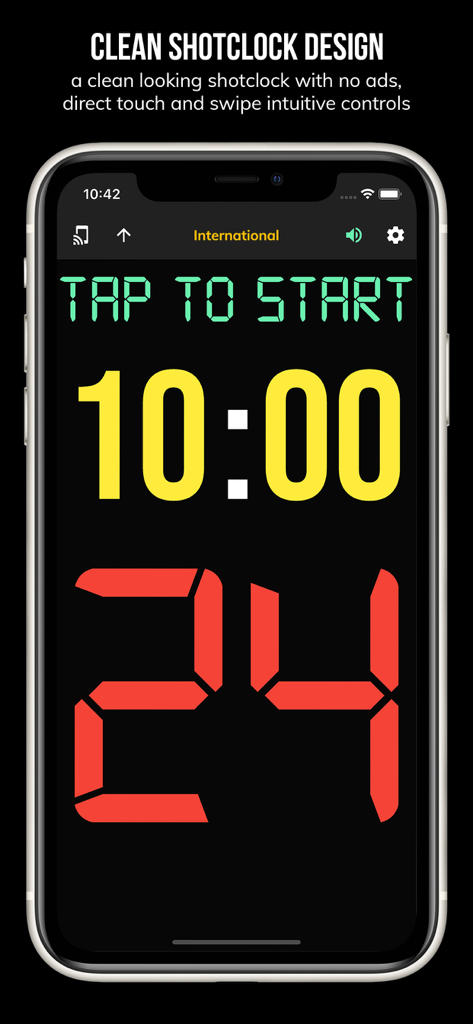
BT Basketball Shotclock - Handybildschirm, der die BT Basketball Shotclock App mit einem 24-Sekunden-Timer und einem 10-Minuten-Spieluhr anzeigt
Handybildschirm, der die BT Basketball Shotclock App mit einem 24-Sekunden-Timer und einem 10-Minuten-Spieluhr anzeigt

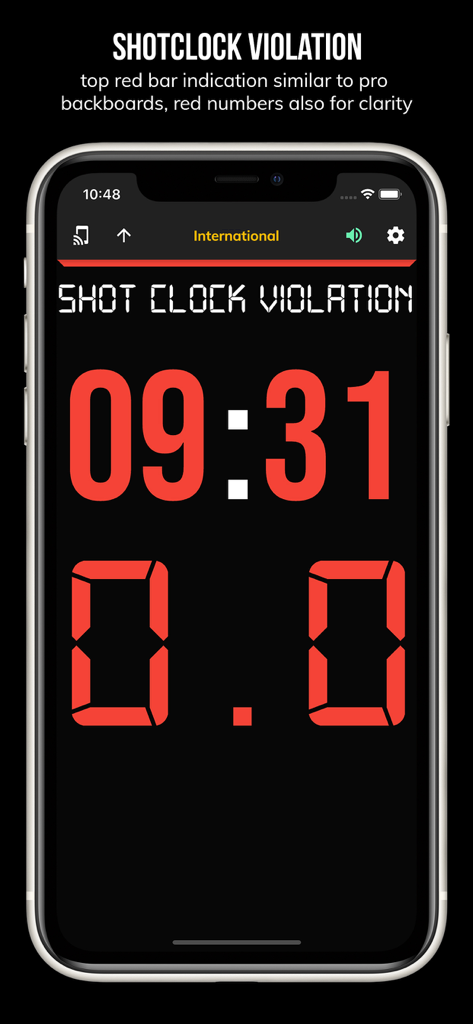
BT Basketball Shotclock - BT Basketball Shotclock App-Bildschirm, der eine Shotclock-Verletzung mit roten digitalen Zahlen auf dunklem Hintergrund anzeigt
BT Basketball Shotclock App-Bildschirm, der eine Shotclock-Verletzung mit roten digitalen Zahlen auf dunklem Hintergrund anzeigt

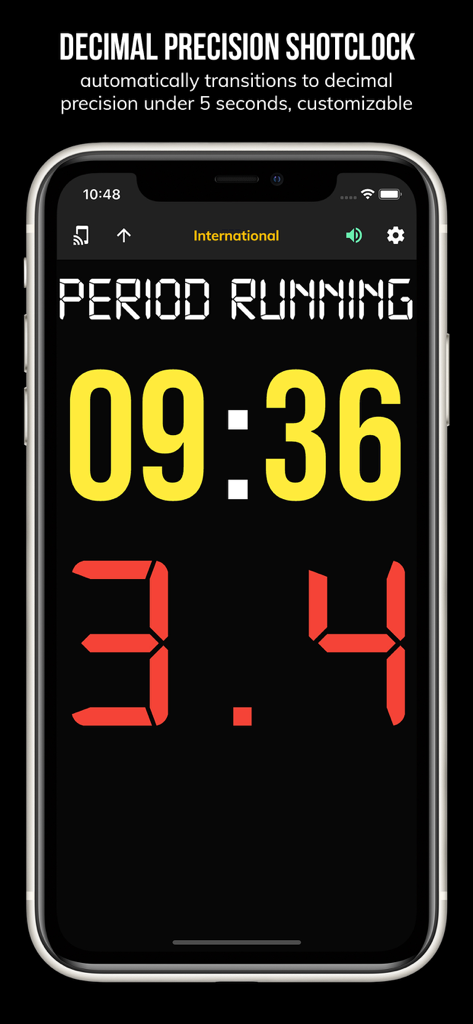
BT Basketball Shotclock - BT Basketball Shotclock App-Oberfläche, die einen Timer mit Dezimalpräzision anzeigt
BT Basketball Shotclock App-Oberfläche, die einen Timer mit Dezimalpräzision anzeigt

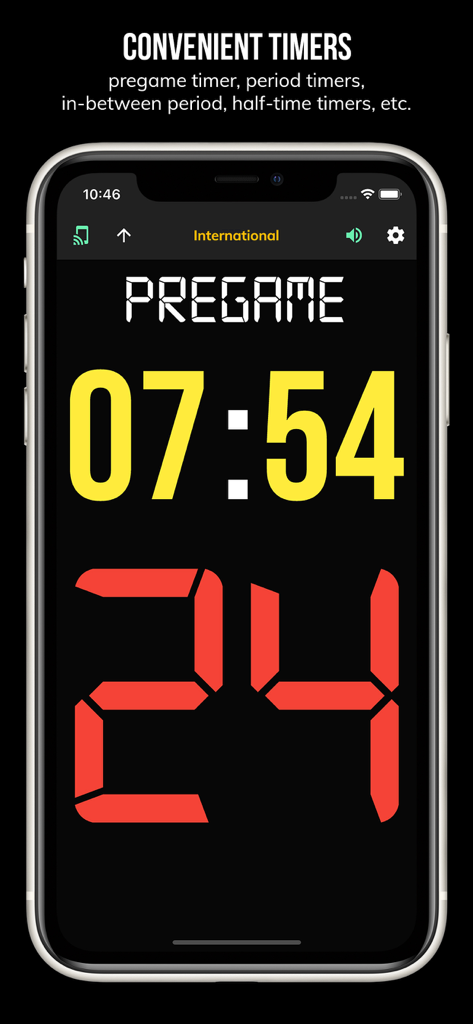
BT Basketball Shotclock - BT Basketball Shotclock App-Oberfläche, die einen Pre-Game-Countdown-Timer und eine 24-Sekunden-Shotclock anzeigt
BT Basketball Shotclock App-Oberfläche, die einen Pre-Game-Countdown-Timer und eine 24-Sekunden-Shotclock anzeigt

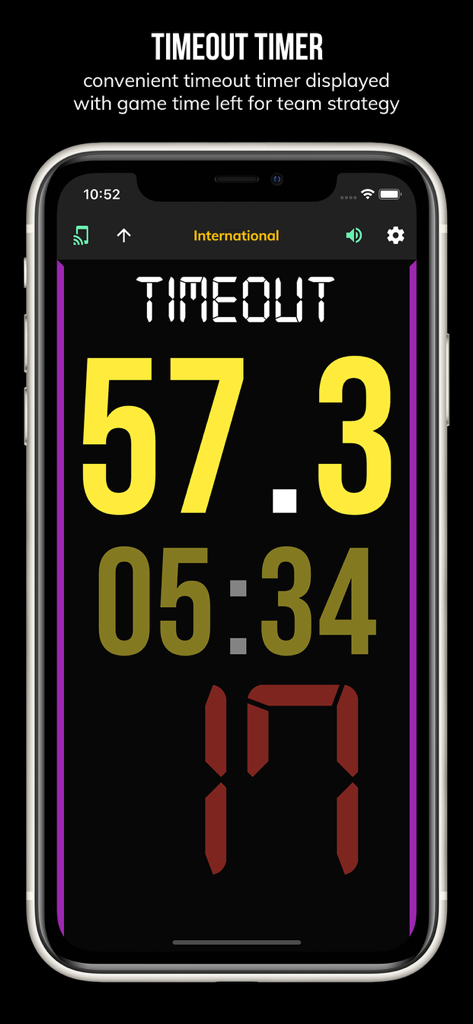
BT Basketball Shotclock - BT Basketball Shotclock App-Bildschirm, der einen Timeout-Timer mit 57 Sekunden verbleibend anzeigt
BT Basketball Shotclock App-Bildschirm, der einen Timeout-Timer mit 57 Sekunden verbleibend anzeigt

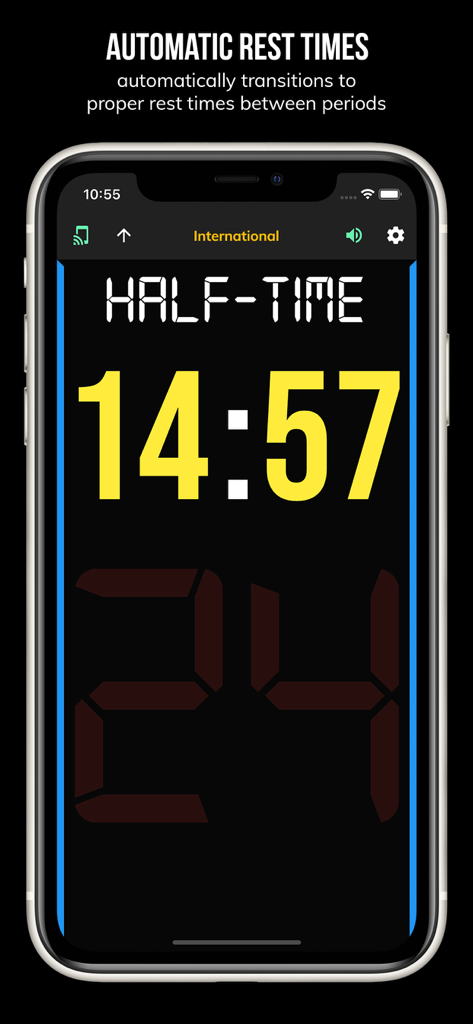
BT Basketball Shotclock - BT Basketball Shotclock App-Oberfläche, die einen automatischen Halbzeit-Ruhe-Timer mit vierzehn Minuten verbleibend anzeigt
BT Basketball Shotclock App-Oberfläche, die einen automatischen Halbzeit-Ruhe-Timer mit vierzehn Minuten verbleibend anzeigt

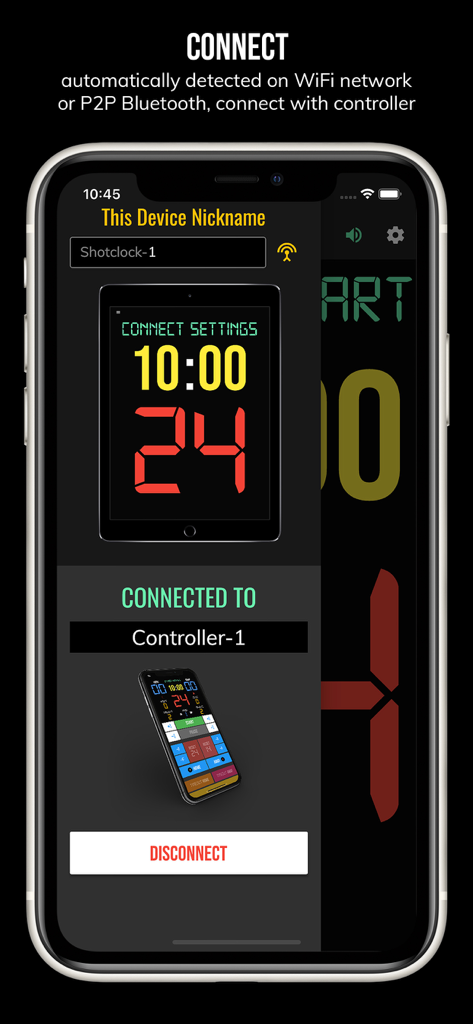
BT Basketball Shotclock - Verbindungsbildschirm für die BT Basketball Shotclock App, der ein gekoppeltes Fernbedienungsgerät über WLAN oder Bluetooth anzeigt
Verbindungsbildschirm für die BT Basketball Shotclock App, der ein gekoppeltes Fernbedienungsgerät über WLAN oder Bluetooth anzeigt

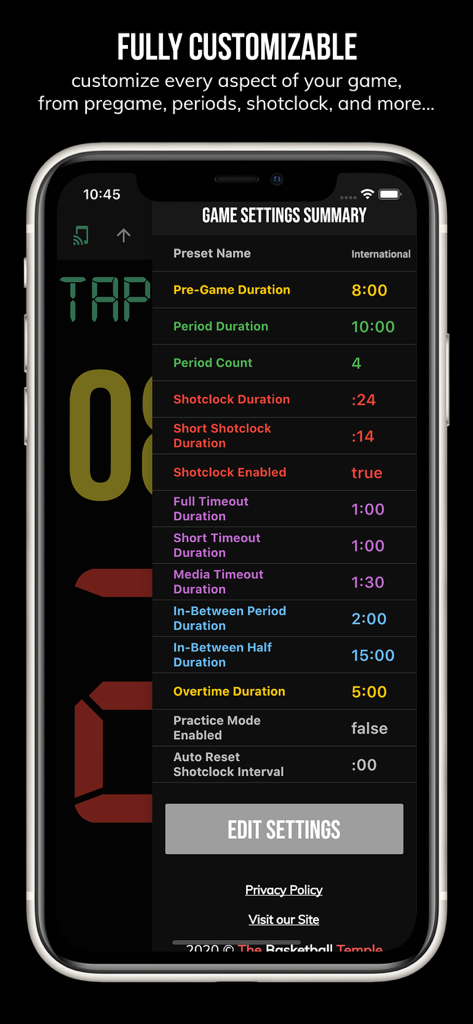
BT Basketball Shotclock - Zusammenfassungsbildschirm für die Spieleinstellungen der BT Basketball Shotclock mit anpassbaren Spielregeln und Dauern
Zusammenfassungsbildschirm für die Spieleinstellungen der BT Basketball Shotclock mit anpassbaren Spielregeln und Dauern

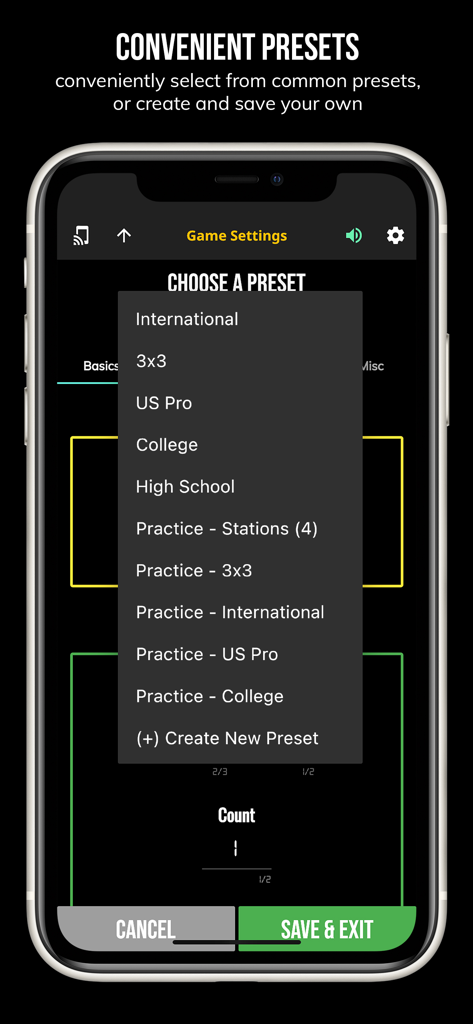
BT Basketball Shotclock - Ein Menü in der BT Basketball Shotclock App, das gängige Spielvoreinstellungen wie US Pro College und High School anzeigt
Ein Menü in der BT Basketball Shotclock App, das gängige Spielvoreinstellungen wie US Pro College und High School anzeigt

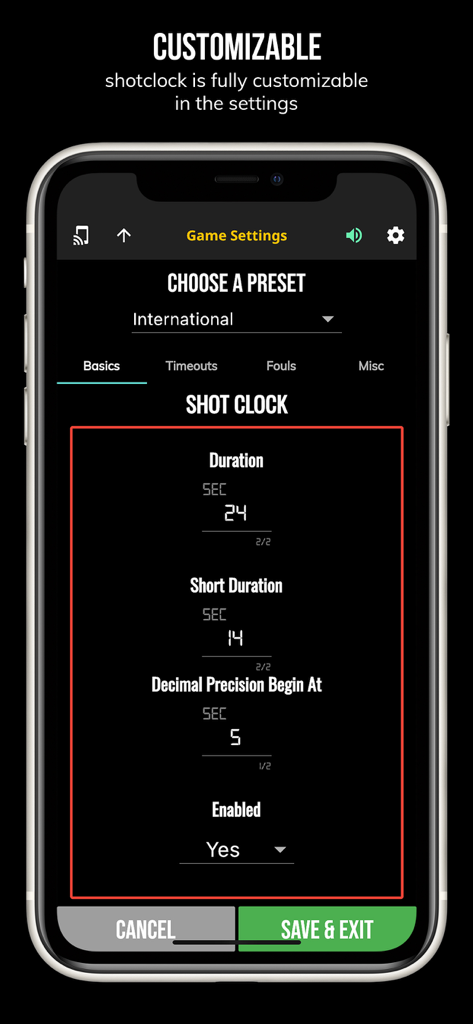
BT Basketball Shotclock - Einstellungsbildschirm der BT Basketball Shotclock App, der anpassbare Spielregeln und Shotclock-Dauer-Voreinstellungen zeigt

Einstellungsbildschirm der BT Basketball Shotclock App, der anpassbare Spielregeln und Shotclock-Dauer-Voreinstellungen zeigt

Beschreibung

One of the cleanest shotclock apps on the market. The BT Shotclock app, developed by and for a basketball company that runs it's own basketball leagues, is the next best option to investing in an expensive professional grade shotclock. Shotclock and Scoreboard equipment which can cost you thousands is now available and affordable to everyone in the basketball community. In-depth Tutorial: https://youtu.be/fopYwQPOZ2k Use the shotclock by itself or download the free BT Controller app to remotely control the shotclock or multiple shotclocks simultaneously. Open the connect menu on the BT Controller app, the shotclock is automatically detected, hit the WiFi or Bluetooth button next to the shotclock name on the BT Controller app to connect. BT Shotclock Features: - Clean design, no ads - Can use as a stand alone shotclock with intuitive direct tap and swipe controls - Remotely control shotclock with WiFi or Bluetooth using free BT Controller App - Convenient Presets (International, 3x3, US Pro, College, High School, and more...) - Convenient timers: pregame timer, period timer, rest timer, timeout timer, overtime, etc. - Fully customizable game in the settings - Practice modes configured in settings is great for running practices - Audio buzzers for shotclock violation, end of period, substitutions, etc. - Warning beep near end of pregame, timeout, or rest times (customizable) - Quick Start Documentation below For the best experience, use the application on a large tablet, or hook your phone/tablet up to a large display or video projector. You'll feel like you have just bought a professional shotclock! The BT Shotclock app was created by The Basketball Temple Company. The Basketball Temple Company focuses on high quality basketball academies, basketball leagues, and technologies that are used to support those academies and leagues. We open our technology to the public so everyone in the basketball community can experience the same technologies that we use within our institutions. # Quick Start Documentation: Exiting Game and Reseting Times: - Click top right settings icon (if top bar is hidden, click top left hamburger icon to open top app bar) - Scroll down and hit "Exit Game" button Time Controls: - Tap period timer to start/pause - Tap pregame, timeout, rest timers to early transition to next stage Shotclock Controls: - Tap shotclock to reset/go - Swipe shotclock up/down to reset/go to short shotclock Connect and Remote Control: - Start the BT Controller app on a different device - In the BT Controller app, open the connect menu on the top left - The Shotclock should automatically discovered - Click on the Wifi/Bluetooth icon next to the Shotclock name to connect - If unable to connect or having connection errors try one of the following: 1) please ensure all devices are on the same WiFi network 2) please ensure bluetooth is turned ON on all devices 3) lastly, try to restart the app on all devices Time and Game Settings: - Tap on top-right icon (or swipe right-to-left on the right edge) to open settings menu - Edit and save the many settings available

Download

Herunterladen auf App Store

Diese Seite ist keine offizielle Seite der App oder ihres Entwicklers, sondern eine unabhängige redaktionelle Veröffentlichung, die zu Informations- und Kommentarzwecken erstellt wurde. Sofern nicht ausdrücklich anders angegeben, sind weder die App noch ihr Entwickler mit MWM, Apple, Google Play, dem App-Herausgeber oder dem Entwickler der App verbunden, von ihnen unterstützt, gesponsert, autorisiert oder anderweitig offiziell verbunden, und nichts auf dieser Seite impliziert, dass die App unter Verwendung der Dienste von MWM entwickelt wurde. Alle Marken, Logos, Screenshots und andere Inhalte bleiben Eigentum ihrer jeweiligen Inhaber.








