Business Card Scanner by Covve

Business Card Scanner by Covve

Herunterladen auf App StoreHerunterladen auf Google Play
Logo von Business Card Scanner by Covve

Visitenkarten-Scanner von Covve: Das leistungsstarke Lead-Capture-Tool

Schließen Sie sich 2 Millionen Fachleuten an, die den genauesten Scanner des Marktes verwenden, um Kontakte sofort zu synchronisieren, Leads mit KI zu recherchieren und Ihren CRM-Workflow zu automatisieren.

Herausgeber

Covve Visual Network Limited

Kategorie

Business

Downloads

119K+

Bewertung

4.8/5

Bewertungen gesamt

3K+

Sprachen

17

Networking perfektioniert

Entdecken Sie die Oberfläche, die von 119K+ Nutzern verwendet wird.

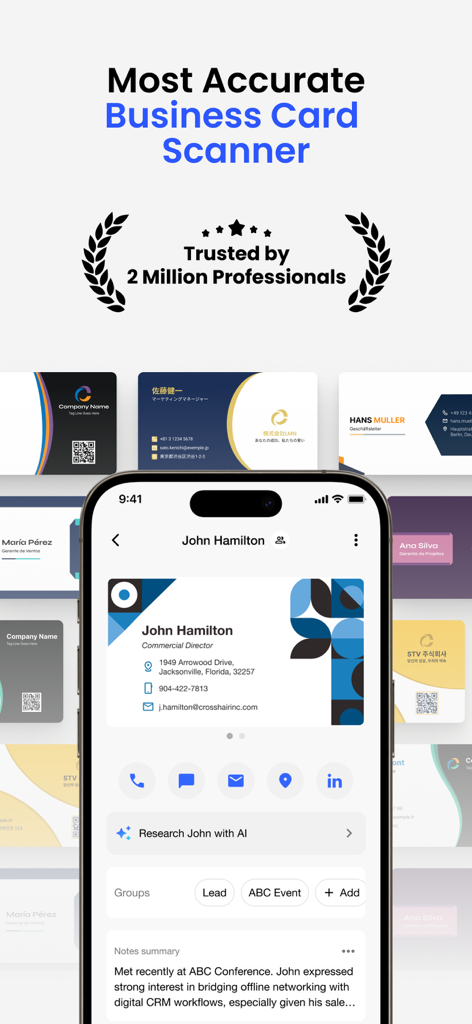
Smartphone zeigt die Benutzeroberfläche des Covve Visitenkarten-Scanners mit gescannten Kontaktdaten und KI-Rechercheoptionen
Smartphone zeigt die Benutzeroberfläche des Covve Visitenkarten-Scanners mit gescannten Kontaktdaten und KI-Rechercheoptionen

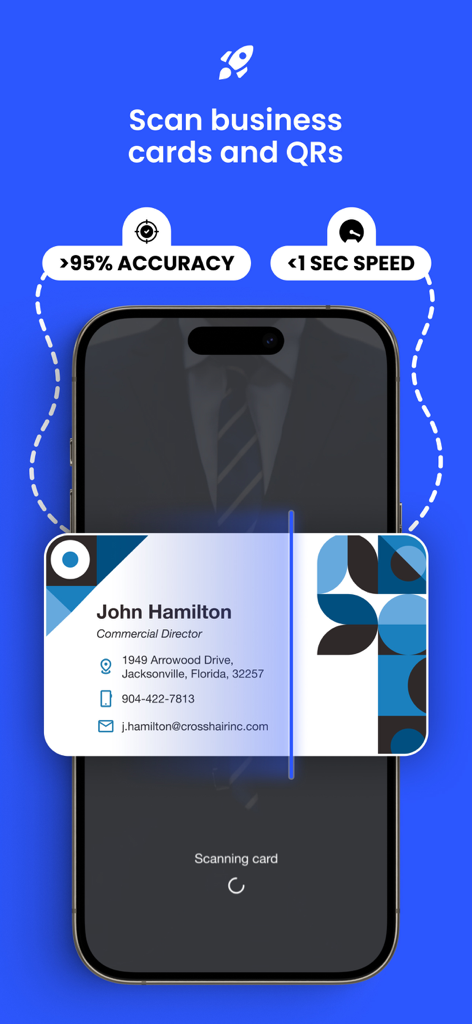
Smartphone scannt eine Visitenkarte mit hervorgehobener Textüberlagerung, die über 95 Prozent Genauigkeit und eine Geschwindigkeit von weniger als 1 Sekunde anzeigt.
Smartphone scannt eine Visitenkarte mit hervorgehobener Textüberlagerung, die über 95 Prozent Genauigkeit und eine Geschwindigkeit von weniger als 1 Sekunde anzeigt.

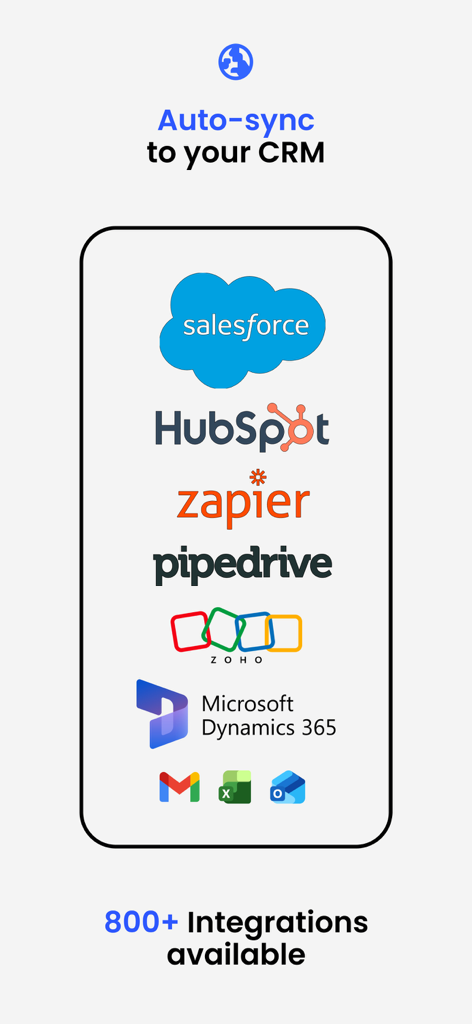
Bildschirm der mobilen App, der CRM-Integrationen wie Salesforce, HubSpot und Zapier zur automatischen Synchronisierung von Visitenkartendaten zeigt
Bildschirm der mobilen App, der CRM-Integrationen wie Salesforce, HubSpot und Zapier zur automatischen Synchronisierung von Visitenkartendaten zeigt

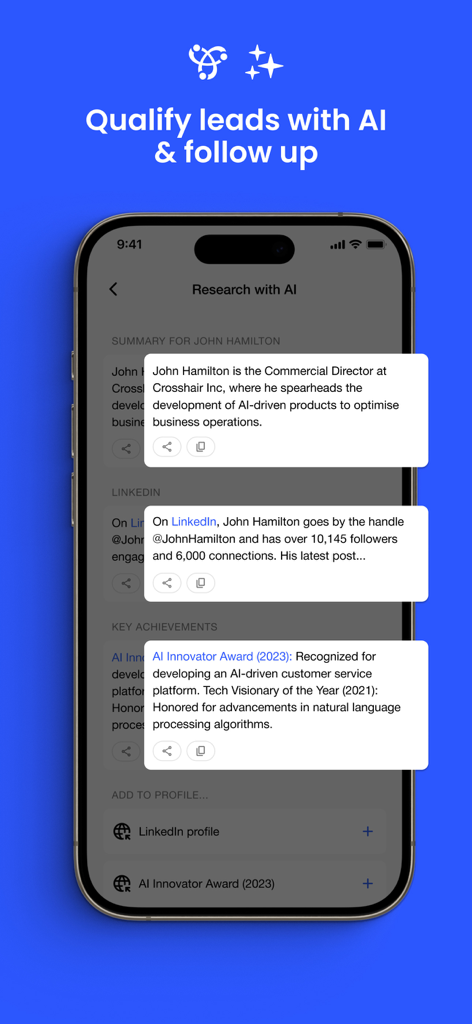
Covve App-Oberfläche mit KI-gestützter Kontaktrecherche und Lead-Qualifizierungsdetails
Covve App-Oberfläche mit KI-gestützter Kontaktrecherche und Lead-Qualifizierungsdetails

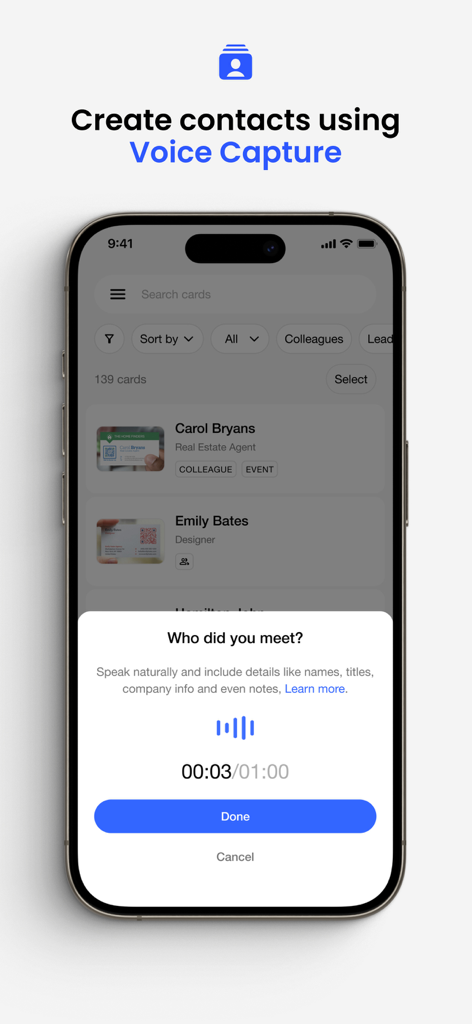
Die Voice-Capture-Funktion in der Covve-App, mit der Fachleute Kontakte durch natürliche Spracheingabe erstellen können.
Die Voice-Capture-Funktion in der Covve-App, mit der Fachleute Kontakte durch natürliche Spracheingabe erstellen können.

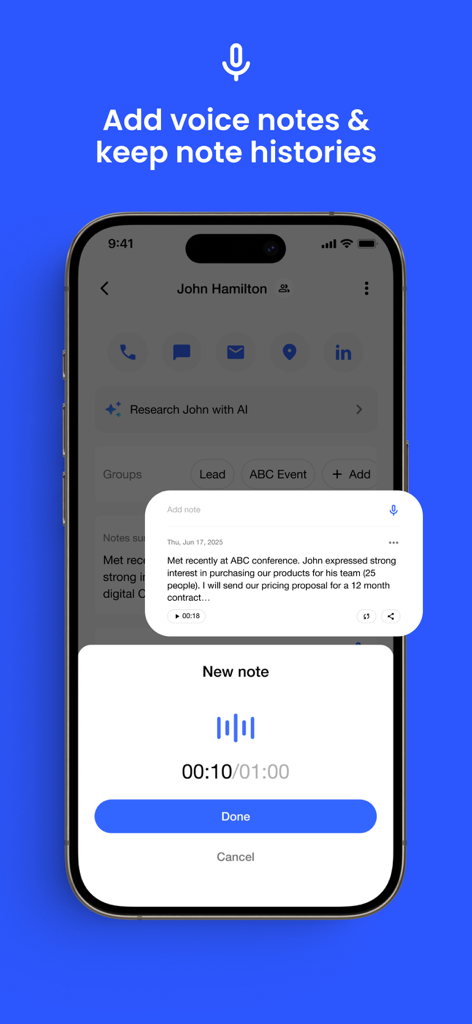
Oberfläche der Visitenkarten-Scanner-App, die die Funktion zur Sprachnotizaufnahme für einen Kontakt zeigt
Oberfläche der Visitenkarten-Scanner-App, die die Funktion zur Sprachnotizaufnahme für einen Kontakt zeigt

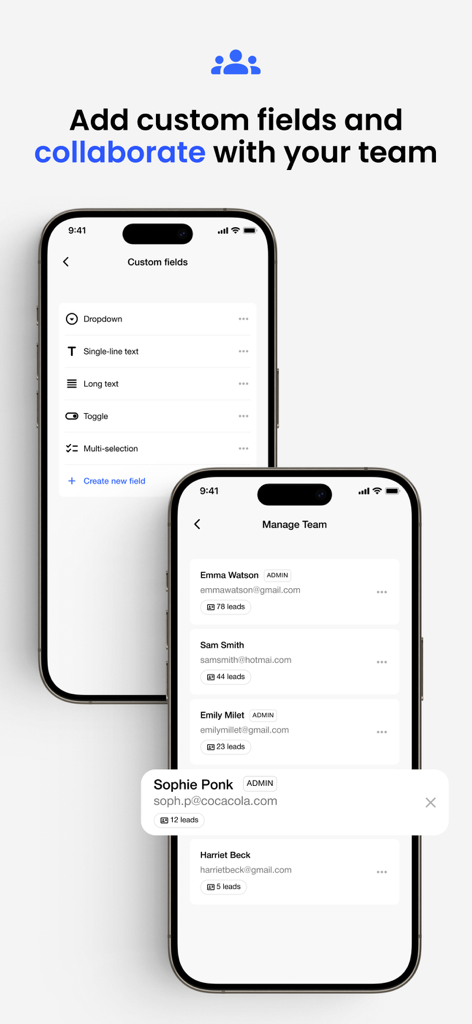
Bildschirme zeigen die Konfiguration benutzerdefinierter Felder und die Teamleiterverwaltung in der Covve-App.
Bildschirme zeigen die Konfiguration benutzerdefinierter Felder und die Teamleiterverwaltung in der Covve-App.

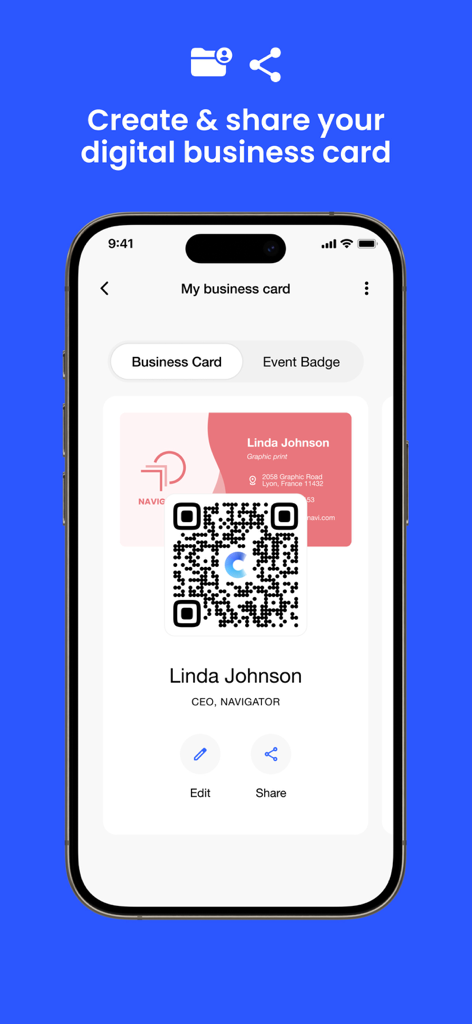
Digitale Visitenkarte mit QR-Code auf einem Smartphone-Bildschirm.
Digitale Visitenkarte mit QR-Code auf einem Smartphone-Bildschirm.

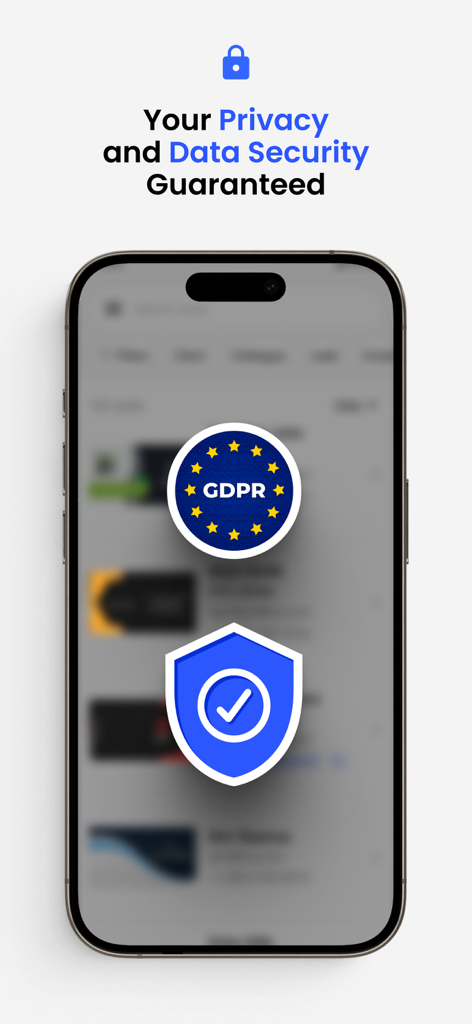
Ein Mobiltelefonbildschirm zeigt die DSGVO-Konformität und Datensicherheit für den Covve Visitenkarten-Scanner
Ein Mobiltelefonbildschirm zeigt die DSGVO-Konformität und Datensicherheit für den Covve Visitenkarten-Scanner

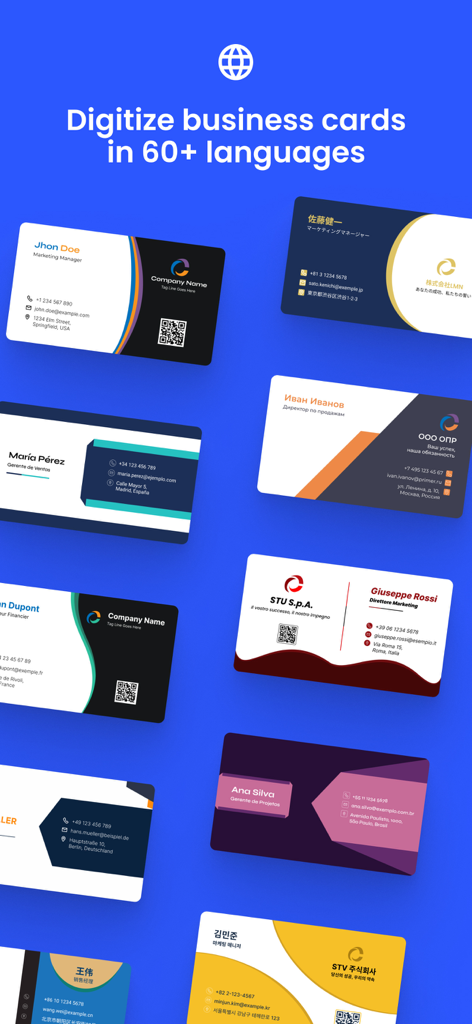
Visitenkarten in mehreren Sprachen, die mit der Covve Scanner-App digitalisiert werden

Visitenkarten in mehreren Sprachen, die mit der Covve Scanner-App digitalisiert werden

Meistern Sie Ihr professionelles Netzwerk

Die Tools, die diese App auszeichnen, gewählt von 119K+ Nutzern.

🎯

Unübertroffene Scan-Genauigkeit

Erleben Sie branchenführende Präzision in über 60 Sprachen und verwandeln Sie physische Karten sofort in digitale Leads, ohne mühsame manuelle Dateneingabe.

💡

KI-gestützte Lead-Intelligenz

Verschaffen Sie sich einen Wettbewerbsvorteil mit sofortigen Hintergrundberichten und KI-Zusammenfassungen, die Ihnen den nötigen Kontext für hochgradig personalisierte Follow-ups liefern.

🚀

Nahtlose CRM-Integration

Exportieren Sie Kontakte direkt nach Salesforce, HubSpot und Pipedrive oder verwenden Sie Zapier, um sich mit über 8.000 Tools für einen perfekt synchronisierten Workflow zu verbinden.

Über die App

Alles, was Sie über wissen müssen Business Card Scanner by Covve.

Beschreibung

Scan business cards and QR with Covve — the fastest and most accurate business card scanner on the market, trusted by over 2 million professionals worldwide. Designed to support your networking efforts with precision, Covve lets you instantly capture leads from business cards, QR codes and LinkedIn profiles. ▶ Unrivaled Scanning Accuracy and Speed ◀ [Top-tier Accuracy and Rapid Processing] • Achieve market-leading scanning accuracy in over 60 languages, and experience the fastest scan times, significantly outperforming competitors like CamCard, ABBYY, and BizConnect. • Scan QR codes to digitize leads from online profiles, LinkedIn and more. [Enhanced Lead Management] • Add notes, groups, and locations to each scanned lead; easily organize and retrieve your business contacts by sorting them by date, name, or company. • Distill all your notes into a concise usable summary. [Digital Business Card] • Create and share your digital business card, making it easy to exchange contact information in-person, via email, on video calls, and more. ▶ Easy Export and Software Integrations ◀ [Versatile Export Options] • Instantly save and export scanned contacts to your phone's address book, Excel, Outlook, or Google Contacts, with CSV formatting options to meet diverse professional needs. [Comprehensive Sharing Features] • Share your scanned leads with colleagues or integrate them into your CRM systems like Salesforce, HubSpot, Pipedrive and other leading CRMs or any platform via Zapier, enabling connections to applications such as SuiteDash, Odoo, Marketo, and Agile CRM. ▶ Robust Data Management ◀ [Intelligent Export and Tagging] • Customize your export files and track your contacts with advanced control using tags leading to refined organization and targeted communication. [Research with AI] • Instantly get a background info report for anyone you meet and qualify them on the go. [Secure Cloud Backup & Restore] • Securely store your cards to the cloud with our backup feature and effortlessly restore them on any device. [Privacy and Compliance at the Core] • Experience secure data management - Covve Scan is GDPR compliant and made in Europe to ensure top-tier privacy and protection. [Multi-Language Recognition] • Automatically recognize and accurately scan business cards in 60+ languages. Unlock automation and agility with every lead captured. ▶ Engage and Collaborate with Ease ◀ [Team Collaboration] • All scanned leads are automatically shared with your team, amplifying collaboration and data sharing. [Integrate with your CRM] • Integrate with leading CRMs like Salesforce, HubSpot, Dynamics and 8,000 other tools to push captured leads into your workflows. [Efficient Communication Tools] • Share individual contacts as VCF files directly through email, SMS, WhatsApp, etc., leveraging standard file formats for electronic business cards. [Location Integration] • Tap to see your contact’s location on Google or Apple Maps, making it easier to plan in-person meetings. ▶ Trial and Subscription Options ◀ [Free Trial and Flexible Subscriptions] • Start with a 14-day free trial and choose between an annual subscription or a lifetime purchase for unlimited access and premium features to continue using the service. Covve Scan is more than a fast-scanning tool; it's a revolutionary platform for professional contact management and network development. Download Covve Scan now to start digitizing your business cards, QR codes and leads. For more details and support, visit our website at https://covve.com/cardscanner/. Terms: https://www.apple.com/legal/internet-services/itunes/dev/stdeula/

Neueste Version

13.1

Größe

80.3 MB

Erstveröffentlichung

4. Mai 2019

Verwandeln Sie jeden Händedruck in einen hochwertigen Lead.

Schließen Sie sich über 2 Millionen Fachleuten an, die den genauesten KI-gestützten Scanner der Welt verwenden, um Kontakte direkt mit Ihrem CRM zu synchronisieren. Starten Sie noch heute Ihre 14-tägige kostenlose Testversion.

Herunterladen auf App StoreHerunterladen auf Google Play

App information, icons, screenshots, and descriptions displayed on this page are sourced from the Apple App Store and are the property of their respective developers. Download estimates and rankings are based on MWM's proprietary models and may not reflect actual figures. This page is provided for informational and analytical purposes only.

Believe this page infringes your intellectual property? File a dispute