busybusy GPS Zeitstempeluhr Mobile: Der Goldstandard für das Baustellenmanagement
Rüsten Sie Ihre Außendienstteams mit einer benutzerfreundlichen GPS-Zeiterfassung und automatischer Projektkostenrechnung aus. Sparen Sie Stunden bei der Lohnabrechnung, eliminieren Sie manuelles Papierwork und gewinnen Sie die Echtzeit-Einblicke, die Sie benötigen, um bei jedem Projekt profitabel zu bleiben.
Herausgeber
busybusy, Inc
Kategorie
Business
Downloads
81K+
Bewertung
4.1/5
Bewertungen gesamt
900
Sprachen
2
Präzision in Aktion
Entdecken Sie die Oberfläche, die von 81K+ Nutzern verwendet wird.
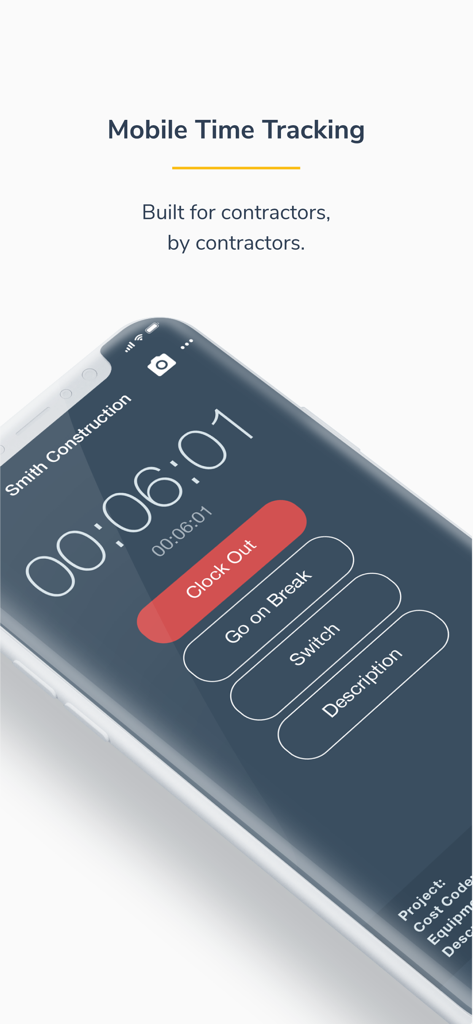
Smartphone-Bildschirm mit der busybusy Mobile-Zeiterfassungs-Oberfläche für Bauunternehmer mit Schaltflächen zum Ausstempeln oder für Pausen
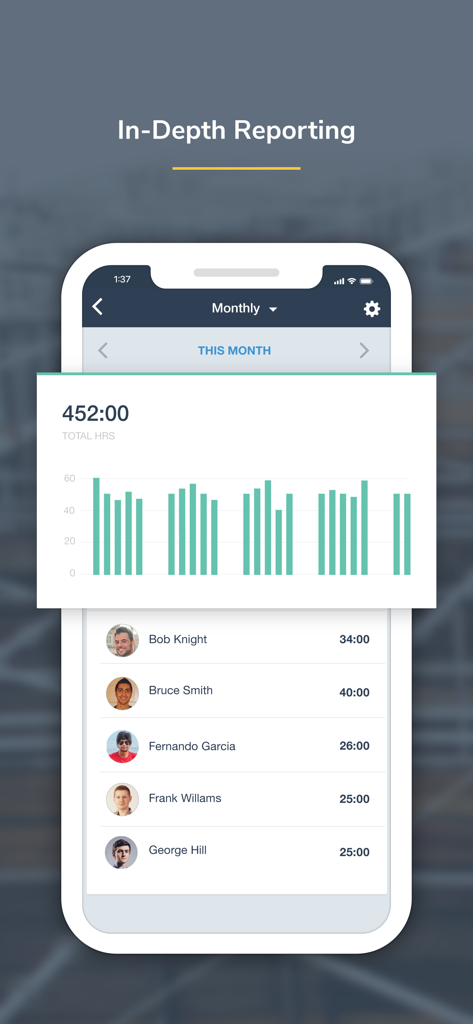
Screenshot der busybusy mobilen App, der ein monatliches Berichts-Dashboard mit Gesamtstunden und individuellen Zeiterfassungsprotokollen der Mitarbeiter anzeigt
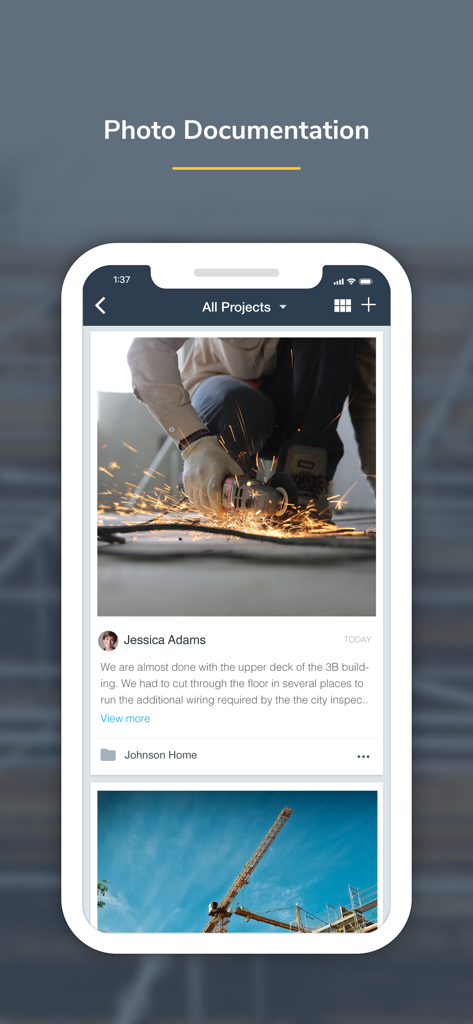
Mobile App-Oberfläche für busybusy, die die Fotodokumentation von Baustellen zeigt
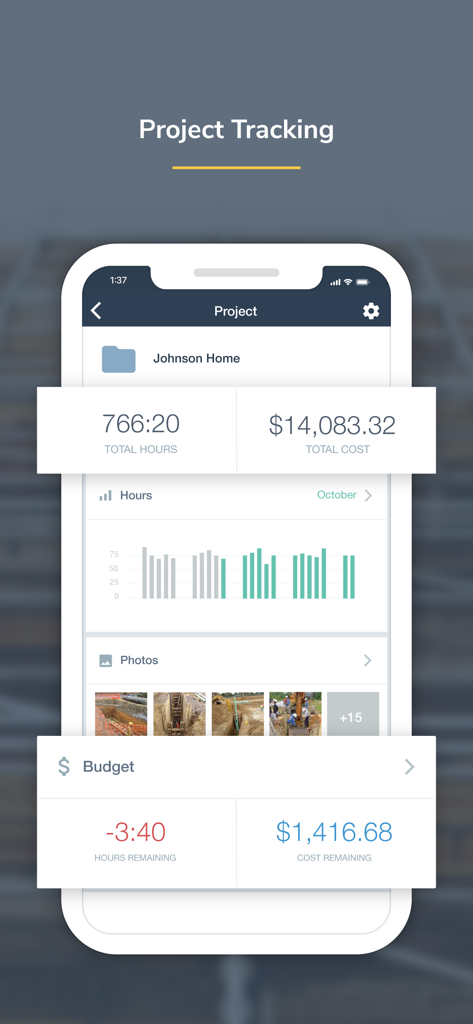
Projektverfolgung-Bildschirm in der busybusy App, der die gesamten Arbeitsstunden, Kosten und Baustellenfotos für ein Bauprojekt anzeigt
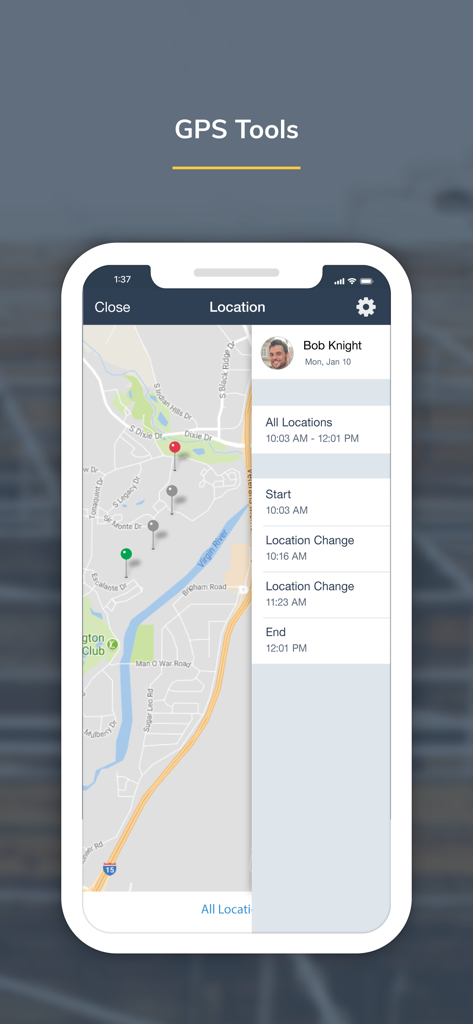
Busybusy App-Bildschirm, der eine Karte mit den GPS-Standorten der Mitarbeiter und einer Zeitleiste der Bewegungen anzeigt.
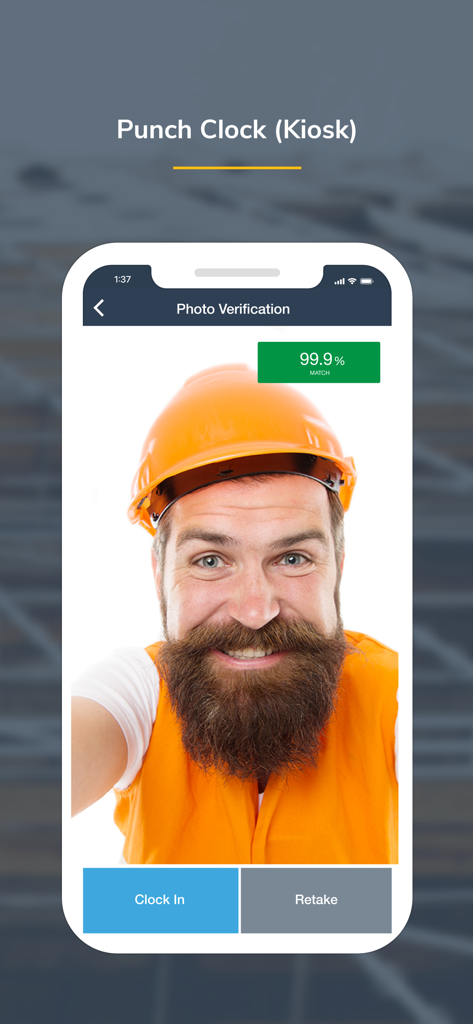
Ein Bauarbeiter nutzt die Foto-Verifizierungsfunktion der busybusy Kiosk-Stempeluhr zum Einstempeln
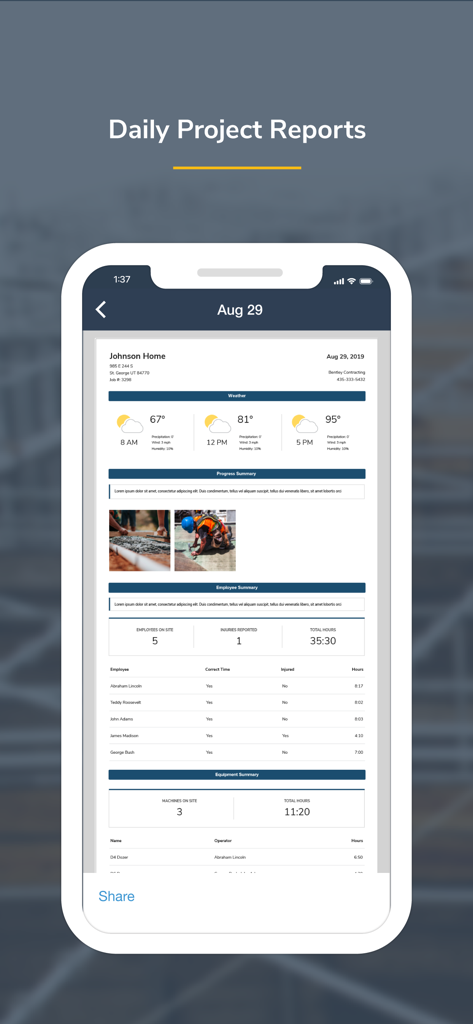
Busybusy App-Oberfläche, die einen umfassenden täglichen Projektbericht für das Bau-Management anzeigt.
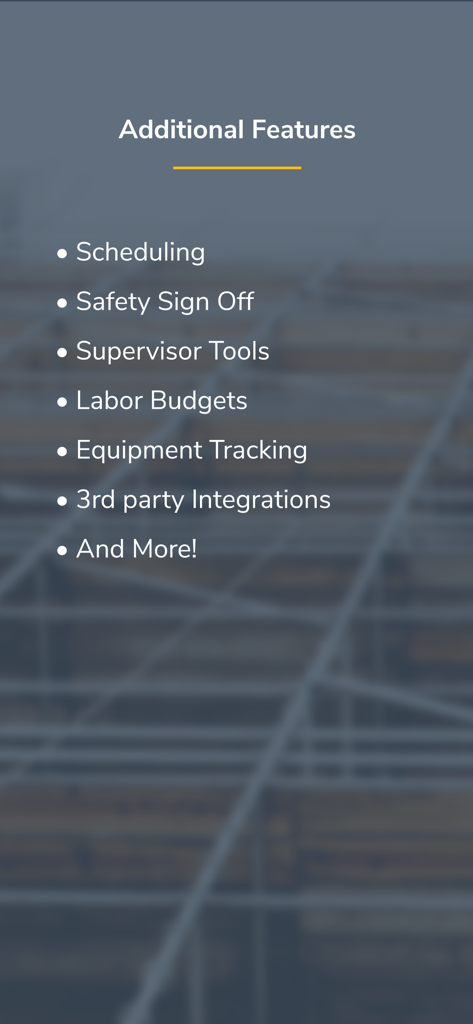
Eine Liste zusätzlicher Funktionen für die busybusy App, einschließlich Terminplanung, Sicherheitsbestätigung und Supervisor-Tools
Optimieren Sie jede Stunde auf der Baustelle
Die Tools, die diese App auszeichnen, gewählt von 81K+ Nutzern.
⏱️
Intelligente Zeiterfassung
Erhalten Sie genaue Einstempelungen mit GPS-Erinnerungen und einer benutzerfreundlichen Oberfläche, die auch in abgelegenen Gebieten ohne Mobilfunknetz funktioniert.
📈
Sofortige Projektkostenrechnung
Hören Sie auf zu raten und kennen Sie Ihre Margen mit Echtzeit-Arbeitsdaten, die direkt mit Ihren Projektbudgets und der Lohnabrechnung synchronisiert werden.
⚖️
Haftungs- & Sicherheitswächter
Schützen Sie Ihr Unternehmen vor betrügerischen Ansprüchen mit täglichen Verletzungsbestätigungen, zeitgestempelten Fotos und sicheren digitalen Signaturen.
Über die App
Alles, was Sie über wissen müssen busybusy GPS Time Clock Mobile.
Beschreibung
busybusy is a cloud-based time tracking and job costing app designed for construction and field employees. Collect real-time data and generate powerful automated reports–enabling smarter decisions, saving valuable office time, and simplifying labor, project, and schedule management.
Field employees can easily track labor, materials, and heavy equipment all within an easy-to-use mobile app. Jobsite data is organized by project and is instantly available to your team, allowing you to see what’s going on anytime, anywhere.
Features:
Time Tracking
-Clock in/out, offline mode
-Kiosk mode digital punch clock
-Supervisor tools allow supervisors to clock in/out crews, edit time, assign cost codes and projects, and split time entries
-GPS map showing employees on the clock, equipment, & projects
-GPS-based notifications to remind employees to clock in/out on the jobsite
Equipment
-View employees using each piece of equipment
-Easy access to a detailed equipment list
-Performance report (operator vs machine)
-View equipment location on map
Job Costing
-Assign time to projects, sub-projects, cost codes, and equipment- easily switch throughout the day
-Projected labor budgets vs actual labor costs
-Employee labor burden broke down by projects
-Activity reports
-Easily add missing job costs and cost codes with the job costing tool
-Quickly export to CSV
Liability Protection
-Jobsite photos are time, location, and employee stamped, easily searched, and grouped by project.
-Overtime & break reports
-Employee and supervisor digital signatures
-End-of-day injury/non-injury verification
-Kiosk photo verification
Products:
-Progress Tracking
-Accurate material and quantity reporting
-View crew progress in real-time and see work accomplished
-Easily submit photos showing job site progress
-Get detailed progress reports
Daily Reports
-Auto-generate weather reporting, job costing, and injury reports
-Detailed summary of project progress and equipment insights
-Automate job site checklists with start and end times
-Safety sign-offs
Documents
-Easily upload files, including job site plans, permits, building codes, and more
-Attach documents and descriptions to a specific project
-Upload fillable forms and documents in Offline mode, no matter the location
Scheduling
-Schedule one employee or the whole crew
-Assign project, cost code, or equipment from a schedule
-Automatically notify employees of changes
-Submit and manage time off requests
BusyPayroll
-Instantly run payroll and pay employees
-Reduce payroll time by 67%
-Automatically scan for signatures, time-off requests, time-entry conflicts, and more
-Set lock dates to prevent editing
Integrations
busybusy seamlessly integrates with Procore, QuickBooks, CompanyCam, Zapier, Foundation, Sage, and many more…
Hear what our customers have to say:
“We tried three other time tracking apps before switching to busybusy. Switching to busybusy is the single best thing we have done for our employees in years. I can't think of the last time they were all this happy.” Austin - Certified Fire and Security
“It can be used anywhere. We have construction crews in the field and it's great that they can use it wherever they are and we can have real-time data without having to wait for the end of the week for paper timecards. It takes a lot of the burden off of our foremen and frees them up for more important work. Plus, their customer service is outstanding!” Melinda - Klingelhofer Management
Get support from our easy-going, friendly customer support team who offers online and in-app chat, telephone, and email support 24/7. Se habla Espanol.
*We respect your privacy. Your data is never shared, sold, or used for any marketing purposes.
**Please note that GPS is used to obtain accurate clock in/out locations. In order to provide accurate locations, GPS operates for a short duration in the background after pressing clock in/out.
Neueste Version
2026.1.1
Größe
252.3 MB
Erstveröffentlichung
14. Sept. 2015
Bereit für ein profitableres Unternehmen?
Verabschieden Sie sich von Papier-Stundenzetteln und schließen Sie sich über 80.000 Profis an, die busybusy nutzen, um die Lohnabrechnung zu automatisieren, Projektkosten in Echtzeit zu verfolgen und ihre Gewinnmargen zu schützen. Laden Sie die App noch heute herunter und erleben Sie den Unterschied.
App information, icons, screenshots, and descriptions displayed on this page are sourced from the Apple App Store and are the property of their respective developers. Download estimates and rankings are based on MWM's proprietary models and may not reflect actual figures. This page is provided for informational and analytical purposes only.
Believe this page infringes your intellectual property? File a dispute