bVNC Pro - VNC Screen Sharing
Herunterladen auf App Store

Diese Seite ist keine offizielle Seite der App oder ihres Entwicklers, sondern eine unabhängige redaktionelle Veröffentlichung, die zu Informations- und Kommentarzwecken erstellt wurde. Sofern nicht ausdrücklich anders angegeben, sind weder die App noch ihr Entwickler mit MWM, Apple, Google Play, dem App-Herausgeber oder dem Entwickler der App verbunden, von ihnen unterstützt, gesponsert, autorisiert oder anderweitig offiziell verbunden, und nichts auf dieser Seite impliziert, dass die App unter Verwendung der Dienste von MWM entwickelt wurde. Alle Marken, Logos, Screenshots und andere Inhalte bleiben Eigentum ihrer jeweiligen Inhaber.

Logo von bVNC Pro - VNC Screen Sharing
Herunterladen auf App Store

bVNC Pro - VNC Screen Sharing

Steuern Sie Ihre Linux-, Mac- und Windows-Server mit hochwertiger SSH-Verschlüsselung, PiKVM-Unterstützung und Desktop-fähiger externer Tastatur- und Mausintegration. Leistungsstarke Fernverwaltung für SysAdmins und Power-User, ohne Abonnements.

Kennzahlen

Downloads

20K+

Bewertung

4.2/5

Bewertungen gesamt

0

Herausgeber

iordan iordanov

Kategorie

Productivity

Sprachen

5

Neueste Version

56

Größe

8.3 MB

Erstveröffentlichung

11. Apr. 2020
Funktionen

Professionelle Kontrolle für jede Umgebung

Verbessern Sie Ihren Workflow mit einem sicheren Open-Source VNC-Client, der für Systemadministratoren und Power-User entwickelt wurde, die Multi-OS-Infrastrukturen verwalten.

Enterprise-Grade Sicherheit

Sichern Sie Ihre Sitzungen mit SSH-Tunneling und VeNCrypt (x509)-Zertifikaten, um sicherzustellen, dass Ihre Daten privat bleiben und Drittanbieter-Cloud-Broker umgangen werden.

Native Multi-OS-Präzision

Volle Kompatibilität mit Linux, Mac, Windows und PiKVM, mit fortschrittlichen Multi-Touch-Gesten und vollständiger Unterstützung für externe Tastatur und Maus.

Die folgenden Screenshots und die Beschreibung stammen direkt aus dem offiziellen Store-Eintrag der App und sind Eigentum des Entwicklers.

App Store

Screenshots
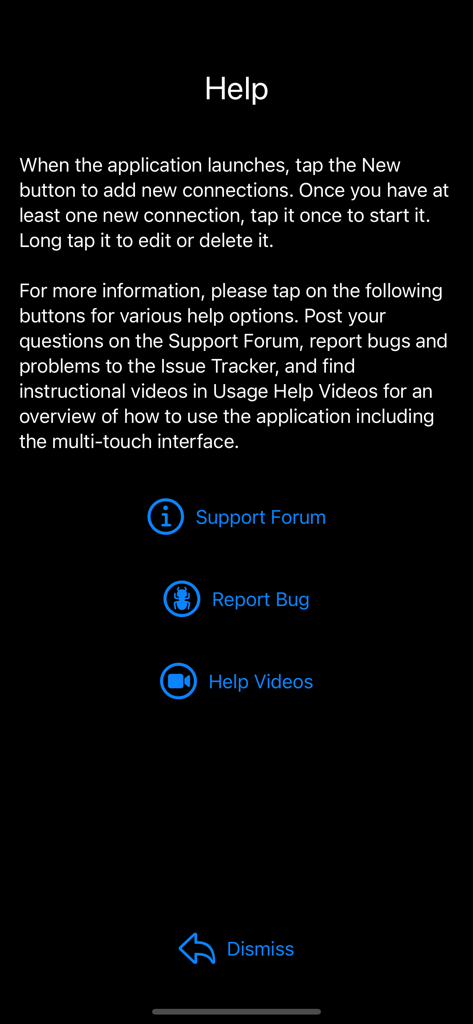
bVNC Pro - VNC Screen Sharing - Der Hilfebildschirm der bVNC Pro-App mit Links zum Support-Forum, zu Fehlerberichten und Tutorial-Videos.
Der Hilfebildschirm der bVNC Pro-App mit Links zum Support-Forum, zu Fehlerberichten und Tutorial-Videos.

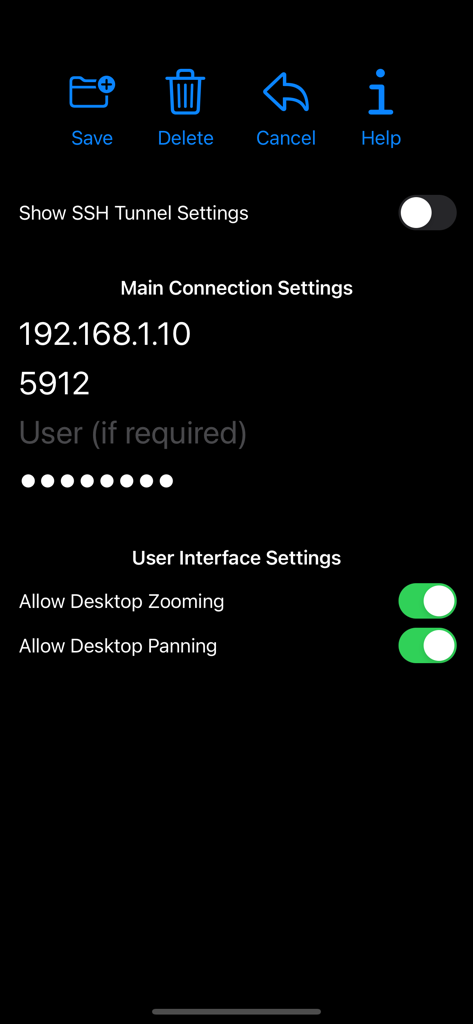
bVNC Pro - VNC Screen Sharing - bVNC Pro App-Oberfläche mit Einstellungen für die Remote-Desktop-Verbindung, einschließlich IP-Adresse, Port und Benutzeroberflächen-Umschaltern
bVNC Pro App-Oberfläche mit Einstellungen für die Remote-Desktop-Verbindung, einschließlich IP-Adresse, Port und Benutzeroberflächen-Umschaltern

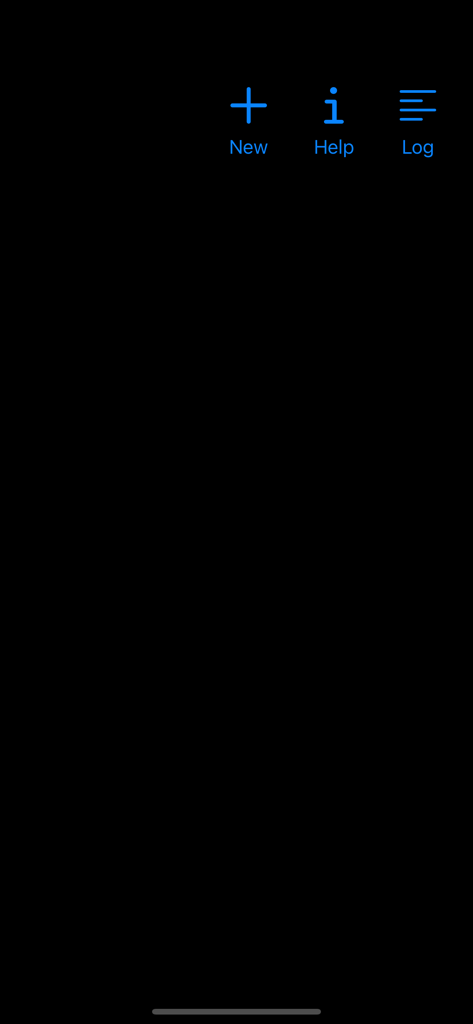
bVNC Pro - VNC Screen Sharing - Hauptmenü der bVNC Pro-App mit Symbolen für Neu, Hilfe und Protokoll
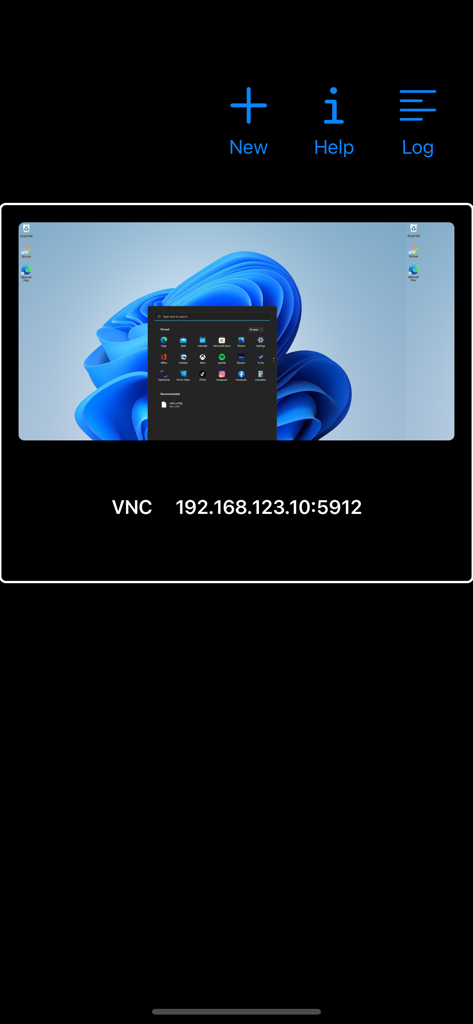
Hauptmenü der bVNC Pro-App mit Symbolen für Neu, Hilfe und Protokoll

bVNC Pro - VNC Screen Sharing - bVNC Pro-Oberfläche, die eine Remote-Verbindung zu einem Windows-Desktop mit IP-Adressdetails zeigt.
bVNC Pro-Oberfläche, die eine Remote-Verbindung zu einem Windows-Desktop mit IP-Adressdetails zeigt.

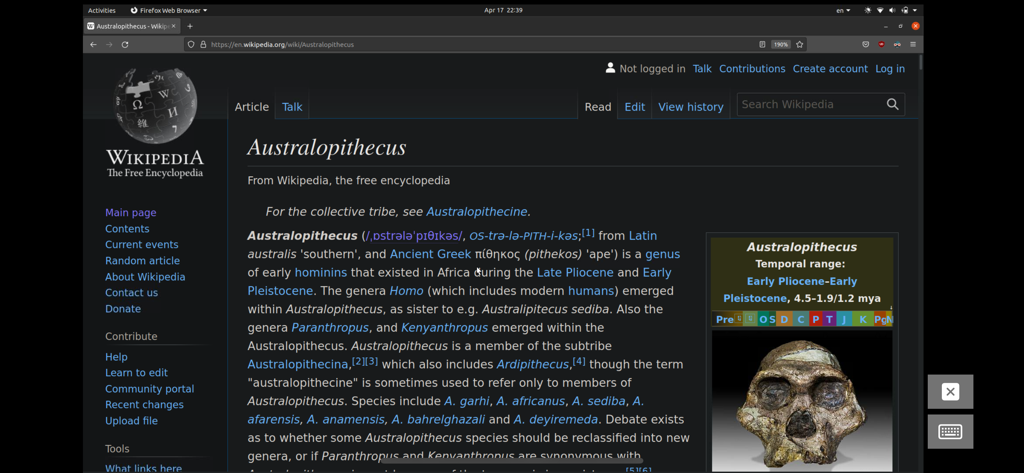
bVNC Pro - VNC Screen Sharing - Eine Linux-Desktop-Sitzung, auf die über bVNC Pro remote zugegriffen wird und die ein Firefox-Browserfenster mit geöffneter Wikipedia-Seite zeigt.
Eine Linux-Desktop-Sitzung, auf die über bVNC Pro remote zugegriffen wird und die ein Firefox-Browserfenster mit geöffneter Wikipedia-Seite zeigt.

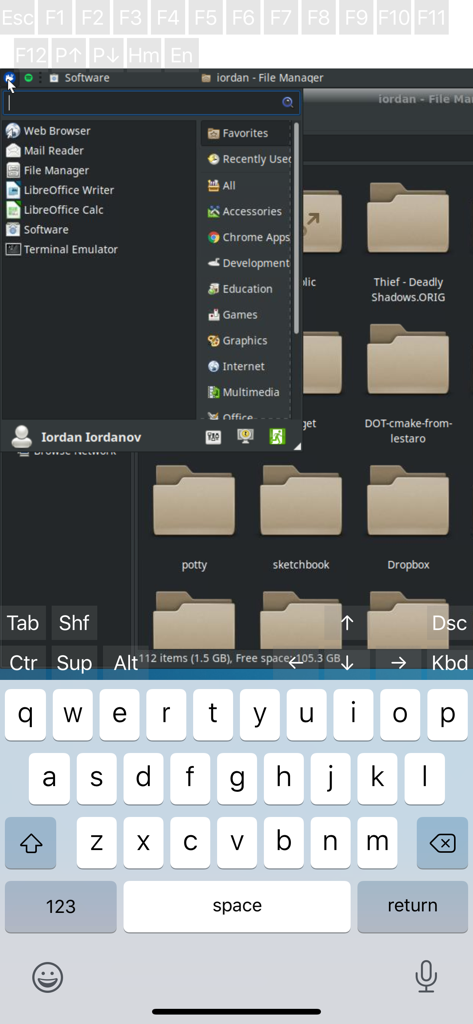
bVNC Pro - VNC Screen Sharing - Remote-Linux-Desktop-Sitzung auf bVNC Pro, die den Dateimanager und die virtuelle Tastatur anzeigt

Remote-Linux-Desktop-Sitzung auf bVNC Pro, die den Dateimanager und die virtuelle Tastatur anzeigt
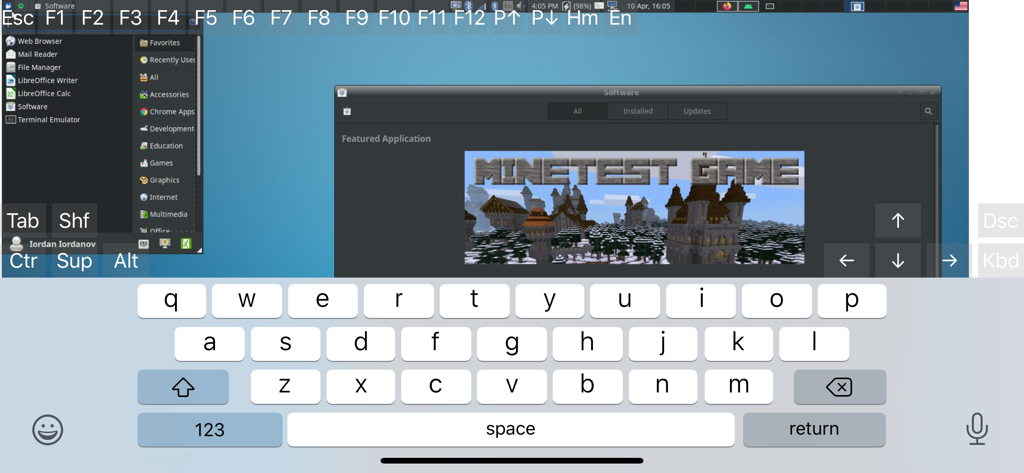
bVNC Pro - VNC Screen Sharing - bVNC Pro App-Oberfläche, die einen Remote-Linux-Desktop mit Bildschirmtastatur und technischen Steuertasten anzeigt
bVNC Pro App-Oberfläche, die einen Remote-Linux-Desktop mit Bildschirmtastatur und technischen Steuertasten anzeigt

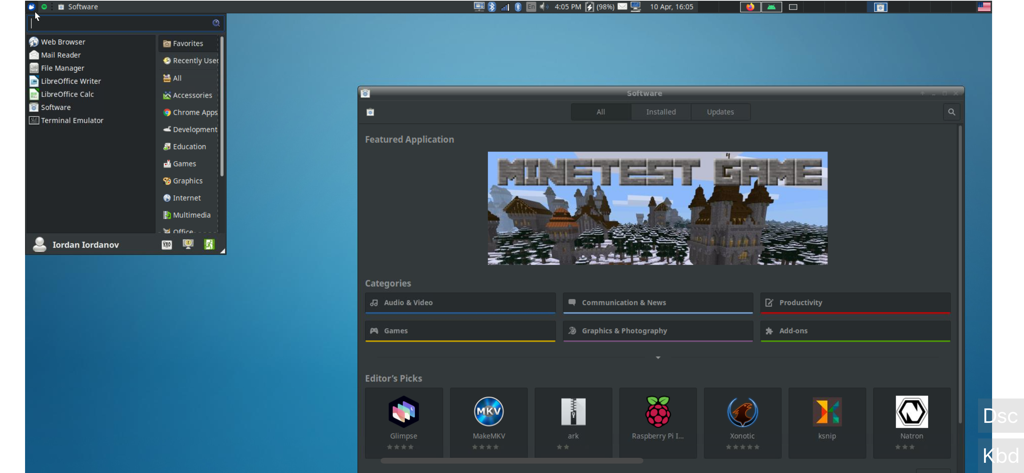
bVNC Pro - VNC Screen Sharing - Ein Screenshot von bVNC Pro, der einen Remote-Linux-Desktop mit einem geöffneten Softwaremanager-Fenster zeigt.

Ein Screenshot von bVNC Pro, der einen Remote-Linux-Desktop mit einem geöffneten Softwaremanager-Fenster zeigt.

Beschreibung

Thank you for supporting my work and GPL open-source software by buying bVNC Pro! If you are unhappy, please don't give us a bad review, instead, request a refund and get in touch by email support _at_ morpheusly _dot_ com: https://support.apple.com/en-ca/118223 Need an RDP app to control Windows, Ubuntu 22.04+ or XRDP remotely? https://apps.apple.com/app/ardp-pro/id1620745523 Need a SPICE or Proxmox or oVirt client for controlling virtual machines remotely? https://apps.apple.com/app/aspice-pro/id1560593107 If bVNC doesn't work for you or you're unhappy, please do not ask for help in a review but do post your question in the forum: https://groups.google.com/forum/#!forum/bvnc-ardp-aspice-opaque-remote-desktop-clients If you have a feature request, or you found a bug, please open an issue at: https://github.com/iiordanov/remote-desktop-clients/issues - Instructions for Mac OS X: Plain VNC (Remote Desktop for Mac OS X): http://iiordanov.blogspot.ca/2012/04/how-to-connect-to-mac-os-x-using-bvnc.html Secure VNC over SSH: http://iiordanov.blogspot.ca/2012/04/tunneling-vnc-over-ssh-to-mac-os-x.html - Instructions for Windows: Plain VNC: http://iiordanov.blogspot.ca/2012/04/how-to-install-and-connect-to-tightvnc.html Secure VNC over VeNCrypt: https://groups.google.com/d/msg/bvnc-ardp-aspice-opaque-remote-desktop-clients/lINJkYJbN-U/3Q3oHWjjDQAJ Secure VNC over SSH: http://iiordanov.blogspot.ca/2012/04/tunneling-vnc-over-ssh-to-windows.html - Instructions for Ubuntu 20.04 and earlier Linux Plain VNC not tunneled over SSH: https://help.ubuntu.com/stable/ubuntu-help/sharing-desktop.html.en http://www.howtoforge.com/configure-remote-access-to-your-ubuntu-desktop If your business is looking for fixes and features, please get in touch by email at support _at_ morpheusly.com bVNC is a secure, open source VNC client. Its features include: - Controls Windows, Mac, Linux, BSD with VNC server installed - PiKVM compatible - External keyboard support - External mouse support - Magic Trackpad support - Multi-language support - Supports Mac OS X built-in remote desktop server (ARD) and Mac OS X authentication! - Windows, Mac, Linux, BSD, or any other OS with a VNC server installed - Multi-touch control over the remote mouse. One finger tap left-clicks, two-finger tap right-clicks, and three-finger tap middle-clicks - Right and middle-drag and drop if you don't lift the first finger that tapped - Scrolling with a two-finger gesture - Pinch-zoom - Dynamic resolution changes, allowing you to reconfigure your desktop while connected, and control over virtual machines from BIOS to OS - All device orientations - Full desktop visibility even with soft keyboard extended - SSH tunneling, AnonTLS and VeNCrypt for secure connections (does not support RealVNC encryption). - High-grade encryption superior to RDP using SSH and VeNCrypt (x509 certificates and SSL), preventing man-in-the-middle attacks - Tight and CopyRect encodings for quick updates - SSH public/private (pubkey)- Supports most VNC servers including TightVNC, UltraVNC, TigerVNC, (and RealVNC Enterprise only, when configured appropriately) - Clipboard integration for copy/pasting from your device Some of the planned features to look forward to: - AutoX session discovery/creation similar to NX client - Ability to reduce the color depth over slow links - Importing encrypted/unencrypted RSA keys in PEM format - View-only mode - On-device help on available input modes in the Menu when connected GPL source code here: https://gitlab.com/iiordanov/remote-desktop-clients-ios

Download

Herunterladen auf App Store

Diese Seite ist keine offizielle Seite der App oder ihres Entwicklers, sondern eine unabhängige redaktionelle Veröffentlichung, die zu Informations- und Kommentarzwecken erstellt wurde. Sofern nicht ausdrücklich anders angegeben, sind weder die App noch ihr Entwickler mit MWM, Apple, Google Play, dem App-Herausgeber oder dem Entwickler der App verbunden, von ihnen unterstützt, gesponsert, autorisiert oder anderweitig offiziell verbunden, und nichts auf dieser Seite impliziert, dass die App unter Verwendung der Dienste von MWM entwickelt wurde. Alle Marken, Logos, Screenshots und andere Inhalte bleiben Eigentum ihrer jeweiligen Inhaber.








