CalenGoo Calendar
CalenGoo Calendar
Herunterladen auf App Store

Diese Seite ist keine offizielle Seite der App oder ihres Entwicklers, sondern eine unabhängige redaktionelle Veröffentlichung, die zu Informations- und Kommentarzwecken erstellt wurde. Sofern nicht ausdrücklich anders angegeben, sind weder die App noch ihr Entwickler mit MWM, Apple, Google Play, dem App-Herausgeber oder dem Entwickler der App verbunden, von ihnen unterstützt, gesponsert, autorisiert oder anderweitig offiziell verbunden, und nichts auf dieser Seite impliziert, dass die App unter Verwendung der Dienste von MWM entwickelt wurde. Alle Marken, Logos, Screenshots und andere Inhalte bleiben Eigentum ihrer jeweiligen Inhaber.

Logo von CalenGoo Calendar
Herunterladen auf App Store

CalenGoo Calendar

Erleben Sie die volle Desktop-Kontrolle Ihrer Google- und iOS-Kalender unterwegs. Entwickelt für hocheffiziente Profis, die tiefe Anpassungsmöglichkeiten, integrierte Aufgaben und zuverlässigen Offline-Zugriff ohne Kompromisse benötigen.

Kennzahlen

Downloads

400K+

Bewertung

3.7/5

Bewertungen gesamt

10K+

Herausgeber

Gunia UG (haftungsbeschrankt)

Kategorie

Productivity

Sprachen

9

Neueste Version

1.5.103

Größe

30.1 MB

Erstveröffentlichung

16. Jan. 2009
Funktionen

Professionelles Kalendermanagement ohne Kompromisse

Bringen Sie die volle Leistung Ihres Desktop-Google-Kalenders auf Ihr iPhone. Entwickelt für Power-User, die Präzision, tiefe Anpassungsmöglichkeiten und nahtlose Aufgabenintegration benötigen.

Monatsansicht im Desktop-Stil

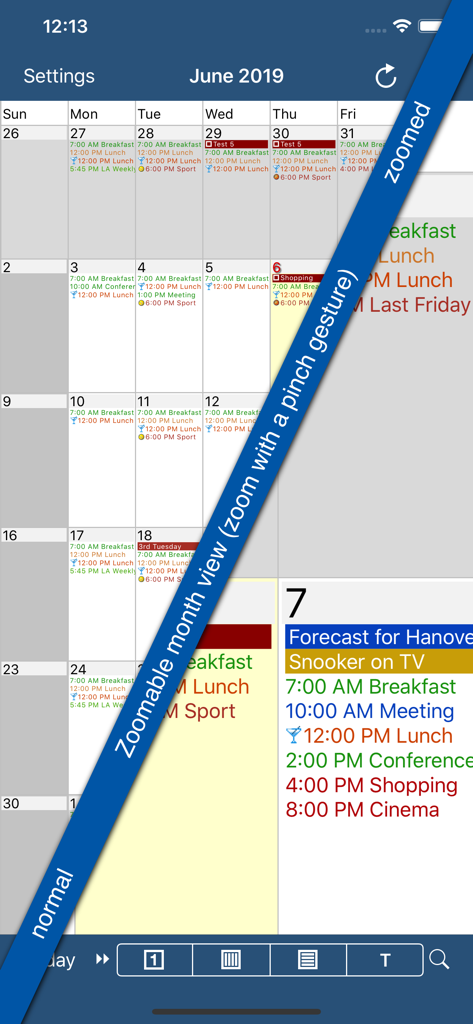
Hören Sie auf, auf Punkte zu starren. Erhalten Sie eine zoombare Monatsansicht mit hoher Detailgenauigkeit, die das Desktop-Erlebnis wiedergibt, komplett mit Ihren benutzerdefinierten Google-Ereignisfarben und Symbolen.

Integrierter Aufgaben-Workflow

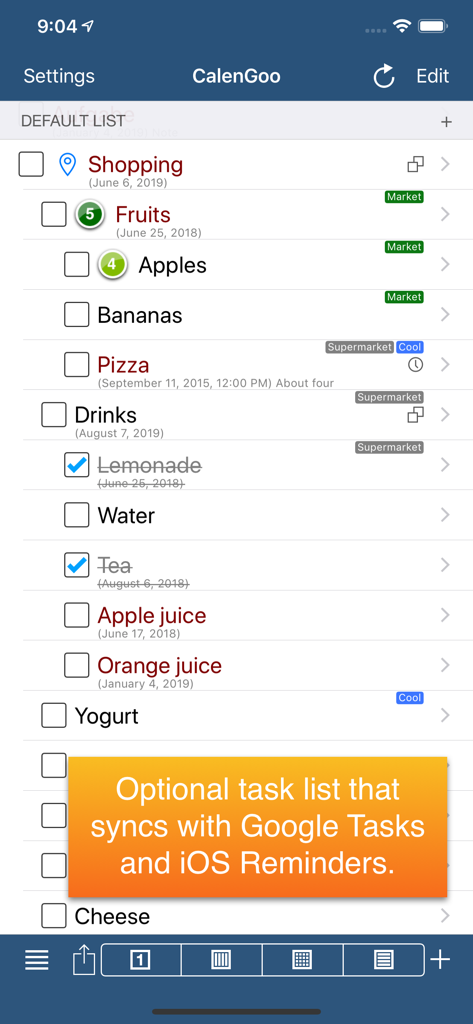
Verwalten Sie Google Tasks und iOS-Erinnerungen direkt in Ihrem Kalender. Sehen Sie Ihre Fristen und Termine in einer einheitlichen Ansicht, um Ihre Tagesplanung zu optimieren.

Die folgenden Screenshots und die Beschreibung stammen direkt aus dem offiziellen Store-Eintrag der App und sind Eigentum des Entwicklers.

App Store

Screenshots
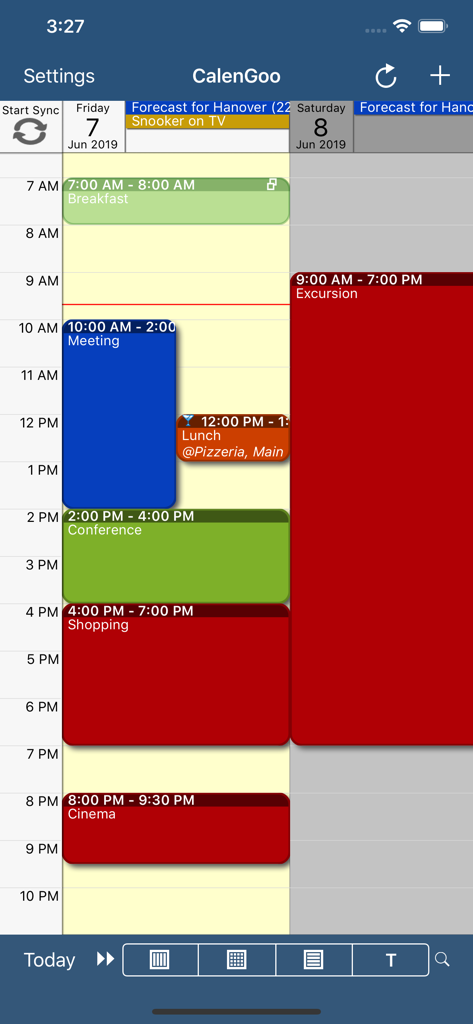
CalenGoo Calendar - CalenGoo Kalender App tägliche Zeitplan mit farbkodierten Ereignissen
CalenGoo Kalender App tägliche Zeitplan mit farbkodierten Ereignissen

CalenGoo Calendar - Screenshot der CalenGoo Kalender App, die ihre zoombare Monatsansicht mit farbkodierten Ereignisdetails zeigt
Screenshot der CalenGoo Kalender App, die ihre zoombare Monatsansicht mit farbkodierten Ereignisdetails zeigt

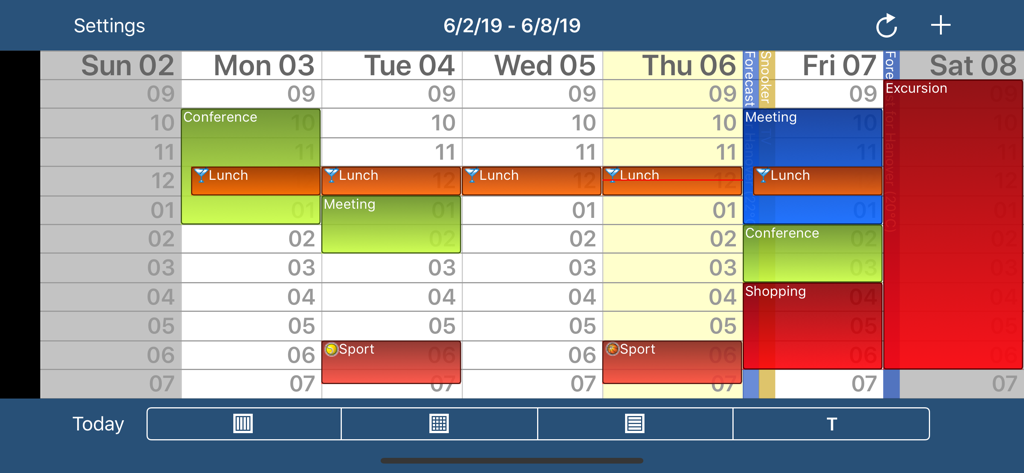
CalenGoo Calendar - Wochenansicht der CalenGoo Kalender App mit farbkodierten Ereignissen und Zeitfenstern
Wochenansicht der CalenGoo Kalender App mit farbkodierten Ereignissen und Zeitfenstern

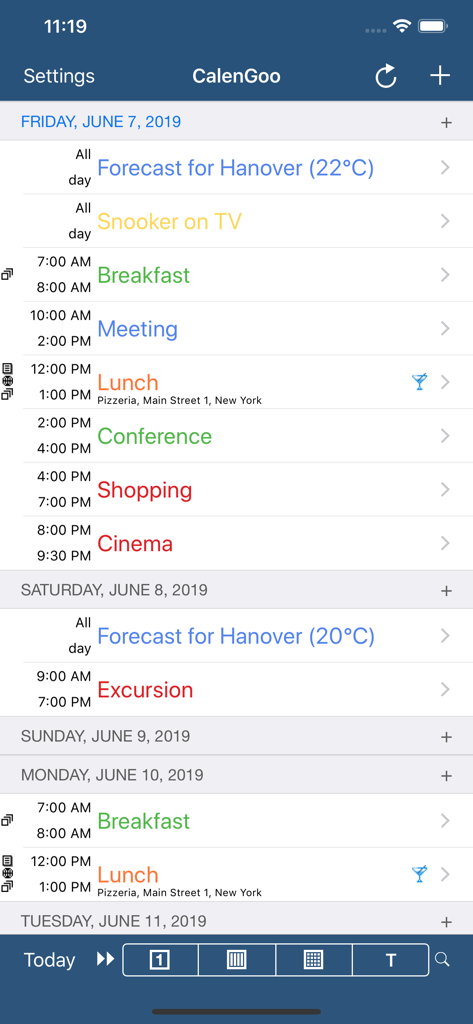
CalenGoo Calendar - CalenGoo Kalender Agenda-Ansicht mit farbkodiertem Tagesplan mit Ereignissen und Zeiten
CalenGoo Kalender Agenda-Ansicht mit farbkodiertem Tagesplan mit Ereignissen und Zeiten

CalenGoo Calendar - CalenGoo App Screenshot zeigt eine Einkaufsaufgabenliste mit Benachrichtigung über die Synchronisation von Google Tasks und iOS-Erinnerungen

CalenGoo App Screenshot zeigt eine Einkaufsaufgabenliste mit Benachrichtigung über die Synchronisation von Google Tasks und iOS-Erinnerungen

Beschreibung

CalenGoo gives you a fast and easy way to access and modify your Google Calendar with your iPhone, iPod Touch or iPad. It can also be used when you have no Internet connection, using the cached data. Changes are saved and uploaded the next time you are connected. The calendar view is similar to the web view of Google Calendar. Events are displayed using the same calendar colors that you use in your Google Calendar, even Google's event colors are supported (please see http://www.calengoo.com/cc ). It also recognizes which calendars are visible and which are hidden. So the view should match the view of your Google Calendar as much as possible. CalenGoo also has a month view similar to that of Google Calendar. It can be zoomed and panned to quickly get an overview over the events of a month. Zooming the month is done by using the two-finger-zoom gesture that you know from Safari and the photo application. A double tap opens the tapped day. It also supports the same kinds of recurrence rules as Google Calendar and displays recurring events correctly even when you are offline or scroll far into the future. You can also use Google Calendar's feature to invite people to events and see their status (accepted, declined, maybe, no answer). They will get an invitation email with links to e.g. accept or decline the invitation. Google Calendar has an integrated task list, called Google Tasks. Tasks with a due date are displayed on the corresponding days of the calendar. CalenGoo can do the same, it can sync this list, display your tasks in the calendar views and in a list view and it even makes your tasks available offline. You can edit and add tasks and the changes will be synced with Google Tasks. You either need a (free) Google Calendar account to use this app or you can use it with your iOS calendars. However using it with Google Calendar has a few advantages. To get more information, screenshots and a tutorial, please go to http://www.calengoo.com If you have any problems or suggestions, please send an email to calengoo@dgunia.de or take a look at CalenGoo's support website to get help. If you think the font is too small and hard to read, you can increase the font size of all calendar views in the settings under "Settings", "Display and Use". Features ( http://www.calengoo.com ): - Drag&drop to quickly copy and move events - Templates to quickly create similar events again. They can even be combined, e.g. one template for the location of an event and another for the attendees - Print/PDF function to print the day, week, month or agenda view via AirPrint or to email it as a PDF file - Supports the same recurrence rules as Google Calendar - Supports Google Calendar's event colors when syncing via OAuth2 - Icons can be assigned to Google Calendar events - Date/time can be entered using the iOS wheels or by using a keypad - Fast search function - Show/edit iOS calendars in addition to Google calendars (or instead of Google calendars) - Sync with Google Tasks and iOS Reminders - Reminders can be snoozed and they can be (optionally) repeated every minute - Birthdays and anniversaries of your contacts can be displayed - Zoomable month view, which can be configured to scroll horizontally (month by month) or vertically (week by week) - Events can be linked to contacts - Floating events and completable events - Photos and PDF files can be created and attached to events (via Google Drive) - Calendar selection bar to quickly show and hide single calendars - The location of an event can be opened with Apple Maps, Google Maps, Navigon, TomTom, Skobbler, Sygic, iGo or Waze - View/edit calendars that are shared with others via Google Calendar - Many configuration options to change the way the app looks and works

Download

Herunterladen auf App Store

Diese Seite ist keine offizielle Seite der App oder ihres Entwicklers, sondern eine unabhängige redaktionelle Veröffentlichung, die zu Informations- und Kommentarzwecken erstellt wurde. Sofern nicht ausdrücklich anders angegeben, sind weder die App noch ihr Entwickler mit MWM, Apple, Google Play, dem App-Herausgeber oder dem Entwickler der App verbunden, von ihnen unterstützt, gesponsert, autorisiert oder anderweitig offiziell verbunden, und nichts auf dieser Seite impliziert, dass die App unter Verwendung der Dienste von MWM entwickelt wurde. Alle Marken, Logos, Screenshots und andere Inhalte bleiben Eigentum ihrer jeweiligen Inhaber.








