Calibre Sync
Calibre Sync
Herunterladen auf App Store

Diese Seite ist keine offizielle Seite der App oder ihres Entwicklers, sondern eine unabhängige redaktionelle Veröffentlichung, die zu Informations- und Kommentarzwecken erstellt wurde. Sofern nicht ausdrücklich anders angegeben, sind weder die App noch ihr Entwickler mit MWM, Apple, Google Play, dem App-Herausgeber oder dem Entwickler der App verbunden, von ihnen unterstützt, gesponsert, autorisiert oder anderweitig offiziell verbunden, und nichts auf dieser Seite impliziert, dass die App unter Verwendung der Dienste von MWM entwickelt wurde. Alle Marken, Logos, Screenshots und andere Inhalte bleiben Eigentum ihrer jeweiligen Inhaber.

Logo von Calibre Sync
Herunterladen auf App Store

Calibre Sync

Der ultimative mobile Begleiter für Calibre-Power-User. Greifen Sie mit vollständiger Metadatenkontrolle und ohne Abonnementgebühren auf Ihre Bücher über Google Drive, Dropbox und OneDrive zu.

Kennzahlen

Downloads

36K+

Bewertung

4.0/5

Bewertungen gesamt

100

Herausgeber

Truc Nguyen

Kategorie

Utilities

Sprachen

1

Neueste Version

6.6.3

Größe

94.0 MB

Erstveröffentlichung

16. Feb. 2022
Funktionen

Ihre Bibliothek, grenzenlos

Greifen Sie auf Ihre gesamte Calibre-Sammlung auf all Ihren Geräten zu, durchsuchen Sie sie und synchronisieren Sie sie. Calibre Sync schlägt die Brücke zwischen Ihrer Desktop-Bibliothek und Ihrem mobilen Leseerlebnis ohne Abonnementgebühren.

Universelle Cloud-Konnektivität

Greifen Sie sofort auf Bibliotheken auf Google Drive, Dropbox, OneDrive oder Ihrem persönlichen Server zu. Ihre gesamte Büchersammlung ist immer nur einen Fingertipp entfernt, egal wo Sie sind.

Power-User-Organisation

Bewahren Sie Ihre sorgfältigen Metadaten. Filtern Sie nach Serien, Tags und sogar benutzerdefinierten Spalten, um das perfekte Buch in Sekundenschnelle zu finden, egal wie groß Ihre Bibliothek ist.

Die folgenden Screenshots und die Beschreibung stammen direkt aus dem offiziellen Store-Eintrag der App und sind Eigentum des Entwicklers.

App Store

Screenshots
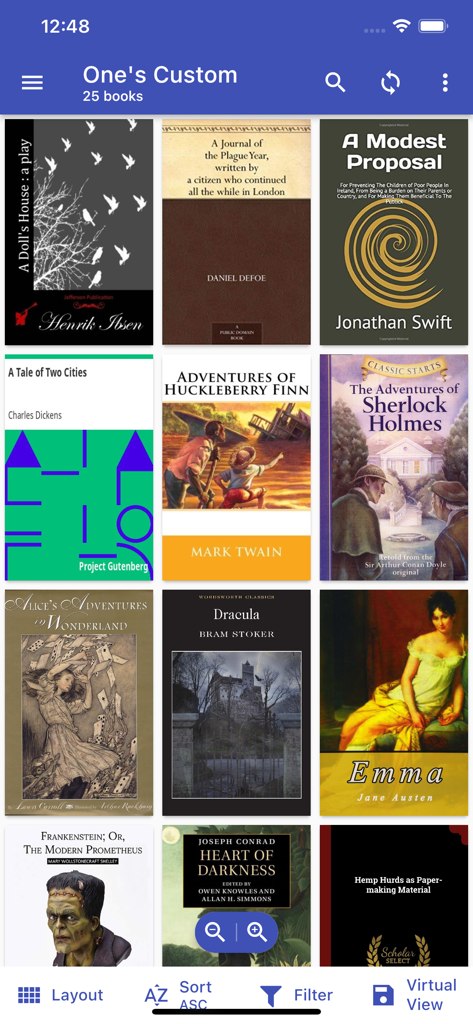
Calibre Sync - Eine mobile Oberfläche von Calibre Sync, die eine Sammlung klassischer E-Book-Cover in einem Rasterlayout mit Sortier- und Filteroptionen anzeigt.
Eine mobile Oberfläche von Calibre Sync, die eine Sammlung klassischer E-Book-Cover in einem Rasterlayout mit Sortier- und Filteroptionen anzeigt.

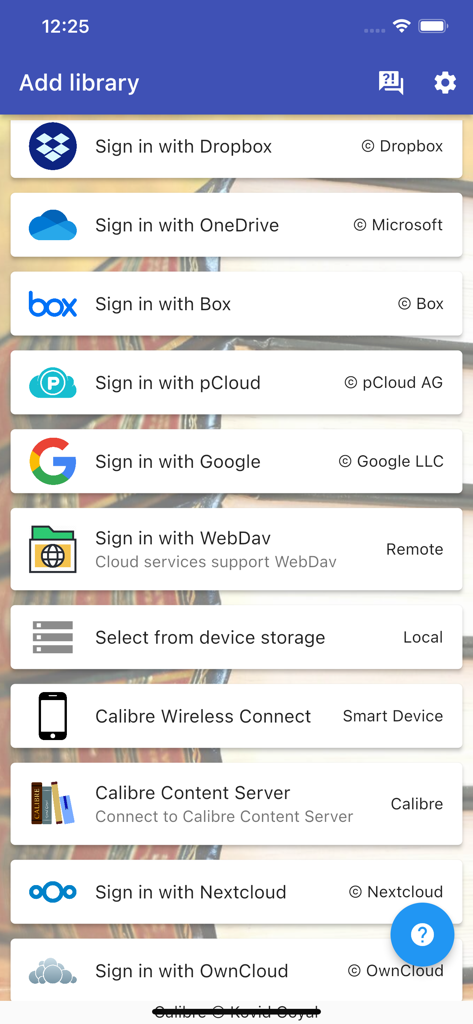
Calibre Sync - Calibre Sync App-Oberfläche, die verschiedene Cloud-Speicher- und Verbindungsoptionen zum Hinzufügen einer Buchbibliothek anzeigt
Calibre Sync App-Oberfläche, die verschiedene Cloud-Speicher- und Verbindungsoptionen zum Hinzufügen einer Buchbibliothek anzeigt

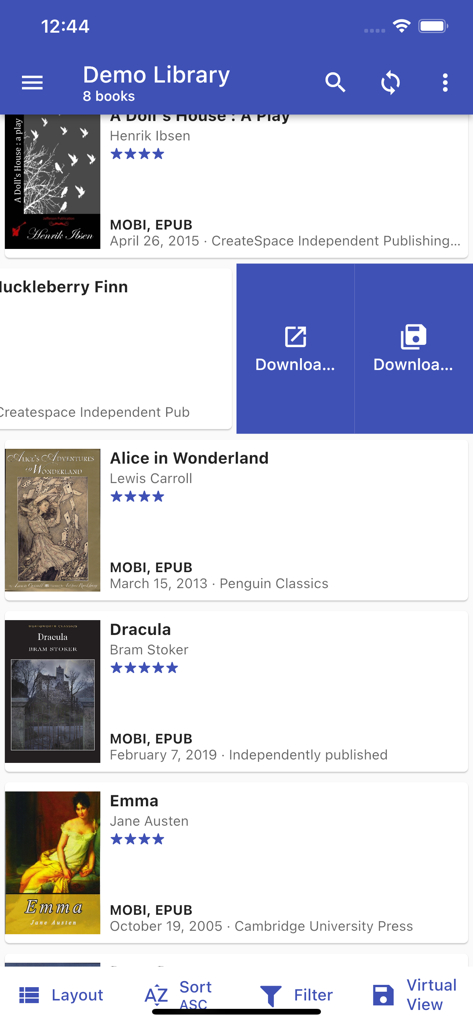
Calibre Sync - Mobile Oberfläche von Calibre Sync, die eine Demobibliothek mit einer Liste von E-Books einschließlich Dracula und Alice im Wunderland zeigt.
Mobile Oberfläche von Calibre Sync, die eine Demobibliothek mit einer Liste von E-Books einschließlich Dracula und Alice im Wunderland zeigt.

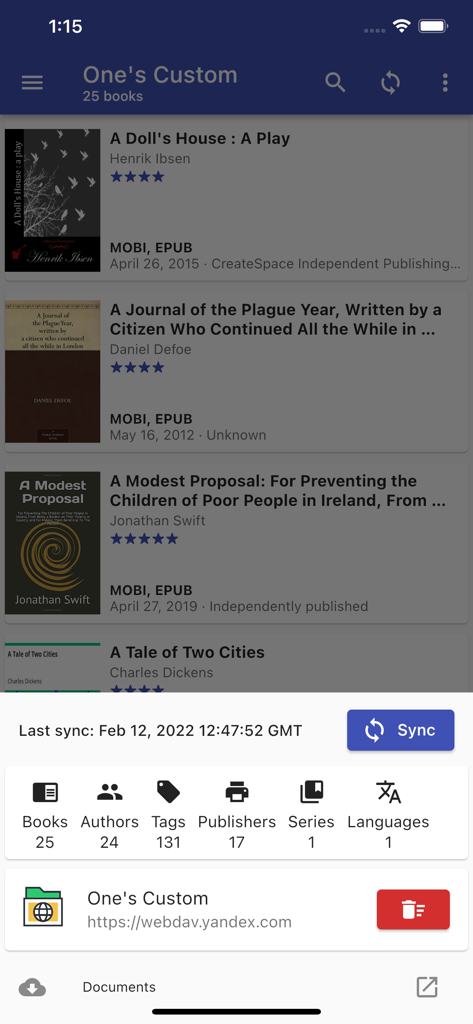
Calibre Sync - Calibre Sync mobile App, die eine Liste von E-Books und Statistiken zur Bibliotheks synchronisierung anzeigt
Calibre Sync mobile App, die eine Liste von E-Books und Statistiken zur Bibliotheks synchronisierung anzeigt

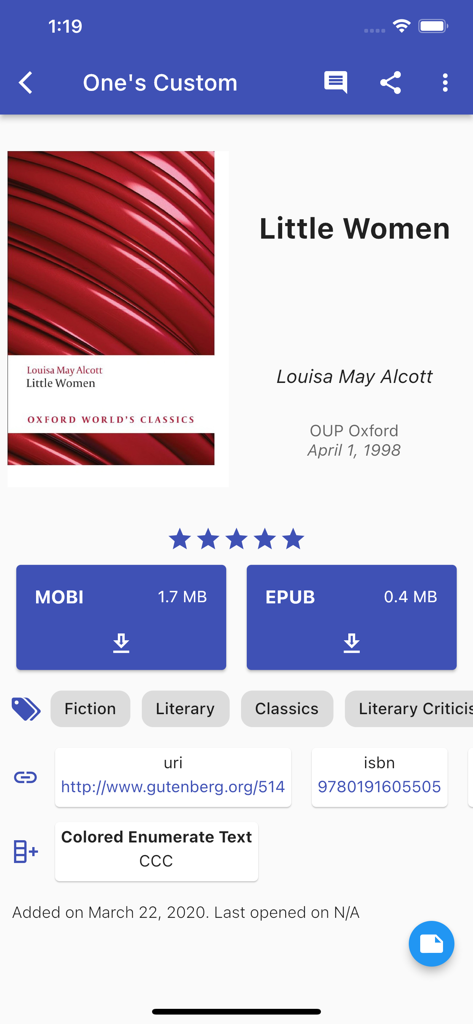
Calibre Sync - Calibre Sync mobile App, die Details zu 'Little Women' mit Downloadoptionen für MOBI und EPUB anzeigt
Calibre Sync mobile App, die Details zu 'Little Women' mit Downloadoptionen für MOBI und EPUB anzeigt

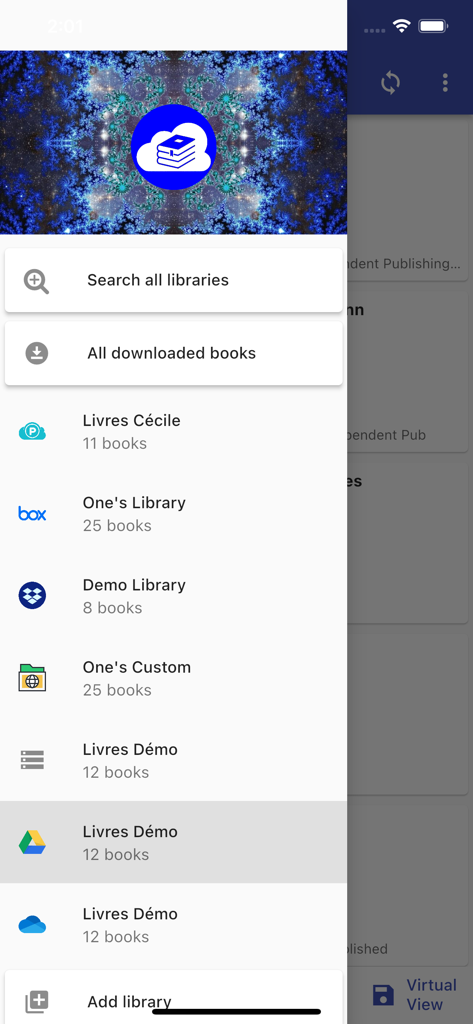
Calibre Sync - Seitenmenü in der Calibre Sync App mit verbundenen Cloud-Bibliotheken, einschließlich Google Drive und Dropbox
Seitenmenü in der Calibre Sync App mit verbundenen Cloud-Bibliotheken, einschließlich Google Drive und Dropbox

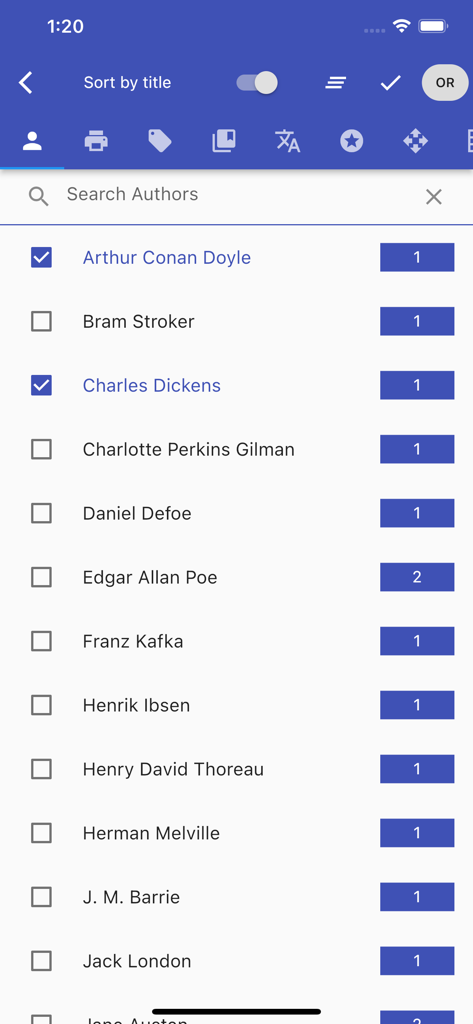
Calibre Sync - Calibre Sync mobile App-Bildschirm, der eine durchsuchbare Liste von E-Book-Autoren mit Buchanzahlen und Filter-Kontrollkästchen anzeigt
Calibre Sync mobile App-Bildschirm, der eine durchsuchbare Liste von E-Book-Autoren mit Buchanzahlen und Filter-Kontrollkästchen anzeigt

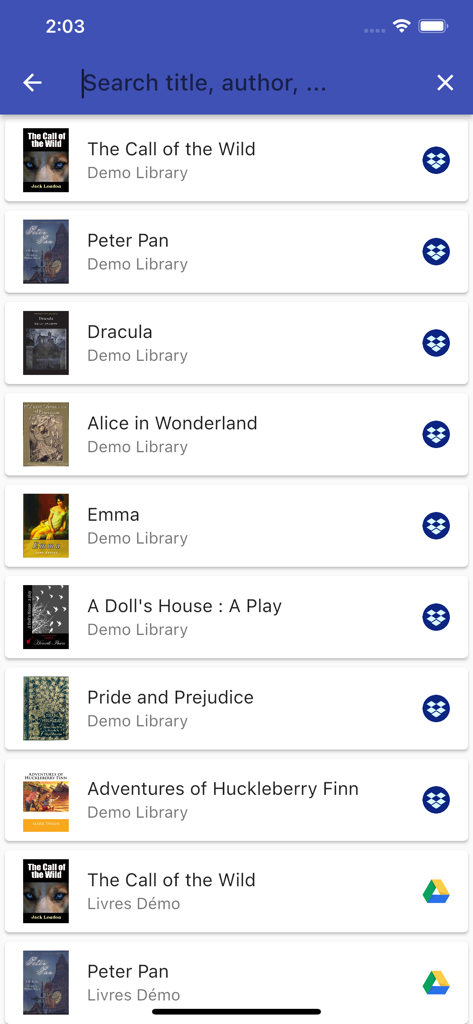
Calibre Sync - E-Book-Bibliotheksliste in der Calibre Sync App mit Buchtiteln und Cloud-Speicher-Symbolen
E-Book-Bibliotheksliste in der Calibre Sync App mit Buchtiteln und Cloud-Speicher-Symbolen

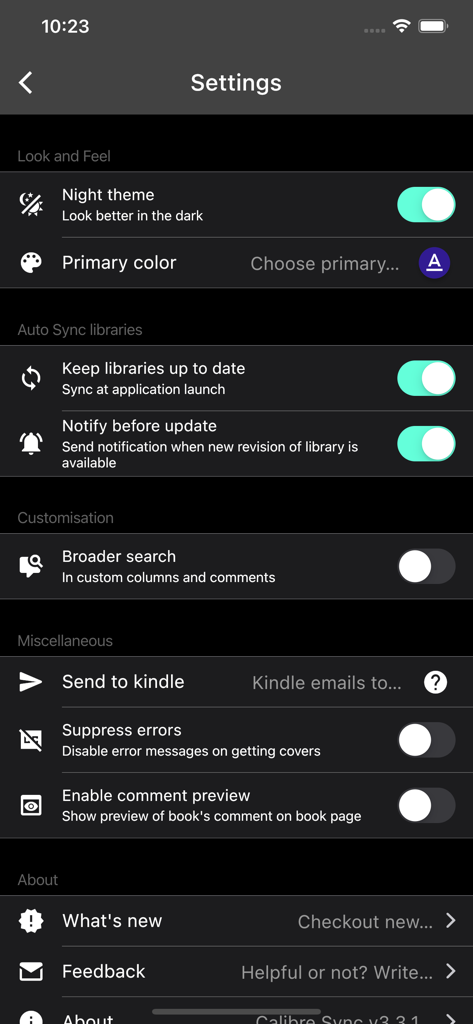
Calibre Sync - Einstellungsmenü von Calibre Sync, das ein Nachtdesign und Optionen zur Bibliotheks synchronisierung im Dunkelmodus anzeigt

Einstellungsmenü von Calibre Sync, das ein Nachtdesign und Optionen zur Bibliotheks synchronisierung im Dunkelmodus anzeigt

Beschreibung

Lifetime support, no extra charge, no subscription fee. Calibre Sync can: - help you access full Calibre libraries on most popular personal cloud services, including Google Drive, Dropbox, Microsoft OneDrive, Box, pCloud, MEGA, iCloud, WebDav, Nextcloud and OwnCloud - simply the most supported for cloud services. - transform your device to a smart device emulator that connects to Calibre wirelessly. It even supports Calibre libraries on your external storage and from Calibre Content Server or Calibre-web with amazing performance. Move your Calibre libraries to your favourite cloud providers and access those libraries via Calibre Sync to browse, sort, search, download and read books on your device. Calibre Sync also supports multiple libraries across multiple Drive, Dropbox, OneDrive, Box, pCloud, MEGA, iCloud, WebDav, Nextcloud, and OwnCloud accounts simultaneously. Features: - Unlimited Calibre libraries - Wireless connect to Calibre effortlessly as Smart device - Easy switch between multiple libraries across multiple accounts - Automatic check and update libraries when launching the app - Pull, Refresh or Remove a library from Calibre Sync - Support different book list layouts: List - detailed and simple, Grid, and Carousel - View your library statistics - Send books to Kindle with ease - Search across all of your available libraries - Search books by title, authors, and even in comments and custom columns - Filter books on authors, series, tags, language, publishers, formats and in custom columns - Sort libraries by title, author, ratings, and several Date options - ascending and descending - Filter downloaded books - Configuration for each library download location - Support for custom columns in book details view - Quick access to book download and share via slideable list view - Zoom the book cover - Support "swipe from book to book" in book details view - Email or share a copy of downloaded book - Open downloaded book in your book reader application to read a book - View the file size of each book format - Show book identifiers and link to source (like ISBN, Amazon, Google Books, Goodreads, etc) - Dark/light themes - And many more features... To move your Calibre library to cloud services: 1) Open Calibre on your Laptop/PC/Desktop 2) Select "Switch/create library..." from the Calibre menu 3) Select an empty folder on your Cloud drive in "New Location" drop down 4) Select "Move current library to new location", then press OK 5) Wait for cloud sync to complete. 6) Then you are ready to use Calibre Sync. To move your Calibre library to your phone storage, just copy the library directory to your phone storage. Notes: - Calibre Sync is not a reader app. You must install and use one of the many excellent reader apps available. - Only Microsoft OneDrive for Personal accounts (shared) are supported. Please email us if you observe any inconsistencies. - Due to restriction in Box API, Calibre Sync must acquire write permission in order to download files, download is not a read action on Box. Calibre Sync guarantees that it will not perform any write actions against your data in Box cloud account. - Calibre Sync use WebDav API of Nextcloud and OwnCloud services, and it requires case sensitive file system to work properly. Therefore, you must make sure that your libraries are set up on case sensitive file system (Linux, recent MacOS, Windows NTFS with case sensitive enabled). Please leave your reviews and suggestions to help us improve the app. For more information see https://calibresync.bitbucket.io Calibre is © Kovid Goyal - calibre-ebook.com Drive is © Google LLC. Dropbox is © Dropbox inc. OneDrive is © Microsoft Box is © Box inc. pCloud is © pCloud AG Nextcloud is © Nextcloud GmbH OwnCloud is © OwnCloud MEGA is © MEGA iCloud is © Apple Inc

Download

Herunterladen auf App Store

Diese Seite ist keine offizielle Seite der App oder ihres Entwicklers, sondern eine unabhängige redaktionelle Veröffentlichung, die zu Informations- und Kommentarzwecken erstellt wurde. Sofern nicht ausdrücklich anders angegeben, sind weder die App noch ihr Entwickler mit MWM, Apple, Google Play, dem App-Herausgeber oder dem Entwickler der App verbunden, von ihnen unterstützt, gesponsert, autorisiert oder anderweitig offiziell verbunden, und nichts auf dieser Seite impliziert, dass die App unter Verwendung der Dienste von MWM entwickelt wurde. Alle Marken, Logos, Screenshots und andere Inhalte bleiben Eigentum ihrer jeweiligen Inhaber.








