
Diese Seite ist keine offizielle Seite der App oder ihres Entwicklers, sondern eine unabhängige redaktionelle Veröffentlichung, die zu Informations- und Kommentarzwecken erstellt wurde. Sofern nicht ausdrücklich anders angegeben, sind weder die App noch ihr Entwickler mit MWM, Apple, Google Play, dem App-Herausgeber oder dem Entwickler der App verbunden, von ihnen unterstützt, gesponsert, autorisiert oder anderweitig offiziell verbunden, und nichts auf dieser Seite impliziert, dass die App unter Verwendung der Dienste von MWM entwickelt wurde. Alle Marken, Logos, Screenshots und andere Inhalte bleiben Eigentum ihrer jeweiligen Inhaber.


Cascable Studio: Tether & More
Verwandeln Sie Ihr iPhone, iPad oder Mac in den ultimativen professionellen Field-Monitor und Fernsteuerung. Tethern Sie Ihre Kamera, automatisieren Sie komplexe Aufnahmen und übertragen Sie RAW-Dateien nahtlos mit einer einheitlichen Benutzeroberfläche für über 250 Modelle.
Downloads
63K+Bewertung
Bewertungen gesamt
1K+Herausgeber
Kategorie
Photo & VideoSprachen
2Neueste Version
7.2.2Größe
87.6 MBErstveröffentlichung
17. Juni 2015Optimieren Sie Ihren kreativen Workflow
Übernehmen Sie die volle Kontrolle über Ihre Kamera von Ihrem iPhone, iPad oder Mac aus. Cascable verwandelt Ihre Apple-Geräte in einen professionellen Field-Monitor und eine Automatisierungslösung.
Profi-Fernsteuerung
Erhalten Sie volle manuelle Kontrolle über Belichtung, Fokus und Verschlusszeit mit einem verzögerungsfreien Live-Bild. Erleben Sie eine einheitliche Benutzeroberfläche für über 250 Kameramodelle.
Erweiterte Aufnahmeautomatisierung
Führen Sie komplexe Zeitraffer, Fokus-Stacking und Belichtungsreihen mühelos aus. Integrierte Rechner machen Nachtaufnahmen und Langzeitbelichtungen mühelos.
Häufig gestellte Fragen
Alles, was Sie über wissen müssen Cascable Studio: Tether & More
Was ist Cascable Studio?
Cascable Studio ist eine App, die Fernsteuerung und Automatisierung für kompatible Kameras bietet. Sie ermöglicht Benutzern, Kameraeinstellungen zu verwalten, Fotos und Videos zu übertragen und Automatisierungswerkzeuge von einem iPhone, iPad oder Mac aus zu nutzen.
Welche Kameras sind mit Cascable Studio kompatibel?
Cascable Studio unterstützt über 250 Kameras von großen Herstellern über WLAN und USB, darunter Canon, Nikon, Sony, Fujifilm, Olympus und Panasonic. Spezifische Modellreihen sind in der Beschreibung der App aufgeführt.
Kann ich die Einstellungen meiner Kamera mit Cascable Studio steuern?
Ja, Cascable Studio bietet die volle Kontrolle über Belichtung und andere Einstellungen Ihrer Kamera direkt von Ihrem iPhone, iPad oder Mac aus. Dies umfasst Blende, Verschlusszeit, ISO und EV.
Unterstützt Cascable Studio Kamera-Automatisierung und Zeitraffer?
Ja, Cascable Studio enthält integrierte Automatisierungswerkzeuge für Zeitraffer, Belichtungsreihen und komplexe Sequenzen. Der "Rezepte-Editor" ermöglicht Drag-and-Drop-Automatisierung von Kamerafunktionen.
Kann Cascable Studio RAW-Bilder von meiner Kamera übertragen?
Ja, Cascable Studio bietet schnelles und einfaches Herunterladen von Bildern in voller Auflösung, einschließlich RAW-Dateien, direkt auf Ihr iPhone oder iPad. Beachten Sie, dass einige Fujifilm-, GoPro- und ältere Modelle die RAW-Übertragung nicht unterstützen.
Bietet Cascable Studio Backup-Optionen für meine Fotos?
Ja, Cascable Studio verfügt über eine Zero-Tap-Backup-Option, um sicherzustellen, dass keine Fotos verloren gehen. Es unterstützt das Sichern auf Ihrem Gerät und auf externen Flash-Laufwerken oder SSDs.
Ist Cascable Studio eine kostenlose App oder ist ein Kauf erforderlich?
Cascable Studio bietet zusätzliche Funktionen über Cascable Studio Pro. Dieses Upgrade ist als einmaliger Kauf oder Abonnement erhältlich, verwaltet über Ihr App Store-Konto.
Unterstützt Cascable Studio Apple Watch zur Kamerasteuerung?
Ja, Cascable Studio bietet Unterstützung für die Apple Watch. Benutzer können den Auslöser ihrer Kamera direkt von ihrer Apple Watch aus steuern, was praktisch für Gruppenaufnahmen ist.
Kann ich Fotos direkt in Cascable Studio bearbeiten?
Ja, Cascable Studio ermöglicht es Benutzern, ihre Fotos direkt in der App anzuzeigen und grundlegende Bearbeitungen durchzuführen. Anpassungen wie Belichtung, Lichter und Schatten sind verfügbar.
Kann Cascable Studio Bilder auf externen Speichergeräten speichern?
Ja, Cascable Studio unterstützt externe Flash-Laufwerke und SSDs für flexible Speicherung von Medien. Benutzer können Bilder direkt von ihrer Kamera auf diese externen Speicheroptionen kopieren.
Die folgenden Screenshots und die Beschreibung stammen direkt aus dem offiziellen Store-Eintrag der App und sind Eigentum des Entwicklers.
App Store
Screenshots
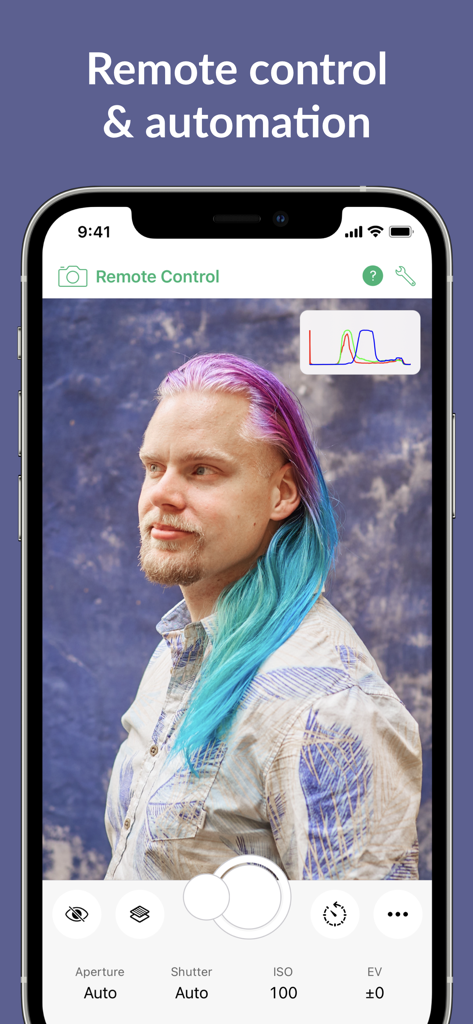
iPhone-Oberfläche der Cascable Studio App, die die Fernsteuerung der Kamera für ein Porträt-Fotoshooting mit Belichtungseinstellungen zeigt
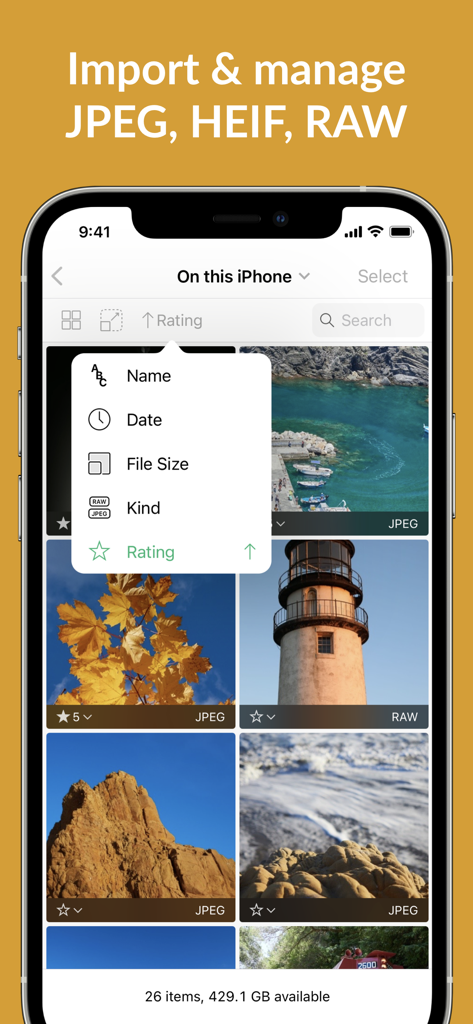
iPhone-Screenshot der Cascable Studio App, die eine Fotogalerie mit RAW- und JPEG-Bildern und einem Sortierfeld mit Optionen wie Datum, Dateigröße und Bewertung zeigt.
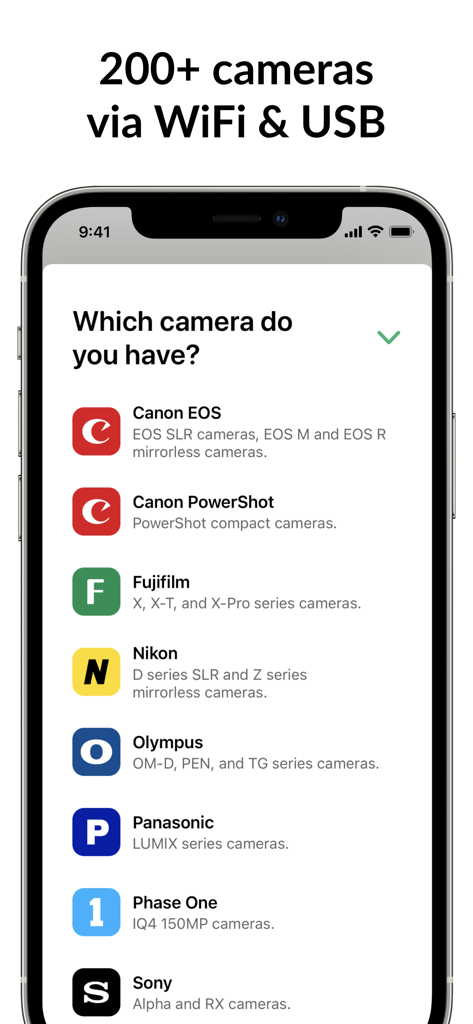
Smartphone-Bildschirm, der kompatible Kameramarken für die Cascable Studio Tethering-App anzeigt
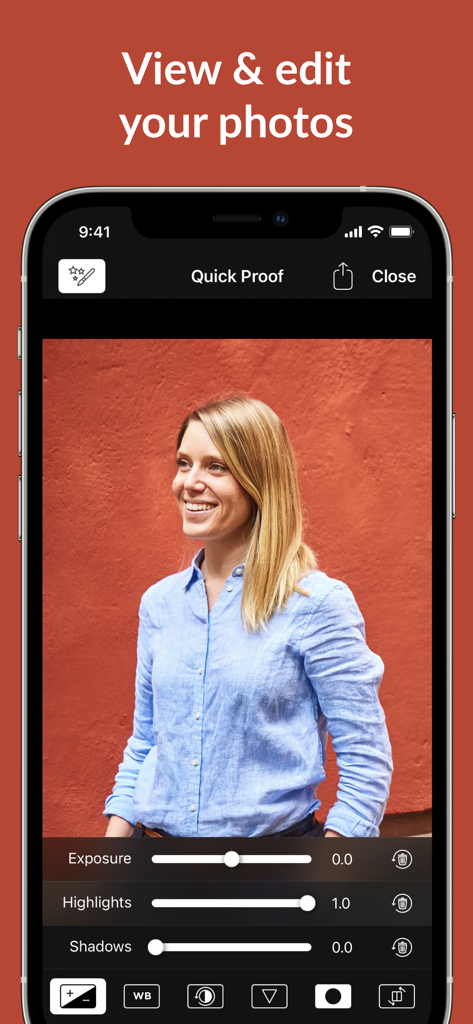
Foto-Bearbeitungsoberfläche von Cascable Studio, die Belichtungs- und Lichter-Schieberegler auf einem iPhone zeigt.
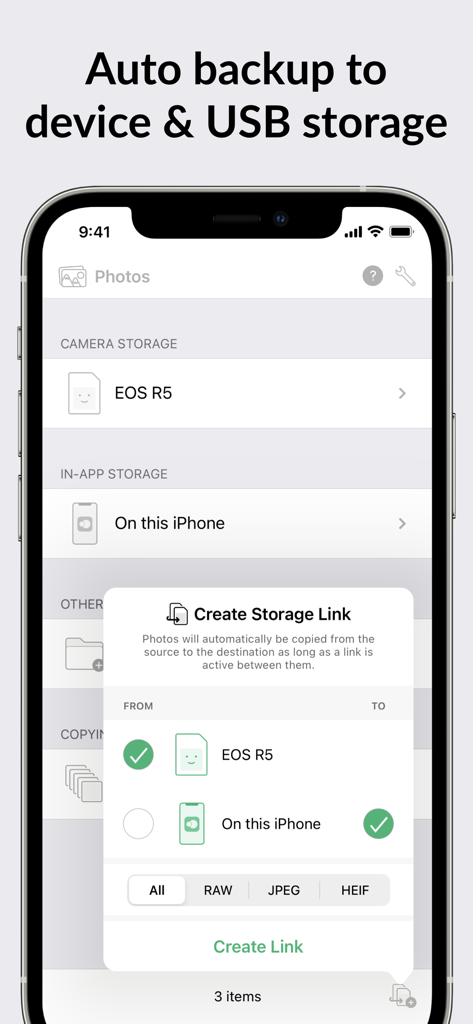
Cascable Studio-Oberfläche für die Einrichtung der automatischen Foto-Sicherung von einer Kamera auf ein iPhone
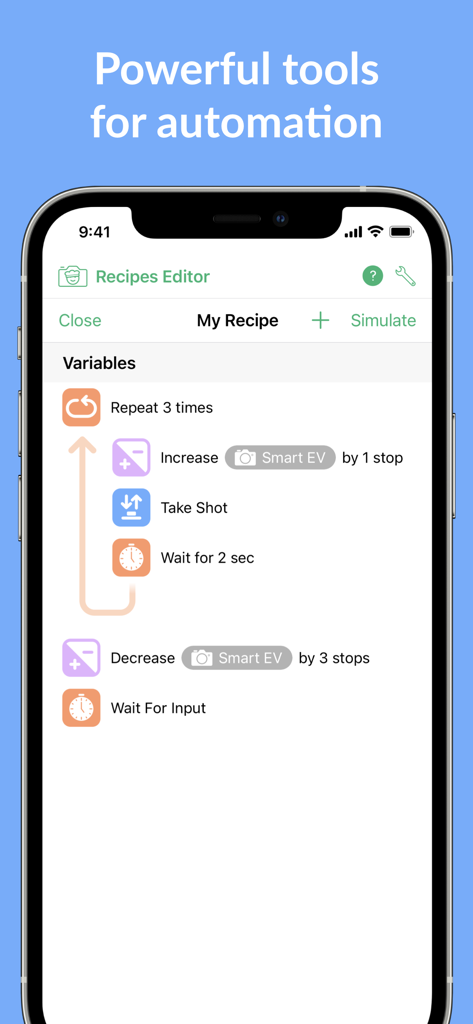
Cascable Studio Rezepte-Editor für Kamera-Automatisierungs-Workflows
Beschreibung
Download
Ähnliche Apps
Apps mit ähnlichen Funktionen und Nutzererfahrung

DJI Mimo
SZ DJI TECHNOLOGY CO., LTD

DJI Ronin
SZ DJI TECHNOLOGY CO., LTD

Roku TV Remote Control & Cast
Aleh Piashkou

Remote for Hisense TV.
Duscov Stepan

Alpha Linker - Camera Transfer
恒茂 刘

MyCentsys Pro
Centurion Systems (Pty) Ltd

Roku TV Remote Control・
Artur Belov

Luminair
Synthe FX, LLC

FUJIFILM XApp
FUJIFILM Corporation
Diese Seite ist keine offizielle Seite der App oder ihres Entwicklers, sondern eine unabhängige redaktionelle Veröffentlichung, die zu Informations- und Kommentarzwecken erstellt wurde. Sofern nicht ausdrücklich anders angegeben, sind weder die App noch ihr Entwickler mit MWM, Apple, Google Play, dem App-Herausgeber oder dem Entwickler der App verbunden, von ihnen unterstützt, gesponsert, autorisiert oder anderweitig offiziell verbunden, und nichts auf dieser Seite impliziert, dass die App unter Verwendung der Dienste von MWM entwickelt wurde. Alle Marken, Logos, Screenshots und andere Inhalte bleiben Eigentum ihrer jeweiligen Inhaber.