CDM+ Mobile

CDM+ Mobile

Herunterladen auf App Store
Logo von CDM+ Mobile

CDM+ Mobile: Stärken Sie Ihr Gemeindeleben, wo immer Sie sind

Greifen Sie unterwegs auf Mitgliederdaten zu, verwalten Sie sichere Check-ins und verfolgen Sie Anwesenheiten. Der unverzichtbare mobile Begleiter für Pastoren und Administratoren, um mit ihrer Gemeinschaft in Verbindung zu bleiben.

Herunterladen auf App Store

Herausgeber

Suran Systems, Inc.

Kategorie

Business

Downloads

1K+

Bewertung

3.7/5

Bewertungen gesamt

0

Sprachen

1

Gemeindearbeit in Bewegung

Entdecken Sie die Oberfläche, die von 1K+ Nutzern verwendet wird.
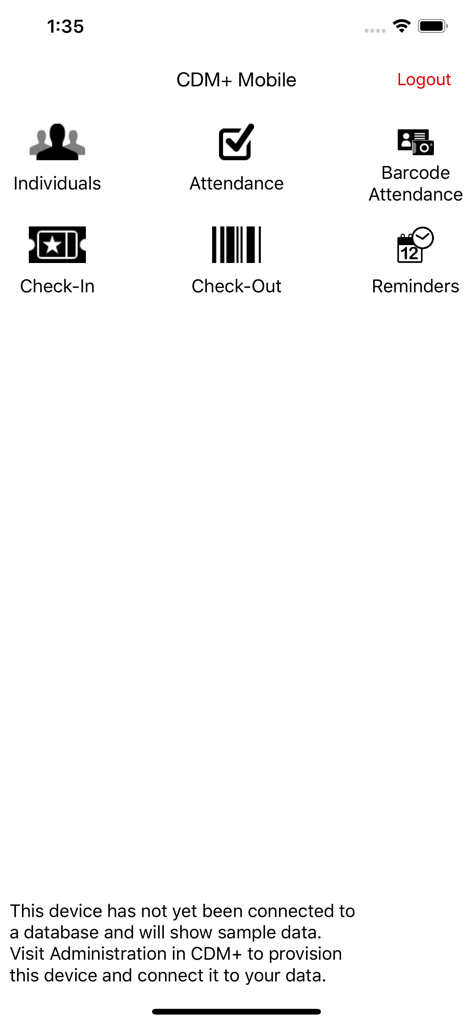
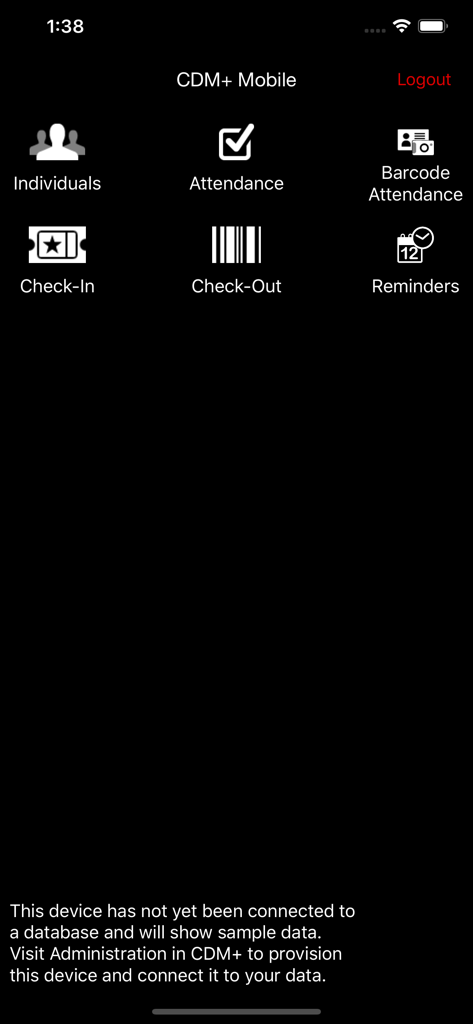
Hauptmenü der CDM plus Mobile App mit Symbolen für Personen, Anwesenheit und Check-in-Funktionen

Hauptmenü der CDM plus Mobile App mit Symbolen für Personen, Anwesenheit und Check-in-Funktionen

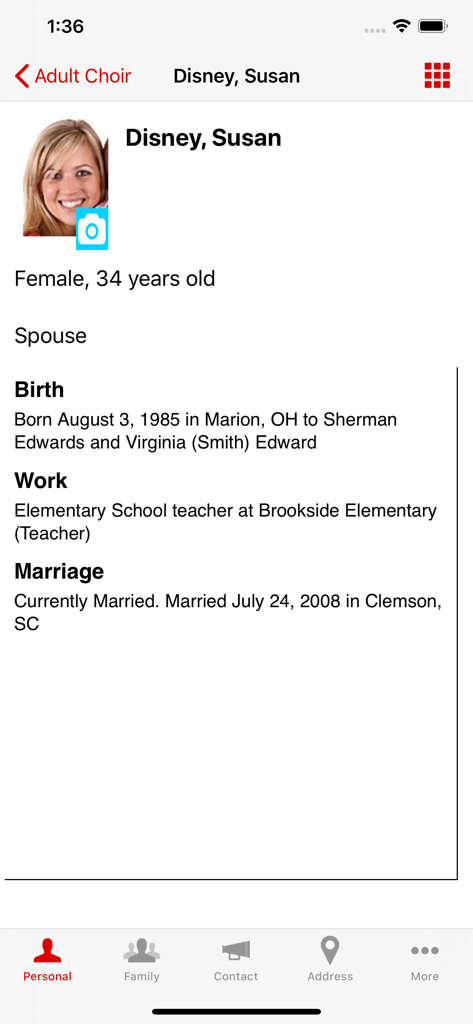
Ein Profilbildschirm in der CDM Plus Mobile App, der persönliche Details eines einzelnen Mitglieds zeigt, einschließlich Foto, Geburtsdatum, Arbeits- und Heiratsinformationen

Ein Profilbildschirm in der CDM Plus Mobile App, der persönliche Details eines einzelnen Mitglieds zeigt, einschließlich Foto, Geburtsdatum, Arbeits- und Heiratsinformationen

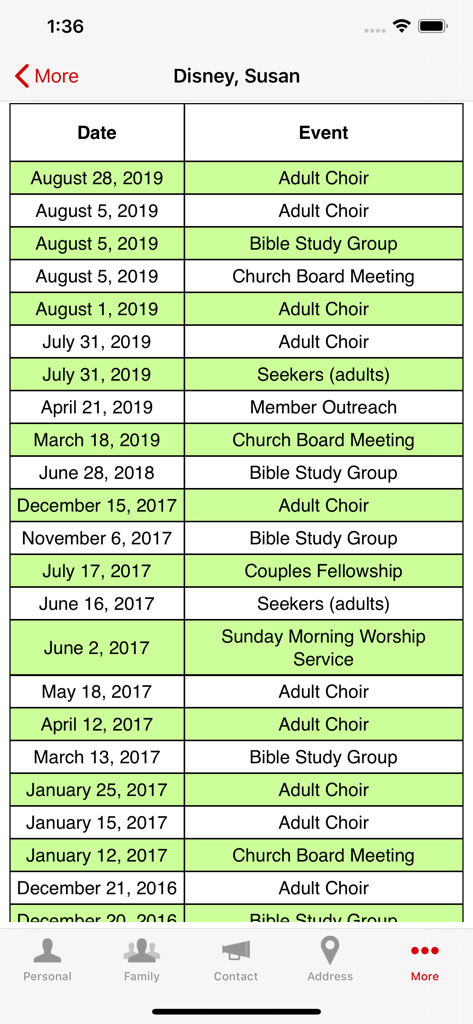
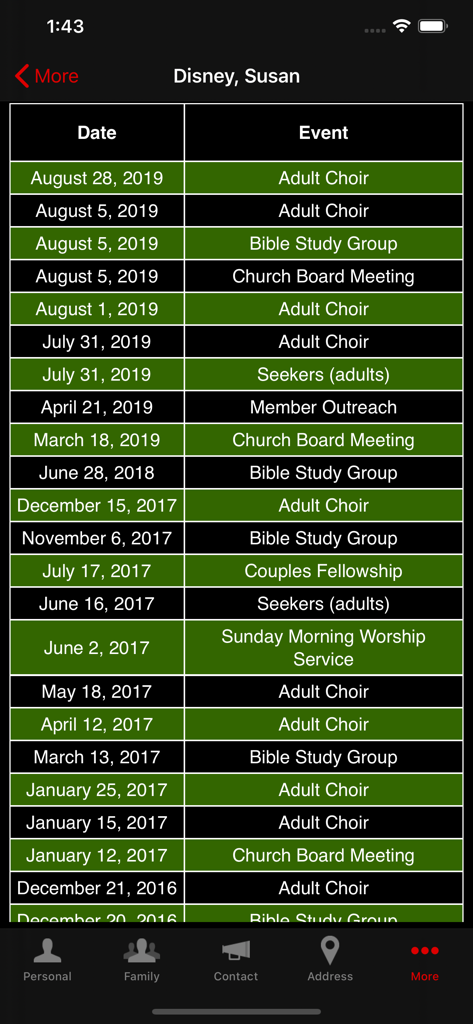
Ein Bildschirm, der die Anwesenheitshistorie eines Kirchenmitglieds anzeigt, einschließlich Daten und Veranstaltungen wie Bibelstudium und Chor

Ein Bildschirm, der die Anwesenheitshistorie eines Kirchenmitglieds anzeigt, einschließlich Daten und Veranstaltungen wie Bibelstudium und Chor

Das Haupt-Dashboard der CDM Plus Mobile App mit Menüoptionen für Personen, Anwesenheit und Check-in-Funktionen

Das Haupt-Dashboard der CDM Plus Mobile App mit Menüoptionen für Personen, Anwesenheit und Check-in-Funktionen

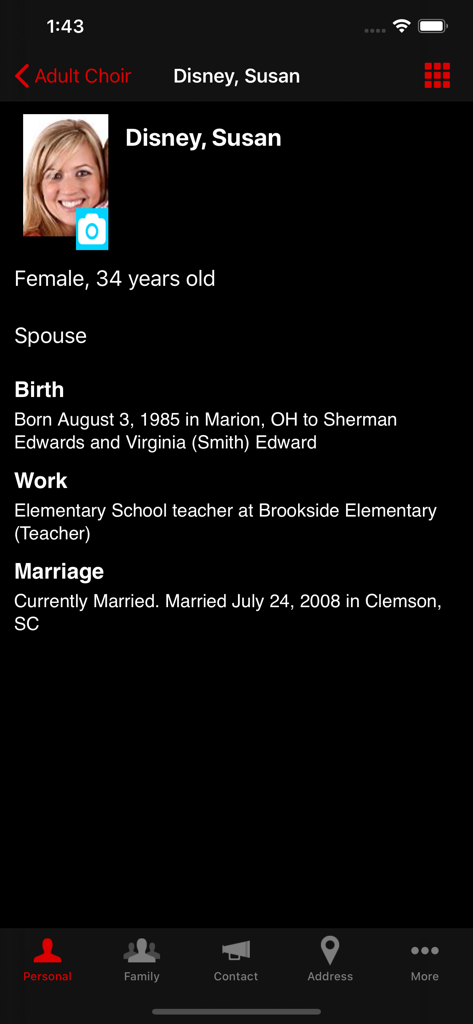
Ein detaillierter Kirchenmitgliederprofilbildschirm in der CDM plus Mobile App mit persönlichen und beruflichen Hintergrundinformationen.

Ein detaillierter Kirchenmitgliederprofilbildschirm in der CDM plus Mobile App mit persönlichen und beruflichen Hintergrundinformationen.

CDM+ Mobile Bildschirm, der die Anwesenheitshistorie eines Mitglieds mit Daten und Aktivitäten anzeigt

CDM+ Mobile Bildschirm, der die Anwesenheitshistorie eines Mitglieds mit Daten und Aktivitäten anzeigt

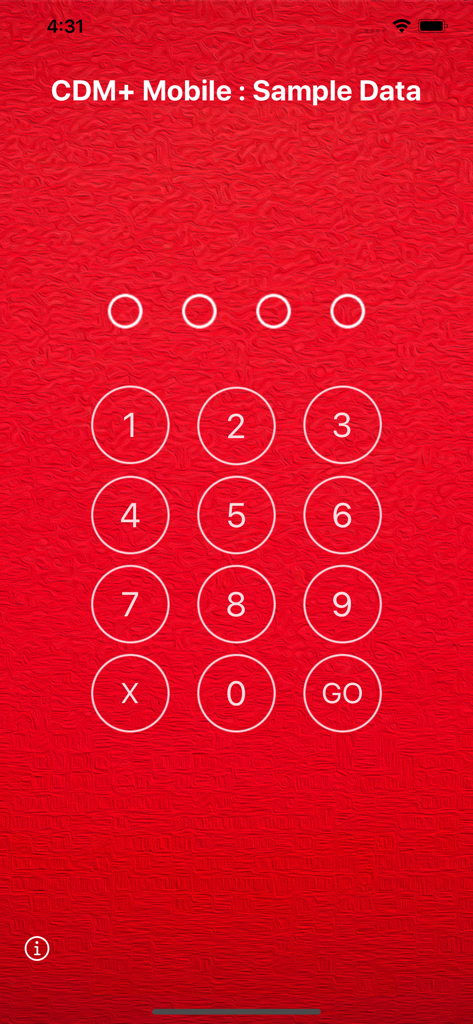
Numerischer PIN-Eingabebildschirm zur Sicherung von Kirchenverwaltungsdaten in der CDM Plus Mobile App

Numerischer PIN-Eingabebildschirm zur Sicherung von Kirchenverwaltungsdaten in der CDM Plus Mobile App

Stärken Sie Ihr Gemeindeleben unterwegs

Die Tools, die diese App auszeichnen, gewählt von 1K+ Nutzern.

🤝

Persönliche Seelsorge

Greifen Sie sofort auf Mitgliederprofile, Spendenhistorien und Aufzeichnungen von Besuchen zu, um Ihre Gemeinde bei Haus- oder Krankenhausbesuchen besser zu betreuen.

🛡️

Sichere Sonntagsabläufe

Vereinfachen Sie den Check-in für Kinder und verfolgen Sie Anwesenheiten mit schnellem Barcode-Scannen, um Sicherheit und Genauigkeit während Ihrer geschäftigsten Gottesdienste zu gewährleisten.

Sofortige Datensynchronisierung

Änderungen, die auf Ihrem Gerät vorgenommen werden, werden sofort in Ihrem CDM+-System übernommen, sodass Ihr gesamtes Personal in Echtzeit auf dem Laufenden bleibt.

Über die App

Alles, was Sie über wissen müssen CDM+ Mobile.

Beschreibung

DESCRIPTION: CDM+ Mobile is a companion app to CDM+, a powerful data management system for churches and non-profit organizations. CDM+ Mobile connects you to your data in meaningful and useful ways wherever you are. NOTE: By default, CDM+ Mobile shows sample, fictitious data and will accept any PIN. Once you configure CDM+ Mobile with a provisioning code, you will see data from your CDM+ database and will be required to enter the PIN for your provision. FEATURES CDM+ Mobile offers six main features: viewing information on individuals in your CDM+ database, tracking attendance, running barcode attendance, running check-in, running check-out and for regional users, viewing church information. Individuals allows you to mass e-mail individuals, display the name, family members, photos, birth date and place, school, marriage date and place, work location and death information of individuals in your CDM+ database. Phone numbers and e-mail addresses are listed, and an interactive map to the primary street address is displayed. In addition, all attendance history for an individual is available, along with contributions over the past year for an individual. Finally, you have ability to add, view, edit and delete visitation and pastoral notes on the fly. Attendance lets you take attendance for classes, groups and events for any date. Tap an individual to mark or un-mark their attendance, and your change is filed instantly in your database and will appear in standard CDM+ windows and reports. Barcode Attendance lets you scan individual barcodes using your device's camera to mark attendance, The app can operate in a hand-held or kiosk mode and is designed for rapid attendance entry. Check-In lets you search families and check them into their respective classes and groups all at once. Check-In complements staffed and self check-in in the desktop version of CDM+. When paired with a desktop software running the name badge print server, CDM+ Mobile will send badge print job requests to the desktop version for printing. Check-Out lets you scan barcodes, or enter check-in codes manually, to check-out individuals from their respective classes, events or groups. For regional users, the Churches feature will allow you to mass e-mail churches and view a church’s photo, contact information, current and past members, physical and mailing addresses, and church service times. PROVISIONING In CDM+, access User Management to create a provision for each device you’d like to connect to your database. You can control exactly what functions are allowed on the device. For example, create a provision that only allows attendance entry. Use the devices on Sunday Morning to instantly update attendance records. Or give the youth pastor access to demographic data for members of the youth group only. SECURITY CDM+ Mobile requires that a PIN must be entered before data can be accessed. This PIN is unique to each provision, and each provision is locked to a specific device once it is accessed on that device. You can remotely grant or revoke access to features through CDM+ even after a device is set up. And if you need to disable a device at any time, CDM+ provides a master switch to do just that. ACCESSING CDM+ MOBILE CDM+ Mobile can be used with any CDM+ database running CDM+ 9.2 or later and hosted through our Data Hosting service. Visit our website for more information about data hosting and getting updated to the most recent version of CDM+.

Neueste Version

2.7.6

Größe

112.8 MB

Erstveröffentlichung

20. März 2012

Stärken Sie Ihr Gemeindeleben über den Schreibtisch hinaus

Laden Sie CDM+ Mobile herunter, um auf Mitgliederdaten zuzugreifen, sichere Check-ins zu verwalten und seelsorgerliche Notizen zu erfassen, wohin auch immer Ihre Mission Sie führt.

Herunterladen auf App Store

App information, icons, screenshots, and descriptions displayed on this page are sourced from the Apple App Store and are the property of their respective developers. Download estimates and rankings are based on MWM's proprietary models and may not reflect actual figures. This page is provided for informational and analytical purposes only.

Believe this page infringes your intellectual property? File a dispute