Chordio: compose & learn music
Herunterladen auf App Store

Diese Seite ist keine offizielle Seite der App oder ihres Entwicklers, sondern eine unabhängige redaktionelle Veröffentlichung, die zu Informations- und Kommentarzwecken erstellt wurde. Sofern nicht ausdrücklich anders angegeben, sind weder die App noch ihr Entwickler mit MWM, Apple, Google Play, dem App-Herausgeber oder dem Entwickler der App verbunden, von ihnen unterstützt, gesponsert, autorisiert oder anderweitig offiziell verbunden, und nichts auf dieser Seite impliziert, dass die App unter Verwendung der Dienste von MWM entwickelt wurde. Alle Marken, Logos, Screenshots und andere Inhalte bleiben Eigentum ihrer jeweiligen Inhaber.


Logo von Chordio: compose & learn music
Herunterladen auf App Store

Chordio: compose & learn music

Entdecken Sie professionelle Akkordprogressionen, erkunden Sie über 40 Tonleitern und exportieren Sie MIDI direkt in Ihre DAW. Von Bedroom-Produzenten bis zu Musikstudenten – transformieren Sie Ihren kreativen Workflow auf iPad und Mac.

Kennzahlen

Downloads

2K+

Bewertung

4.4/5

Bewertungen gesamt

0

Herausgeber

Anthony Briscoe

Kategorie

Music

Sprachen

1

Neueste Version

3.0.6

Größe

172.2 MB

Erstveröffentlichung

4. Aug. 2022
Funktionen

Meistern Sie Ihren Sound mit Leichtigkeit

Von Bedroom-Beats bis zu professionellen Partituren – Chordio bietet Ihnen die KI-gestützten Werkzeuge und Einblicke in die Musiktheorie, die Sie benötigen, um die Lücke zwischen Inspiration und einem fertigen Track zu schließen.

KI-gestütztes Songwriting

Überwinden Sie kreative Blockaden mit intelligenten Akkordvorschlägen und automatisierten Generatoren, die sekundenschnell professionelle Progressionen erstellen.

Nahtlose DAW-Integration

Verwandeln Sie Ihr iPad oder Mac in ein Produktionskraftwerk, indem Sie MIDI-Sequenzen direkt in Logic Pro, Ableton oder Ihre bevorzugte Workstation ziehen und ablegen.

Die folgenden Screenshots und die Beschreibung stammen direkt aus dem offiziellen Store-Eintrag der App und sind Eigentum des Entwicklers.

App Store

Screenshots
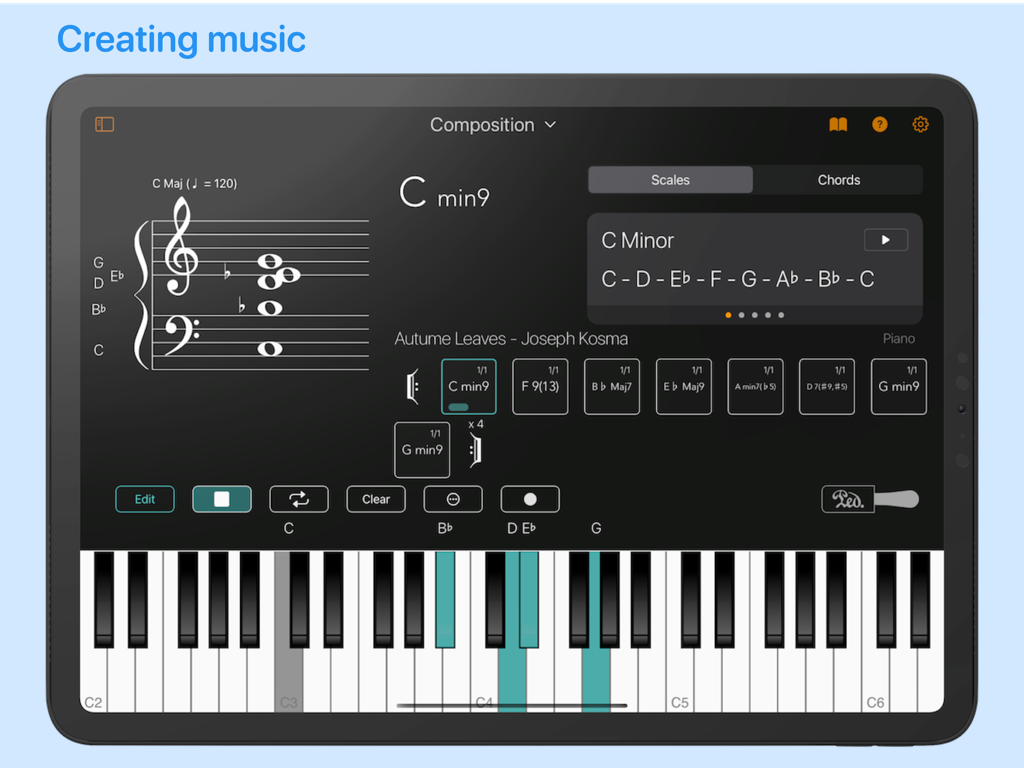
Chordio: compose & learn music - Chordio App Kompositions-Interface mit Noten, Akkordprogressionen und einem virtuellen Klavier.
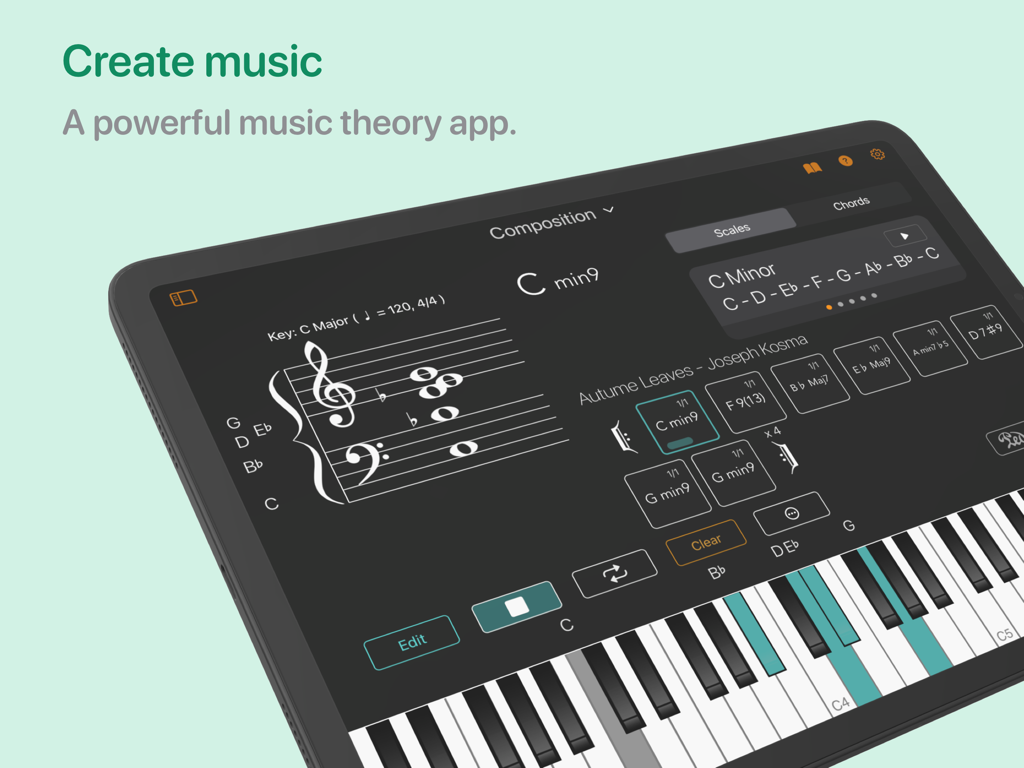
Chordio App Kompositions-Interface mit Noten, Akkordprogressionen und einem virtuellen Klavier.

Chordio: compose & learn music - Chordio App Musikkompositions-Interface auf dem iPad mit einem Akkordsequenzer und einem virtuellen Klavier
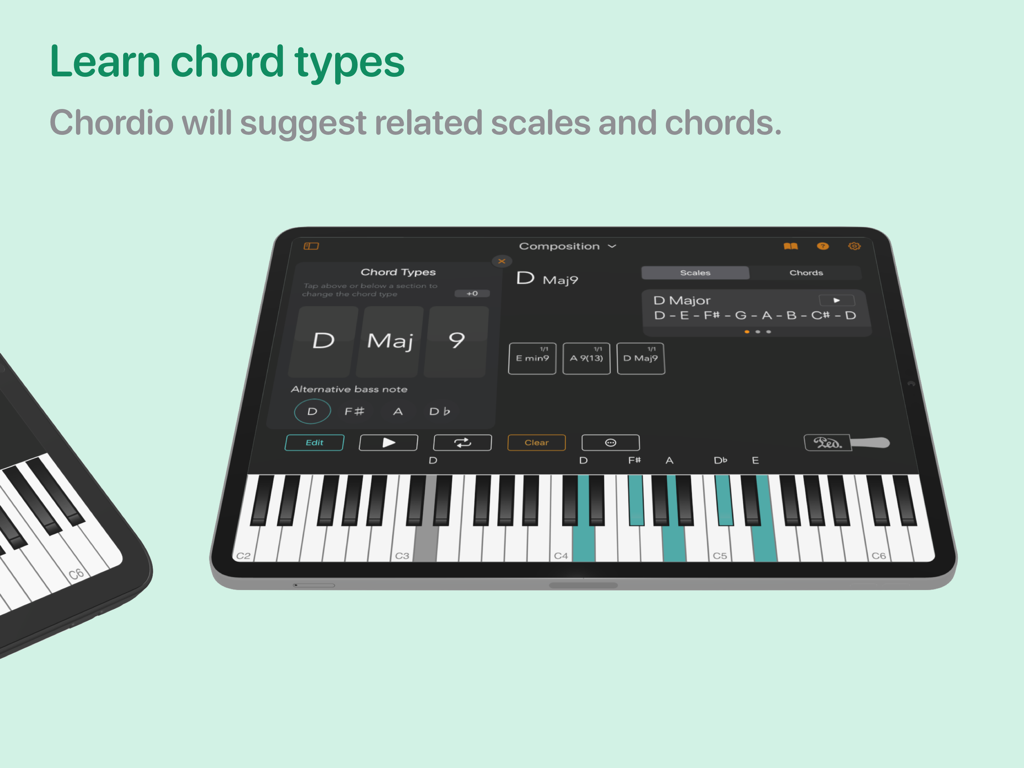
Chordio App Musikkompositions-Interface auf dem iPad mit einem Akkordsequenzer und einem virtuellen Klavier

Chordio: compose & learn music - Chordio App Interface auf dem iPad, das die Auswahl des Akkordtyps und vorgeschlagene Tonleitern mit einem hervorgehobenen Klavier zeigt.
Chordio App Interface auf dem iPad, das die Auswahl des Akkordtyps und vorgeschlagene Tonleitern mit einem hervorgehobenen Klavier zeigt.

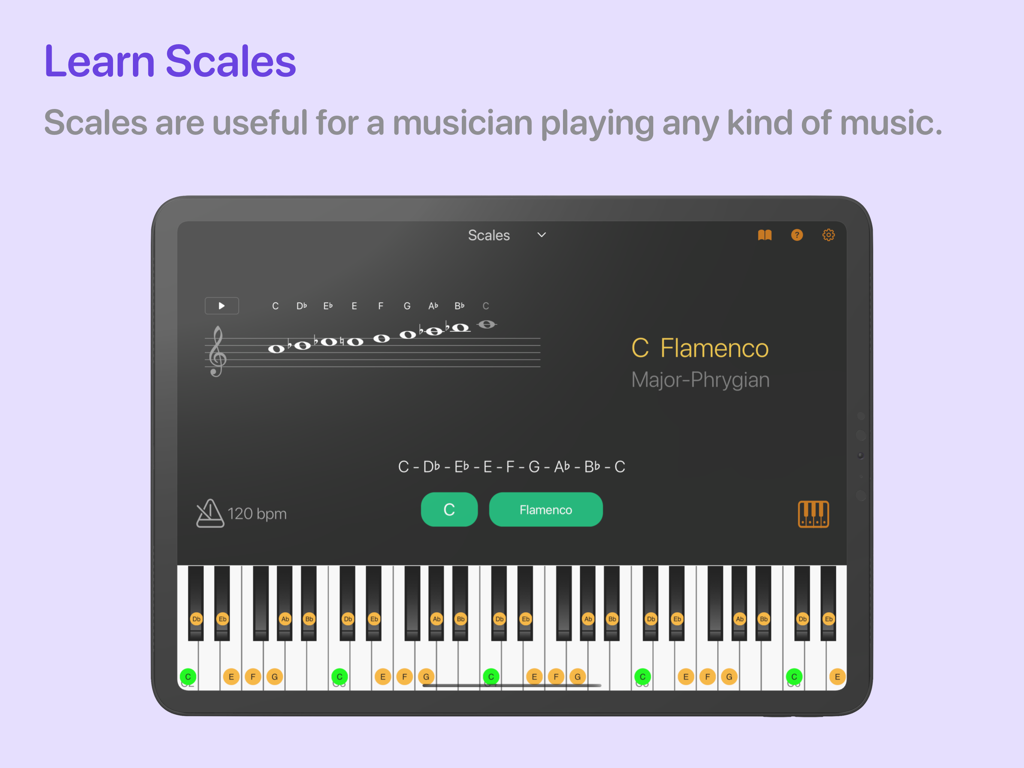
Chordio: compose & learn music - Die Chordio App auf einem iPad zeigt die C-Flamenco-Tonleiter auf einem großen Notensystem und ein hervorgehobenes Klavier
Die Chordio App auf einem iPad zeigt die C-Flamenco-Tonleiter auf einem großen Notensystem und ein hervorgehobenes Klavier

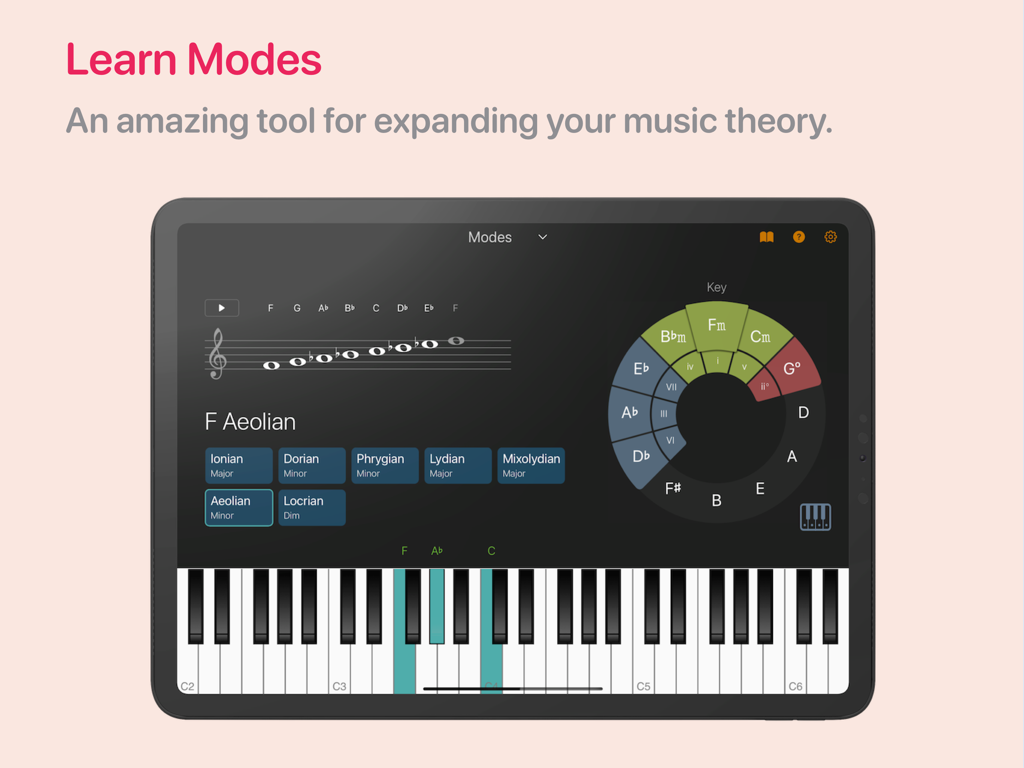
Chordio: compose & learn music - Chordio App Interface auf einem iPad, das den Arbeitsbereich für musikalische Modi mit einem Notensystem und einem Klavier zeigt
Chordio App Interface auf einem iPad, das den Arbeitsbereich für musikalische Modi mit einem Notensystem und einem Klavier zeigt

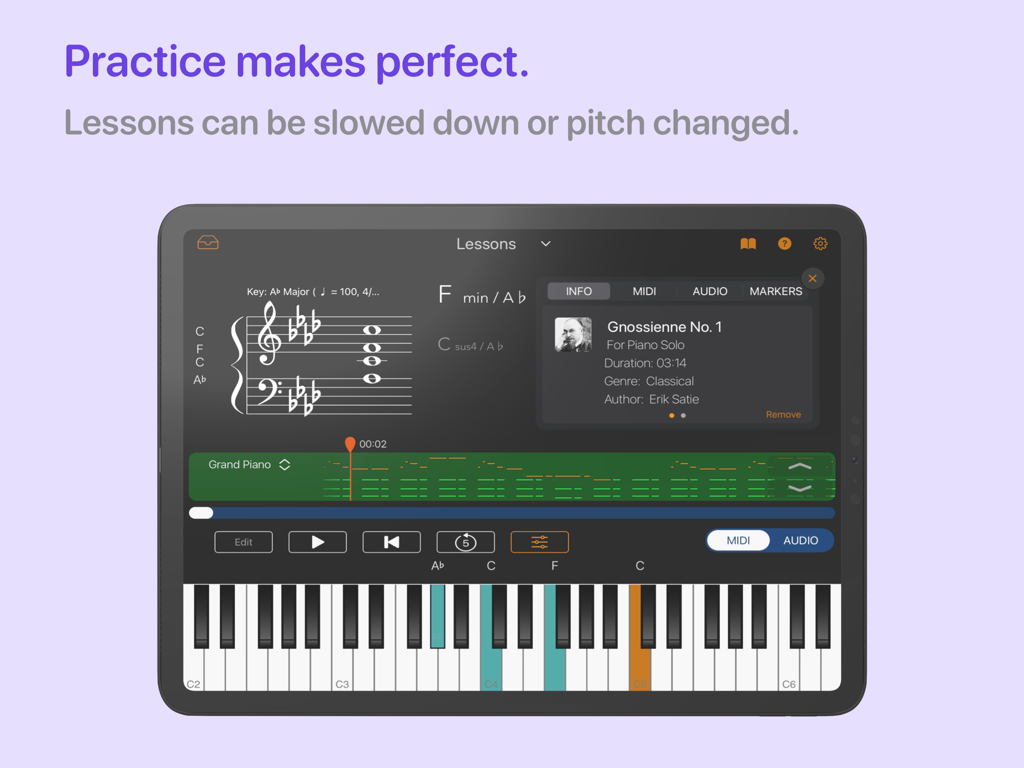
Chordio: compose & learn music - Chordio App Klavierunterricht-Arbeitsbereich mit Noten und einem interaktiven Keyboard auf einem iPad
Chordio App Klavierunterricht-Arbeitsbereich mit Noten und einem interaktiven Keyboard auf einem iPad

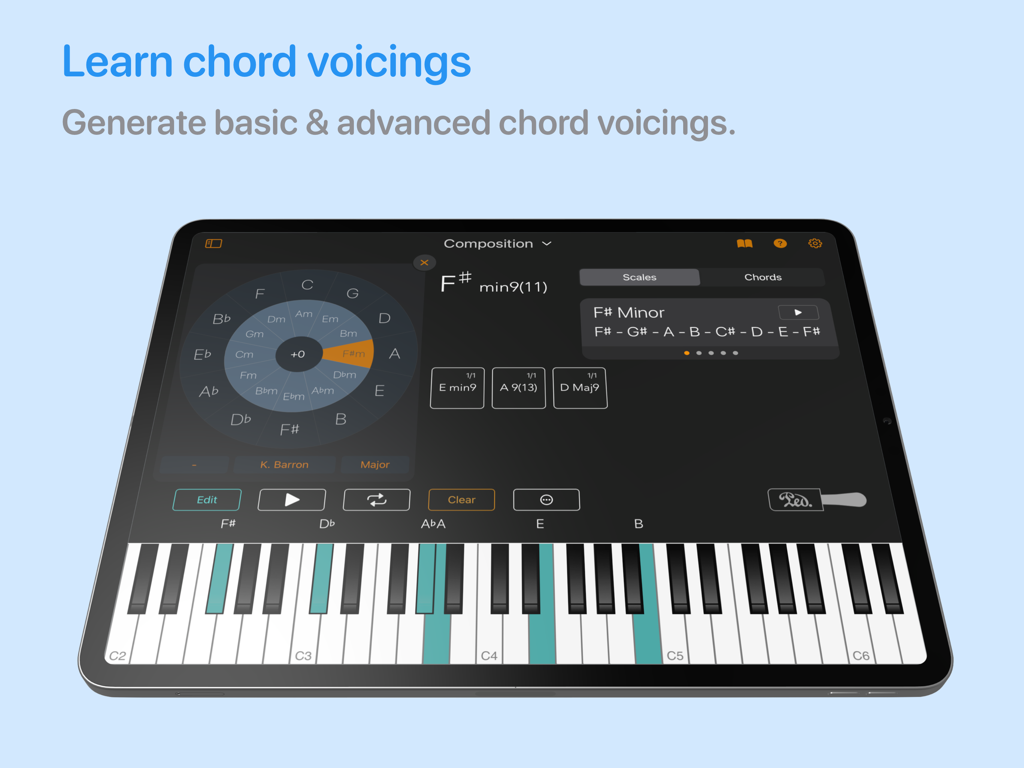
Chordio: compose & learn music - Chordio App Interface auf dem iPad, das Akkordverteilungen und ein virtuelles Klavier zeigt
Chordio App Interface auf dem iPad, das Akkordverteilungen und ein virtuelles Klavier zeigt

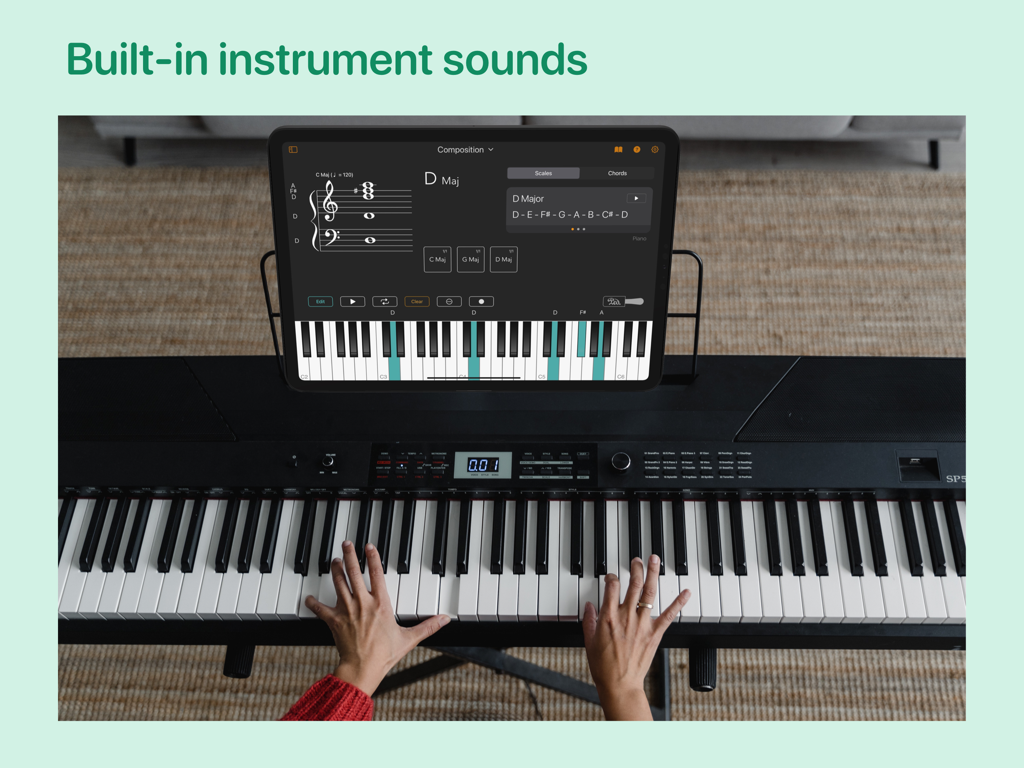
Chordio: compose & learn music - Eine Person spielt ein Digitalpiano mit der Chordio App auf einem iPad, die Musikkompositionswerkzeuge anzeigt.
Eine Person spielt ein Digitalpiano mit der Chordio App auf einem iPad, die Musikkompositionswerkzeuge anzeigt.

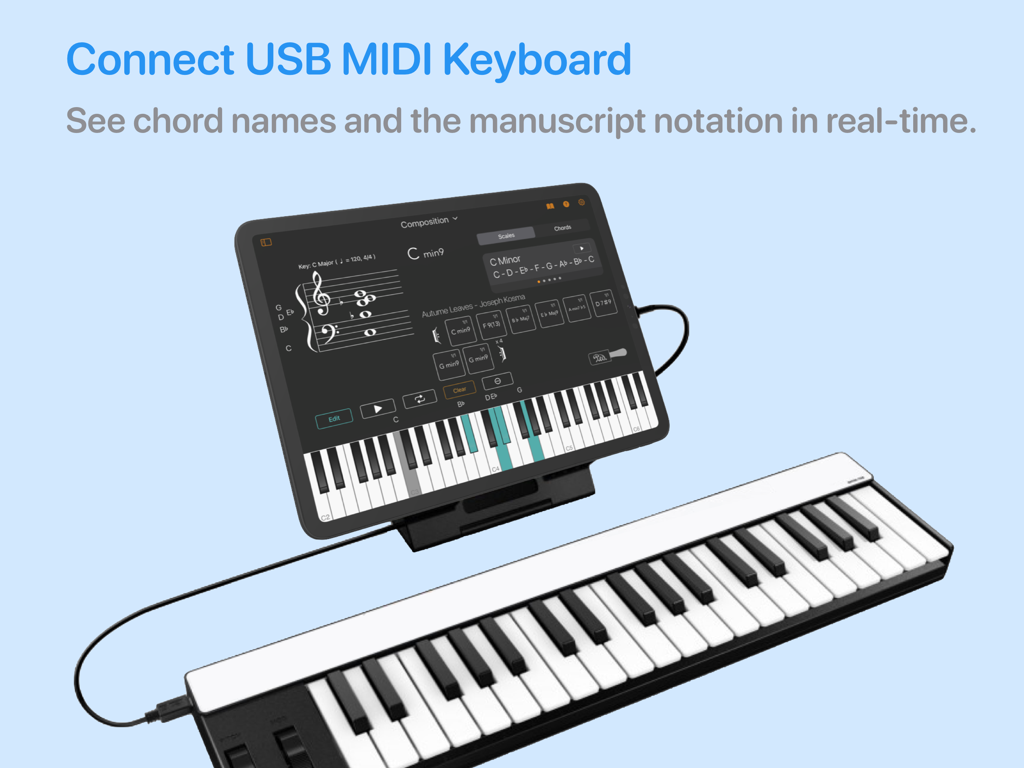
Chordio: compose & learn music - Chordio App auf dem iPad, verbunden mit einem MIDI-Keyboard für Echtzeit-Notationserfassung.

Chordio App auf dem iPad, verbunden mit einem MIDI-Keyboard für Echtzeit-Notationserfassung.

Beschreibung

Looking for a spark for your upcoming song? Introducing Chordio, a powerful tool for composition and music theory that offers an enjoyable and interactive experience. This app allows you to explore chords and scales in a fun and engaging way. It also provides a convenient platform for storing all your distinctive musical chord progressions in a single location. As a result, Chordio becomes an indispensable resource for contemporary music producers, composers, and educators. Take your music theory knowledge to the next level and create innovative chord progressions for your latest composition. With a range of internal sounds included, you can explore the tool's features without needing any other external equipment. Connect your MIDI controller to Chordio and see chord names appear on the Grand Staff in real-time as you play. Solo over chord progressions using the built-in sounds, and quickly rearrange or transpose chord progressions on the fly for added flexibility. Uncover fresh chord sequences for any genre - from hip hop to house and everything in between. Simply drag and drop them into your DAW! Chordio empowers you to unleash your creativity and take your music to new heights. The main features are divided into four workspaces: Composition • Build-in sequencer to create chord progressions. • Build-in Chord progression generator. • Create custom chords, edit existing chords, get chord inversions, and extended chords. • Drag & Drop to change the song structure. • Transpose the entire chord progression with a single tap. • Create a playlist of custom chord progressions. • Chord Suggestion AI – Get intelligent chord recommendations that fit your existing progression, and seamlessly integrate them into your composition. • A Chord Types & Vocings panel helps you generate new chords. • Play-along with a backing rhythm track. • Save/load songs, export it as MIDl. • Download chord progressions from a growing collection of Chord Packs. Scales • Practice scales with a metronome in all keys. • Contains more than 40 scales you can work with. • Staff view for chords and scales. Modes • Interactive way to learn what scales are associated with each mode. • Practice modes in Chordio. • Change tonic, mode, and layout to discover the relationship between musical notes, chords, and scales. Music Theory * In-app theory lessons. • 3 New Music Theory Quizzes: Note Identification, Interval Recognition & Chord Identification. Sheet Music • Adjust the Tempo: Practice at your own speed. • Loop Key Sections: Focus on tricky parts with ease. • Practice Hands Separately: Work on left or right hand independently. • Play in Any Key: Transpose sheet music to suit your preference. • Customize Tracks: Adjust instrument volumes. • Jazz Solo: Jam over chord progressions. • Print Your Scores: Print a PDF version of the score for flexible, hands-on practice. Lessons • Learn to play songs at your own pace. • Download music from a growing collection of Lesson Packs. • Lessons can be slowed down or pitch changed. KEY FEATURES: • MIDI keyboard support. • Build progressions using the chord generators. • Export MIDI to your DAW or sequencer. • Custom chords, edit existing chords, get extended chords. • Play internal sounds. • Arpeggio, strum and performance modes. • Mac version include a detachable resizable Grand Staff, Chord Display, and Keyboard Views. • Customise the Keyboard highlight color. • Select chord, to display a range of related scales and chords. • Tap a note on the Grand Staff to highlight it with a color. • Choose from selection of backing rhythms that fit specific genres. • Chord Pattern playback Always backup your chord progressions!

Download

Herunterladen auf App Store

Diese Seite ist keine offizielle Seite der App oder ihres Entwicklers, sondern eine unabhängige redaktionelle Veröffentlichung, die zu Informations- und Kommentarzwecken erstellt wurde. Sofern nicht ausdrücklich anders angegeben, sind weder die App noch ihr Entwickler mit MWM, Apple, Google Play, dem App-Herausgeber oder dem Entwickler der App verbunden, von ihnen unterstützt, gesponsert, autorisiert oder anderweitig offiziell verbunden, und nichts auf dieser Seite impliziert, dass die App unter Verwendung der Dienste von MWM entwickelt wurde. Alle Marken, Logos, Screenshots und andere Inhalte bleiben Eigentum ihrer jeweiligen Inhaber.







