Clicker Communicator: AAC
Herunterladen auf App Store

Diese Seite ist keine offizielle Seite der App oder ihres Entwicklers, sondern eine unabhängige redaktionelle Veröffentlichung, die zu Informations- und Kommentarzwecken erstellt wurde. Sofern nicht ausdrücklich anders angegeben, sind weder die App noch ihr Entwickler mit MWM, Apple, Google Play, dem App-Herausgeber oder dem Entwickler der App verbunden, von ihnen unterstützt, gesponsert, autorisiert oder anderweitig offiziell verbunden, und nichts auf dieser Seite impliziert, dass die App unter Verwendung der Dienste von MWM entwickelt wurde. Alle Marken, Logos, Screenshots und andere Inhalte bleiben Eigentum ihrer jeweiligen Inhaber.

Logo von Clicker Communicator: AAC
Herunterladen auf App Store

Clicker Communicator: AAC

Stärken Sie Lernende mit Sprachschwierigkeiten durch unser forschungsbasiertes, benutzerfreundliches Kommunikationsinstrument, das speziell für die Unterrichtsteilnahme und Sprachentwicklung entwickelt wurde.

Kennzahlen

Downloads

300

Bewertung

1.0/5

Bewertungen gesamt

0

Herausgeber

Crick Software Ltd

Kategorie

Education

Sprachen

1

Neueste Version

1.2.4

Größe

857.6 MB

Erstveröffentlichung

21. Mai 2015
Funktionen

Die Stimme jedes Kindes stärken

Clicker Communicator ist ein forschungsbasiertes AAC-Tool, das die Lücke zwischen Kommunikation und Lernen schließt, die Anpassung für Lehrkräfte erleichtert und die Nutzung für Kinder intuitiv gestaltet.

Zugänglich für jede Fähigkeit

Beseitigen Sie physische Barrieren mit der SuperKeys-Technologie und einer No-Swipe-Oberfläche, die speziell für Kinder mit eingeschränkter Feinmotorik oder komplexen Zugangsbedürfnissen entwickelt wurde.

Für den Erfolg im Klassenzimmer entwickelt

Ermöglichen Sie die aktive Teilnahme am Unterricht mit kostenlosen, lehrplanzentrierten Vokabelsammlungen und Werkzeugen, die die Kommunikation direkt mit Lese- und Rechtschreibfähigkeiten sowie dem akademischen Wachstum verbinden.

Die folgenden Screenshots und die Beschreibung stammen direkt aus dem offiziellen Store-Eintrag der App und sind Eigentum des Entwicklers.

App Store

Screenshots
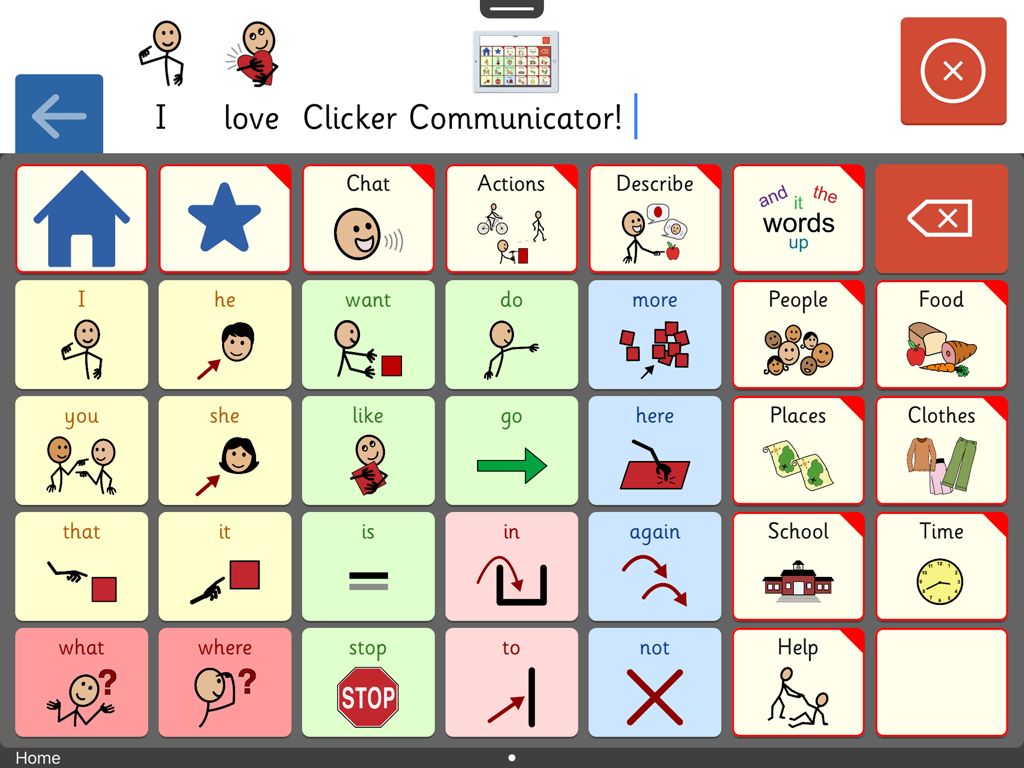
Clicker Communicator: AAC - Bildschirm der Clicker Communicator AAC-App, der eine Kommunikationsanzeige mit farbcodierten Symbolen und Kategorien für Kinder zeigt
Bildschirm der Clicker Communicator AAC-App, der eine Kommunikationsanzeige mit farbcodierten Symbolen und Kategorien für Kinder zeigt

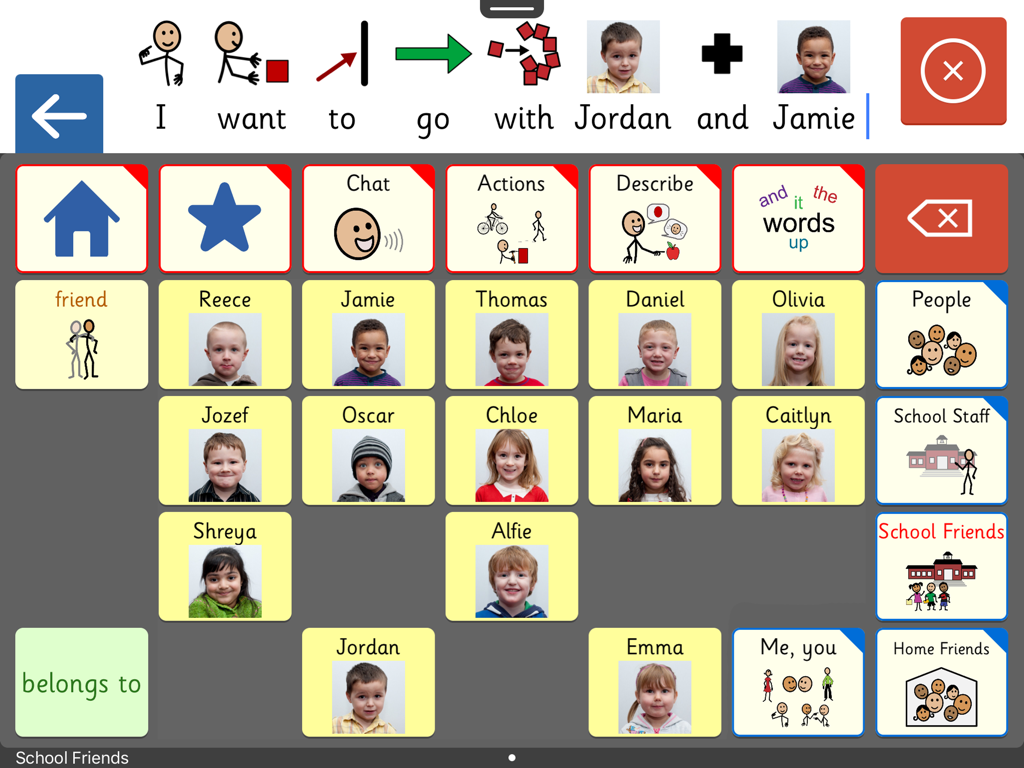
Clicker Communicator: AAC - Oberfläche der Clicker Communicator AAC-App, die ein benutzerdefiniertes Raster von Schulfreunden mit Namen und Fotos für einfache Kommunikation zeigt.
Oberfläche der Clicker Communicator AAC-App, die ein benutzerdefiniertes Raster von Schulfreunden mit Namen und Fotos für einfache Kommunikation zeigt.

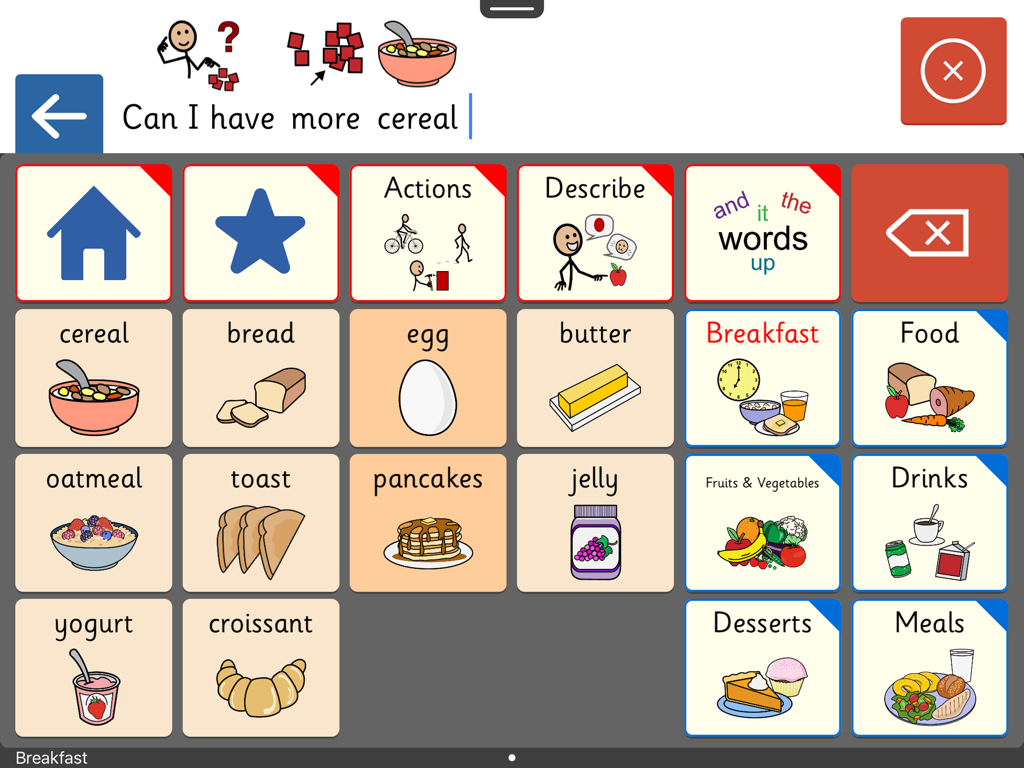
Clicker Communicator: AAC - Oberfläche der Clicker Communicator AAC-App, die ein Kommunikationsraster mit Frühstückssymbolen und einer Satzleiste zeigt
Oberfläche der Clicker Communicator AAC-App, die ein Kommunikationsraster mit Frühstückssymbolen und einer Satzleiste zeigt

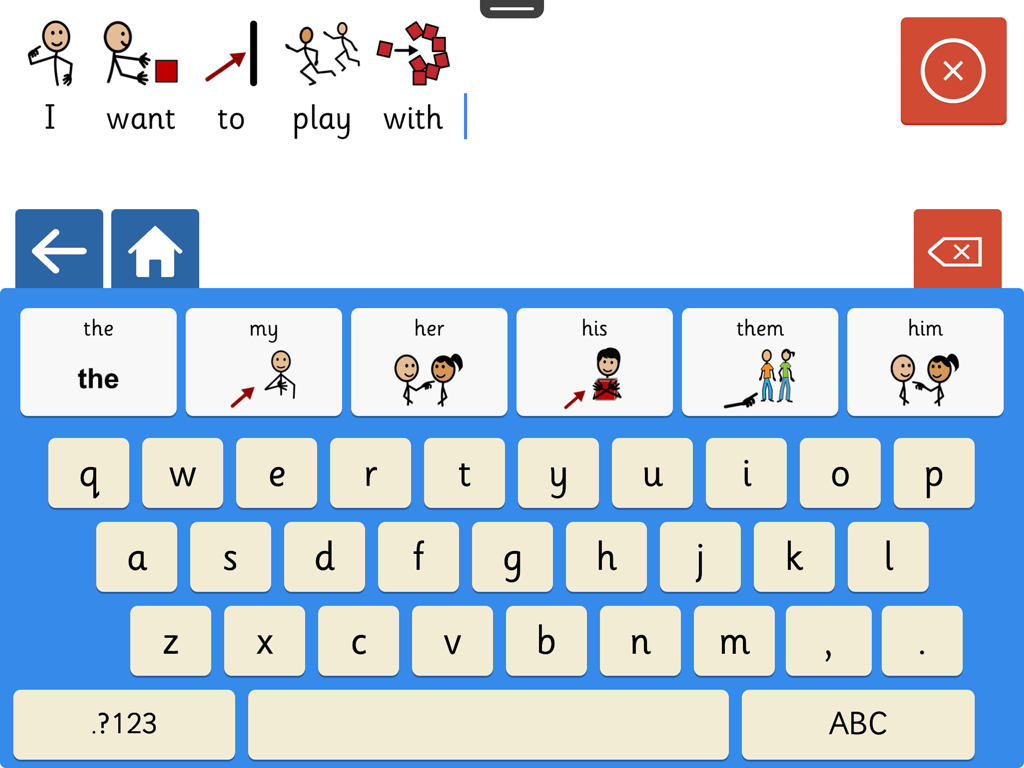
Clicker Communicator: AAC - Screenshot der Clicker Communicator AAC-App, die eine symbolgestützte Tastatur und einen Satzbauer zeigt.
Screenshot der Clicker Communicator AAC-App, die eine symbolgestützte Tastatur und einen Satzbauer zeigt.

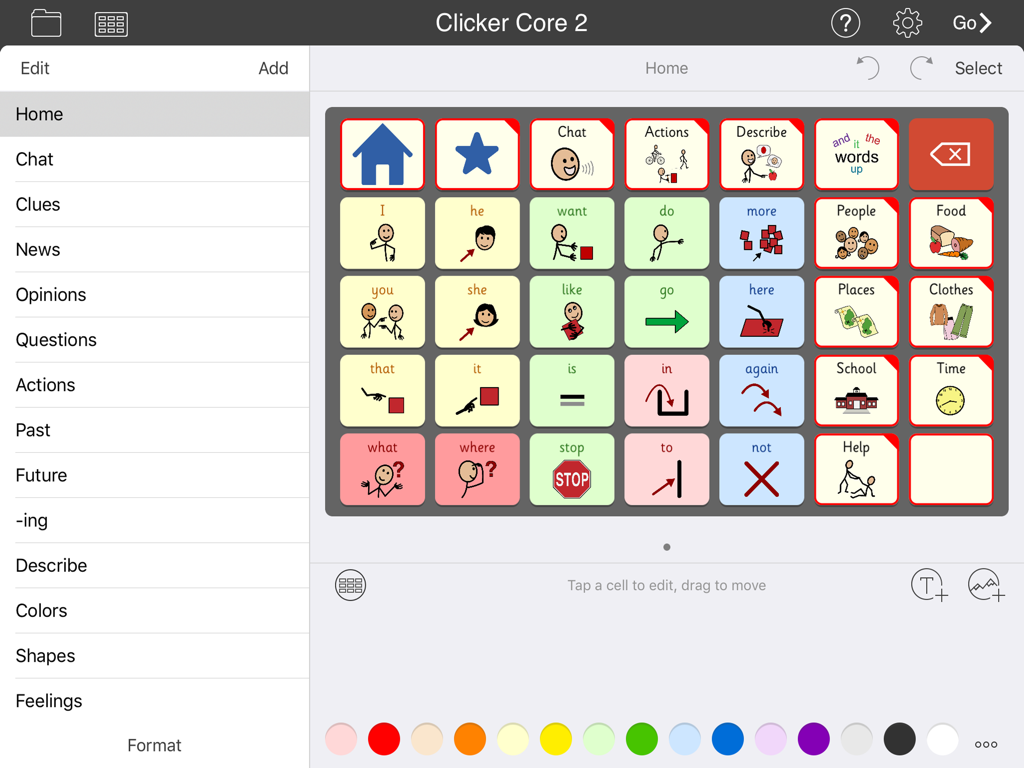
Clicker Communicator: AAC - Oberfläche der Clicker Communicator AAC-App, die ein Raster von Kommunikationssymbolen und Kategorien zeigt

Oberfläche der Clicker Communicator AAC-App, die ein Raster von Kommunikationssymbolen und Kategorien zeigt

Beschreibung

A VOICE FOR EVERYONE Clicker Communicator is the definitive AAC app that gives a voice to children and young people with speech and language challenges. This is the latest addition to Crick Software’s Clicker family, developed over 20 years and used worldwide. "The app is so user friendly and easy to customize. Personally, I think it is the BEST AAC app I have seen" - Rose Duszynski, AT Specialist “I love the crisp, easy-to-use interface! The thoughtfulness of features that no other AAC apps have speaks to Crick's continued dedication to students with special needs.” - Laura Giovanetti, CAGS, CCC-SLP, ATP GET STARTED QUICKLY The ready-made Vocabulary Sets are carefully constructed using color-coded, research-based core words - a proven approach for providing a rich communication experience and developing language skills. The three levels, Clicker Core 1, 2, and 3, cover a wide ability range and use consistent layouts to optimize motor-mapping and enable children to progress from one level to the next. CREATE AND EDIT IN MINUTES Clicker Communicator works in the same intuitive way as all the Clicker Apps, enabling you to meet the particular needs of your learners by editing the ready-made Vocabulary Sets or creating your own. Personalize every last detail by adding photos, colors, and topics, and repositioning cells. And you won’t find a faster way of searching and selecting symbols anywhere! DESIGNED FOR CHILDREN We’ve used our 20+ years of experience in developing special needs software to create an app that includes: • Easy to read Sassoon font • Realistic children’s voices • Child-friendly keyboard with symbol-supported predictor • Research-based Vocabulary Sets at three levels • Free curriculum-based Vocabulary Sets on LearningGrids SYMBOLSTIX SYMBOLS INCLUDED This app comes with the complete SymbolStix library. The Widgit and PCS libraries are also available as in-app purchases (please note that this is the only version of the app that enables you to purchase additional libraries). If you wish to ONLY use Widgit or PCS symbols, these versions of Clicker Communicator are available as separate apps in the App Store. Additional pictures are provided by the CrickPix library: 3,500 curriculum pictures to support a wide range of classroom topics. TALK IN CLASS Get your learners with speech challenges taking an active vocal part in the classroom. Our free LearningGrids resources provide the opportunity to respond to teaching points, participate in discussions, and ask and answer topic-based questions. These sets provide access to the vocabulary your learners will meet in their curriculum topics, and provide a natural link to literacy development. UNIQUELY ACCESSIBLE Clicker Communicator has a wide range of accessibility options: • SuperKeys – our unique access method for those who need big target areas. Just tap the cluster containing the symbol you want, and then tap the symbol in the enlarged cluster. • No scrolling or swiping – so every tap is accepted. • Switch access for one and two switches. • Toolbars only visible when editing – all navigation is done from the grid. • Favorite/Recent messages and Vocabulary Sets accessible with just two taps. SHARE AND BACKUP There’s a Backup Safe provided within the app, and Vocabulary Sets can be shared or backed up via email, AirDrop, Dropbox, Google Drive, OneDrive, or WebDAV. PART OF CRICK SOFTWARE’S CLICKER FAMILY Based in the UK and US, Crick Software has a worldwide reputation for quality educational software for learners of all abilities, and we provide free support by email, phone and the Clicker Communicator Users Group on Facebook. Clicker Communicator is part of the Clicker Apps family – find more in the App Store by searching for Crick Software.

Download

Herunterladen auf App Store

Diese Seite ist keine offizielle Seite der App oder ihres Entwicklers, sondern eine unabhängige redaktionelle Veröffentlichung, die zu Informations- und Kommentarzwecken erstellt wurde. Sofern nicht ausdrücklich anders angegeben, sind weder die App noch ihr Entwickler mit MWM, Apple, Google Play, dem App-Herausgeber oder dem Entwickler der App verbunden, von ihnen unterstützt, gesponsert, autorisiert oder anderweitig offiziell verbunden, und nichts auf dieser Seite impliziert, dass die App unter Verwendung der Dienste von MWM entwickelt wurde. Alle Marken, Logos, Screenshots und andere Inhalte bleiben Eigentum ihrer jeweiligen Inhaber.








