Clone Phone - Smart Switch
Herunterladen auf App Store

Diese Seite ist keine offizielle Seite der App oder ihres Entwicklers, sondern eine unabhängige redaktionelle Veröffentlichung, die zu Informations- und Kommentarzwecken erstellt wurde. Sofern nicht ausdrücklich anders angegeben, sind weder die App noch ihr Entwickler mit MWM, Apple, Google Play, dem App-Herausgeber oder dem Entwickler der App verbunden, von ihnen unterstützt, gesponsert, autorisiert oder anderweitig offiziell verbunden, und nichts auf dieser Seite impliziert, dass die App unter Verwendung der Dienste von MWM entwickelt wurde. Alle Marken, Logos, Screenshots und andere Inhalte bleiben Eigentum ihrer jeweiligen Inhaber.

Logo von Clone Phone - Smart Switch
Herunterladen auf App Store

Clone Phone - Smart Switch

Migrieren Sie mühelos Fotos, Kontakte und Nachrichten zwischen Android und iOS. Keine Kabel oder Internet erforderlich – nur eine sichere, blitzschnelle Übertragung auf Ihr neues Gerät.

Kennzahlen

Downloads

156K+

Bewertung

4.2/5

Bewertungen gesamt

200

Herausgeber

Rajeev kumar

Kategorie

Utilities

Sprachen

11

Neueste Version

13

Größe

73.4 MB

Erstveröffentlichung

4. Aug. 2022
Funktionen

Ihr gesamtes digitales Leben, nahtlos übertragen

Der Umzug zu einem neuen Handy sollte kein Kopfzerbrechen bereiten. Egal, ob Sie zu iOS oder Android wechseln, übertragen Sie Ihre Fotos, Kontakte und Erinnerungen in wenigen Minuten ohne Kabel, Internet oder Datenverlust.

Plattformübergreifende Freiheit

Die ultimative Brücke zwischen Android und iOS. Migrieren Sie mühelos Ihre gesamte Historie auf Ihr neues Gerät mit einer zuverlässigen Verbindung, die native Tools oft vermissen lassen.

Blitzschnell & Offline

Überspringen Sie langsame Cloud-Backups. Durch die Erstellung eines sicheren persönlichen Hotspots übertragen wir riesige Fotobibliotheken und 4K-Videos mit maximaler Geschwindigkeit, ohne eine Internetverbindung zu benötigen.

Die folgenden Screenshots und die Beschreibung stammen direkt aus dem offiziellen Store-Eintrag der App und sind Eigentum des Entwicklers.

App Store

Screenshots
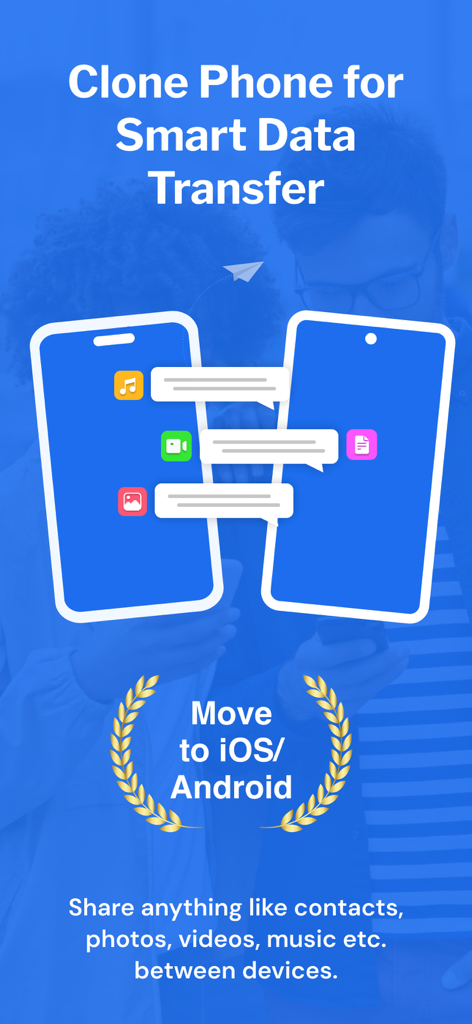
Clone Phone - Smart Switch - Grafik, die die mobile Datenübertragung zwischen zwei Smartphones für den Wechsel zu iOS oder Android zeigt
Grafik, die die mobile Datenübertragung zwischen zwei Smartphones für den Wechsel zu iOS oder Android zeigt

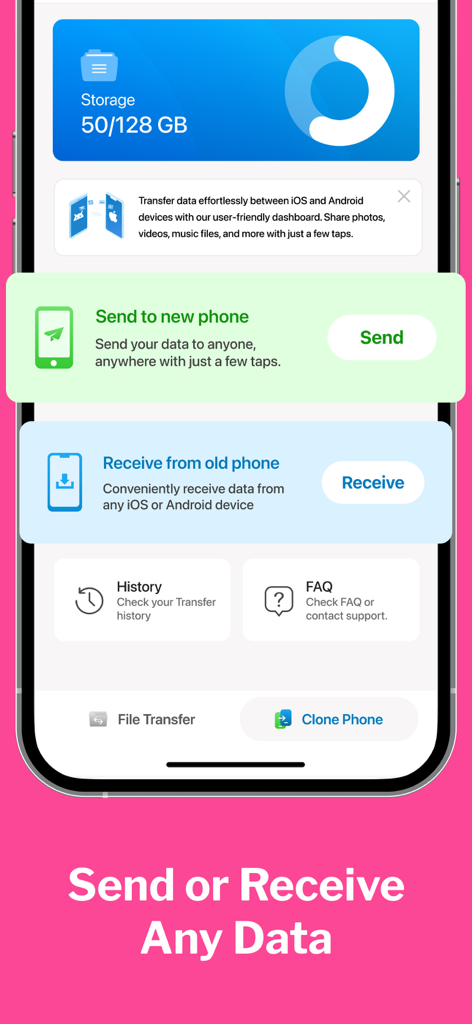
Clone Phone - Smart Switch - Dashboard der Clone Phone Smart Switch App mit Sende- und Empfangsoptionen für die mobile Datenübertragung.
Dashboard der Clone Phone Smart Switch App mit Sende- und Empfangsoptionen für die mobile Datenübertragung.

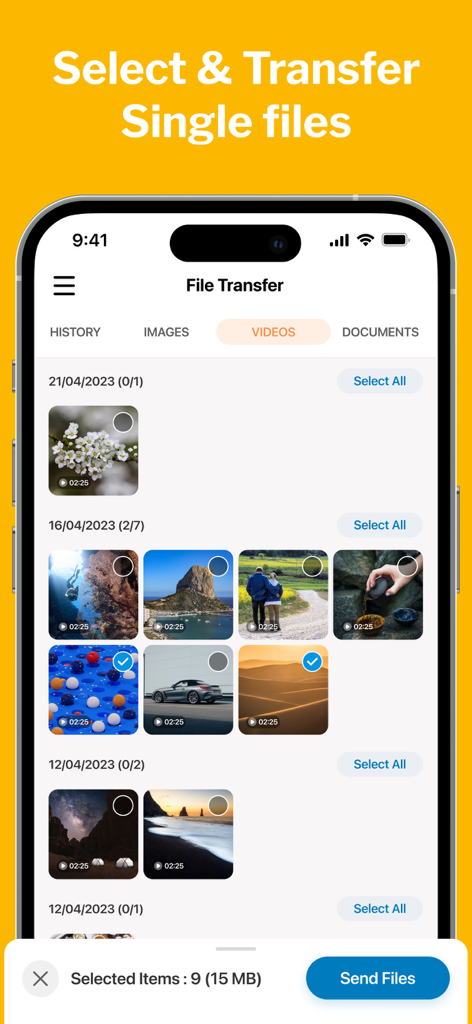
Clone Phone - Smart Switch - Benutzeroberfläche, die die selektive Übertragung von Videodateien in der Clone Phone App zeigt
Benutzeroberfläche, die die selektive Übertragung von Videodateien in der Clone Phone App zeigt

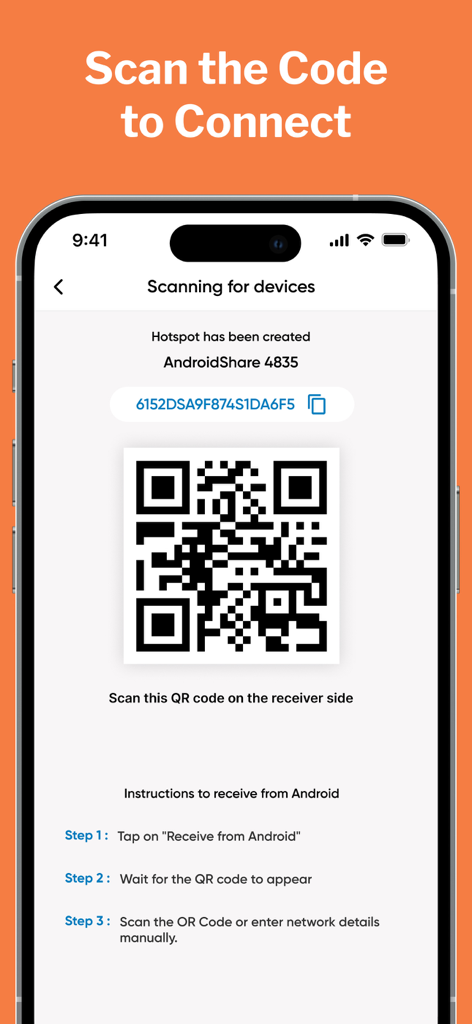
Clone Phone - Smart Switch - Smartphone-Bildschirm, der einen QR-Code zur Verbindung von Geräten für die Datenübertragung in der Clone Phone App zeigt
Smartphone-Bildschirm, der einen QR-Code zur Verbindung von Geräten für die Datenübertragung in der Clone Phone App zeigt

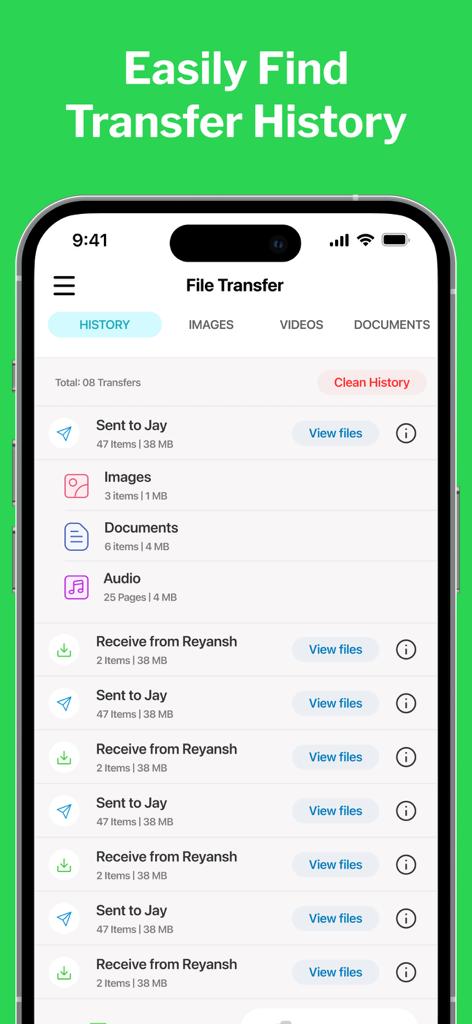
Clone Phone - Smart Switch - Oberfläche der Clone Phone App, die eine Liste abgeschlossener Datenübertragungen mit Dateianzahl und -größen anzeigt
Oberfläche der Clone Phone App, die eine Liste abgeschlossener Datenübertragungen mit Dateianzahl und -größen anzeigt

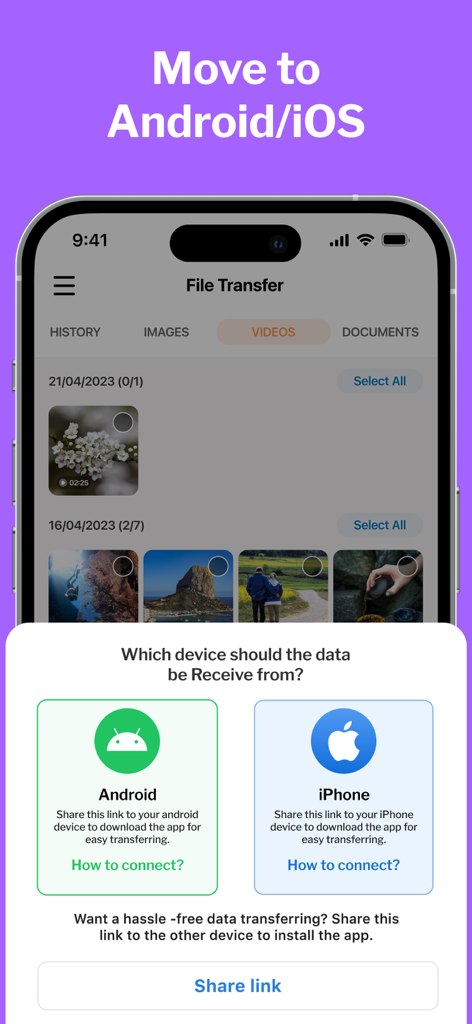
Clone Phone - Smart Switch - Clone Phone App-Oberfläche mit Optionen zur Datenübertragung von Android oder iPhone

Clone Phone App-Oberfläche mit Optionen zur Datenübertragung von Android oder iPhone

Beschreibung

CLONE your PHONE & SWITCH DATA between android & iOS. Phone Clone is a highly convenient file sharing app that enables seamless transfer of data between devices and allows users to effortlessly migrate their data to their new phones. It offers a hassle-free way to move contacts, photos, videos, messages, music, and more with just a few taps. Unlike other data transfer methods, Clone Phone doesn't require the internet, Bluetooth, or cables. Instead, it creates a personal hotspot to connect the two devices and transfer the data securely and efficiently. New Features MOVE to iOS Make Your Move Effortless with the Move to iOS feature. The Move to iOS feature is here to ensure a smooth and hassle-free transition between your android & iOS devices. SINGLE FILE TRANSFER Only want to transfer specific files only? With our File Transfer feature, whether it's photos, videos, documents, music, or any other file type, our app supports a wide range of file formats for seamless transfer. Why CLONE PHONE? Clone Phone is a smart data transfer and clone that allows easy migration of data to new phones. You can now clone your phone between from Android to iPhone. * It can move contacts, photos, videos, messages, and music between devices. * This app doesn't need the internet, Bluetooth, or cables to transfer data * It uses a personal hotspot to securely and efficiently switch data. * This app is free to use and offers lightning-fast transfer speeds * It allows users to select the data they want to clone. * Phone Switch has a move to iPhone File Sharing feature to smart switch data between Android and iPhone. Move to iOS phone from Android. * The user interface is well-designed and user-friendly. * The app displays free and used space on your phone and your clone history. Whether you're switching from Android to iOS or vice versa, this app makes it a breeze. You can easily copy all your data from your old phone and transfer it to your new phone using this app. The transfer speeds are lightning-fast, and the app even lets you select the data you need to switch. Plus, the app is completely free to use. How to USE: 1. After installation, the user must give the Smart Switch my Phone app all permissions it requires. 2. As a sender, simply select the files you wish to transfer and hit "Share". 3. The app will create a personal hotspot, and a QR code will be shown on the screen. 4. To start the transfer by creating a connection, the receiver must scan the QR code. 5. The user can find all his transferred files on the transfer history page. Some of the data we collect - Device-specific information such as device model, OS version being used. This provides knowledge of how our application is being used so we can improve the user experience and the app itself. - We collect anonymized data such as statistics, analytics, insights about your activity in order to provide you a reliable and high-quality experience. - Payment data & an optional Email (if using paid Services). Premium Plans Monthly - $2.99 Yearly - $5.99 Subscription Info - The user can cancel his/her subscription at any time by going into iTunes and App Store Apple ID Settings. - All prices include applicable local sales taxes. - Payment will be charged to your iTunes Account after confirmation of purchase. - Subscription automatically renews at least 24-hours before the end of the current period. - The user's account will be charged for renewal within 24-hours before the end of the current period. Privacy policy: https://m24apps.com/web/phoneclone/privacy-policy Terms of use: https://m24apps.com/web/phoneclone/tandc EULA: https://m24apps.com/web/phoneclone/eula

Download

Herunterladen auf App Store

Diese Seite ist keine offizielle Seite der App oder ihres Entwicklers, sondern eine unabhängige redaktionelle Veröffentlichung, die zu Informations- und Kommentarzwecken erstellt wurde. Sofern nicht ausdrücklich anders angegeben, sind weder die App noch ihr Entwickler mit MWM, Apple, Google Play, dem App-Herausgeber oder dem Entwickler der App verbunden, von ihnen unterstützt, gesponsert, autorisiert oder anderweitig offiziell verbunden, und nichts auf dieser Seite impliziert, dass die App unter Verwendung der Dienste von MWM entwickelt wurde. Alle Marken, Logos, Screenshots und andere Inhalte bleiben Eigentum ihrer jeweiligen Inhaber.








