CloudBeats Offline Music
Herunterladen auf App Store

Diese Seite ist keine offizielle Seite der App oder ihres Entwicklers, sondern eine unabhängige redaktionelle Veröffentlichung, die zu Informations- und Kommentarzwecken erstellt wurde. Sofern nicht ausdrücklich anders angegeben, sind weder die App noch ihr Entwickler mit MWM, Apple, Google Play, dem App-Herausgeber oder dem Entwickler der App verbunden, von ihnen unterstützt, gesponsert, autorisiert oder anderweitig offiziell verbunden, und nichts auf dieser Seite impliziert, dass die App unter Verwendung der Dienste von MWM entwickelt wurde. Alle Marken, Logos, Screenshots und andere Inhalte bleiben Eigentum ihrer jeweiligen Inhaber.

Logo von CloudBeats Offline Music
Herunterladen auf App Store

CloudBeats Offline Music

Streamen Sie Ihre hochwertige FLAC- und MP3-Sammlung direkt von Dropbox, Google Drive oder Ihrem persönlichen NAS. Laden Sie Ordner für die Offline-Wiedergabe herunter und genießen Sie nahtlose Wiedergabe im Auto mit CarPlay. Übernehmen Sie noch heute die Kontrolle über Ihren Musikbesitz.

Kennzahlen

Downloads

911K+

Bewertung

4.5/5

Bewertungen gesamt

7K+

Herausgeber

Roman Burda

Kategorie

Music

Sprachen

13

Neueste Version

2.55.11

Größe

32.4 MB

Erstveröffentlichung

9. Aug. 2013
Funktionen

Maximale Kontrolle über Ihre Musikbibliothek

Befreien Sie sich von monatlichen Mietgebühren und Abonnement-Müdigkeit. CloudBeats verwandelt Ihren persönlichen Cloud-Speicher in einen privaten High-Fidelity-Streamingdienst, der für echte Musikbesitzer entwickelt wurde.

Universelles Cloud-Streaming

Verbinden Sie Dropbox, Google Drive oder Ihr persönliches NAS, um Ihre kuratierte Bibliothek direkt auf Ihr Telefon zu streamen, ohne Speicherplatz zu belegen.

Völlige Offline-Freiheit

Laden Sie Ihre Lieblingsalben, Ordner oder seltene Bootlegs herunter, um ununterbrochene Wiedergabe im Flugzeugmodus oder in Gebieten mit schlechter Mobilfunkabdeckung zu genießen.

Die folgenden Screenshots und die Beschreibung stammen direkt aus dem offiziellen Store-Eintrag der App und sind Eigentum des Entwicklers.

App Store

Screenshots
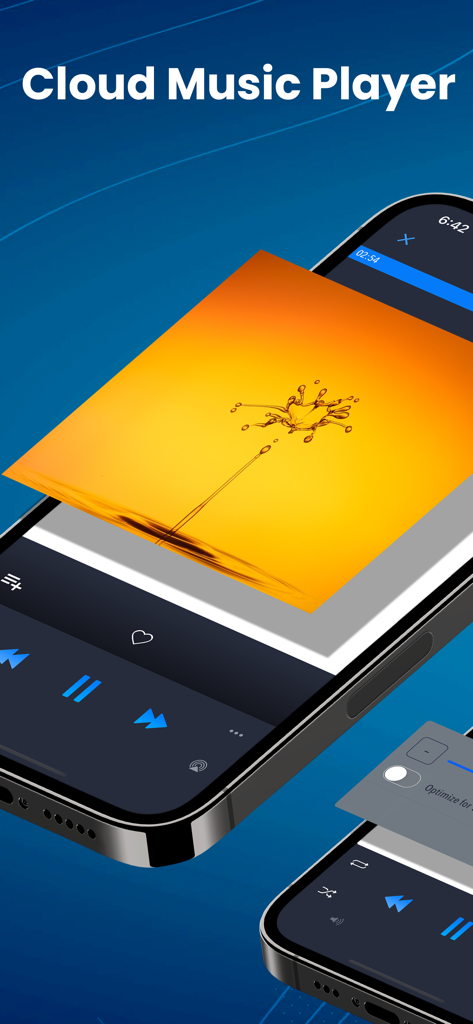
CloudBeats Offline Music - CloudBeats Musik-Player-App zeigt Wiedergabesteuerung und Album-Cover auf einem iPhone-Bildschirm an
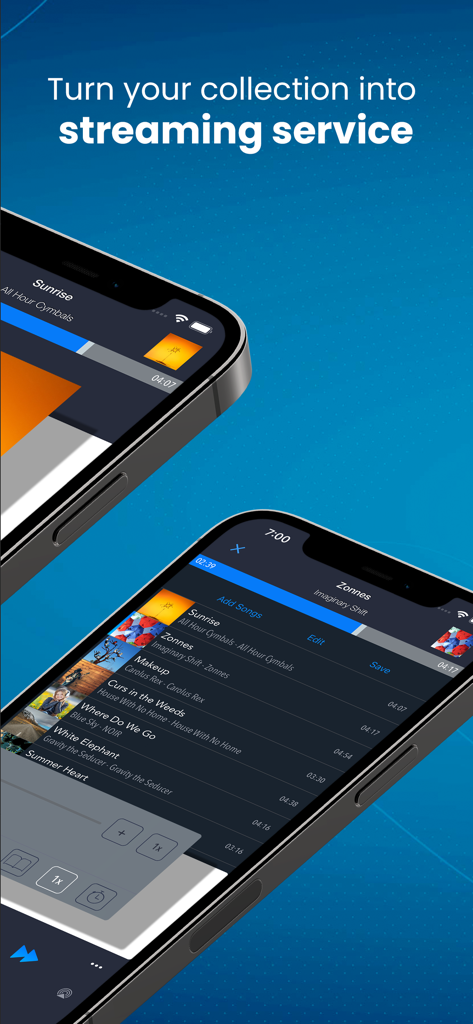
CloudBeats Musik-Player-App zeigt Wiedergabesteuerung und Album-Cover auf einem iPhone-Bildschirm an

CloudBeats Offline Music - Zwei iPhones zeigen die CloudBeats App-Oberfläche mit dem Text: Verwandeln Sie Ihre Sammlung in einen Streamingdienst
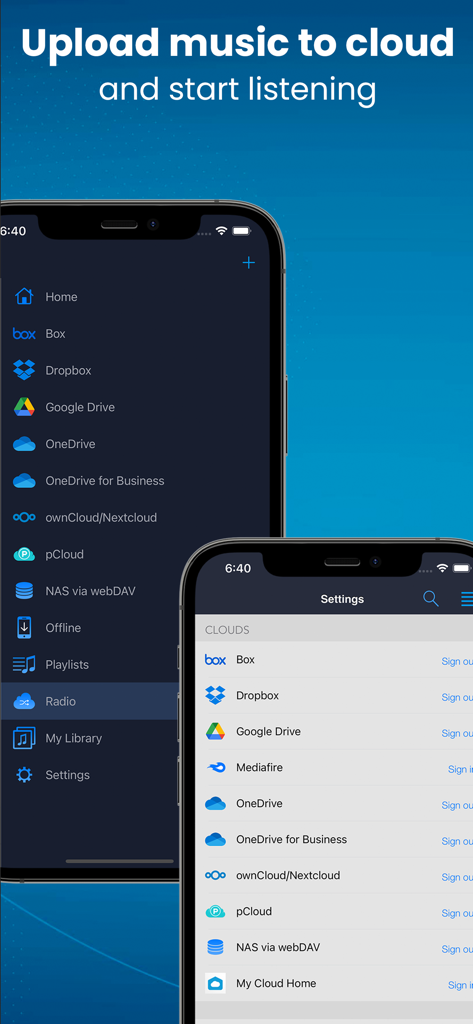
Zwei iPhones zeigen die CloudBeats App-Oberfläche mit dem Text: Verwandeln Sie Ihre Sammlung in einen Streamingdienst

CloudBeats Offline Music - CloudBeats App-Oberfläche zeigt unterstützte Cloud-Speicherdienste wie Dropbox und Google Drive für Musik-Streaming
CloudBeats App-Oberfläche zeigt unterstützte Cloud-Speicherdienste wie Dropbox und Google Drive für Musik-Streaming

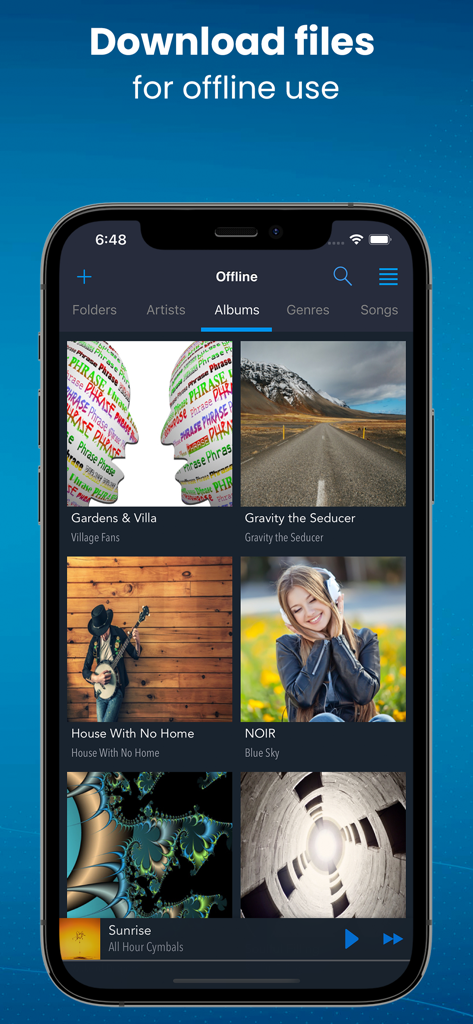
CloudBeats Offline Music - Die CloudBeats App zeigt eine Musikbibliothek mit Alben an, die für die Offline-Wiedergabe verfügbar sind.
Die CloudBeats App zeigt eine Musikbibliothek mit Alben an, die für die Offline-Wiedergabe verfügbar sind.

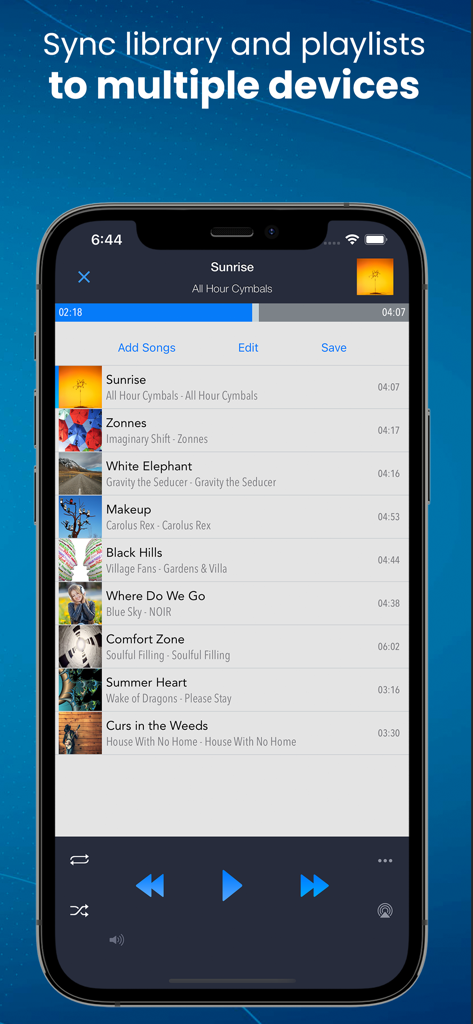
CloudBeats Offline Music - CloudBeats App-Bildschirm zeigt eine Musik-Playlist und eine Funktion zur Synchronisierung der Bibliothek
CloudBeats App-Bildschirm zeigt eine Musik-Playlist und eine Funktion zur Synchronisierung der Bibliothek

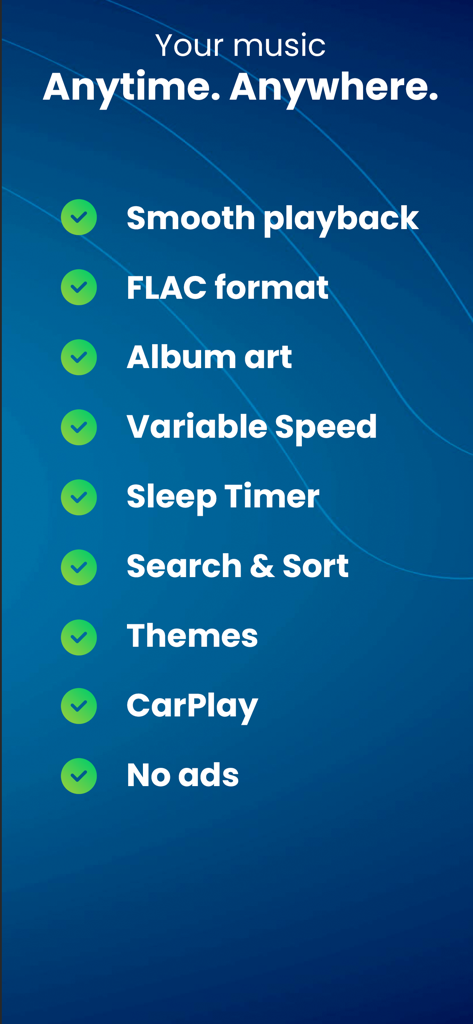
CloudBeats Offline Music - Liste der Hauptfunktionen der CloudBeats Offline-Musik-App, einschließlich FLAC-Unterstützung und CarPlay.

Liste der Hauptfunktionen der CloudBeats Offline-Musik-App, einschließlich FLAC-Unterstützung und CarPlay.

Beschreibung

EASIEST WAY TO STREAM & ORGANIZE YOUR MUSIC Take control over your music and enhance your music listening experience with CloudBeats – cloud music player. Whether you need an offline cloud music player listener, or a music cloud player to sync all your music albums and download mp3 songs on multiple devices, CloudBeats is the only app you need. It simply allows you to create your own music streaming service. All you audiophiles and die-hard music fans finally have a simple app that will organize and play your vast music collection the way you want it. Anywhere. Anytime. It’s time to easily upload, store and access your music on the cloud seamlessly with CloudBeats. ► CLOUD MUSIC PLAYER ● Works with the popular cloud services for music streaming: Dropbox, Google Drive, OneDrive, OneDrive for Business, Box, pCloud, HiDrive. Personal clouds that support webDAV, including ownCloud and NextCloud. Network-Attached Servers (NAS) by Synology, QNAP, Western Digital (WD) and others that support webDAV protocol. These integrations make our cloud music internet song player one of the most versatile cloud music song organizers. ● Plays audio files in different formats: Our free local music player offline app allows you to play mp3, m4a, wav and lossless FLAC and ALAC audio. Meaning our music cloud player can play almost any song you have on your iPhone. ● Works online and offline: Want to enjoy cloud music with no wifi? Well our no wifi music cloud player allows you that. Simply swap between offline and cloud tabs. Also supports shuffle mode & CarPlay. ► MUSIC MANAGER & ORGANIZER ◉ Sync music libraries: The cloud music organizer app auto detects all the music on your phone and syncs all your music libraries. All songs are grouped by artist, album, genre. ◉ Create playlists: Want to organize your music and create cloud playlists? Add files and entire folders to playlists, change the order of the tracks in the Playlist section of our free music player. ◉ Organize & download music, audiobooks, podcasts: download, upload and sync any of your music across multiple devices on the cloud with this free cloud music organizer. Our intuitive song manager & song organizer will give amazing control and effectively organize your music the way you want it. It also supports audiobooks and podcast file formats so you can listen offline without wifi. ► ALL FEATURES: ・Supports most cloud services, personal clouds and servers. ・Works without internet. Download albums, playlists, folders or files onto the device for playback in offline mode (Premium feature) ・Playlist maker. ・Sync your music library with connected network accounts. Sync manager will scan selected folders and add audio files to your music library. ・Supports mp3, wav and m4a, lossless FLAC & ALAC ・Advanced buffering technologies to provide smooth gapless playback ・Repeat all, repeat one and shuffle mode. Shuffle the entire library, a single folder, artist or album. ・Sleep timer to automatically stop music when the timer ends ・Playback speed control (tempo) within the 0.5x-3.0x range.. ・Play offline–no internet or WiFi needed ・Add music to your favorite playlist ・no ads Cloudbeats is free with unlimited streaming capabilities from a single cloud account. With a one-time purchase of Premium pack you get: ・ download albums, playlists, folders or files onto device for playback in offline mode without internet ・ connect multiple cloud sources ・ connect to Carplay * Please note that the app cannot play drm protected files purchased on iTunes Store. ** 'Sync Multiple Devices' is an optional service to keep your Playlists and My Library database in sync between multiple devices.

Download

Herunterladen auf App Store

Diese Seite ist keine offizielle Seite der App oder ihres Entwicklers, sondern eine unabhängige redaktionelle Veröffentlichung, die zu Informations- und Kommentarzwecken erstellt wurde. Sofern nicht ausdrücklich anders angegeben, sind weder die App noch ihr Entwickler mit MWM, Apple, Google Play, dem App-Herausgeber oder dem Entwickler der App verbunden, von ihnen unterstützt, gesponsert, autorisiert oder anderweitig offiziell verbunden, und nichts auf dieser Seite impliziert, dass die App unter Verwendung der Dienste von MWM entwickelt wurde. Alle Marken, Logos, Screenshots und andere Inhalte bleiben Eigentum ihrer jeweiligen Inhaber.







