
Diese Seite ist keine offizielle Seite der App oder ihres Entwicklers, sondern eine unabhängige redaktionelle Veröffentlichung, die zu Informations- und Kommentarzwecken erstellt wurde. Sofern nicht ausdrücklich anders angegeben, sind weder die App noch ihr Entwickler mit MWM, Apple, Google Play, dem App-Herausgeber oder dem Entwickler der App verbunden, von ihnen unterstützt, gesponsert, autorisiert oder anderweitig offiziell verbunden, und nichts auf dieser Seite impliziert, dass die App unter Verwendung der Dienste von MWM entwickelt wurde. Alle Marken, Logos, Screenshots und andere Inhalte bleiben Eigentum ihrer jeweiligen Inhaber.


Commerzbank photoTAN
Erleben Sie die ultimative Sicherheit für Ihr Commerzbank-Banking. Genehmigen Sie Transaktionen in Sekundenschnelle mit Ein-Klick-Push-Benachrichtigungen und digitaler Erstaktivierung, zugeschnitten auf Ihren internationalen Lebensstil.
Downloads
3M+Bewertung
Bewertungen gesamt
242K+Herausgeber
Kategorie
FinanceSprachen
15Neueste Version
15.1.0Größe
61.5 MBErstveröffentlichung
23. Nov. 2012Kompromisslose Sicherheit, müheloser Zugang
Schließen Sie die Lücke zwischen Ihrem US-amerikanischen Lebensstil und dem deutschen Bankwesen. Die photoTAN-App bietet die schnellste und sicherste Methode zur Autorisierung internationaler Transaktionen von überall auf der Welt.
Ein-Tipp-Push-Genehmigungen
Erleben Sie nahtloses Banking mit photoTAN-Push. Genehmigen Sie Überweisungen sofort über sichere Benachrichtigungen, ohne dass eine manuelle Codeeingabe erforderlich ist.
Elite-Sicherheitsstandards
Nutzen Sie Deutschlands innovativste Sicherheitstechnologie. Profitieren Sie von Echtzeit-Hardwareprüfungen und fortschrittlicher Verschlüsselung zum Schutz Ihrer transatlantischen Vermögenswerte.
Häufig gestellte Fragen
Alles, was Sie über wissen müssen Commerzbank photoTAN
Wofür wird die Commerzbank photoTAN-App verwendet?
Die Commerzbank photoTAN-App ist eine Sicherheitsmethode für Online- und Mobile-Banking. Sie generiert Transaktionsnummern (TANs) zur Verifizierung von Auftragsdaten und zur Sicherung von Logins und Transaktionen, entweder über Push-Benachrichtigungen oder grafisches Scannen.
Wie funktioniert die photoTAN-Push-Funktion in der Commerzbank-App?
Die photoTAN-Push-Funktion sendet eine Benachrichtigung für neue Aufträge. Benutzer öffnen die App, überprüfen den Auftrag und genehmigen ihn mit einem einzigen Klick. Dies ermöglicht eine schnelle und sichere Auftragsbestätigung innerhalb der Commerzbank-App.
Kann ich die Commerzbank photoTAN-App digital aktivieren?
Ja, Benutzer können sich vollständig mit der VideoIdent-App legitimieren. Nach der Legitimation wird ein Code per SMS empfangen, um die photoTAN-App innerhalb von drei Stunden schnell digital zu aktivieren und auf die Aktivierungs-Grafiken zu warten.
Ist die Commerzbank photoTAN-App kostenlos?
Ja, die Nutzung der Commerzbank photoTAN-App ist für alle Nutzer kostenlos. Sie wird explizit als einer der Hauptvorteile der App-Dienste aufgeführt.
Welche Sicherheitsprüfungen führt die Commerzbank photoTAN-App durch?
Die Commerzbank photoTAN-App führt Laufzeit-Sicherheitsprüfungen auf bekannte Angriffsvektoren wie gerootete/gejailbreakte Geräte und bösartige Apps durch. Benutzer müssen diesen Prüfungen für die App-Installation und -Nutzung zustimmen.
Kann ich die Commerzbank photoTAN-App offline verwenden?
Ja, die Commerzbank photoTAN-App unterstützt die Offline-Nutzung. Wenn Ihr Smartphone offline ist, können Sie Aufträge einfach über die Scan-Funktion weiterhin freigeben.
Wie funktioniert die photoTAN-Scan-Funktion in der Commerzbank-App?
Nachdem Sie online einen Auftrag erteilt haben, erscheint eine mosaikartige Grafik. Benutzer scannen diese mit der photoTAN-App, um eine TAN zu generieren. Die App zeigt die Auftragsdetails zur Verifizierung an, bevor die TAN eingegeben wird.
Kann ich meine PIN für das Commerzbank Online-Banking über die photoTAN-App zurücksetzen?
Ja, die Commerzbank photoTAN-App enthält eine Funktion zum Zurücksetzen Ihrer PIN für das Commerzbank Online-Banking. Diese Funktionalität ist direkt über die Benutzeroberfläche der App zugänglich.
Unterstützt die Commerzbank photoTAN-App Biometrie für Kreditkartenzahlungen?
Ja, die Commerzbank photoTAN-App unterstützt Biometrie für Kreditkartenzahlungen. Diese Funktion ist als eine der Aktionen auf dem neuen Startbildschirm für Benutzerkomfort und Sicherheit aufgeführt.
Die folgenden Screenshots und die Beschreibung stammen direkt aus dem offiziellen Store-Eintrag der App und sind Eigentum des Entwicklers.
App Store
Screenshots
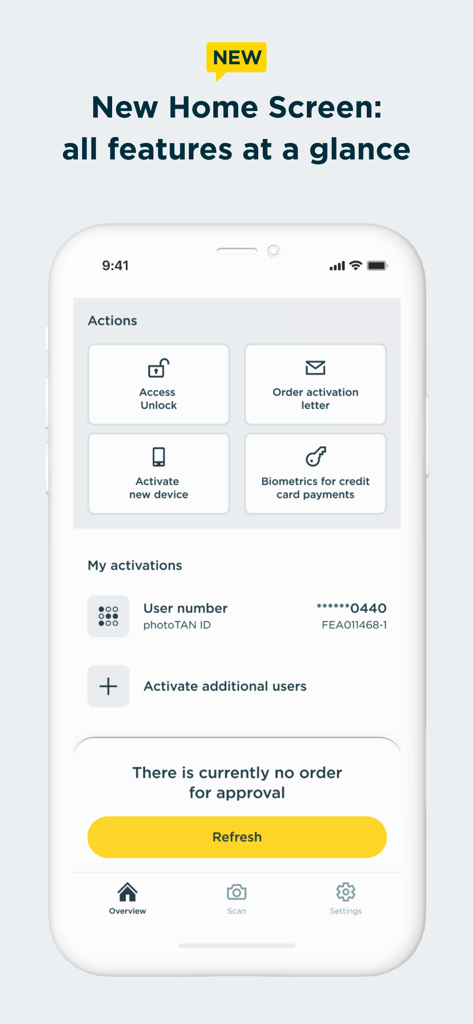
Der Startbildschirm der Commerzbank photoTAN-App mit Aktionsverknüpfungen und dem Status der Kontenaktivierung
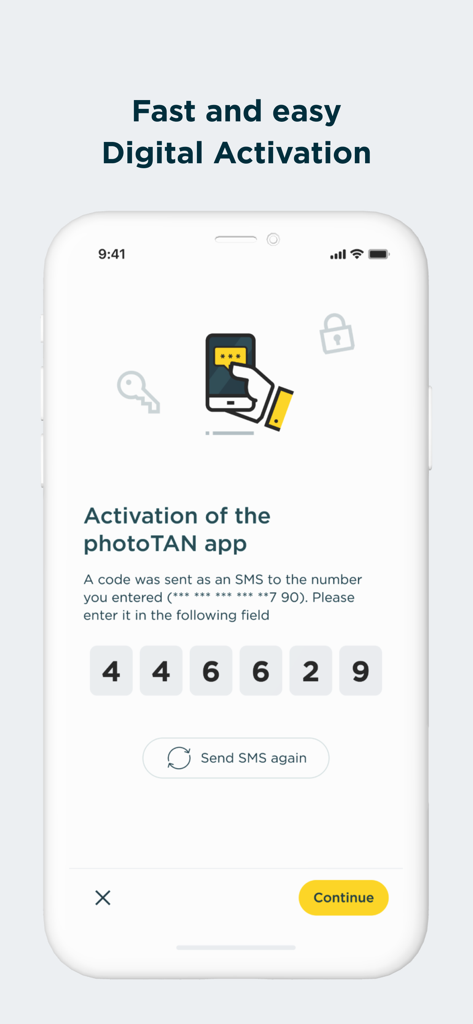
Commerzbank photoTAN-App-Bildschirm zur digitalen Aktivierung mit Eingabefeld für einen sechsstelligen SMS-Code
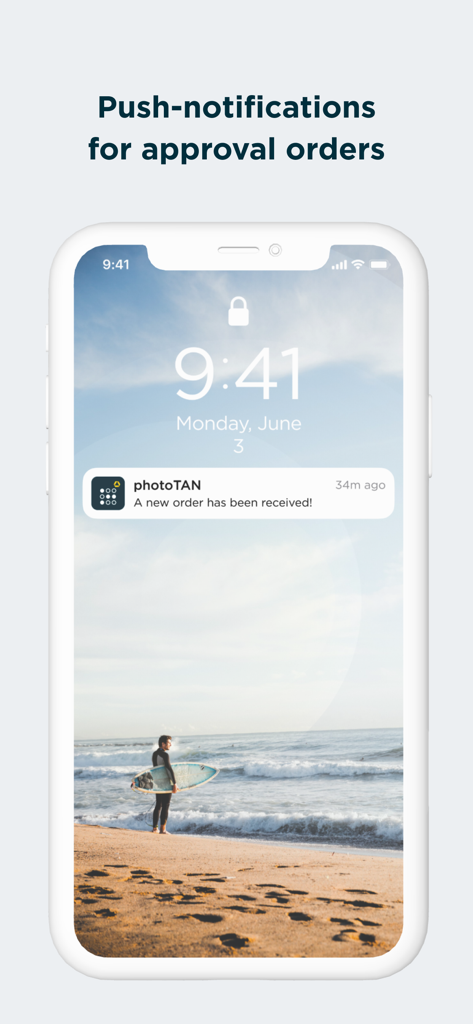
Commerzbank photoTAN Push-Benachrichtigung zur Auftragsgenehmigung
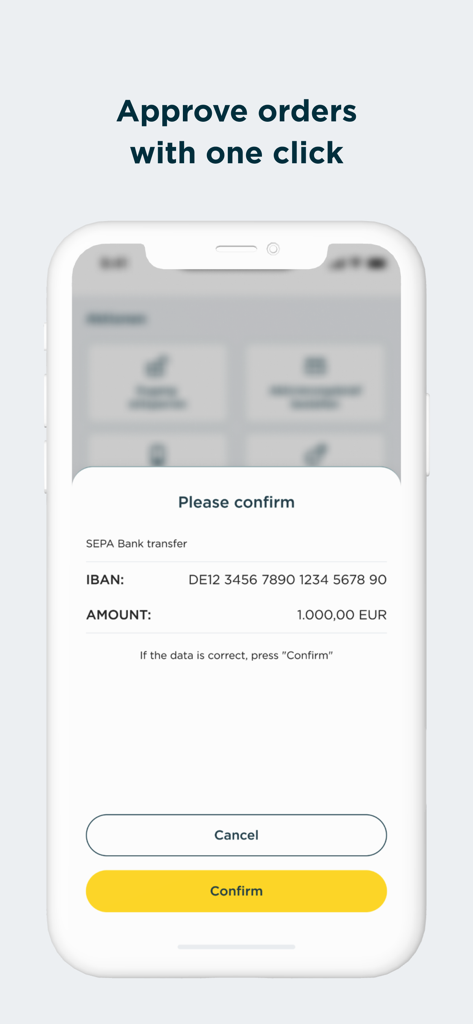
Mobiler Bildschirm der Commerzbank photoTAN-App, der eine SEPA-Überweisungsbestätigungsanfrage über 1000 Euro mit einem gelben Bestätigungsbutton anzeigt.
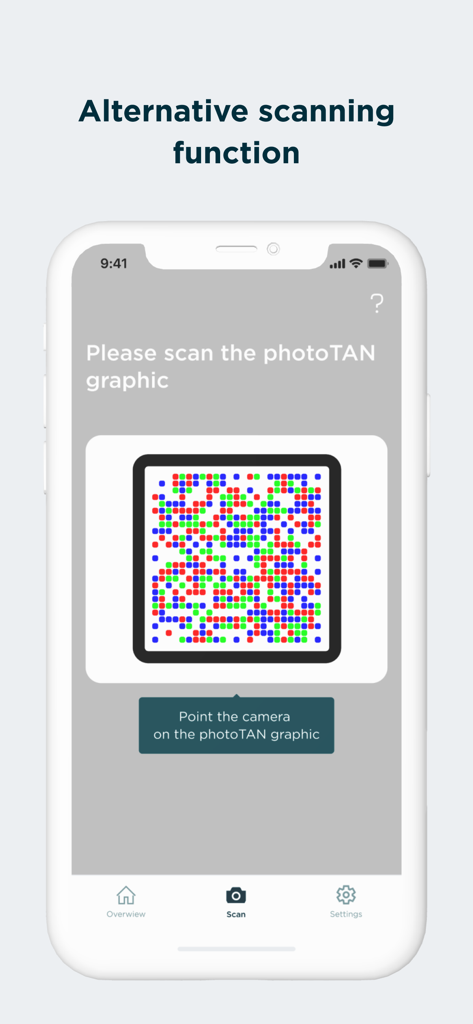
Bildschirm der Commerzbank photoTAN-App, der die alternative Scanfunktion für Grafiken zur Sicherheit anzeigt
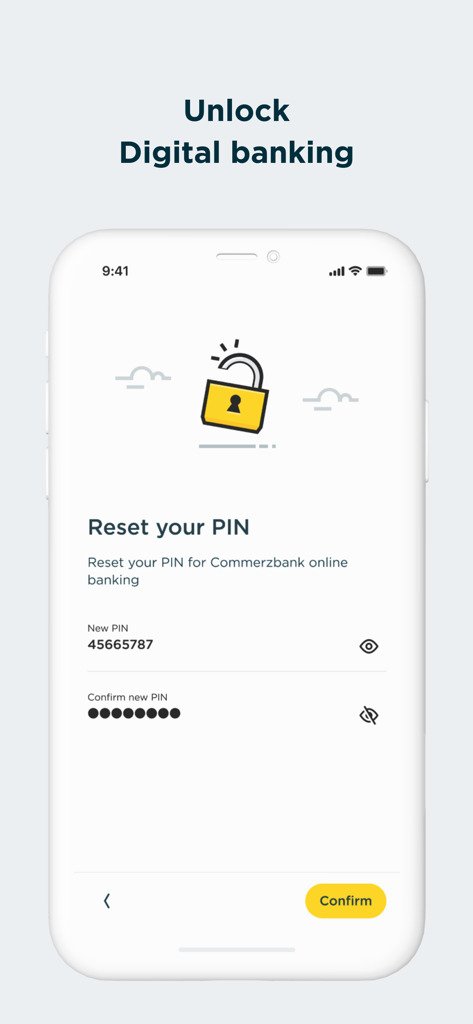
Commerzbank photoTAN-App-Bildschirm zum Zurücksetzen der PIN für das Online-Banking
Beschreibung
Download
Ähnliche Apps
Apps mit ähnlichen Funktionen und Nutzererfahrung

Mi_Pass
Banco de Chile

Raiffeisen SmartToken
Raiffeisen Bank S.A.

Synology Secure SignIn
Synology Inc.

DATEV SmartLogin
DATEV eG

VR SecureGo plus
Atruvia AG

Namirial OTP
Namirial Spa

UBS Access – secure login
UBS AG

Mobilní klíč eGovernmentu
MINISTERSTVO VNITRA

comdirect photoTAN App
Commerzbank Aktiengesellschaft
Diese Seite ist keine offizielle Seite der App oder ihres Entwicklers, sondern eine unabhängige redaktionelle Veröffentlichung, die zu Informations- und Kommentarzwecken erstellt wurde. Sofern nicht ausdrücklich anders angegeben, sind weder die App noch ihr Entwickler mit MWM, Apple, Google Play, dem App-Herausgeber oder dem Entwickler der App verbunden, von ihnen unterstützt, gesponsert, autorisiert oder anderweitig offiziell verbunden, und nichts auf dieser Seite impliziert, dass die App unter Verwendung der Dienste von MWM entwickelt wurde. Alle Marken, Logos, Screenshots und andere Inhalte bleiben Eigentum ihrer jeweiligen Inhaber.