
Diese Seite ist keine offizielle Seite der App oder ihres Entwicklers, sondern eine unabhängige redaktionelle Veröffentlichung, die zu Informations- und Kommentarzwecken erstellt wurde. Sofern nicht ausdrücklich anders angegeben, sind weder die App noch ihr Entwickler mit MWM, Apple, Google Play, dem App-Herausgeber oder dem Entwickler der App verbunden, von ihnen unterstützt, gesponsert, autorisiert oder anderweitig offiziell verbunden, und nichts auf dieser Seite impliziert, dass die App unter Verwendung der Dienste von MWM entwickelt wurde. Alle Marken, Logos, Screenshots und andere Inhalte bleiben Eigentum ihrer jeweiligen Inhaber.


Compress Photos & Pictures
Dein iPhone platzt aus allen Nähten? Diese App schafft Platz, wo Apple versagt.
Downloads
2.5M+Bewertung
Bewertungen gesamt
63.9KHerausgeber
Kategorie
Photo & VideoSprachen
1Neueste Version
3.3Größe
9.5 MBErstveröffentlichung
16. Feb. 2019Eine Bewertung der Kernfunktionen zur Speicheroptimierung für iPhone- und iPad-Nutzer.
Analyse: App 'Compress Photos & Pictures'
Effiziente Speicherplatzeinsparung
Die App ermöglicht es Nutzern, die Dateigröße ihrer Fotos drastisch zu reduzieren, wodurch auf dem Gerät erheblich mehr Speicherplatz frei wird. Dies ist die primäre Lösung für das häufige Problem voller Gerätespeicher.
Intelligenter Qualitätserhalt
Ein intelligenter Kompressionsalgorithmus sorgt dafür, dass Fotos verkleinert werden, ohne dass die visuelle Qualität merklich leidet. Dies ist entscheidend, um die Ästhetik der Bilder zu bewahren.
Intuitive Bedienung
Die Anwendung ist sehr einfach zu bedienen und erfordert keine technischen Vorkenntnisse. Dies gewährleistet eine schnelle und unkomplizierte Nutzung für die breite Masse der iPhone- und iPad-Nutzer.
Optimierung für Social Media & Teilen
Die Komprimierung von Fotos beschleunigt das Hochladen auf soziale Medien und das Teilen mit Freunden und Familie, was besonders für aktive Social-Media-Nutzer von Vorteil ist.
Verbesserter Datenschutz
Das Tool bietet die Option, Metadaten und Standortinformationen aus Fotos zu entfernen. Dies erhöht die Privatsphäre beim Teilen von Bildern und ist für datenschutzbewusste Nutzer von großem Wert.
Umfassende Dateiformatunterstützung
Die App unterstützt gängige Bildformate wie PNG, JPEG, HEIF und HEIC, wodurch sichergestellt wird, dass die meisten auf einem iPhone oder iPad aufgenommenen Fotos verarbeitet werden können.
Einfache Auffindbarkeit komprimierter Fotos
Komprimierte Fotos werden automatisch in einem speziellen Album 'Compressed Photos' gespeichert. Dies erleichtert das Wiederfinden und Verwalten der bearbeiteten Bilder erheblich.
Transparente Speicherplatzeinsparung
Vor dem Komprimieren erhalten Nutzer eine Schätzung der möglichen Speicherplatzeinsparung. Dies bietet Transparenz und Kontrolle über den Kompressionsprozess.
Häufig gestellte Fragen
Alles, was Sie über wissen müssen Compress Photos & Pictures
What is the main function of Compress Photos & Pictures?
Compress Photos & Pictures compresses images to reduce their file size, saving storage space on your iPhone or iPad. It does this without reducing photo quality.
Does Compress Photos & Pictures preserve original image quality?
Yes, Compress Photos & Pictures preserves image quality. Its intelligent compression engine significantly reduces file sizes by 90% or more without a noticeable difference to the naked eye.
What types of image files does Compress Photos & Pictures support?
Compress Photos & Pictures supports PNG, JPEG, HEIF, and HEIC image files. This ensures compatibility with common photo formats on Apple devices.
Does Compress Photos & Pictures offer advanced settings for compression?
Yes, Compress Photos & Pictures provides advanced compression tools. Users can control metadata, location details, select export formats, and utilize smart file size estimation for flexibility.
Are photos uploaded to a server when using Compress Photos & Pictures?
No, Compress Photos & Pictures processes photos directly on your device. Images are never uploaded to a remote server, ensuring privacy and security for all user data.
What benefits does the Pro version of Compress Photos & Pictures offer?
The Pro version of Compress Photos & Pictures removes ads, unlocks advanced compression settings, and enables users to compress more than three photos at once.
How much storage space can I save using Compress Photos & Pictures?
Compress Photos & Pictures can help users save significant storage space, potentially allowing them to store up to 10 times more photos on their iPhone or iPad.
Die folgenden Screenshots und die Beschreibung stammen direkt aus dem offiziellen Store-Eintrag der App und sind Eigentum des Entwicklers.
App Store
Screenshots
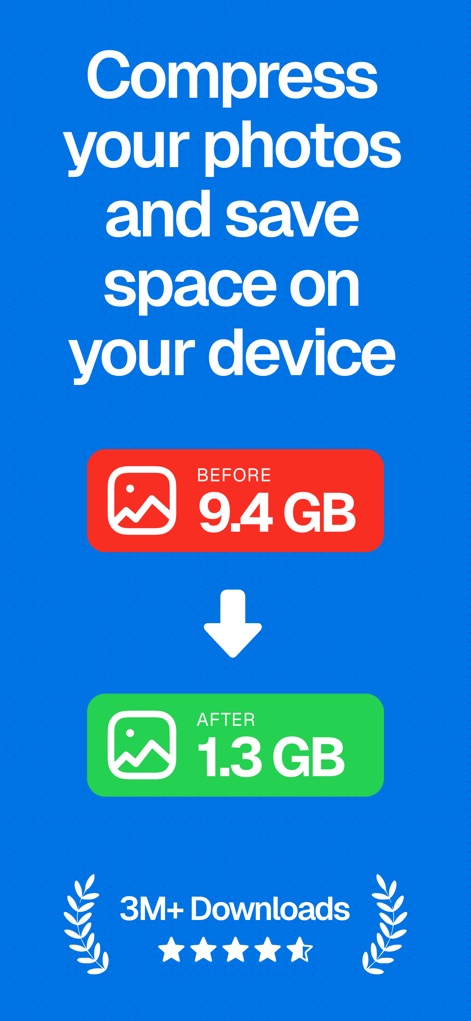
Dieser Screenshot demonstriert die beeindruckende Speicherplatzersparnis, die Nutzer erzielen können, wie die Reduzierung von "9,4 GB" auf "1,3 GB" zeigt, und hebt die Beliebtheit der App mit "3M+ Downloads" hervor.
Speicherplatz optimieren
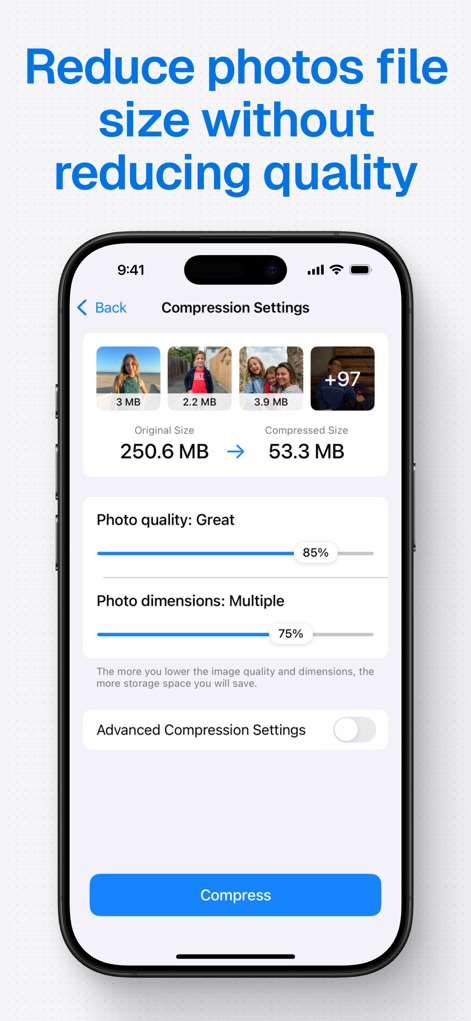
Dieses Bild zeigt die präzisen "Komprimierungseinstellungen" der App, mit denen Nutzer "Fotoqualität" und "Fotodimensionen" anpassen können, während die Reduzierung von 250,6 MB auf 53,3 MB demonstriert wird.
Qualität beibehalten
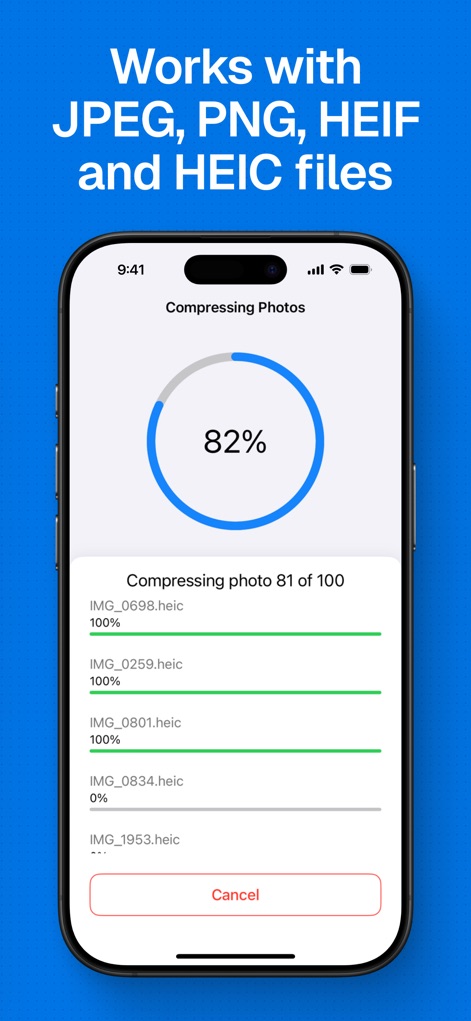
Die App visualisiert den Komprimierungsprozess durch einen zentralen "Fortschrittskreis" und detaillierte "individuelle Fortschrittsbalken" für jede Datei, wodurch Nutzer den Status genau verfolgen können.
Dateitypen verarbeiten
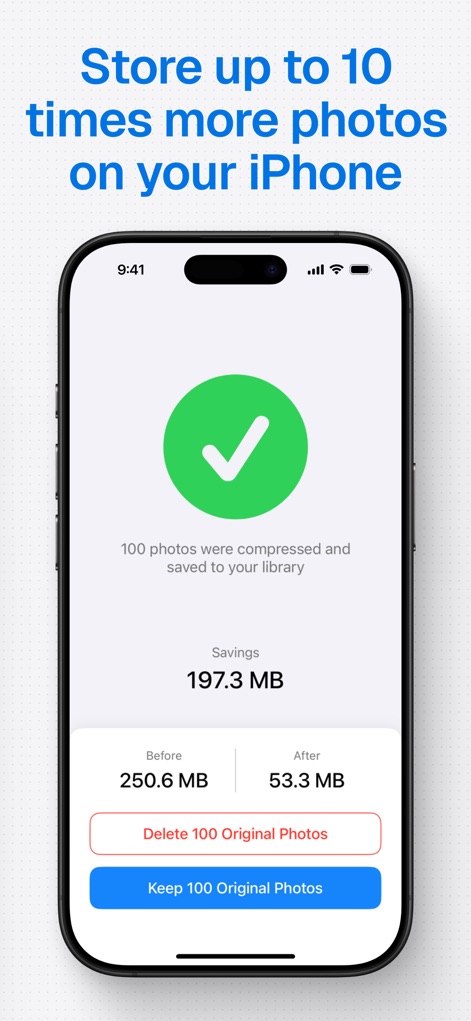
Dieser Screenshot zeigt die erfolgreiche Komprimierung mit einem deutlichen "grünen Häkchen" und präsentiert die erzielte "Ersparnis von 197,3 MB", wobei Nutzer die Wahl haben, Originale zu löschen oder zu behalten.
Ergebnisse speichern

Die App unterstreicht ihre Datenschutzgarantie mit einem markanten "Schild-Symbol" und der klaren Aussage, dass Fotos "direkt auf Ihrem Gerät verarbeitet" werden, um maximale Sicherheit zu gewährleisten.
Privatsphäre schützen
Beschreibung
Download
Ähnliche Apps
Apps mit ähnlichen Funktionen und Nutzererfahrung

Square Fit Photo Video Editor
Honk Honk Punch Pty Ltd

Image Size
Vitalij Schaefer

JPEG-PNG Image file converter
handyCloset Inc.

Compress Photos, Resize Image
SMDA GROUP SP. Z OO

Photo Resizer: resize image
Ryoichi Fukugawa

Photo Compress - Shrink Pics
Brachmann Online Marketing GmbH & Co. KG

Size Image
Abdullah Albalawi

Photo & Picture Resizer
Farluner Apps Grzegorz Balcerzak

Easy Photo Compressor
Osawa Shunsuke
Diese Seite ist keine offizielle Seite der App oder ihres Entwicklers, sondern eine unabhängige redaktionelle Veröffentlichung, die zu Informations- und Kommentarzwecken erstellt wurde. Sofern nicht ausdrücklich anders angegeben, sind weder die App noch ihr Entwickler mit MWM, Apple, Google Play, dem App-Herausgeber oder dem Entwickler der App verbunden, von ihnen unterstützt, gesponsert, autorisiert oder anderweitig offiziell verbunden, und nichts auf dieser Seite impliziert, dass die App unter Verwendung der Dienste von MWM entwickelt wurde. Alle Marken, Logos, Screenshots und andere Inhalte bleiben Eigentum ihrer jeweiligen Inhaber.