
Diese Seite ist keine offizielle Seite der App oder ihres Entwicklers, sondern eine unabhängige redaktionelle Veröffentlichung, die zu Informations- und Kommentarzwecken erstellt wurde. Sofern nicht ausdrücklich anders angegeben, sind weder die App noch ihr Entwickler mit MWM, Apple, Google Play, dem App-Herausgeber oder dem Entwickler der App verbunden, von ihnen unterstützt, gesponsert, autorisiert oder anderweitig offiziell verbunden, und nichts auf dieser Seite impliziert, dass die App unter Verwendung der Dienste von MWM entwickelt wurde. Alle Marken, Logos, Screenshots und andere Inhalte bleiben Eigentum ihrer jeweiligen Inhaber.


Compress Videos & Resize Video
Hören Sie auf, wertvolle Erinnerungen zu löschen. Machen Sie es wie über 2 Millionen Nutzer, die Videodateien um bis zu 90 % verkleinern und dabei jedes Detail gestochen scharf halten. Einfach, privat und ohne Wasserzeichen.
Downloads
2M+Bewertung
Bewertungen gesamt
43K+Herausgeber
Kategorie
Photo & VideoSprachen
1Neueste Version
2.13Größe
15.3 MBErstveröffentlichung
14. Aug. 2019Alles, was Sie brauchen, um Ihren Speicherplatz zurückzugewinnen
Hören Sie auf, Ihre Lieblingserinnerungen zu löschen. Unsere leistungsstarken Tools helfen Ihnen, Videodateien um bis zu 90 % zu verkleinern und dabei die atemberaubende HD-Qualität beizubehalten, die Sie lieben.
Schluss mit „Speicher voll“-Meldungen
Gewinnen Sie in Sekundenschnelle Gigabyte an Speicherplatz zurück. Komprimieren Sie Ihre gesamte Bibliothek, um bis zu 10-mal mehr Videos auf Ihrem aktuellen Gerät zu speichern.
Profi-Qualität, kleinere Größe
Unsere intelligente Komprimierungs-Engine sorgt dafür, dass Ihre Videos gestochen scharf bleiben. Verkleinern Sie Dateien ohne sichtbaren Verlust an Schärfe oder Details.
Häufig gestellte Fragen
Alles, was Sie über wissen müssen Compress Videos & Resize Video
Was ist Compress Videos & Resize Video?
Compress Videos & Resize Video ist eine App, die Videos komprimiert, um ihre Dateigröße zu reduzieren und Speicherplatz auf iPhone- oder iPad-Geräten zu sparen, ohne die Qualität zu verringern.
Reduziert Compress Videos & Resize Video die Videoqualität?
Nein, Compress Videos & Resize Video reduziert die Videoqualität nicht. Seine intelligente Komprimierungs-Engine reduziert die Dateigröße ohne nennenswerten Unterschied, sogar um 90 % oder mehr.
Wie spart Compress Videos & Resize Video Speicherplatz auf meinem iPhone?
Compress Videos & Resize Video verkleinert Videodateigrößen, sodass Benutzer Speicherplatz zurückgewinnen können. Es kann helfen, bis zu 10-mal mehr Videos auf einem iPhone oder iPad zu speichern.
Respektiert Compress Videos & Resize Video die Privatsphäre der Benutzer?
Ja, Compress Videos & Resize Video respektiert die Privatsphäre der Benutzer. Es verarbeitet Videos direkt auf dem Gerät, lädt sie niemals auf einen Remote-Server hoch und fügt keine Wasserzeichen hinzu.
Welche Videodateitypen werden von Compress Videos & Resize Video unterstützt?
Compress Videos & Resize Video unterstützt alle von iPhone unterstützten Videodateitypen, einschließlich H.264, MPEG-4, HEVC, .m4v, .mp4 und .mov-Formate.
Wo speichert Compress Videos & Resize Video komprimierte Videos?
Komprimierte Videos werden sowohl in der Haupthotobibliothek als auch in einem speziellen Album auf dem Gerät namens „Compressed Videos“ gespeichert. Dieses Album wird automatisch von der App erstellt.
Wie bekomme ich Compress Videos & Resize Video werbefrei?
Benutzer können auf die Pro-Version von Compress Videos & Resize Video upgraden, um Werbung zu entfernen. Die Pro-Version ermöglicht auch das gleichzeitige Komprimieren mehrerer Videos und unbegrenzte tägliche Komprimierungen.
Wie handhabt die Pro-Version von Compress Videos & Resize Video Zahlung und Verlängerung?
Die Zahlung für die Pro-Version wird nach Kaufbestätigung dem iTunes-Konto belastet. Sie verlängert sich jährlich zum gleichen Preis automatisch, es sei denn, sie wird 24 Stunden vor Ablauf des Zeitraums gekündigt.
Kann ich mit Compress Videos & Resize Video mehrere Videos gleichzeitig komprimieren?
Ja, die Pro-Version von Compress Videos & Resize Video ermöglicht es Benutzern, mehr als ein Video gleichzeitig zu komprimieren und täglich unbegrenzte Videos zu komprimieren.
Was sind die empfohlenen Einstellungen für die Videokomprimierung in Compress Videos & Resize Video?
Für beste Ergebnisse empfiehlt Compress Videos & Resize Video, die Bildrate auf 24 und die Videodimensionen auf 80 % einzustellen. Dies reduziert die Dateigröße erheblich, ohne dass die Qualität merklich beeinträchtigt wird.
Die folgenden Screenshots und die Beschreibung stammen direkt aus dem offiziellen Store-Eintrag der App und sind Eigentum des Entwicklers.
App Store
Screenshots

Infografik, die die Videokomprimierung von 8,31 GB auf 1,79 GB zur Speicherung von Speicherplatz auf dem iPhone zeigt
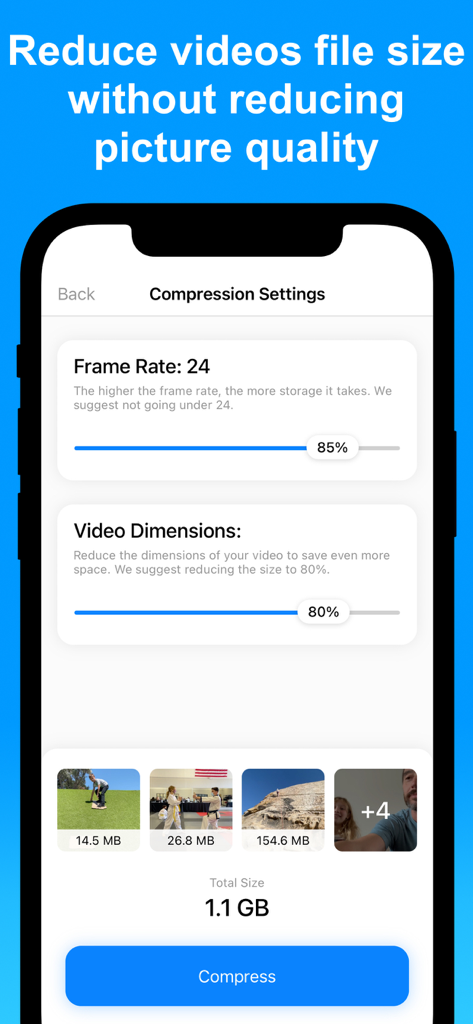
Einstellbare Video-Komprimierungseinstellungen, einschließlich Bildrate und Abmessungen, auf einem iPhone-Bildschirm.
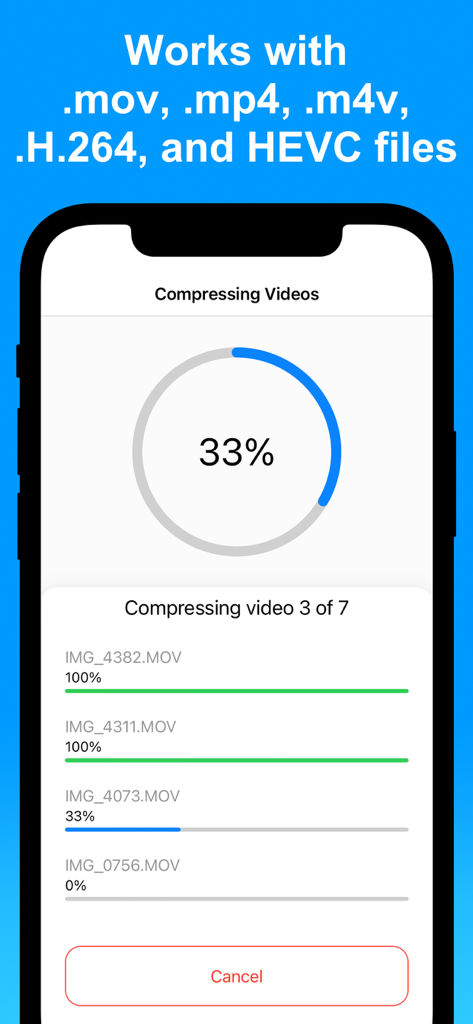
Ein iPhone-Bildschirm, der den Fortschritt der gleichzeitigen Komprimierung mehrerer Videos in der App anzeigt.
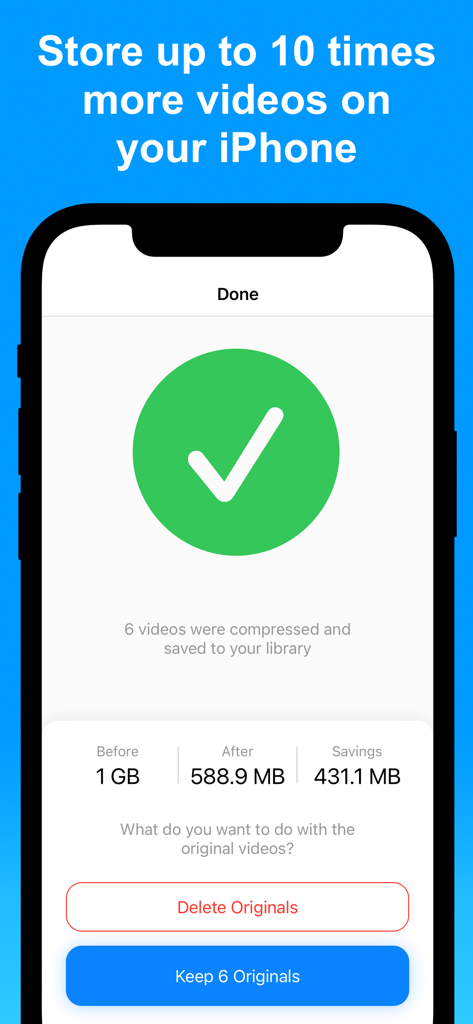
iPhone-App-Oberfläche, die erfolgreiche Video-Komprimierungsergebnisse und Speicherplatzeinsparungen zeigt.
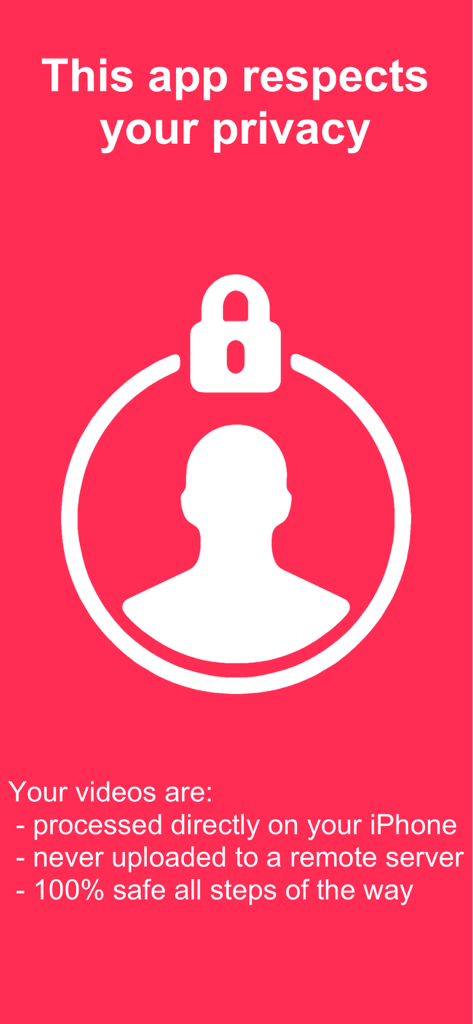
Datenschutzinformationsbildschirm für die Compress Videos App, der die lokale Verarbeitung auf dem Gerät zeigt
Beschreibung
Download
Ähnliche Apps
Apps mit ähnlichen Funktionen und Nutzererfahrung

Video compressor - save space
俊杰 阮

SlimSpace - Compressor
琛 王

转换猫-视频音频图片格式转换
ZHN Co., Ltd.

Video Compressor - HQ Compress
LightByte Co., Ltd.

The Video Compressor
Dalian Hengwei Electronics Co., Ltd

Media Converter - video to mp3
俊杰 阮

Easy Video Compressor - Resize
Osawa Shunsuke

Video Compress - Shrink Vids
Brachmann Online Marketing GmbH & Co. KG

Panda - Video Compressor
Farluner Apps Grzegorz Balcerzak
Diese Seite ist keine offizielle Seite der App oder ihres Entwicklers, sondern eine unabhängige redaktionelle Veröffentlichung, die zu Informations- und Kommentarzwecken erstellt wurde. Sofern nicht ausdrücklich anders angegeben, sind weder die App noch ihr Entwickler mit MWM, Apple, Google Play, dem App-Herausgeber oder dem Entwickler der App verbunden, von ihnen unterstützt, gesponsert, autorisiert oder anderweitig offiziell verbunden, und nichts auf dieser Seite impliziert, dass die App unter Verwendung der Dienste von MWM entwickelt wurde. Alle Marken, Logos, Screenshots und andere Inhalte bleiben Eigentum ihrer jeweiligen Inhaber.