
Diese Seite ist keine offizielle Seite der App oder ihres Entwicklers, sondern eine unabhängige redaktionelle Veröffentlichung, die zu Informations- und Kommentarzwecken erstellt wurde. Sofern nicht ausdrücklich anders angegeben, sind weder die App noch ihr Entwickler mit MWM, Apple, Google Play, dem App-Herausgeber oder dem Entwickler der App verbunden, von ihnen unterstützt, gesponsert, autorisiert oder anderweitig offiziell verbunden, und nichts auf dieser Seite impliziert, dass die App unter Verwendung der Dienste von MWM entwickelt wurde. Alle Marken, Logos, Screenshots und andere Inhalte bleiben Eigentum ihrer jeweiligen Inhaber.

Contacts Mover Pro
Das vertrauenswürdigste Tool für Power-User, um die Kontaktverwaltung über Exchange, iCloud und Gmail mit höchster Präzision und 24/7 Hintergrundsynchronisierung zu automatisieren.
Downloads
155K+Bewertung
Bewertungen gesamt
800Herausgeber
Kategorie
ProductivitySprachen
1Neueste Version
4.1.4Größe
19.3 MBErstveröffentlichung
12. Dez. 2017Optimieren Sie Ihr berufliches Netzwerk
Entwickelt für Power-User, die ein perfekt organisiertes Adressbuch über jedes Konto hinweg benötigen, vom Firmen-Outlook bis zum persönlichen iCloud.
Nahtlose kontoübergreifende Synchronisierung
Überbrücken Sie die Lücke zwischen Ihrem Arbeits- und Privatleben, indem Sie Kontakte mühelos zwischen Exchange, Gmail, iCloud und Outlook synchronisieren.
Absolute Datenintegrität
Bewahren Sie jedes wichtige Detail, einschließlich Berufsbezeichnungen, Kundennotizen und benutzerdefinierten Bezeichnungen, um sicherzustellen, dass Ihre professionellen Daten intakt bleiben.
Die folgenden Screenshots und die Beschreibung stammen direkt aus dem offiziellen Store-Eintrag der App und sind Eigentum des Entwicklers.
App Store
Screenshots
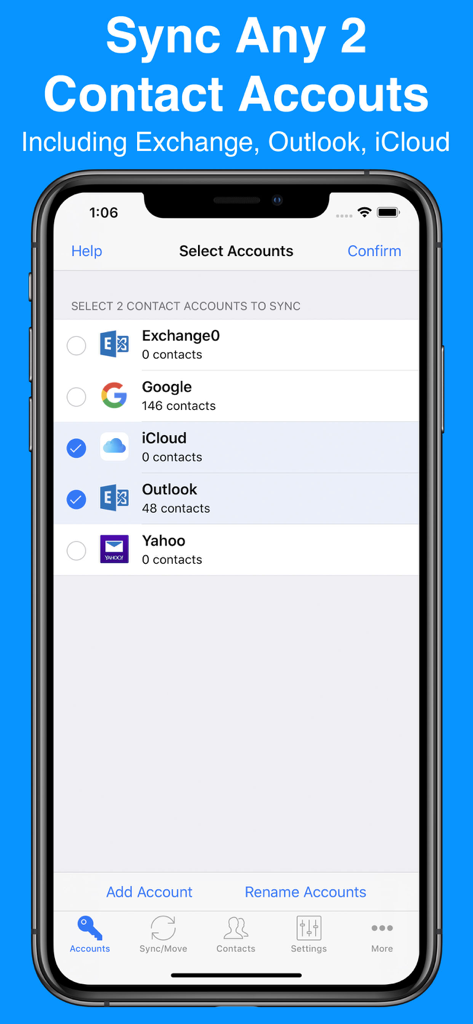
Benutzeroberfläche der Contacts Mover Pro App zeigt die Auswahl von Kontaktkonten zur Synchronisierung.
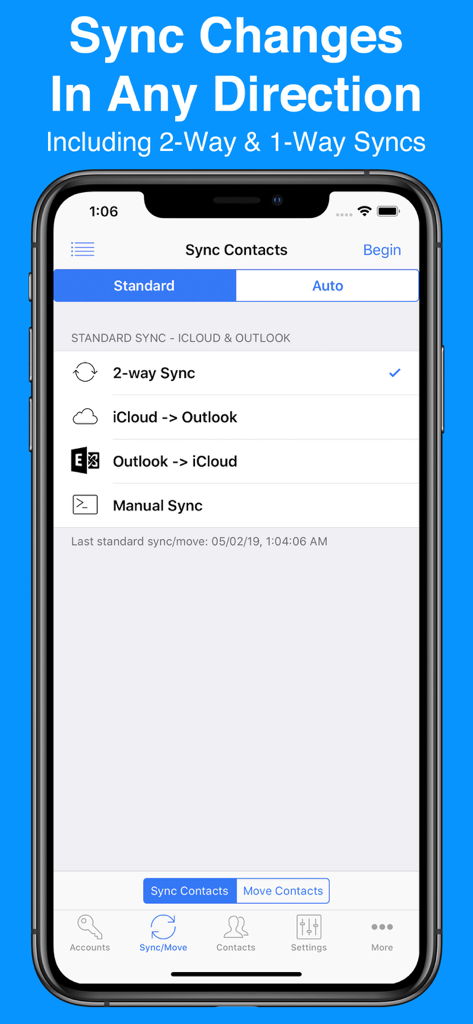
Bildschirm der Contacts Mover Pro App zeigt Synchronisierungsoptionen für iCloud- und Outlook-Konten einschließlich 2-Wege-Synchronisierung
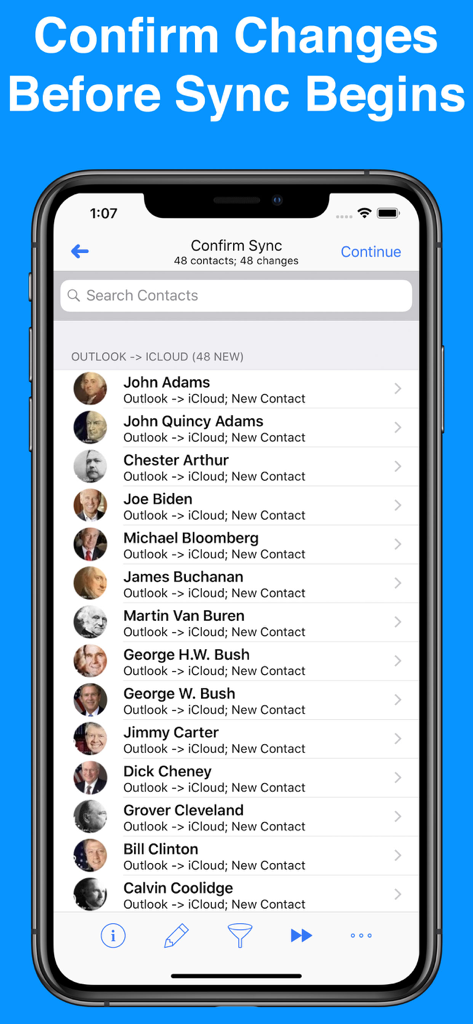
Bildschirm der Contacts Mover Pro App zur Bestätigung der Kontaktsynchronisierung von Outlook nach iCloud
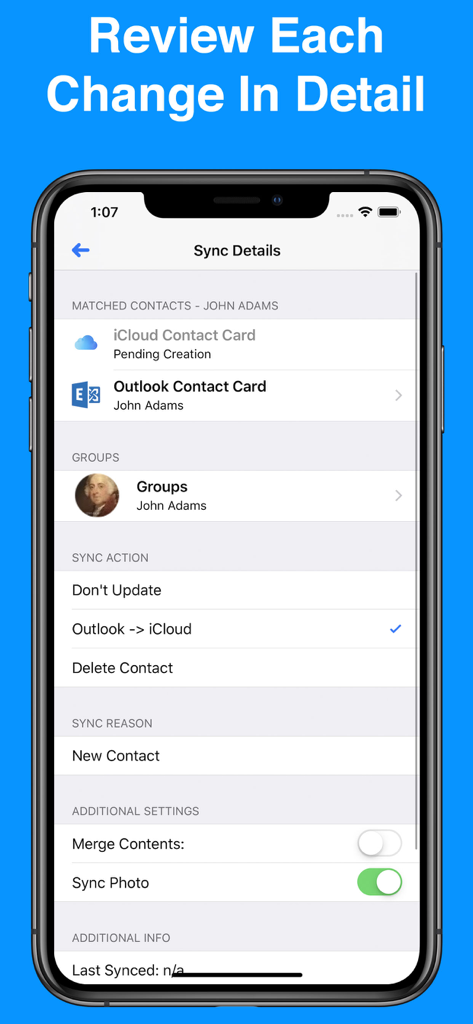
Benutzeroberfläche von Contacts Mover Pro zeigt Synchronisierungsdetails für einen Kontakt zwischen Outlook und iCloud mit Optionen zur Überprüfung von Änderungen
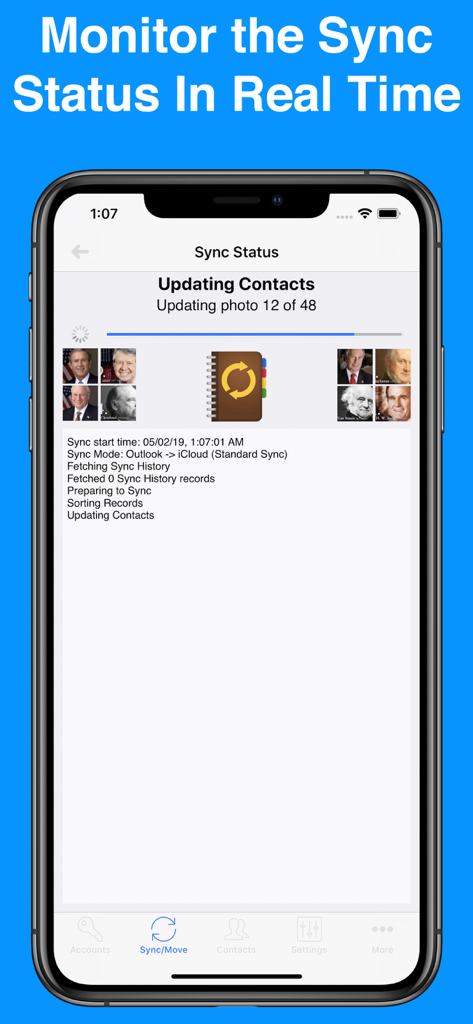
iPhone-Bildschirm zeigt den Echtzeit-Kontaktsynchronisierungsstatus in Contacts Mover Pro
Beschreibung
Download
Ähnliche Apps
Top-gerankte Apps in derselben Kategorie

ChatGPT
OpenAI OpCo, LLC

Google Gemini
Google LLC

Grok
X.AI Corporation

Gmail - Email by Google
Google LLC

千问 - 阿里最强大模型官方AI助手
Shanghai Zhixin Puhui Technology Co., Ltd.

Google Drive
Google LLC

Microsoft Authenticator
Microsoft Corporation

Google Sheets
Google LLC

Google Docs
Google LLC
Diese Seite ist keine offizielle Seite der App oder ihres Entwicklers, sondern eine unabhängige redaktionelle Veröffentlichung, die zu Informations- und Kommentarzwecken erstellt wurde. Sofern nicht ausdrücklich anders angegeben, sind weder die App noch ihr Entwickler mit MWM, Apple, Google Play, dem App-Herausgeber oder dem Entwickler der App verbunden, von ihnen unterstützt, gesponsert, autorisiert oder anderweitig offiziell verbunden, und nichts auf dieser Seite impliziert, dass die App unter Verwendung der Dienste von MWM entwickelt wurde. Alle Marken, Logos, Screenshots und andere Inhalte bleiben Eigentum ihrer jeweiligen Inhaber.