Bild in PDF umwandeln: ScanLuxe – Ihr professioneller All-in-One-Taschenscanner
Digitalisieren Sie Dokumente, extrahieren Sie Text mit OCR und unterschreiben Sie Verträge unterwegs. Verwandeln Sie Ihr iPhone in ein Hochleistungs-Produktivitätstool für ein aufgeräumtes, professionelles Leben.
Herausgeber
Kartik Nakrani
Kategorie
Productivity
Downloads
712K+
Bewertung
4.6/5
Bewertungen gesamt
16K+
Sprachen
1
Produktivität auf einen Blick
Entdecken Sie die Oberfläche, die von 712K+ Nutzern verwendet wird.
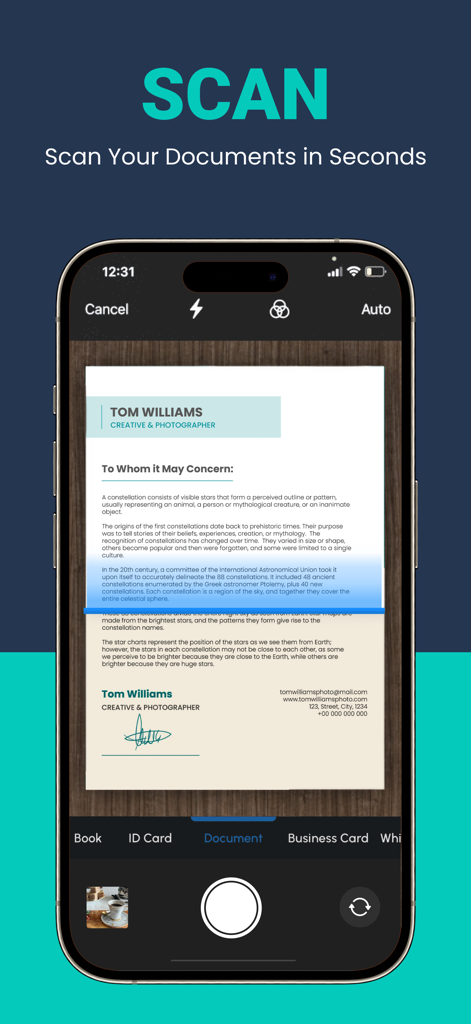
iPhone-App-Oberfläche, die in Sekundenschnelle ein Dokument scannt
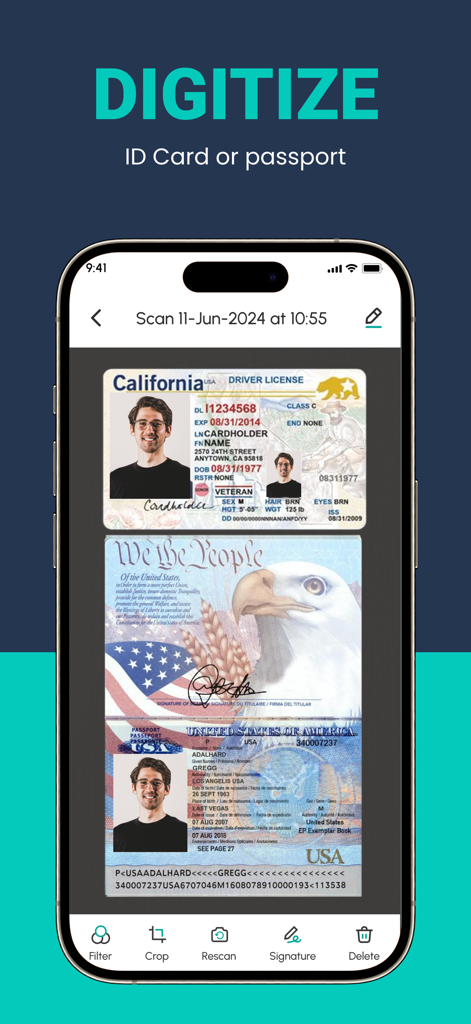
Smartphone-Bildschirm, der die ScanLuxe-App zeigt, die einen kalifornischen Führerschein und einen US-Reisepass mit Dokumentenbearbeitungswerkzeugen digitalisiert
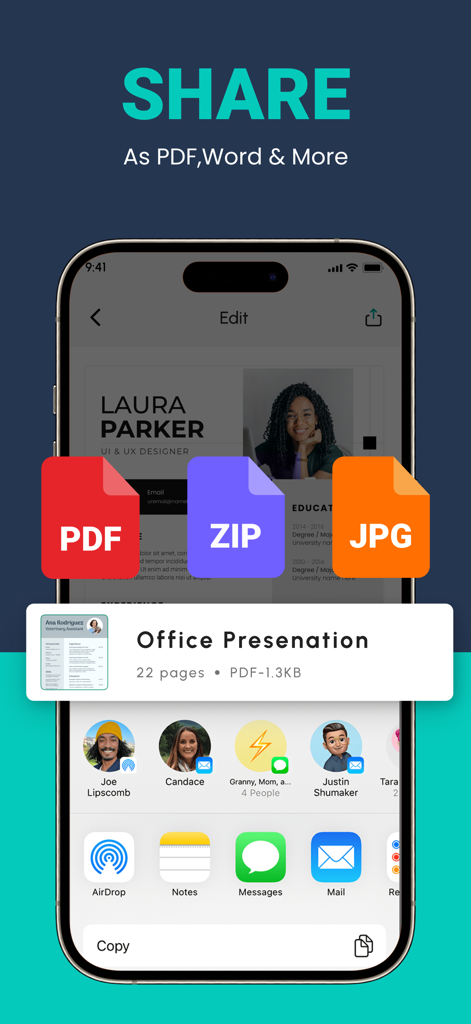
Mobile App-Oberfläche zum Teilen von gescannten Dokumenten in PDF-, ZIP- und JPG-Formaten
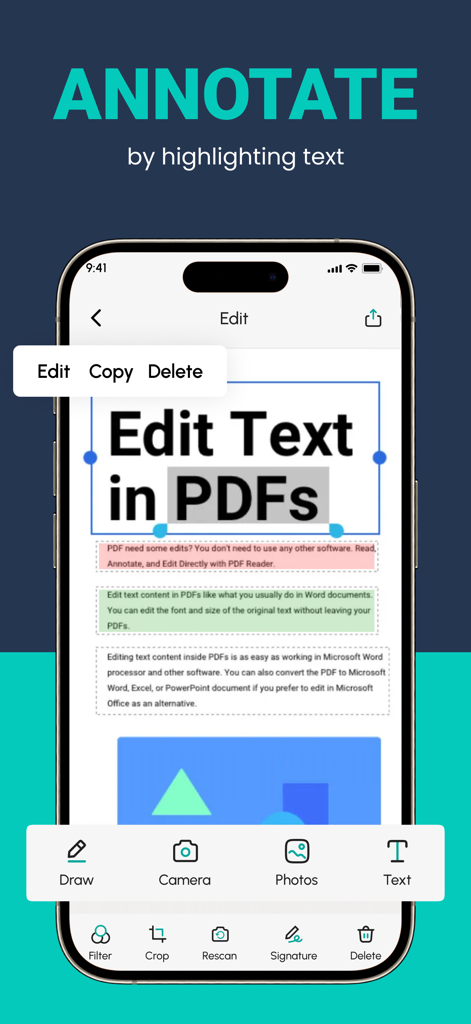
Mobile App-Oberfläche zum Kommentieren und Bearbeiten von Text in einem PDF-Dokument
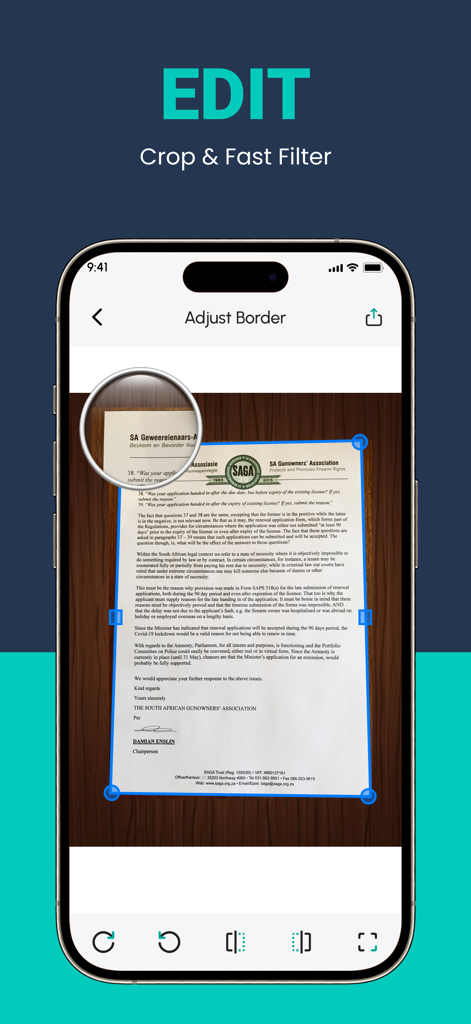
Ein Smartphone-Bildschirm, der das Zuschneide- und Randanpassungswerkzeug der ScanLuxe-App auf einem gescannten Dokument anzeigt
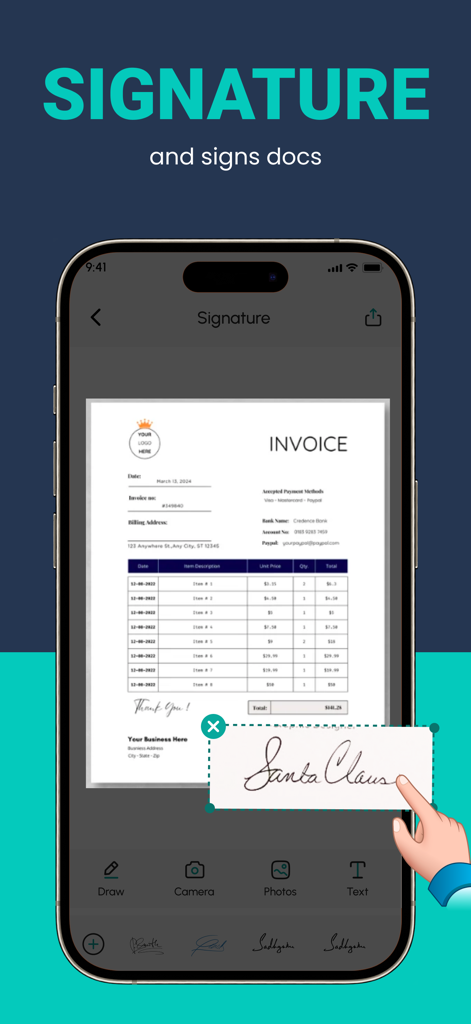
Hinzufügen einer digitalen Signatur zu einer Rechnung mit der ScanLuxe PDF-Scanner-App.
Das Produktivitätskraftwerk in Ihrer Tasche
Die Tools, die diese App auszeichnen, gewählt von 712K+ Nutzern.
📸
Kristallklare Digitalisierung
Verwandeln Sie Papierdokumente sofort in hochauflösende PDFs mit intelligenter automatischer Zuschneidung und professionellen Filtern, die mit Bürogeräten mithalten können.
🔍
KI-gestützte Texterkennung
Sparen Sie Stunden manueller Tipparbeit. Unsere fortschrittliche OCR-Technologie extrahiert Text aus Ihren Scans, sodass Sie Daten sofort bearbeiten, suchen und kopieren können.
🖋️
Unterzeichnen und sichern Sie unterwegs
Schließen Sie Geschäftsabschlüsse sofort ab, indem Sie digitale Signaturen, benutzerdefinierte Wasserzeichen und professionelle Formatierungen zu Ihren wichtigsten Dokumenten hinzufügen.
Über die App
Alles, was Sie über wissen müssen Convert Image to PDF :ScanLuxe.
Beschreibung
A PDF scanner app is a mobile application designed to convert physical documents, such as papers, receipts, or photographs, into digital PDF files using your smartphone or tablet's camera. Would you like to keep your entire office in your pocket and increase your productivity at work?
Use the PDF Scanner : Photo Editor app to handle your paperwork with ease. Say goodbye to huge and heavy copy machines and get this ultra-fast scanner app now. Among these indispensable tools, the PDF scanner emerges as an invaluable solution, revolutionizing the way we interact with paper documents and ushering in the era of digital transformation.
HOW IT WORKS
• With the PDF scanner : Photo Editor app, you can make anything scannable.
• Use the PDF scanner to quickly create a photo scan or PDF scan.
• Scan any document and convert to PDF.
SCAN ANYTHING, ANYWHERE, ANYTIME
• Capture forms, receipts, notes, and business cards with this mobile PDF scanner.
• The PDF scanner : Photo editor app even lets you scan multi-page documents and save with a single tap.
ENHANCE
• Touch up scans or photos from your camera roll.
• Whether it’s a PDF or photo scan, you can preview, reorder, crop, rotate, and adjust color.
The PDF scanner is engineered to ensure the highest level of accuracy during the document digitization process. Equipped with advanced Optical Character Recognition (OCR) technology, this tool meticulously converts scanned images into editable text & Filters. Furthermore, the PDF scanner can recognize various fonts, filters and layouts, making it adept at transforming diverse documents, such as contracts, invoices, and even handwritten notes, into digital format without compromising accuracy.
FEATURES
* Quickly Digitize Documents
The PDF Scanner : Photo Editor app uses the camera on your mobile device to scan and digitize all kinds of paper documents: receipts, notes, invoices, whiteboard discussions, business cards, certificates, etc.
* Optimize Scan Quality
Smart cropping and auto enhancing ensure the text and graphics in your scans are clear and sharp with premium colors, filters and resolutions.
* Extract Text
The optical character recognition (OCR) feature of this scanner app enables you to recognize text in images or PDFs. You can extract the text for later searching, editing, saving or sharing.
* Share PDF Files
With this PDF scanner, you can easily share documents in PDF or format with friends in multiple ways: share with social media, send attachments or download links through email, etc.
* Advanced Document Editing
Make annotations on documents using a full set of editing tools in this PDF scanner. You can also add a customized watermark to mark your own documents. This feature allows you to search for keywords within the PDF or copy and edit the recognized text.
* PDF Creation and Editing
The scanned images are converted into PDF format, and the app typically provides options to combine multiple scans into a single PDF file. You can also rearrange, rotate, or delete pages within the PDF, as well as add annotations, signatures, Text, Filters or watermarks.
Disclaimer for automatic renewable subscription:-
The payment will be charged to your Apple ID Account at confirmation of purchase.
The subscription renews automatically unless the auto-renew is turned off at least 24 hours before the end of the current billing period.
Your account will be charged for renewal within 24-hours prior to the end of your selected subscription.
Your subscriptions can be managed and auto-renewal can be turned off by going to your App Store Account Settings.
privacy policy :- https://sites.google.com/view/techmediaapp/privacy-policy
terms of service :- https://sites.google.com/view/techmediaapp/terms-conditons
Neueste Version
3.8.3
Größe
63.2 MB
Erstveröffentlichung
18. Dez. 2022
Ein professionelles Büro in Ihrer Tasche
Schließen Sie sich über 712.000 Fachleuten und Studenten an, die ScanLuxe nutzen, um Dokumente in Sekundenschnelle zu digitalisieren, zu signieren und zu teilen. Laden Sie noch heute den erstklassigen PDF-Scanner für iPhone herunter.
FAQ
Häufig gestellte Fragen
Alles, was Sie über wissen müssen Convert Image to PDF :ScanLuxe
Was ist Convert Image to PDF :ScanLuxe?
Convert Image to PDF :ScanLuxe ist eine mobile Anwendung, die physische Dokumente, Quittungen und Fotografien mithilfe der Kamera Ihres Smartphones oder Tablets in digitale PDF-Dateien umwandelt.
Kann Convert Image to PDF :ScanLuxe einen herkömmlichen Kopierer ersetzen?
Ja, Convert Image to PDF :ScanLuxe ersetzt herkömmliche Kopierer, indem es Benutzern ermöglicht, Papierkram schnell und effizient mit der Kamera eines Mobilgeräts zu scannen und zu digitalisieren.
Wie scanne ich Dokumente mit Convert Image to PDF :ScanLuxe?
Convert Image to PDF :ScanLuxe ermöglicht es Benutzern, jedes Dokument mit der Kamera des Mobilgeräts zu scannen. Es erstellt schnell Foto- oder PDF-Scans und wandelt physische Elemente in ein digitales Format um.
Welche Arten von Dokumenten kann Convert Image to PDF :ScanLuxe digitalisieren?
Convert Image to PDF :ScanLuxe digitalisiert verschiedene Dokumente, darunter Quittungen, Notizen, Rechnungen, Whiteboard-Diskussionen, Visitenkarten und Zertifikate. Es unterstützt auch das Scannen von Ausweisen, Pässen und mehrseitigen Dokumenten.
Enthält Convert Image to PDF :ScanLuxe eine optische Zeichenerkennung (OCR)?
Ja, Convert Image to PDF :ScanLuxe verfügt über eine fortschrittliche OCR-Technologie. Sie wandelt gescannte Bilder in bearbeitbaren Text um und erkennt verschiedene Schriftarten und Layouts genau für die Suche, Bearbeitung oder Weitergabe.
Welche Bearbeitungs- und Verbesserungsfunktionen bietet Convert Image to PDF :ScanLuxe?
Convert Image to PDF :ScanLuxe bietet Funktionen zur Vorschau, Neuanordnung, Zuschneidung, Drehung, Farbkorrektur und Anwendung von Filtern. Es bietet auch Tools für Anmerkungen, das Hinzufügen von Wasserzeichen und das Bearbeiten von Text in PDFs.
Können Benutzer in Convert Image to PDF :ScanLuxe Signaturen zu Dokumenten hinzufügen?
Ja, Convert Image to PDF :ScanLuxe ermöglicht es Benutzern, Signaturen direkt in der App zu Dokumenten hinzuzufügen. Es bietet spezielle Tools zum Zeichnen oder Einfügen vorhandener Signaturen.
Welche Dateiformate werden für die Weitergabe in Convert Image to PDF :ScanLuxe unterstützt?
Convert Image to PDF :ScanLuxe unterstützt die Weitergabe von Dokumenten in den Formaten PDF, ZIP und JPG. Benutzer können Dateien über soziale Medien, E-Mail-Anhänge oder Download-Links teilen.
Wie funktionieren Abonnements für Convert Image to PDF :ScanLuxe?
Abonnements von Convert Image to PDF :ScanLuxe belasten Ihr Apple-ID-Konto beim Kauf und verlängern sich automatisch. Benutzer müssen die automatische Verlängerung mindestens 24 Stunden vor Ablauf des Zeitraums in den App Store-Kontoeinstellungen deaktivieren.
Wo finde ich die Datenschutzrichtlinie für Convert Image to PDF :ScanLuxe?
Die Datenschutzrichtlinie für Convert Image to PDF :ScanLuxe finden Sie unter https://sites.google.com/view/techmediaapp/privacy-policy. Diese URL ist in der Store-Beschreibung der App angegeben.
App information, icons, screenshots, and descriptions displayed on this page are sourced from the Apple App Store and are the property of their respective developers. Download estimates and rankings are based on MWM's proprietary models and may not reflect actual figures. This page is provided for informational and analytical purposes only.
Believe this page infringes your intellectual property? File a dispute