Crayon – Create a website
Herunterladen auf App Store

Diese Seite ist keine offizielle Seite der App oder ihres Entwicklers, sondern eine unabhängige redaktionelle Veröffentlichung, die zu Informations- und Kommentarzwecken erstellt wurde. Sofern nicht ausdrücklich anders angegeben, sind weder die App noch ihr Entwickler mit MWM, Apple, Google Play, dem App-Herausgeber oder dem Entwickler der App verbunden, von ihnen unterstützt, gesponsert, autorisiert oder anderweitig offiziell verbunden, und nichts auf dieser Seite impliziert, dass die App unter Verwendung der Dienste von MWM entwickelt wurde. Alle Marken, Logos, Screenshots und andere Inhalte bleiben Eigentum ihrer jeweiligen Inhaber.


Logo von Crayon – Create a website
Herunterladen auf App Store

Crayon – Create a website

Der schnellste Website-Builder für vielbeschäftigte Solopreneure. Verwandeln Sie Ihre Smartphone-Fotos in eine beeindruckende Website, sammeln Sie Leads und erweitern Sie Ihr lokales Geschäft, ohne jemals einen Computer zu benötigen.

Kennzahlen

Downloads

106K+

Bewertung

4.3/5

Bewertungen gesamt

1K+

Herausgeber

Hands, Inc.

Kategorie

Productivity

Sprachen

25

Neueste Version

1.5.0

Größe

5.0 MB

Erstveröffentlichung

27. Mai 2015
Funktionen

Ihre Geschäftswebsite, erstellt auf Ihrem iPhone

Hören Sie auf, sich mit komplexen Desktop-Editoren herumzuschlagen. Erstellen und verwalten Sie in wenigen Minuten eine professionelle Website, die speziell für den mobilen Lebensstil moderner Solopreneure entwickelt wurde.

Einfaches Tippen und Bearbeiten

Vergessen Sie technischen Jargon oder Code. Tippen Sie einfach auf einen beliebigen Teil Ihrer Website, um Text zu aktualisieren, Fotos auszutauschen oder Farben sofort zu ändern, während Sie unterwegs sind.

In Leads umgewandelt

Wandeln Sie Besucher mit integrierten „Jetzt anrufen“-Buttons, interaktiven Google Maps und anpassbaren Kontaktformularen, die auf dienstleistungsorientierte Unternehmen zugeschnitten sind, in Kunden um.

Die folgenden Screenshots und die Beschreibung stammen direkt aus dem offiziellen Store-Eintrag der App und sind Eigentum des Entwicklers.

App Store

Screenshots
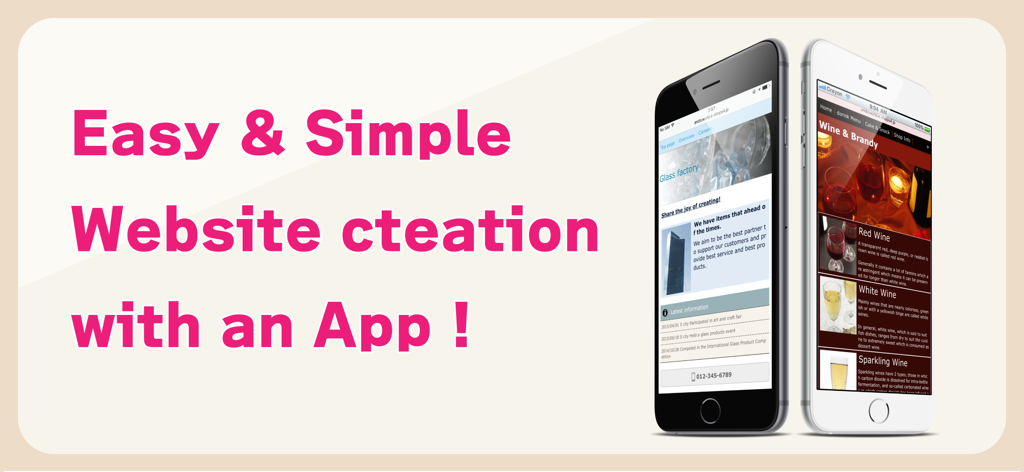
Crayon – Create a website - Werbebanner für die Crayon-App mit mobilen Websites für eine Glashütte und ein Weingeschäft mit dem Text Einfache und unkomplizierte Website-Erstellung mit einer App
Werbebanner für die Crayon-App mit mobilen Websites für eine Glashütte und ein Weingeschäft mit dem Text Einfache und unkomplizierte Website-Erstellung mit einer App

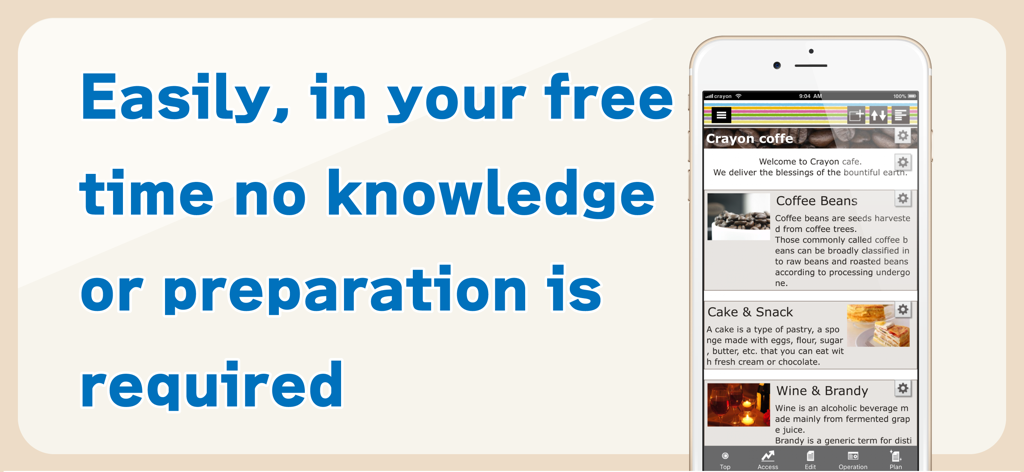
Crayon – Create a website - Smartphone zeigt die Crayon-App-Oberfläche zum einfachen Erstellen einer Website ohne technische Kenntnisse
Smartphone zeigt die Crayon-App-Oberfläche zum einfachen Erstellen einer Website ohne technische Kenntnisse

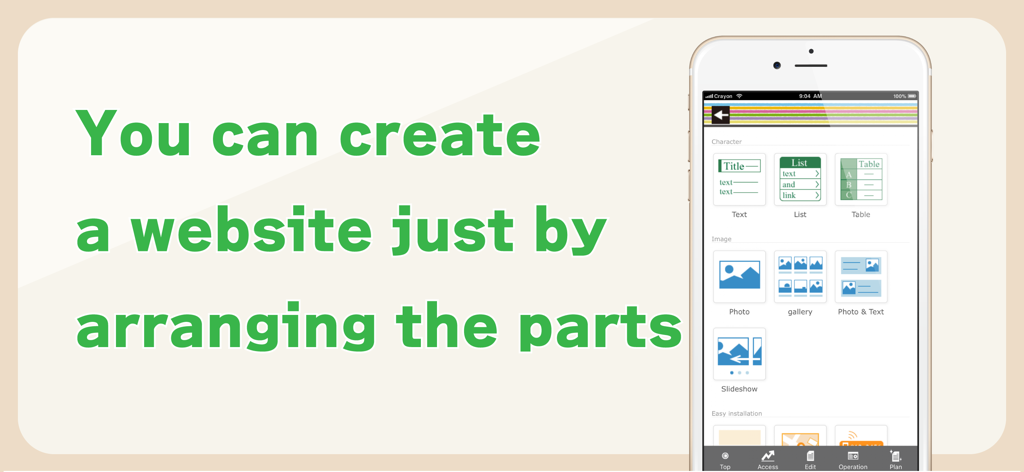
Crayon – Create a website - Smartphone-Bildschirm zeigt die Crayon-App-Oberfläche zum Erstellen von Websites durch Anordnen von Komponenten wie Text und Fotos
Smartphone-Bildschirm zeigt die Crayon-App-Oberfläche zum Erstellen von Websites durch Anordnen von Komponenten wie Text und Fotos

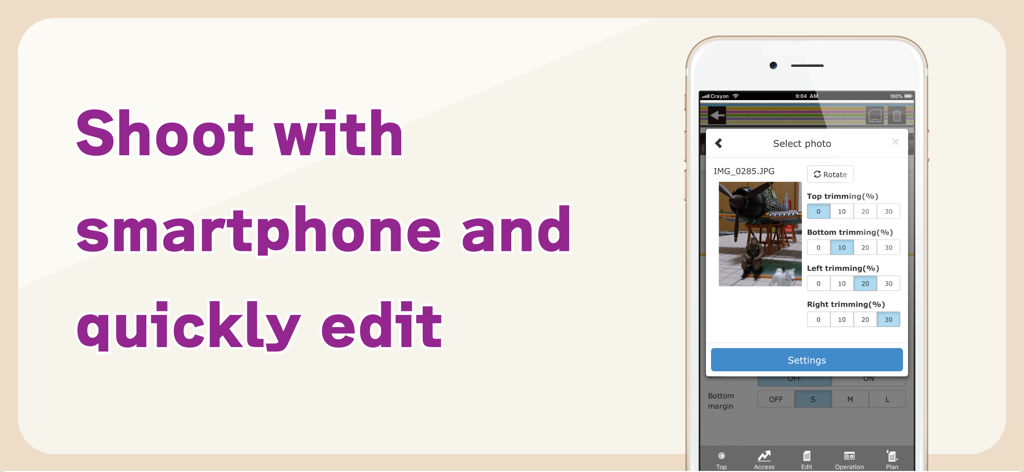
Crayon – Create a website - Smartphone-Bildschirm zeigt Werkzeuge zum Zuschneiden und Bearbeiten von Fotos innerhalb der Crayon-Website-Builder-App
Smartphone-Bildschirm zeigt Werkzeuge zum Zuschneiden und Bearbeiten von Fotos innerhalb der Crayon-Website-Builder-App

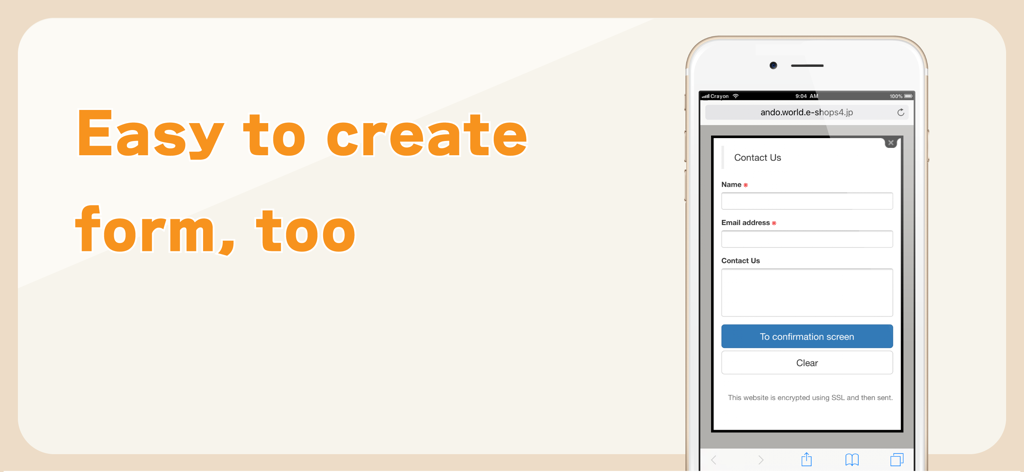
Crayon – Create a website - Eine mobile Oberfläche, die ein einfaches Kontaktformular mit Namens- und E-Mail-Feldern anzeigt, erstellt mit der Crayon-Website-Builder-App.

Eine mobile Oberfläche, die ein einfaches Kontaktformular mit Namens- und E-Mail-Feldern anzeigt, erstellt mit der Crayon-Website-Builder-App.

Beschreibung

You can create a fully-fledged website and update it with simple operations. Complete the website just by arranging the selected photos, text and maps. You can tap the portion you want to modify or revise while viewing the website and change it on the spot. You can make these websites for stores, companies, groups, unions as well as websites for your hobbies. Many websites are created under the "Free plan", however if you upgrade to the "Paid plan", you will be able to utilize many useful functions. You can also use your own domain. -------------- We recently celebrated our second anniversary. Thank you to all of you. We are getting approximately 6000 new users monthly. -------------- [How to create a website] Arrange the parts and create a website. When writing any text, just place the text parts and set the sentences in those parts. Select font color, background color, font size and design. A screen is also simple to make. When you want to post photos, just select the photo parts and photos taken with your smartphone. Trimming (cutting) and rotation can be done after selecting a photo. You can change the order, or replicate and delete parts that you have placed. [Recommendations] ◊ Contact You can receive queries and contacts from users who are viewing your website. You can use it as an application form for products and services as well. You can easily change and add the input form and use it as a questionnaire as well. ◊ Phone number You can set a phone call button. This is useful in case of contact by phone. ◊ Slideshow You can display multiple images in a specific order. Recommended to use this on the HOME page to make it better. ◊ Map You can easily add a map (GoogleMAP). It is a highly functional map where you can zoom-in/ zoom-out and move with your fingers. ◊ HTML (Paid plan) This part is for advanced users who can write HTML code. You can place a blog part such as Twitter's timeline. [Free plan] With this plan, you can use our service for free. Most websites are available on the "Free plan". [Paid plan](Light) This plan offers you the use of multiple images and pages. You can write HTML code on your own and you can also use Google Analytics. The amount will vary by country. Paid plan subscriptions purchased in-app renew Every 3 months depending. Paid plans are priced at $39.99USD 3 months (pricing may vary in countries other than the U.S.). Payment will be charged to iTunes Account at confirmation of purchase. Subscription automatically renews unless auto-renew is turned off at least 24-hours before the end of the current period. Account will be charged for renewal within 24-hours prior to the end of the current period, and identify the cost of the renewal. Subscriptions may be managed by the user and auto-renewal may be turned off by going to the user’s Account Settings after purchase. [Own domain] If you change to "Paid plan", you can set already owned domains. You can choose a domain by yourself. [Future version-up] We are planning to add many more functions and designs, and improve usability of the management screen. Terms of service https://crayonsite.e-shops.jp/kiyaku_en.html privacy policy https://crayonsite.e-shops.jp/privacy_en.html

Download

Herunterladen auf App Store

Diese Seite ist keine offizielle Seite der App oder ihres Entwicklers, sondern eine unabhängige redaktionelle Veröffentlichung, die zu Informations- und Kommentarzwecken erstellt wurde. Sofern nicht ausdrücklich anders angegeben, sind weder die App noch ihr Entwickler mit MWM, Apple, Google Play, dem App-Herausgeber oder dem Entwickler der App verbunden, von ihnen unterstützt, gesponsert, autorisiert oder anderweitig offiziell verbunden, und nichts auf dieser Seite impliziert, dass die App unter Verwendung der Dienste von MWM entwickelt wurde. Alle Marken, Logos, Screenshots und andere Inhalte bleiben Eigentum ihrer jeweiligen Inhaber.