
Diese Seite ist keine offizielle Seite der App oder ihres Entwicklers, sondern eine unabhängige redaktionelle Veröffentlichung, die zu Informations- und Kommentarzwecken erstellt wurde. Sofern nicht ausdrücklich anders angegeben, sind weder die App noch ihr Entwickler mit MWM, Apple, Google Play, dem App-Herausgeber oder dem Entwickler der App verbunden, von ihnen unterstützt, gesponsert, autorisiert oder anderweitig offiziell verbunden, und nichts auf dieser Seite impliziert, dass die App unter Verwendung der Dienste von MWM entwickelt wurde. Alle Marken, Logos, Screenshots und andere Inhalte bleiben Eigentum ihrer jeweiligen Inhaber.


Cross Stitch Saga
Verabschieden Sie sich von Papier-Charts und verbessern Sie Ihre Stickerei. Markieren Sie Ihren Fortschritt, isolieren Sie Farben und verfolgen Sie jeden Stich mit dem fortschrittlichsten digitalen Musterleser für Ihr iPad und iPhone.
Downloads
202K+Bewertung
Bewertungen gesamt
1000Herausgeber
Kategorie
LifestyleSprachen
1Neueste Version
5.1Größe
126.3 MBErstveröffentlichung
28. Okt. 2018Sticken Sie mit unübertroffener Präzision
Verwandeln Sie Ihr Stickhobby mit einem digitalen Assistenten, der Augenbelastung eliminiert, jeden Faden verfolgt und Ihre komplexesten Projekte organisiert.
Isolieren und Hervorheben
Hören Sie auf, Papier-Charts anzustarren. Heben Sie sofort eine einzelne Farbe oder ein einzelnes Symbol hervor, um genau zu sehen, wo Sie als Nächstes sticken müssen, selbst bei Stoffen mit hoher Zählweise.
Verfolgen Sie jeden einzelnen Stich
Gamifizieren Sie Ihren Fortschritt mit Echtzeit-Prozentzahlen und täglichen Statistiken. Wissen Sie genau, wie nah Sie der Fertigstellung Ihres Meisterwerks sind.
Die folgenden Screenshots und die Beschreibung stammen direkt aus dem offiziellen Store-Eintrag der App und sind Eigentum des Entwicklers.
App Store
Screenshots
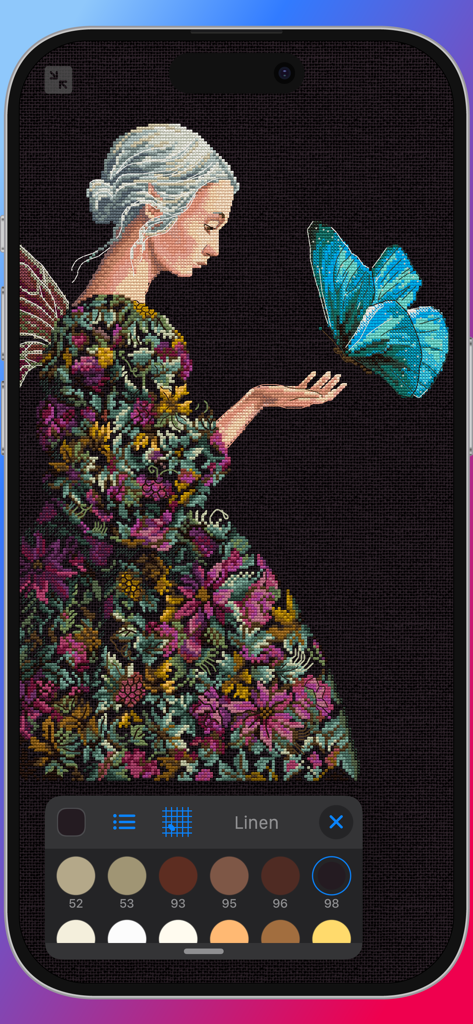
Cross Stitch Saga App-Oberfläche, die ein detailliertes digitales Kreuzstichmuster einer Frau und eines Schmetterlings zeigt
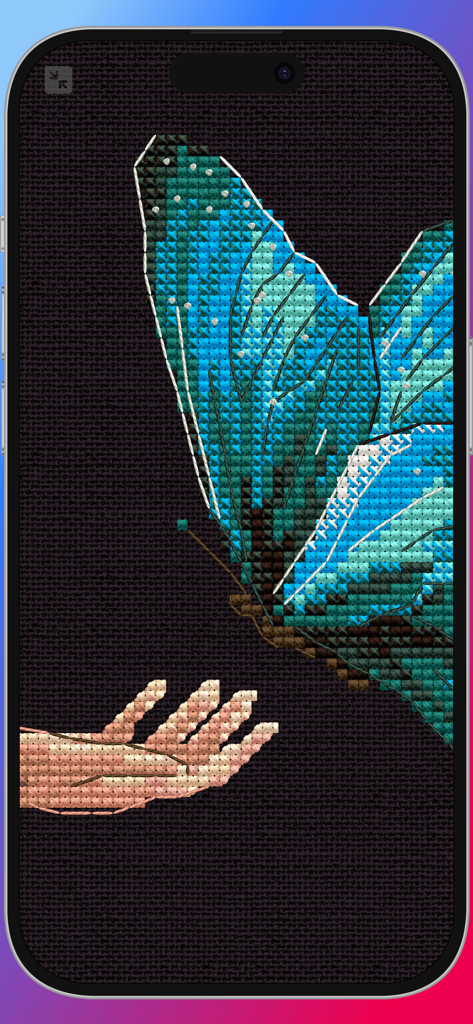
Eine hochauflösende Nahaufnahme eines digitalen Kreuzstichmusters mit einem blauen Schmetterling und einer Hand auf dunklem Stoffhintergrund.
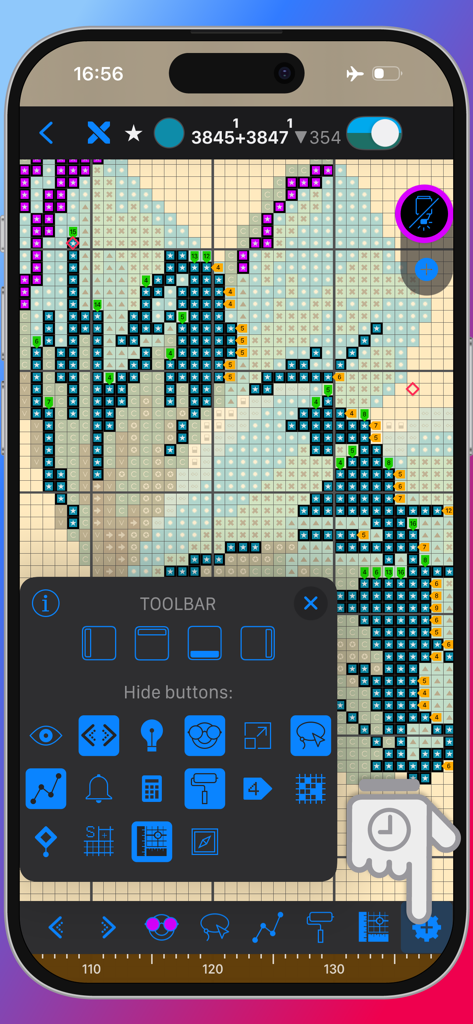
Anpassbare Werkzeugleiste und Musteransicht in der Cross Stitch Saga Stick-App
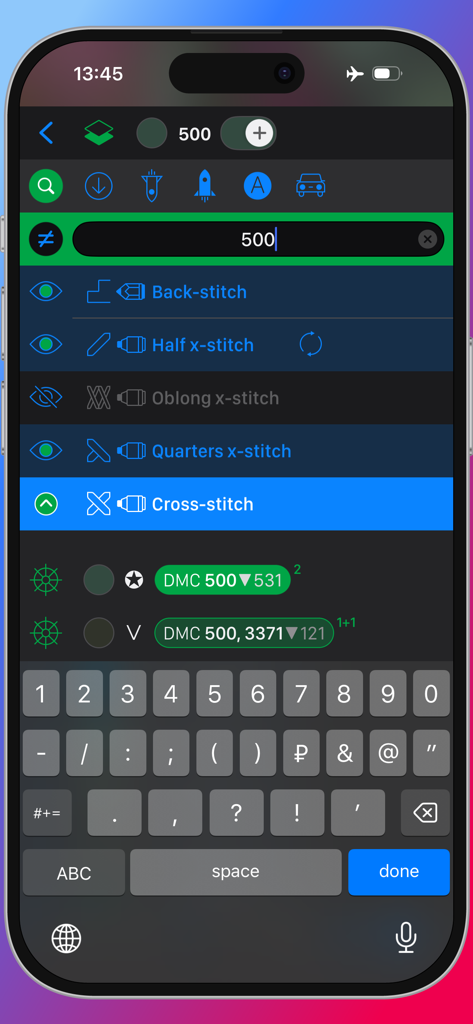
Suchleiste und Schnittstellenauswahl für Sticharten in der Cross Stitch Saga App mit DMC-Garnoptionen.
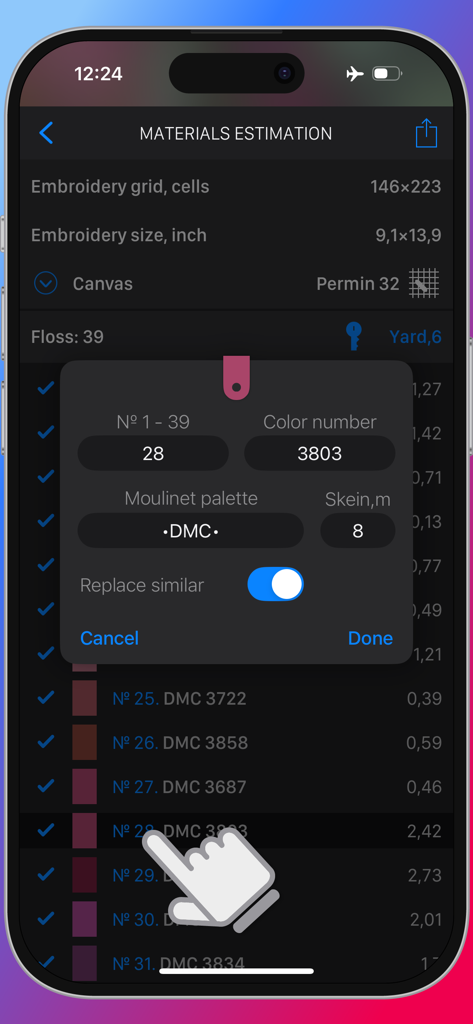
Materialschätzungsbildschirm in der Cross Stitch Saga App, der Floss-Farb-Einstellungen und Palettenoptionen anzeigt
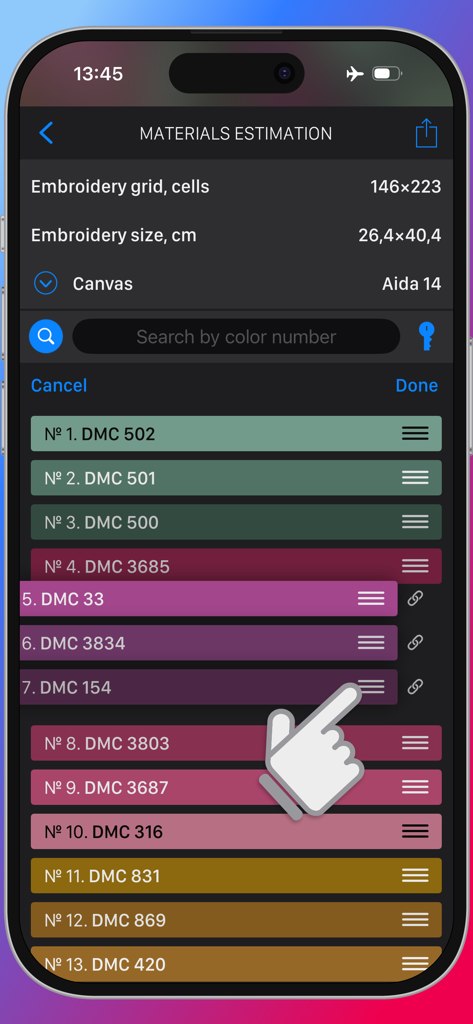
Cross Stitch Saga App zeigt den Materialschätzungsbildschirm mit einer Liste von DMC-Stickgarnfarben an
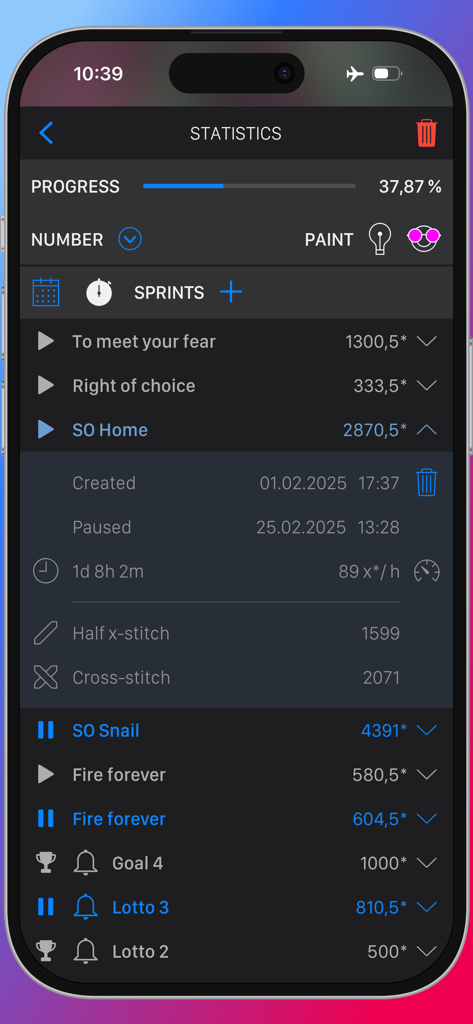
Statistik- und Sprintverfolgungsbildschirm in der Cross Stitch Saga App, der den Fortschritt der Stickerei und die Stichanzahl anzeigt.
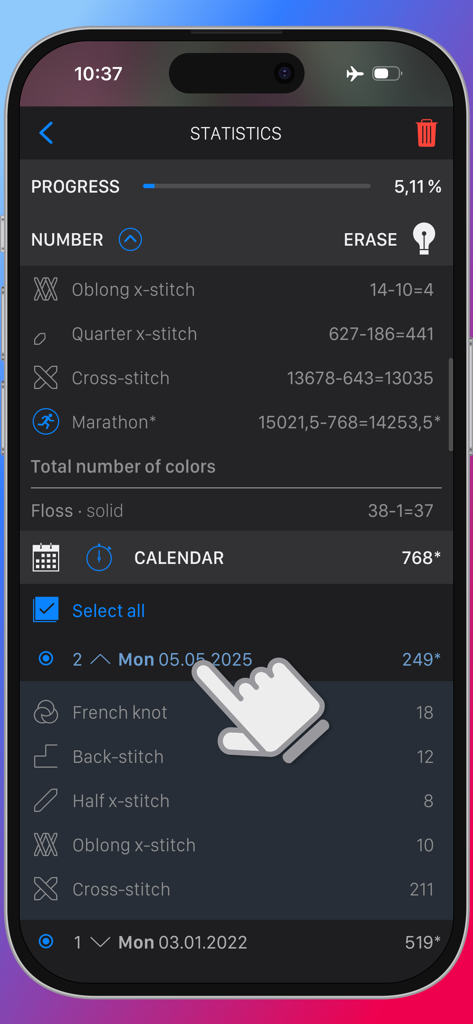
Statistik-Dashboard in Cross Stitch Saga, das den Fertigstellungsgrad des Projekts und den Kalender mit der Stichhistorie anzeigt
Beschreibung
Download
Ähnliche Apps
Apps mit ähnlichen Funktionen und Nutzererfahrung

Loopsy - Crochet & Knitting
Springtown Labs Inc.

GamFa: Notes, Games & Perks
Mayyada Mubaraka Arain

My Row Counter, Knit & Crochet
AnnapurnApp Technologies UG haftungsbeschrankt

Board Game Stats
Eerko Vissering

knitCompanion knitting & more
Create2Thrive Inc.

Markup R-XP
KewinLawsonSmith Limited

Loomerly: Loom, peyote & brick
Subtlabs Ltd

Brewfather
Warpkode AS

Stash Hub
Douglas Todd
Diese Seite ist keine offizielle Seite der App oder ihres Entwicklers, sondern eine unabhängige redaktionelle Veröffentlichung, die zu Informations- und Kommentarzwecken erstellt wurde. Sofern nicht ausdrücklich anders angegeben, sind weder die App noch ihr Entwickler mit MWM, Apple, Google Play, dem App-Herausgeber oder dem Entwickler der App verbunden, von ihnen unterstützt, gesponsert, autorisiert oder anderweitig offiziell verbunden, und nichts auf dieser Seite impliziert, dass die App unter Verwendung der Dienste von MWM entwickelt wurde. Alle Marken, Logos, Screenshots und andere Inhalte bleiben Eigentum ihrer jeweiligen Inhaber.