CV Maker & Resume Builder PDF
Herunterladen auf App Store

Diese Seite ist keine offizielle Seite der App oder ihres Entwicklers, sondern eine unabhängige redaktionelle Veröffentlichung, die zu Informations- und Kommentarzwecken erstellt wurde. Sofern nicht ausdrücklich anders angegeben, sind weder die App noch ihr Entwickler mit MWM, Apple, Google Play, dem App-Herausgeber oder dem Entwickler der App verbunden, von ihnen unterstützt, gesponsert, autorisiert oder anderweitig offiziell verbunden, und nichts auf dieser Seite impliziert, dass die App unter Verwendung der Dienste von MWM entwickelt wurde. Alle Marken, Logos, Screenshots und andere Inhalte bleiben Eigentum ihrer jeweiligen Inhaber.

Logo von CV Maker & Resume Builder PDF
Herunterladen auf App Store

CV Maker & Resume Builder PDF

Verwandeln Sie Ihre Fähigkeiten in wenigen Minuten in eine professionelle Karriere. Nutzen Sie von Experten entworfene Vorlagen, anpassbare Layouts und einen integrierten Dokumentenscanner, um eine herausragende Bewerbung zu erstellen, die Sie einstellt.

Kennzahlen

Downloads

14K+

Bewertung

4.5/5

Bewertungen gesamt

100

Herausgeber

APPINATORS TECHNOLOGY PRIVATE LIMITED

Kategorie

Business

Sprachen

1

Neueste Version

3.1.3

Größe

70.0 MB

Erstveröffentlichung

29. März 2024
Funktionen

Alles, was Sie brauchen, um den Job zu bekommen

Hören Sie auf, mit der Formatierung zu kämpfen, und konzentrieren Sie sich auf Ihre Karriere. Unser All-in-One-Mobile-Toolkit hilft Ihnen, professionelle Bewerbungen in wenigen Minuten zu erstellen, zu scannen und zu versenden.

Moderne, wirkungsvolle Vorlagen

Vergessen Sie veraltete Word-Dokumente. Wählen Sie aus branchenweit anerkannten Designs, die Sie anpassen können, um Ihre persönliche Marke widerzuspiegeln und sich von anderen Bewerbern abzuheben.

Integrierter Dokumentenscanner

Kein Drucker? Kein Problem. Scannen Sie mit Ihrer Kamera Zertifikate, Ausweise und Referenzen in hochwertige PDFs, um Ihre gesamte Bewerbung an einem Ort zu halten.

Die folgenden Screenshots und die Beschreibung stammen direkt aus dem offiziellen Store-Eintrag der App und sind Eigentum des Entwicklers.

App Store

Screenshots
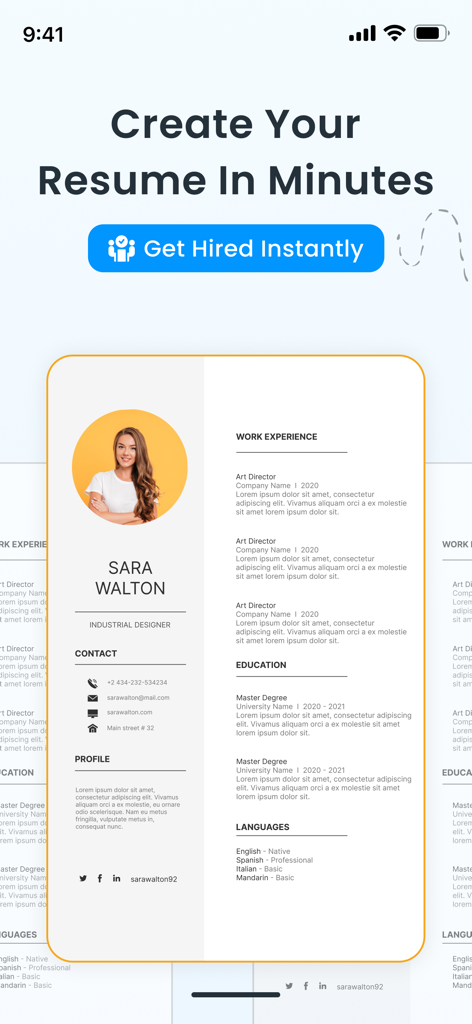
CV Maker & Resume Builder PDF - Eine professionelle Lebenslaufvorlage, die in der mobilen App CV Maker und Resume Builder angezeigt wird.
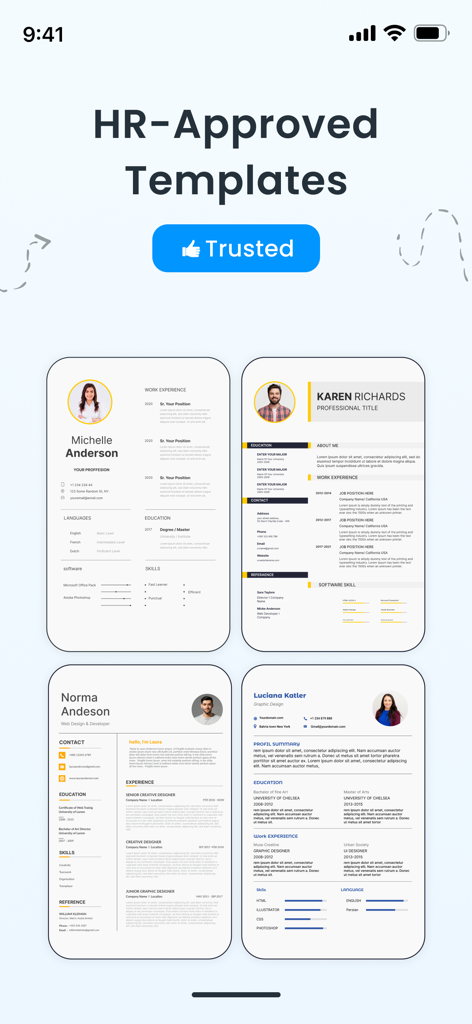
Eine professionelle Lebenslaufvorlage, die in der mobilen App CV Maker und Resume Builder angezeigt wird.

CV Maker & Resume Builder PDF - Eine Auswahl von vier professionellen und HR-genehmigten Lebenslaufvorlagen aus der CV Maker App
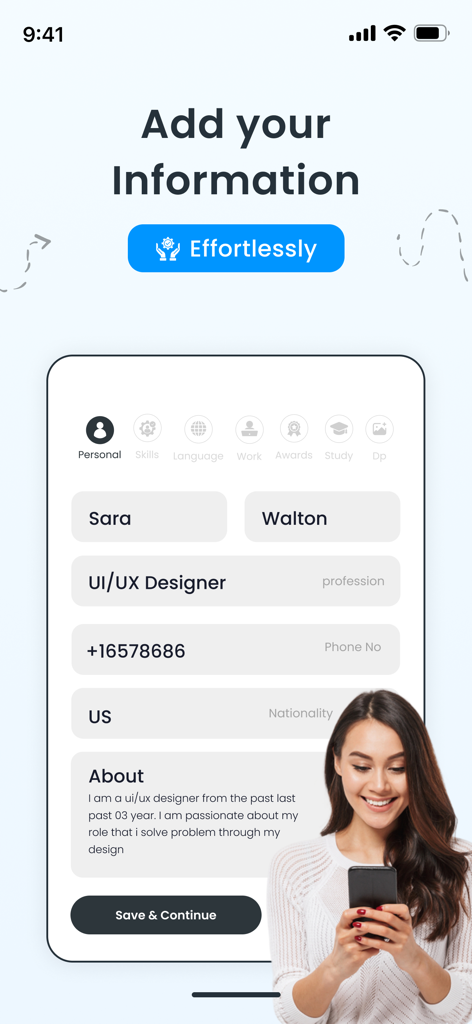
Eine Auswahl von vier professionellen und HR-genehmigten Lebenslaufvorlagen aus der CV Maker App

CV Maker & Resume Builder PDF - Eine mobile Benutzeroberfläche zum Hinzufügen persönlicher Informationen wie Name und Beruf zu einer Lebenslauf-Ersteller-App.
Eine mobile Benutzeroberfläche zum Hinzufügen persönlicher Informationen wie Name und Beruf zu einer Lebenslauf-Ersteller-App.

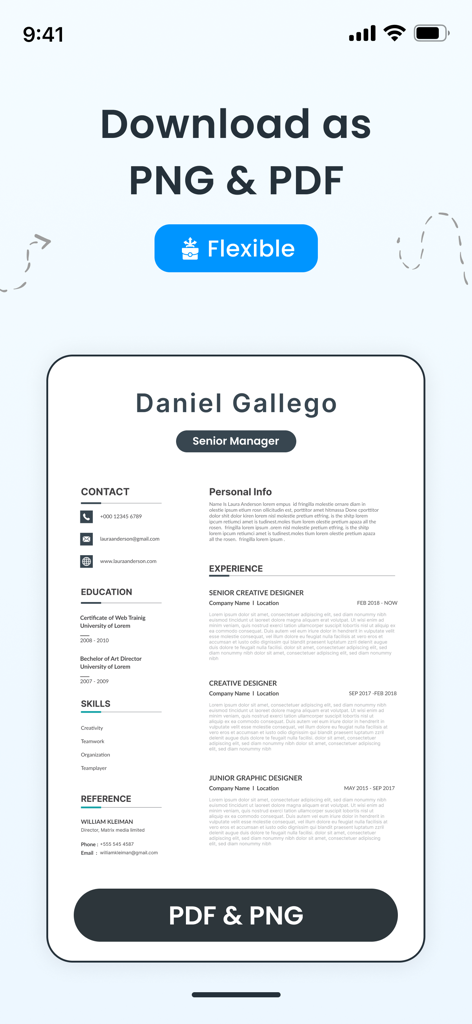
CV Maker & Resume Builder PDF - Eine professionelle Lebenslaufvorlage in der mobilen App mit Optionen zum Herunterladen in PDF- und PNG-Formaten.
Eine professionelle Lebenslaufvorlage in der mobilen App mit Optionen zum Herunterladen in PDF- und PNG-Formaten.

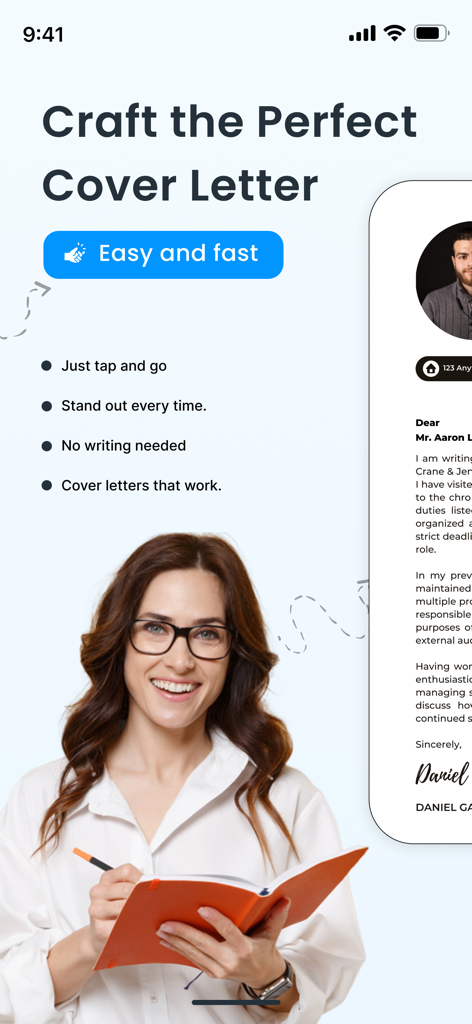
CV Maker & Resume Builder PDF - Benutzeroberfläche der CV Maker App, die die Funktion zum einfachen und schnellen Erstellen eines professionellen Anschreibens zeigt
Benutzeroberfläche der CV Maker App, die die Funktion zum einfachen und schnellen Erstellen eines professionellen Anschreibens zeigt

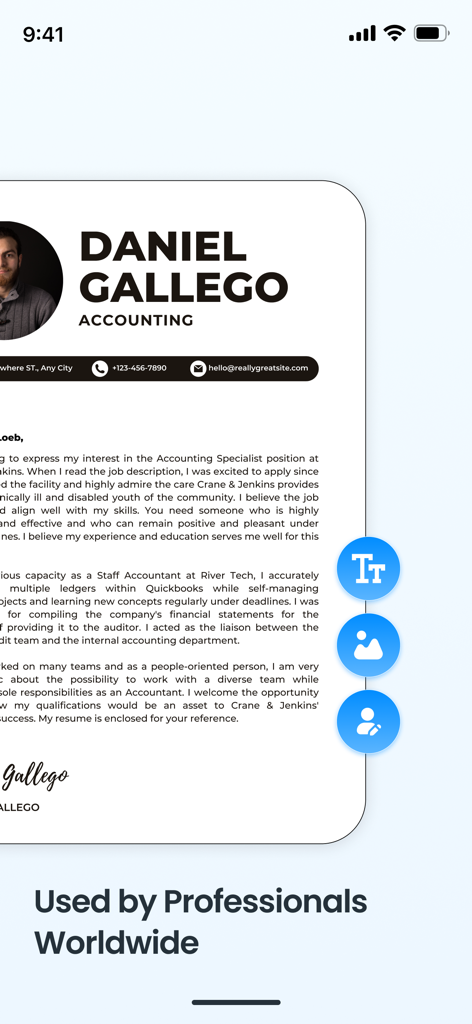
CV Maker & Resume Builder PDF - Eine professionelle Lebenslaufvorlage für einen Buchhalter in einer mobilen CV Maker App

Eine professionelle Lebenslaufvorlage für einen Buchhalter in einer mobilen CV Maker App

Beschreibung

Smart CV Maker & Resume Builder App: Are you ready to make your job application stand out from the competition in a crowded field? You only need to look once at cv resume maker to create compelling resumes that make an impression on employers and recruiters. You can quickly create a professional resume and curriculum vitae for a job application with the help of Smart Resume Maker | PDF Maker app. There are many resume templates at your disposal, and each CV and resume template comes in different colors. We ensure your CV is spot on so you can impress potential employers. If you’re writing a resume for the first time, then this app is a blessing to you. Also, no need to worry if you made any mistakes because CV maker app allows you to edit or modify any field at any time. The best part of this CV maker & resume builder app is the option for customization. Features of CV Maker App:- Free Resume Templates Resume maker cv app offers to choose from a variety of professionally designed free resume templates to match your curriculum vitae with different industries and personal styles. Document Scanner Module Our powerful Document Scanner module allows users to quickly scan physical documents using their phone's camera. With automatic edge detection, smart cropping, and image enhancement, scanned files are converted into clear, high-quality PDFs. Users can save, share, or organize their scanned files directly within the app — making it perfect for scanning receipts, notes, forms, certificates, and more on the go. Curriculum Vitae Editing Resume Builder cv maker app lets you modify any section of your CV or resume with ease. Free resume builder CV maker app supports real-time updates while resume template editing to exactly preview what changes you have made to your curriculum vitae. Save & Export Pdf Resume Resume builder CV maker saves your progress and exports pdf resume format allowing you to easily share your Curriculum vitae created with the cv app. Resume Writing Tips and Guidance Curriculum vitae cv app lets you get expert resume writing tips and suggestions by providing different resume template on how to write your resume and CV, including different styles and formatting advice. Easily save your creations with our extensive saving options. Save your work as a PDF file for easy sharing on the web, submit your courses for further editing, or create beautiful pdfs for traditional applications. Get your cv in offline pdf format. The background color and border of your profile picture can be changed, so it leaves a lasting impression. Create a clean, visual presentation by customising everything to fit your brand. Start your career-boosting journey by downloading the Smart Resume Maker | PDF Maker app right now to highlight your accomplishments and skills. Make sure your cv is a good reflection of who you are! Your dream job is waiting for you! Subscription Plan • Payment will be charged to iTunes Account at confirmation of purchase. • Subscription automatically renews unless auto-renew is turned off at least 24-hours before the end of the period. • Length of subscriptions: Weekly & Yearly. • Account will be charged for renewal within 24-hours prior to the end of the current period, and identify the cost of the renewal. • Price of subscriptions: one week 2.99 US & one year 17.99 US • Subscriptions may be managed by the user and auto-renewal may be turned off by going to the user's Account Settings after purchase. • No cancellation of the current subscription is allowed during active subscription period. • Any unused portion of a free trial period, if offered, will be forfeited when the user purchases a subscription. For further information: Privacy Policy: https://sites.google.com/view/khasologixpolicy/home Terms of Service : https://www.apple.com/legal/internet-services/itunes/dev/stdeula/

Download

Herunterladen auf App Store

Diese Seite ist keine offizielle Seite der App oder ihres Entwicklers, sondern eine unabhängige redaktionelle Veröffentlichung, die zu Informations- und Kommentarzwecken erstellt wurde. Sofern nicht ausdrücklich anders angegeben, sind weder die App noch ihr Entwickler mit MWM, Apple, Google Play, dem App-Herausgeber oder dem Entwickler der App verbunden, von ihnen unterstützt, gesponsert, autorisiert oder anderweitig offiziell verbunden, und nichts auf dieser Seite impliziert, dass die App unter Verwendung der Dienste von MWM entwickelt wurde. Alle Marken, Logos, Screenshots und andere Inhalte bleiben Eigentum ihrer jeweiligen Inhaber.








