
Diese Seite ist keine offizielle Seite der App oder ihres Entwicklers, sondern eine unabhängige redaktionelle Veröffentlichung, die zu Informations- und Kommentarzwecken erstellt wurde. Sofern nicht ausdrücklich anders angegeben, sind weder die App noch ihr Entwickler mit MWM, Apple, Google Play, dem App-Herausgeber oder dem Entwickler der App verbunden, von ihnen unterstützt, gesponsert, autorisiert oder anderweitig offiziell verbunden, und nichts auf dieser Seite impliziert, dass die App unter Verwendung der Dienste von MWM entwickelt wurde. Alle Marken, Logos, Screenshots und andere Inhalte bleiben Eigentum ihrer jeweiligen Inhaber.

Da Vinci Eye: AR Trace & Draw
Schließen Sie sich Millionen von Künstlern, Bäckern und Schöpfern an, die die weltweit führende digitale Camera Lucida nutzen. Perfektionieren Sie Ihre Proportionen, lernen Sie von jedem Foto zu zeichnen und nehmen Sie virale Zeitraffer mit der Kraft von Augmented Reality auf.
Downloads
2M+Bewertung
Bewertungen gesamt
13K+Herausgeber
Kategorie
Graphics & DesignSprachen
4Neueste Version
4.6.2Größe
193.5 MBErstveröffentlichung
16. Juni 2016Meistern Sie jeden Strich mit AR-Präzision
Von professionellen Tätowierern bis hin zu Hobbybäckern – Da Vinci Eye ermöglicht es Kreativen, den technischen Frust zu überspringen und direkt zur Freude an der Erstellung hochwertiger, realistischer Kunst überzugehen.
Sofort fehlerfreie Proportionen
Nutzen Sie AR, um jedes Foto direkt auf Ihre Leinwand zu projizieren. Machen Sie sich keine Sorgen mehr über falsch ausgerichtete Merkmale und fangen Sie an, mit 100 % Genauigkeit auf jeder Oberfläche zu zeichnen.
Integrierte Content-Erstellung
Nehmen Sie automatisch atemberaubende Zeitraffervideos Ihres Zeichenprozesses auf. Perfekt, um Ihr Talent auf TikTok und Instagram zu teilen und Ihre künstlerische Marke aufzubauen.
Häufig gestellte Fragen
Alles, was Sie über wissen müssen Da Vinci Eye: AR Trace & Draw
Was ist die Da Vinci Eye App?
Da Vinci Eye ist eine AR-Kunstprojektor-App, die Künstlern hilft, durch Überlagerung von Bildern auf ihrer Leinwand zu schablonieren und zu zeichnen. Sie fungiert als digitale Camera Lucida und bietet Zeichenwerkzeuge, Lektionen und Community-Funktionen.
Wie funktioniert die Da Vinci Eye App?
Die Da Vinci Eye App funktioniert, indem sie Ihr Gerät über oder vor Ihrer Leinwand aufhängt. Sie überlagert ein Bild auf der Leinwand, sodass Sie beides gleichzeitig zum Schablonieren, Zeichnen und Überprüfen von Proportionen sehen können.
Kann Da Vinci Eye mir helfen, zeichnen zu lernen?
Ja, Da Vinci Eye hilft Benutzern, zeichnen zu lernen, indem es das Auge trainiert, Proportionen zu erkennen und Schattierungen zu fördern. Die App bietet Lektionen, wandelt Fotos in schrittweise Zeichenanleitungen um und bietet bewährte Techniken für effizientes Lernen.
Was sind die Geräteanforderungen für den AR-Modus von Da Vinci Eye?
Um den AR-Modus von Da Vinci Eye nutzen zu können, benötigt Ihr Gerät einen A10x- oder A11-Prozessor oder neuer. Dazu gehören iPhones ab der 8. Generation, iPads Mini ab der 5. Generation, iPads Air ab 2019 und iPads Pro ab der 3. Generation (Modelle von 2018).
Was ist der Unterschied zwischen dem AR-Modus und dem klassischen Modus in Da Vinci Eye?
Der AR-Modus in Da Vinci Eye verankert das projizierte Bild an einem realen Objekt und behält die Ausrichtung bei, auch wenn sich die Leinwand oder das Telefon bewegen. Der klassische Modus ist wie ein normaler Projektor; Bewegungen stören die Ausrichtung. Der AR-Modus ist ideal für Staffeleien.
Kann ich Da Vinci Eye zum Zeichnen feiner Details verwenden?
Ja, die Da Vinci Eye App ermöglicht es Benutzern, Bilder zu vergrößern, um Mikodetails genau zu erfassen und zu zeichnen. Diese Funktion verbessert die Präzision für komplizierte Kunstwerke.
Bietet Da Vinci Eye Zeicheninspirationen oder -aufforderungen?
Ja, Da Vinci Eye verfügt über einen Inspirationsbereich mit von Benutzern hochgeladenen Referenzfotos und täglichen Zeichenaufforderungen. Benutzer können auch ihre eigenen Inhalte hochladen, damit andere sie zeichnen können.
Kann Da Vinci Eye Bilder nach Farbwert trennen, um zu zeichnen?
Ja, Da Vinci Eye kann Bilder basierend auf dem Farbwert in Ebenen trennen. Diese Funktion hilft Künstlern, Bereiche für dunkle Töne, Mitteltöne und Glanzlichter zu identifizieren und virtuell auf ihre Leinwand zu projizieren.
Für wen ist die Da Vinci Eye App konzipiert?
Die Da Vinci Eye App ist für eine breite Palette von Kreativen konzipiert, darunter Maler, Bäcker, Karikaturisten, Tätowierer, Illustratoren, Make-up-Künstler und Animatoren. Sie unterstützt alle Fähigkeitsstufen.
Bietet Da Vinci Eye Video-Tutorials an?
Ja, Da Vinci Eye bietet Video-Tutorials zur Unterstützung der Benutzer an. Diese Tutorials helfen, die Funktionen der App zu erklären und Künstler durch verschiedene Zeichenprozesse zu führen.
Die folgenden Screenshots und die Beschreibung stammen direkt aus dem offiziellen Store-Eintrag der App und sind Eigentum des Entwicklers.
App Store
Screenshots
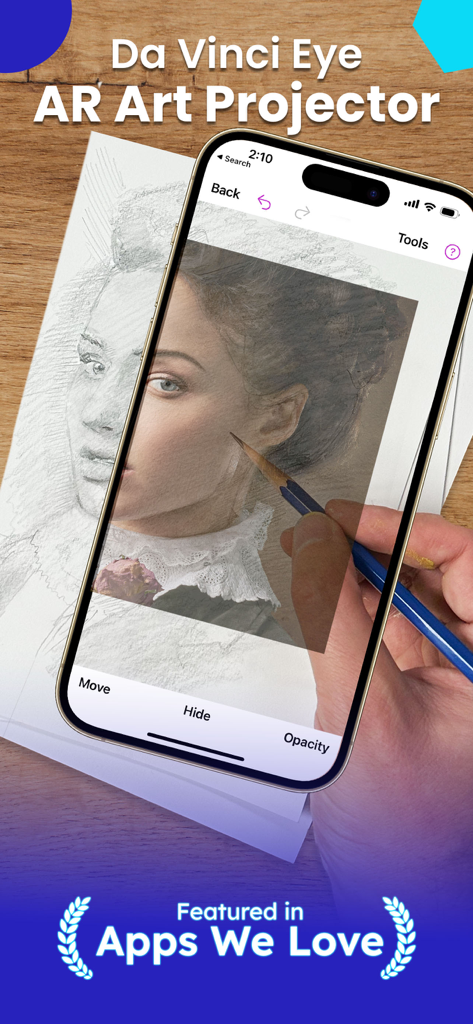
Eine Person nutzt die Da Vinci Eye AR-App auf einem Smartphone, um ein Porträt mit einem Bleistift auf Papier zu projizieren und nachzuzeichnen.
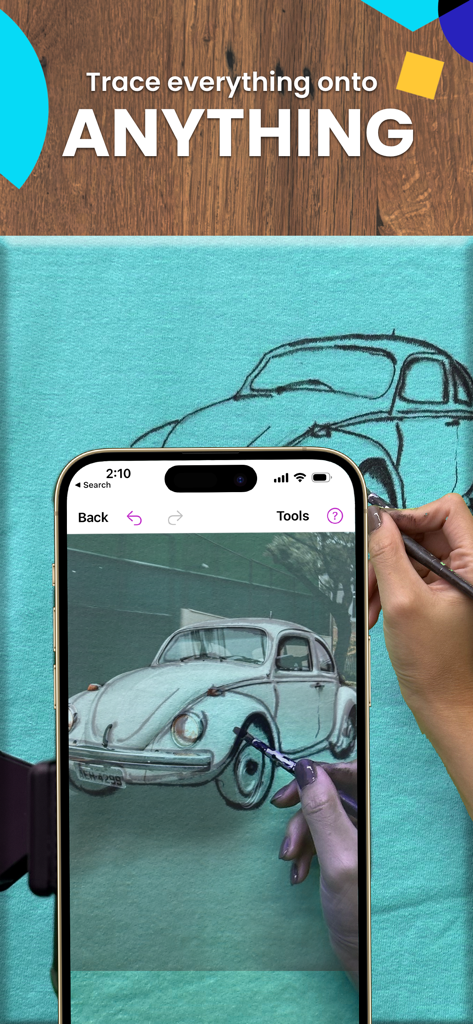
Nachzeichnen eines Oldtimers auf eine Stoffleinwand mit der Da Vinci Eye AR-Zeichen-App
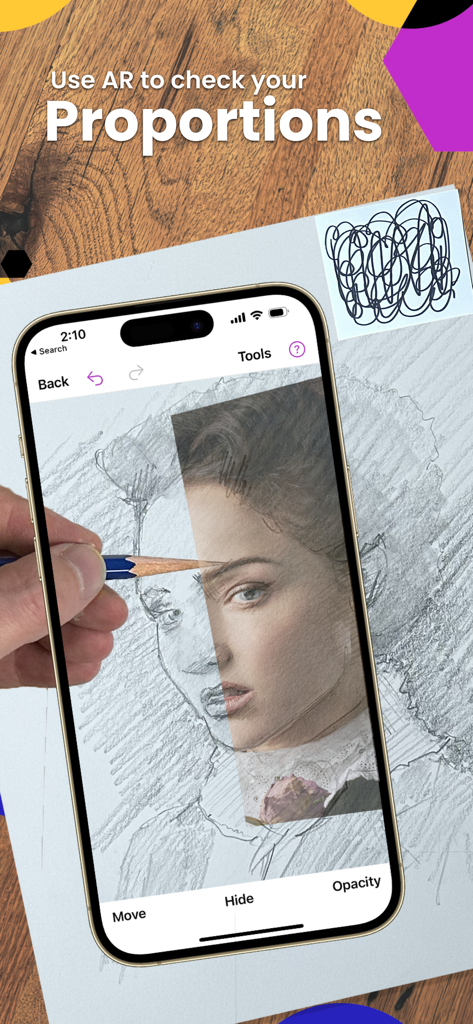
Eine Person nutzt die Da Vinci Eye AR-App, um die Proportionen beim Zeichnen eines Porträts auf Papier mit einem Bleistift zu überprüfen.
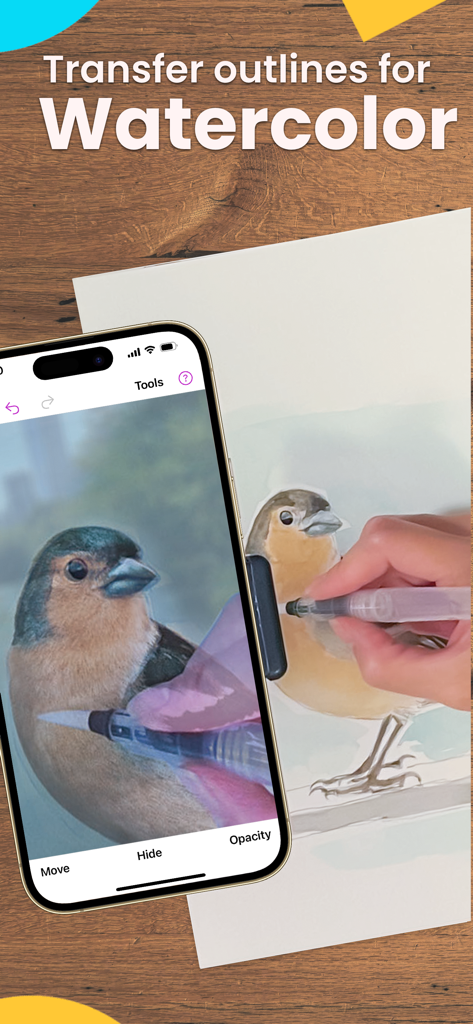
Eine Person nutzt eine AR-App, um einen Vogel für die Aquarellmalerei nachzuzeichnen
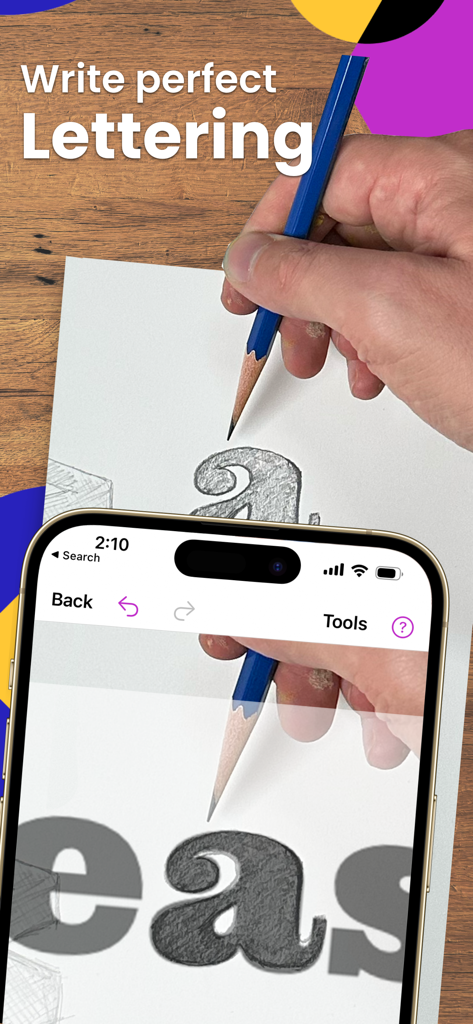
Eine Person nutzt die Da Vinci Eye AR-App, um perfekte Schriftzüge mit einem Bleistift auf Papier nachzuzeichnen.
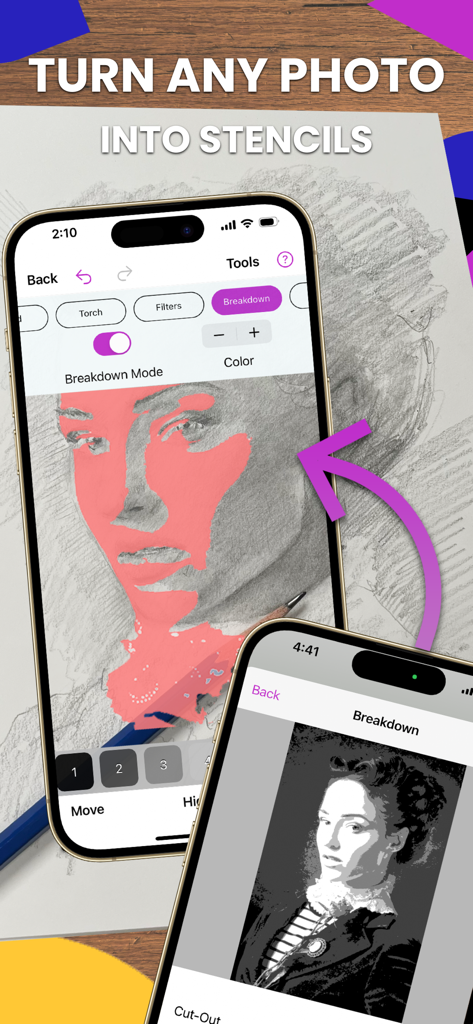
iPhone-Bildschirm zeigt den Analyse-Modus der Da Vinci Eye-App, der ein Foto in eine Schablone zum Zeichnen verwandelt
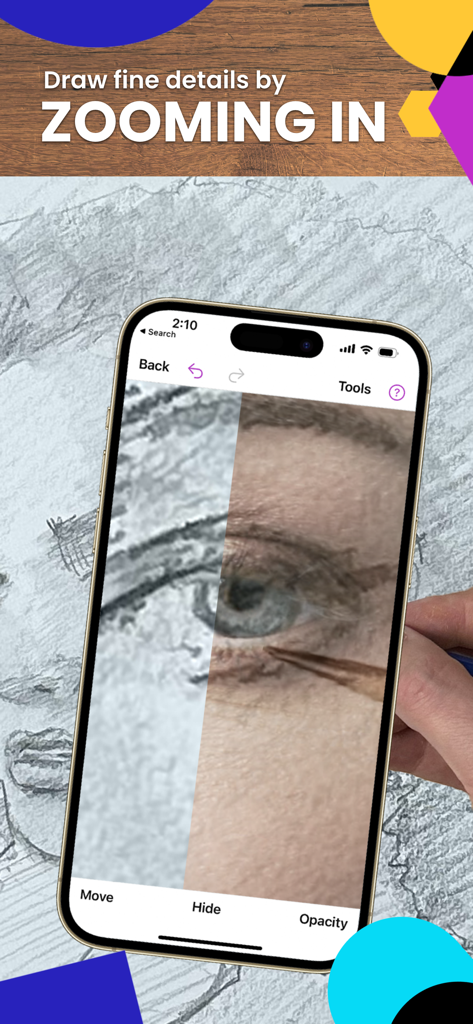
Hineinzoomen in ein gezeichnetes Auge mit der Da Vinci Eye AR-Tracing-App
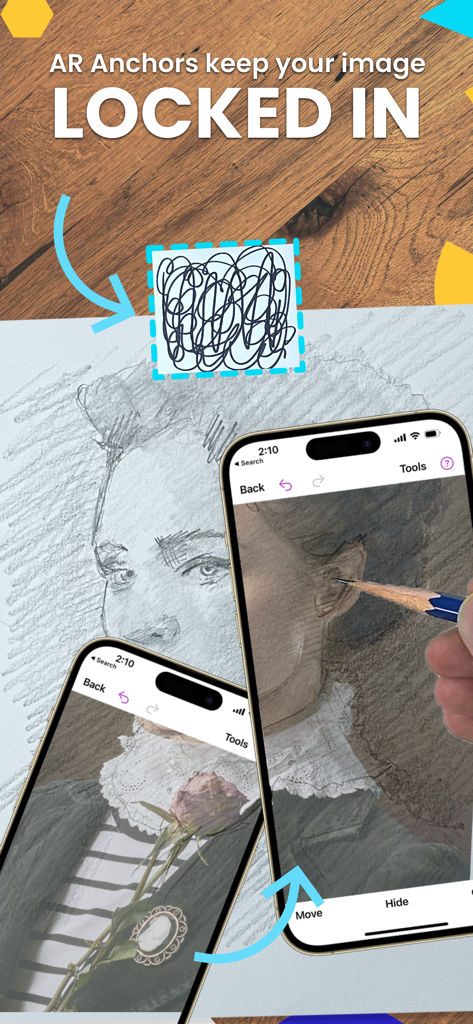
iPhone-Bildschirm zeigt AR-Anker, die ein virtuelles Porträt über einer physischen Zeichenoberfläche für präzises Nachzeichnen fixieren
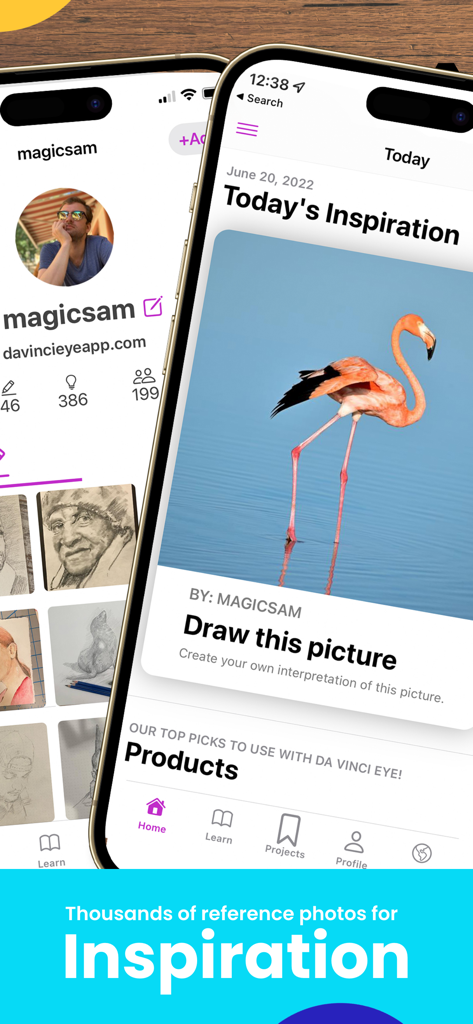
Benutzeroberfläche der Da Vinci Eye-App zeigt ein Flamingo-Referenzfoto als Zeicheninspiration
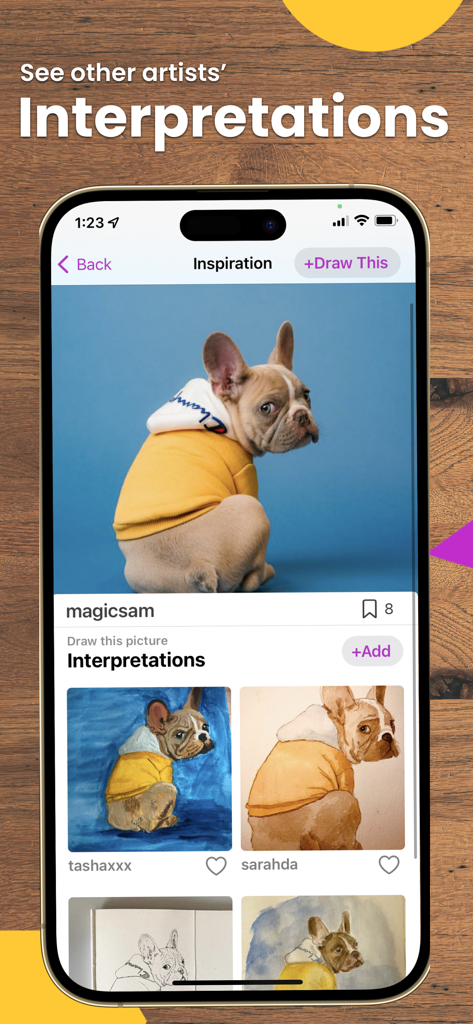
Ein Bildschirm der Da Vinci Eye-App zeigt ein Foto eines Hundes und verschiedene von Benutzern eingereichte Zeicheninterpretationen.
Beschreibung
Download
Ähnliche Apps
Apps mit ähnlichen Funktionen und Nutzererfahrung

AR Drawing Paint Sketch Trace
DROIDFUN LIMITED

Camera Lucida™: AR Drawing
Big Idea Design LLC

AR Drawing Sketch App: ArtEasy
SMDA GROUP SP Z O O SP KOMANDYTOWA

PicTrace: AR Drawing & Sketch
ANDROID VIETNAM TECHNOLOGY CORPORATION

AR Draw: Sketching & Painting
EIGEN SOFTWARE LIMITED

AR Drawing How to Draw Sketch
Magomed Dzhamalov

AR Drawing - AR Sketch
Ketanbhai Khokhani

HEY CLAY®
HEY CLAY LTD

Sketch Trace Draw, AR App
Proxglobal Investment And Technology Development Joint Stock Company
Diese Seite ist keine offizielle Seite der App oder ihres Entwicklers, sondern eine unabhängige redaktionelle Veröffentlichung, die zu Informations- und Kommentarzwecken erstellt wurde. Sofern nicht ausdrücklich anders angegeben, sind weder die App noch ihr Entwickler mit MWM, Apple, Google Play, dem App-Herausgeber oder dem Entwickler der App verbunden, von ihnen unterstützt, gesponsert, autorisiert oder anderweitig offiziell verbunden, und nichts auf dieser Seite impliziert, dass die App unter Verwendung der Dienste von MWM entwickelt wurde. Alle Marken, Logos, Screenshots und andere Inhalte bleiben Eigentum ihrer jeweiligen Inhaber.