Dark Mode for Safari: NightEye
Herunterladen auf App Store

Diese Seite ist keine offizielle Seite der App oder ihres Entwicklers, sondern eine unabhängige redaktionelle Veröffentlichung, die zu Informations- und Kommentarzwecken erstellt wurde. Sofern nicht ausdrücklich anders angegeben, sind weder die App noch ihr Entwickler mit MWM, Apple, Google Play, dem App-Herausgeber oder dem Entwickler der App verbunden, von ihnen unterstützt, gesponsert, autorisiert oder anderweitig offiziell verbunden, und nichts auf dieser Seite impliziert, dass die App unter Verwendung der Dienste von MWM entwickelt wurde. Alle Marken, Logos, Screenshots und andere Inhalte bleiben Eigentum ihrer jeweiligen Inhaber.

Logo von Dark Mode for Safari: NightEye
Herunterladen auf App Store

Dark Mode for Safari: NightEye

Schütze deine Augen und steigere deine Produktivität bis spät in die Nacht. NightEye bietet einen konsistenten, beruhigenden Dunkelmodus und Blaulichtfilter auf all deinen Apple-Geräten – ohne jemals deine Daten zu sammeln.

Kennzahlen

Downloads

8K+

Bewertung

3.8/5

Bewertungen gesamt

300

Herausgeber

PROMOTINO LTD OOD

Kategorie

Utilities

Sprachen

33

Neueste Version

5.3.7

Größe

10.3 MB

Erstveröffentlichung

18. März 2019
Funktionen

Entwickelt für den modernen Nachtschwärmer

Night Eye ist nicht nur ein Theme; es ist ein leistungsstarkes Toolkit, um deine Augen zu schützen und deinen Fokus in jeder Ecke des Webs zu verbessern.

Intelligenter Dunkelmodus

Konvertiert jede Website intelligent in ein dunkles Theme, während Bilder scharf und klar bleiben für ein nahtloses Erlebnis.

Fortschrittlicher Augenschutz

Reduziere Müdigkeit und verbessere den Schlaf, indem du Blaulicht reduzierst und Bildschirme auf dein genaues Wohlfühlniveau dimmst.

Die folgenden Screenshots und die Beschreibung stammen direkt aus dem offiziellen Store-Eintrag der App und sind Eigentum des Entwicklers.

App Store

Screenshots
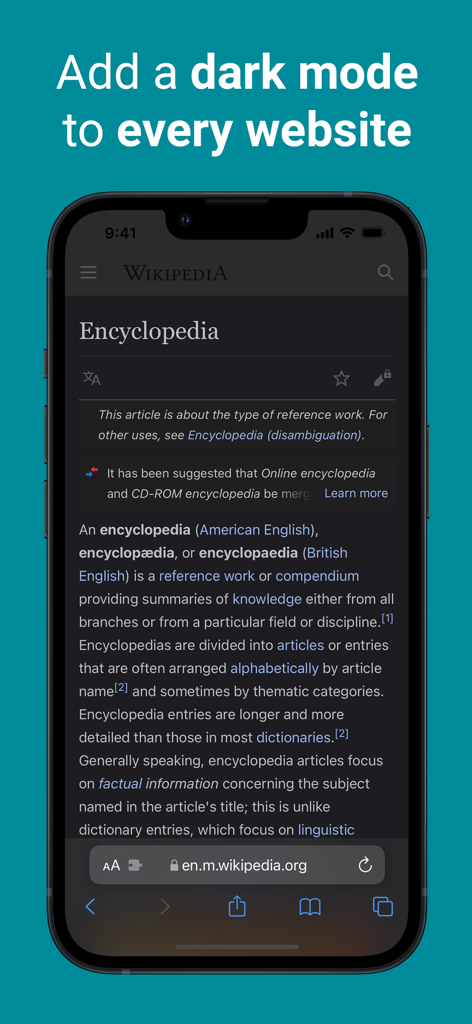
Dark Mode for Safari: NightEye - iPhone zeigt Wikipedia im Dunkelmodus mit der NightEye Safari-Erweiterung
iPhone zeigt Wikipedia im Dunkelmodus mit der NightEye Safari-Erweiterung

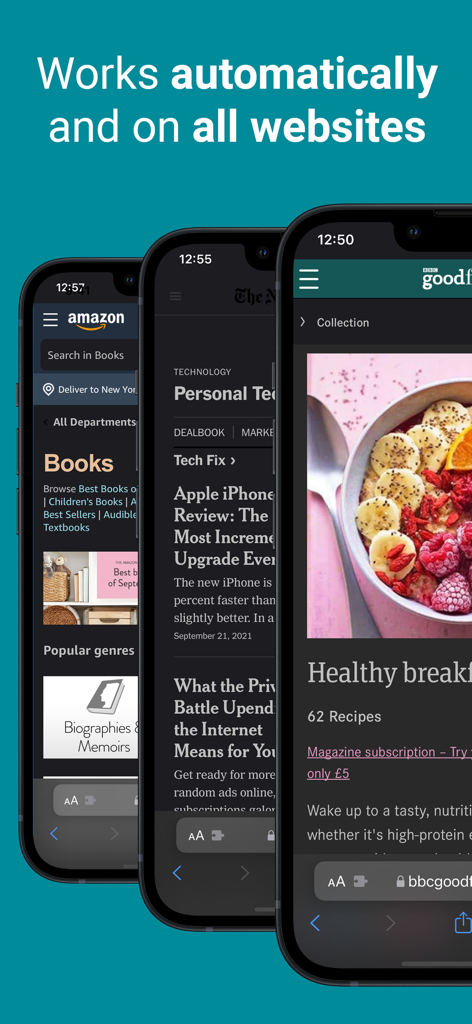
Dark Mode for Safari: NightEye - NightEye-Erweiterung zeigt automatische Dunkelmodus-Konvertierung auf Amazon und Nachrichten-Websites
NightEye-Erweiterung zeigt automatische Dunkelmodus-Konvertierung auf Amazon und Nachrichten-Websites

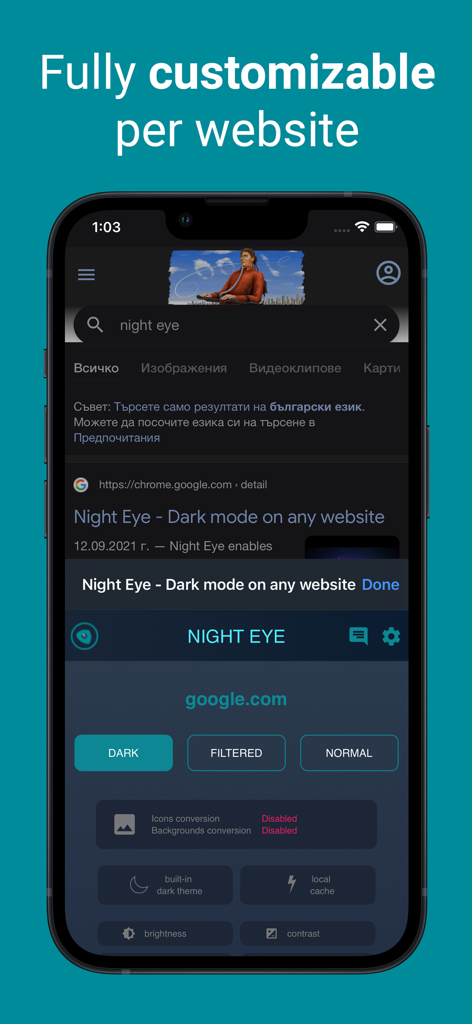
Dark Mode for Safari: NightEye - iPhone-Screenshot mit Anpassungsoptionen für die Night Eye Safari-Erweiterung auf einer Google-Suchseite im Dunkelmodus
iPhone-Screenshot mit Anpassungsoptionen für die Night Eye Safari-Erweiterung auf einer Google-Suchseite im Dunkelmodus

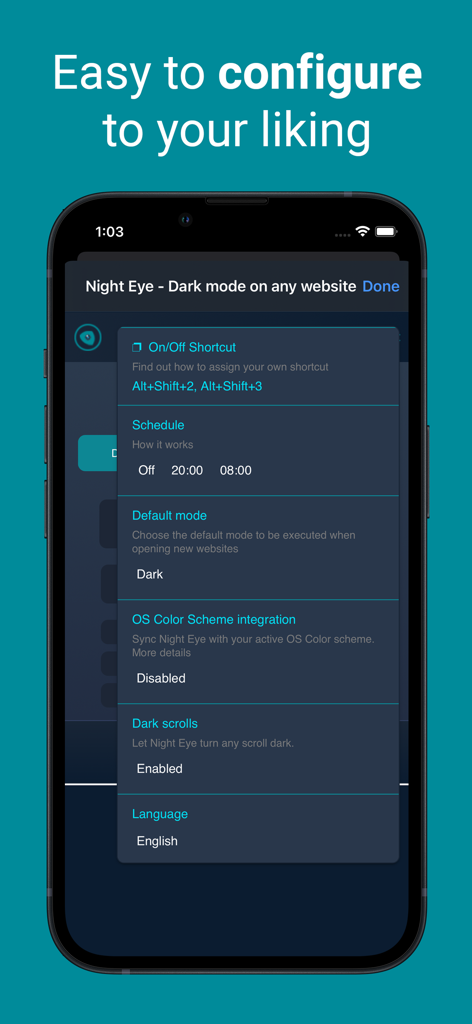
Dark Mode for Safari: NightEye - Night Eye App-Einstellungsbildschirm mit Konfigurationsoptionen wie Zeitplanung, Standardmodus und Integration des Betriebssystem-Farbschemas

Night Eye App-Einstellungsbildschirm mit Konfigurationsoptionen wie Zeitplanung, Standardmodus und Integration des Betriebssystem-Farbschemas

Beschreibung

Enhance your browsing with Night Eye, a browser extension specially designed for a flawless "dark mode" experience on any site. By utilizing an advanced "dark mode" transformation technique, it efficiently evaluates and adjusts every color to provide a consistent and soothing dark theme. Opting for a dark interface can significantly diminish eye strain, making it a perfect choice for those sensitive to bright screens, or for users who often find themselves in dimly lit surroundings. Studies even indicate that reduced ambient light can positively influence sleep patterns. With Night Eye, dive into a serene "dark mode" on popular platforms such as Messenger, Quora, Search, Reddit, Wikipedia, and beyond. Further, its compatibility with native dark themes on select sites ensures you have total autonomy over your digital landscape. Dive into the world of "dark mode" with Night Eye and redefine your browsing ambiance. Discover the perfect dark mode experience for your browsing needs with Night Eye's four tailored plans: 1. Night Eye Lite: - Enjoy dark mode on up to 5 websites. - Switch between websites as often as you like. 2. Night Eye Pro: - Unlock the app's full potential on up to 3 browsers. - Yearly subscription plan. - Get started with a 2-month free trial (no payment required), which can be extended to a full year! 3. Night Eye Pro Max: - Experience complete dark mode capabilities on up to 6 browsers. - Yearly subscription plan. 4. Night Eye Ultimate: - Dive into the ultimate dark mode experience on up to 10 browsers. - Make it yours forever with a one-time payment. Explore Night Eye and transform your browsing experience today! AVAILABLE MODES Our extension offers three modes: Dark, Filtered, and Normal. - In Dark mode, all colors, small images, and icons are converted to provide the best dark experience. - In Filtered mode, the website's colors are not changed, but you can adjust brightness, contrast, warmth, and more. - Normal mode allows you to switch back to the website's regular theme. GLOBAL OPTIONS - OS/Browser Color scheme integration - integrate with your operating system's or browser's color scheme - Deep integration with websites that have their own built-in dark themes. - Scheduling for dark mode to turn on and off - Custom dark mode for online PDFs - Export/Import data between your browsers DARK MODE OPTIONS PER WEBSITE You can customize Night Eye's settings for a single website or globally, including adjusting contrast, blue light filter, and dimming. - Images - Night Eye analyses and converts only the small images and icons in a website to give you even smoother experience. Facebook posts and other significant media are not converted. - Brightness / Saturation / Contrast - Adjust the brightness, the contrast and the saturation to match the recommended healthy levels and protect your eyes. The default setting for each is 50%, but you can customize each to the preferred levels. - Blue Light - Take care of your eyes by eliminating the blue light coming from your screen. Highly recommended especially during late night browsing. Simply slide to the preferred level of warmth. - Dim - Extremely useful if you are working in a dark space/room and the screen is the only source of light in the room. The default setting is set to 50%, but you can customize it as you please. WE CARE ABOUT PRIVACY Safari will alert you that the extension may read and change all your data on the websites that you visit. Here is why: This extension analyses the colors of each webpage and converts them in order to give you a smooth and consistent dark mode. There is no other way the extension can convert the colors without the privilege to access them. However, we NEVER collect any of your data. Our business model relies on subscriptions and not on storing and selling your data. Last but not least, we are also internet users and don’t want to be evil.

Download

Herunterladen auf App Store

Diese Seite ist keine offizielle Seite der App oder ihres Entwicklers, sondern eine unabhängige redaktionelle Veröffentlichung, die zu Informations- und Kommentarzwecken erstellt wurde. Sofern nicht ausdrücklich anders angegeben, sind weder die App noch ihr Entwickler mit MWM, Apple, Google Play, dem App-Herausgeber oder dem Entwickler der App verbunden, von ihnen unterstützt, gesponsert, autorisiert oder anderweitig offiziell verbunden, und nichts auf dieser Seite impliziert, dass die App unter Verwendung der Dienste von MWM entwickelt wurde. Alle Marken, Logos, Screenshots und andere Inhalte bleiben Eigentum ihrer jeweiligen Inhaber.








