【Mobile Payment, Pay On The Go】
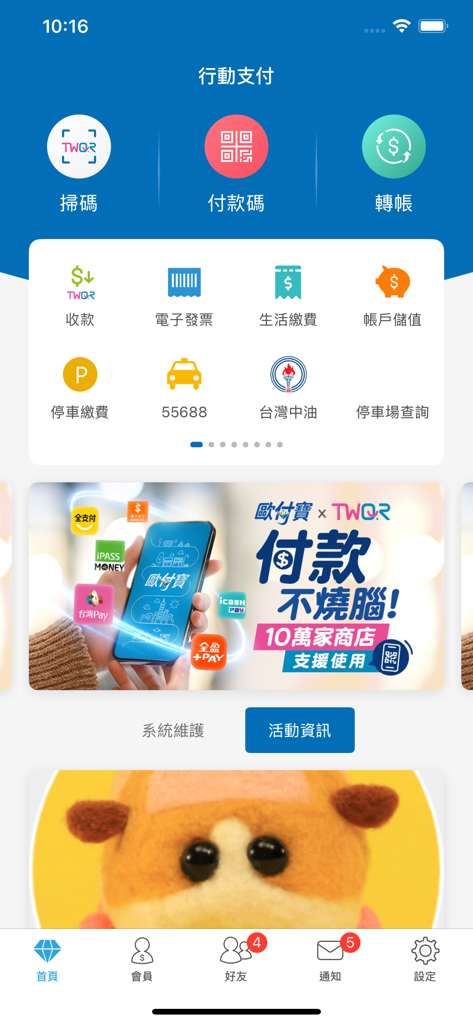
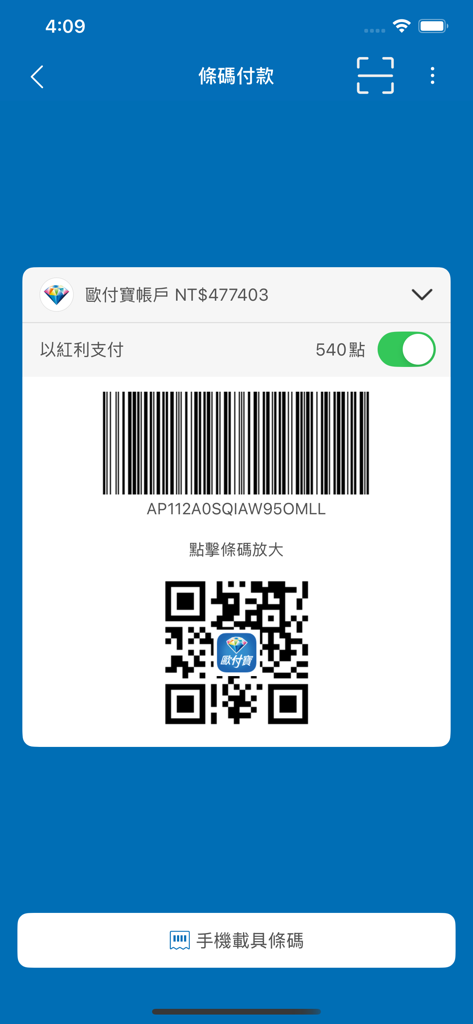
Fast payment, collection, transfer, and bill splitting features, integrated with convenience stores and supermarkets for instant mobile payments. Present a barcode on your phone for immediate payment and store your invoices in your digital receipt. Scan a barcode to pay for your taxi ride, saving time, offering convenience, and ensuring security.
Pay for roadside parking anytime, anywhere in northern, central, and southern Taiwan. Complete services for applying for a mobile barcode receipt, automatic prize drawing, winning notifications, and prize money transfers. Experience fast payments and a simple, convenient new life.
【Main Features】
● Your Phone is Your Wallet, Easy Top-Up, Convenient Payment
Smart consumption all in one device. Leave your wallet at home! Your "O-Pay Account" is equivalent to cash, link multiple "Credit Cards" to one device, or pay directly from your "Bank Account." Payments are applicable in various scenarios such as "convenience store shopping, dining out, visiting night markets, shopping malls, taking taxis, splitting bills with friends..." Easily experience a secure, faster, and more convenient payment method.
"O-Pay Account" Top-Up Methods:
1. Barcode Top-Up: Hi-Life, OK mart, Meilanshe, San Shang Da Mei Supermarket, Xin Pu Market
2. Transfer Top-Up: ATM transfer
3. Multimedia Machine Top-Up: FamilyMart FamiPort
4. Fast Bank Payment Top-Up: Taishin Bank, Post Office account linking for top-up
5. Credit Card Top-Up: Mega Bank credit card linking for top-up and automatic top-up service
● Convenience Store, Supermarket Mobile Instant Payment (easy pay)
Over 5,200 FamilyMart, Hi-Life, OK mart, Meilanshe, San Shang Da Mei Supermarket, and Xin Pu Market locations across Taiwan fully accept mobile payments. Present a barcode to the cashier for scanning, and with a "beep!", payment is completed instantly! (※Mobile payments currently cannot be used for payment services of collected items, e.g., garbage bags, cash on delivery, agency payments).
● TWQR Cross-Institution Payment
O-Pay cooperates with "FinTech Company" to provide the national-level shared QR Code payment service, "TWQR." Regardless of which mobile payment QR Code it is, as long as it supports TWQR, you can scan and pay. Download the O-Pay e-payment App now for instant scanning and payment, saving you the hassle of switching or registering for other apps!
● Fast Collections, Save Time and More Convenient
For restaurants, market vendors, vending machines, retail stores, taxi drivers, splitting dining expenses, exhibition events, etc. Clearly record every collection transaction and refund function for effective financial management and reconciliation.
With exclusive seller QR Codes and collection stickers (scan for convenient payment), you can easily and quickly collect payments wherever you go.
● Scan for Convenient Payment, Easy Scan, Quick Collection and Payment
O-Pay member exclusive QR Code collection barcode. Once set up, it can be used for table or branch management. Consumers can quickly scan with their mobile payment to checkout and pay. Usage examples:
【Retail Department Stores, Food Service Providers】Paste the collection sticker on dining tables or counters for consumers to scan and pay.
【Taxi Drivers】Paste the collection sticker inside the car for passengers to scan and pay.
【Exhibition Events, Night Market Vendors】Paste the collection sticker at exhibition booths and stalls for consumers to scan and pay.
● Friend Chat & Transfer Service
Integrated interface for "Friends, Chat, and Transfer" functions, easily select who to chat with or transfer money to.
Import friends from your phone book into your friend list. It also supports quick member transfers for non-friends, with zero transfer fees.
You can also create group chat rooms via friend list, QR code, or shaking your phone.
● Collect and Split Bills, Quickly Settle Group Expenses
Whether it's for group dining or group purchases, rent management, or registration fee payments, you can quickly initiate requests to collect/pay amounts from groups or individuals.
● Cross-Institution Transfer Service
By verifying a second financial instrument, you can transfer funds between accounts of other financial institutions and e-payment platforms.
You can also add your friends' bank account numbers to your favorite accounts for more convenient transfers!
● Electronic Invoice Function
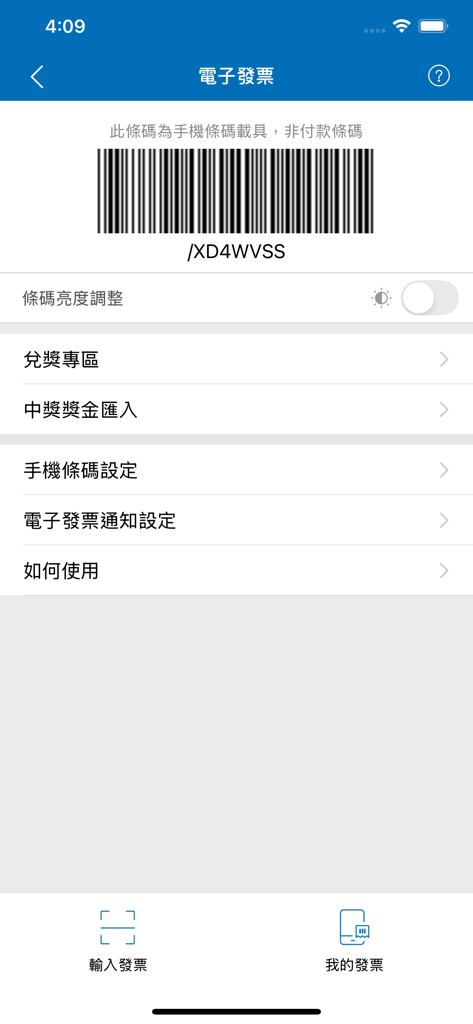
You can apply for a mobile barcode receipt via the APP. After setup, you can consume at partner stores (FamilyMart, Hi-Life, OK mart) without needing to present your mobile barcode, and your invoices will be linked.
For other stores, you can present your mobile barcode before checkout to link your invoices.
Enjoy other services such as automatic invoice prize drawing, winning notifications, prize money transfers, and attached receipt viewing all in one place.
● Store Invoice System
You can apply for issuing electronic invoices through the APP. Once the application is complete, you can issue electronic invoices to consumers via the APP, and create frequently used invoices. Say goodbye to handwritten invoices and traditional machines, with just one device in hand, it's fast and convenient!
Other services like invoice rebates, invoice cancellations, issuance/winning notifications are all available, saving you time and effort!
● Lifestyle Payments
Newly added electricity bills, credit card bills, telecom bills, health insurance premiums, vehicle and vessel license fees, eTag top-ups, and progressively opening up for parking fees, water bills, gas bills, medical fees, insurance premiums, regulatory fees, local taxes... from public and private entities. Simply scan the payment slip or bind your information to inquire and pay, managing your essential living expenses with just one tap!
● Roadside Parking Fee Payment
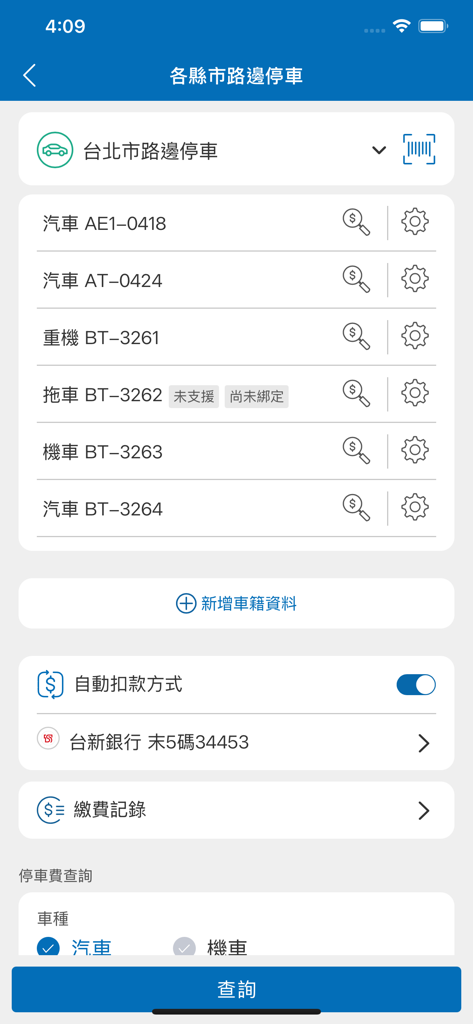
For cars and motorcycles of any county or city, as long as you have a "Parking Fee Notice" issued in the areas of [Keelung City, Taipei City, New Taipei City, Taoyuan City, Hsinchu County, Hsinchu City, Miaoli City, Toufen City, Taichung City, Changhua County, Chiayi City, Tainan City, Kaohsiung City, Hualien City, Yilan County, Taitung County], you can use the following services to pay at any time:
【Parking Slip Payment】Scan the slip number on the parking notice to pay.
【Parking Fee Inquiry and Payment】Inquire about outstanding parking fees and pay them.
【Add Vehicle Information】Bind your car or motorcycle number to quickly inquire about outstanding fees, and receive smart notifications for outstanding and soon-to-expire fees. Bind once to enjoy notification services for future participating areas.
If no outstanding fees are found when querying the "Parking Slip" or "Vehicle Number," a tracking function for outstanding fees is provided, allowing you to receive outstanding fee notifications even if your vehicle number is not yet bound. (Yilan County, Tainan City, and Chiayi City currently only provide vehicle number binding, smart notification for outstanding fees, and payment functions).
● Taipei Smart Parking Function
After binding your vehicle information and setting up an automatic payment method, you can automatically pay parking fees at Taipei's off-street parking lots that support cardless entry and exit (currently 64 locations, with more being added), which is convenient and fast!
● Dual Protection with Real-Name Encryption and Payment Security Certification
Confirms the user's real identity for faster and more convenient future use. The transaction process complies with the international PCI DSS certification, protecting cardholder data, so you don't have to worry about payment security, with layered controls for increased peace of mind.
Please note: To ensure the user experience, please install the latest operating system version. For account security, please install protective software on your mobile device.
【Cross-Institution Transfer Service】
By verifying a second financial instrument, you can transfer funds between accounts of other financial institutions and e-payment platforms.
You can also add your friends' bank account numbers to your favorite accounts for more convenient transfers!
Customer Service Information: (Online Report)
https://www.opay.tw/ServiceReply/Create