Doc Scan - PDF Scanner

Doc Scan - PDF Scanner


Herunterladen auf App Store
Logo von Doc Scan - PDF Scanner

Doc Scan - PDF Scanner: Ihr professionelles All-in-One-Taschenbüro

Scannen, unterschreiben und faxen Sie Dokumente mit Leichtigkeit. Schließen Sie sich über 828.000 Fachleuten an, die unsere hochwertige OCR, sichere Verschlüsselung und nahtlose Cloud-Integration nutzen, um einen papierlosen Workflow von überall aus zu verwalten.

Herunterladen auf App Store

Herausgeber

IFUNPLAY CO., LTD.

Kategorie

Business

Downloads

828K+

Bewertung

4.8/5

Bewertungen gesamt

34K+

Sprachen

3

Effizienz auf einen Blick

Entdecken Sie die Oberfläche, die von 828K+ Nutzern verwendet wird.
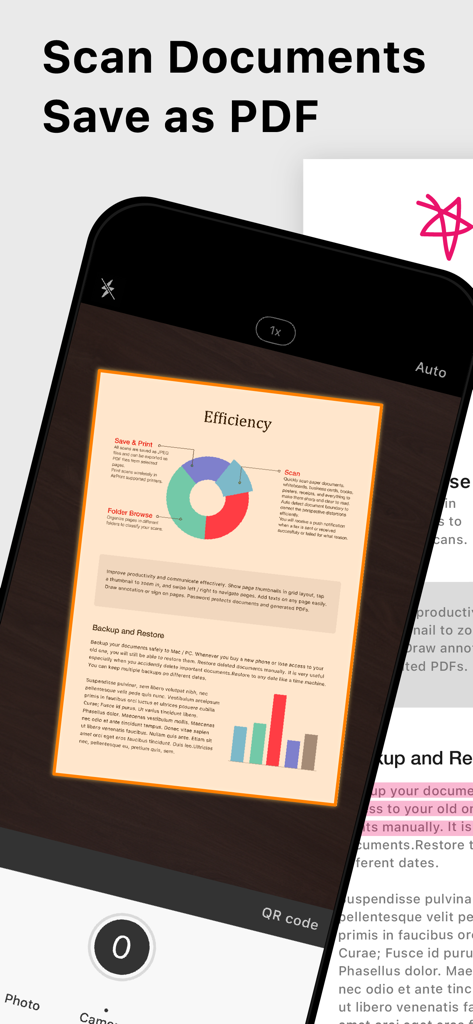
Ein Smartphone, das die Doc Scan App verwendet, um ein Dokument als PDF zu erfassen und zu speichern.

Ein Smartphone, das die Doc Scan App verwendet, um ein Dokument als PDF zu erfassen und zu speichern.

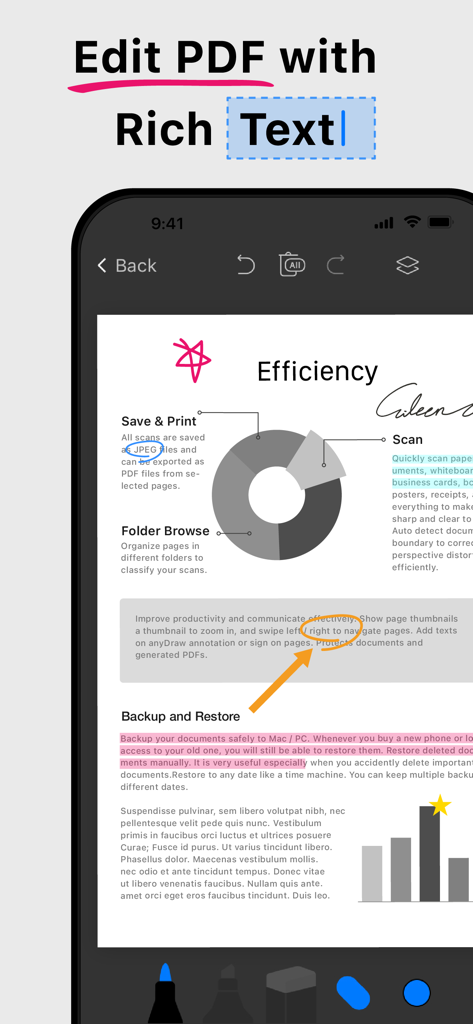
Mobile App-Oberfläche mit Rich-Text-Bearbeitungs- und Dokumentenkommentierungsfunktionen für ein PDF

Mobile App-Oberfläche mit Rich-Text-Bearbeitungs- und Dokumentenkommentierungsfunktionen für ein PDF

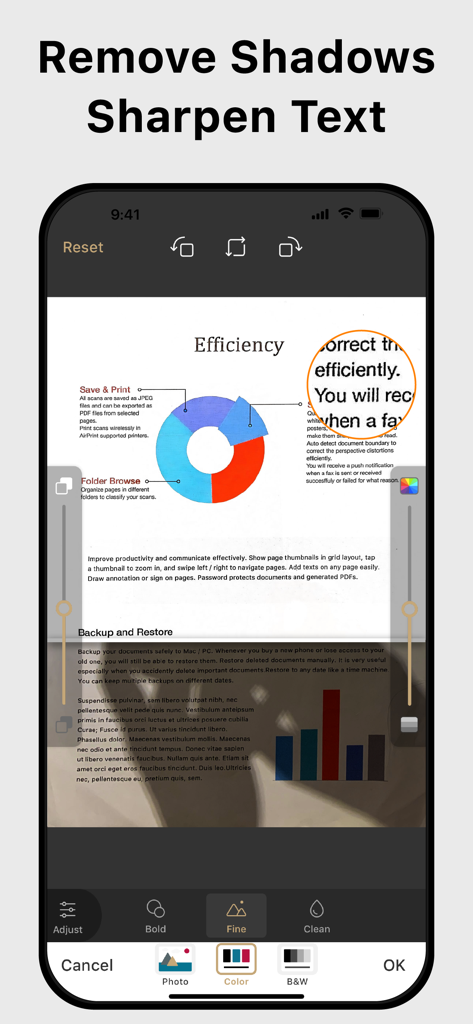
Mobile App-Oberfläche mit Funktionen zur Schattenentfernung und Textschärfung für ein professionelles Aussehen.

Mobile App-Oberfläche mit Funktionen zur Schattenentfernung und Textschärfung für ein professionelles Aussehen.

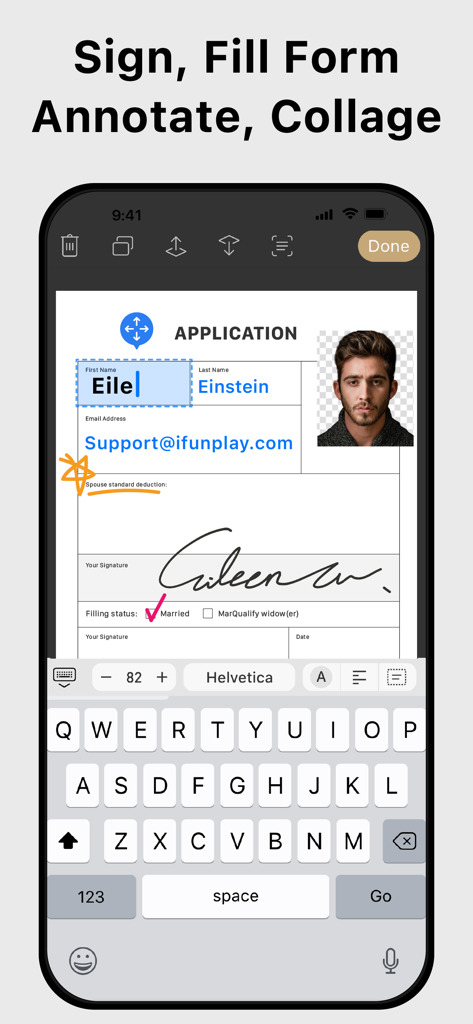
Mobile App-Oberfläche zum Unterschreiben und Ausfüllen digitaler PDF-Formulare auf einem Smartphone

Mobile App-Oberfläche zum Unterschreiben und Ausfüllen digitaler PDF-Formulare auf einem Smartphone

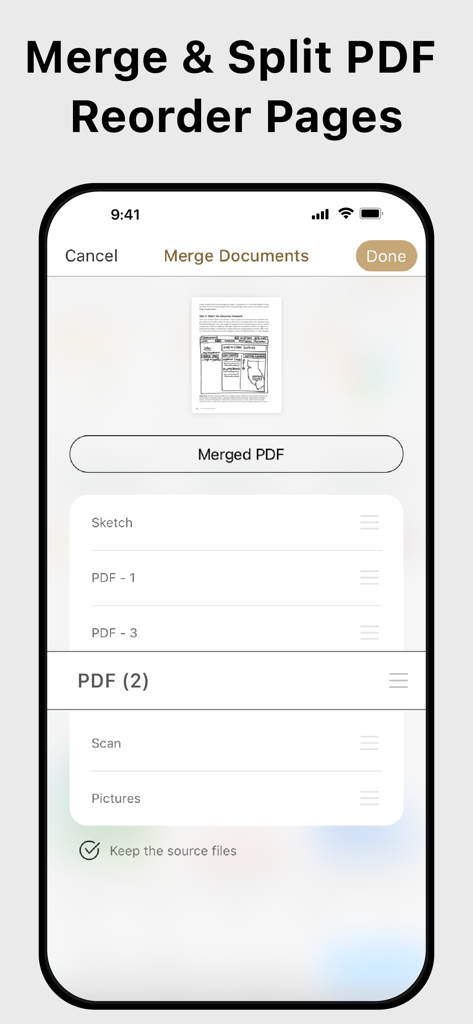
Oberfläche zum Zusammenführen, Aufteilen und Neuordnen von PDF-Seiten in Doc Scan

Oberfläche zum Zusammenführen, Aufteilen und Neuordnen von PDF-Seiten in Doc Scan

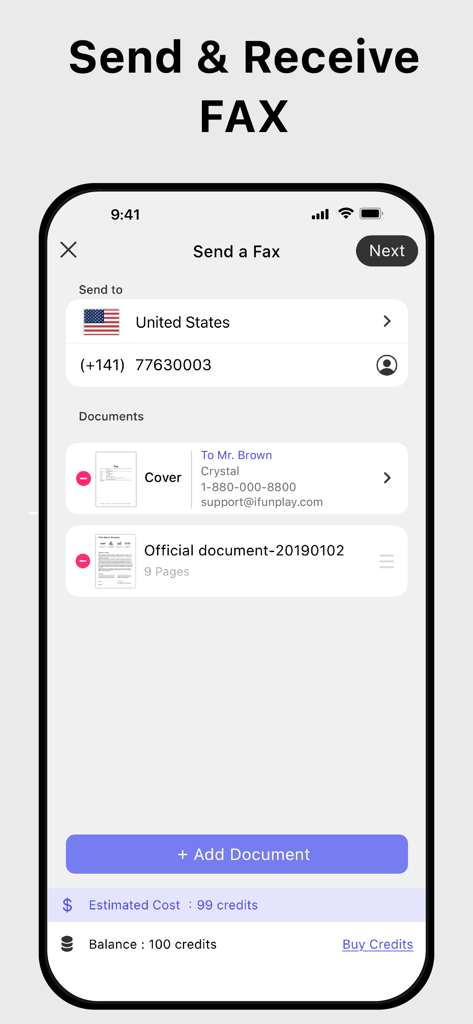
Doc Scan App-Oberfläche zum Senden und Empfangen von Faxen auf einem iPhone

Doc Scan App-Oberfläche zum Senden und Empfangen von Faxen auf einem iPhone

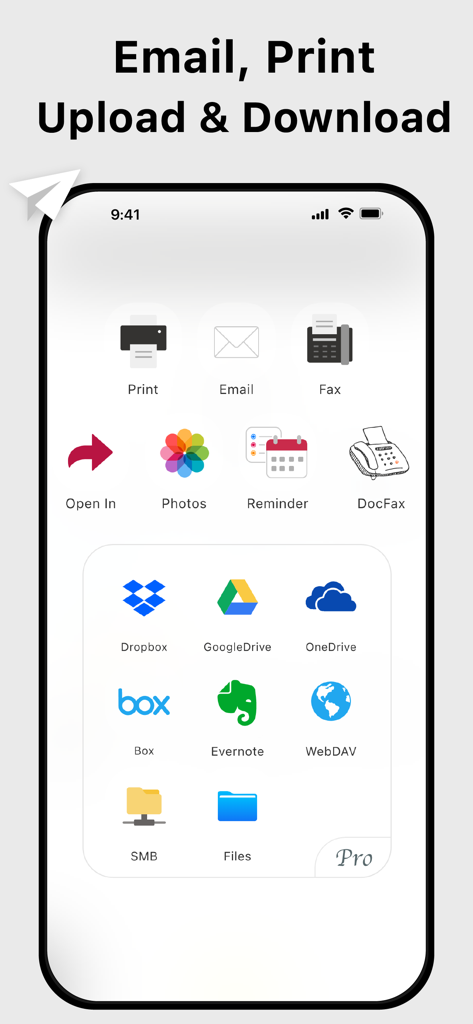
Oberfläche der Doc Scan App mit Optionen zum E-Mailen, Drucken und Hochladen von Dokumenten in verschiedene Cloud-Speicherdienste

Oberfläche der Doc Scan App mit Optionen zum E-Mailen, Drucken und Hochladen von Dokumenten in verschiedene Cloud-Speicherdienste

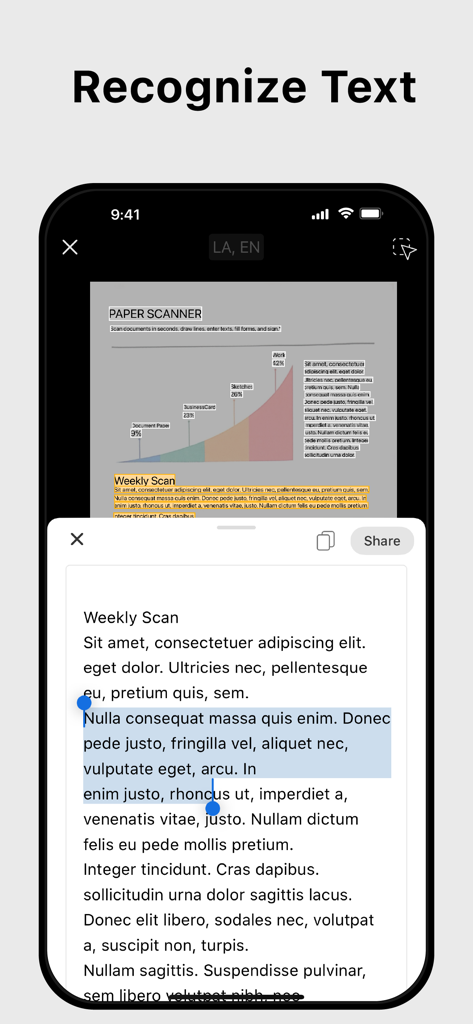
Mobile App-Oberfläche, die die OCR-Texterkennungsfunktion anzeigt und Text aus einem gescannten Dokument extrahiert

Mobile App-Oberfläche, die die OCR-Texterkennungsfunktion anzeigt und Text aus einem gescannten Dokument extrahiert

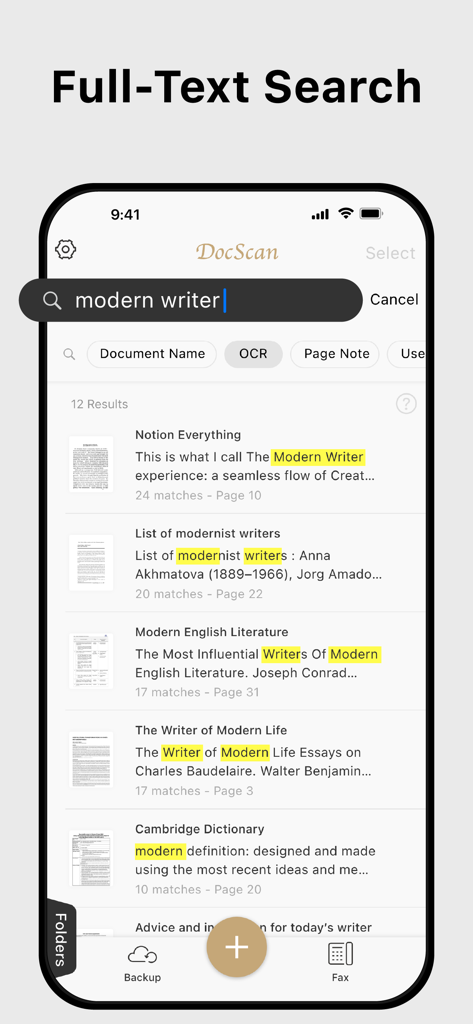
Smartphone-Bildschirm mit Volltextsuchergebnissen und hervorgehobenen Schlüsselwörtern in der Doc Scan App-Oberfläche

Smartphone-Bildschirm mit Volltextsuchergebnissen und hervorgehobenen Schlüsselwörtern in der Doc Scan App-Oberfläche

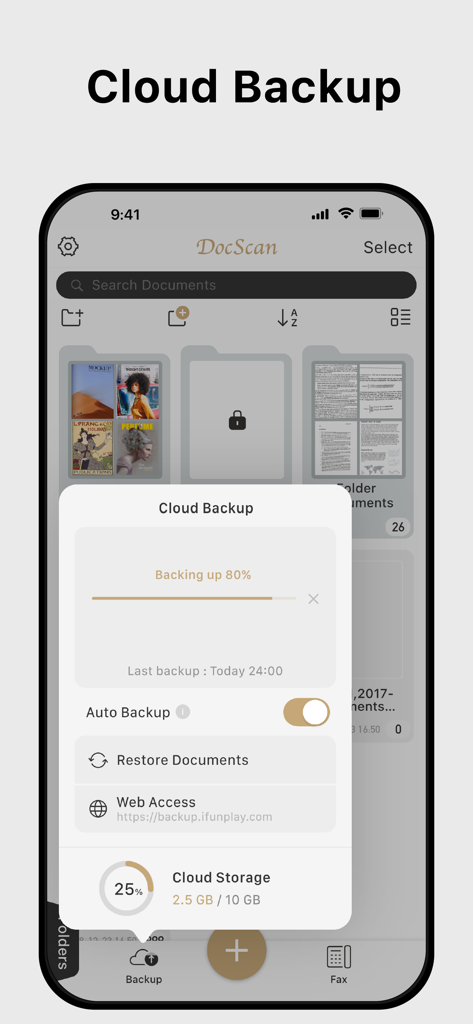
Doc Scan App zeigt den Fortschritt der Cloud-Sicherung und den Speicherstatus an

Doc Scan App zeigt den Fortschritt der Cloud-Sicherung und den Speicherstatus an

Ihr gesamtes Büro, direkt in Ihrer Tasche

Die Tools, die diese App auszeichnen, gewählt von 828K+ Nutzern.

Scannen in Studioqualität mobil

Erkennen Sie automatisch Ränder und entfernen Sie Schatten, um gestochen scharfe, professionelle PDFs zu erstellen, die aussehen, als kämen sie von einem High-End-Büroscanner.

✍️

Sofort unterschreiben, ausfüllen und faxen

Schließen Sie Verträge ab und senden Sie sofort Faxe an traditionelle Institutionen wie Banken oder Kliniken, ohne jemals einen Drucker oder ein physisches Faxgerät zu benötigen.

🔍

KI-gestützte OCR und Suche

Wandeln Sie Scans in durchsuchbaren Text um, um Klauseln oder Datenpunkte in Sekundenschnelle zu finden und Ihren digitalen Aktenschrank perfekt organisiert zu halten.

Über die App

Alles, was Sie über wissen müssen Doc Scan - PDF Scanner.

Beschreibung

Scan, OCR, Edit & Share PDF Documents with Ease Transform your iPhone or iPad into a powerful pocket scanner, PDF editor, and photo collage maker. Quickly scan multi-page documents, edit text / image, fill forms, sign, and share them in various formats—anytime, anywhere. Key Features ● High-Quality Scanning & OCR • Auto-detect document borders and correct perspective distortion • Enhance images by removing shadows and sharpening text • Extract text from scanned images with OCR and export as TXT or DOCX ● Edit & Annotate • Fill out forms, highlight important details, or sign documents • Add text, lines, and images to scanned documents • Merge multiple scans into a single PDF ● Organize & Secure Your Documents • Easily search and manage files with folders and custom naming rules • Protect sensitive documents with password encryption ● Seamless Sharing & Cloud Integration • Share scans via PDF, JPEG, TXT, or DOCX through email, fax, SMB, WebDAV, and cloud storage (iCloud Drive, ● Dropbox, Google Drive, One Drive, Box, Evernote, etc.) • Print via AirPrint or save directly to Photo Albums ● Advanced Features • Photo Collage: Combine multiple pages into one sheet (e.g., two sides of an ID on a single A4 page) • QR Code Scanner: Scan from the camera or photo albums to open URLs, call numbers, send emails, or add contacts • Fax Anywhere: Send and receive faxes globally, with real-time status notifications ● Import & Export • Import PDFs and JPEGs from other apps or cloud storage • Support exporting searchable PDFs • Export documents to iTunes, Reminders, and Apple/Google/Outlook Calendars ● Receive Faxes: (non-auto-renew subscription) • Purchase a number to receive faxes • Deny all faxes when no need to receive any fax Subscription Plans Unlock premium features with Bronze, Silver, or Gold plans, including: • Cloud Backup & Restore: Access previous versions of your documents anytime • Flexible subscription options: Monthly or annual plans available • Subscription renews automatically unless auto-renew is turned off at least 24 hours before the end of the current period • Account will be charged for renewal within 24 hours before the end of the current period. The cost depends on the selected plan • Subscriptions may be managed by the user, and auto-renewal may be turned off by going to the user's Account Settings after purchase • Any unused portion of the free trial will be forfeited when the user purchases a subscription or cancel it Terms of Service: https://ifunplay.com/legal.html

Neueste Version

19.4.14

Größe

271.9 MB

Erstveröffentlichung

11. Aug. 2011

Ihr gesamtes Büro, direkt in Ihrer Tasche

Schließen Sie sich über 828.000 Fachleuten an, die ihren Workflow vereinfachen. Scannen, unterschreiben und faxen Sie Dokumente sofort von Ihrem iPhone oder iPad.

Herunterladen auf App Store

App information, icons, screenshots, and descriptions displayed on this page are sourced from the Apple App Store and are the property of their respective developers. Download estimates and rankings are based on MWM's proprietary models and may not reflect actual figures. This page is provided for informational and analytical purposes only.

Believe this page infringes your intellectual property? File a dispute