Document Scanner App.
Herunterladen auf App Store

Diese Seite ist keine offizielle Seite der App oder ihres Entwicklers, sondern eine unabhängige redaktionelle Veröffentlichung, die zu Informations- und Kommentarzwecken erstellt wurde. Sofern nicht ausdrücklich anders angegeben, sind weder die App noch ihr Entwickler mit MWM, Apple, Google Play, dem App-Herausgeber oder dem Entwickler der App verbunden, von ihnen unterstützt, gesponsert, autorisiert oder anderweitig offiziell verbunden, und nichts auf dieser Seite impliziert, dass die App unter Verwendung der Dienste von MWM entwickelt wurde. Alle Marken, Logos, Screenshots und andere Inhalte bleiben Eigentum ihrer jeweiligen Inhaber.

Logo von Document Scanner App.
Herunterladen auf App Store

Document Scanner App.

Verwandeln Sie Ihr iPhone in einen leistungsstarken Produktivitätshub. Digitalisieren Sie Dokumente mit präziser OCR, verwalten Sie Ausweise und entwerfen Sie professionelle Marketingmaterialien mit über 600 individuellen QR-Code-Vorlagen – auch ohne Internetverbindung.

Kennzahlen

Downloads

5K+

Bewertung

4.6/5

Bewertungen gesamt

100

Herausgeber

Kanad Vekariya

Kategorie

Business

Sprachen

1

Neueste Version

6.1

Größe

192.4 MB

Erstveröffentlichung

20. Feb. 2025
Funktionen

Ihr digitales All-in-One-Büro

Optimieren Sie Ihre Produktivität mit professionellem Scannen, kreativen Marketing-Tools und sicherer Dokumentenverwaltung für Ihren mobilen Lebensstil.

Hochauflösendes Scannen & OCR

Wandeln Sie physische Papierunterlagen in gestochen scharfe PDFs um, mit automatischer Kantenerkennung und sofortiger Umwandlung von Bildern in bearbeitbaren Text.

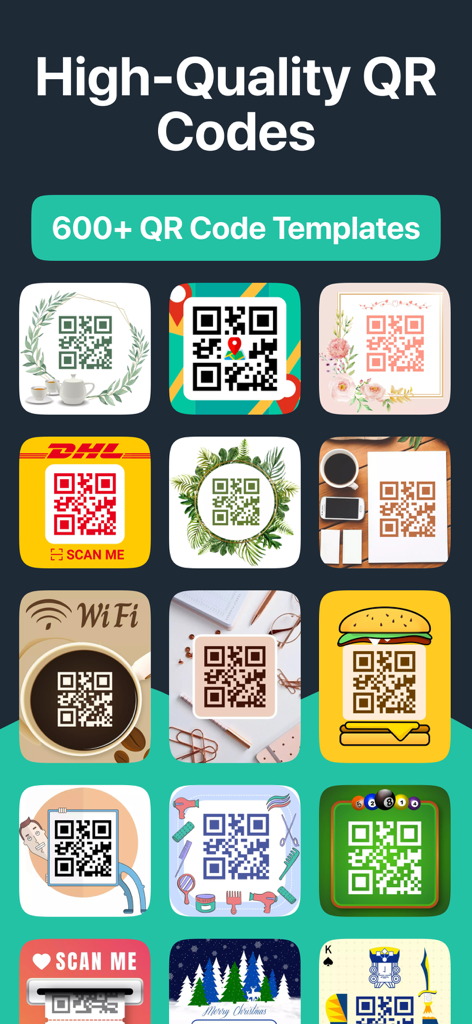
Über 600 benutzerdefinierte QR-Code-Vorlagen

Stärken Sie Ihr Kleinunternehmen mit professionellen QR-Codes für die WLAN-Freigabe, Menüs und Marketingmaterialien aus unserer umfangreichen Vorlagenbibliothek.

Die folgenden Screenshots und die Beschreibung stammen direkt aus dem offiziellen Store-Eintrag der App und sind Eigentum des Entwicklers.

App Store

Screenshots
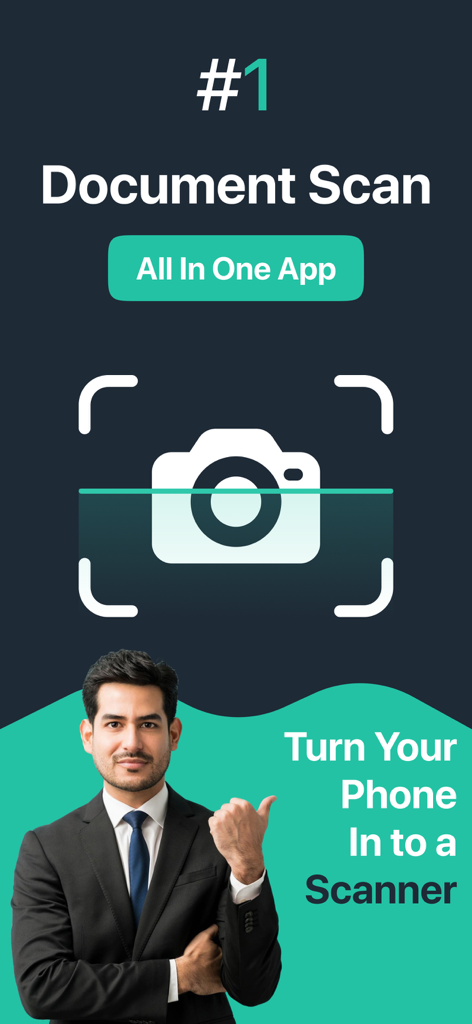
Document Scanner App. - Geschäftsmann präsentiert die All-in-One-App Document Scanner, um Ihr Telefon in einen Scanner zu verwandeln
Geschäftsmann präsentiert die All-in-One-App Document Scanner, um Ihr Telefon in einen Scanner zu verwandeln

Document Scanner App. - Ein Raster verschiedener kreativer und dekorativer QR-Code-Vorlagen für geschäftliche und private Zwecke
Ein Raster verschiedener kreativer und dekorativer QR-Code-Vorlagen für geschäftliche und private Zwecke

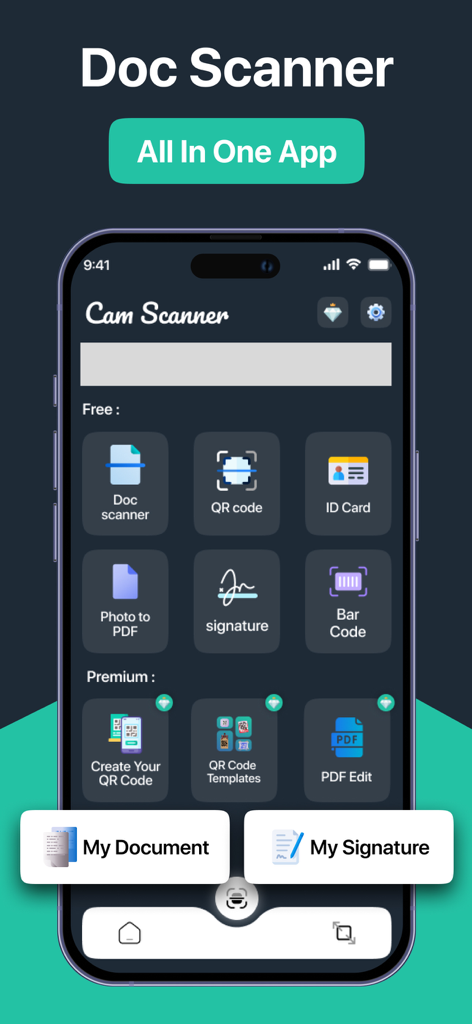
Document Scanner App. - Haupt-Dashboard der Document Scanner App mit Werkzeugen zum Scannen von Dokumenten, QR-Codes, Ausweisen und digitalen Signaturen.
Haupt-Dashboard der Document Scanner App mit Werkzeugen zum Scannen von Dokumenten, QR-Codes, Ausweisen und digitalen Signaturen.

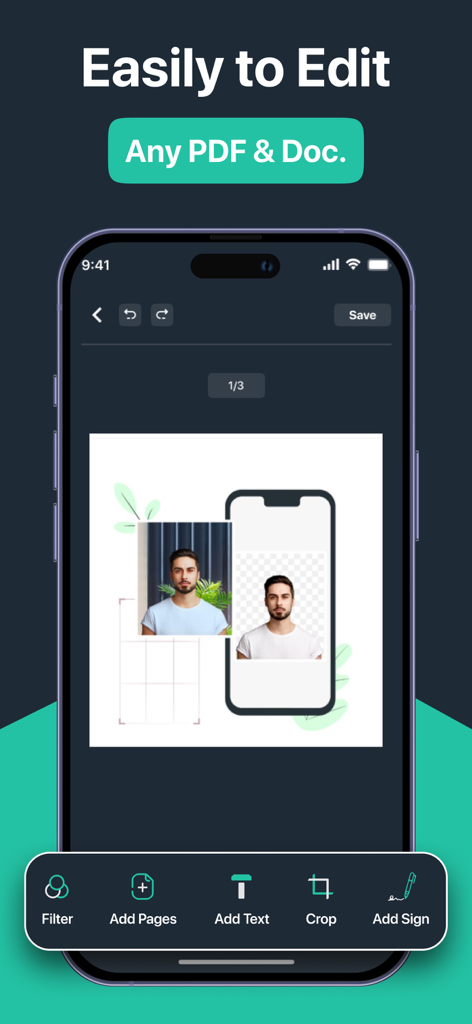
Document Scanner App. - Smartphone-Oberfläche mit Dokumentenbearbeitungswerkzeugen für PDF und ID-Fotos
Smartphone-Oberfläche mit Dokumentenbearbeitungswerkzeugen für PDF und ID-Fotos

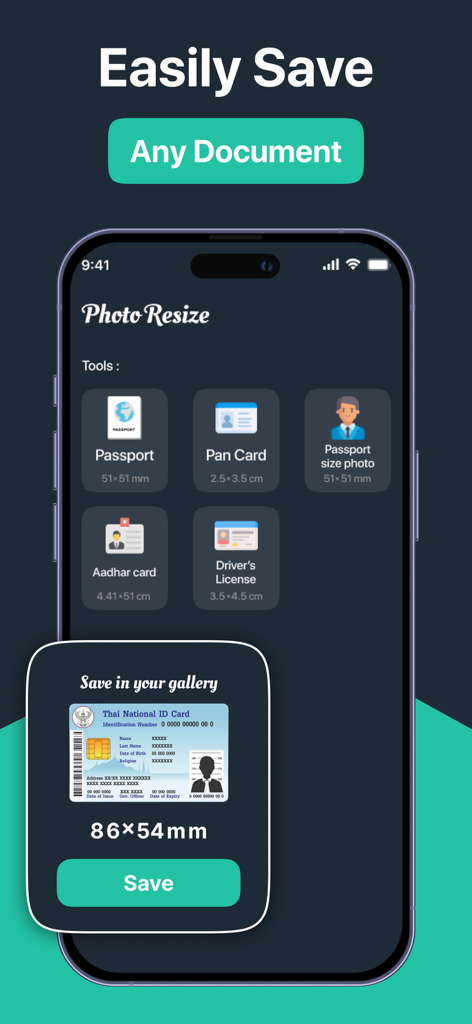
Document Scanner App. - Werkzeug zur Größenänderung von Ausweisen in der Document Scanner App für ID-Karten und Pässe
Werkzeug zur Größenänderung von Ausweisen in der Document Scanner App für ID-Karten und Pässe

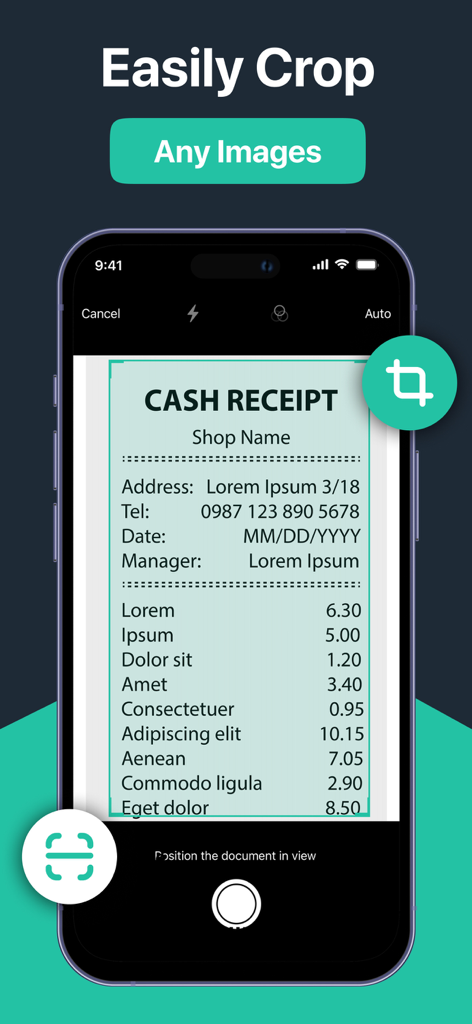
Document Scanner App. - Smartphone-Bildschirm, der das Zuschneiden eines Belegs in der Document Scanner App zeigt
Smartphone-Bildschirm, der das Zuschneiden eines Belegs in der Document Scanner App zeigt

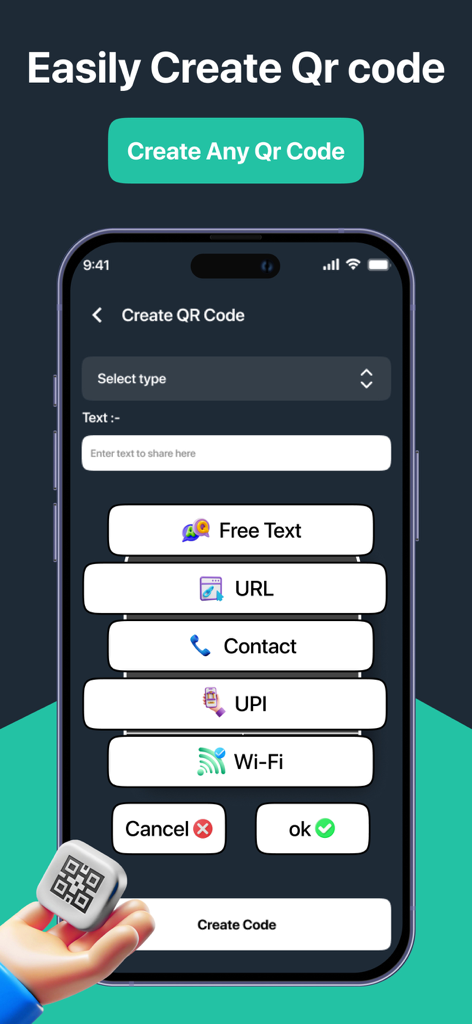
Document Scanner App. - Oberfläche mit Optionen zur Erstellung von QR-Codes für Text, URL, Kontakt und WLAN

Oberfläche mit Optionen zur Erstellung von QR-Codes für Text, URL, Kontakt und WLAN

Beschreibung

Document Scanner: Your Ultimate Document Scanning Solution Transform your smartphone into a powerful document scanner with Document Scanner! Whether you need to scan documents, QR codes, or ID cards, our app provides a seamless and efficient experience. With a user-friendly interface and advanced features, Cam Scanner is designed to meet all your scanning needs. Key Features: Document Scanner stands out with its extensive collection of 600+ QR code templates, making it more than just a scanning app. Whether you're creating professional QR codes for your business, sharing WiFi credentials, or digitizing documents, our app provides all the tools you need in one place. The combination of powerful document scanning features and creative QR code generation makes Cam Scanner the ultimate solution for all your scanning and QR code needs. High-Quality Scanning: Capture documents in high resolution with our advanced scanning technology. The app automatically detects edges and enhances the quality of your scans, ensuring clear and legible results. Multiple Formats: Save your scans in various formats, including PDF, JPEG, and PNG. Easily convert your documents into PDFs for easy sharing and storage. OCR Technology: Extract text from scanned documents using Optical Character Recognition (OCR). This feature allows you to convert images into editable text, making it easy to copy and share information. QR Code and Barcode Scanning: Quickly scan QR codes and barcodes to access links, contact information, and product details. The app supports various code formats, ensuring versatility in your scanning tasks. WiFi Password Sharing: Scan WiFi QR codes to automatically connect to networks. The app can also extract and share WiFi passwords, making it easier to connect to the internet. Image Resizing and Cropping: Resize and crop images to fit specific requirements, such as passport photos or ID cards. The app provides customizable options to ensure your images meet the necessary standards. Document Editing: Enhance your scanned documents with built-in editing tools. Adjust brightness, contrast, and saturation, or add annotations and signatures to your files. Secure Cloud Storage: Store your scanned documents securely in the cloud. Access your files from anywhere and share them with others effortlessly. User-Friendly Interface: Navigate through the app with ease. The intuitive design ensures that users of all ages can scan and manage documents without hassle. Offline Functionality: Scan documents without an internet connection. All features are available offline, allowing you to work anytime, anywhere. Share with Ease: Share your scanned documents via email, messaging apps, or social media. The app allows you to send files directly from the interface, making sharing quick and convenient. Regular Updates: We are committed to improving your experience. Regular updates ensure that you have access to the latest features and enhancements. Why Choose Document Scanner? Document Scanner is not just a scanning app; it’s a comprehensive document management solution. Whether you’re a student, professional, or anyone in between, our app simplifies the way you handle documents. With its powerful features and ease of use, Cam Scanner is the perfect tool for anyone looking to digitize their paperwork. Download Document Scanner today and experience the perfect blend of professional document scanning and creative QR code generation! --- *Link to Privacy Policy: https://qrcamscanner.blogspot.com/2025/02/privacy-policy.html *Link to Terms of use: https://qrcamscanner.blogspot.com/2025/02/terms-conditions.html *Link to EULA: https://qrcamscanner.blogspot.com/2025/03/eula.html

Download

Herunterladen auf App Store

Diese Seite ist keine offizielle Seite der App oder ihres Entwicklers, sondern eine unabhängige redaktionelle Veröffentlichung, die zu Informations- und Kommentarzwecken erstellt wurde. Sofern nicht ausdrücklich anders angegeben, sind weder die App noch ihr Entwickler mit MWM, Apple, Google Play, dem App-Herausgeber oder dem Entwickler der App verbunden, von ihnen unterstützt, gesponsert, autorisiert oder anderweitig offiziell verbunden, und nichts auf dieser Seite impliziert, dass die App unter Verwendung der Dienste von MWM entwickelt wurde. Alle Marken, Logos, Screenshots und andere Inhalte bleiben Eigentum ihrer jeweiligen Inhaber.








