DriveMind: Dash Cam & Mileage
Herunterladen auf App Store

Diese Seite ist keine offizielle Seite der App oder ihres Entwicklers, sondern eine unabhängige redaktionelle Veröffentlichung, die zu Informations- und Kommentarzwecken erstellt wurde. Sofern nicht ausdrücklich anders angegeben, sind weder die App noch ihr Entwickler mit MWM, Apple, Google Play, dem App-Herausgeber oder dem Entwickler der App verbunden, von ihnen unterstützt, gesponsert, autorisiert oder anderweitig offiziell verbunden, und nichts auf dieser Seite impliziert, dass die App unter Verwendung der Dienste von MWM entwickelt wurde. Alle Marken, Logos, Screenshots und andere Inhalte bleiben Eigentum ihrer jeweiligen Inhaber.


Logo von DriveMind: Dash Cam & Mileage
Herunterladen auf App Store

DriveMind: Dash Cam & Mileage

Automatisiere deine Kilometerprotokolle für maximale Steuerminderungen, zeichne HD-Dashcam-Aufnahmen zum Versicherungsschutz auf und verfolge die Leistung deines Autos mit der AutoStart™-Technologie. Einstellen, vergessen und intelligenter fahren.

Kennzahlen

Downloads

1000

Bewertung

4.6/5

Bewertungen gesamt

0

Herausgeber

Jesvin Jerry

Kategorie

Navigation

Sprachen

1

Neueste Version

3.7

Größe

38.7 MB

Erstveröffentlichung

10. Apr. 2025
Funktionen

Intelligenter fahren, nicht härter

Von automatisierten, IRS-konformen Kilometerprotokollen bis hin zu hochauflösenden Sicherheitsaufnahmen verwandelt DriveMind dein iPhone in den ultimativen Copiloten für deinen täglichen Arbeitsweg und deine Geschäftsreisen.

Aufwandslose Steuerprotokolle

AutoStart™ erkennt deine Bewegung und protokolliert automatisch jeden Kilometer. Exportiere ganz einfach detaillierte Berichte für Steuerminderungen oder Geschäftsrückerstattungen, ohne einen Finger rühren zu müssen.

Intelligenter Sicherheitsschild

Ersetze teure Hardware durch eine leistungsstarke iPhone-Dashcam. DriveMind hört auf Sirenen, erkennt starkes Bremsen und liefert eine klare Aufzeichnung, um deine Versicherungsprämien zu schützen.

Die folgenden Screenshots und die Beschreibung stammen direkt aus dem offiziellen Store-Eintrag der App und sind Eigentum des Entwicklers.

App Store

Screenshots
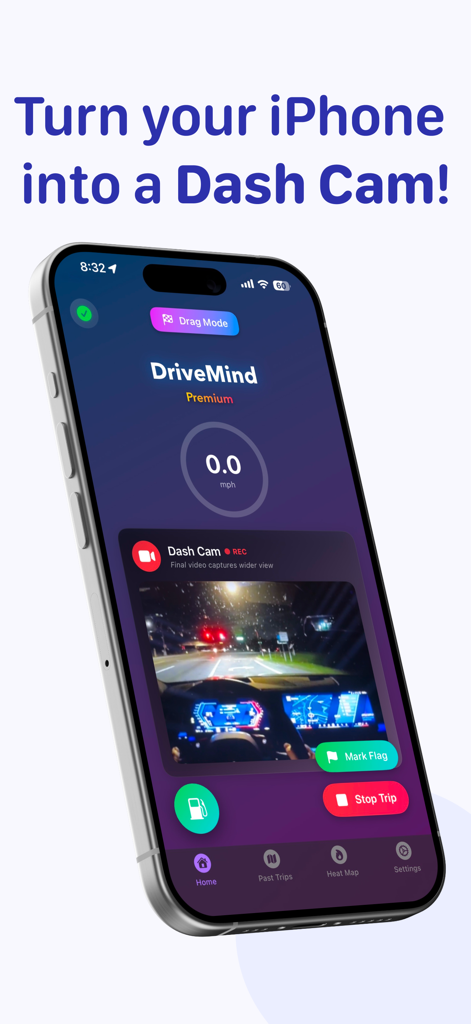
DriveMind: Dash Cam & Mileage - iPhone, das die Benutzeroberfläche der DriveMind-App mit einer Live-Dashcam-Aufnahme einer Straße bei Nacht anzeigt
iPhone, das die Benutzeroberfläche der DriveMind-App mit einer Live-Dashcam-Aufnahme einer Straße bei Nacht anzeigt

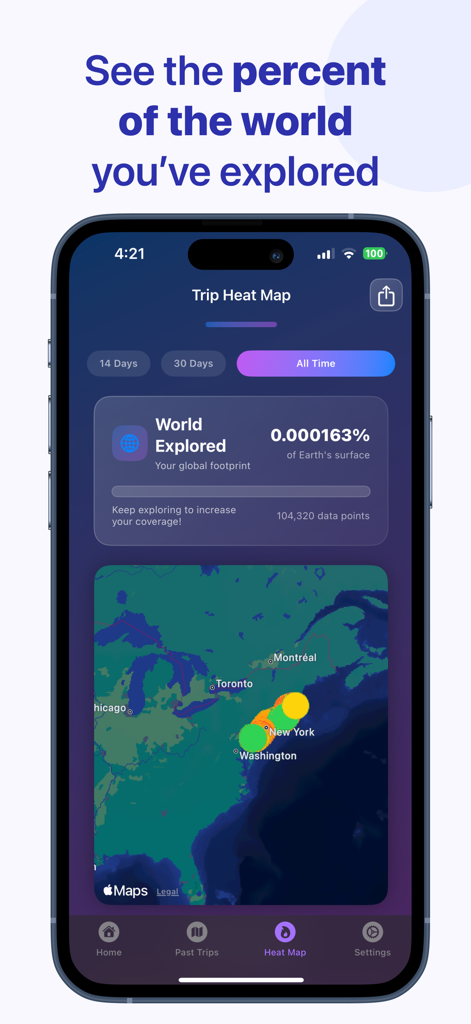
DriveMind: Dash Cam & Mileage - DriveMind App Trip Heat Map, die einen Prozentsatz der erkundeten Welt und Fahrdatenpunkte auf einer Karte der Vereinigten Staaten anzeigt
DriveMind App Trip Heat Map, die einen Prozentsatz der erkundeten Welt und Fahrdatenpunkte auf einer Karte der Vereinigten Staaten anzeigt

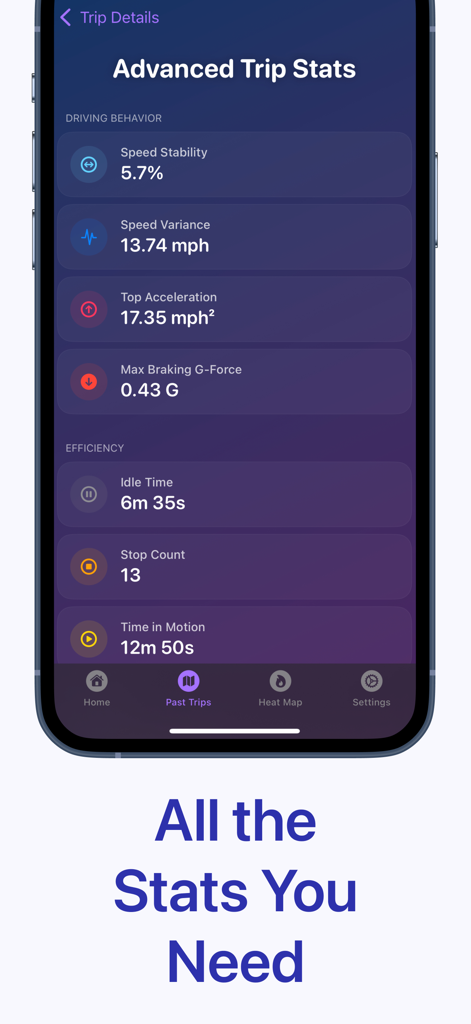
DriveMind: Dash Cam & Mileage - Fortschrittliches Fahrtenstatistik-Dashboard in der DriveMind-App, das Fahrverhalten und Effizienzmetriken wie Geschwindigkeitsvarianz und Brems-G-Kraft anzeigt
Fortschrittliches Fahrtenstatistik-Dashboard in der DriveMind-App, das Fahrverhalten und Effizienzmetriken wie Geschwindigkeitsvarianz und Brems-G-Kraft anzeigt

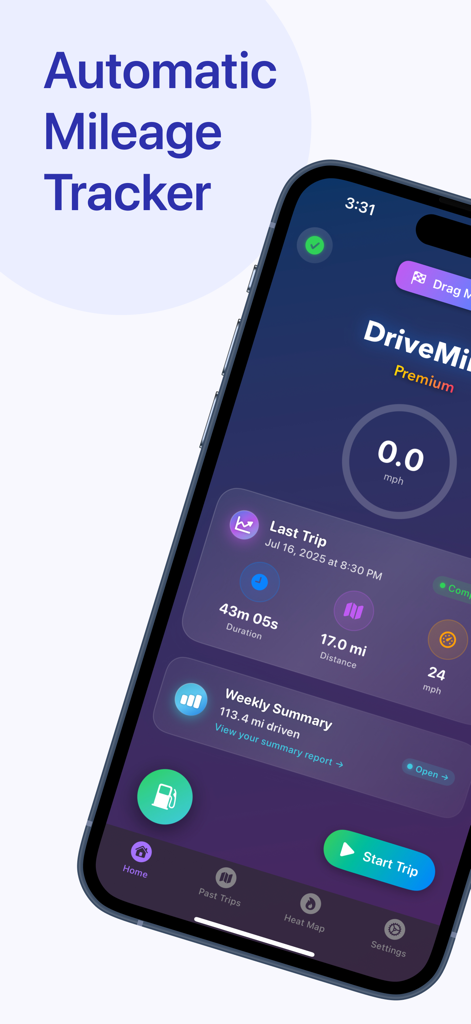
DriveMind: Dash Cam & Mileage - iPhone-Bildschirm mit dem DriveMind-Dashboard, das die automatische Kilometerverfolgung und eine Zusammenfassung der letzten Fahrten anzeigt.
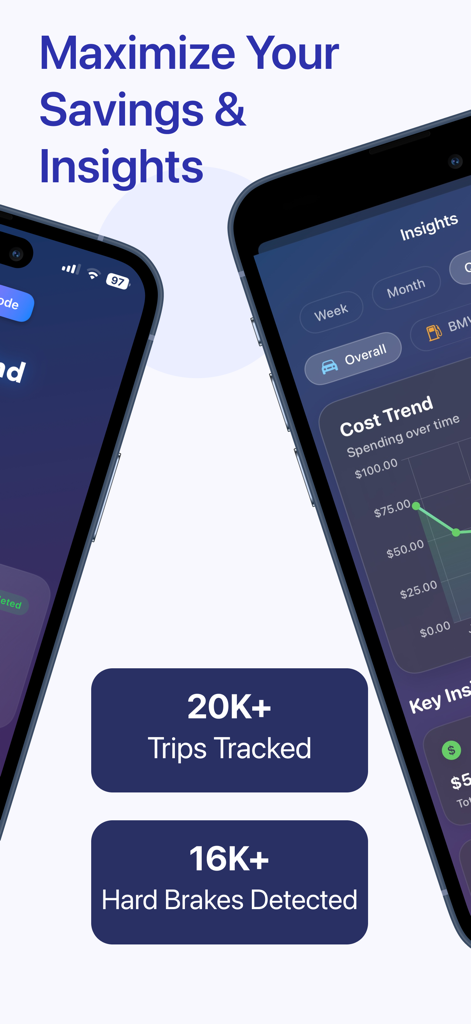
iPhone-Bildschirm mit dem DriveMind-Dashboard, das die automatische Kilometerverfolgung und eine Zusammenfassung der letzten Fahrten anzeigt.

DriveMind: Dash Cam & Mileage - Eine mobile App-Oberfläche, die Einblicke in das Autofahren und Statistiken zur Kilometerersparnis anzeigt
Eine mobile App-Oberfläche, die Einblicke in das Autofahren und Statistiken zur Kilometerersparnis anzeigt

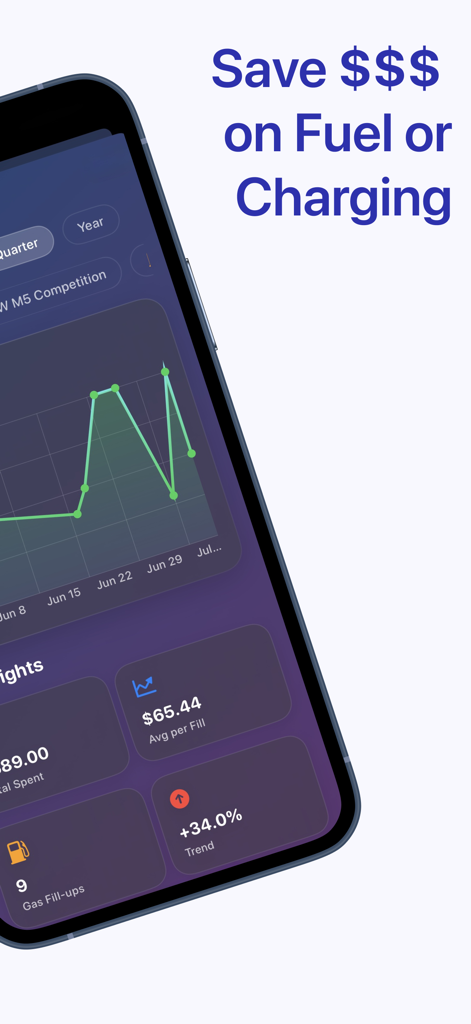
DriveMind: Dash Cam & Mileage - DriveMind App-Dashboard, das die Verfolgung von Kraftstoff- und Ladekosten mit analytischen Grafiken und durchschnittlichen Ausgabenstatistiken anzeigt
DriveMind App-Dashboard, das die Verfolgung von Kraftstoff- und Ladekosten mit analytischen Grafiken und durchschnittlichen Ausgabenstatistiken anzeigt

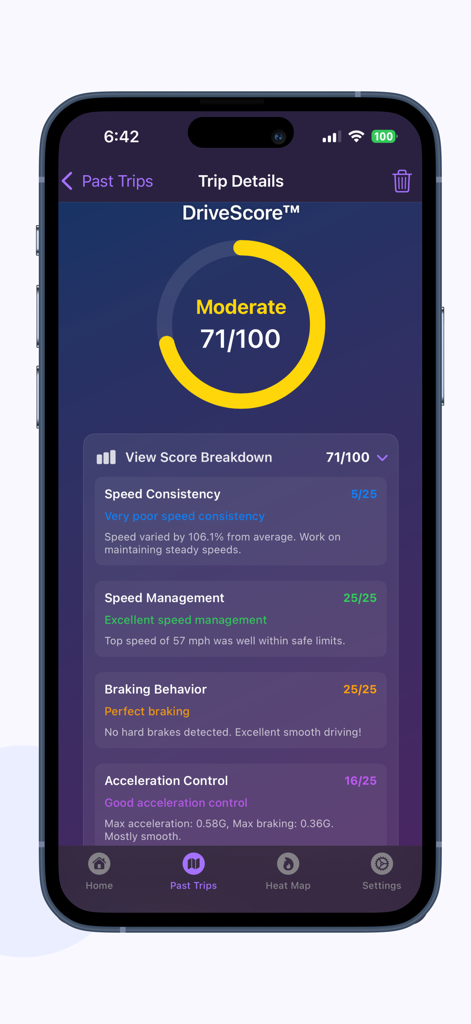
DriveMind: Dash Cam & Mileage - DriveMind App-Oberfläche, die eine DriveScore von 71 und eine detaillierte Aufschlüsselung der Fahrtenleistung für Geschwindigkeit, Bremsen und Beschleunigung anzeigt

DriveMind App-Oberfläche, die eine DriveScore von 71 und eine detaillierte Aufschlüsselung der Fahrtenleistung für Geschwindigkeit, Bremsen und Beschleunigung anzeigt

Beschreibung

DriveMind is the ultimate tool for any driver looking to effortlessly log their trips — whether it’s for personal tracking, business miles, safety, etc. Once you begin a drive, DriveMind automatically records your journey, without having to open the app. When you arrive, you can view all your trip details at a glance — distance, route, speed, and more! Core Features: • AutoStart™ — Automatically detects when you start driving and begins recording your trip — no buttons, no distractions, just seamless tracking. When you arrive, your trip automatically ends. Simple. • Dash Cam - Instantly turn your iPhone into a powerful dash cam. Record high-quality video of your drive, securely stored on your device. No extra hardware needed — just tap to record. • DriveScore™ — a personalized performance score that reflects your driving style, intelligently calculated using DriveMind Intelligence™. • Trip Heat Map — Visualize your driving footprint. See where you’ve driven, how fast, and how far — color-coded and filterable by time. • Trip Replay — Scrub through your drive like a video — watch speed, time, and location update in real-time. • Tax Reports — Tag trips as Personal, Business, or custom, filter by type or tag, and export detailed tax reports for deductions. • DriveMind Intelligence™ — automatically tags your drives as Commute, Errand, Leisure, and more — giving you insight without lifting a finger.  • Drag Mode — Record 0–60 mph (or 0–100 km/h), quarter mile runs, or your own custom distances. Auto-stop, replayable, and saved to your performance history. Only on DriveMind. • DriveSense™ — Uses on-device machine learning to listen for critical audio events like car horns and emergency sirens. When detected, DriveMind tags them on your trip map. DriveMind is also a companion for: • Documenting trips for insurance claims or police reports. • Keeping a clear record of your driving history for personal or official use. • Providing evidence in the event of disputes. Other Features: • Hard Braking Detection — Automatically detects sudden stops and highlights them on your trip with tappable pins. • Advanced Trip Stats — Gain deeper insight into your driving behavior with premium metrics like: speed variance, idle time, stop count, carbon impact estimate, and more! • G-Force Detection — See how intensely you accelerate and brake during your drive. DriveMind tracks peak G-forces to help you understand your driving habits at a deeper level. • Trip Summary Page — Get a full breakdown of your driving stats, including total trips, distance, and more including smart insights over 7 days, 30 days, or all time. • Effortless Trip Recording — Start your trip, and DriveMind will record your drive's distance, time, top speed, and average speed. Press the stop button when you arrive to save your trip data. • iCloud Backup & Sync — Your trip data is securely backed up to iCloud and synced across your devices, so it’s always safe and accessible. • Detailed Trip Stats — View detailed stats for each drive, including distance, time saved, top speed, average speed, duration, G-forces, hard brakes, and more! • Manual Flagging — Easily mark locations during your drive with a tap. Flags appear on the trip map for easy recall. • Custom Tags - Label your trips your way — add personalized tags like “Gym”, “Class”, “Appointment”, etc • Favorite Trips — Mark your favorite trips for easy access and add optional notes that can be edited later. • Time Saved Insights — See how much time you've saved on your trips by automatically comparing it to a previous trip! Support development and unlock more features with monthly or yearly subscriptions. Download DriveMind today and take control of your driving history. Terms of Use: https://www.apple.com/legal/internet-services/itunes/dev/stdeula/

Download

Herunterladen auf App Store

Diese Seite ist keine offizielle Seite der App oder ihres Entwicklers, sondern eine unabhängige redaktionelle Veröffentlichung, die zu Informations- und Kommentarzwecken erstellt wurde. Sofern nicht ausdrücklich anders angegeben, sind weder die App noch ihr Entwickler mit MWM, Apple, Google Play, dem App-Herausgeber oder dem Entwickler der App verbunden, von ihnen unterstützt, gesponsert, autorisiert oder anderweitig offiziell verbunden, und nichts auf dieser Seite impliziert, dass die App unter Verwendung der Dienste von MWM entwickelt wurde. Alle Marken, Logos, Screenshots und andere Inhalte bleiben Eigentum ihrer jeweiligen Inhaber.








