e-Conte Board
e-Conte Board
Herunterladen auf App Store

Diese Seite ist keine offizielle Seite der App oder ihres Entwicklers, sondern eine unabhängige redaktionelle Veröffentlichung, die zu Informations- und Kommentarzwecken erstellt wurde. Sofern nicht ausdrücklich anders angegeben, sind weder die App noch ihr Entwickler mit MWM, Apple, Google Play, dem App-Herausgeber oder dem Entwickler der App verbunden, von ihnen unterstützt, gesponsert, autorisiert oder anderweitig offiziell verbunden, und nichts auf dieser Seite impliziert, dass die App unter Verwendung der Dienste von MWM entwickelt wurde. Alle Marken, Logos, Screenshots und andere Inhalte bleiben Eigentum ihrer jeweiligen Inhaber.

Logo von e-Conte Board
Herunterladen auf App Store

e-Conte Board

Optimieren Sie Ihren Animations-Workflow mit automatischem Timing, technischen Kamera-Tools und hochpräzisen Layouts, die für die nächste Generation von Filmemachern entwickelt wurden.

Kennzahlen

Downloads

28K+

Bewertung

3.2/5

Bewertungen gesamt

0

Herausgeber

SGA Works LLC

Kategorie

Graphics & Design

Sprachen

1

Neueste Version

1.5.3

Größe

3.0 MB

Erstveröffentlichung

9. Feb. 2020
Funktionen

Verbessern Sie Ihren Storytelling-Workflow

Die ultimative digitale Leinwand für professionelle Storyboard-Künstler, die die Präzision der traditionellen japanischen 'Conte'-Methode mit der leistungsstarken Automatisierung des iPads kombiniert.

Authentische 'E-Conte'-Präzision

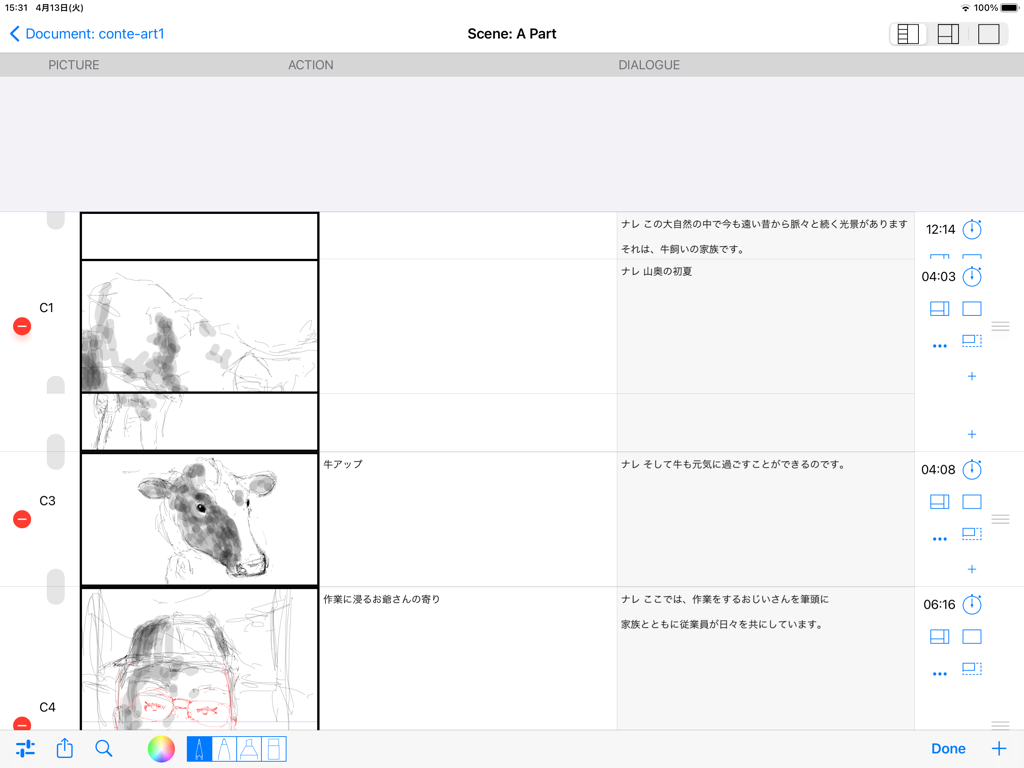
Erstellen Sie professionelle Storyboards im japanischen Stil mit dedizierten Spalten für Dialog, Action und Timing – maßgeschneidert für den modernen Regisseur.

Automatisches Timing & Berechnungen

Schluss mit manuellen Berechnungen. Unsere eingebaute Stoppuhr und die automatische Dauerverfolgung kümmern sich während des PDF- und MP4-Exports um die Gesamtlaufzeit.

Die folgenden Screenshots und die Beschreibung stammen direkt aus dem offiziellen Store-Eintrag der App und sind Eigentum des Entwicklers.

App Store

Screenshots
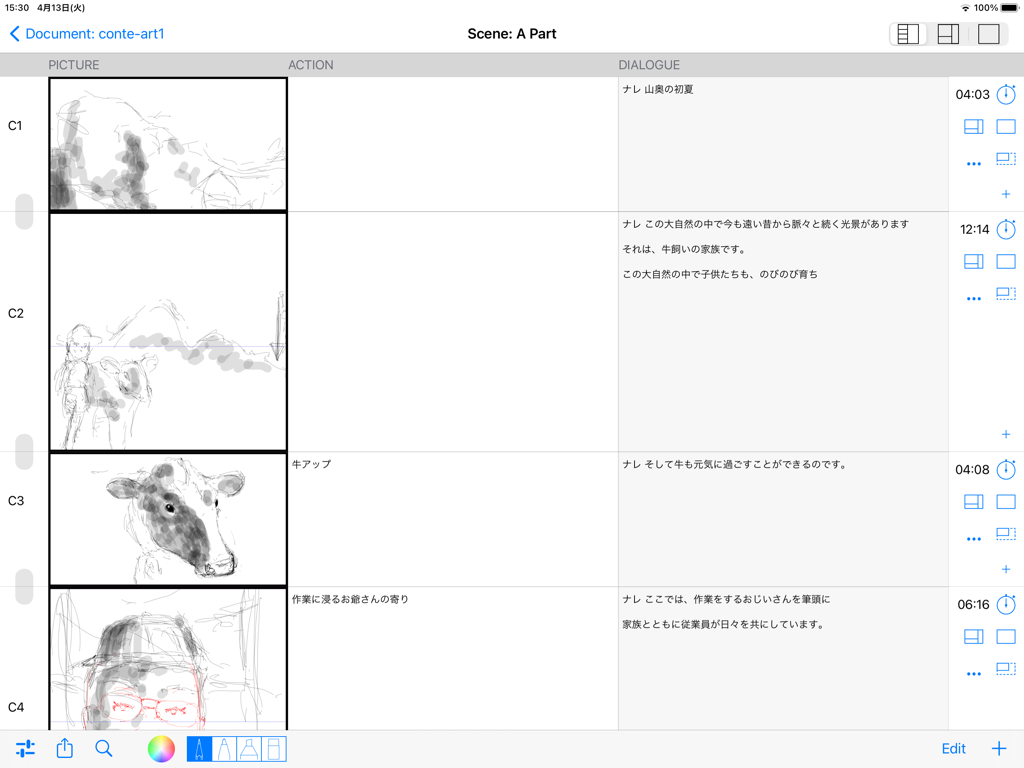
e-Conte Board - Digitale Storyboard-Oberfläche mit Spalten für Bild, Action und Dialog im japanischen Stil
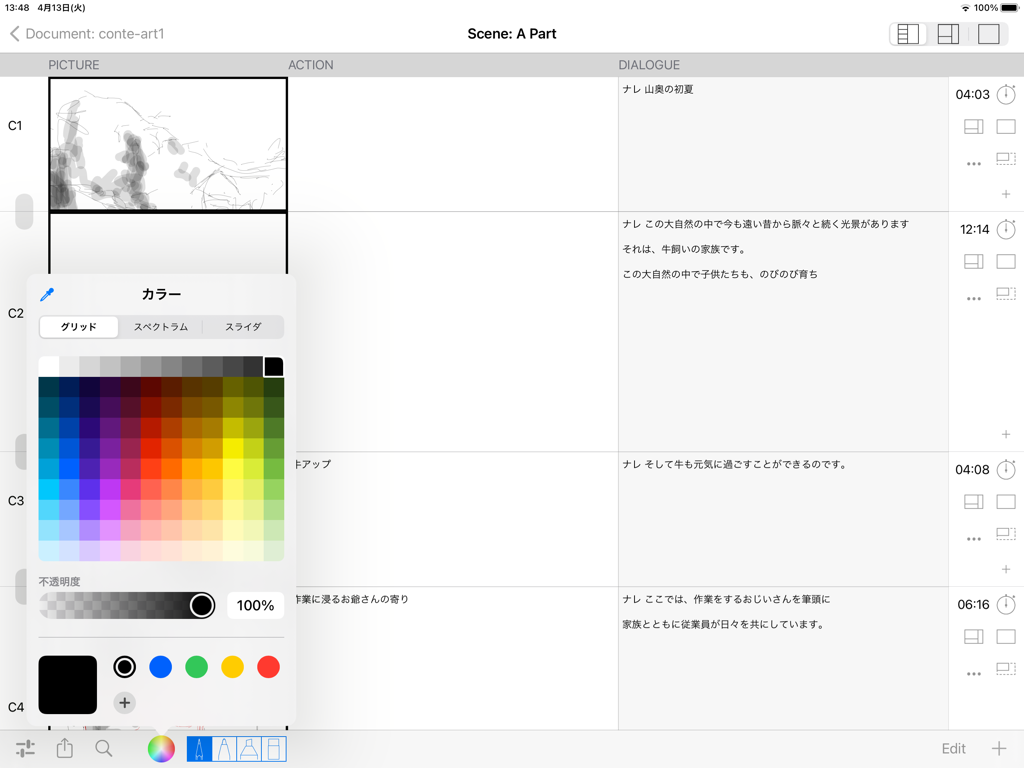
Digitale Storyboard-Oberfläche mit Spalten für Bild, Action und Dialog im japanischen Stil

e-Conte Board - iPad-Oberfläche der e-Conte Board App, die ein Storyboard-Layout im japanischen Stil und ein Farbwähler-Menü zeigt.
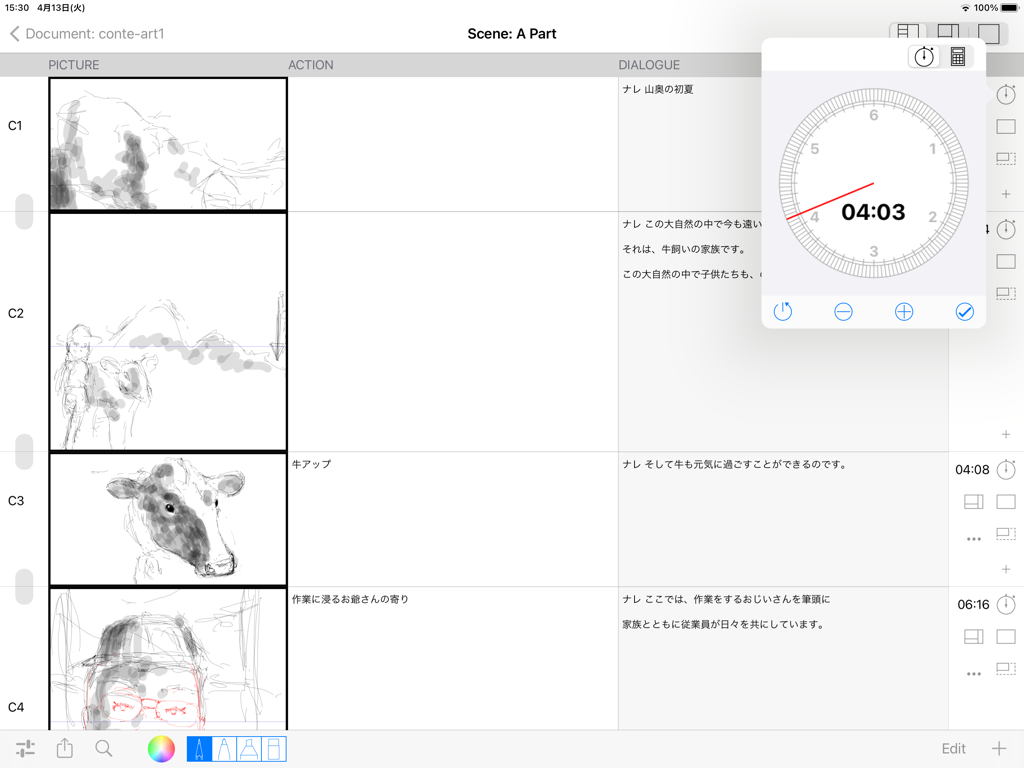
iPad-Oberfläche der e-Conte Board App, die ein Storyboard-Layout im japanischen Stil und ein Farbwähler-Menü zeigt.

e-Conte Board - Oberfläche von e-Conte Board, die ein Storyboard im japanischen Stil mit Skizzen und einem schwebenden Timing-Tool zeigt
Oberfläche von e-Conte Board, die ein Storyboard im japanischen Stil mit Skizzen und einem schwebenden Timing-Tool zeigt

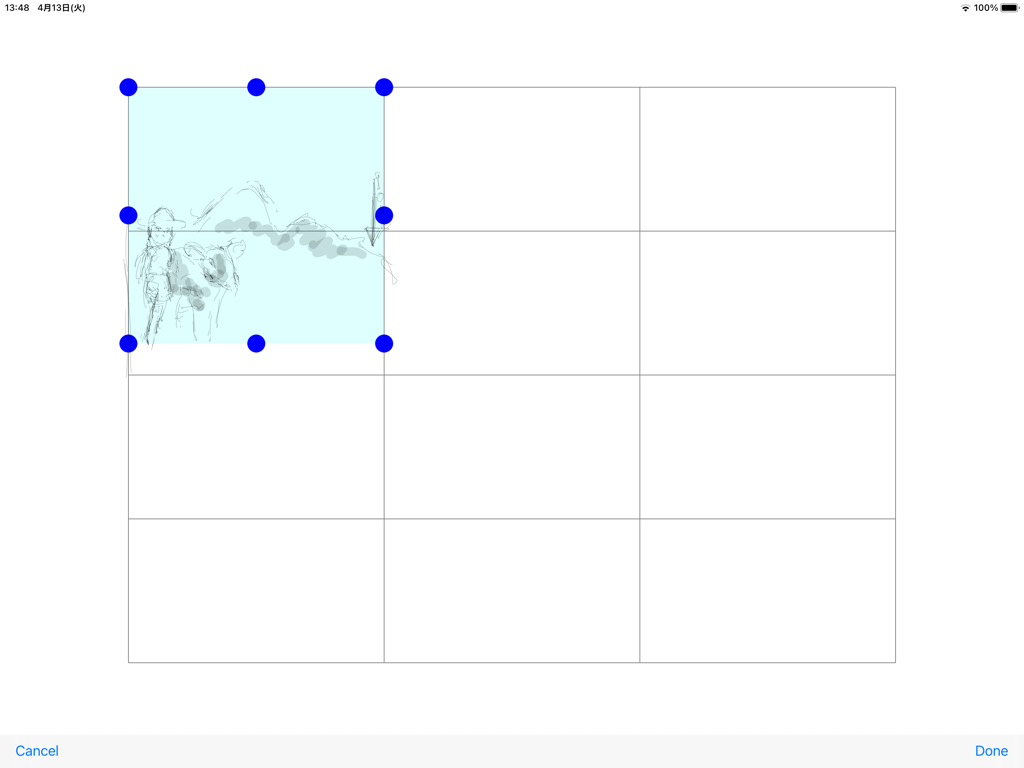
e-Conte Board - Oberfläche der e-Conte Board App, die ein Raster von Storyboard-Panels mit einer ausgewählten Skizze anzeigt.
Oberfläche der e-Conte Board App, die ein Raster von Storyboard-Panels mit einer ausgewählten Skizze anzeigt.

e-Conte Board - Oberfläche der e-Conte Board App, die ein Storyboard im japanischen Stil mit Spalten für Bild, Action und Dialog zeigt
Oberfläche der e-Conte Board App, die ein Storyboard im japanischen Stil mit Spalten für Bild, Action und Dialog zeigt

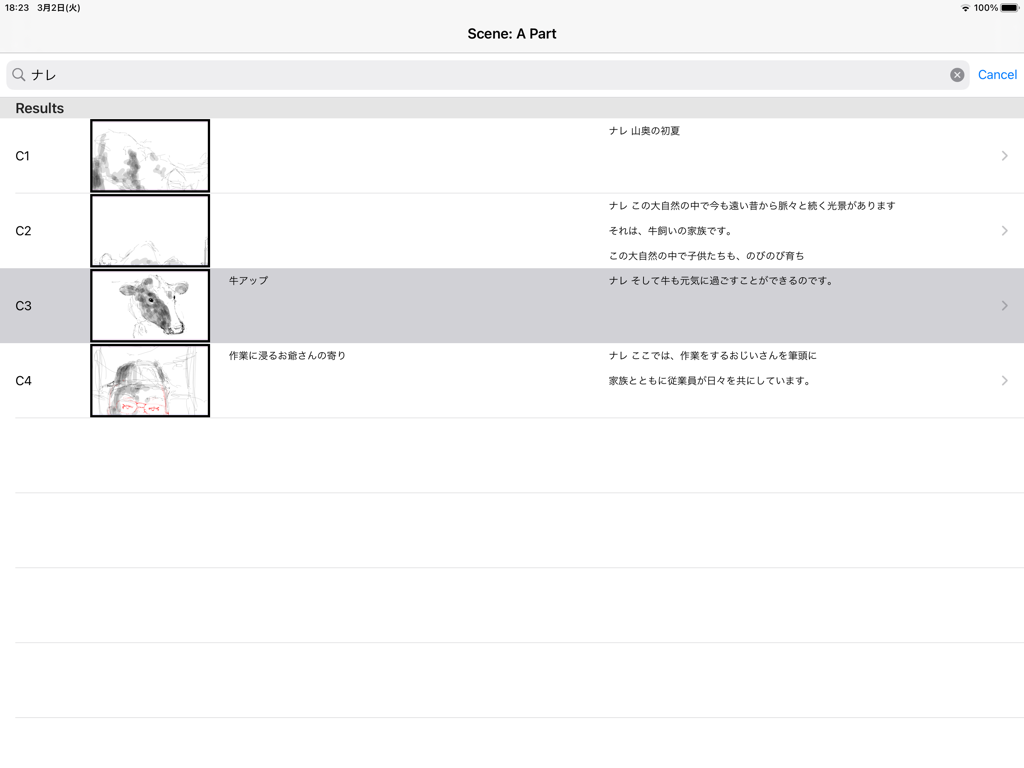
e-Conte Board - Oberfläche der e-Conte Board App, die eine vertikale Liste von Storyboard-Schnitten mit Miniaturansichten und japanischem Text zeigt
Oberfläche der e-Conte Board App, die eine vertikale Liste von Storyboard-Schnitten mit Miniaturansichten und japanischem Text zeigt

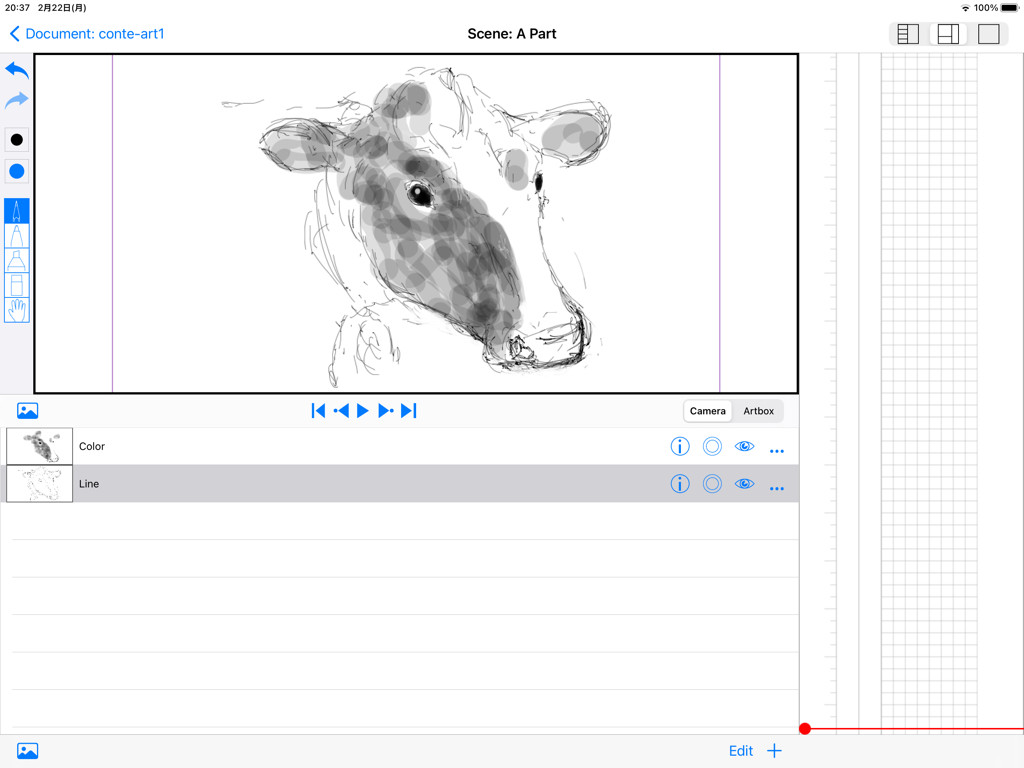
e-Conte Board - Oberfläche der e-Conte Board App auf dem iPad mit einer Kuh-Skizze, Zeichenwerkzeugen und einem vertikalen Storyboard-Raster im japanischen Stil
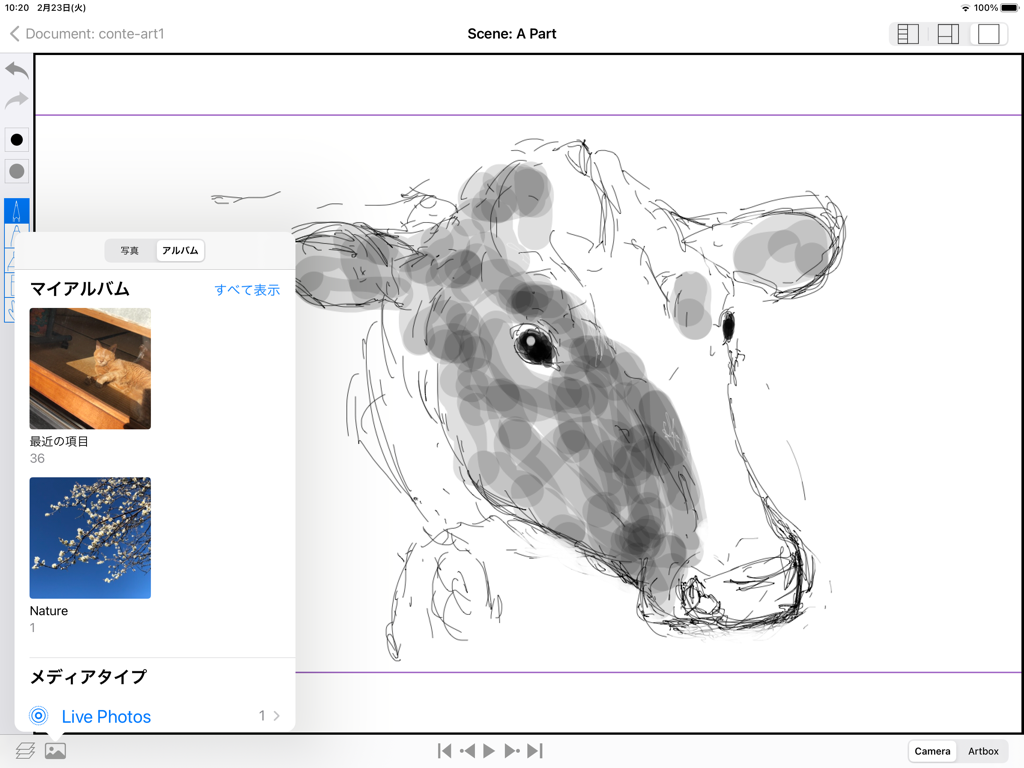
Oberfläche der e-Conte Board App auf dem iPad mit einer Kuh-Skizze, Zeichenwerkzeugen und einem vertikalen Storyboard-Raster im japanischen Stil

e-Conte Board - Eine Kuh-Skizze in der e-Conte Board Storyboard-App für das iPad mit geöffnetem Menü zur Fotoauswahl
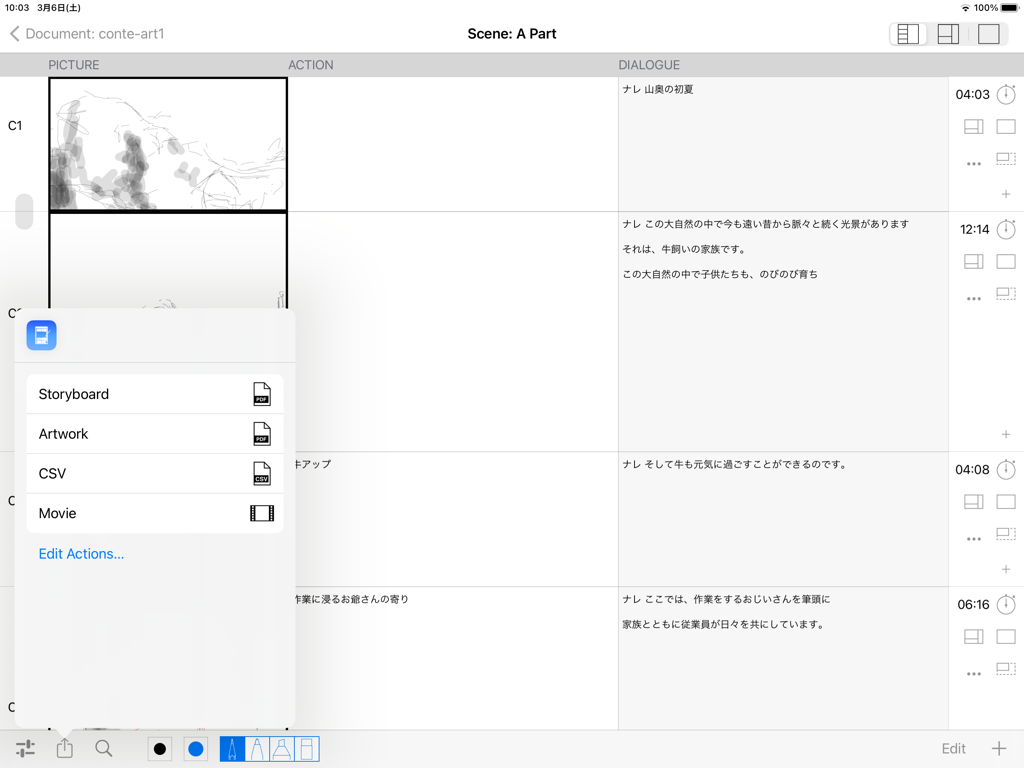
Eine Kuh-Skizze in der e-Conte Board Storyboard-App für das iPad mit geöffnetem Menü zur Fotoauswahl

e-Conte Board - Oberfläche der e-Conte Board App, die ein Storyboard-Layout mit Skizzen und einem Pop-up-Menü zum Exportieren von Arbeiten als PDF-, CSV- oder Videodateien zeigt.
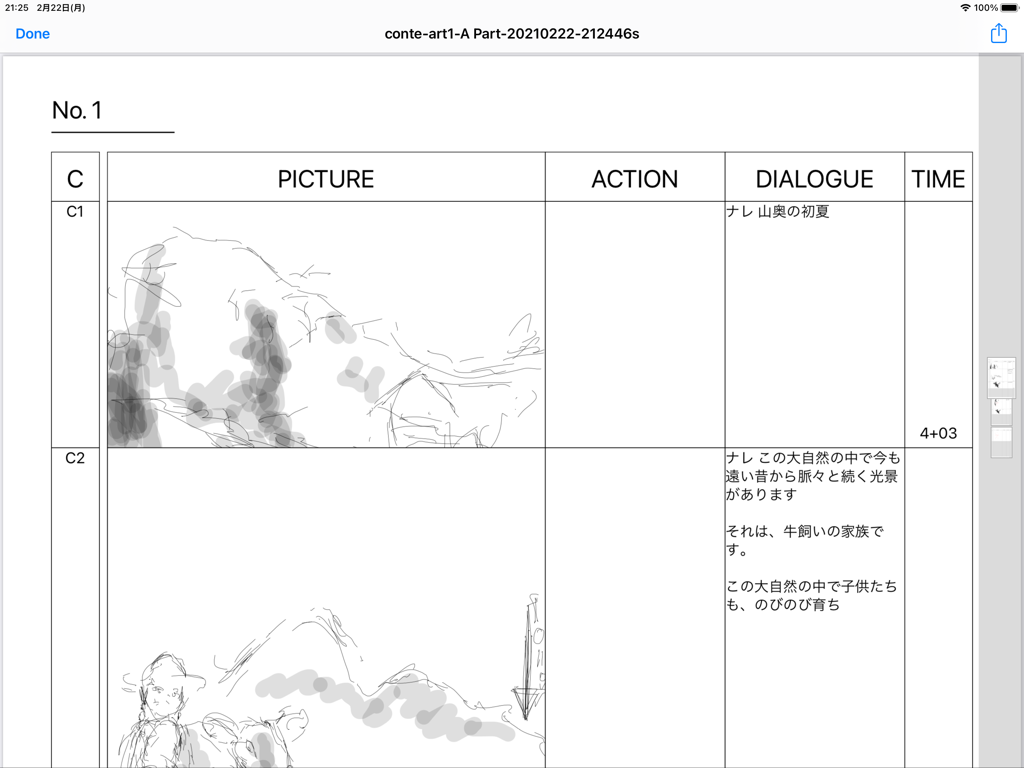
Oberfläche der e-Conte Board App, die ein Storyboard-Layout mit Skizzen und einem Pop-up-Menü zum Exportieren von Arbeiten als PDF-, CSV- oder Videodateien zeigt.

e-Conte Board - Oberfläche der e-Conte Board App, die ein Storyboard im japanischen Stil mit Zeichenfeldern und Spalten für Dialog und Timing zeigt

Oberfläche der e-Conte Board App, die ein Storyboard im japanischen Stil mit Zeichenfeldern und Spalten für Dialog und Timing zeigt

Beschreibung

Main features of this storyboard app -You can use various functions by switching between 3 modes. 1st View • A function similar to the storyboard style, inputting characters such as writing, and inputting the number of seconds -You can draw from the moment you make a cut on the screen with the drawing function similar to Japanese storyboard style. -You can use the keyboard and copy and paste to enter text and text. -You can enter or directly specify the number of seconds with the stopwatch function. -You can freely specify the drawing size when using PAN, TB, large format, etc., and the size of the drawing area will increase according to that specification. The size is maintained even when outputting to PDF. -You can edit each cut, such as changing the order of cuts, deleting, new insertion, and copy & paste, just like using a smartphone. -If it is the same cut, you can handle it as the same cut without pressing the next cut by pressing the cut concatenation button. 2nd View • Toolbar function -Several pen styles, pen colors, pen opacity and eraser features. -Hand tools can be moved (tap & move) and scaled (pinch in & pinch out). • Layer function -Equipped with standard layer functions such as hiding layers, changing order, and deleting. -You can select the layer to use the move and scale functions in conjunction with the hand tool on the toolbar. It is possible to select more than one at the same time. • Image import function -You can import images from within the Photos app. 3rd View • Full screen mode -Full-screen video check function -Equipped with a switching function between camera mode and full drawing mode, and layer function. -Pinch in and pinch out to enlarge or reduce the screen. • Output function -You can create a Japanese-style storyboard PDF, create a PDF for each cut, and output an mp4 format video. -The total number of seconds is automatically calculated and entered when the PDF is output. • Supports various screen aspect ratios and frame rates. -4:3, 16:9 and other aspect ratios such as 1.85:1 and 2.35:1 are supported. -The frame rate can be selected from 24 fps and 30 fps. -You can also select the switching of the position of dialogue and G, and the correspondence to the serial number of cuts for each part and scene. To use this application, a monthly or annual subscription must be purchased separately. ver 1.5 -Fixes have been made to lighten the operation. The opacity of brushes is switched between the previous 1.4 version and the current one from 1.5 after 65. The higher the opacity (closer to 0), the higher the load, causing delays and slowness with the pencil and brush tools. If you want to avoid delays and slowdowns with the pencil and brush tools, it is recommended to use opacity as close to 100 as possible. -The action of the Back button from the Edit screen has been changed to wait until saving is complete. Therefore, the Back button cannot be operated until saving is completed. Please note that this is not a malfunction. -The behavior of the screen transition to the edit screen has been modified to be more stable. -When Duplicating a video, there was a case that the video would not be saved and would be blank, but this has been corrected. -Fixed some minor issues, such as canceling during video export. -Safety has been improved. How-to videos:https: //www.youtube.com/watch?feature=youtu.be&v=oKvQqb3aAZI&fbclid=IwAR0PlHlhl8ZzGiCjXBONcWaXvvV8RVsP1I-tL1LdJTBEOdk9HpE4HzeuqDM&app=desktop End Use Lisence Agreement : https://www.apple.com/legal/internet-services/itunes/dev/stdeula/

Download

Herunterladen auf App Store

Diese Seite ist keine offizielle Seite der App oder ihres Entwicklers, sondern eine unabhängige redaktionelle Veröffentlichung, die zu Informations- und Kommentarzwecken erstellt wurde. Sofern nicht ausdrücklich anders angegeben, sind weder die App noch ihr Entwickler mit MWM, Apple, Google Play, dem App-Herausgeber oder dem Entwickler der App verbunden, von ihnen unterstützt, gesponsert, autorisiert oder anderweitig offiziell verbunden, und nichts auf dieser Seite impliziert, dass die App unter Verwendung der Dienste von MWM entwickelt wurde. Alle Marken, Logos, Screenshots und andere Inhalte bleiben Eigentum ihrer jeweiligen Inhaber.







