
Diese Seite ist keine offizielle Seite der App oder ihres Entwicklers, sondern eine unabhängige redaktionelle Veröffentlichung, die zu Informations- und Kommentarzwecken erstellt wurde. Sofern nicht ausdrücklich anders angegeben, sind weder die App noch ihr Entwickler mit MWM, Apple, Google Play, dem App-Herausgeber oder dem Entwickler der App verbunden, von ihnen unterstützt, gesponsert, autorisiert oder anderweitig offiziell verbunden, und nichts auf dieser Seite impliziert, dass die App unter Verwendung der Dienste von MWM entwickelt wurde. Alle Marken, Logos, Screenshots und andere Inhalte bleiben Eigentum ihrer jeweiligen Inhaber.

Edit Word Document with OffiX
Meistern Sie Ihren Workflow mit einer leistungsstarken mobilen Workstation. Erstellen Sie Word-Dokumente, lösen Sie komplexe mathematische Formeln, scannen Sie Verträge und unterschreiben Sie PDFs nahtlos von Ihrem iPhone oder iPad.
Downloads
1K+Bewertung
Bewertungen gesamt
0Herausgeber
Kategorie
BusinessSprachen
3Neueste Version
1.5.3Größe
51.7 MBErstveröffentlichung
16. März 2025Ihr vollständiger mobiler Arbeitsbereich
Hören Sie auf, zwischen Apps zu wechseln. OffiX kombiniert professionelle Bearbeitung, PDF-Verwaltung und intelligentes Scannen in einer leistungsstarken, mobilen Lösung, die für moderne Fachleute und Studenten entwickelt wurde.
Professionelle Dokumenten- & Mathe-Bearbeitung
Entwerfen Sie Berichte, formatieren Sie Rich-Text und fügen Sie ganz einfach komplexe mathematische Formeln ein. Perfekt für MINT-Studenten und Fachleute, die Desktop-Leistung auf einem iPad oder iPhone benötigen.
Scannen, Signieren und Konvertieren
Werden Sie sofort papierlos. Verwenden Sie OCR, um Text aus Bildern zu extrahieren, sichere digitale Signaturen zu Verträgen hinzuzufügen und jede Datei in Sekundenschnelle in ein hochwertiges PDF zu konvertieren.
Die folgenden Screenshots und die Beschreibung stammen direkt aus dem offiziellen Store-Eintrag der App und sind Eigentum des Entwicklers.
App Store
Screenshots
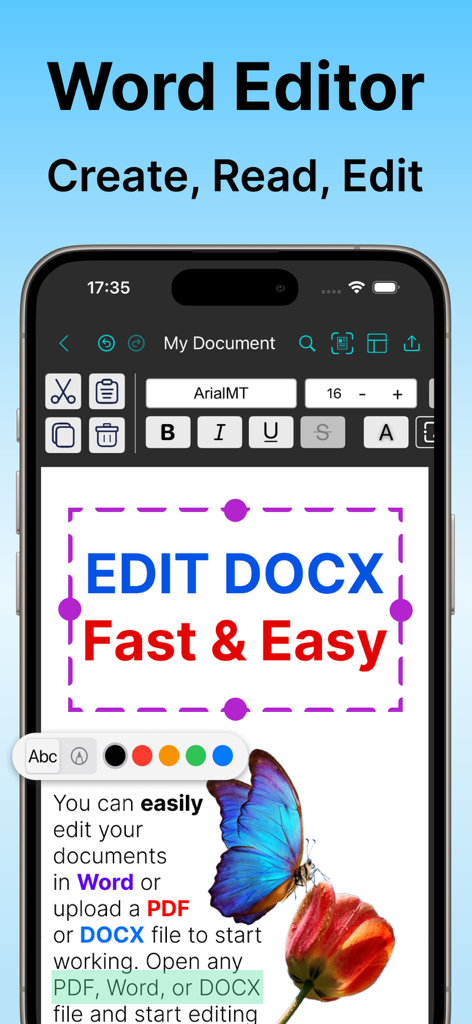
OffiX mobile App-Oberfläche, die einen Word-Dokumenten-Editor mit Textformatierungswerkzeugen auf einem iPhone-Bildschirm zeigt
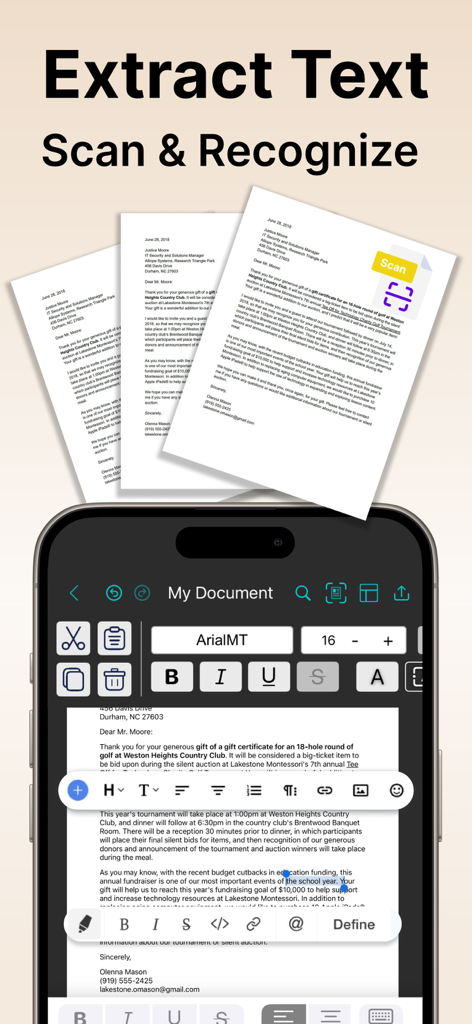
OffiX App mobile Oberfläche, die Dokumentenscan- und OCR-Textextraktionsfunktionen zeigt.
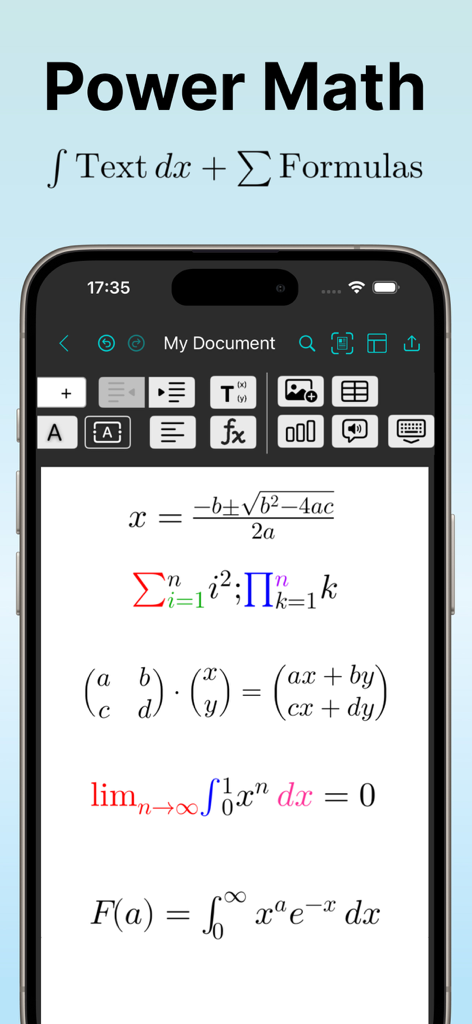
Eine mobile Oberfläche der OffiX-App, die komplexe mathematische Formeln wie Integrale und Matrizen in einem Word-Dokumenten-Editor anzeigt.
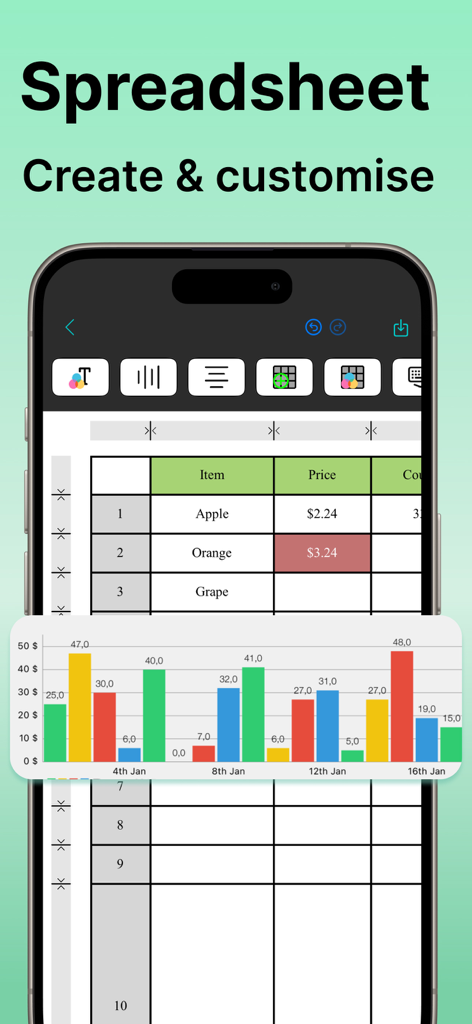
Mobile Ansicht des OffiX Tabellenkalkulationseditors, die eine Datentabelle und ein farbenfrohes Balkendiagramm auf einem iPhone zeigt
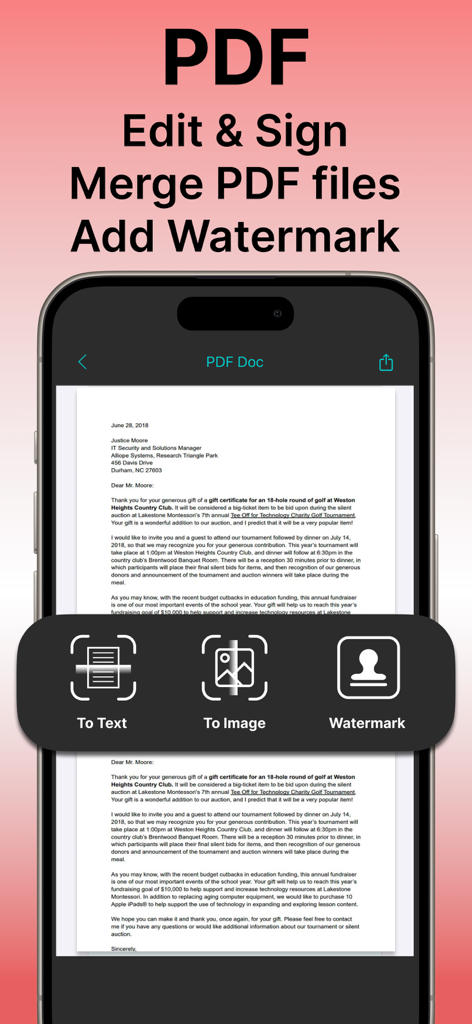
OffiX mobile App-Oberfläche, die Funktionen zur Bearbeitung, Signierung und Wasserzeichenerstellung von PDF-Dokumenten zeigt
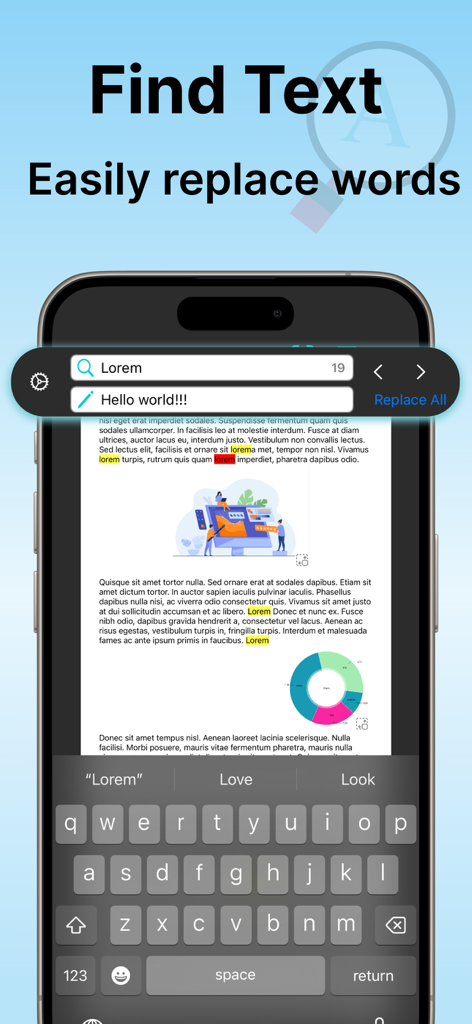
Mobile Oberfläche der OffiX-App, die die Funktion zum Suchen und Ersetzen von Text in einem Dokument anzeigt.
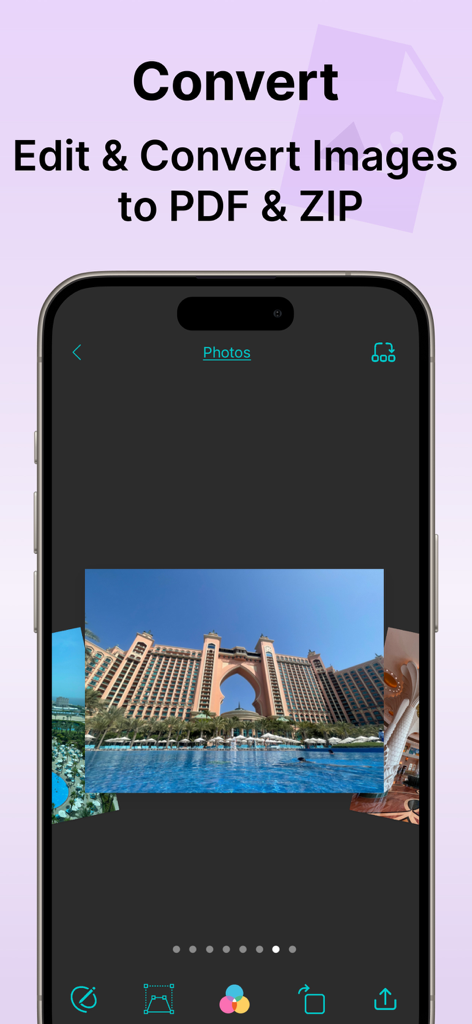
OffiX App-Oberfläche, die Bildbearbeitungswerkzeuge und Optionen zum Konvertieren von Fotos in PDF- und ZIP-Formate zeigt
Beschreibung
Download
Ähnliche Apps
Top-gerankte Apps in derselben Kategorie

Microsoft Teams
Microsoft Corporation

Zoom Workplace
Zoom Communications, Inc.

WhatsApp Business
WhatsApp Inc.

Indeed Job Search
Indeed Inc.

LinkedIn: Network & Job Finder
LinkedIn Corporation

Adobe Acrobat Reader: Sign PDF
Adobe Inc.

WeCom-Work Communication&Tools
Tencent Technology (Shenzhen) Company Limited

BOSS直聘-招聘求职找工作神器
Beijing China Product Bo Farce Network Technology Co., Ltd.

DingDing - Redefine Work in AI
DingTalk Technology Co., Ltd.
Diese Seite ist keine offizielle Seite der App oder ihres Entwicklers, sondern eine unabhängige redaktionelle Veröffentlichung, die zu Informations- und Kommentarzwecken erstellt wurde. Sofern nicht ausdrücklich anders angegeben, sind weder die App noch ihr Entwickler mit MWM, Apple, Google Play, dem App-Herausgeber oder dem Entwickler der App verbunden, von ihnen unterstützt, gesponsert, autorisiert oder anderweitig offiziell verbunden, und nichts auf dieser Seite impliziert, dass die App unter Verwendung der Dienste von MWM entwickelt wurde. Alle Marken, Logos, Screenshots und andere Inhalte bleiben Eigentum ihrer jeweiligen Inhaber.