
Diese Seite ist keine offizielle Seite der App oder ihres Entwicklers, sondern eine unabhängige redaktionelle Veröffentlichung, die zu Informations- und Kommentarzwecken erstellt wurde. Sofern nicht ausdrücklich anders angegeben, sind weder die App noch ihr Entwickler mit MWM, Apple, Google Play, dem App-Herausgeber oder dem Entwickler der App verbunden, von ihnen unterstützt, gesponsert, autorisiert oder anderweitig offiziell verbunden, und nichts auf dieser Seite impliziert, dass die App unter Verwendung der Dienste von MWM entwickelt wurde. Alle Marken, Logos, Screenshots und andere Inhalte bleiben Eigentum ihrer jeweiligen Inhaber.

Epson iProjection
Spiegeln Sie Ihren Bildschirm, teilen Sie Dokumente und arbeiten Sie ohne lästige Kabel oder Dongles zusammen. Steuern Sie Ihren Epson Projektor direkt von Ihrem iPhone oder iPad aus.
Downloads
2M+Bewertung
Bewertungen gesamt
19K+Herausgeber
Kategorie
ProductivitySprachen
9Neueste Version
4.2.0Größe
27.4 MBErstveröffentlichung
5. Jan. 2012Halten Sie wirkungsvolle Präsentationen ohne Kabel
Epson iProjection schließt die Lücke zwischen Ihrem mobilen Workflow und der großen Leinwand und bietet Lehrkräften und Fachleuten die Freiheit, drahtlos zu präsentieren, zu annotieren und zusammenzuarbeiten.
Kabelloses Spiegeln
Bewegen Sie sich frei im Raum, während Sie Ihr iPad oder iPhone in Echtzeit spiegeln – keine Dongles oder Adapter erforderlich.
Ein-Tipp-Verbindung
Überspringen Sie die Netzwerkeinrichtung. Scannen Sie einfach einen projizierten QR-Code, um Ihr Gerät sofort zu verbinden und Ihre Dokumente oder Fotos zu teilen.
Häufig gestellte Fragen
Alles, was Sie über wissen müssen Epson iProjection
Was ist Epson iProjection?
Epson iProjection ist eine drahtlose Projektions-App für iPhone, iPad oder iPod touch. Sie spiegelt den Bildschirm Ihres Geräts und projiziert Dokumente und Fotos drahtlos auf unterstützte Epson-Projektoren.
Welche Geräte unterstützt Epson iProjection für die drahtlose Projektion?
Epson iProjection unterstützt iPhone-, iPad- oder iPod-touch-Geräte für die drahtlose Projektion. Sie spiegelt den Bildschirm des Geräts auf einen kompatiblen Epson-Projektor.
Wie verbinde ich mich mit einem Epson-Projektor über Epson iProjection?
Ja, verbinden Sie sich, indem Sie einen projizierten QR-Code mit der Kamera Ihres Geräts scannen. Stellen Sie sicher, dass sich sowohl Ihr Gerät als auch der Projektor im selben Netzwerk befinden.
Kann ich mit Epson iProjection den Bildschirm meines Geräts spiegeln?
Ja, Epson iProjection spiegelt den Bildschirm Ihres Geräts und projiziert Inhalte drahtlos. Sie können auch den Ton Ihres Geräts über den Projektor ausgeben.
Welche Dokumenttypen kann Epson iProjection projizieren?
Epson iProjection unterstützt die Projektion von Microsoft Word-, Excel-, PowerPoint-, Keynote-, PDF-, JPG- und PNG-Dateien. Dies schließt Dokumente ein, die in Cloud-Dateidiensten gespeichert sind.
Ermöglicht Epson iProjection die gleichzeitige Verbindung mehrerer Geräte?
Ja, Epson iProjection ermöglicht die Verbindung von bis zu 50 Geräten mit einem Projektor. Es können auch bis zu vier Bildschirme gleichzeitig von diesen Geräten angezeigt werden.
Kann ich mit Epson iProjection projizierte Bilder kommentieren?
Ja, Epson iProjection verfügt über ein Stiftwerkzeug zum Kommentieren projizierter Bilder. Sie können die Bilder auch speichern, nachdem sie mit Anmerkungen bearbeitet wurden.
Kann Epson iProjection den Projektor fernsteuern?
Ja, Epson iProjection fungiert als Fernbedienung für den Projektor. Diese Funktion ermöglicht es Benutzern, die Projektoreinstellungen direkt von ihrem Gerät aus zu verwalten.
Welche Berechtigungen benötigt die Epson iProjection-App?
Die App benötigt die Berechtigung für das lokale Netzwerk, um Projektoren zu finden und eine Verbindung herzustellen. Die Berechtigung für Fotos ist optional und ermöglicht der App, ausgewählte Bilder von Ihrem Gerät zu projizieren.
Werden Videos und Animationen beim Projizieren von Dokumenten in Epson iProjection unterstützt?
Nein, Epson iProjection spielt beim Projizieren von Dokumenten keine Animationen, Bildschirmübergangseffekte, Videos oder Audio ab. Verwenden Sie für solche Inhalte die Spiegelungsfunktion.
Kann Epson iProjection Inhalte von der Kamera eines Geräts projizieren?
Ja, Epson iProjection ermöglicht die Projektion von Echtzeitvideos direkt von der Kamera Ihres Geräts. Diese Funktion wird aus den Projektionsoptionen der App ausgewählt.
Wird Audio beim Spiegeln des Bildschirms eines Geräts mit Epson iProjection projiziert?
Ja, Epson iProjection gibt den Ton Ihres Geräts über den Projektor aus, wenn der Bildschirm gespiegelt wird. Video und Audio können je nach Netzwerkbedingungen Verzögerungen aufweisen.
Die folgenden Screenshots und die Beschreibung stammen direkt aus dem offiziellen Store-Eintrag der App und sind Eigentum des Entwicklers.
App Store
Screenshots
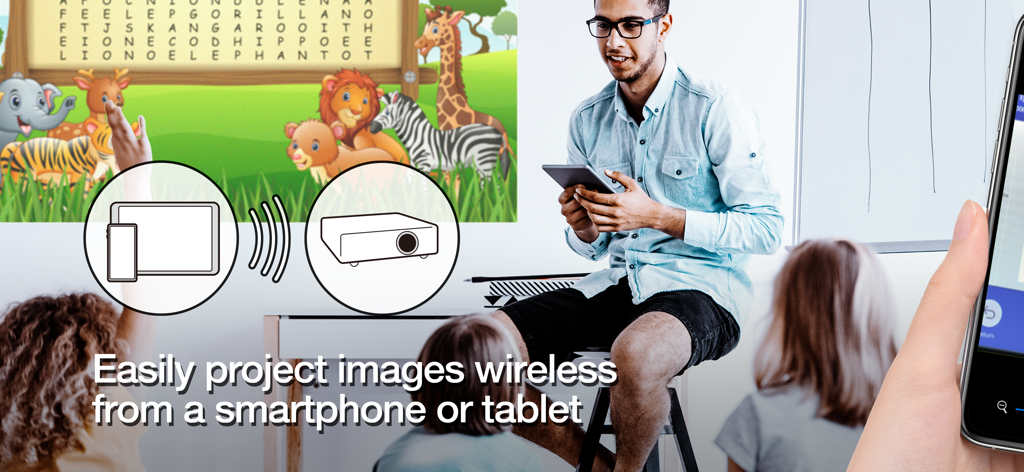
Lehrerin projiziert kabellos Bildungsinhalte von einem Tablet auf einen Bildschirm in einem Klassenzimmer
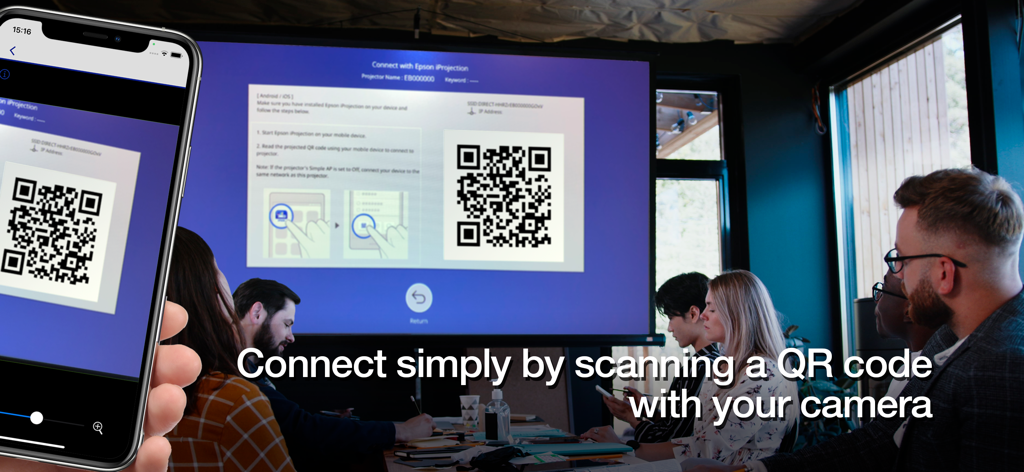
Ein Smartphone scannt einen QR-Code auf einem großen Projektionsbildschirm, um sich in einem professionellen Besprechungsraum kabellos zu verbinden
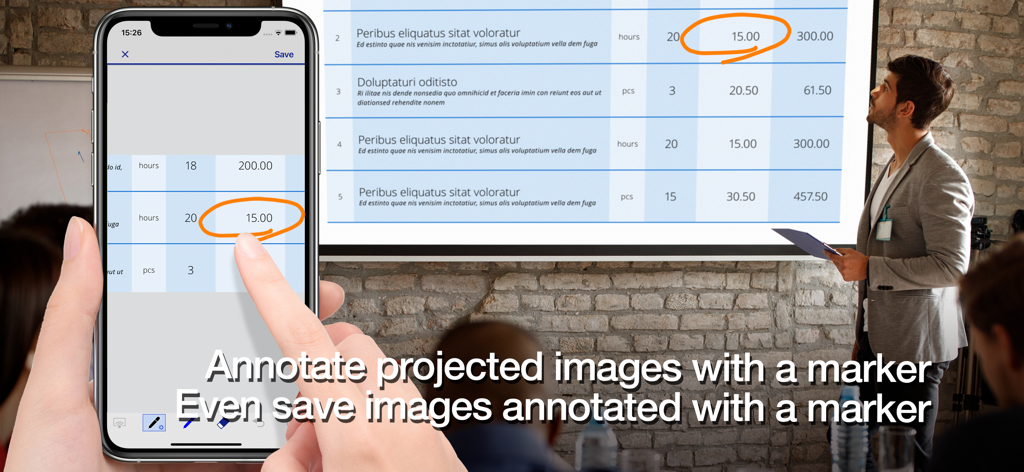
Eine Fachkraft verwendet die Epson iProjection App, um ein Dokument auf einem Projektionsbildschirm mit einem Smartphone zu annotieren.
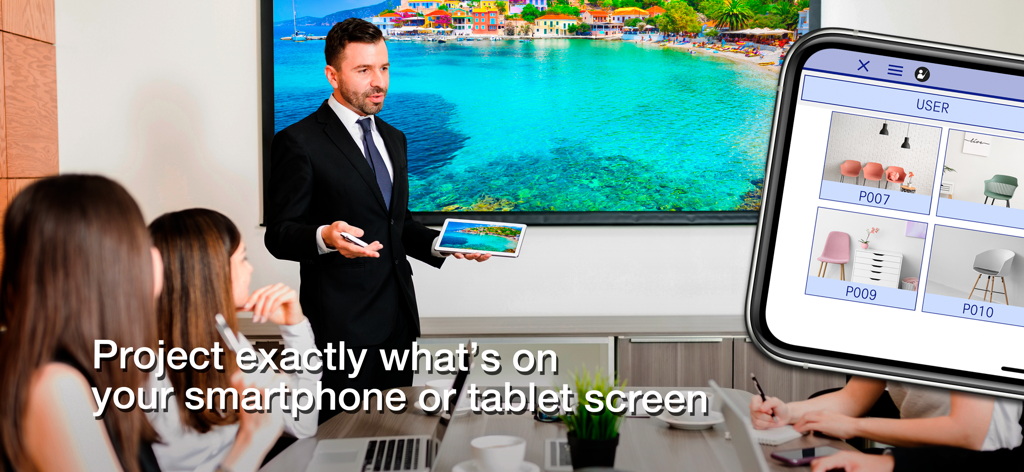
Ein professioneller Präsentator verwendet Epson iProjection, um den Bildschirm eines Tablets drahtlos auf eine große Anzeige in einem Konferenzraum zu spiegeln
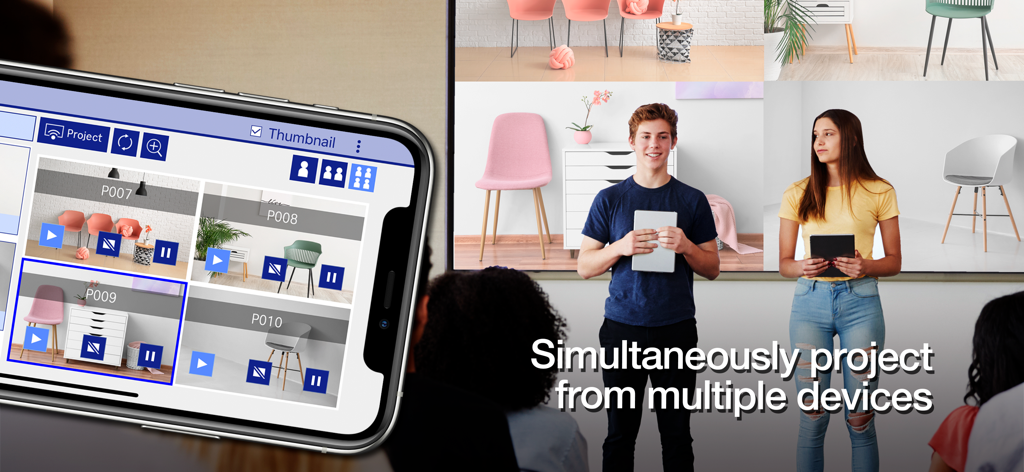
Schüler projizieren gleichzeitig ihre mobilen Bildschirme auf eine einzige große Anzeige mit der Epson iProjection App
Beschreibung
Download
Ähnliche Apps
Apps mit ähnlichen Funktionen und Nutzererfahrung

DJI Mimo
SZ DJI TECHNOLOGY CO., LTD

DJI Ronin
SZ DJI TECHNOLOGY CO., LTD

Roku TV Remote Control & Cast
Aleh Piashkou

Remote for Hisense TV.
Duscov Stepan

Alpha Linker - Camera Transfer
恒茂 刘

MyCentsys Pro
Centurion Systems (Pty) Ltd

Roku TV Remote Control・
Artur Belov

Luminair
Synthe FX, LLC

FUJIFILM XApp
FUJIFILM Corporation
Diese Seite ist keine offizielle Seite der App oder ihres Entwicklers, sondern eine unabhängige redaktionelle Veröffentlichung, die zu Informations- und Kommentarzwecken erstellt wurde. Sofern nicht ausdrücklich anders angegeben, sind weder die App noch ihr Entwickler mit MWM, Apple, Google Play, dem App-Herausgeber oder dem Entwickler der App verbunden, von ihnen unterstützt, gesponsert, autorisiert oder anderweitig offiziell verbunden, und nichts auf dieser Seite impliziert, dass die App unter Verwendung der Dienste von MWM entwickelt wurde. Alle Marken, Logos, Screenshots und andere Inhalte bleiben Eigentum ihrer jeweiligen Inhaber.