
Diese Seite ist keine offizielle Seite der App oder ihres Entwicklers, sondern eine unabhängige redaktionelle Veröffentlichung, die zu Informations- und Kommentarzwecken erstellt wurde. Sofern nicht ausdrücklich anders angegeben, sind weder die App noch ihr Entwickler mit MWM, Apple, Google Play, dem App-Herausgeber oder dem Entwickler der App verbunden, von ihnen unterstützt, gesponsert, autorisiert oder anderweitig offiziell verbunden, und nichts auf dieser Seite impliziert, dass die App unter Verwendung der Dienste von MWM entwickelt wurde. Alle Marken, Logos, Screenshots und andere Inhalte bleiben Eigentum ihrer jeweiligen Inhaber.


EventCode+ XQ QR Ticket System
Gestalten Sie individuelle Tickets auf Ihrem Mac und führen Sie blitzschnelle digitale Einlässe mit Ihrem iPhone durch. Übernehmen Sie die volle Kontrolle über Ihre Veranstaltungsdaten und Ihren Einlass mit Offline-fähigem Scannen und Multi-Device-Sync für das ultimative Prosumer-Erlebnis.
Downloads
7K+Bewertung
Bewertungen gesamt
0Herausgeber
Kategorie
ProductivitySprachen
2Neueste Version
2.2.0Größe
15.4 MBErstveröffentlichung
4. Sept. 2020Übernehmen Sie die volle Kontrolle über Ihr Ticketing
Gestalten, verteilen und validieren Sie Tickets nach Ihren eigenen Vorstellungen. Eliminieren Sie teure Provisionen pro Ticket und genießen Sie ein professionelles, offline-fähiges Ökosystem für Ihr iPhone, iPad und Mac.
Null Provisionsgebühren
Behalten Sie 100 % Ihrer Veranstaltungseinnahmen. Hören Sie auf, eine „Plattformsteuer“ für jeden Teilnehmer zu zahlen, und verwalten Sie Ihr Ticketingsystem ohne Drittanbieter-Overhead.
Individuelles professionelles Design
Bewahren Sie Ihre Markenidentität mit benutzerdefinierten Logos, Layouts und Sitzplänen. Entwerfen Sie hochwertige PDF-Tickets auf Ihrem Mac und exportieren Sie sie sofort für Ihre Gäste.
Die folgenden Screenshots und die Beschreibung stammen direkt aus dem offiziellen Store-Eintrag der App und sind Eigentum des Entwicklers.
App Store
Screenshots
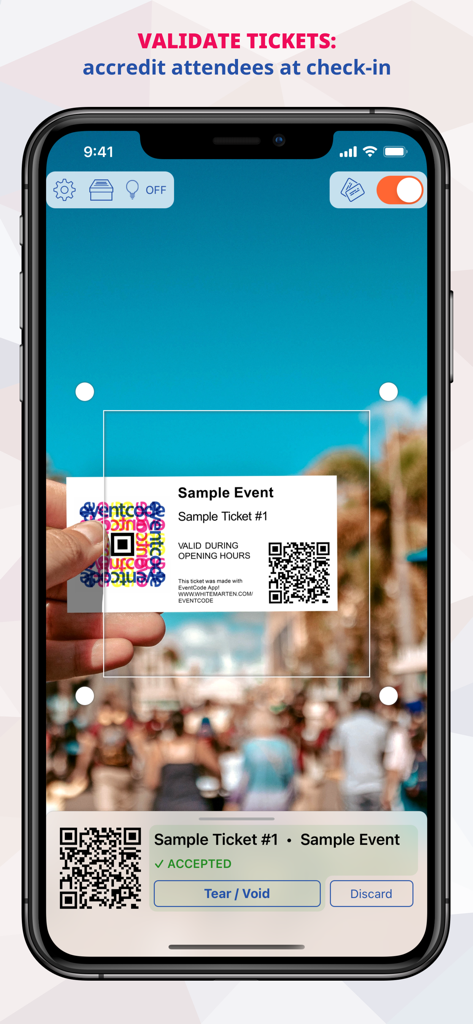
EventCode+ XQ App-Oberfläche scannt einen QR-Code auf einem Ticket zur Validierung des Teilnehmer-Check-ins.
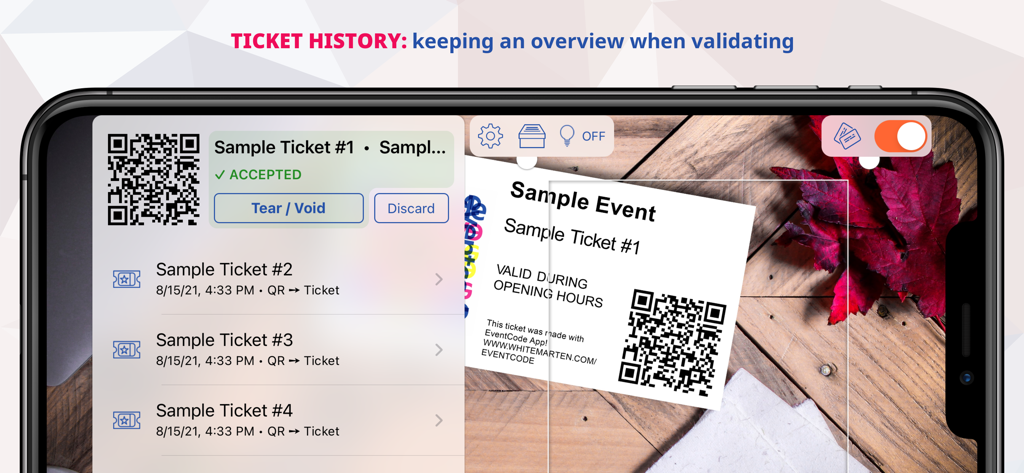
Bildschirm eines Smartphones, der die Ticketvalidierungshistorie und das Scannen von QR-Codes für Veranstaltungen anzeigt
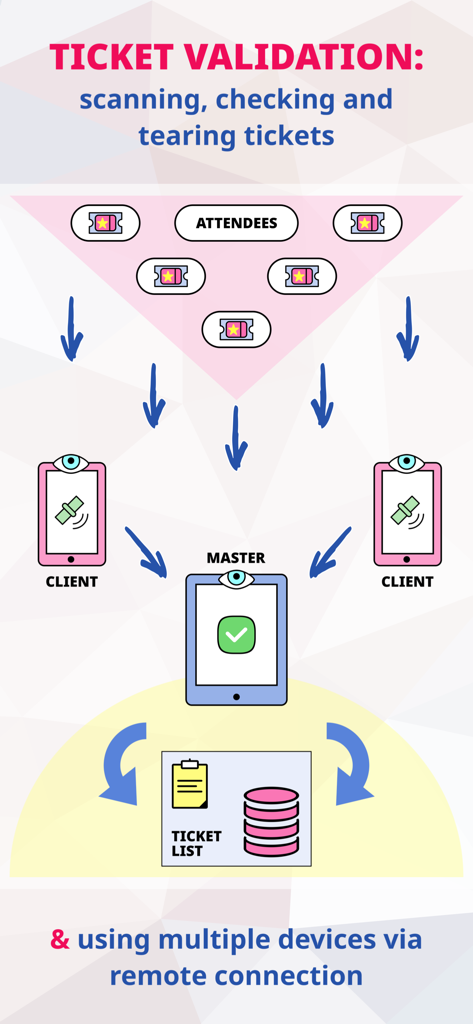
Diagramm, das den Ticketvalidierungsfluss mit mehreren Geräten im Master- und Client-Modus zeigt
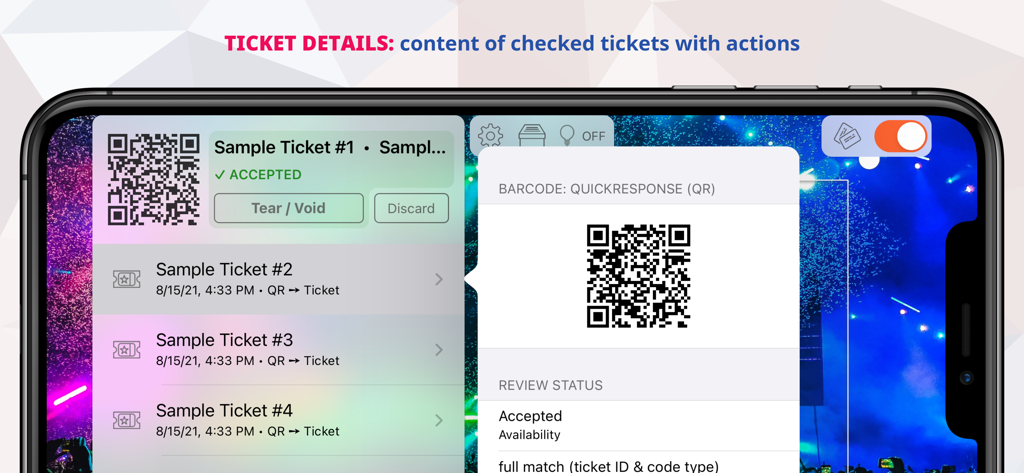
Ein Smartphone-Bildschirm, der die Ticketdetails und den Validierungsstatus innerhalb der EventCode plus XQ App anzeigt, einschließlich Optionen zum Entwerten oder Ungültigmachen von Tickets
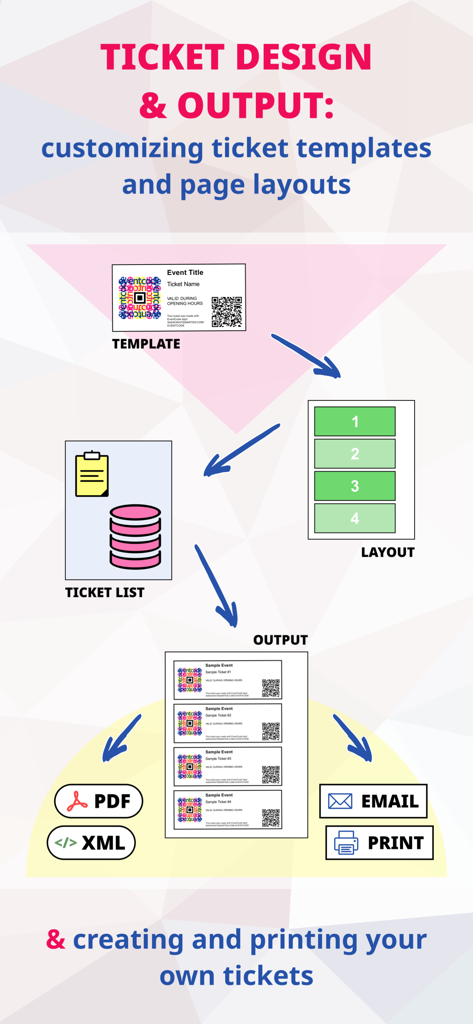
Infografik, die den Ticketdesignprozess vom Auswählen von Vorlagen und Layouts bis zum Exportieren als PDF oder E-Mail zeigt.
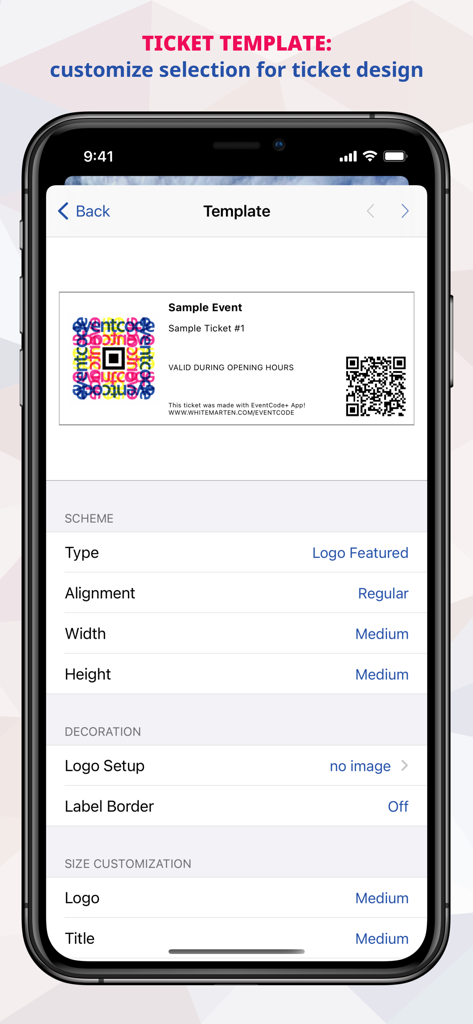
EventCode+ XQ App-Oberfläche zum Anpassen von Ticketvorlagen und Designeinstellungen auf einem iPhone
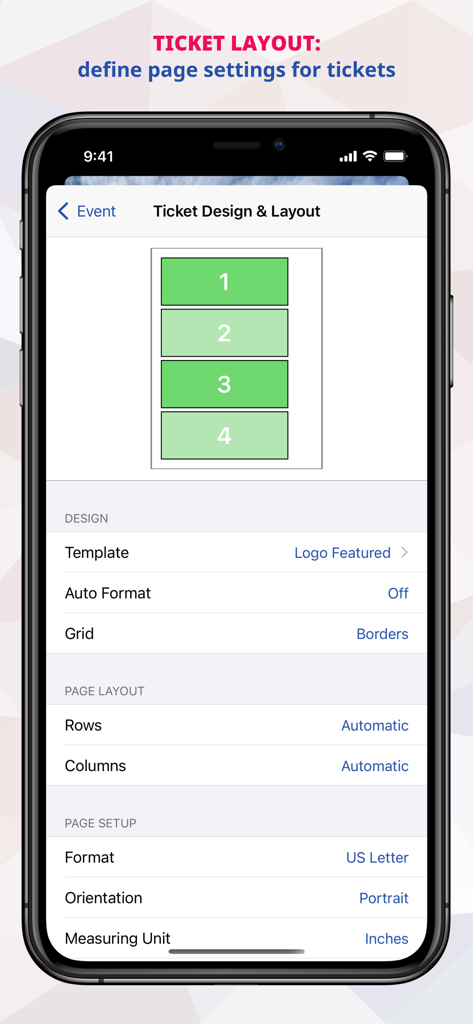
Eine mobile Benutzeroberfläche zum Gestalten von Ticketlayouts und Seiteneinstellungen in der EventCode plus XQ App
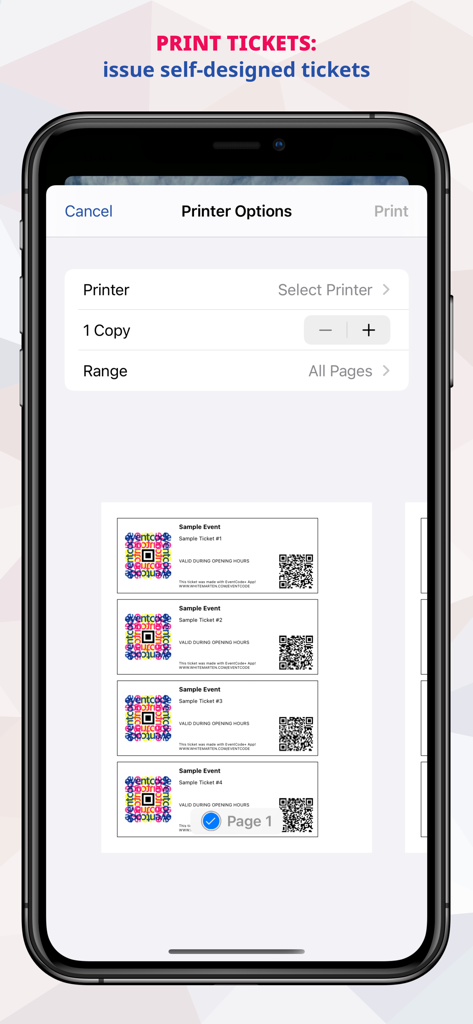
Bildschirm eines Smartphones, der die Druckereinstellungen und eine Vorschau von vier benutzerdefinierten Tickets mit QR-Codes anzeigt
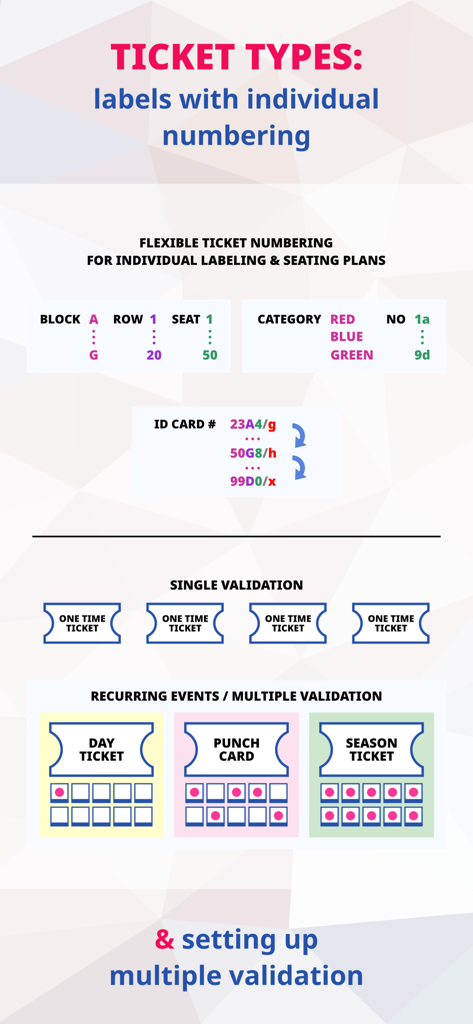
Grafik, die verschiedene Tickettypen und Validierungsmethoden für das Veranstaltungsmanagement darstellt
Beschreibung
Download
Ähnliche Apps
Top-gerankte Apps in derselben Kategorie

ChatGPT
OpenAI OpCo, LLC

Google Gemini
Google LLC

Grok
X.AI Corporation

Gmail - Email by Google
Google LLC

千问 - 阿里最强大模型官方AI助手
Shanghai Zhixin Puhui Technology Co., Ltd.

Google Drive
Google LLC

Microsoft Authenticator
Microsoft Corporation

Google Sheets
Google LLC

Google Docs
Google LLC
Diese Seite ist keine offizielle Seite der App oder ihres Entwicklers, sondern eine unabhängige redaktionelle Veröffentlichung, die zu Informations- und Kommentarzwecken erstellt wurde. Sofern nicht ausdrücklich anders angegeben, sind weder die App noch ihr Entwickler mit MWM, Apple, Google Play, dem App-Herausgeber oder dem Entwickler der App verbunden, von ihnen unterstützt, gesponsert, autorisiert oder anderweitig offiziell verbunden, und nichts auf dieser Seite impliziert, dass die App unter Verwendung der Dienste von MWM entwickelt wurde. Alle Marken, Logos, Screenshots und andere Inhalte bleiben Eigentum ihrer jeweiligen Inhaber.