EvolverFX AUv3 Audio Plugin
Herunterladen auf App Store

Diese Seite ist keine offizielle Seite der App oder ihres Entwicklers, sondern eine unabhängige redaktionelle Veröffentlichung, die zu Informations- und Kommentarzwecken erstellt wurde. Sofern nicht ausdrücklich anders angegeben, sind weder die App noch ihr Entwickler mit MWM, Apple, Google Play, dem App-Herausgeber oder dem Entwickler der App verbunden, von ihnen unterstützt, gesponsert, autorisiert oder anderweitig offiziell verbunden, und nichts auf dieser Seite impliziert, dass die App unter Verwendung der Dienste von MWM entwickelt wurde. Alle Marken, Logos, Screenshots und andere Inhalte bleiben Eigentum ihrer jeweiligen Inhaber.

Logo von EvolverFX AUv3 Audio Plugin
Herunterladen auf App Store

EvolverFX AUv3 Audio Plugin

Das professionelle AUv3-Performance-Tool für den Mobile-First-Produzenten. Verwandeln Sie MIDI-Akkorde in reiche, vielschichtige Texturen mit einer hochentwickelten 4-Spur-Sequenz-Engine, die für tiefgreifende Kreativität entwickelt wurde.

Kennzahlen

Downloads

5K+

Bewertung

4.6/5

Bewertungen gesamt

100

Herausgeber

Limelight Software

Kategorie

Music

Sprachen

1

Neueste Version

1.24

Größe

860.8 MB

Erstveröffentlichung

24. Apr. 2020
Funktionen

Lebendige Klanglandschaften gestalten

Erweitern Sie Ihre mobile Produktion mit einer hochentwickelten 4-Spur-Sequenz-Engine, die für tiefgehende Klangforschung und professionelle AUv3-Workflows entwickelt wurde.

4-Spur Generatives Sequencing

Verwandeln Sie einfache MIDI-Akkorde in komplexe, vielschichtige Begleitungen, die auf Ihr Spiel reagieren und perfekt synchron bleiben.

Hybride Klangsynthese

Kombinieren Sie Multi-Samples, One-Shots und harmonische Oszillatoren, um reiche, sich entwickelnde Texturen zu erzeugen, die die Grenzen traditioneller Synthese sprengen.

Die folgenden Screenshots und die Beschreibung stammen direkt aus dem offiziellen Store-Eintrag der App und sind Eigentum des Entwicklers.

App Store

Screenshots
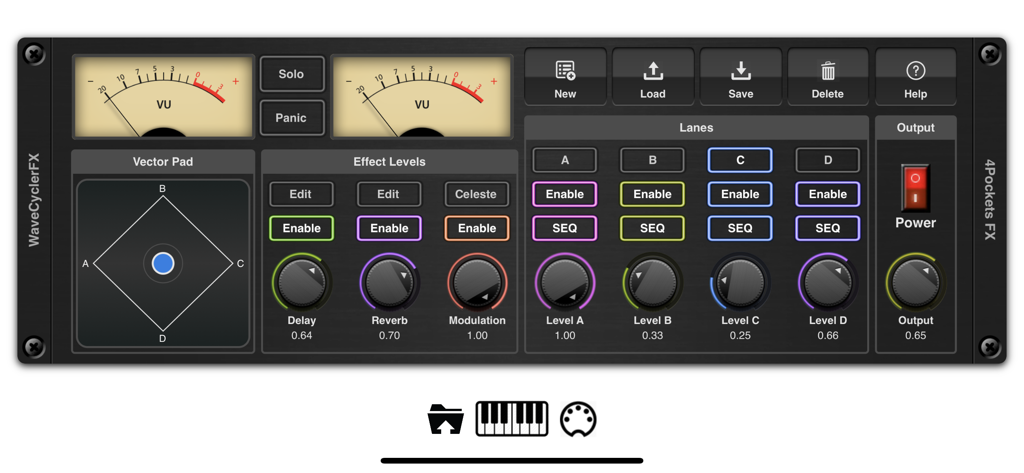
EvolverFX AUv3 Audio Plugin - Hauptbedienfeld des EvolverFX AUv3 Audio-Plugins mit analogen VU-Metern, einem Vektorpad und vier Sequenzer-Spuren
Hauptbedienfeld des EvolverFX AUv3 Audio-Plugins mit analogen VU-Metern, einem Vektorpad und vier Sequenzer-Spuren

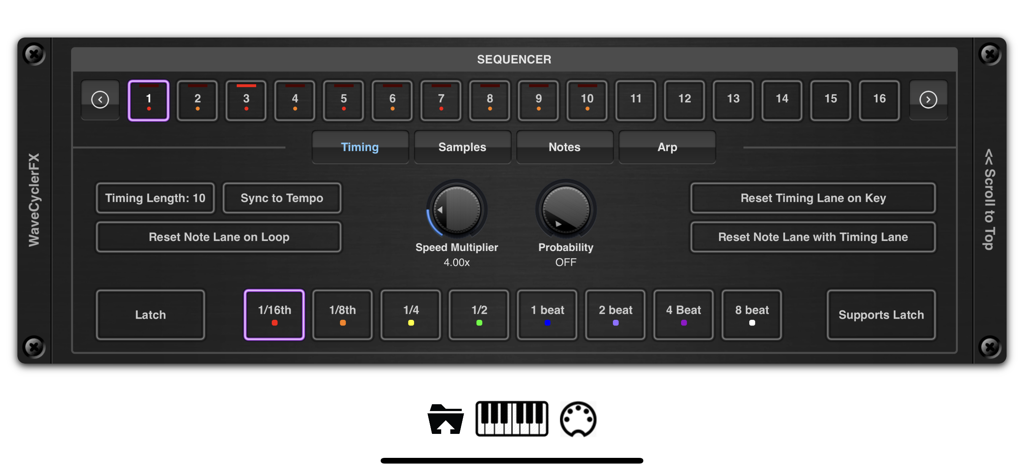
EvolverFX AUv3 Audio Plugin - EvolverFX AUv3 Plugin Sequenzer Timing-Steuerungsoberfläche
EvolverFX AUv3 Plugin Sequenzer Timing-Steuerungsoberfläche

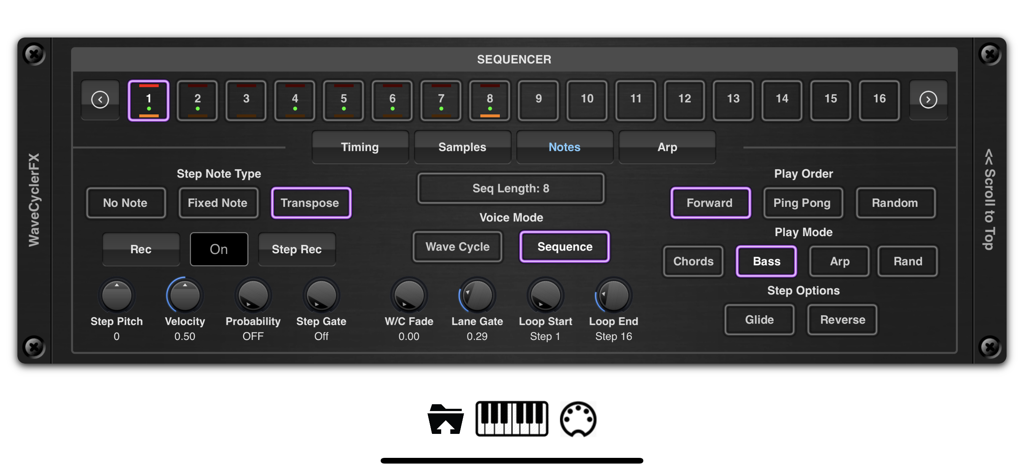
EvolverFX AUv3 Audio Plugin - EvolverFX AUv3 Audio-Plugin Sequenzer-Oberfläche mit Step-Steuerungen und Wiedergabemodi
EvolverFX AUv3 Audio-Plugin Sequenzer-Oberfläche mit Step-Steuerungen und Wiedergabemodi

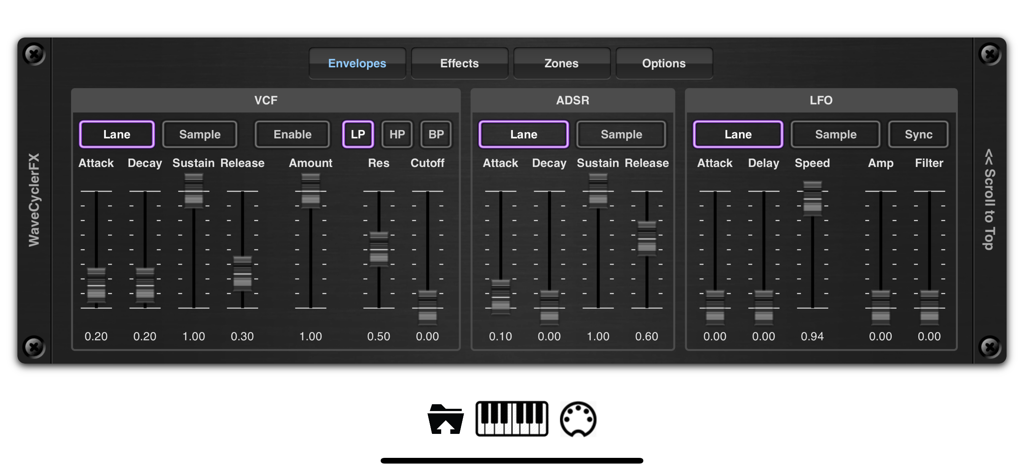
EvolverFX AUv3 Audio Plugin - Die Hüllkurven-Steuerungsoberfläche des EvolverFX AUv3 Audio-Plugins zeigt VCF ADSR- und LFO-Synthesizer-Einstellungen
Die Hüllkurven-Steuerungsoberfläche des EvolverFX AUv3 Audio-Plugins zeigt VCF ADSR- und LFO-Synthesizer-Einstellungen

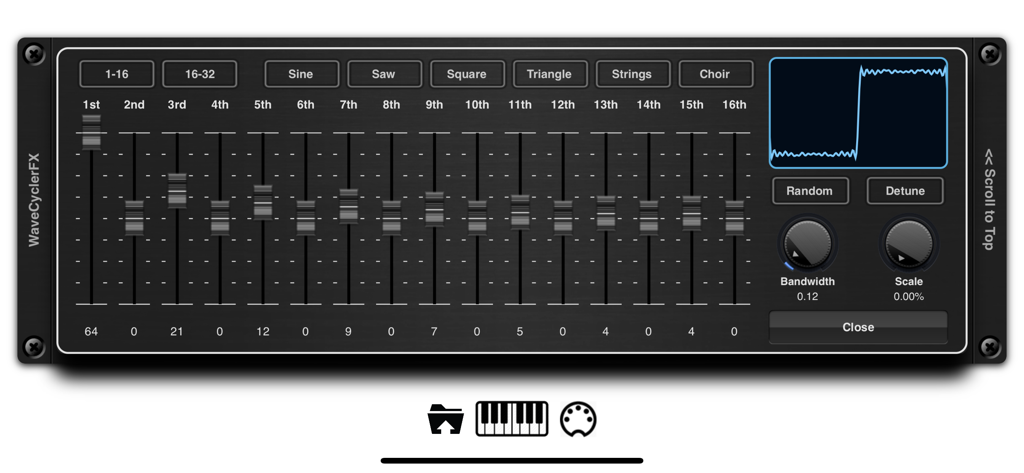
EvolverFX AUv3 Audio Plugin - WaveCycler-Oberfläche in der EvolverFX-App mit harmonischen Schiebereglern und Wellenformanzeige
WaveCycler-Oberfläche in der EvolverFX-App mit harmonischen Schiebereglern und Wellenformanzeige

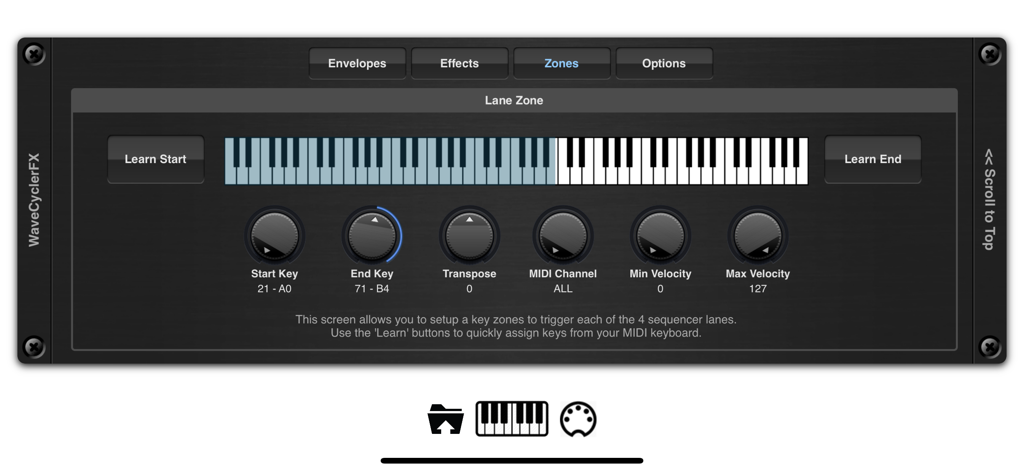
EvolverFX AUv3 Audio Plugin - EvolverFX Key-Zone-Einrichtungsbildschirm mit virtueller Tastatur und MIDI-Steuerungen
EvolverFX Key-Zone-Einrichtungsbildschirm mit virtueller Tastatur und MIDI-Steuerungen

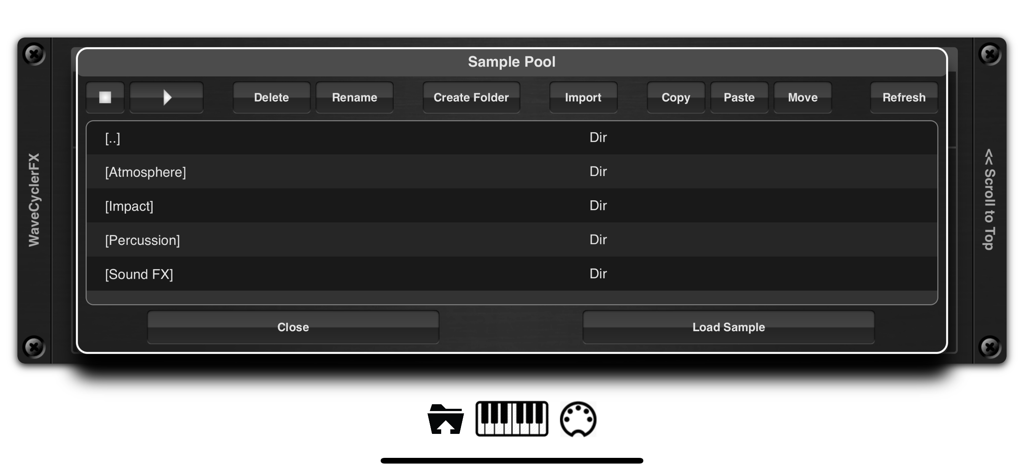
EvolverFX AUv3 Audio Plugin - EvolverFX App-Oberfläche, die den Sample-Pool mit Ordnern für Atmosphäre, Schlag und Percussion-Sounds zeigt
EvolverFX App-Oberfläche, die den Sample-Pool mit Ordnern für Atmosphäre, Schlag und Percussion-Sounds zeigt

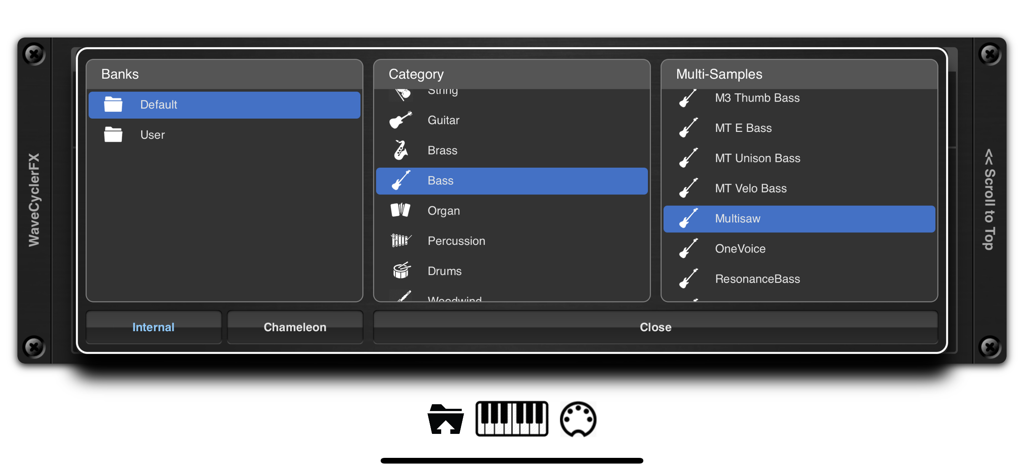
EvolverFX AUv3 Audio Plugin - EvolverFX Sound-Browser, der Bänke, Kategorien und Multi-Sample-Auswahl anzeigt
EvolverFX Sound-Browser, der Bänke, Kategorien und Multi-Sample-Auswahl anzeigt

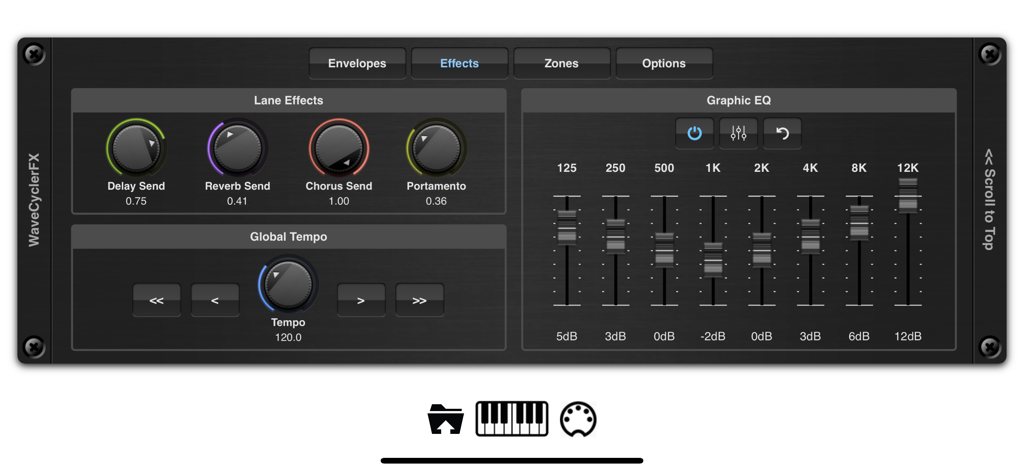
EvolverFX AUv3 Audio Plugin - EvolverFX-Oberfläche, die Lane-Effektknöpfe und einen 8-Band-Grafik-Equalizer anzeigt
EvolverFX-Oberfläche, die Lane-Effektknöpfe und einen 8-Band-Grafik-Equalizer anzeigt

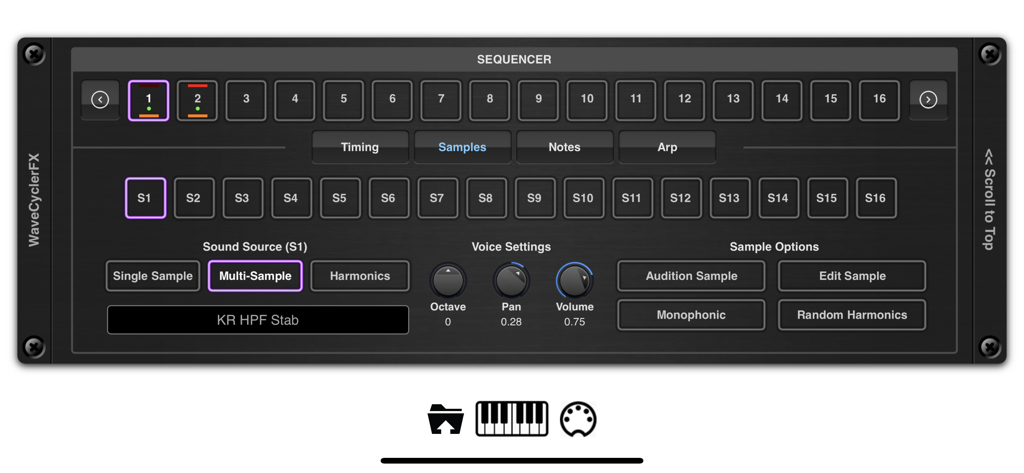
EvolverFX AUv3 Audio Plugin - Oberfläche des EvolverFX AUv3 Audio-Plugins, die den Sequenzer und die Multi-Sample-Soundquellen-Einstellungen zeigt.

Oberfläche des EvolverFX AUv3 Audio-Plugins, die den Sequenzer und die Multi-Sample-Soundquellen-Einstellungen zeigt.

Beschreibung

Evolver is a performance tool for creating multi-layered evolving sequences of sound. At its most basic think of evolver as a 4 lane sequencer which creates automatic accompaniment from notes and chords as you play on your MIDI keyboard, but it can also be used to create elastic evolving soundscapes where audio samples seamlessly merge into one another to create highly complex and original sounds. At the heart of evolver is a sophisticated wave synthesizer and sequencing engine which can create dramatic hard hitting transitions of sounds or merge sounds to create seamless transitions that evolve in time to the beat. It has 4 sequencer lanes which can run independently and mixed together using the real-time controls or over MIDI. When you play a chord on your MIDI keyboard for instance, each of the 4 sequencer lanes will take those MIDI notes and translate them into a musical sequence of sounds which are combined together and synced to create a form of automatic accompaniment. Evolver can load its own multi-layer patches or import them directly from Chameleon. These patches can be layered using the 4 sequencer lanes or split over a virtual keyboard. You can assign key zones, transpose them, assigned MIDI channels and velocity levels, set latch options etc. You can also load in your own one shot samples and lay them end on end to create evolving atmospheres or backing soundscapes. These samples can be looped or be free running with definable start/end and loop points using our non destructive editor. We also included a third sound source which lets you build sounds on the fly by overlaying harmonics to create anything from traditional sine, square, triangle, saw waves to complex detuned oscilators. These can be used in conjunction with multi-samples or one-shot-samples within the same sequencer lane. You can even randomize a complete sequence of harmonic sounds which when pieced together create some very unique and dynamic voices. Each sequencer lane can be up to 64 steps in length, each step has independent timing, pitch, volume, gate, probability, sample source etc. so the scope of what is achievable is vast. Each sequencer lane has its own ADSR, VCF and LFO which operates on all sounds within its lane, as well as being able to change the underlying settings for each sound source. Evolver also includes an ARP function which can be run in one of the default modes or you can define your own fingering patterns to be used to enhance your playing style. Create your own sequences, lay down your MIDI notes in your DAW and have Evolver automatically play along to your chord sequences, automatically locking to the host tempo. Sequencer events can be fixed or transposed allowing you to create percussive and drum backing using a single lane. Key Features: • 4 sequencer lanes • Up to 64 notes per sequence. • Each note can be fixed or transposed. • Timing and note probability. • 3 different sound source types (multi-sample, one-shot samples and harmonic) . • Add your own loops to a sequence. • Built in ARP function. • Import your own samples and mutli-sample patches. • Chameleon Support. • 5 different effect types (reverb, delay, phaser, flanger and chorus). • 8 band EQ. • .Latch Feature to hold chords/notes. • Create independent key zones with transposition and MIDI channels. • Paramter Automation from your DAW. • Control mixing and sequencer enable buttons using MIDI. • Built in Sampler. • Multiple Import options (including an experimental SFZ format). • iTunes and Files App importing of samples into the audio pool. • Files App Drag & Drop Support • Comprehensive Help pages included. Please Note: Not all features are currently compatible with Auria.

Download

Herunterladen auf App Store

Diese Seite ist keine offizielle Seite der App oder ihres Entwicklers, sondern eine unabhängige redaktionelle Veröffentlichung, die zu Informations- und Kommentarzwecken erstellt wurde. Sofern nicht ausdrücklich anders angegeben, sind weder die App noch ihr Entwickler mit MWM, Apple, Google Play, dem App-Herausgeber oder dem Entwickler der App verbunden, von ihnen unterstützt, gesponsert, autorisiert oder anderweitig offiziell verbunden, und nichts auf dieser Seite impliziert, dass die App unter Verwendung der Dienste von MWM entwickelt wurde. Alle Marken, Logos, Screenshots und andere Inhalte bleiben Eigentum ihrer jeweiligen Inhaber.







