
Diese Seite ist keine offizielle Seite der App oder ihres Entwicklers, sondern eine unabhängige redaktionelle Veröffentlichung, die zu Informations- und Kommentarzwecken erstellt wurde. Sofern nicht ausdrücklich anders angegeben, sind weder die App noch ihr Entwickler mit MWM, Apple, Google Play, dem App-Herausgeber oder dem Entwickler der App verbunden, von ihnen unterstützt, gesponsert, autorisiert oder anderweitig offiziell verbunden, und nichts auf dieser Seite impliziert, dass die App unter Verwendung der Dienste von MWM entwickelt wurde. Alle Marken, Logos, Screenshots und andere Inhalte bleiben Eigentum ihrer jeweiligen Inhaber.

EXIF Viewer by Fluntro
Tauchen Sie tief in technische Details wie ISO und Verschlusszeit ein, bearbeiten Sie GPS-Daten im Stapel und schützen Sie Ihre Privatsphäre mit lebenslangem Zugriff nach einmaligem Kauf. Keine Abonnements, nur leistungsstarke Werkzeuge für den ernsthaften Fotografen.
Downloads
482K+Bewertung
Bewertungen gesamt
10K+Herausgeber
Kategorie
Photo & VideoSprachen
20Neueste Version
6.4Größe
46.0 MBErstveröffentlichung
11. Jan. 2015Professionelle Metadaten-Beherrschung
Gewinnen Sie tiefe technische Einblicke in Ihre Fotografie und schützen Sie Ihre digitale Privatsphäre mit Werkzeugen, die für den modernen Prosumer entwickelt wurden.
Tiefe technische Einblicke
Analysieren Sie jede Aufnahme mit sofortigem Zugriff auf ISO, Verschlusszeit, Brennweite und Objektivspezifikationen, um Ihre fotografische Technik zu verfeinern.
Umfassende Datenschutzkontrolle
Schützen Sie Ihren physischen Standort, indem Sie GPS-Koordinaten und sensible Metadaten aus Ihren Bildern entfernen, bevor Sie sie online teilen.
Die folgenden Screenshots und die Beschreibung stammen direkt aus dem offiziellen Store-Eintrag der App und sind Eigentum des Entwicklers.
App Store
Screenshots
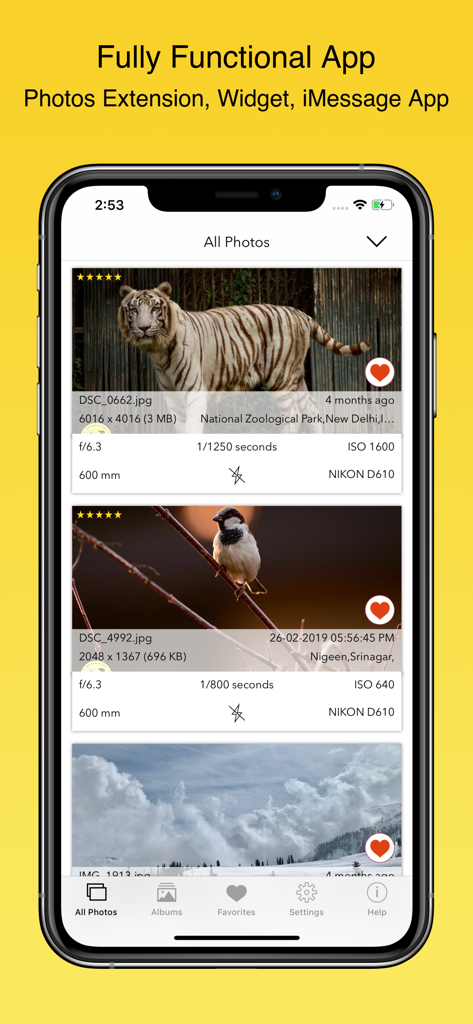
Oberfläche der EXIF Viewer by Fluntro App, die detaillierte Fotometadaten und technische Kameraeinstellungen auf einem iPhone anzeigt
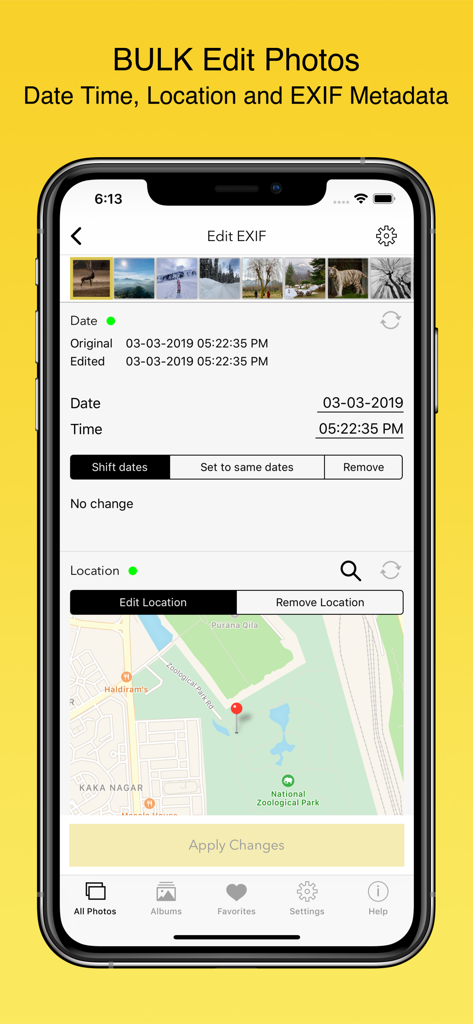
Oberfläche zur Stapelbearbeitung von Metadaten in der EXIF Viewer App, die Werkzeuge zur Änderung von Datum/Uhrzeit und Standort zeigt
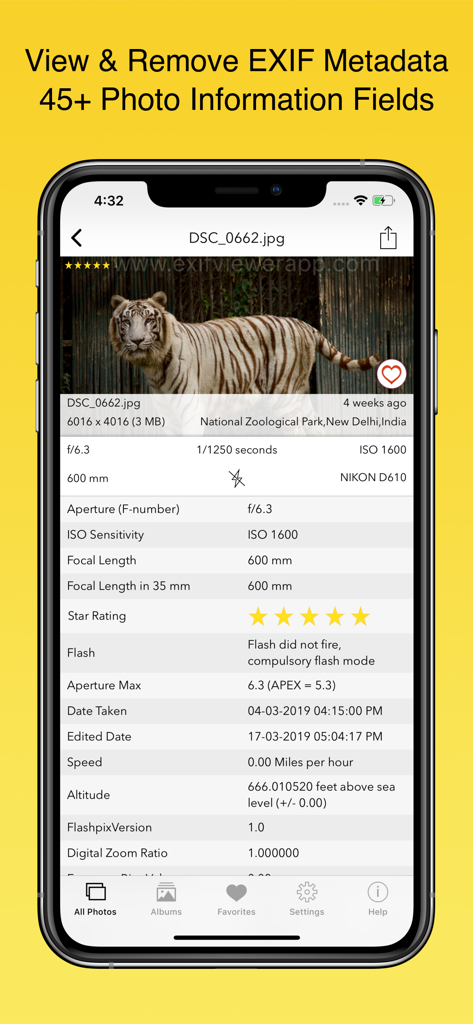
iPhone-Screenshot der EXIF Viewer App, die technische Metadaten wie ISO und Verschlusszeit für ein Tigerfoto zeigt
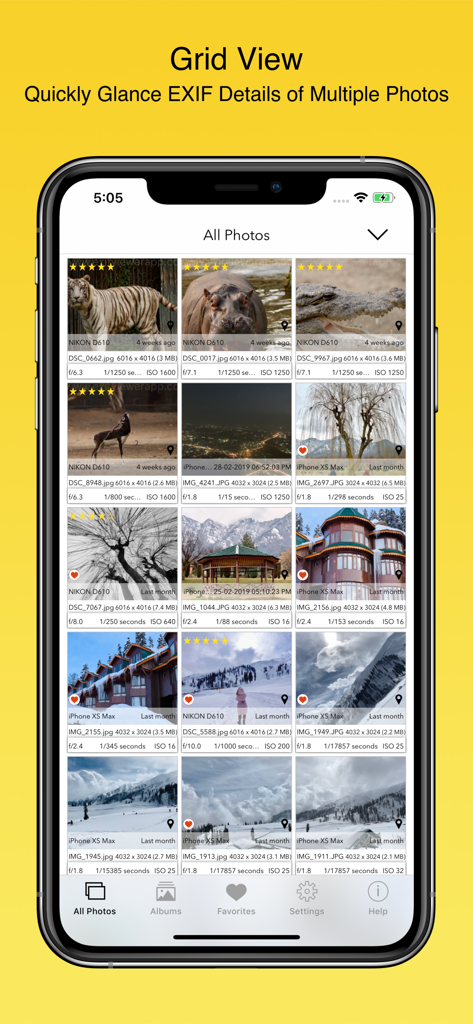
Rasteransicht mehrerer Fotos, die detaillierte EXIF-Metadaten einschließlich ISO und Verschlusszeit zeigt
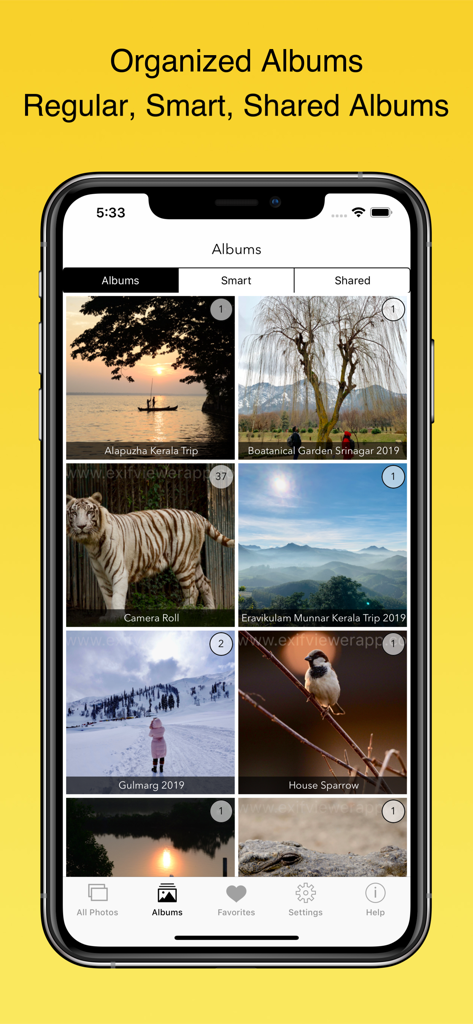
EXIF Viewer App-Oberfläche, die organisierte Fotoalben auf einem iPhone zeigt
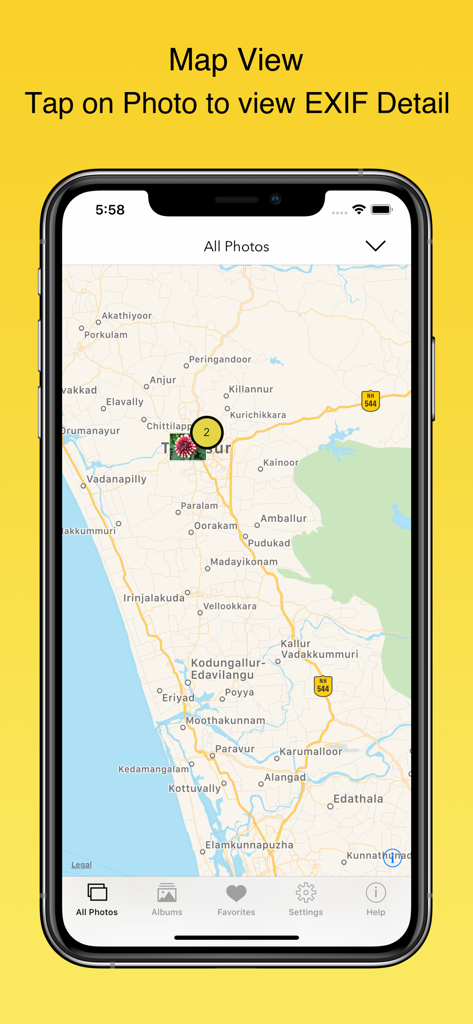
iPhone zeigt Kartenansicht in der EXIF Viewer App, wo Fotos an ihren geografischen Standorten angeheftet sind
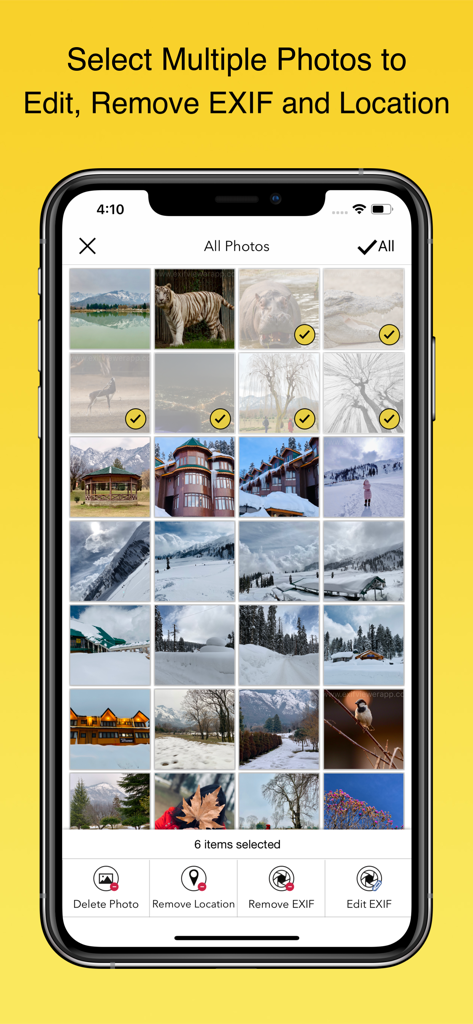
Oberfläche der EXIF Viewer App, die mehrere für die Stapelentfernung oder -bearbeitung von Metadaten ausgewählte Fotos anzeigt
Beschreibung
Download
Ähnliche Apps
Apps mit ähnlichen Funktionen und Nutzererfahrung



Diese Seite ist keine offizielle Seite der App oder ihres Entwicklers, sondern eine unabhängige redaktionelle Veröffentlichung, die zu Informations- und Kommentarzwecken erstellt wurde. Sofern nicht ausdrücklich anders angegeben, sind weder die App noch ihr Entwickler mit MWM, Apple, Google Play, dem App-Herausgeber oder dem Entwickler der App verbunden, von ihnen unterstützt, gesponsert, autorisiert oder anderweitig offiziell verbunden, und nichts auf dieser Seite impliziert, dass die App unter Verwendung der Dienste von MWM entwickelt wurde. Alle Marken, Logos, Screenshots und andere Inhalte bleiben Eigentum ihrer jeweiligen Inhaber.