
Diese Seite ist keine offizielle Seite der App oder ihres Entwicklers, sondern eine unabhängige redaktionelle Veröffentlichung, die zu Informations- und Kommentarzwecken erstellt wurde. Sofern nicht ausdrücklich anders angegeben, sind weder die App noch ihr Entwickler mit MWM, Apple, Google Play, dem App-Herausgeber oder dem Entwickler der App verbunden, von ihnen unterstützt, gesponsert, autorisiert oder anderweitig offiziell verbunden, und nichts auf dieser Seite impliziert, dass die App unter Verwendung der Dienste von MWM entwickelt wurde. Alle Marken, Logos, Screenshots und andere Inhalte bleiben Eigentum ihrer jeweiligen Inhaber.

eZy Sign,Scan & Fill Documents
Das ultimative All-in-One-Büro für Makler, Freiberufler und Geschäftsinhaber. Verwandeln Sie Ihren Papierkram in einen nahtlosen digitalen Workflow mit sicheren Signaturen, intelligentem Scannen und sofortiger Cloud-Integration.
Downloads
15K+Bewertung
Bewertungen gesamt
0Herausgeber
Kategorie
BusinessSprachen
11Neueste Version
3.5Größe
75.3 MBErstveröffentlichung
2. Juni 2015Optimieren Sie Ihren Workflow überall
Das All-in-One-Mobile-Toolkit für Fachleute, die Dokumente signieren, scannen und verwalten müssen, ohne an einen Schreibtisch gebunden zu sein.
Sofortige E-Signaturen
Zeichnen, scannen oder tippen Sie Ihre Unterschrift, um Verträge und Vereinbarungen in Sekundenschnelle abzuschließen – kein Drucken oder Versenden erforderlich.
Mobiler Dokumentenscanner
Wandeln Sie Papierbelege, Quittungen und Formulare mit Ihrer Kamera sofort in professionelle PDFs um – für ein wirklich papierloses Büro.
Die folgenden Screenshots und die Beschreibung stammen direkt aus dem offiziellen Store-Eintrag der App und sind Eigentum des Entwicklers.
App Store
Screenshots
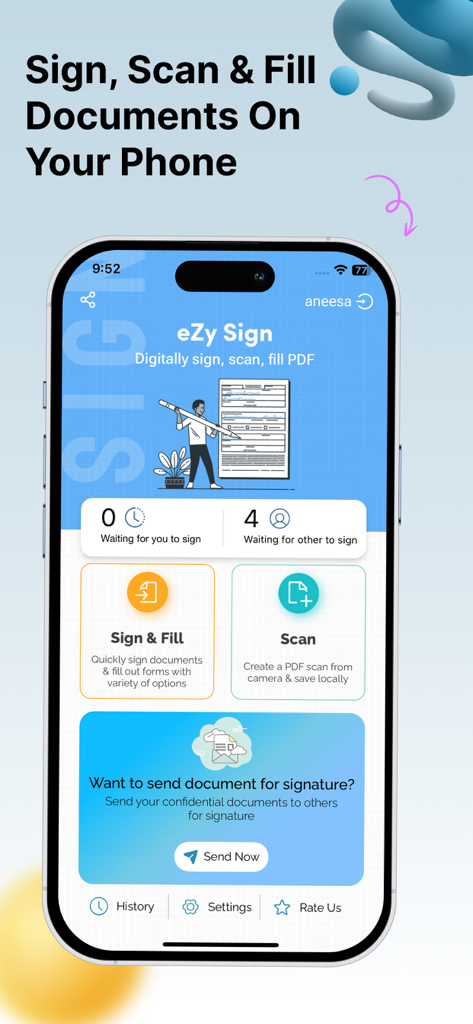
Dashboard der eZy Sign App, das digitale Signaturen und Dokumentenscan-Funktionen anzeigt
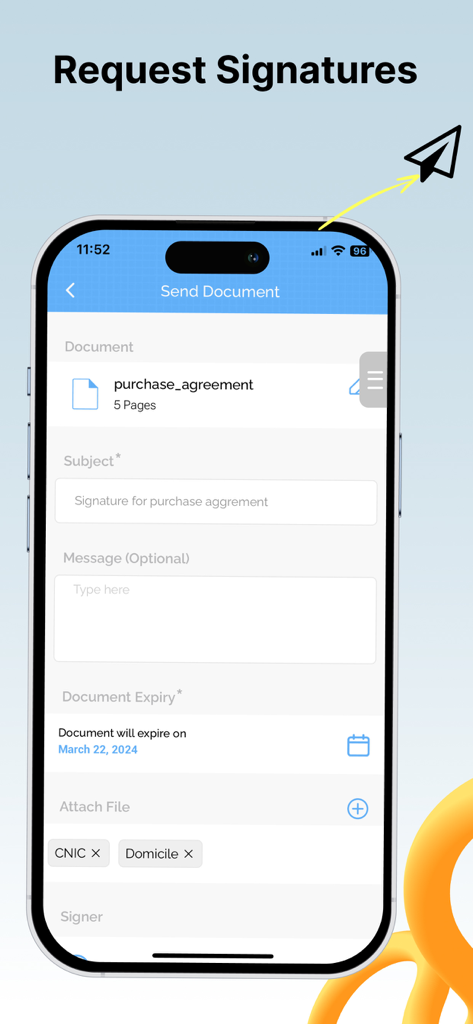
Smartphone-Bildschirm, der die Benutzeroberfläche der eZy Sign App zum Anfordern digitaler Signaturen auf einem Dokument mit Ablaufdatumfunktion anzeigt.
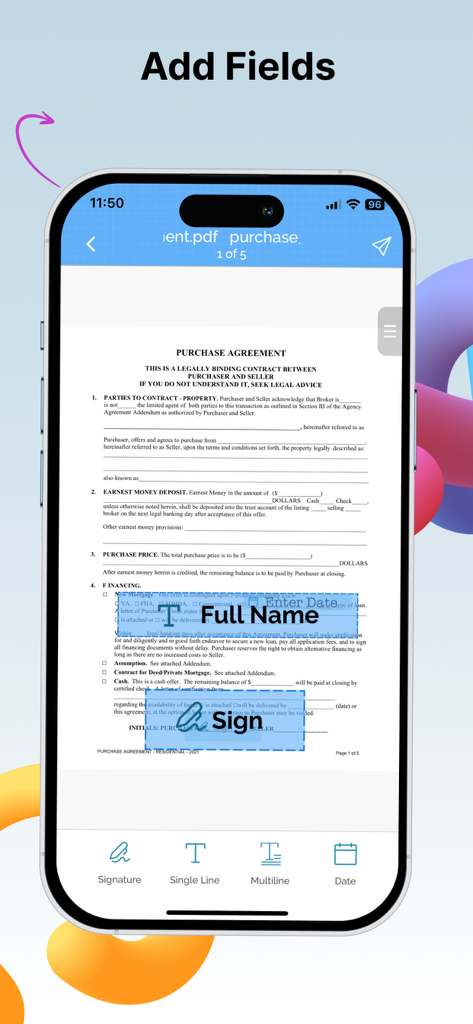
Mobile App-Oberfläche, die zeigt, wie ein Benutzer Vollnamen-, Datums- und Unterschriftsfelder zu einem PDF-Kaufvertrag hinzufügt.
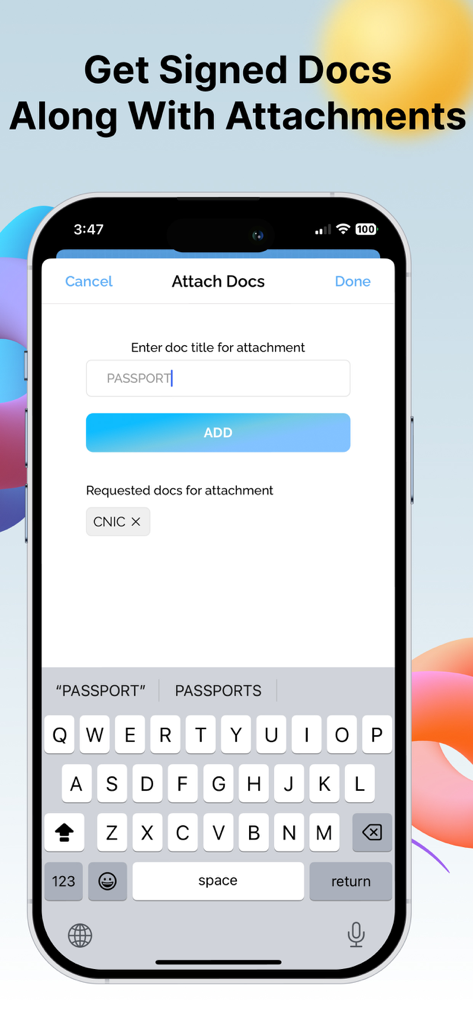
Mobile Oberfläche der eZy Sign App, die zeigt, wie Dokumentenanhänge wie ein Reisepass neben einer Unterschrift angefordert werden.
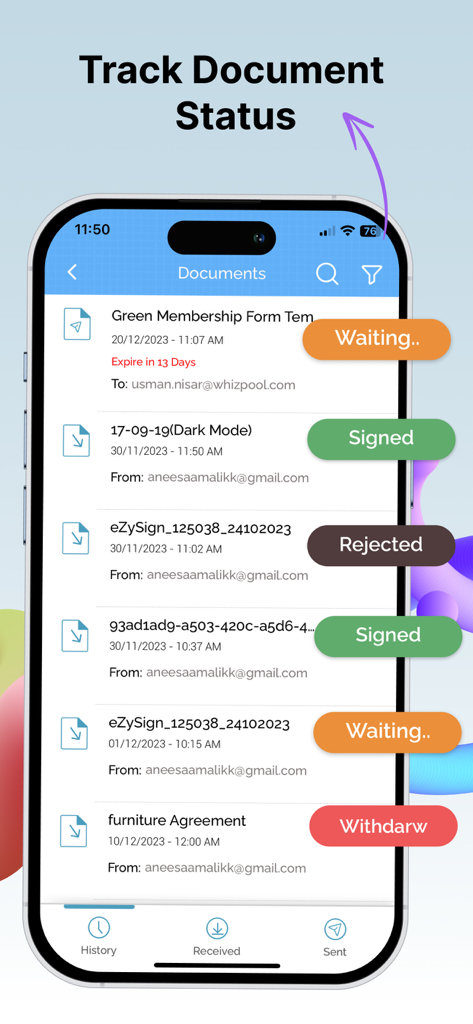
Mobile App-Oberfläche, die eine Liste von Dokumenten mit Echtzeit-Statuskennzeichnungen wie 'unterschrieben', 'wartend' und 'abgelehnt' anzeigt.
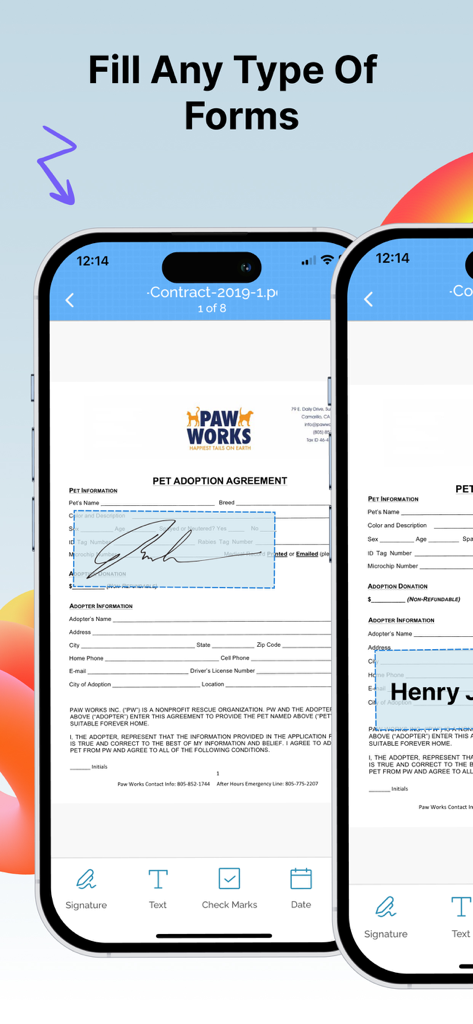
Ausfüllen und Unterschreiben eines PDF-Formulars auf einem iPhone mit der eZy Sign App.
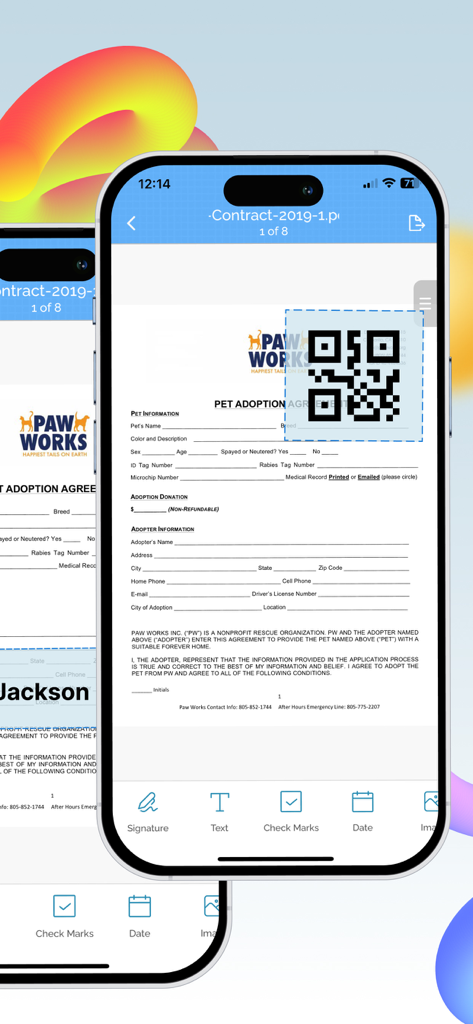
iPhone-Bildschirm, der anzeigt, wie ein QR-Code zu einem digitalen Dokument hinzugefügt wird.
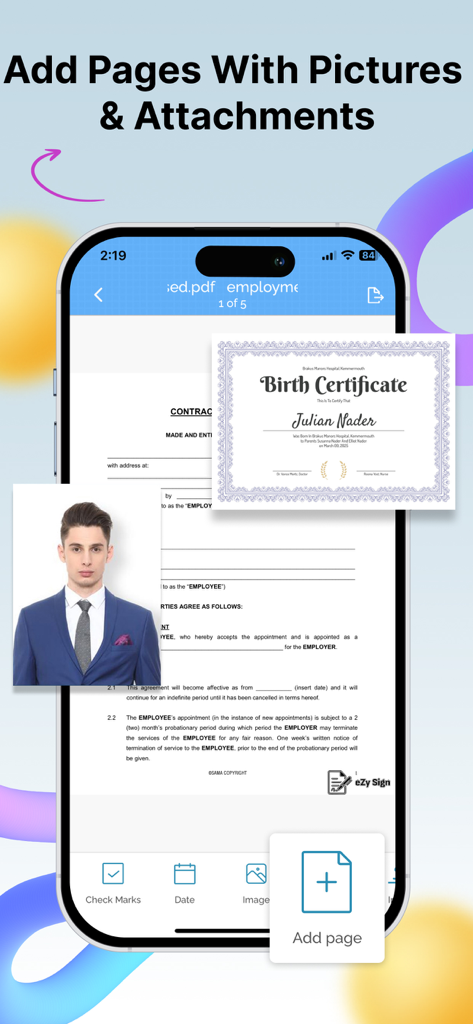
Oberfläche zum Hinzufügen von Bildern und Anhängen zu digitalen Dokumenten auf einem Mobiltelefon
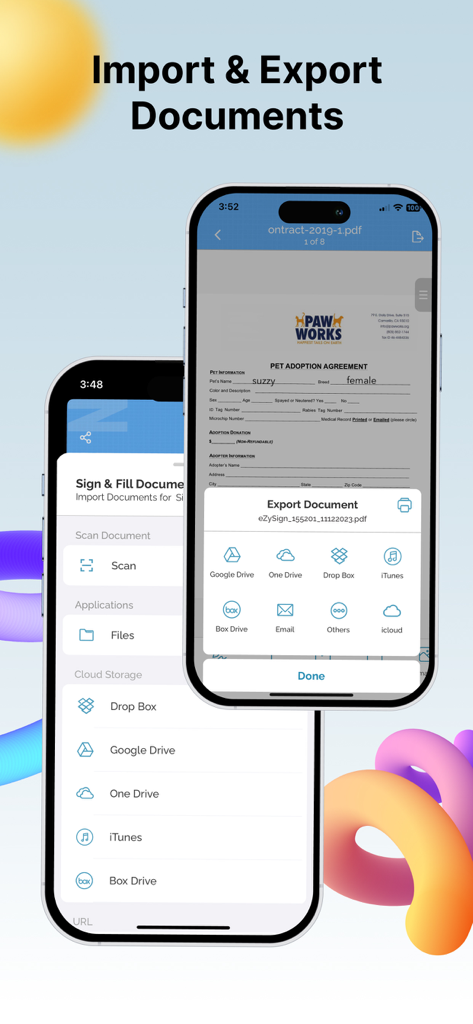
eZy Sign App-Oberfläche, die Optionen zum Importieren und Exportieren von Dokumenten mit Cloud-Speicherintegration anzeigt
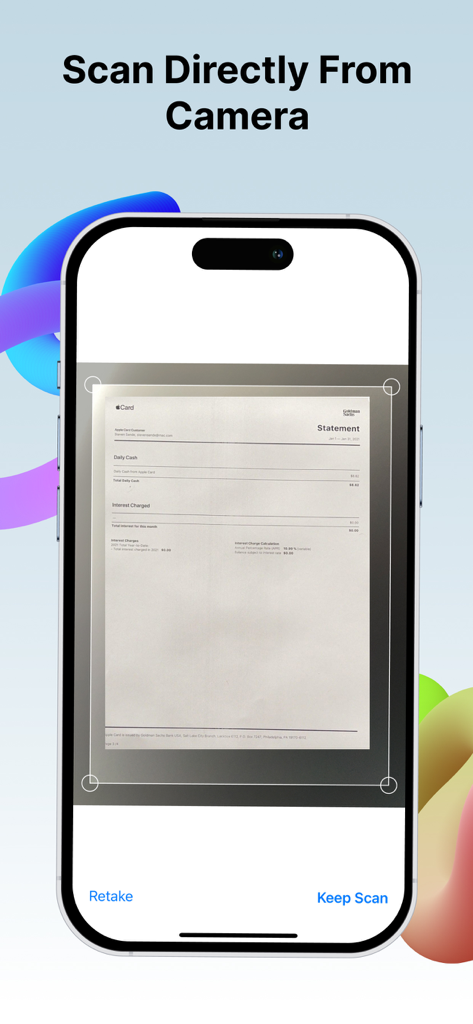
iPhone scannt ein Papierdokument mit der Kamerafunktion der eZy Sign App
Beschreibung
Download
Ähnliche Apps
Top-gerankte Apps in derselben Kategorie

Microsoft Teams
Microsoft Corporation

Zoom Workplace
Zoom Communications, Inc.

WhatsApp Business
WhatsApp Inc.

Indeed Job Search
Indeed Inc.

LinkedIn: Network & Job Finder
LinkedIn Corporation

Adobe Acrobat Reader: Sign PDF
Adobe Inc.

WeCom-Work Communication&Tools
Tencent Technology (Shenzhen) Company Limited

BOSS直聘-招聘求职找工作神器
Beijing China Product Bo Farce Network Technology Co., Ltd.

DingDing - Redefine Work in AI
DingTalk Technology Co., Ltd.
Diese Seite ist keine offizielle Seite der App oder ihres Entwicklers, sondern eine unabhängige redaktionelle Veröffentlichung, die zu Informations- und Kommentarzwecken erstellt wurde. Sofern nicht ausdrücklich anders angegeben, sind weder die App noch ihr Entwickler mit MWM, Apple, Google Play, dem App-Herausgeber oder dem Entwickler der App verbunden, von ihnen unterstützt, gesponsert, autorisiert oder anderweitig offiziell verbunden, und nichts auf dieser Seite impliziert, dass die App unter Verwendung der Dienste von MWM entwickelt wurde. Alle Marken, Logos, Screenshots und andere Inhalte bleiben Eigentum ihrer jeweiligen Inhaber.